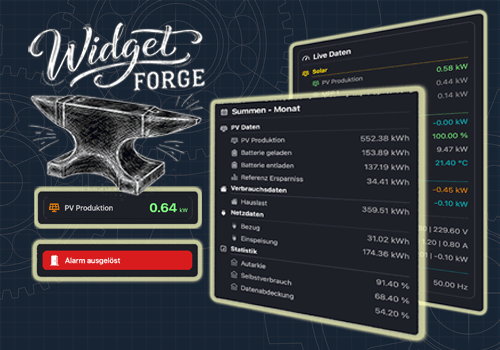
Widget Forge

Flow- and tag-driven independent widgets

자세히 읽기 ›

Flow 카드

그러면...

Widget Forge
Clear styled list Widget ID
i
Clears all lines of the selected Styled List widget.
Widget Forge
Set big display Widget ID: Title = Value Unit (Factor, Invert sign, Icon, Title color, Icon color, Value color, Background color, Title size, Value size)
i
Sets the full content of the selected Big Display widget. Factor and invert also work with values like 191 | -11 | -166.
Widget Forge
Set separator line Line in styled list Widget ID (Thickness, Style, Separator color)
i
Sets one line of the selected Styled List widget as separator line.
Widget Forge
Set spacer line Line in styled list Widget ID: Pixels px
i
Sets one line of the selected Styled List widget as a spacer line with a configurable height in pixels. Empty or invalid values default to 10 px.
Widget Forge
Set title line Line in styled list Widget ID to Text (Style, Text size, Icon, Icon position, Text color, Icon color, Separator, Separator thickness, Separator style, Separator color, Opacity)
i
Sets one line of the selected Styled List widget as title line.
Widget Forge
Set value line Line in styled list Widget ID: Text = Value Unit (Factor, Invert sign, Style, Text size, Icon, Icon position, Data color, Text color, Icon color, Opacity)
i
Sets one line of the selected Styled List widget as value line. Factor and invert also work with values like 191 | -11 | -166.

위젯

모바일 앱 내 대시보드 또는 홈 화면에 이 앱의 위젯을 추가할 수 있습니다.

Big Display
Big Display
Styled List
Styled List

지원

이 앱의 개발자는 직접 지원을 제공하지 않습니다.

새로운 기능

버전 1.0.2 — Re-upload with another set of widget images.

업데이트 로그 보기

Widget Forge

선택하신 Homey에 Widget Forge이(가) 호환되지 않습니다.

Widget Forge이(가) 곧 Homey에 설치됩니다.
앱 설치