





Wear OS Controller

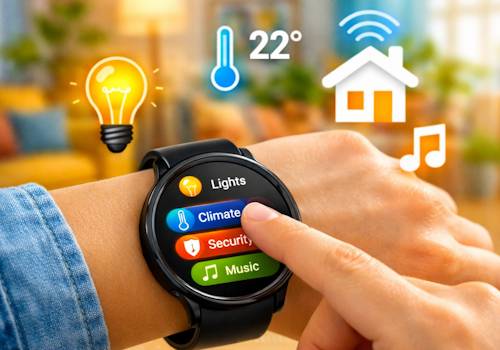
Your smart home, right on your wrist.

Avertissement ! Cette appli peut ne pas fonctionner correctement.

Cette appli est en cours de test, et n’a jamais été revue. Il se peut qu’elle ne fonctionne pas comme attendu.
Prenez des précautions supplémentaires en installant cette appli.
« Retour à la version normale

Your smart home, right on your wrist.

Lire plus ›

Appareils pris en charge

Cartes Flow

Cliquez sur un appareil ci-dessus pour afficher uniquement les cartes Flow associées.

Quand...

Phone
Le niveau de la batterie a changé
Phone
L'alarme batterie s'est activée
Phone
L'alarme batterie s'est désactivée
Wall panel
Activé
Wall panel
Désactivé
Wall panel
Intensité lumineuse modifiée
Wall panel
L'intensité du signal a changé
Wall panel
Est déconnectée
Wall panel
Est connectée
Wall panel
A light card is used: ...
i
Someone changed a light from this panel. Use it to run whatever Homey cannot reach on its own, such as a scene of your own.
Wall panel
Which mood is applied
i
Someone picked a mood on this panel. Homey applies the mood itself; this is for everything it cannot, such as a custom scene on lights of your own.
Wall panel
A climate card is used: ...
Wall panel
A media card is used: ...
Wall panel
A device card is used: Which control
Wall panel
Someone sets ... at the panel
i
Someone said at the panel that they are leaving, back, awake or asleep. Homey's own user flags follow along, so its own 'everyone is asleep' flows keep working; this is for what belongs to this room.
Wall panel
The alarm goes off: Which alarm
i
The panel's own alarm reached its time. The panel says so; what happens next - music, lights, a spoken greeting - is this flow.
Wall panel
Which card comes into view
i
The panel now shows this card, whether someone swiped to it, a flow asked for it, or the panel moved on by itself.
Wear OS Controller
Wear action Action id received
i
Fires when the watch sends this action id to the Wear OS Controller. Use the Value tokens for e.g. a target temperature.
Wear OS Controller
Wear event Event received
i
Fires when the phone or watch reports a system signal (e.g. charging, do-not-disturb). Pick the event from the list (or type a custom one). The device label arrives as the Tag token; State is e.g. on/off.

Et...

Phone
L'alarme batterie est en marche
Wall panel
Est activé
Wall panel
Est connectée

Alors...

Wall panel
Activer
Wall panel
Désactiver
Wall panel
Alterner activé ou désactivé
Wall panel
Mettre l'intensité lumineuse sur %
Wall panel
Définir l'intensité lumineuse sur relative %
i
Diminuez ou augmentez la luminosité par rapport au niveau actuel de l'appareil.
Wall panel
Show Which card
i
Bring one of this panel's cards to the front. The panel switches within a few seconds.
Wall panel
Set Which alarm to 07:30 (...)
i
Set an alarm card's time, switch it on, or switch it off. Leave the time empty to change only whether it is set.
Wall panel
Draw Which card in ...
i
Repaint one of this panel's cards. The colour holds until something changes it again, so a card that turned red on an alarm stays red until a flow, or the card editor, says otherwise. "The panel colour" hands the card back to the panel's own setting.

Assistance

Vous avez un problème avec cette appli ? Contacter le développeur via le Forum Communauté Homey.

Nouveautés

Version 1.34.2 — The app settings now explain the wall panel and link to its public repository, where the hardware, the parts and the first flash over USB are documented.

Afficher le journal des modifications

Wear OS Controller

Cette appli peut gérer tout votre Homey.

Wear OS Controller n’est pas compatible avec le Homey sélectionné.

Wear OS Controller va s’installer sur Homey dans un instant.
Installer