





Wear OS Controller

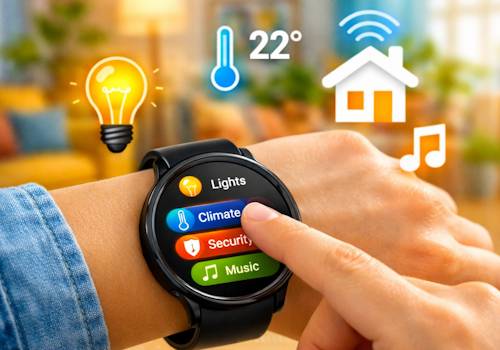
Your smart home, right on your wrist.

Let op! Deze app werkt mogelijk niet.

Deze app versie wordt op dit moment getest, en is nog niet goedgekeurd.
Let extra goed op bij het gebruiken van deze app.
« Terug naar de reguliere versie

Your smart home, right on your wrist.

Lees meer ›

Ondersteunde apparaten

Flow-kaarten

Klik op een apparaat hierboven om gerelateerde Flow-kaarten te zien.

Als...

Phone
Het accuniveau is veranderd
Phone
De batterijwaarschuwing gaat aan
Phone
De batterijwaarschuwing gaat uit
Wall panel
Aangezet
Wall panel
Uitgezet
Wall panel
Het dim-niveau is veranderd
Wall panel
De signaalsterkte is veranderd
Wall panel
Is niet verbonden
Wall panel
Is verbonden
Wall panel
A light card is used: ...
i
Someone changed a light from this panel. Use it to run whatever Homey cannot reach on its own, such as a scene of your own.
Wall panel
Which mood is applied
i
Someone picked a mood on this panel. Homey applies the mood itself; this is for everything it cannot, such as a custom scene on lights of your own.
Wall panel
A climate card is used: ...
Wall panel
A media card is used: ...
Wall panel
A device card is used: Which control
Wall panel
Someone sets ... at the panel
i
Someone said at the panel that they are leaving, back, awake or asleep. Homey's own user flags follow along, so its own 'everyone is asleep' flows keep working; this is for what belongs to this room.
Wall panel
The alarm goes off: Which alarm
i
The panel's own alarm reached its time. The panel says so; what happens next - music, lights, a spoken greeting - is this flow.
Wall panel
Which card comes into view
i
The panel now shows this card, whether someone swiped to it, a flow asked for it, or the panel moved on by itself.
Wear OS Controller
Wear action Action id received
i
Fires when the watch sends this action id to the Wear OS Controller. Use the Value tokens for e.g. a target temperature.
Wear OS Controller
Wear event Event received
i
Fires when the phone or watch reports a system signal (e.g. charging, do-not-disturb). Pick the event from the list (or type a custom one). The device label arrives as the Tag token; State is e.g. on/off.

En...

Phone
De batterijwaarschuwing is aan
Wall panel
Is aan
Wall panel
Is verbonden

Dan...

Wall panel
Zet aan
Wall panel
Zet uit
Wall panel
Schakel aan of uit
Wall panel
Dim naar %
Wall panel
Zet relatief dim-niveau op %
i
Verhoog of verlaag de helderheid ten opzichte van het huidige dim-niveau van het apparaat.
Wall panel
Toon Which card
i
Bring one of this panel's cards to the front. The panel switches within a few seconds.
Wall panel
Set Which alarm to 07:30 (...)
i
Set an alarm card's time, switch it on, or switch it off. Leave the time empty to change only whether it is set.
Wall panel
Toon Which card in ...
i
Repaint one of this panel's cards. The colour holds until something changes it again, so a card that turned red on an alarm stays red until a flow, or the card editor, says otherwise. "The panel colour" hands the card back to the panel's own setting.

Ondersteuning

Heb je een probleem met deze app? Neem contact op met de ontwikkelaar via het Homey Community Forum.

Wat is nieuw

Versie 1.34.2 — The app settings now explain the wall panel and link to its public repository, where the hardware, the parts and the first flash over USB are documented.

Bekijk changelog

Wear OS Controller

Deze app kan je hele Homey beheren.

Wear OS Controller is niet compatibel met de geselecteerde Homey

Wear OS Controller wordt op Homey geïnstalleerd.
Installeer App