





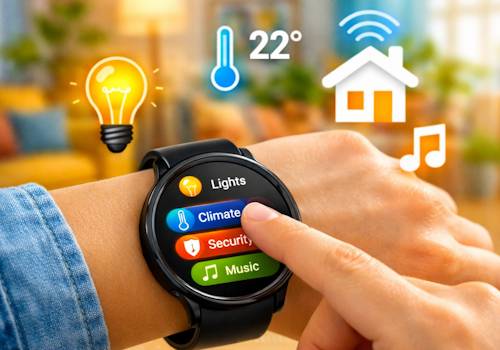
Wear OS Controller

Your smart home, right on your wrist.

Ostrzeżenie! Ta aplikacja może nie działać prawidłowo.

Ta wersja aplikacji jest obecnie testowana i nikt nie wystawił opinii na jej temat. Aplikacja może nie działać zgodnie z oczekiwaniami.
Podczas jej instalowania zachowaj szczególną ostrożność.
« Powrót do wersji zwykłej

Your smart home, right on your wrist.

Czytaj więcej ›

Obsługiwane urządzenia

Karty Flow

Kliknij na urządzenie powyżej, aby wyświetlić tylko powiązane karty Flow.

Kiedy...

Phone
Zmienił się poziom baterii
Phone
Alarm stanu baterii włączony
Phone
Alarm stanu baterii wyłączony
Wall panel
Włączone
Wall panel
Wyłączone
Wall panel
Zmienił się poziom przygaszenia
Wall panel
Zmieniła się siła sygnału
Wall panel
Odłączony
Wall panel
Połączony
Wall panel
A light card is used: ...
i
Someone changed a light from this panel. Use it to run whatever Homey cannot reach on its own, such as a scene of your own.
Wall panel
Which mood is applied
i
Someone picked a mood on this panel. Homey applies the mood itself; this is for everything it cannot, such as a custom scene on lights of your own.
Wall panel
A climate card is used: ...
Wall panel
A media card is used: ...
Wall panel
A device card is used: Which control
Wall panel
Someone sets ... at the panel
i
Someone said at the panel that they are leaving, back, awake or asleep. Homey's own user flags follow along, so its own 'everyone is asleep' flows keep working; this is for what belongs to this room.
Wall panel
The alarm goes off: Which alarm
i
The panel's own alarm reached its time. The panel says so; what happens next - music, lights, a spoken greeting - is this flow.
Wall panel
Which card comes into view
i
The panel now shows this card, whether someone swiped to it, a flow asked for it, or the panel moved on by itself.
Wear OS Controller
Wear action Action id received
i
Fires when the watch sends this action id to the Wear OS Controller. Use the Value tokens for e.g. a target temperature.
Wear OS Controller
Wear event Event received
i
Fires when the phone or watch reports a system signal (e.g. charging, do-not-disturb). Pick the event from the list (or type a custom one). The device label arrives as the Tag token; State is e.g. on/off.

Oraz...

Phone
Alarm stanu baterii jest włączony
Wall panel
Jest włączone
Wall panel
Jest połączony

Wtedy...

Wall panel
Włącz
Wall panel
Wyłącz
Wall panel
Przełącz na wł. lub wył.
Wall panel
Przygaś do %
Wall panel
Ustaw względny poziom przygaszenia %
i
Przygaś lub rozjaśnij względem obecnego poziomu przygaszenia urządzenia.
Wall panel
Show Which card
i
Bring one of this panel's cards to the front. The panel switches within a few seconds.
Wall panel
Set Which alarm to 07:30 (...)
i
Set an alarm card's time, switch it on, or switch it off. Leave the time empty to change only whether it is set.
Wall panel
Draw Which card in ...
i
Repaint one of this panel's cards. The colour holds until something changes it again, so a card that turned red on an alarm stays red until a flow, or the card editor, says otherwise. "The panel colour" hands the card back to the panel's own setting.

Pomoc

Masz problem z tą aplikacją? Skontaktuj się z twórcami aplikacji za pomocą forum Homey Community.

Nowości

Wersja 1.34.2 — The app settings now explain the wall panel and link to its public repository, where the hardware, the parts and the first flash over USB are documented.

Zobacz listę zmian

Wear OS Controller

Ta aplikacja może zarządzać całym Homey.

Wear OS Controller nie jest kompatybilna z wybranym Homey.

Wear OS Controller zostanie wkrótce zainstalowana na Homey.
Zainstaluj