





Wear OS Controller

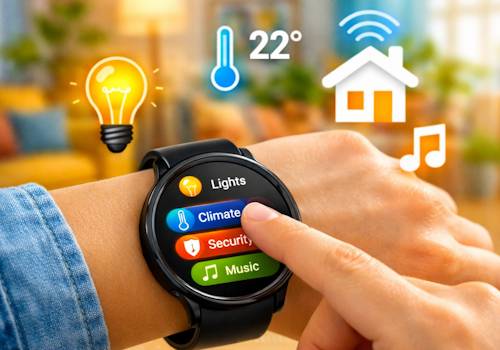
Your smart home, right on your wrist.

Advarsel! Denne app fungerer muligvis ikke ordentligt.

Denne app er ved at blive testet og er aldrig blevet anmeldt. Den fungerer muligvis ikke som forventet.
Vær ekstra forsigtig, når du installerer denne app.
« Tilbage til den almindelige version

Your smart home, right on your wrist.

Læs mere ›

Understøttede enheder

Flow-kort

Klik på en enhed ovenfor for kun at vise relaterede Flow-kort.

Når...

Phone
Batteriniveauet har ændret sig
Phone
Batterialarm aktiverede
Phone
Batterialarm deaktiverede
Wall panel
Tændt
Wall panel
Slukket
Wall panel
Lysniveau ændret
Wall panel
Signalstyrken ændrede sig
Wall panel
Er afbrudt
Wall panel
Er tilsluttet
Wall panel
A light card is used: ...
i
Someone changed a light from this panel. Use it to run whatever Homey cannot reach on its own, such as a scene of your own.
Wall panel
Which mood is applied
i
Someone picked a mood on this panel. Homey applies the mood itself; this is for everything it cannot, such as a custom scene on lights of your own.
Wall panel
A climate card is used: ...
Wall panel
A media card is used: ...
Wall panel
A device card is used: Which control
Wall panel
Someone sets ... at the panel
i
Someone said at the panel that they are leaving, back, awake or asleep. Homey's own user flags follow along, so its own 'everyone is asleep' flows keep working; this is for what belongs to this room.
Wall panel
The alarm goes off: Which alarm
i
The panel's own alarm reached its time. The panel says so; what happens next - music, lights, a spoken greeting - is this flow.
Wall panel
Which card comes into view
i
The panel now shows this card, whether someone swiped to it, a flow asked for it, or the panel moved on by itself.
Wear OS Controller
Wear action Action id received
i
Fires when the watch sends this action id to the Wear OS Controller. Use the Value tokens for e.g. a target temperature.
Wear OS Controller
Wear event Event received
i
Fires when the phone or watch reports a system signal (e.g. charging, do-not-disturb). Pick the event from the list (or type a custom one). The device label arrives as the Tag token; State is e.g. on/off.

Og...

Phone
Batterialarmen er tændt
Wall panel
Er tændt
Wall panel
Er tilsluttet

Så...

Wall panel
Tændt
Wall panel
Slukket
Wall panel
Tænd eller sluk
Wall panel
Juster til %
Wall panel
Indstil relativt lysniveau %
i
Dæmp eller lys op i forhold til enhedens aktuelle dæmpningsniveau.
Wall panel
Show Which card
i
Bring one of this panel's cards to the front. The panel switches within a few seconds.
Wall panel
Set Which alarm to 07:30 (...)
i
Set an alarm card's time, switch it on, or switch it off. Leave the time empty to change only whether it is set.
Wall panel
Draw Which card in ...
i
Repaint one of this panel's cards. The colour holds until something changes it again, so a card that turned red on an alarm stays red until a flow, or the card editor, says otherwise. "The panel colour" hands the card back to the panel's own setting.

Support

Har du et problem med denne app? Kontakt udvikleren via Homey community forum.

Hvad er nyt

Version 1.34.2 — The app settings now explain the wall panel and link to its public repository, where the hardware, the parts and the first flash over USB are documented.

Se ændringslog

Wear OS Controller

Denne app kan administrere hele din Homey.

Wear OS Controller er ikke kompatibel med den valgte Homey.

Wear OS Controller bliver snart installeret på Homey.
Installer