





Wear OS Controller

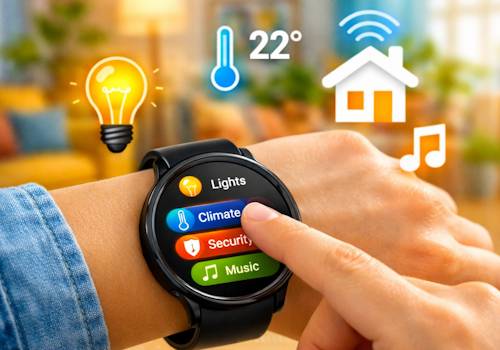
Your smart home, right on your wrist.

Warnung! Diese App funktioniert möglicherweise nicht richtig.

Diese App wird getestet und wurde noch nie überprüft. Sie funktioniert möglicherweise
nicht wie erwartet. Sei besonders vorsichtig, wenn du diese App installierst.
« Zurück zur normalen Version

Your smart home, right on your wrist.

Mehr lesen ›

Unterstützte Geräte

Flow-Karten

Klicke oben auf ein Gerät, um nur verwandte Flow-Karten anzuzeigen.

Wenn ...

Phone
Der Batteriestand hat sich geändert
Phone
Der Batterie-Alarm ist angegangen
Phone
Der Batterie-Alarm ist ausgegangen
Wall panel
Angeschaltet
Wall panel
Ausgeschaltet
Wall panel
Dimm-Niveau geändert
Wall panel
Die Signalstärke hat sich geändert
Wall panel
Ist nicht verbunden
Wall panel
Ist verbunden
Wall panel
A light card is used: ...
i
Someone changed a light from this panel. Use it to run whatever Homey cannot reach on its own, such as a scene of your own.
Wall panel
Which mood is applied
i
Someone picked a mood on this panel. Homey applies the mood itself; this is for everything it cannot, such as a custom scene on lights of your own.
Wall panel
A climate card is used: ...
Wall panel
A media card is used: ...
Wall panel
A device card is used: Which control
Wall panel
Someone sets ... at the panel
i
Someone said at the panel that they are leaving, back, awake or asleep. Homey's own user flags follow along, so its own 'everyone is asleep' flows keep working; this is for what belongs to this room.
Wall panel
The alarm goes off: Which alarm
i
The panel's own alarm reached its time. The panel says so; what happens next - music, lights, a spoken greeting - is this flow.
Wall panel
Which card comes into view
i
The panel now shows this card, whether someone swiped to it, a flow asked for it, or the panel moved on by itself.
Wear OS Controller
Wear action Action id received
i
Fires when the watch sends this action id to the Wear OS Controller. Use the Value tokens for e.g. a target temperature.
Wear OS Controller
Wear event Event received
i
Fires when the phone or watch reports a system signal (e.g. charging, do-not-disturb). Pick the event from the list (or type a custom one). The device label arrives as the Tag token; State is e.g. on/off.

Und ...

Phone
Der Batterie-Alarm ist an
Wall panel
Ist an
Wall panel
Ist verbunden

Dann ...

Wall panel
Einschalten
Wall panel
Ausschalten
Wall panel
Ein- oder ausschalten
Wall panel
Dimmen auf %
Wall panel
Relatives Dimm-Niveau setzen %
i
Dimmen oder Aufhellen in Bezug auf die aktuelle Dimmstufe des Geräts.
Wall panel
Show Which card
i
Bring one of this panel's cards to the front. The panel switches within a few seconds.
Wall panel
Set Which alarm to 07:30 (...)
i
Set an alarm card's time, switch it on, or switch it off. Leave the time empty to change only whether it is set.
Wall panel
Draw Which card in ...
i
Repaint one of this panel's cards. The colour holds until something changes it again, so a card that turned red on an alarm stays red until a flow, or the card editor, says otherwise. "The panel colour" hands the card back to the panel's own setting.

Support

Hast du Probleme mit dieser App? Den Entwickler kontaktieren über ein Homey-Community-Forum.

Was ist neu?

Version 1.34.2 — The app settings now explain the wall panel and link to its public repository, where the hardware, the parts and the first flash over USB are documented.

Changelog ansehen

Wear OS Controller

Diese App kann dein gesamtes Heim verwalten.

Wear OS Controller ist mit dem gewählten Homey nicht kompatibel.

Wear OS Controller wird in Kürze auf Homey installiert.
Installieren