





Wear OS Controller

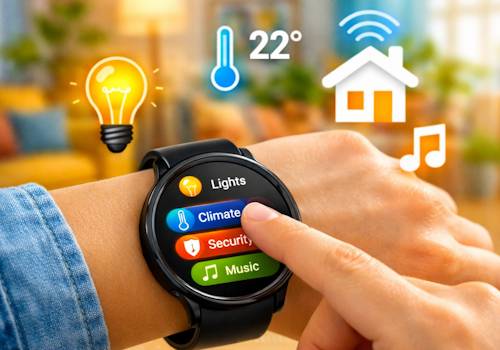
Your smart home, right on your wrist.

¡Advertencia! Es posible que esta aplicación no funcione correctamente.

Esta aplicación se está probando y nunca se ha revisado. Puede que no funcione como se espera.
Ten mucho cuidado al instalar esta aplicación.
« Volver a la versión normal

Your smart home, right on your wrist.

Leer más ›

Dispositivos compatibles

Tarjetas Flow

Haz clic en el dispositivo de arriba para mostrar solo las tarjetas Flow relacionadas.

Cuando...

Phone
El nivel de la batería ha cambiado
Phone
La alarma de la batería se ha activado
Phone
La alarma de la batería se ha desactivado
Wall panel
Encendido
Wall panel
Apagado
Wall panel
La intensidad de la luz ha cambiado
Wall panel
La intensidad de la señal ha cambiado
Wall panel
Está desconectado
Wall panel
Está conectado
Wall panel
A light card is used: ...
i
Someone changed a light from this panel. Use it to run whatever Homey cannot reach on its own, such as a scene of your own.
Wall panel
Which mood is applied
i
Someone picked a mood on this panel. Homey applies the mood itself; this is for everything it cannot, such as a custom scene on lights of your own.
Wall panel
A climate card is used: ...
Wall panel
A media card is used: ...
Wall panel
A device card is used: Which control
Wall panel
Someone sets ... at the panel
i
Someone said at the panel that they are leaving, back, awake or asleep. Homey's own user flags follow along, so its own 'everyone is asleep' flows keep working; this is for what belongs to this room.
Wall panel
The alarm goes off: Which alarm
i
The panel's own alarm reached its time. The panel says so; what happens next - music, lights, a spoken greeting - is this flow.
Wall panel
Which card comes into view
i
The panel now shows this card, whether someone swiped to it, a flow asked for it, or the panel moved on by itself.
Wear OS Controller
Wear action Action id received
i
Fires when the watch sends this action id to the Wear OS Controller. Use the Value tokens for e.g. a target temperature.
Wear OS Controller
Wear event Event received
i
Fires when the phone or watch reports a system signal (e.g. charging, do-not-disturb). Pick the event from the list (or type a custom one). The device label arrives as the Tag token; State is e.g. on/off.

Y...

Phone
La alarma de la batería está activada
Wall panel
Está encendido
Wall panel
Está conectado

Entonces...

Wall panel
Encender
Wall panel
Apagar
Wall panel
Encender o apagar
Wall panel
Ajustar la intensidad de la luz a %
Wall panel
Ajustar la intensidad de la luz como relativa %
i
Atenúa o ilumina con respecto al nivel de atenuación actual del dispositivo.
Wall panel
Show Which card
i
Bring one of this panel's cards to the front. The panel switches within a few seconds.
Wall panel
Set Which alarm to 07:30 (...)
i
Set an alarm card's time, switch it on, or switch it off. Leave the time empty to change only whether it is set.
Wall panel
Draw Which card in ...
i
Repaint one of this panel's cards. The colour holds until something changes it again, so a card that turned red on an alarm stays red until a flow, or the card editor, says otherwise. "The panel colour" hands the card back to the panel's own setting.

Asistencia

¿Tienes algún problema con esta aplicación? Contacta con el desarrollador mediante Foro de la comunidad Homey.

Novedades

Versión 1.34.2 — The app settings now explain the wall panel and link to its public repository, where the hardware, the parts and the first flash over USB are documented.

Ver registro de cambios

Wear OS Controller

Esta aplicación puede administrar todo tu Homey.

Wear OS Controller no es compatible con el Homey seleccionado.

Wear OS Controller se instalará en Homey en breve.
Instalar