








Matter-over-Thread with Homey: How Pairing and Automation Really Work
How Thread Devices join Homey’s Network
Adding a Matter-over-Thread device to your Homey setup might feel like magic — and in some ways, it is. Behind the scenes, several advanced layers of technology spring into action. But from your point of view, the experience is simple, fast, and familiar.
You open the Homey app, tap “Add device,” and choose Matter. You scan the QR code on your new device or enter its setup code. Homey uses Bluetooth to perform secure onboarding, known as commissioning.
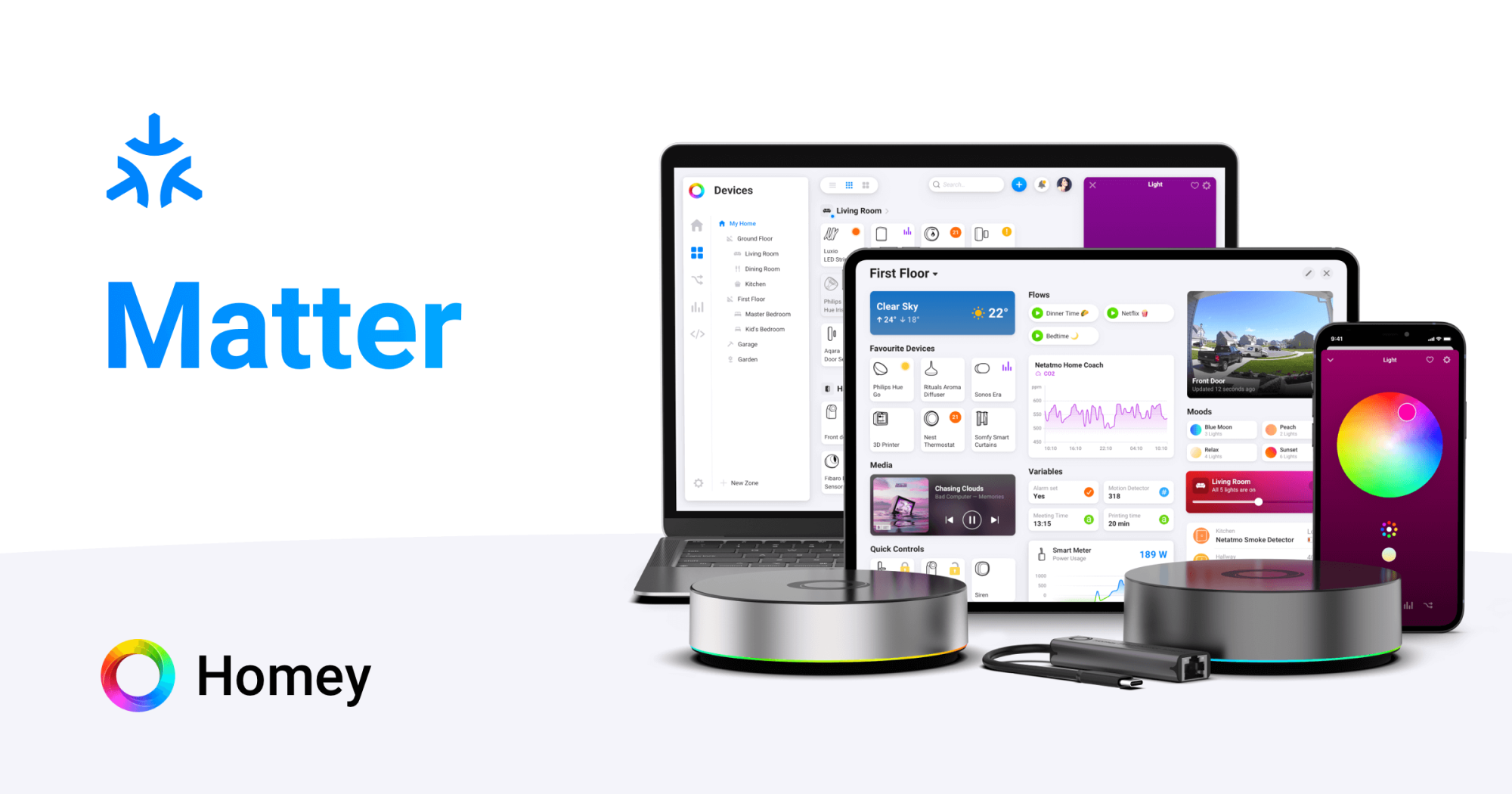
What you don’t see is that Homey and the device are securely exchanging keys, verifying each other’s identities, and deciding how to connect — either via Thread or Wi-Fi. If the device supports Matter-over-Thread, Homey’s built-in Thread Border Router functionality provides everything needed to bring it into your existing mesh.
Within moments, the device appears in your Homey environment with all the right capabilities — from motion detection to energy monitoring. You can use it just like any other smart device.
Pairing Matter-over-Thread devices in Homey
The method you use to onboard a Matter or Thread device can affect what happens behind the scenes. When you use the Homey Web App, Matter-over-Thread devices are always added to the Thread network managed by your Homey Pro or Homey Pro mini. If you use the Homey Mobile App, you’ll see a choice between connecting via Homey Pro or via Android/iOS, and that determines which Thread network the device joins.
Either way, the end result from the user’s perspective is the same: the device gets added into your Homey smart hub, and Homey becomes its controller. Homey provides Thread Border Router functionality for the device, bridging it to your local network. The exact network ownership and which Thread Border Router is used may differ depending on the onboarding path you choose, but from a Homey user’s point of view, it just works.
Thread Devices in Automation Flows
Once your Matter-over-Thread device is added, you don’t need to think about the protocol anymore. A motion sensor shows up as a motion sensor and a contact sensor acts like any other. They slot into Flows and Advanced Flows as if they’ve always been there using Zigbee.
For example, a motion sensor added via Thread typically appears with capabilities like motion alarm and battery level. You can use it to trigger actions, like turning on a Wi-Fi or Zigbee light when motion is detected after sunset, or pausing heating when a Z-Wave balcony contact sensor is opened.
Because Matter defines the way devices describe themselves, and Thread handles the communication, everything behaves consistently. Whether you're combining Thread, Zigbee, Z-Wave or Wi-Fi devices, your Flows stay simple and unified.
Sharing Devices With Other Ecosystems
One of Matter’s most promising features is Multi-Admin — the ability to share the same device across different platforms. For example, you could have a single Thread smart plug visible in Homey, Apple Home and Google Home at the same time.
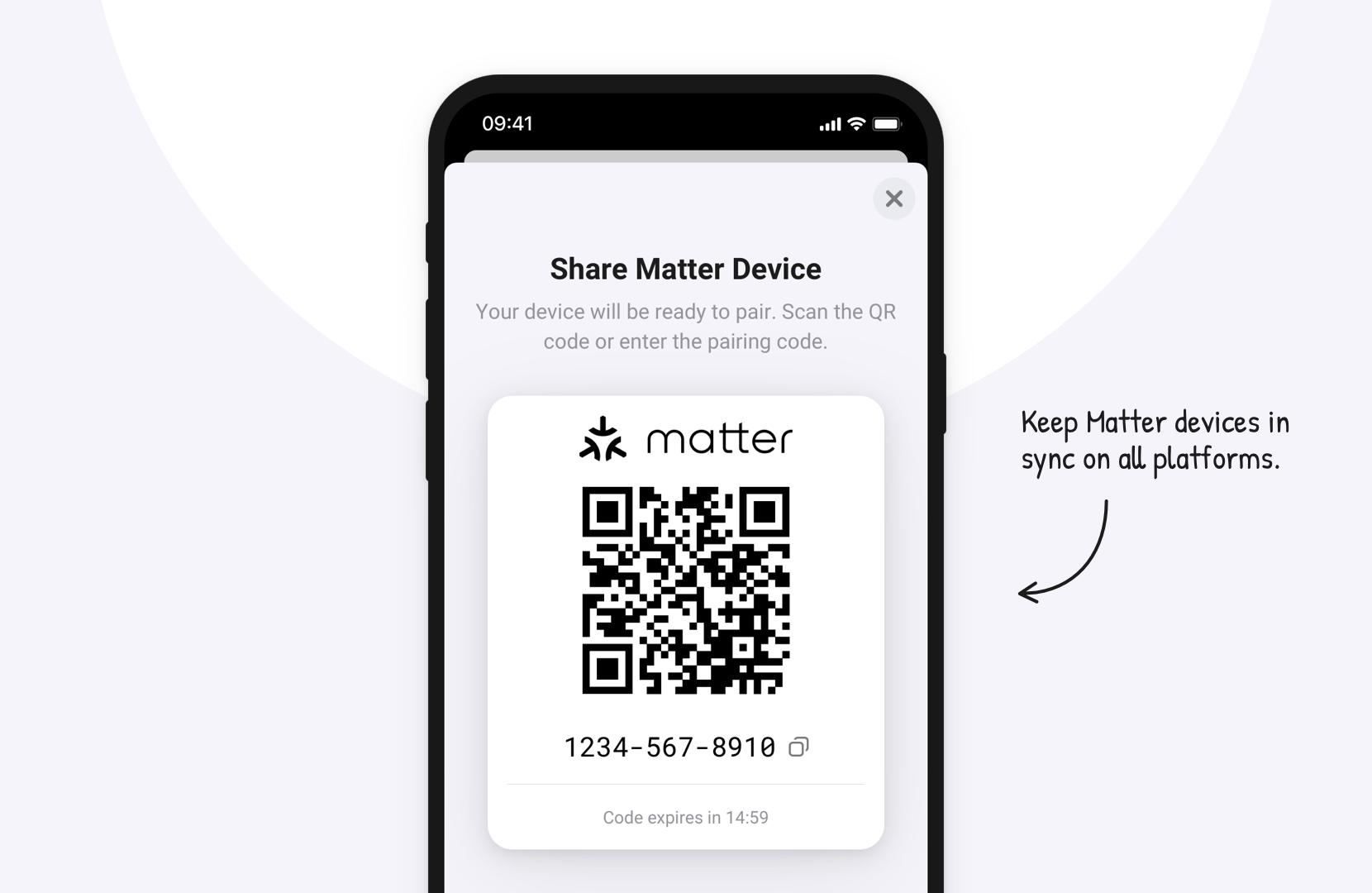
With Homey as a Matter controller and Thread Border Router, you don’t have to choose between ecosystems. You can use Homey as your core automation platform, while still accessing and controlling the same devices via your preferred voice assistant.
Homey remains the place where everything comes together, bridging technologies and vendors — even when a device is shared across multiple systems.
Practical Example: Thread Smart Plugs and Homey Energy
Matter over Thread smart plugs are a good real world example of how this all comes together. When added to Homey, they join the Thread mesh, report their on and off state, and in many cases expose real time power measurement.
In Homey Energy, these plugs appear alongside your other devices, regardless of protocol. You can compare consumption across Zigbee and Z-Wave plugs, track energy use for individual appliances, or use them to automate non smart devices. Flows can toggle plugs based on energy tariffs, solar production, or time of day schedules. If you use voice assistants such as Apple Home, Google Home, or Alexa, these plugs can also be shared to them through Homey.
What makes Thread smart plugs shine is their long-term ecosystem compatibility, low energy usage, and stable communication — all while feeling completely at home in Homey.
Conclusion: Matter and Thread Become Part of Your Smart Home
Once you've added a few Matter-over-Thread devices, they stop feeling new. They're simply part of your smart home — showing up in Energy, triggering Flows, and reacting just like your Zigbee, Z-Wave or Wi-Fi gear.
Thread and Matter take care of secure, low-power communication. Homey takes care of everything else. And that’s exactly the way it should be.
FAQ – Matter-over-Thread with Homey
Do I have to care whether a Matter device uses Wi-Fi or Thread?
Not for day-to-day use. It matters mainly for power consumption and RF design; Homey abstracts the rest.
Can the same Matter-over-Thread device be used in Homey and Apple Home?
Yes, via Matter’s multi-admin feature. If you add the device to both; both can control it independently.
Does Homey support every Matter device?
Matter is standardized, but real devices vary. Homey focuses on Matter devices and clusters that match its capabilities model; unsupported clusters may not map cleanly yet.
What happens if the Thread mesh is unstable?
From Homey’s perspective, the device appears as intermittent or offline. The troubleshooting is similar to Zigbee or Z-Wave: improve RF conditions, choose unobstructed placement, add routers, update firmware.
Can I migrate a Thread device from another hub to Homey?
Yes, but you may need to factory-reset or remove it from the previous controller, then commission it again with Homey.
Are Matter-over-Thread devices local or cloud-dependent?
Matter is designed for local control. Thread traffic and Matter commands between Homey and the device stay inside your home network.
Is pairing via mobile vs web app different for security?
The security model is the same. The difference is which commissioning pathway is used and which Thread fabric the device joins.
Glossary – Matter & Thread Terms
Matter Controller
A device or application that can commission, configure and control Matter devices. Homey Pro and Pro mini act as Matter controllers.
Commissioning Flow
The sequence of steps where a Matter device is securely onboarded, including QR code scanning, key exchange and network assignment.
QR Code (Matter)
A printed code on Matter devices containing setup information, including the setup code needed to begin secure commissioning.
Cluster (Matter)
A collection of related attributes and commands defining a feature, such as an On/Off cluster or Level Control cluster.
Multi-Admin
A Matter capability that allows multiple independent controllers to pair with and control the same device.
Fabric (Matter)
A security and configuration domain in Matter; devices can belong to one or more fabrics, each managed by one or more controllers.
Fabric ID
An identifier for a Matter fabric. Controllers and devices use it to distinguish which logical “home” or admin domain a given relationship belongs to.
Endpoint (Matter)
A logical device instance on a physical product; one physical device can host multiple endpoints (e.g. multiple switches) each with their own clusters.


