Widget Forge

Flow- and tag-driven independent widgets

Read more ›

Flow cards

And...

Widget Forge
Big Data Block Widget ID line Line exists
i
Checks whether the selected line already exists in the selected Big Data Block widget.
Widget Forge
Styled List Widget ID line Line exists
i
Checks whether the selected line already exists in the selected Styled List widget.

Then...

Widget Forge
Apply boolean color grade to Big Data Block Widget ID line Line: Value | true True color | false False color | Scope
i
Applies a boolean color grade to an existing Big Data Block data line. Uses the line's stored invert setting.
Widget Forge
Apply numeric color grade to Big Data Block Widget ID line Line: Value | below Below lowest color | 1:Threshold 1Color 1 | 2:Threshold 2Color 2 | 3:Threshold 3Color 3 | 4:Threshold 4Color 4 | 5:Threshold 5Color 5 | 6:Threshold 6Color 6 | Scope
i
Applies a numeric color grade to an existing Big Data Block data line. Thresholds are sorted internally. Uses the line's stored invert setting.
Widget Forge
Apply boolean color grade to styled list Widget ID line Line: Value | true True color | false False color | Scope
i
Applies a boolean color grade to an existing styled list value line. Uses the line's stored invert setting.
Widget Forge
Apply numeric color grade to styled list Widget ID line Line: Value | below Below lowest color | 1:Threshold 1Color 1 | 2:Threshold 2Color 2 | 3:Threshold 3Color 3 | 4:Threshold 4Color 4 | 5:Threshold 5Color 5 | 6:Threshold 6Color 6 | Scope
i
Applies a numeric color grade to an existing styled list value line. Thresholds are sorted internally. Uses the line's stored invert setting.
Widget Forge
Clear Big Data Block Widget ID
i
Clears all lines of the selected Big Data Block widget.
Widget Forge
Clear styled list Widget ID
i
Clears all lines of the selected Styled List widget.
Widget Forge
Set data line Line in Big Data Block Widget ID: Title = Value Unit (Factor, Invert sign, Icon, Title color, Icon color, Value color, Title size, Value size)
i
Sets one line of the selected Big Data Block widget as data line. Factor and invert also work with values like 191 | -11 | -166.
Widget Forge
Set spacer line Line in Big Data Block Widget ID: Pixels px
i
Sets one line of the selected Big Data Block widget as spacer line with a defined height in pixels.
Widget Forge
Set message Widget ID: Message (Icon, Icon color, Message color, Message style, Background color)
i
Sets the full content of the selected Message widget.
Widget Forge
Set offset zero value for Value with negative Negative offset and positive Positive offset
i
Returns the original numeric value when it is above the positive offset or below the negative offset. Otherwise returns 0. Advanced Flow only.
Advanced
Widget Forge
Set separator line Line in styled list Widget ID (Thickness, Style, Separator color)
i
Sets one line of the selected Styled List widget as separator line.
Widget Forge
Set spacer line Line in styled list Widget ID: Pixels px
i
Sets one line of the selected Styled List widget as a spacer line with a configurable height in pixels. Empty or invalid values default to 10 px.
Widget Forge
Set title line Line in styled list Widget ID to Text (Style, Text size, Icon, Icon position, Text color, Icon color, Separator, Separator thickness, Separator style, Separator color, Opacity)
i
Sets one line of the selected Styled List widget as title line.
Widget Forge
Set value line Line in styled list Widget ID: Text = Value Unit (Factor, Invert sign, Style, Text size, Icon, Icon position, Data color, Text color, Icon color, Opacity)
i
Sets one line of the selected Styled List widget as value line. Factor and invert also work with values like 191 | -11 | -166.

Widgets

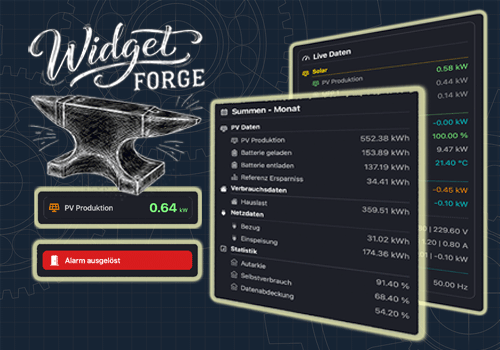
You can add this app’s widgets to your dashboard or homescreen in the mobile app.

Big Data Block
Big Data Block
Big Display
Big Display
Message
Message
Styled List
Styled List

Support

Having an issue with this app? Contact the developer via email.

What’s new

Version 1.2.0 — Added the new Message widget for status messages. Big Display and its flow card are now deprecated, but remain functional in existing flows. Also added new flow cards for offset-based zeroing, numeric and boolean color grading, and line existence checks for Styled List and Big Data Block. Added an option in the widget settings to change the appearance of boolean values.

View changelog

Widget Forge

Widget Forge is not compatible with the selected Homey.

Widget Forge will install on Homey shortly.
Install App