





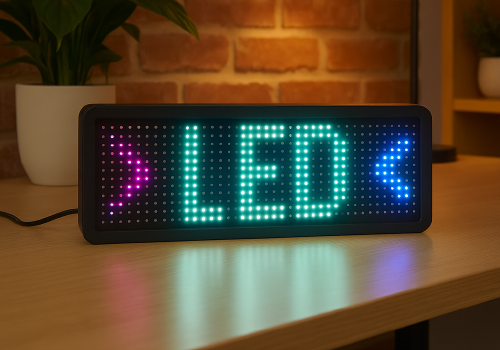
iPixel LED

Display apps, clocks, notifications and media on iPixel-compatible LED displays.

Warning! This app might not work properly.

This app version is currently being tested, and has not yet been reviewed. It might not work as expected.
Be extra careful when installing this app.
« Back to the regular version

Display apps, clocks, notifications and media on iPixel-compatible LED displays.

Read more ›

Supported devices

Flow cards

Click on a device above to show related Flow cards only.
When...

LED Display
Turned on
LED Display
Turned off
LED Display
The dim level changed

And...

LED Display
Is turned on
LED Display
Clock mode is Mode

Then...

LED Display
Turn on
LED Display
Turn off
LED Display
Toggle on or off
LED Display
Dim to %
LED Display
Set relative dim-level %
i
Dim or brighten with respect to the device's current dim-level.
LED Display
Dismiss the current notification
LED Display
Delete all apps, retry: Retry on connection failure
LED Display
Remove app App
LED Display
Set clock colour to Colour
LED Display
Set clock display style to Display style
i
On 32×32 displays, Horizontal uses a centered 14px HH:MM GIF and Vertical places hours above minutes. Selecting either style switches the clock to this fixed GIF layout.
LED Display
Set clock font to With font
i
Leave the field empty to use the bundled default font.
LED Display
Set clock mode to Mode
LED Display
Set clock scroll speed to Speed
LED Display
Show notification with icon Icon at Icon position and text Text in font With font, animation Text animation using Animation style, in Text colour at speed Text speed, important: Important, keep until dismissed: Keep until dismissed
i
Uses a PNG or animated GIF from your media library. GIF frames keep their original timing while the text scrolls. Normally it lasts one complete visual cycle; sticky mode keeps it visible until dismissed.
LED Display
Show notification with image Image, important: Important, keep until dismissed: Keep until dismissed
i
Shows a media-library image for 8 seconds, or until dismissed in sticky mode.
LED Display
Show notification with text Text, font With font, animation Animation, in Colour at speed Speed, important: Important, keep until dismissed: Keep until dismissed
LED Display
Set text app App name to Text with font With font in Colour with Animation at speed Speed
i
Using the same app name updates the existing app instead of creating another one.
LED Display
Set app App name to Icon at Icon position with Text in font With font and Text colour, Text animation using Animation style at speed Text speed
i
PNG and animated GIF icons imported from LaMetric or uploaded in iPixel Media appear in the icon picker. GIF frames keep their original timing while the text scrolls. Smooth text scrolling moves one pixel per frame; Default moves two.
LED Display
Set image app App name to Image for Display duration seconds
i
Displays a static PNG without text. The image is resized to fit the selected iPixel display.

Widgets

You can add this app’s widgets to your dashboard or homescreen in the mobile app.

Virtual LED Screen
Virtual LED Screen

Support

The developer of this app does not offer direct support.

What’s new

Version 4.2.0 — Animated GIF icons are now supported in icon & text apps and notifications. Select GIFs from iPixel Media or imported LaMetric images; original frame timing is preserved while the text scrolls.

View changelog

iPixel LED

iPixel LED is not compatible with the selected Homey.

iPixel LED will install on Homey shortly.
Install App