





iPixel LED

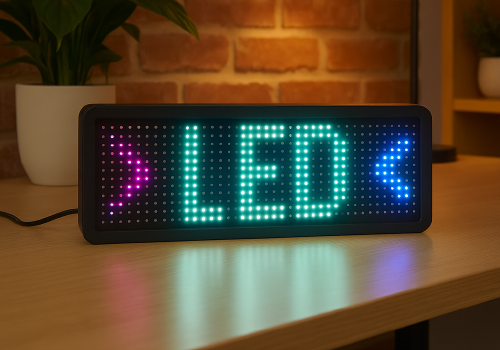
Display apps, clocks, notifications and media on iPixel-compatible LED displays.

Attenzione! Questa app potrebbe non funzionare correttamente.

Questa app è in fase di test e non è mai stata recensita. Potrebbe non funzionare come previsto.
Fai molta attenzione quando installi questa app.
« Torna alla versione normale

Display apps, clocks, notifications and media on iPixel-compatible LED displays.

Leggi di più ›

Dispositivi supportati

Schede dei Flow

Clicca su un dispositivo qui sopra per visualizzare solo le schede dei Flow correlate.
Quando...

LED Display
Attivato
LED Display
Disattivato
LED Display
L'intensità luminosa è cambiata

E...

LED Display
È attivato
LED Display
Clock mode is Mode

Poi...

LED Display
Attiva
LED Display
Disattiva
LED Display
Attiva o disattiva
LED Display
Imposta l'intensità luminosa su %
LED Display
Imposta intensità luminosa su relativa %
i
Attenua o aumenta rispetto all'attuale livello di intensità luminosa del dispositivo
LED Display
Dismiss the current notification
LED Display
Delete all apps, retry: Retry on connection failure
LED Display
Remove app App
LED Display
Set clock colour to Colour
LED Display
Set clock display style to Display style
i
On 32×32 displays, Horizontal uses a centered 14px HH:MM GIF and Vertical places hours above minutes. Selecting either style switches the clock to this fixed GIF layout.
LED Display
Set clock font to With font
i
Leave the field empty to use the bundled default font.
LED Display
Set clock mode to Mode
LED Display
Set clock scroll speed to Speed
LED Display
Show notification with icon Icon at Icon position and text Text in font With font, animation Text animation using Animation style, in Text colour at speed Text speed, important: Important, keep until dismissed: Keep until dismissed
i
Uses a PNG or animated GIF from your media library. GIF frames keep their original timing while the text scrolls. Normally it lasts one complete visual cycle; sticky mode keeps it visible until dismissed.
LED Display
Show notification with image Image, important: Important, keep until dismissed: Keep until dismissed
i
Shows a media-library image for 8 seconds, or until dismissed in sticky mode.
LED Display
Show notification with text Text, font With font, animation Animation, in Colour at speed Speed, important: Important, keep until dismissed: Keep until dismissed
LED Display
Set text app App name to Text with font With font in Colour with Animation at speed Speed
i
Using the same app name updates the existing app instead of creating another one.
LED Display
Set app App name to Icon at Icon position with Text in font With font and Text colour, Text animation using Animation style at speed Text speed
i
PNG and animated GIF icons imported from LaMetric or uploaded in iPixel Media appear in the icon picker. GIF frames keep their original timing while the text scrolls. Smooth text scrolling moves one pixel per frame; Default moves two.
LED Display
Set image app App name to Image for Display duration seconds
i
Displays a static PNG without text. The image is resized to fit the selected iPixel display.

Widget

Puoi aggiungere i widget di questa app alla dashboard oppure alla schermata iniziale nell’app mobile.

Virtual LED Screen
Virtual LED Screen

Supporto

Lo sviluppatore di questa app non offre un supporto diretto.

Novità

Versione 4.2.0 — Animated GIF icons are now supported in icon & text apps and notifications. Select GIFs from iPixel Media or imported LaMetric images; original frame timing is preserved while the text scrolls.

Visualizza il changelog

iPixel LED

iPixel LED non è compatibile con l’Homey selezionato.

iPixel LEDverrà installato a breve su Homey.
Installa