iPixel LED

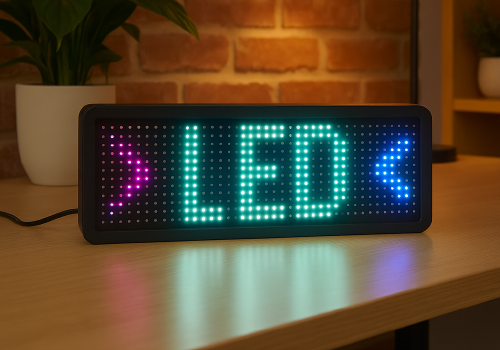
Display apps, clocks, notifications and media on iPixel-compatible LED displays.

경고! 이 앱이 제대로 작동하지 않을 수 있습니다.

이 앱 버전은 현재 테스트 중이며 아직 검토되지 않았습니다. 기대한 대로 작동하지 않을 수 있습니다.
이 앱을 설치할 때는 각별히 주의하세요.
« 일반 버전으로 돌아가기

Display apps, clocks, notifications and media on iPixel-compatible LED displays.

자세히 읽기 ›

지원되는 디바이스

Flow 카드

위의 디바이스를 클릭하면 관련 Flow 카드만 표시됩니다.

언제...

LED Display
켜지면
LED Display
꺼지면
LED Display
밝기가 변경되면

그리고...

LED Display
켜지면
LED Display
Clock mode is Mode

그러면...

LED Display
켜기
LED Display
끄기
LED Display
켬/끔 상태 전환하기
LED Display
다음 밝기로 조절 %
LED Display
상대 밝기 설정 %
i
제품의 현재 디밍 수준에 따라 어둡게 또는 밝게 설정돼요.
LED Display
Dismiss the current notification
LED Display
Delete all apps, retry: Retry on connection failure
LED Display
Remove app App
LED Display
Set clock colour to Colour
LED Display
Set clock display style to Display style
i
On 32×32 displays, Horizontal uses a centered 14px HH:MM GIF and Vertical places hours above minutes. Selecting either style switches the clock to this fixed GIF layout.
LED Display
Set clock font to With font
i
Leave the field empty to use the bundled default font.
LED Display
Set clock mode to Mode
LED Display
Set clock scroll speed to Speed
LED Display
Show notification with icon Icon at Icon position and text Text in font With font, animation Text animation using Animation style, in Text colour at speed Text speed, important: Important, keep until dismissed: Keep until dismissed
i
Uses a PNG or animated GIF from your media library. GIF frames keep their original timing while the text scrolls. Normally it lasts one complete visual cycle; sticky mode keeps it visible until dismissed.
LED Display
Show notification with image Image, important: Important, keep until dismissed: Keep until dismissed
i
Shows a media-library image for 8 seconds, or until dismissed in sticky mode.
LED Display
Show notification with text Text, font With font, animation Animation, in Colour at speed Speed, important: Important, keep until dismissed: Keep until dismissed
LED Display
Set text app App name to Text with font With font in Colour with Animation at speed Speed
i
Using the same app name updates the existing app instead of creating another one.
LED Display
Set app App name to Icon at Icon position with Text in font With font and Text colour, Text animation using Animation style at speed Text speed
i
PNG and animated GIF icons imported from LaMetric or uploaded in iPixel Media appear in the icon picker. GIF frames keep their original timing while the text scrolls. Smooth text scrolling moves one pixel per frame; Default moves two.
LED Display
Set image app App name to Image for Display duration seconds
i
Displays a static PNG without text. The image is resized to fit the selected iPixel display.

위젯

모바일 앱 내 대시보드 또는 홈 화면에 이 앱의 위젯을 추가할 수 있습니다.

Virtual LED Screen
Virtual LED Screen

지원

이 앱의 개발자는 직접 지원을 제공하지 않습니다.

새로운 기능

버전 4.2.0 — Animated GIF icons are now supported in icon & text apps and notifications. Select GIFs from iPixel Media or imported LaMetric images; original frame timing is preserved while the text scrolls.

업데이트 로그 보기

iPixel LED

선택하신 Homey에 iPixel LED이(가) 호환되지 않습니다.

iPixel LED이(가) 곧 Homey에 설치됩니다.
앱 설치