





iPixel LED

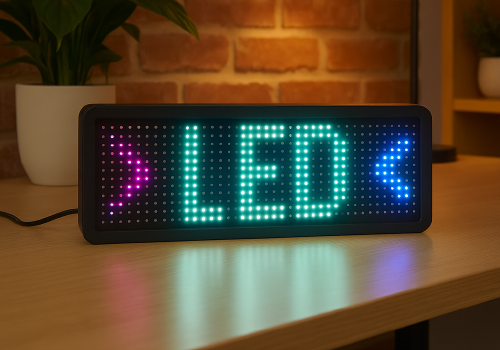
Display apps, clocks, notifications and media on iPixel-compatible LED displays.

Ostrzeżenie! Ta aplikacja może nie działać prawidłowo.

Ta wersja aplikacji jest obecnie testowana i nikt nie wystawił opinii na jej temat. Aplikacja może nie działać zgodnie z oczekiwaniami.
Podczas jej instalowania zachowaj szczególną ostrożność.
« Powrót do wersji zwykłej

Display apps, clocks, notifications and media on iPixel-compatible LED displays.

Czytaj więcej ›

Obsługiwane urządzenia

Karty Flow

Kliknij na urządzenie powyżej, aby wyświetlić tylko powiązane karty Flow.
Kiedy...

LED Display
Włączone
LED Display
Wyłączone
LED Display
Zmienił się poziom przygaszenia

Oraz...

LED Display
Jest włączone
LED Display
Clock mode is Mode

Wtedy...

LED Display
Włącz
LED Display
Wyłącz
LED Display
Przełącz na wł. lub wył.
LED Display
Przygaś do %
LED Display
Ustaw względny poziom przygaszenia %
i
Przygaś lub rozjaśnij względem obecnego poziomu przygaszenia urządzenia.
LED Display
Dismiss the current notification
LED Display
Delete all apps, retry: Retry on connection failure
LED Display
Remove app App
LED Display
Set clock colour to Colour
LED Display
Set clock display style to Display style
i
On 32×32 displays, Horizontal uses a centered 14px HH:MM GIF and Vertical places hours above minutes. Selecting either style switches the clock to this fixed GIF layout.
LED Display
Set clock font to With font
i
Leave the field empty to use the bundled default font.
LED Display
Set clock mode to Mode
LED Display
Set clock scroll speed to Speed
LED Display
Show notification with icon Icon at Icon position and text Text in font With font, animation Text animation using Animation style, in Text colour at speed Text speed, important: Important, keep until dismissed: Keep until dismissed
i
Uses a PNG or animated GIF from your media library. GIF frames keep their original timing while the text scrolls. Normally it lasts one complete visual cycle; sticky mode keeps it visible until dismissed.
LED Display
Show notification with image Image, important: Important, keep until dismissed: Keep until dismissed
i
Shows a media-library image for 8 seconds, or until dismissed in sticky mode.
LED Display
Show notification with text Text, font With font, animation Animation, in Colour at speed Speed, important: Important, keep until dismissed: Keep until dismissed
LED Display
Set text app App name to Text with font With font in Colour with Animation at speed Speed
i
Using the same app name updates the existing app instead of creating another one.
LED Display
Set app App name to Icon at Icon position with Text in font With font and Text colour, Text animation using Animation style at speed Text speed
i
PNG and animated GIF icons imported from LaMetric or uploaded in iPixel Media appear in the icon picker. GIF frames keep their original timing while the text scrolls. Smooth text scrolling moves one pixel per frame; Default moves two.
LED Display
Set image app App name to Image for Display duration seconds
i
Displays a static PNG without text. The image is resized to fit the selected iPixel display.

Widżety

Widżety tej aplikacji można dodać do pulpitu nawigacyjnego lub ekranu głównego w aplikacji mobilnej.

Virtual LED Screen
Virtual LED Screen

Pomoc

Twórcy tej aplikacji nie oferują bezpośredniej pomocy.

Nowości

Wersja 4.2.0 — Animated GIF icons are now supported in icon & text apps and notifications. Select GIFs from iPixel Media or imported LaMetric images; original frame timing is preserved while the text scrolls.

Zobacz listę zmian

iPixel LED

iPixel LED nie jest kompatybilna z wybranym Homey.

iPixel LED zostanie wkrótce zainstalowana na Homey.
Zainstaluj