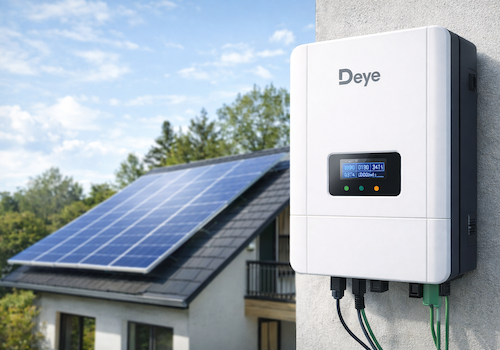
Monitor your Deye solar inverter directly on your local network — no cloud account, no internet dependency.
This app communicates with the Solarman Wi-Fi data logger stick using the SolarmanV5 protocol over TCP port 8899, polling your inverter every 60 seconds.
SUPPORTED MODELS
- Deye Microinverter 2 MPPT (SUN600G3 / SUN800G3 / SUN1000G3)
- Deye Microinverter 4 MPPT (SUN2000G3)
- Deye String Inverter 3-phase, 2 MPPT
- Deye Hybrid Inverter with battery, 2 MPPT
- Deye Hybrid Inverter 3-phase SG04LP3 (SUN-8K / SUN-10K / SUN-12K-SG04LP3-EU)
REQUIREMENTS
- Homey Pro (firmware 13.0 or later)
- Solarman Wi-Fi data logger stick connected to your local network
- TCP port 8899 accessible from Homey (no firewall blocking)
AVAILABLE DATA
Depending on inverter model:
- Real-time AC output power (W)
- PV string voltage and current per channel (PV1–PV4)
- Grid voltage, current and frequency
- Inverter temperature
- Daily and total production (kWh)
- Battery power, voltage, current and state of charge (hybrid models)
- Grid import / export energy (hybrid models)
- Load power consumption (hybrid models)
- Fault / Alarm state
HOMEY ENERGY
Fully integrated with Homey Energy. Your inverter appears as a solar panel device and contributes to your energy dashboard automatically.
PAIRING
1. Open Homey and add a new device
2. Leave the IP field empty to auto-discover loggers on your network, or enter the IP manually
3. The logger serial number is detected automatically (or enter it manually from the sticker)
4. Select your inverter model from the list
5. Capabilities are configured automatically based on your model
NOTES
- Local communication only — no Deye cloud or SolarmanCloud required.
- Auto-discovery uses UDP broadcast on port 48899 (Solarman discovery protocol).
- Night-time detection pauses polling between sunset and sunrise to avoid false unavailability alerts.
- Inverter definitions based on the home_assistant_solarman open-source project.
Lees meer ›
Flow-kaarten
Klik op een apparaat hierboven om gerelateerde Flow-kaarten te zien.
Als...
Deye Omvormer
Batterij begon met opladen
Deye Omvormer
Batterij begon met ontladen
Deye Omvormer
Daily data updated
Deye Omvormer
Omvormergegevens bijgewerkt
Deye Omvormer
Storing/alarm gedetecteerd
Deye Omvormer
Netlevering gestart
Deye Omvormer
Netafname gestart
Deye Omvormer
Netstroom verloren
Deye Omvormer
Netstroom hersteld
Deye Omvormer
Logger ging offline
Deye Omvormer
Logger is weer online
Deye Omvormer
Zonneproductie gestart
Deye Omvormer
Zonneproductie gestopt
En...
Deye Omvormer
Batterij SOC is boven ...%
Deye Omvormer
Fault is Fault
Deye Omvormer
Storing/alarm is actief
Deye Omvormer
Batterij wordt opgeladen
Deye Omvormer
Omvormer voedt het net
Deye Omvormer
Zonneproductie is actief
Ondersteuning
Heb je een probleem met deze app?
Neem contact op met de ontwikkelaar, klik hier.
Wat is nieuw
Versie 1.4.6 — Added a custom icon for the hybrid Fault/Alarm Detail capability, shown at pairing and restored automatically if the capability is added to an existing device. Fixed the icon not rendering — it now declares a proper default icon instead of relying only on a per-device override. EXPERIMENTAL, not yet validated against a real device: extended Fault/Alarm Detail decoding to string inverters (deye_string), based on Deye's official Modbus protocol doc confirming the same register layout as hybrid models — added automatically to existing paired string devices, no re-pairing needed. Corrected two previously-guessed fault names and added several new ones from that same official source. Added three new flow cards: "Fault/alarm detected" trigger, "Fault/alarm is active" condition, and "Fault is ..." condition (with a device-aware suggestion list — battery-specific faults are hidden for string/micro inverters). Report back if any of this doesn't match what you see on your actual inverter.
Bekijk changelog