








Falownik Deye
Bateria zaczęła się ładować
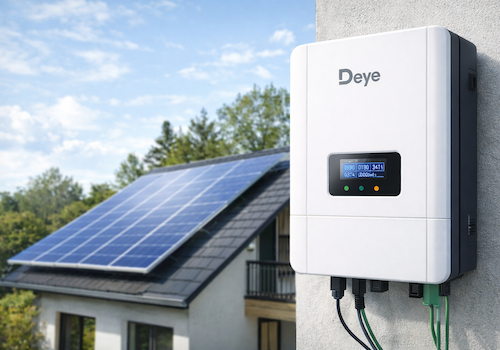
Kliknij na urządzenie powyżej, aby wyświetlić tylko powiązane karty Flow.
Masz problem z tą aplikacją? Skontaktuj się z twórcami aplikacji tutaj.
Wersja 1.4.16 — Fixed: negative values (battery and grid power, battery current) were 1 unit too small, e.g. 10 W on SOFAR. Fixed: changing the logger IP, model or polling interval (device settings or Repair) only took effect after an app restart, and only on that device — it now applies immediately to the inverter, battery and meter of the same logger. Pairing and Repair no longer collide with the app's own polling on the logger. Deye string inverters: load and grid power (advanced sensors) were 10x too small, and grid power now reads positive when importing, like the hybrid models (per Deye Modbus V118). Deye single-phase hybrid: load power can now be negative instead of jumping to ~65,000 W. "Restore capabilities" on string inverters no longer adds the optional load/grid/energy sensors, which need a CT meter (without one they read 0 or repeat production). New maintenance action on string inverters, "Remove unused values", removes those values, PV3/PV4 inputs that are not wired and a radiator temperature the inverter does not report (-100 °C). Fixed: device Flow triggers (solar production started/stopped, battery charging/discharging, grid export/import, fault, logger offline/online, data updated) never fired. Fixed: unwired PV3/PV4 voltage/current came back on every app restart. "Solar production stopped" and the daily summary now also fire when the inverter goes offline at dusk before production dropped below 5 W, and no longer flip between stopped/started when power hovers around a few watts at dusk (started again only above 25 W). String/micro inverters: a logger that loses power within an hour of sunset or sunrise is treated as night, so there is no daily "Connection failed" warning at dusk; retry attempts no longer fill the diagnostic log. New device setting "Debug logging" (Advanced): when asked for a diagnostic report, turn it on for the device with the problem — it logs every poll and request for that device's logger only, and switches itself off after 60 minutes.
 Deye Inverter (Local) nie jest kompatybilna z wybranym Homey.
 Deye Inverter (Local) zostanie wkrótce zainstalowana na Homey.
Poinformujemy Gabriel Pedrosa Machado, że uwielbiasz tę aplikację.
Powiadomimy Gabriel Pedrosa Machado o otrzymaniu sugestii.
 Belgium
 Bulgaria
 Croatia
 Cyprus
 Czech Republic
 Estonia
 Finland
 Greece
 Hungary
 Iceland
 Ireland
 Latvia
 Lithuania
 Malta
Malta
 Moldova
 The Netherlands
 Portugal
 Romania
 Slovakia
 Slovenia
 Türkiye
 Ukraine
 United Kingdom


