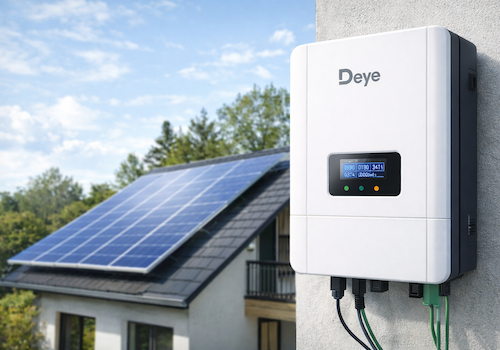
Monitor your Deye solar inverter directly on your local network — no cloud account, no internet dependency.
This app communicates with the Solarman Wi-Fi data logger stick using the SolarmanV5 protocol over TCP port 8899, polling your inverter every 60 seconds.
SUPPORTED MODELS
- Deye Microinverter 2 MPPT (SUN600G3 / SUN800G3 / SUN1000G3)
- Deye Microinverter 4 MPPT (SUN2000G3)
- Deye String Inverter 3-phase, 2 MPPT
- Deye Hybrid Inverter with battery, 2 MPPT
- Deye Hybrid Inverter 3-phase SG04LP3 (SUN-8K / SUN-10K / SUN-12K-SG04LP3-EU)
REQUIREMENTS
- Homey Pro (firmware 13.0 or later)
- Solarman Wi-Fi data logger stick connected to your local network
- TCP port 8899 accessible from Homey (no firewall blocking)
AVAILABLE DATA
Depending on inverter model:
- Real-time AC output power (W)
- PV string voltage and current per channel (PV1–PV4)
- Grid voltage, current and frequency
- Inverter temperature
- Daily and total production (kWh)
- Battery power, voltage, current and state of charge (hybrid models)
- Grid import / export energy (hybrid models)
- Load power consumption (hybrid models)
- Fault / Alarm state
HOMEY ENERGY
Fully integrated with Homey Energy. Your inverter appears as a solar panel device and contributes to your energy dashboard automatically.
PAIRING
1. Open Homey and add a new device
2. Leave the IP field empty to auto-discover loggers on your network, or enter the IP manually
3. The logger serial number is detected automatically (or enter it manually from the sticker)
4. Select your inverter model from the list
5. Capabilities are configured automatically based on your model
NOTES
- Local communication only — no Deye cloud or SolarmanCloud required.
- Auto-discovery uses UDP broadcast on port 48899 (Solarman discovery protocol).
- Night-time detection pauses polling between sunset and sunrise to avoid false unavailability alerts.
- Inverter definitions based on the home_assistant_solarman open-source project.
Klicke oben auf ein Gerät, um nur verwandte Flow-Karten anzuzeigen.
Wenn ...
Deye Wechselrichter
Batterie beginnt zu laden
i
Triggered when the battery transitions from discharging or standby to charging.
Deye Wechselrichter
Batterie beginnt sich zu entladen
i
Triggered when the battery transitions from charging or standby to discharging.
Deye Wechselrichter
Daily data updated
i
Triggered on every successful poll. Use tokens to read today's accumulated energy values. Sell and buy tokens are only available on hybrid inverters with a CT clamp.
Deye Wechselrichter
Wechselrichterdaten aktualisiert
i
Triggered on every successful poll (every 60 s by default). Use tokens to read current values. Note: grid_power token is only populated for string inverters — on hybrid models, grid power is tracked by the Grid Meter device.
Deye Wechselrichter
Störung/Alarm erkannt
i
Triggered when the inverter transitions from OK into a fault/alarm state (fires once per new fault, not on every poll while it persists).
Deye Wechselrichter
Netzeinspeisung gestartet
i
Triggered when the inverter starts exporting power to the grid (grid meter device).
Deye Wechselrichter
Netzbezug gestartet
i
Triggered when the inverter starts drawing power from the grid (grid meter device).
Deye Wechselrichter
Netzverbindung verloren
i
Triggered when the inverter reports a grid outage (hybrid models only).
Deye Wechselrichter
Netzverbindung wiederhergestellt
i
Triggered when the inverter reports grid power has returned (hybrid models only).
Deye Wechselrichter
Logger ging offline
i
Triggered when the logger is unreachable for the configured number of minutes. Use this instead of (or alongside) the timeline notification.
Deye Wechselrichter
Logger ist wieder online
i
Triggered when the logger responds again after an offline period.
Deye Wechselrichter
Solarproduktion gestartet
i
Triggered when the inverter starts producing power (e.g. at sunrise).
Deye Wechselrichter
Solarproduktion gestoppt
i
Triggered when the inverter stops producing power (e.g. at sunset or on a fault).
SOFAR Wechselrichter
Batterie beginnt zu laden
i
Triggered when the battery transitions from discharging or standby to charging.
SOFAR Wechselrichter
Batterie beginnt sich zu entladen
i
Triggered when the battery transitions from charging or standby to discharging.
SOFAR Wechselrichter
Daily data updated
i
Triggered on every successful poll. Use tokens to read today's accumulated energy values. Sell and buy tokens are only available on hybrid inverters with a CT clamp.
SOFAR Wechselrichter
Wechselrichterdaten aktualisiert
i
Triggered on every successful poll (every 60 s by default). Use tokens to read current values. Note: grid_power token is only populated for string inverters — on hybrid models, grid power is tracked by the Grid Meter device.
SOFAR Wechselrichter
Störung/Alarm erkannt
i
Triggered when the inverter transitions from OK into a fault/alarm state (fires once per new fault, not on every poll while it persists).
SOFAR Wechselrichter
Netzeinspeisung gestartet
i
Triggered when the inverter starts exporting power to the grid (grid meter device).
SOFAR Wechselrichter
Netzbezug gestartet
i
Triggered when the inverter starts drawing power from the grid (grid meter device).
SOFAR Wechselrichter
Netzverbindung verloren
i
Triggered when the inverter reports a grid outage (hybrid models only).
SOFAR Wechselrichter
Netzverbindung wiederhergestellt
i
Triggered when the inverter reports grid power has returned (hybrid models only).
SOFAR Wechselrichter
Logger ging offline
i
Triggered when the logger is unreachable for the configured number of minutes. Use this instead of (or alongside) the timeline notification.
SOFAR Wechselrichter
Logger ist wieder online
i
Triggered when the logger responds again after an offline period.
SOFAR Wechselrichter
Solarproduktion gestartet
i
Triggered when the inverter starts producing power (e.g. at sunrise).
SOFAR Wechselrichter
Solarproduktion gestoppt
i
Triggered when the inverter stops producing power (e.g. at sunset or on a fault).
Und ...
Deye Wechselrichter
Batterie-SOC ist über ...%
i
Nur verfügbar bei Hybrid-Wechselrichtern mit einem gekoppelten Batteriegerät.
Deye Wechselrichter
Fault is Fault
i
Checks whether a specific fault/alarm is currently active. Multiple faults can be active at once — this matches if the chosen one is among them. The suggestion list is filtered to what's possible on the selected device's model (e.g. battery faults are hidden for string/micro inverters).
Deye Wechselrichter
Störung/Alarm ist aktiv
Deye Wechselrichter
Batterie wird geladen
i
Nur verfügbar bei Hybrid-Wechselrichtern mit einem gekoppelten Batteriegerät.
Deye Wechselrichter
Wechselrichter speist ins Netz
i
Nur verfügbar bei Hybrid-Wechselrichtern mit CT-Klemme und aktiviertem Netzimport/-export beim Koppeln.
Deye Wechselrichter
Solarproduktion ist aktiv
SOFAR Wechselrichter
Batterie-SOC ist über ...%
i
Nur verfügbar bei Hybrid-Wechselrichtern mit einem gekoppelten Batteriegerät.
SOFAR Wechselrichter
Fault is Fault
i
Checks whether a specific fault/alarm is currently active. Multiple faults can be active at once — this matches if the chosen one is among them. The suggestion list is filtered to what's possible on the selected device's model (e.g. battery faults are hidden for string/micro inverters).
SOFAR Wechselrichter
Störung/Alarm ist aktiv
SOFAR Wechselrichter
Batterie wird geladen
i
Nur verfügbar bei Hybrid-Wechselrichtern mit einem gekoppelten Batteriegerät.
SOFAR Wechselrichter
Wechselrichter speist ins Netz
i
Nur verfügbar bei Hybrid-Wechselrichtern mit CT-Klemme und aktiviertem Netzimport/-export beim Koppeln.
SOFAR Wechselrichter
Solarproduktion ist aktiv
Widgets
Du kannst die Widgets dieser App zu deinem Dashboard oder Startbildschirm in der mobilen App hinzufügen.
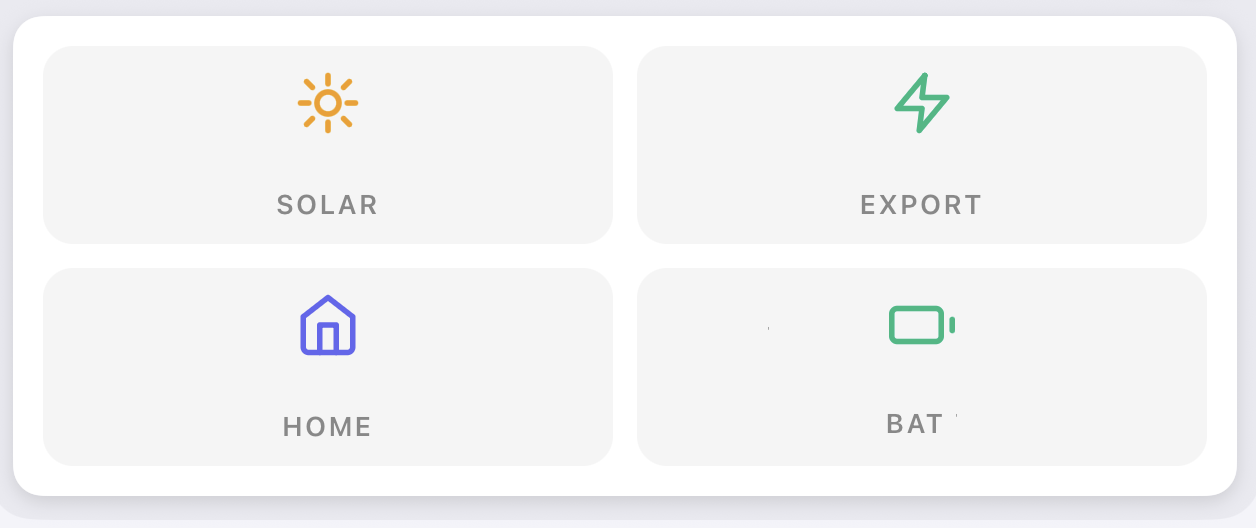
Energie Übersicht
Support
Hast du Probleme mit dieser App?
Kontaktiere den Entwickler hier.
Was ist neu?
Version 1.4.15 — New maintenance action "Restore capabilities" (device settings → Maintenance): re-adds missing values, such as advanced sensors skipped at pairing (e.g. house load power, L2/L3), with their correct names — on the same device, without re-pairing and without removing anything, so Flows and Insights are kept. The repair screen's "Add advanced sensors" option uses the same logic.