








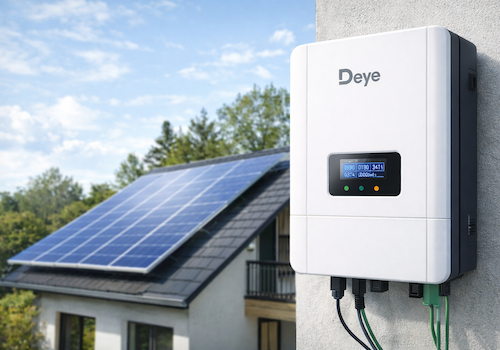
Deye Inverter
Battery started charging
Click on a device above to show related Flow cards only.
Having an issue with this app? Contact the developer via the developer website.
Version 1.4.16 — Fixed: negative values (battery and grid power, battery current) were 1 unit too small, e.g. 10 W on SOFAR. Fixed: changing the logger IP, model or polling interval (device settings or Repair) only took effect after an app restart, and only on that device — it now applies immediately to the inverter, battery and meter of the same logger. Pairing and Repair no longer collide with the app's own polling on the logger. Deye string inverters: load and grid power (advanced sensors) were 10x too small, and grid power now reads positive when importing, like the hybrid models (per Deye Modbus V118). Deye single-phase hybrid: load power can now be negative instead of jumping to ~65,000 W. "Restore capabilities" on string inverters no longer adds the optional load/grid/energy sensors, which need a CT meter (without one they read 0 or repeat production). New maintenance action on string inverters, "Remove unused values", removes those values, PV3/PV4 inputs that are not wired and a radiator temperature the inverter does not report (-100 °C). Fixed: device Flow triggers (solar production started/stopped, battery charging/discharging, grid export/import, fault, logger offline/online, data updated) never fired. Fixed: unwired PV3/PV4 voltage/current came back on every app restart. "Solar production stopped" and the daily summary now also fire when the inverter goes offline at dusk before production dropped below 5 W, and no longer flip between stopped/started when power hovers around a few watts at dusk (started again only above 25 W). String/micro inverters: a logger that loses power within an hour of sunset or sunrise is treated as night, so there is no daily "Connection failed" warning at dusk; retry attempts no longer fill the diagnostic log. New device setting "Debug logging" (Advanced): when asked for a diagnostic report, turn it on for the device with the problem — it logs every poll and request for that device's logger only, and switches itself off after 60 minutes.
 Deye Inverter (Local) is not compatible with the selected Homey.
 Deye Inverter (Local) will install on Homey shortly.
We’ll let Gabriel Pedrosa Machado know you love the app.
We’ll notify Gabriel Pedrosa Machado you’ve sent a suggestion.
 Belgium
 Bulgaria
 Croatia
 Cyprus
 Czech Republic
 Estonia
 Finland
 Greece
 Hungary
 Iceland
 Ireland
 Latvia
 Lithuania
 Malta
Malta
 Moldova
 The Netherlands
 Portugal
 Romania
 Slovakia
 Slovenia
 Türkiye
 Ukraine
 United Kingdom


