





Tessie

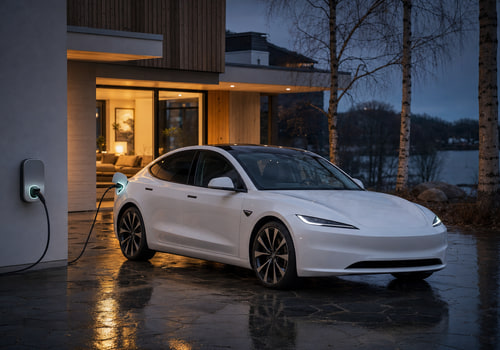
Your Tesla, in tune with your home

Lire plus ›

Appareils pris en charge

Cartes Flow

Cliquez sur un appareil ci-dessus pour afficher uniquement les cartes Flow associées.

Quand...

Vehicle
Le niveau de la batterie a changé
Vehicle
Verrouillé
Vehicle
Déverrouillé
Vehicle
La température cible a été modifiée
Vehicle
Arrived home
i
When the vehicle arrives within the home radius of Homey's location
Vehicle
Battery dropped below Battery level (%)%
i
When the battery level drops below a threshold
Vehicle
Charging completed
i
When the vehicle reaches its charge limit
Vehicle
Charging started
i
When the vehicle starts charging
Vehicle
Charging status changed
i
When the charging status changes
Vehicle
Charging stopped
i
When the vehicle stops charging
Vehicle
Climate started
i
When the climate system is turned on
Vehicle
Climate stopped
i
When the climate system is turned off
Vehicle
Drive completed
i
Shortly after parking, when Tessie has recorded the drive. Driver is the car's driver profile (or 'Unknown'). Distance uses the device's distance unit.
Vehicle
Left home
i
When the vehicle leaves the home radius of Homey's location
Vehicle
Parked
i
When the vehicle is shifted into Park
Vehicle
Charge cable plugged in
i
When a charge cable is connected
Vehicle
Sentry mode disabled
i
When sentry mode is turned off
Vehicle
Sentry mode enabled
i
When sentry mode is turned on
Vehicle
Software update available
i
When a new software update is available
Vehicle
Started driving
i
When the vehicle is shifted out of Park
Vehicle
Charge cable unplugged
i
When the charge cable is disconnected
Vehicle
Vehicle fell asleep
i
When the vehicle goes to sleep
Vehicle
Vehicle was locked
i
When the vehicle is locked
Vehicle
Vehicle was unlocked
i
When the vehicle is unlocked
Vehicle
Vehicle woke up
i
When the vehicle wakes up from sleep

Et...

Vehicle
Un verrou est verrouillé
Vehicle
Battery is above Battery level (%)%
i
Check if the battery level is above a threshold
Vehicle
Charge port is open
i
Check if the charge port door is open
Vehicle
Vehicle is asleep
i
Check if the vehicle is asleep
Vehicle
Vehicle is charging
i
Check if the vehicle is charging
Vehicle
Climate is on
i
Check if climate control is on
Vehicle
Vehicle is driving
i
Check if the vehicle is out of Park
Vehicle
Vehicle is home
i
Check if the vehicle is within the home radius of Homey's location
Vehicle
Vehicle is locked
i
Check if the vehicle is locked
Vehicle
Charge cable is plugged in
i
Check if a charge cable is connected
Vehicle
Sentry mode is on
i
Check if sentry mode is on
Vehicle
Software update is available
i
Check if a software update is pending
Vehicle
Windows are closed
i
Check if all windows are closed

Alors...

Vehicle
Verrouiller
Vehicle
Déverrouiller
Vehicle
Définir la température °C
Vehicle
Open the frunk
i
Open the front trunk (frunk)
Vehicle
Activate the trunk
i
Open or close the rear trunk
Vehicle
Cancel software update
i
Cancel a scheduled software update
Vehicle
Clear speed limit PIN
i
Clear the speed limit PIN on the vehicle using the PIN from device settings
Vehicle
Close the charge port
i
Close the vehicle's charge port door
Vehicle
Close sunroof
i
Close the sunroof (vehicles with a sunroof only)
Vehicle
Close tonneau
i
Close the Cybertruck tonneau cover
Vehicle
Close the windows
i
Close all vehicle windows
Vehicle
Disable max defrost
i
Turn off max defrost mode
Vehicle
Disable sentry mode
i
Turn off sentry mode for the vehicle
Vehicle
Disable speed limit
i
Turn off speed limit mode (requires PIN in device settings)
Vehicle
Disable steering wheel heater
i
Turn off the steering wheel heater
Vehicle
Disable valet mode
i
Turn off valet mode
Vehicle
Enable max defrost
i
Turn on max defrost mode
Vehicle
Enable keyless driving
i
Allow driving without a key for the next two minutes
Vehicle
Enable sentry mode
i
Turn on sentry mode for the vehicle
Vehicle
Enable speed limit
i
Turn on speed limit mode (requires PIN in device settings)
Vehicle
Enable steering wheel heater
i
Turn on the steering wheel heater
Vehicle
Enable valet mode
i
Turn on valet mode to limit vehicle access
Vehicle
Flash the lights
i
Flash the vehicle's headlights
Vehicle
Honk the horn
i
Sound the vehicle's horn
Vehicle
Lock the vehicle
i
Lock all doors on the vehicle
Vehicle
Open the charge port
i
Open the vehicle's charge port door
Vehicle
Open tonneau
i
Open the Cybertruck tonneau cover
Vehicle
Play Sound from the boombox
i
Play a sound from the external speaker (requires 2022.40.25+ and a pedestrian speaker)
Vehicle
Refresh vehicle data
i
Fetch the latest vehicle state from Tessie without waking the vehicle
Vehicle
Install software update in Delay (minutes) minutes
i
Install a downloaded software update after a delay (0 = now)
Vehicle
Turn Bioweapon Defense Mode State
i
Turn Bioweapon Defense Mode on or off (vehicles with HEPA filter only)
Vehicle
Set cabin overheat protection to Mode
i
Set the cabin overheat protection mode
Vehicle
Set charge limit to Charge limit (%)%
i
Set the maximum charge level
Vehicle
Set charging amps to Amps
i
Set the charging current in amps
Vehicle
Set climate keeper mode to Mode
i
Set the climate keeper mode (Keep, Dog, or Camp)
Vehicle
Set cabin overheat protection temperature to Activation temperature
i
Set the temperature at which cabin overheat protection activates
Vehicle
Turn guest mode State
i
Turn guest mode on or off
Vehicle
Turn keep accessory power State
i
Keep accessory power (12V/USB) on after leaving the vehicle
Vehicle
Turn low power mode State
i
Turn low power mode on or off
Vehicle
Set Seat seat cooling to Cooling level
i
Set the ventilation level for a front seat (vehicles with seat cooling only)
Vehicle
Set Seat seat heater to Heat level
i
Set the heating level for a specific seat
Vehicle
Set speed limit to Speed Unit
i
Set the speed limit (50–90 mph / 80–145 km/h)
Vehicle
Set temperature to Temperature Unit
i
Set the target cabin temperature (15–28 °C / 59–82 °F)
Vehicle
Send Destination to the vehicle
i
Send an address, coordinates or video URL to the vehicle
Vehicle
Start charging
i
Begin charging the vehicle
Vehicle
Start climate control
i
Turn on the vehicle's climate system
Vehicle
Stop charging
i
Stop charging the vehicle
Vehicle
Stop climate control
i
Turn off the vehicle's climate system
Vehicle
Trigger HomeLink
i
Trigger the HomeLink garage door opener
Vehicle
Unlock the vehicle
i
Unlock all doors on the vehicle
Vehicle
Vent sunroof
i
Vent the sunroof (vehicles with a sunroof only)
Vehicle
Vent the windows
i
Vent all vehicle windows slightly open
Vehicle
Wake up the vehicle
i
Wake the vehicle from sleep mode

Assistance

Vous avez un problème avec cette appli ? Contacter le développeur ici.

Nouveautés

Version 2.0.1 — Rewritten from the ground up. 50 Flow actions, 21 triggers and 12 conditions, including tonneau, sunroof, seat cooling, guest and low power modes, home geofence, completed-drive reports with the car's driver profile, whether a lock or unlock came from Homey, and optional Timeline posts. New icons and images. Existing cars are migrated automatically; Flows using old cards need to be recreated.

Afficher le journal des modifications

Tessie

Tessie n’est pas compatible avec le Homey sélectionné.

Tessie va s’installer sur Homey dans un instant.
Installer