





Tessie

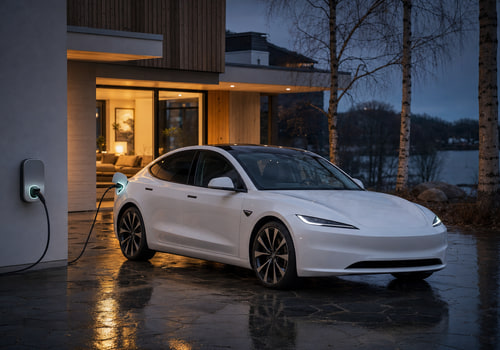
Your Tesla, in tune with your home

Read more ›

Supported devices

Flow cards

Click on a device above to show related Flow cards only.

When...

Vehicle
The battery level changed
Vehicle
Locked
Vehicle
Unlocked
Vehicle
The target temperature changed
Vehicle
Arrived home
i
When the vehicle arrives within the home radius of Homey's location
Vehicle
Battery dropped below Battery level (%)%
i
When the battery level drops below a threshold
Vehicle
Charging completed
i
When the vehicle reaches its charge limit
Vehicle
Charging started
i
When the vehicle starts charging
Vehicle
Charging status changed
i
When the charging status changes
Vehicle
Charging stopped
i
When the vehicle stops charging
Vehicle
Climate started
i
When the climate system is turned on
Vehicle
Climate stopped
i
When the climate system is turned off
Vehicle
Drive completed
i
Shortly after parking, when Tessie has recorded the drive. Driver is the car's driver profile (or 'Unknown'). Distance uses the device's distance unit.
Vehicle
Left home
i
When the vehicle leaves the home radius of Homey's location
Vehicle
Parked
i
When the vehicle is shifted into Park
Vehicle
Charge cable plugged in
i
When a charge cable is connected
Vehicle
Sentry mode disabled
i
When sentry mode is turned off
Vehicle
Sentry mode enabled
i
When sentry mode is turned on
Vehicle
Software update available
i
When a new software update is available
Vehicle
Started driving
i
When the vehicle is shifted out of Park
Vehicle
Charge cable unplugged
i
When the charge cable is disconnected
Vehicle
Vehicle fell asleep
i
When the vehicle goes to sleep
Vehicle
Vehicle was locked
i
When the vehicle is locked
Vehicle
Vehicle was unlocked
i
When the vehicle is unlocked
Vehicle
Vehicle woke up
i
When the vehicle wakes up from sleep

And...

Vehicle
A lock is locked
Vehicle
Battery is above Battery level (%)%
i
Check if the battery level is above a threshold
Vehicle
Charge port is open
i
Check if the charge port door is open
Vehicle
Vehicle is asleep
i
Check if the vehicle is asleep
Vehicle
Vehicle is charging
i
Check if the vehicle is charging
Vehicle
Climate is on
i
Check if climate control is on
Vehicle
Vehicle is driving
i
Check if the vehicle is out of Park
Vehicle
Vehicle is home
i
Check if the vehicle is within the home radius of Homey's location
Vehicle
Vehicle is locked
i
Check if the vehicle is locked
Vehicle
Charge cable is plugged in
i
Check if a charge cable is connected
Vehicle
Sentry mode is on
i
Check if sentry mode is on
Vehicle
Software update is available
i
Check if a software update is pending
Vehicle
Windows are closed
i
Check if all windows are closed

Then...

Vehicle
Lock
Vehicle
Unlock
Vehicle
Set the temperature °C
Vehicle
Open the frunk
i
Open the front trunk (frunk)
Vehicle
Activate the trunk
i
Open or close the rear trunk
Vehicle
Cancel software update
i
Cancel a scheduled software update
Vehicle
Clear speed limit PIN
i
Clear the speed limit PIN on the vehicle using the PIN from device settings
Vehicle
Close the charge port
i
Close the vehicle's charge port door
Vehicle
Close sunroof
i
Close the sunroof (vehicles with a sunroof only)
Vehicle
Close tonneau
i
Close the Cybertruck tonneau cover
Vehicle
Close the windows
i
Close all vehicle windows
Vehicle
Disable max defrost
i
Turn off max defrost mode
Vehicle
Disable sentry mode
i
Turn off sentry mode for the vehicle
Vehicle
Disable speed limit
i
Turn off speed limit mode (requires PIN in device settings)
Vehicle
Disable steering wheel heater
i
Turn off the steering wheel heater
Vehicle
Disable valet mode
i
Turn off valet mode
Vehicle
Enable max defrost
i
Turn on max defrost mode
Vehicle
Enable keyless driving
i
Allow driving without a key for the next two minutes
Vehicle
Enable sentry mode
i
Turn on sentry mode for the vehicle
Vehicle
Enable speed limit
i
Turn on speed limit mode (requires PIN in device settings)
Vehicle
Enable steering wheel heater
i
Turn on the steering wheel heater
Vehicle
Enable valet mode
i
Turn on valet mode to limit vehicle access
Vehicle
Flash the lights
i
Flash the vehicle's headlights
Vehicle
Honk the horn
i
Sound the vehicle's horn
Vehicle
Lock the vehicle
i
Lock all doors on the vehicle
Vehicle
Open the charge port
i
Open the vehicle's charge port door
Vehicle
Open tonneau
i
Open the Cybertruck tonneau cover
Vehicle
Play Sound from the boombox
i
Play a sound from the external speaker (requires 2022.40.25+ and a pedestrian speaker)
Vehicle
Refresh vehicle data
i
Fetch the latest vehicle state from Tessie without waking the vehicle
Vehicle
Install software update in Delay (minutes) minutes
i
Install a downloaded software update after a delay (0 = now)
Vehicle
Turn Bioweapon Defense Mode State
i
Turn Bioweapon Defense Mode on or off (vehicles with HEPA filter only)
Vehicle
Set cabin overheat protection to Mode
i
Set the cabin overheat protection mode
Vehicle
Set charge limit to Charge limit (%)%
i
Set the maximum charge level
Vehicle
Set charging amps to Amps
i
Set the charging current in amps
Vehicle
Set climate keeper mode to Mode
i
Set the climate keeper mode (Keep, Dog, or Camp)
Vehicle
Set cabin overheat protection temperature to Activation temperature
i
Set the temperature at which cabin overheat protection activates
Vehicle
Turn guest mode State
i
Turn guest mode on or off
Vehicle
Turn keep accessory power State
i
Keep accessory power (12V/USB) on after leaving the vehicle
Vehicle
Turn low power mode State
i
Turn low power mode on or off
Vehicle
Set Seat seat cooling to Cooling level
i
Set the ventilation level for a front seat (vehicles with seat cooling only)
Vehicle
Set Seat seat heater to Heat level
i
Set the heating level for a specific seat
Vehicle
Set speed limit to Speed Unit
i
Set the speed limit (50–90 mph / 80–145 km/h)
Vehicle
Set temperature to Temperature Unit
i
Set the target cabin temperature (15–28 °C / 59–82 °F)
Vehicle
Send Destination to the vehicle
i
Send an address, coordinates or video URL to the vehicle
Vehicle
Start charging
i
Begin charging the vehicle
Vehicle
Start climate control
i
Turn on the vehicle's climate system
Vehicle
Stop charging
i
Stop charging the vehicle
Vehicle
Stop climate control
i
Turn off the vehicle's climate system
Vehicle
Trigger HomeLink
i
Trigger the HomeLink garage door opener
Vehicle
Unlock the vehicle
i
Unlock all doors on the vehicle
Vehicle
Vent sunroof
i
Vent the sunroof (vehicles with a sunroof only)
Vehicle
Vent the windows
i
Vent all vehicle windows slightly open
Vehicle
Wake up the vehicle
i
Wake the vehicle from sleep mode

Support

Having an issue with this app? Report issues via the developer issue tracker.

What’s new

Version 2.0.1 — Rewritten from the ground up. 50 Flow actions, 21 triggers and 12 conditions, including tonneau, sunroof, seat cooling, guest and low power modes, home geofence, completed-drive reports with the car's driver profile, whether a lock or unlock came from Homey, and optional Timeline posts. New icons and images. Existing cars are migrated automatically; Flows using old cards need to be recreated.

View changelog

Tessie

Tessie is not compatible with the selected Homey.

Tessie will install on Homey shortly.
Install App