








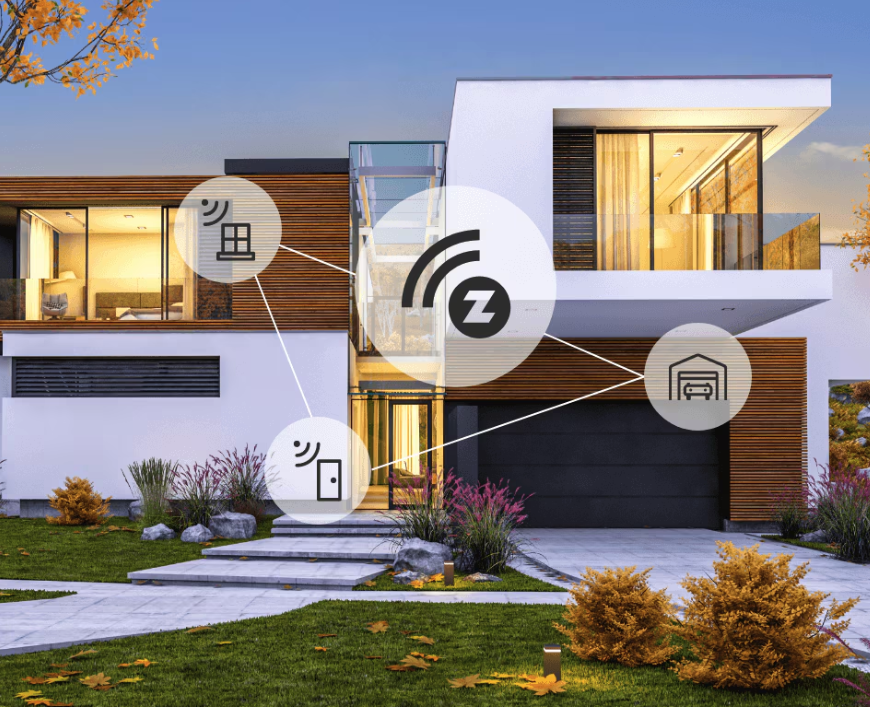
How Z-Wave Works: A Technical Deep Dive
Z-Wave is a wireless smart home protocol built for reliable, low-power communication between devices like sensors, switches, thermostats, and locks.
Z-Wave works by sending small control messages over a sub-GHz mesh network, which helps it maintain stable connections through walls and floors. In this guide, we explain how Z-Wave works, why it differs from Wi-Fi and Zigbee, and how Homey Pro uses Z-Wave for local smart home automation.
Z-Wave at a glance
- Wireless protocol built for smart home automation
- Uses sub-GHz frequencies instead of crowded 2.4 GHz
- Forms a mesh network through mains-powered devices
- Designed for reliable, low-power communication
- Well suited for sensors, switches, locks, and thermostats
- Works locally with Homey Pro
Z-Wave in a Nutshell: Low-Frequency, Low-Energy
Z-Wave is a low-frequency communication protocol in the sub-GHz range. This technology operates on 908.4 MHz in North America, 868.4 MHz across Europe and 921.4 MHz in Australia and New Zealand. Sub-GHz frequencies have better range because they penetrate walls and solid objects much more effectively than higher-frequency signals. The effects are easy to recognize in daily use: devices stay connected even through thick walls and floors, and battery life is measured in years instead of months.
Because Z-Wave operates outside the crowded 2.4 GHz band, it’s less exposed to interference from Wi-Fi routers, Bluetooth gadgets and other networks like Zigbee and Thread. Instead of pushing large amounts of data, Z-Wave focuses on compact control messages like “turn on”, “turn off” or “temperature is 21.5°C”. This makes it ideal for sensors, switches, locks and other smart home devices that only need to talk in short bursts.
As a protocol, Z-Wave is also highly energy efficient. Battery devices sleep most of the time and wake only when they need to send or receive information. Messages and small and lightweight, which don't require large bandwidths to operate. The combination of low-frequency radio and efficient messaging is what gives Z-Wave its characteristic calm, steady feeling in a smart home.
Nodes, Controller and Mesh: How Devices Work Together
Every Z-Wave device acts as a node with its own unique Home ID and Node ID. One central node serves as the primary controller to manage the entire installation. In a Homey setup, this is usually Homey Pro, which keeps track of all nodes and their specific capabilities to determine the most efficient routes for communication.
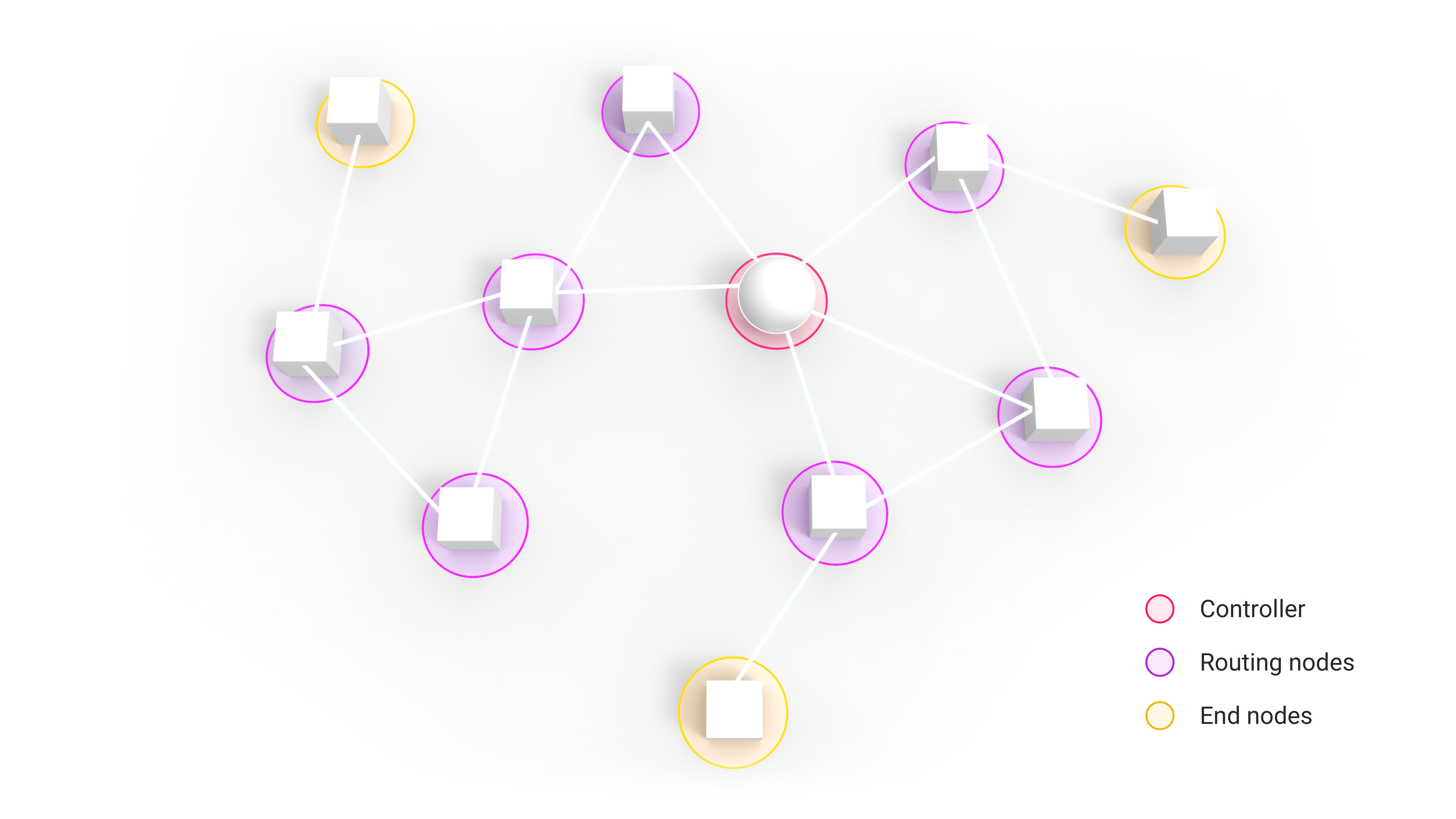
Z-Wave forms a self-healing mesh network where devices forward messages for one another. Mains-powered devices like in-wall modules and smart plugs act as routing nodes or repeaters. These devices pass commands to nodes located further away from Homey Pro.
Battery-powered devices like door sensors or motion sensors stay in a sleep state and do not repeat signals to preserve energy. These devices act as end nodes and cannot relay traffic back to the controller.
Adding more powered Z-Wave devices creates a stronger backbone for your smart home. Signals can take multiple paths to and from Homey Pro, which improves stability. You don’t have to plan every route yourself – the network automatically learns and adjusts as devices appear, move or disappear.
Inclusion, Exclusion and Network Healing
Z-Wave networks are carefully managed to stay healthy over time. Adding, removing and repositioning devices all affect the mesh, so the protocol includes tools to handle these changes smoothly.
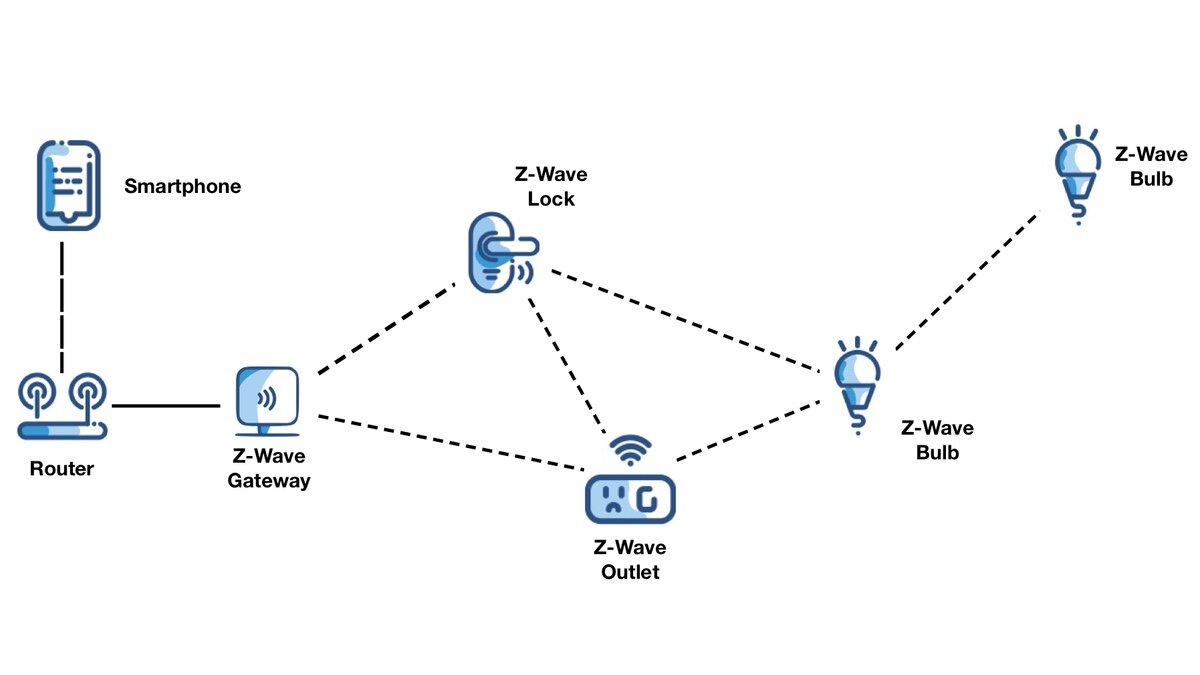
Inclusion is the process of adding a new device. In Homey, you start the inclusion wizard, put the device in pairing mode, and the controller assigns it a node ID. Homey reads which functions the device has – switch, dimmer, sensor, meter and so on – and creates the right capabilities in the Homey app.
Exclusion is the process of removing a device from a network, even if paired to a different controller. You start exclusion on Homey, put the device in its exclusion mode, and it clears its network data. This is often the first step when you want to fix a stubborn device that refuses to pair.
Over time, the network also performs a kind of healing. As new repeaters are added or old ones removed, routes are recalculated and optimized. In practice, this means a device that was previously “just in range” might suddenly become much more reliable after you plug in a new Z-Wave outlet in a nearby location.
Robust Security with S2 Framework
Z-Wave uses the Security 2 (S2) framework to protect your smart home from digital intruders. This standard employs AES-128 encryption, which is a similar level of security used by global banking institutions. This helps protect commands exchanged between compatible Z-Wave devices and the controller from unauthorized interception.
The S2 framework introduces a secure key exchange using Elliptic Curve Diffie-Hellman (ECDH). During the pairing process, the Z-wave devices and Homey Pro establish a unique, encrypted connection that nearby hackers cannot intercept. This specific authentication method significantly reduces the risk of "man-in-the-middle" attacks that often plague older, less secure protocols like 433 MHz.
As an added bonus, energy efficiency is another major advantage of the S2 standard compared to the older S0 version. Previous security methods required multiple back-and-forth messages to verify a single command, which drained batteries quickly. S2 uses a single-frame transmission process that provides top-tier security without slowing down your network or shortening device life.
Who should choose Z-Wave?
Z-Wave is often a strong fit for people who want:
- reliable automation through walls and floors
- long battery life for sensors
- local smart home control
- certified compatibility across brands
- stable performance in homes with busy Wi-Fi networks
How does Z-Wave work in Homey?
Both Homey Pro and Homey Bridge act as the primary brain for your Z-Wave network by coordinating every signal sent between your devices. When you add a new sensor or switch, the hub performs an inclusion to securely register the hardware and assign it a unique Node ID. Homey Pro manages this entire process locally on its internal 700-series Z-Wave chip to ensure your home stays functional even if your internet connection drops.
Z-Wave creates a self-healing mesh where every mains-powered device forwards messages to help those further away. If a basement sensor cannot reach your Homey Pro directly, it automatically sends its signal through a nearby smart plug or in-wall switch. This dynamic routing means Homey Bridge or Homey Pro can maintain a massive network of up to 240 devices without losing speed. Your network actually grows stronger and more resilient as you add more powered "repeaters" throughout your rooms.
For those with larger properties or multiple locations, you can use Homey Bridge in Satellite Mode to manage more devices from a single interface. This setup allows you to control devices in a separate area, like a detached garage or a different floor, through the same Homey app.
One of the biggest strengths of Homey is that Z-Wave does not live in isolation. Homey lets Z-Wave devices work together with products that use Zigbee, Matter, Thread, KNX, 433 MHz, Wi-Fi, Bluetooth, Infrared and many cloud-connected integrations. In practice, that means that with Homey, Z-Wave sensor can trigger a Wi-Fi camera, a Zigbee bulb, and a Matter smart plug in the same Flow. You are not locked into one protocol or one brand.
What Happens When a Flow Runs?
Consider a simple example: you have a Z-Wave motion sensor in the hallway and a Z-Wave dimmer module controlling the ceiling light. In Homey, you’ve created a Flow: “When motion is detected, then set the hallway dimmer to 30%.”
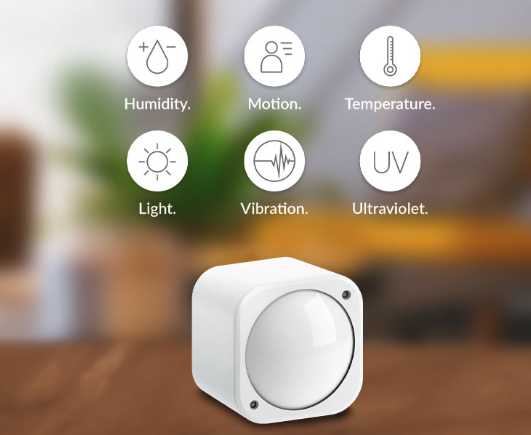
Behind the scenes, this is what happens:
- The motion sensor wakes up because it has detected movement. It sends a Z-Wave message with a “motion detected” event. The message travels through the mesh network and reaches Homey Pro.
- Homey Pro receives the event and checks your Flows. It finds the matching Flow and decides to send a dimming command to the hallway light.
- Homey Pro sends the Z-Wave command to set the dimmer to 30%. If the light is not in direct range, the message hops through one or more repeater nodes on the way.
- The dimmer receives the command, adjusts its light output, and sends an acknowledgment so the controller confirms the message was delivered.
All of this happens locally inside your home. No cloud dependency exists for the motion sensor to communicate with the dimmer. This local processing ensures your Z-Wave automations remain responsive and functional even when your internet connection drops.
Z-Wave as the Backbone of Your Smart Home
When you look past the technical terms, Z-Wave is simply a quiet, reliable way for your home to talk to itself. Sub-GHz radio, mesh routing and efficient messages all combine to create a network that prioritizes stability over spectacle.
Choosing Z-Wave hardware means you are investing in a strictly certified ecosystem that prioritizes long-term compatibility. Whether you use Homey Pro or Homey Bridge, you can mix and match the best sensors and actuators from hundreds of global manufacturers. This interoperability allows your system to evolve over time as new Z-Wave devices enter the market with even better range and battery efficiency.
Comparing Z-Wave vs Zigbee vs Wi-Fi
Wi-Fi is built for high-bandwidth traffic like video streaming, music, and web browsing, while Z-Wave and Zigbee are designed for small, reliable smart home commands such as turning lights on, reporting motion, or sending temperature updates. Z-Wave uses sub-GHz frequencies and forms a mesh network that is known for stable performance and strong wall penetration, while Zigbee typically operates on 2.4 GHz and also uses a mesh network, making it a popular choice for lighting, sensors, and other low-power devices. In practice, Wi-Fi is best for data-heavy devices, while Z-Wave and Zigbee are better suited to responsive, energy-efficient home automation.
Z-Wave: sub-GHz, strong wall penetration, certified interoperability, ideal for sensors, switches, locks, and stable automation
Zigbee: 2.4 GHz, often cheaper, broad device choice, especially lighting and sensors
Wi-Fi: high bandwidth, better for cameras and speakers, less ideal for low-power battery devices
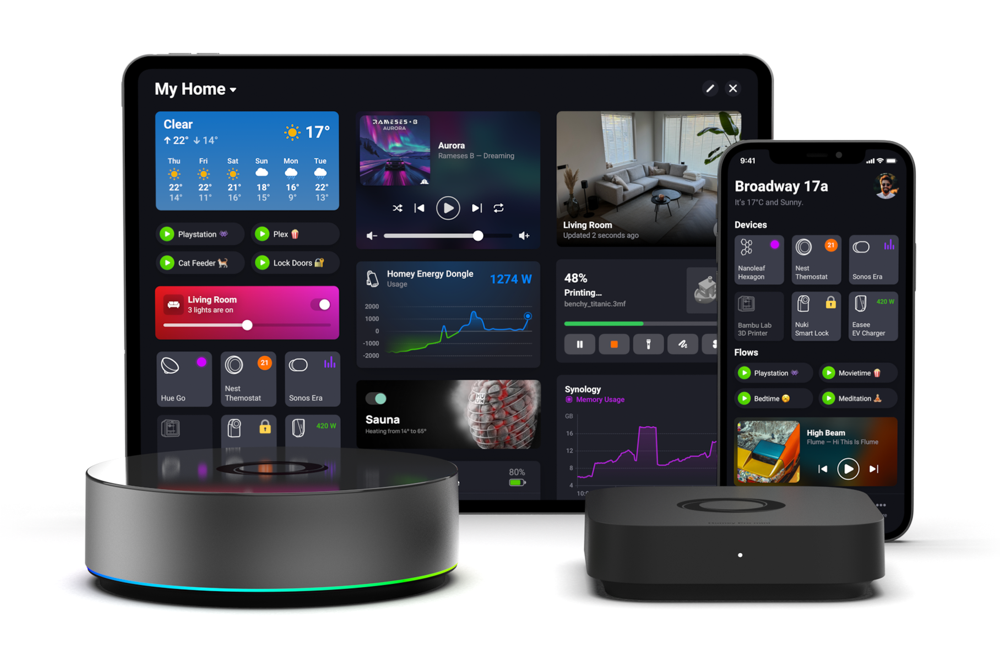
Smart home technologies and platforms supported by Homey
Smart homes often use multiple wireless technologies and platforms. As a powerful smart home hub, Homey supports a wide range of communication standards, including Zigbee, Z-Wave, Matter, Thread, KNX, 433 MHz, Wi-Fi, Bluetooth and Infrared.
Homey also integrates with popular smart home platforms such as Amazon Alexa, Google Home and Apple Home. By combining multiple technologies and platforms in one system, Homey allows devices from different ecosystems to work together in one flexible smart home setup.
FAQ
What is Z-Wave in simple terms?
Z-Wave is a wireless communication protocol designed specifically for smart home devices. It focuses on reliable control messages instead of high-speed data.
How is Z-Wave different from Wi-Fi?
Wi-Fi is built for fast data like video and browsing, while Z-Wave is built for small, reliable commands. Z-Wave also uses a different frequency band and forms a mesh network.
Do Z-Wave devices need the internet to work?
No, Z-Wave itself works entirely locally. With a controller like Homey Pro, your Flows run inside your home, even when the internet is down.
What is a Z-Wave mesh network?
A mesh network means devices can forward messages for each other. This lets Z-Wave signals reach further by hopping from device to device.
Why do some Z-Wave devices act as repeaters and others don’t?
Mains-powered devices can afford to stay awake and relay messages, so they act as repeaters. Battery devices need to save power, so they usually don’t repeat.
How do I add a Z-Wave device to Homey?
You start inclusion on Homey, put the device in pairing mode, and follow the on-screen instructions. Homey assigns the device a node ID and recognizes its capabilities.
What happens if a Z-Wave device is out of range?
If there are no repeaters nearby, the device may become unreliable or fail to communicate. Adding a powered Z-Wave device between it and Homey often solves this.
Does Z-Wave cause interference with my Wi-Fi network?
Z-Wave uses a different frequency band from typical Wi-Fi, so direct interference is limited. This separation is one reason Z-Wave is stable in busy homes.
Is Z-Wave fast enough for motion-activated lights?
Yes, Z-Wave is optimised for low latency rather than high throughput. Motion-triggered lighting via Homey generally feels immediate.
Can one Z-Wave controller manage all my devices?
In most homes, a single controller like Homey Pro can handle all Z-Wave devices. It keeps track of the network, routes and Flows in one place.
Glossary
Z-Wave
Z-Wave is a wireless protocol made for controlling smart home devices like lights, sensors and thermostats. It focuses on small, reliable messages rather than large data transfers. Because of this, it’s well suited for calm, predictable automation.
Node
A node is any device on a Z-Wave network, such as a sensor, switch, plug or controller. Each node has a unique ID so the controller knows exactly which device it is talking to. Nodes can have different roles, like sleeping battery devices or always-on repeaters.
Controller (Primary Controller)
The controller is the brain of the Z-Wave network. In a Homey setup, Homey Pro acts as the primary controller, managing node IDs, routes and device capabilities. It also runs your Flows and Advanced Flows that use Z-Wave events.
Mesh Network
A mesh network is a structure where devices can pass messages to each other, not just talk directly to the controller. This makes coverage more flexible because messages can hop through multiple devices. Z-Wave uses this approach to reach devices behind walls, across floors or at the edge of your home.
Repeater (Routing Device)
A repeater is a Z-Wave device that forwards messages for others. Typically, these are mains-powered devices like wall switches and smart plugs that are always on. By placing them in central positions, you strengthen the entire network’s connectivity.
Inclusion
Inclusion is the process of adding a device to a Z-Wave network. During inclusion, the device gets its node ID and shares its capabilities with the controller. In Homey, this is guided, so you see which functions are added and can immediately use them in Flows.
Exclusion
Exclusion is used to remove a device from a Z-Wave network, clearing its old network data. This is important when you want to move a device to another controller or fix pairing issues. Running an exclusion first often solves “stuck” devices that won’t include properly.
Sub-GHz Frequency
Sub-GHz refers to radio frequencies below 1 GHz, which Z-Wave uses for communication. These frequencies tend to penetrate walls and floors better than the 2.4 GHz band used by Wi-Fi. That’s one reason Z-Wave devices can stay connected in basements, attics or garages.
Homey Pro
Homey Pro is a smart home controller that speaks many protocols, including Z-Wave, Zigbee, Matter and Wi-Fi. It runs Flows and Advanced Flows locally, so automations keep working even when the cloud is unavailable. For Z-Wave, Homey Pro acts as the primary controller and visualises devices in a friendly interface.
Flows and Advanced Flows
Flows are Homey’s visual automations that define how your devices work together. Advanced Flows give you more control and detail for complex setups, while still being manageable through a visual editor. When you use Z-Wave devices in these Flows, the logic runs locally on Homey Pro for fast, predictable behavior.


