





How Does Matter Work? A Simple Guide for Beginners
 Written by Dino K.
Matter is a new smart home standard that helps devices from different brands work together without extra hubs or complicated setups. It focuses on simple pairing, fast local control and reliable communication so your lights, sensors and switches connect in the same way no matter who makes them. But how does it work?
How Does Matter Work?
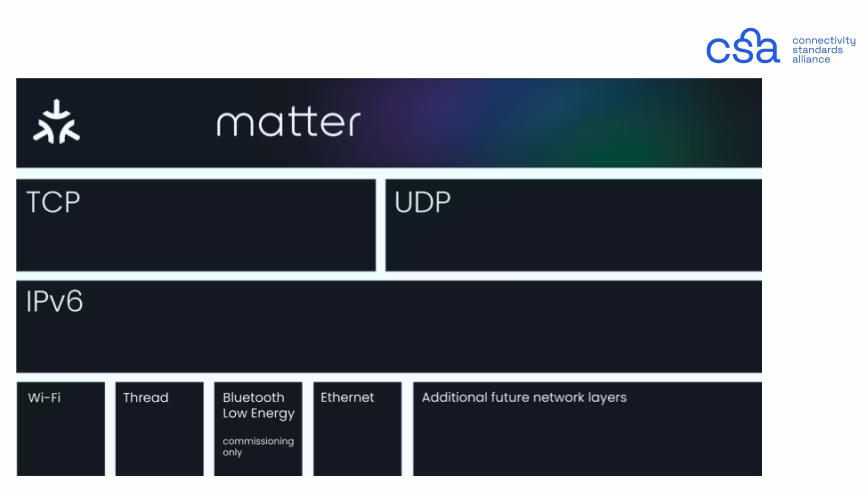
This is where it gets a little technical, but stick with us. Matter isn't a networking protocol like Zigbee or Thread; it’s a universal standard that lets your devices understand each other.
Matter currently runs over three main communication technologies:
- Wi-Fi: For high-bandwidth devices that need to move a lot of data, like smart cameras, video doorbells, or voice assistants.
- Thread: For low-bandwidth and low-power devices like sensors, switches, and light bulbs. Thread creates a fast, self-healing mesh network that doesn’t bog down your Wi-Fi router.
- Ethernet: For wired devices like smart hubs, bridges and controllers.
Because Matter is IP-based (Internet Protocol) with a requirement for local and secure communication, devices can talk directly to each other locally on your network. They don't need to constantly ping a remote cloud server just to turn on a light switch.
The idea of a smart home that “just works” has been around for years, but the reality often felt a little messier. You’d buy a new smart plug, only to discover it needed its own app. You’d try to automate your lights with a presence sensor, only to find out the brands weren’t compatible. And when you finally got everything connected, one app or firmware update could break the whole setup.
Matter was created to fix all of this — not by reinventing the smart home, but by giving it a common foundation. And when you combine Matter with Homey Pro, the experience becomes even easier, more reliable, and far more flexible.
In this article, we’ll take the mystery out of how Matter works and show you how Homey makes it all feel effortless, even if the technology behind it is quite advanced.
Matter as the Universal Translator
The easiest way to understand Matter is to imagine your smart home as a group of people at a dinner party. Before Matter, everyone spoke different languages. Your lights spoke Zigbee, your plugs spoke Wi-Fi, your lock spoke Z-Wave, and your thermostat had its own special dialect.
Matter acts as the universal translator that helps devices understand each other, even if they’re built by completely different companies. It’s not replacing the roads they use to communicate; it’s simply making the conversations clearer.
If a device supports Matter, it means:
- It can talk to all major smart home platforms.
- It behaves in predictable, standardized ways.
- It can be controlled by multiple apps at the same time.
- It works locally inside your home without relying on cloud servers.
For homeowners, this means fewer surprises and a lot more freedom.
How Matter Devices Connect
Matter doesn’t define how signals travel through your home. Instead, it uses existing technologies to move information around. It works over three main pathways.
- Wi-Fi for high-bandwidth devices like cameras, doorbells, or robot vacuums.
- Thread for low-bandwidth, low-power gadgets like sensors and switches.
- Ethernet for wired smart home hubs and bridges.
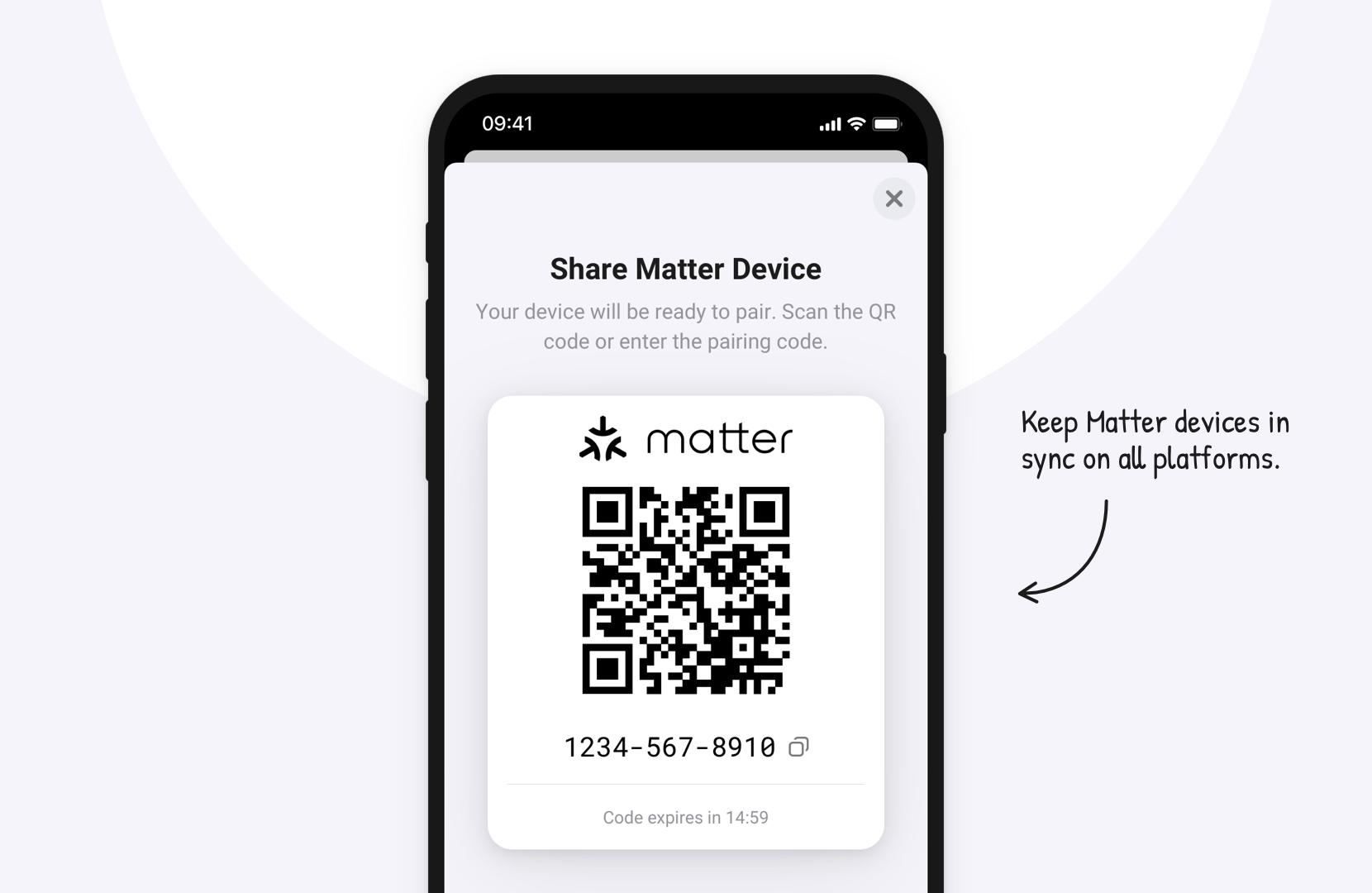
When you add a Matter device to Homey Pro, you scan a QR code and instantly connect it to your home network. From there, it becomes part of Homey’s automation ecosystem, ready to work together with your existing Zigbee, Z-Wave, or even 433MHz devices.
This setup process is intentionally simple. Matter was designed so anyone — not just tech enthusiasts — can create a stable, reliable smart home.
The Role of a Matter Controller
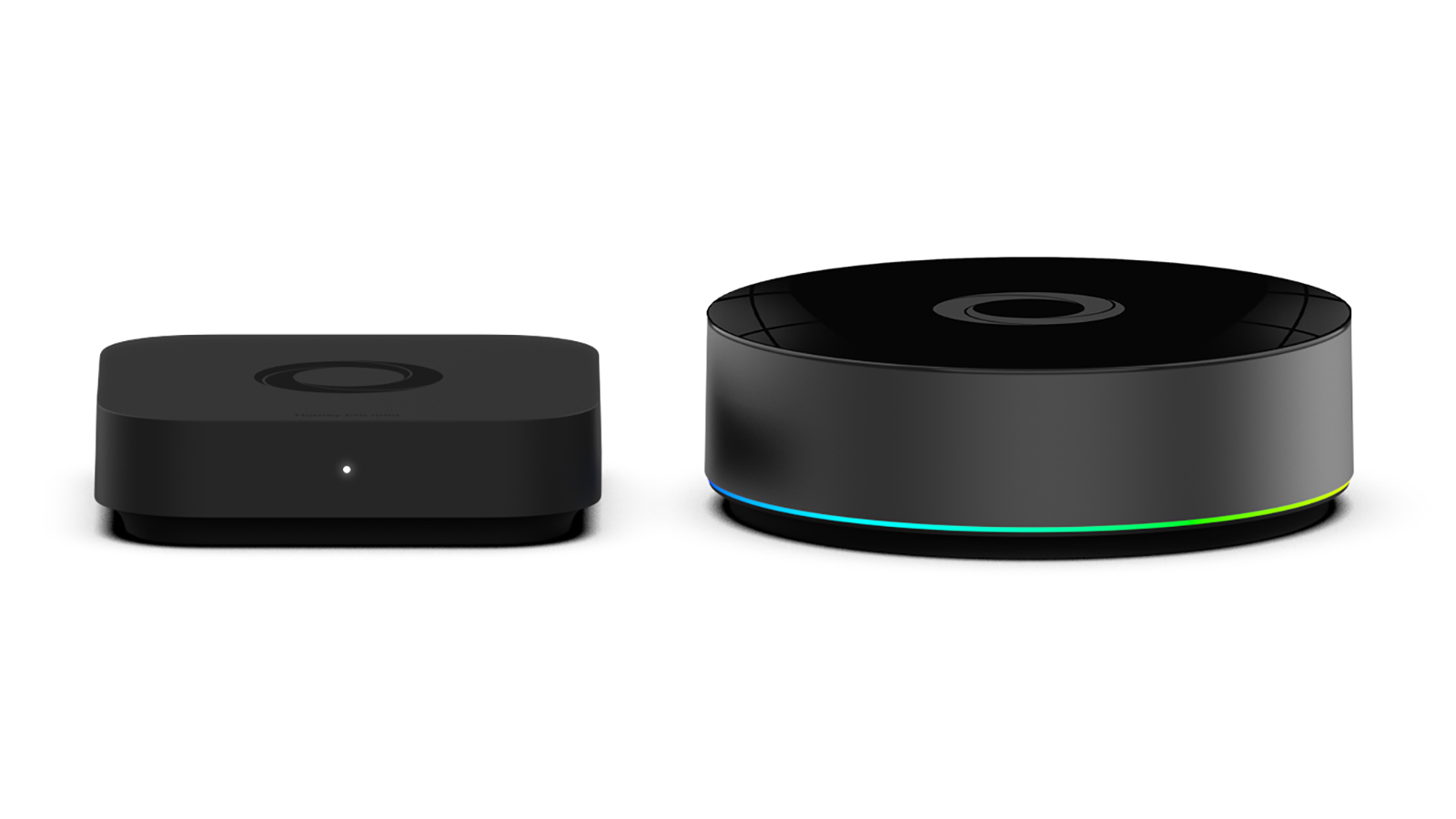
Every Matter smart home needs a Matter controller like Homey Pro or Homey Pro mini. You can think of a controller as the conductor of an orchestra. Without one, the instruments exist — but they won’t play in harmony.
A Matter controller is responsible for:
- Adding (commissioning) new devices
- Storing secure credentials
- Managing communication
- Ensuring devices understand each other
- Connecting to other platforms
Homey Pro acts as this controller, and because it supports so many different wireless technologies, it becomes the heart of your entire setup. Your Thread lights, your Zigbee sensors, and your Wi-Fi plugs all come together inside Homey, even if they don’t support Matter themselves — and that’s where the magic happens.
Thread and Matter: How They Work Together
Many people confuse Thread with Matter, but they serve very different purposes.
Thread is a wireless networking technology that creates a stable self healing mesh for smart home devices. It acts like the road system in a city because it provides the paths that devices use to communicate. When a device like a Nanoleaf Essentials bulb joins a Thread network it benefits from faster response times and better battery life.
Matter is the language spoken on top of Thread. It defines the rules and instructions that devices use to understand each other. If Thread is the road system then Matter is the road signs that keep everything organized. With Homey Pro you can add Matter devices directly and they will work in a simple consistent way regardless of brand.
What Happens When You Add a Matter Device to Homey
Let’s take a real-world example. Suppose you bring home a smart plug such as the Eve Energy Smart Plug, which uses Thread as a communication protocol. Here’s what happens in simple terms.
- You scan the Matter QR code with Homey.
- The device securely joins your Thread network.
- Homey recognizes it as a Matter device.
- It becomes available in your device list.
- You add it to Flows just like any other device.
From that point forward, it behaves as if it has always been part of your smart home. And if you want to use the same plug in Apple Home or Google Home, you can — without removing it from Homey. That’s the power of Matter’s multi-admin feature.
Why This Matters for Everyday Life
Behind the scenes, there’s a lot of complex engineering happening. But what really counts is the effect it has on your home.
- Your devices respond faster because they communicate locally.
- Your Flows become more reliable because there’s no cloud delay.
- Your family can control devices using their preferred app or voice assistant.
- Adding new devices feels easier than ever.
Matter takes away the “guesswork” of building a smart home. Combined with a complete smart home hub like Homey, it gives you the freedom to choose the brands and devices you love — without worrying about whether they’ll work together.
Conclusion
Matter brings clarity, simplicity, and reliability to the smart home. It gives devices a common language and gives homeowners confidence that their smart home will grow with them — not against them. With Homey Pro acting as your Matter controller, you get the best of everything: the convenience of Matter, the flexibility of multiple protocols, and the ease of managing your entire home from one app.
Ready to take the next step? Start with a single Matter device and experience how smooth your connected home can feel with Homey guiding the way.
Frequently Asked Questions
What exactly is a Matter controller?
It’s the device that manages your Matter network. Homey Pro acts as this controller in your smart home.
Do all Matter devices use Thread?
No. Many use Wi-Fi. Thread is mainly for low-bandwidth devices like sensors.
Can I use Matter devices alongside Zigbee or Z-Wave with Homey?
Yes. Homey allows all these technologies to work together.
Does Matter work offline?
Yes. Matter is designed for local, fast communication inside your home.
Do I need to replace my existing devices with Matter alternatives?
Not at all. Homey helps you mix Matter with your current setup seamlessly.
Can Matter devices be used in multiple apps at once?
Yes. Multi-admin lets you control one device from several platforms.
Will using Matter make my smart home faster?
Often yes, especially for Thread devices that form a responsive mesh network.
Are Matter devices more secure?
Matter requires encrypted communication and secure onboarding.
Can I still use brand-specific apps if I add a device to Homey via Matter?
Usually yes, though some advanced features may only exist in the brand’s own app.
How do I know if a product supports Matter?
Look for the official Matter logo on the packaging or product page.


