What is Z-Wave?
How Z-Wave works, where it helps, and what to watch for.
Be it Fibaro, Ring, Alarm.com, Homey, or other companies, Z-Wave is a term that pops up frequently in the world of smart homes. This technology powers sensors, modules, plugs, remotes, and many other smart devices. So what exactly is it, and when will it come in handy? And what are its pros compared to Zigbee and other standards?
Z-Wave in a nutshell
- Wireless tech designed for home automation
- Popular alternative to Zigbee, Matter, Wi-Fi, and Bluetooth
- Uses European (868 MHz), North American (908 MHz), and Asian bands (865–926 MHz)
- Standardized wireless protocol, devices from various manufacturers can talk to each other
- Uses mesh networking, providing a self-healing connection
- Long-range, especially combined with the mesh network
- Extra layer of security with encryption
- Low power usage & long battery life
- Premium technology at a premium price
- Requires a Z-Wave hub like Homey
How Z-Wave works
The first thing to know about Z-Wave is that it is a wireless smart home communication protocol. It has been implemented in various products like Fibaro sensors, Yale smart locks, and VistaCam security cameras. Z-Wave is similar to Wi-Fi or Bluetooth, but it was designed specifically for home automation and offers advantages over other wireless protocols.
For starters, it operates on separate wireless bands to provide better range and avoid interfering with your internet connection.
The Z-Wave Alliance manages the standard, where smart home manufacturers gather to help the protocol and hardware evolve. Z-Wave has gained popularity over the past few years, and many companies have adopted the technology.
We’re proud to say that Homey is one of them — our hubs will help you seamlessly integrate Z-Wave devices into your system and control them with your smart home assistant.
Let us give you a quick introduction to this promising standard.

Z-Wave benefits
Low power for battery devices
The standard’s power efficiency allows for well-designed, small devices. This makes their installation straightforward, and there’s no need to hire a technician or contractor. Simply place a Fibaro Wall Plug or The Button where necessary, add it to Homey, and you’re good to go.
The technology also requires very little power, allowing tiny devices like Fibaro Multisensor to run on a single battery for years. FLiRS — Frequently Listening Receiver Slave — is a technology unique to Z-Wave that significantly optimizes battery life, especially for smart door locks, thermostats, and other home automation and security devices, which would be impractical to power with other, more power-hungry technologies.
Sub-GHz range
The exterior range of existing devices is 100 meters (109 yards), and indoors, they can reach a radius of 70 to 90 meters (77 to 98 yards). Wish to lock your front door at night from the comfort of your bed? With Z-Wave, that’s no problem. The new LR standard will soon provide a range of up to 1.6 kilometers (or about 1 mile) outdoors.
Another pro is that Z-Wave uses a different wireless bandwidth (865–926 MHz) than Zigbee, Wi-Fi, and Bluetooth do (2.4 GHz). This ensures an excellent range in homes, even through walls. It also ensures that Z-Wave and other signals do not interfere with each other. No matter how busy the Wi-Fi is around your house or how many Bluetooth gadgets you have lying around, Z-Wave will have no issues connecting at any given moment.
Mesh networking
Z-Wave is built as a mesh network, allowing all devices to communicate with one another and relay commands. In practice, it means the range and reliability of the whole network improve with every device you add.
Two-way feedback
Communication between devices is always two-way: devices confirm commands given to them. This makes Z-Wave devices very reliable and ensures they don’t miss a command.
Certified interoperability
Z-Wave has become popular because it offers distinct advantages over other wireless technologies such as Bluetooth, Zigbee, and Wi-Fi. It not only provides a standardized protocol but also specifies what devices can communicate with one another in a message. That forces all Z-Wave devices to ‘speak the same language’ and makes them easy to integrate.
And with Homey as well! Matter does the same at the application level but offers different technologies to choose from, such as Wi-Fi or Thread. Z-Wave devices (within a region) are all the same — full-stack, meaning they can always talk to each other.
All Z-Wave chips are produced by a single company, overlooking their high quality and performance.
Z-Wave S2 security
Z-Wave relies on an NSA-recommended encryption standard, providing the same level of security that banks and governments require. In addition, the Alliance ensures that each certified product upholds the security and compatibility standards. Products that don’t meet the requirements won’t receive permission for release.
Z-Wave trade-offs
Higher device costs
Z-Wave’s strengths come with a few trade-offs. Certified interoperability and dedicated chips can make Z-Wave devices more expensive than many Zigbee or Wi-Fi alternatives. For simple sensors, plugs, and switches, cheaper options are often available.
Smaller device selection
Device choice can also be more limited. Z-Wave has a strong catalog of sensors, switches, dimmers, locks, relays, and security devices, but it does not have the same mass-market range as Wi-Fi or Zigbee. In some categories, especially bulbs and decorative lighting, other protocols are usually easier to find.
Regional frequency differences
Another thing to watch is regional compatibility. Z-Wave uses different frequencies in different parts of the world, so a device made for the US market will not work on a European Z-Wave network, and vice versa.
Where Matter and Thread fit
Matter has also changed the smart home landscape. It gives manufacturers another way to build devices that work across ecosystems, especially over Wi-Fi and Thread. That does not make Z-Wave obsolete, but it does mean Z-Wave is no longer the obvious choice for every new smart home device.
What’s in a Z-Wave Network?
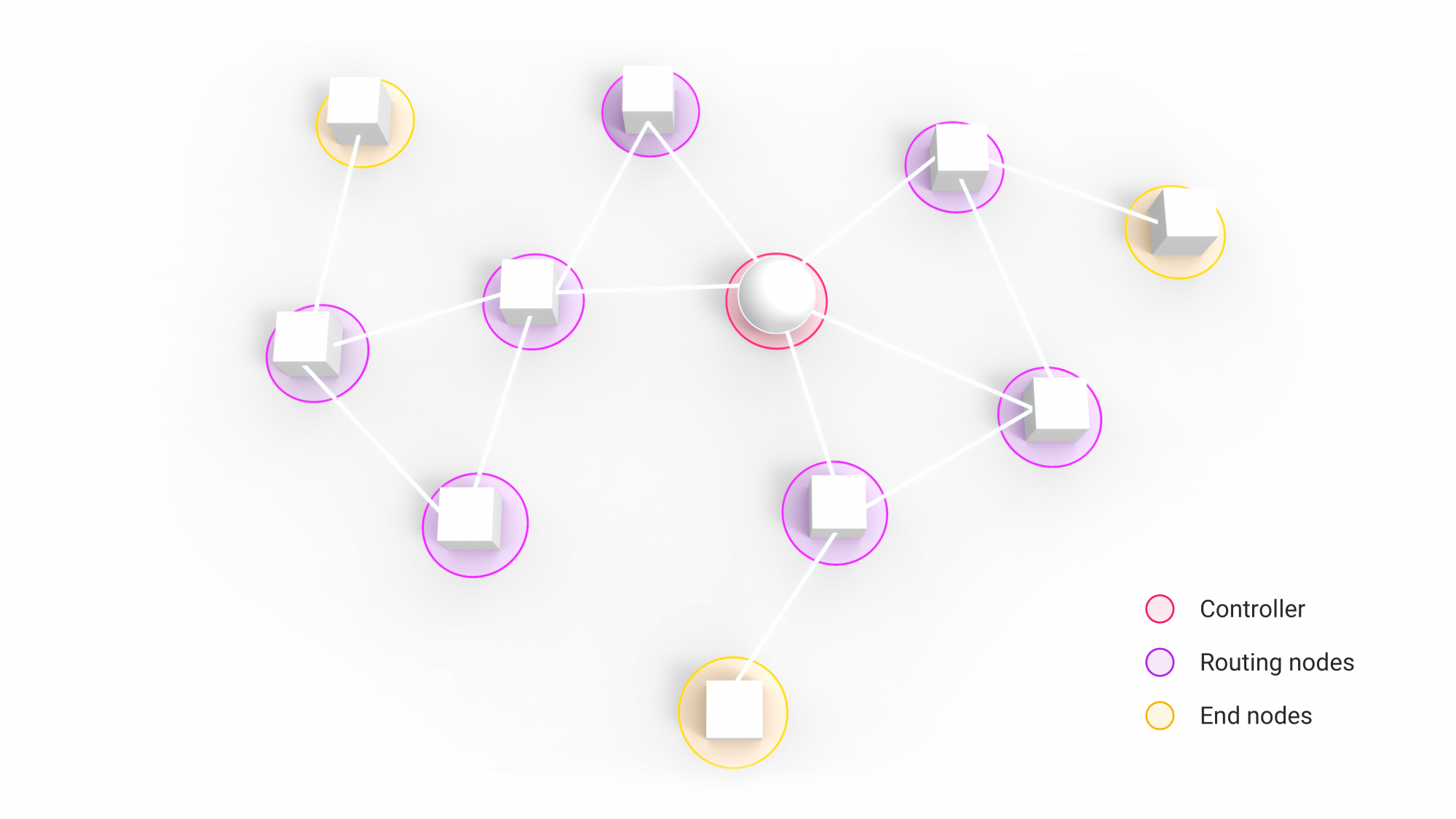
A Z-Wave network typically uses three types of nodes. In coordination with the controller, all other Z-Wave devices form a mesh network, where they act as either routing or end nodes.
Controller
The controller is the administrator of a Z-Wave network. It sets up the network, knows all of its devices, and keeps track of them. It is the central point of your network where you can enable permissions and add new devices. Normally, a Z-Wave controller like Homey takes this role, and you need at least one of these devices per network. However, multiple controllers can be added to form a larger mesh.
If you’re using a smart home hub, it’s also where you link your devices to the web and apps. And hubs like Homey connect your Z-Wave devices to devices that might use other protocols, such as Wi-Fi, infrared, or Zigbee.
Routing nodes
Routing nodes know all their neighbors. They repeat the signal to extend its range, allowing other devices to connect from a distance. They can send unsolicited messages to all other nodes they can route to. Battery-operated sensors, smart plugs, and thermostats usually serve as routers.
End nodes
End nodes occupy the outermost positions in a mesh, and while they know all their neighbors, they can communicate only with the node that sends them messages. End nodes are usually powered devices, such as wall switches, dimmers, or blind controllers.
Z-Wave Mesh Networking
In a Z-Wave mesh network, many devices can serve as controllers or routers. Instead of sending signals back to the originator, routing slaves repeat signals and forward them to the other network nodes within their range. These can relay signals further, increasing the network’s effective range. This also offers better reliability than traditional centralized networks.
Besides relaying signals, mesh networking also provides “self-healing networks” because there are multiple routers. For example, if your Wi-Fi router goes offline, all the connected devices also go offline. The protocol automatically closes the gap and “self-heals” so that its devices continue to function. Provided that another routing device remains within range, your network will simply re-route and stay up.

Here’s an example:
Jane sets up a smart home using Homey as a coordinating device and hub for her Z-Wave network. She connects 3 Fibaro Smart Plugs in her living room. These plugs are within the indoor range of the Z-Wave network on Homey. Jane decides Fibaro is a bit too pricey, so she purchases ZLINK devices to add smart outlets to the hallway and kitchen, and she also gets a GE Enbrighten plug for her garden lights. The garden plug is outside Homey’s range, but it still connects to the network by communicating with the closest Fibaro plug inside the house.
Z-Wave and Homey
Unlike Wi-Fi or Bluetooth devices, you cannot connect Z-Wave devices directly to your computer or phone, as they lack an antenna for that purpose. You always need a smart home hub or a Z-Wave Controller to connect with Z-Wave devices.
Now, Z-Wave is a great technology, but the entire world doesn’t run or depend on it. There are several other wireless technologies out there powering the Smart Home — that is why we recommend staying versatile with Homey.
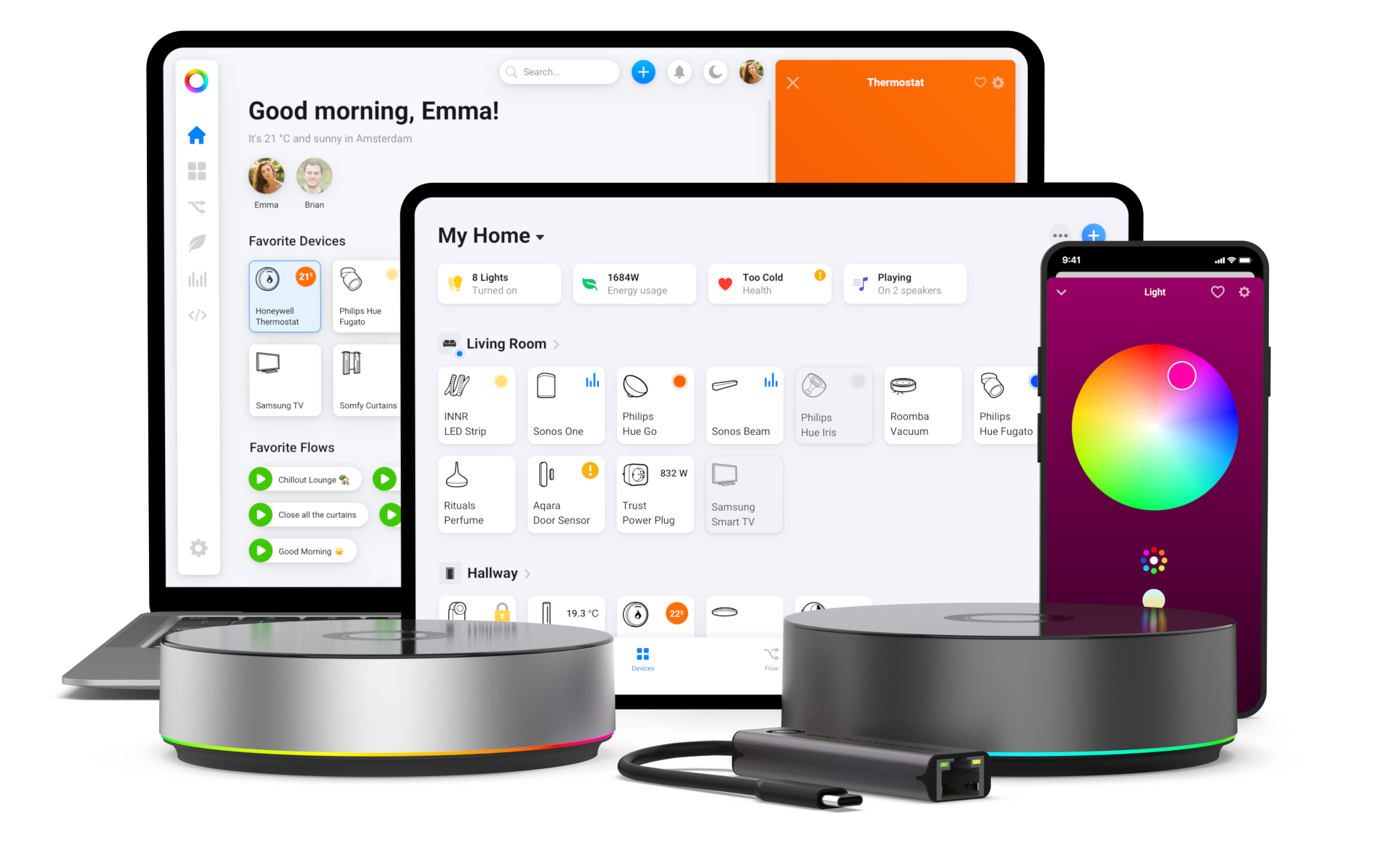
Homey includes antennas covering the European, North American, and Asian Z-Wave bandwidths, so you have nothing to worry about with our handy device wherever you are in the world.
A major pro is that Homey makes the setup significantly more accessible and user-friendly than solutions like Raspberry Pi with a Z-Wave hat or Arduino with a dedicated antenna.
What is Z-Wave Plus?
So what’s the difference between the Plus and non-Plus versions of Z-Wave? The addition of ‘Plus’ means the device contains a newer generation of the technology. It often means a better range and battery life than non-Plus devices offer. The Plus range can also pair with other units for an extra layer of security, making it even harder for people to snoop on your sensors and switches.
Regular Z-Wave devices and Plus devices can work seamlessly together, so you never have to worry about that. Of course, Homey comes with the newer, better, and more secure Z-Wave Plus version.
Getting started with Z-Wave
Building a Z-Wave setup is relatively easy. As it is a wireless technology, there are obviously no wires to install.
Choose a Z-Wave hub
To get started, you only need a Z-Wave hub, such as Homey. Homey is not only a Z-Wave controller but also communicates with devices over Wi-Fi and via Bluetooth, Infrared, Zigbee, and 433 MHz signals. All these technologies may not mean much to you, but they are all ways to control devices wirelessly. And with Homey, you can control them all.
Add your first devices
Select one or more devices, for instance, a Fibaro Wall Plug and an Aeotec WallSwipe controller, and place them where necessary.
Pair Z-Wave devices with Homey
Proceed with the setup based on the device’s instructions. With Z-Wave, there’s no need to enter passwords or SSIDs like with Wi-Fi, and you can typically initiate the pairing process by pressing buttons on the device you want to include in your network and on the controller — with the Homey app, you simply open the Devices tab and press the + button.
You perform the pairing process only once, and the controller recognizes the device afterward. All Z-Wave devices determine the optimal routes for commands and messages themselves. The technology builds the mesh network automatically when devices are added to Homey.

Using Z-Wave with other platforms
If you want to see how Z-Wave devices work together with popular smart home platforms, Homey makes it easy to connect everything in one place. With Homey, you can integrate Z-Wave devices with platforms such as Amazon Alexa, Google Home, and Apple Home, allowing you to control and automate your devices using voice assistants and familiar smart home apps. Homey can also share Z-Wave devices with Matter platforms, making them available across different ecosystems via Z-Wave with Matter. This helps connect devices from different technologies into one flexible smart home system.
Is Z-Wave still worth using?
To sum up, Z-Wave is a powerful, energy-efficient, and premium smart home technology. It can offer a lot to both smart home newbies and pros, with significant advantages over Bluetooth and better battery life than Wi-Fi-based devices.
Prominent brands like Ring, Honeywell, Fibaro, Vera, Yale, Aeotec, Danfoss, Alarm.com, and Homey use Z-Wave for home automation and alarm systems. These brands all make attractive devices that you can easily install yourself. With its reliable wireless technology and mesh networking, Z-Wave is a great choice to automate your home.
At the same time, Z-Wave is not a one-size-fits-all solution. It’s low-power and therefore not suitable for high-bandwidth devices like wireless speakers. Today, the technology leads the market in sensors, while smart lights are more likely to support Zigbee, Wi-Fi, or the newer smart home standard, Matter.
Use Z-Wave with Homey
Don’t want to be limited to a single smart home communication protocol? A smart home hub like Homey Pro allows you to integrate multiple technologies into a single system. In addition to being a powerful Z-Wave hub, Homey supports devices that use Wi-Fi, Bluetooth, Zigbee, Matter, and Infrared. This lets you connect and automate devices across different technologies into a single, flexible smart home system.