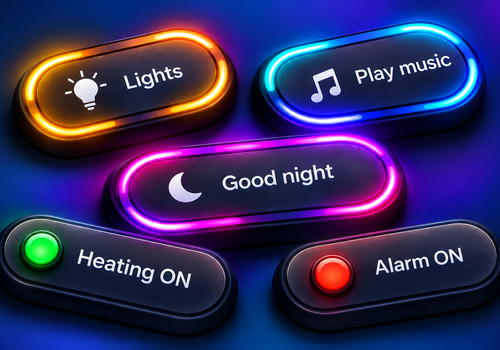
Dashboard Buttons

Create dashboard buttons and use them in a Flow.

Read more ›

Flow cards

When...

Dashboard Buttons
Action button Button is pressed
i
The Action value configured for the button is available in this Flow as a text tag.
Dashboard Buttons
Yes/No button Button is pressed
i
The 'Button Yes/No' tag contains the new status of the button. Use this tag in the Flow to change the linked Yes/No variable using a Logic Flow card.

Then...

Dashboard Buttons
Set Button to Status
i
Sets the Yes/No status of a button that uses 'Flow - no variable' as its status source.
Dashboard Buttons
Set Button to Status
Dashboard Buttons
Set permanent color of Button to Permanent color in Color
i
Only available for action buttons. Yes/No buttons use the status indicator.
Dashboard Buttons
Fill Button for Duration (seconds) seconds in Fill color
i
Only action buttons. Duration: 5–20 seconds for narrow buttons, 5–45 seconds for wide buttons. The fill disappears automatically at the end; the light loop stops when filling begins.
Dashboard Buttons
Start light loop around Button for Duration (seconds) seconds in Color
i
Only available for action buttons. Yes/No buttons use the status indicator. Start light run stop ongoing fill animation.
Dashboard Buttons
Stop fill animation of Button
i
Stops the fill animation immediately and clears the fill. Only for action buttons.

Widgets

You can add this app’s widgets to your dashboard or homescreen in the mobile app.

Button
Button

Support

Having an issue with this app? Contact the developer via email.

What’s new

Version 1.3.0 — Added an animated fill for action buttons, controllable through Flow cards with adjustable duration and fill color. The fill animation and rotating light effect automatically stop each other when the other starts. Added the option to choose between fully rounded (pill-shaped) buttons and buttons with rounded corners.

View changelog

Dashboard Buttons

This app can manage your entire Homey.

Dashboard Buttons is not compatible with the selected Homey.

Dashboard Buttons will install on Homey shortly.
Install App