





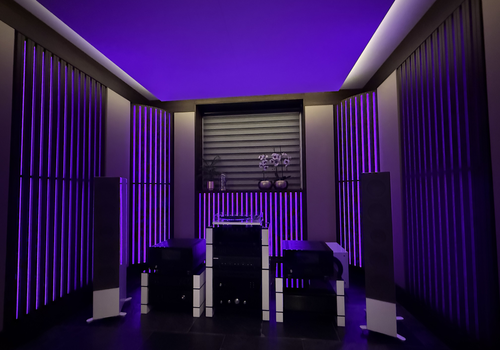
ArtiLED

Control ArtiLED lighting from Homey. Rooms, zones and lights appear as light devices; scenes and modes can be run from the home screen or from a flow.

Read more ›

Supported devices

Flow cards

Click on a device above to show related Flow cards only.

When...

Lights
Turned on
Lights
Turned off
Lights
The dim level changed
Modes
Turned on
Modes
Turned off
Rooms
Turned on
Rooms
Turned off
Rooms
The dim level changed
Zones
Turned on
Zones
Turned off
Zones
The dim level changed

And...

Lights
Is turned on
Modes
Is turned on
Rooms
Is turned on
Zones
Is turned on

Then...

ArtiLED
Run mode Mode in Room or zone
i
Runs an ArtiLED mode in one room or zone. The mode list is fetched from the Hub for the scope you pick, so it shows exactly what that room or zone supports.
ArtiLED
Run scene Scene in Room or zone
i
Runs an ArtiLED scene in one room or zone. The scene list is fetched from the Hub for the scope you pick, so it shows exactly what that room or zone supports.
ArtiLED
Stop the mode running in Room or zone
i
Stops whatever mode is running in that room or zone. This is not the Hub's own 'Off' mode, which is a mode that darkens the lights.
Lights
Turn on
Lights
Turn off
Lights
Toggle on or off
Lights
Dim to %
Lights
Set relative dim-level %
i
Dim or brighten with respect to the device's current dim-level.
Lights
Set the hue °
i
Select a color from the hue scale, for example red (0°/360°), yellow (60°), or blue (180°).
Lights
Set a color ...
Lights
Set a random color
Lights
Set the saturation %
Lights
Set a temperature %
i
Adjusts the temperature of the light. A higher value means a warmer color.
Modes
Turn on
Modes
Turn off
Modes
Toggle on or off
Rooms
Turn on
Rooms
Turn off
Rooms
Toggle on or off
Rooms
Dim to %
Rooms
Set relative dim-level %
i
Dim or brighten with respect to the device's current dim-level.
Rooms
Set the hue °
i
Select a color from the hue scale, for example red (0°/360°), yellow (60°), or blue (180°).
Rooms
Set a color ...
Rooms
Set a random color
Rooms
Set the saturation %
Rooms
Set a temperature %
i
Adjusts the temperature of the light. A higher value means a warmer color.
Scenes
Press the button
Zones
Turn on
Zones
Turn off
Zones
Toggle on or off
Zones
Dim to %
Zones
Set relative dim-level %
i
Dim or brighten with respect to the device's current dim-level.
Zones
Set the hue °
i
Select a color from the hue scale, for example red (0°/360°), yellow (60°), or blue (180°).
Zones
Set a color ...
Zones
Set a random color
Zones
Set the saturation %
Zones
Set a temperature %
i
Adjusts the temperature of the light. A higher value means a warmer color.

Support

Having an issue with this app? Contact the developer via the developer website.

What’s new

Version 0.6.2 — Scenes and modes are now devices you can tap from the home screen, not only flow cards. Rooms, Zones, Lights, Scenes and Modes each have their own entry under Add device, and you sign in with your ArtiLED Hub username and password instead of an API token.

View changelog

ArtiLED

ArtiLED is not compatible with the selected Homey.

ArtiLED will install on Homey shortly.
Install App