

Adds support to connect Linknlink eMotion devices to Homey via the your LAN.
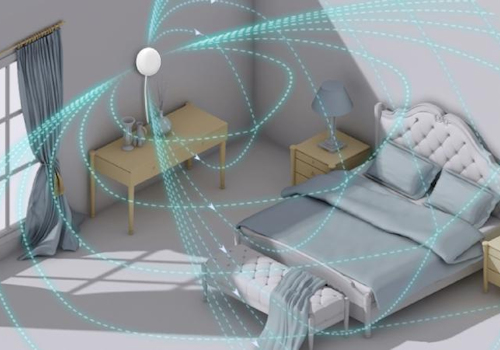
Create Flows to respond quickly to notifications from the sensors and control lights and more when someone is present in the room.
Empower Homey to do even more in your home automation by combining the LinknLink presence sensors with Homey's processing power.
Fully local control via MQTT and can either use the built in broker or an external broker of your choice.
Click on a device above to show related Flow cards only.
When...
AC Remote
Turned on
AC Remote
Turned off
AC Remote
The target temperature changed
eMotion
The presence alarm turned on
eMotion
The presence alarm turned off
eMotion
The temperature changes
eMotion
The humidity changed
eMotion
The luminance changed
eMotion
The signal strength changed
eMotion Pro
The presence alarm turned on
eMotion Pro
The presence alarm turned off
eMotion Pro
The luminance changed
eMotion Pro
The signal strength changed
eMotion Pro
The zone 1 presence alarm turned off
eMotion Pro
The zone 1 presence alarm turned on
eMotion Pro
The zone 2 presence alarm turned off
eMotion Pro
The zone 2 presence alarm turned on
eMotion Pro
The zone 3 presence alarm turned off
eMotion Pro
The zone 3 presence alarm turned on
eMotion Pro
The zone 4 presence alarm turned off
eMotion Pro
The zone 4 presence alarm turned on
eMotion Ultra
The presence alarm turned on
eMotion Ultra
The presence alarm turned off
eMotion Ultra
The temperature changes
eMotion Ultra
The humidity changed
eMotion Ultra
The luminance changed
eMotion Ultra
The signal strength changed
eMotion Ultra
The zone 1 presence alarm turned off
eMotion Ultra
The zone 1 presence alarm turned on
eMotion Ultra
The zone 2 presence alarm turned off
eMotion Ultra
The zone 2 presence alarm turned on
eMotion Ultra
The zone 3 presence alarm turned off
eMotion Ultra
The zone 3 presence alarm turned on
eMotion Ultra
The zone 4 presence alarm turned off
eMotion Ultra
The zone 4 presence alarm turned on
eMotion Ultra
the number of people changed
eMotion Ultra
the number of people in zone 1 changed
eMotion Ultra
the number of people in zone 2 changed
eMotion Ultra
the number of people in zone 3 changed
eMotion Ultra
the number of people in zone 4 changed
And...
AC Remote
Is turned on
eMotion
The presence alarm is on
eMotion Pro
The presence alarm is on
eMotion Ultra
The presence alarm is on
Then...
AC Remote
Turn on
AC Remote
Turn off
AC Remote
Toggle on or off
AC Remote
Set the temperature °C
AC Remote
Set AC Fan to Fan Speed
AC Remote
Set AC Mode to Mode
TV
Turn the volume up
TV
Turn the volume down
TV
One channel up
TV
One channel down
TV
Press TV/AV
TV
Press Back
TV
Press Down
TV
Press Home
TV
Press Left
TV
Press Menu
TV
Press Mute
TV
Press OK
TV
Press Power
TV
Press Right
TV
Press Up
Support
Having an issue with this app?
Contact the developer via the developer website.
What’s new
Version 1.0.10 — Enhance device log retrieval and availability handling; add UI option for filtering available components. Add / remove capabilities for eMotion devices based on their reported traits.