





Control 433 MHz devices via Apple Home with Homey
433 MHz devices don’t connect directly to Apple Home. Most 433 MHz devices, such as simple remote-controlled plugs, switches, blinds, or doorbells, are not smart by themselves and can’t communicate with Apple Home.
To control 433 MHz devices using Apple Home, you need a smart home hub that can send 433 MHz radio signals and make those actions available to Apple’s platform.
Homey acts as that bridge, exposing 433 MHz controls to Apple Home.
Homey stays in control of sending radio commands. Apple Home becomes an additional way to trigger those actions.
What is the difference between 433 MHz and 434 MHz?
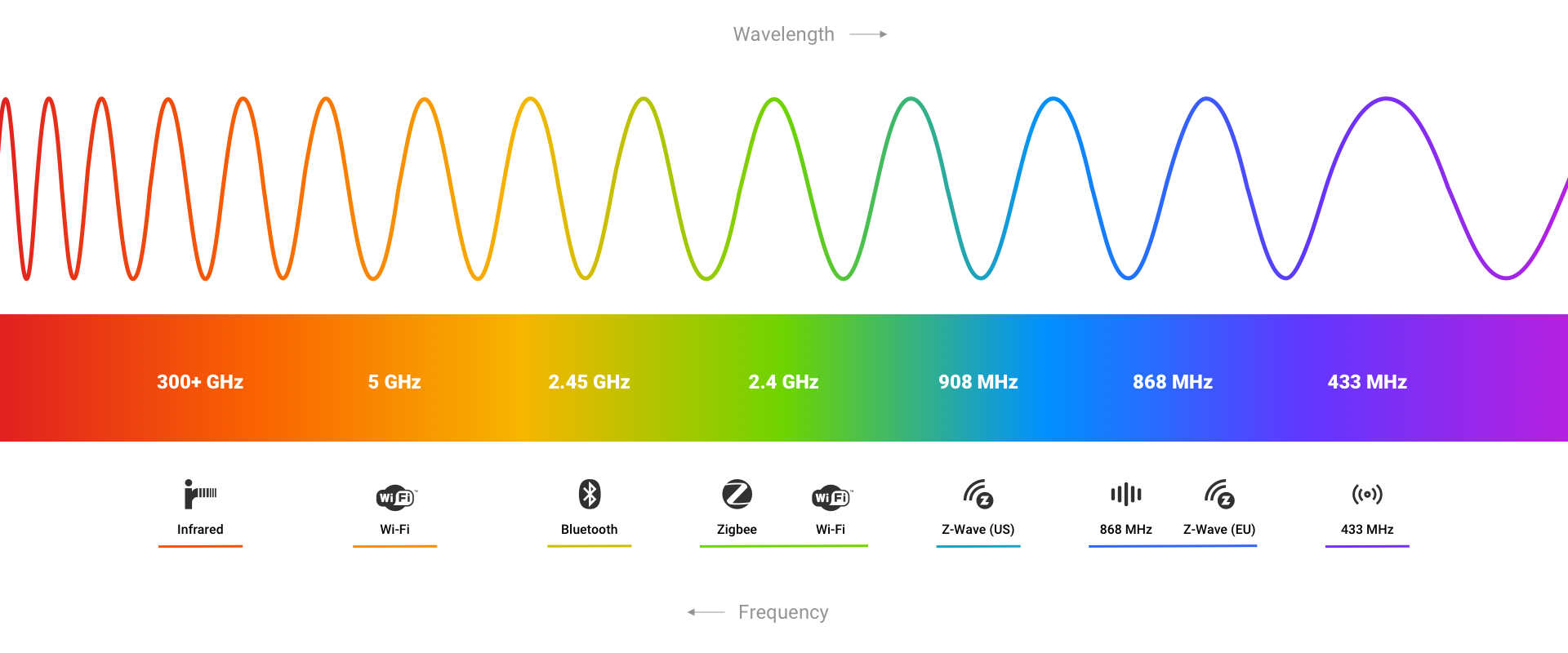
In smart home contexts, “433 MHz” is commonly used as a shorthand term for a wider radio frequency range known as the 433–434 MHz ISM band. This band is used by many low-power, short-range devices such as remote controls, wireless switches, doorbells, and simple sensors.
Some manufacturers or retailers refer to their products as 434 MHz devices, but in practice these devices usually operate within the same 433–434 MHz frequency range and use the same underlying radio technology. The difference is typically one of naming, not functionality.
For smart home users, this means:
- Devices labeled 433 MHz and 434 MHz usually work in the same way
- They are controlled using the same type of radio signals
- They are supported identically by hubs like Homey
In short, 433 MHz and 434 MHz are not competing standards. They describe slightly different parts of the same radio band, and in everyday smart home use they can be treated as the same category of devices.
What you need
To control 433 MHz devices via Apple Home, you need:
- A Homey Pro with built-in 433 MHz support or a Homey Bridge, in combination with Homey Pro mini, Homey Cloud or Homey Self-Hosted Server.
- One or more 433 MHz devices configured in Homey
- An Apple ID and the Apple Home app
433 MHz devices are set up in Homey by learning or selecting the correct radio signals.
What “exposing devices” means for 433 MHz
When Homey exposes a 433 MHz device to Apple Home, it does not expose a real device with live communication.
Homey exposes the 433 MHz-controlled product as a smart accessory in Apple Home. The accessory’s controls trigger radio commands.
This means:
- Homey sends 433 MHz radio commands on your behalf
- The 433 MHz device does not report its status
- Apple Home cannot check whether a command succeeded
Apple Home sends a command to Homey, and Homey sends the radio signal.
A simple way to think about it is that Homey turns 433 MHz actions into smart home controls.
How to Expose 433 MHz Devices to Apple Home with Homey
433 MHz devices do not pair directly with Apple Home. Instead, Homey exposes supported 433 MHz-controlled products to Apple Home using the Apple HomeKit integration (HomeKit bridge).
The process works like this:
1. Set up the 433 MHz device in Homey
Install the appropriate 433 MHz app and add the device in Homey. During setup, Homey creates a device that represents the radio-controlled product. This device can send the required 433 MHz radio commands when triggered.
2. Enable the Apple HomeKit integration in Homey
In the Homey app or Web App, enable the Apple HomeKit integration. Homey will generate and display a HomeKit pairing code.
3. Add Homey to Apple Home
Open the Apple Home app, choose Add Accessory, and scan the HomeKit code shown in Homey. Homey is added as a HomeKit bridge.
4. Devices appear in Apple Home
After Homey is added as a HomeKit bridge, the selected compatible devices appear automatically in Apple Home. The 433 MHz devices are typically represented as simple accessories, such as switches or basic controls, depending on how the device is defined in Homey.
5. Manage which devices are shared
In Homey, you can choose which devices are exposed to Apple Home. Devices that are not selected will not appear in the Apple Home app.
After setup, you can control 433 MHz devices from the Apple Home app or with Siri. The devices remain paired only with Homey, and all radio communication continues to be handled by Homey. No additional pairing or configuration is required in Apple Home.
How the connection works
Behind the scenes, the setup works like this:
- Apple Home sends a command
This can be a tap in the Apple Home app or a Siri voice command. - Homey receives the command
Homey interprets the request as a 433 MHz action. - Homey sends a radio signal
The 433 MHz device receives the command but does not send feedback.
What you can do in Apple Home
Once exposed, 433 MHz devices typically appear as simple controls, such as:
- On and off actions
- Open and close commands
- Basic trigger actions
You can:
- Control actions in the Apple Home app
- Use Siri voice commands
- Include 433 MHz actions in scenes and basic automations
What to keep in mind
A few important points:
- 433 MHz devices do not report their current state
- Apple Home cannot verify whether a command worked
- If someone uses the original remote, Homey won’t know
- Advanced logic and assumed state handling stay in Homey
Use Apple Home to trigger actions and use Homey to manage logic and consistency.
In short
433 MHz devices can’t connect directly to Apple Home and don’t report their status.
Homey exposes 433 MHz actions by sending radio commands on your behalf and making them available in Apple Home.
Homey stays in control of the radio signals and Apple Home becomes an easy way to trigger them.
Discover more about Homey by connecting additional devices through the Homey App Store. Control them with the Homey App and create your own automations with Flows and Advanced Flows. Monitor your smart home using Dashboards, and gain deeper understanding with Homey Energy and Insights.
Smart home technologies and platforms supported by Homey
Smart homes often use multiple wireless technologies and platforms. As a powerful smart home hub, Homey supports a wide range of communication standards, including Zigbee, Z-Wave, Matter, Thread, KNX, 433 MHz, Wi-Fi, Bluetooth and Infrared.
Homey also integrates with popular smart home platforms such as Amazon Alexa, Google Home and Apple Home. By combining multiple technologies and platforms in one system, Homey allows devices from different ecosystems to work together in one flexible smart home setup.


