





Enphase Controller

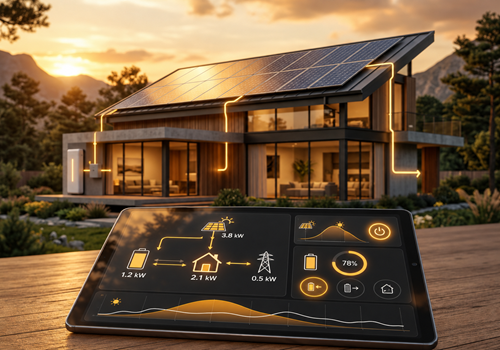
Monitor your Enphase solar production, individual inverters, battery power and state of charge (SoC), and grid import and export. Control solar production, set custom limits, and restrict grid exports.

Warning! This app might not work properly.

This app version is currently being tested, and has not yet been reviewed. It might not work as expected.
Be extra careful when installing this app.
« Back to the regular version

Monitor your Enphase solar production, individual inverters, battery power and state of charge (SoC), and grid import and export. Control solar production, set custom limits, and restrict grid exports.

Read more ›

Supported devices

Flow cards

Click on a device above to show related Flow cards only.
When...

Enphase Battery
The power changed
Enphase Battery
The battery level changed
Enphase Grid
The power changed
Enphase Grid
The power meter changed
Enphase Grid
The home consumption power changed to [[value]] W
Enphase Grid
The home consumption energy changed to [[value]] kWh
Enphase Grid
The home consumption energy today changed to [[value]] kWh
Enphase Solar
Turned on
Enphase Solar
Turned off
Enphase Solar
The power changed
Enphase Solar
The power meter changed
Enphase Solar
The target power changed
Enphase Solar
The target power mode changed to ...
i
"Homey" means Homey controls the device’s target power. Other modes are determined by the device.
Enphase Solar inverters
An inverter alert was triggered
Enphase Solar inverters
Inverter Select Inverter power output changed

And...

Enphase Solar
Is turned on
Enphase Solar
The target power mode is ...
i
"Homey" means Homey controls the device’s target power. Other modes are determined by the device.

Then...

Enphase Controller
Set battery power of Gateway in widget to Power (W) W
i
Only changes the Energy flow widget. Use it when the battery power comes from another device. Positive = charging; negative = discharging.
Enphase Controller
Set battery SoC of Gateway in widget to SoC (%)%
i
Only changes the Energy flow widget. Use it when the battery charge level comes from another device. Enter a value from 0 to 100.
Enphase Controller
Set grid power of Gateway in widget to Power (W) W
i
Only changes the Energy flow widget. Use it when the grid power comes from another device, such as a P1 meter. Positive = importing from the grid; negative = exporting.
Enphase Controller
Set home power of Gateway in widget to Power (W) W
i
Only changes the Energy flow widget. Use it when the home consumption comes from another device. Positive = consuming; negative values show as 0. Without it, home is calculated from solar, grid and battery.
Enphase Controller
Set solar power of Gateway in widget to Power (W) W
i
Only changes the Energy flow widget. Use it when the solar power comes from another device. Positive = producing; negative values show as 0.
Enphase Controller
Set tariffs of Gateway in widget to import Import (€/kWh) and export Export (€/kWh)
i
Only changes the Energy flow widget. Prices per kWh in euros, e.g. 0.24. The widget shows the import tariff above the grid while importing and the export tariff while exporting.
Enphase Solar
Turn on
Enphase Solar
Turn off
Enphase Solar
Toggle on or off
Enphase Solar
Set the target power W
i
This also switches the target power mode to Homey. For EV chargers, charging is automatically started or stopped.
Enphase Solar
Set the target power mode to ...
i
To control the target power of this device via Homey, select "Homey". Other modes are determined by the device.
Enphase Solar inverters
Clear all active alerts
Enphase Solar inverters
Clear active alert for inverter Select Inverter

Widgets

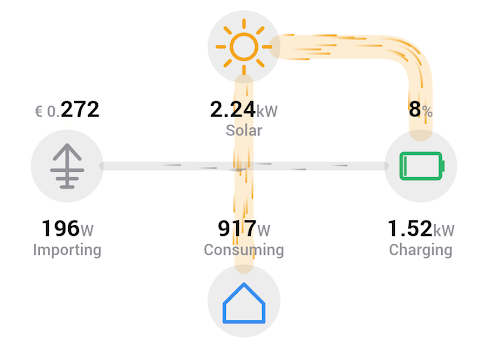
You can add this app’s widgets to your dashboard or homescreen in the mobile app.

Energy flow
Energy flow

Support

Having an issue with this app? Contact the developer via the developer website.

What’s new

Version 2.0.3 — Widget tweaks

View changelog

Enphase Controller

Enphase Controller is not compatible with the selected Homey.

Enphase Controller will install on Homey shortly.
Install App