
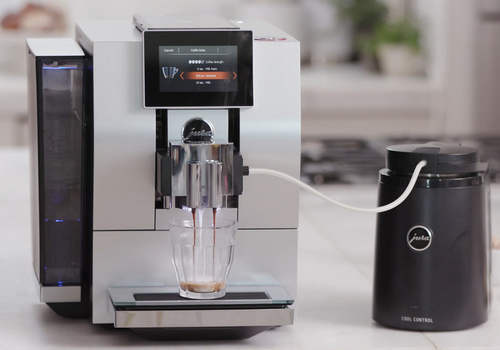
Jura Connect brings your Jura coffee machine into Homey — as long as it has the WiFi Connect module fitted. Everything runs locally on your own network: no cloud, no Jura account, and no dependency on the internet being up.
Once paired, Homey can read your machine's live status (ready, heating up, needs water or beans, tray full) and brew your favourite coffee, espresso or cappuccino as part of a flow. Start your first cup automatically when your alarm goes off, or get a warning the moment the machine needs attention, without ever picking up your phone.
The app ships with product data for a wide range of Jura models, so pairing usually recognises your machine automatically.
Read more ›
Flow cards
Click on a device above to show related Flow cards only.
When...
Jura Coffee Machine
Turned on
Jura Coffee Machine
Turned off
Jura Coffee Machine
The generic alarm turned on
Jura Coffee Machine
The generic alarm turned off
Jura Coffee Machine
The water alarm turned on
Jura Coffee Machine
The water alarm turned off
Jura Coffee Machine
Beans alarm turned on
Jura Coffee Machine
Beans alarm turned off
Jura Coffee Machine
Tray became full
Jura Coffee Machine
Tray was emptied
Jura Coffee Machine
Tray was removed
Jura Coffee Machine
Tray was reinserted
Jura Coffee Machine
Outlet was removed
Jura Coffee Machine
Outlet was reattached
Jura Coffee Machine
Rear cover was removed
Jura Coffee Machine
Rear cover was reattached
Jura Coffee Machine
Cleaning due crossed above 80%
Jura Coffee Machine
Filter due crossed above 80%
Jura Coffee Machine
Descale due crossed above 80%
And...
Jura Coffee Machine
Is turned on
Jura Coffee Machine
The generic alarm is on
Jura Coffee Machine
The water alarm is on
Jura Coffee Machine
Beans alarm is on
Jura Coffee Machine
Tray is full
Jura Coffee Machine
Tray is removed
Jura Coffee Machine
Outlet is removed
Jura Coffee Machine
Rear cover is removed
Jura Coffee Machine
Cleaning due is above 80%
Jura Coffee Machine
Filter due is above 80%
Jura Coffee Machine
Descale due is above 80%
Then...
Jura Coffee Machine
Turn on
Jura Coffee Machine
Turn off
Jura Coffee Machine
Toggle on or off
Jura Coffee Machine
Brew Choose a product at strength Strength (default)
Support
Having an issue with this app?
Contact the developer via the developer website.
What’s new
Version 0.13.1 — Easier to add new machines: the pairing screen and the app log now show the hardware code (hwId) of each machine found, and GitHub has a form for model requests. Safer pairing: the PIN is hidden while you type it, an address you type in must be a local network IPv4 address, and control characters from the network are filtered out. Fixes: coffee and espresso can now be brewed on the Z10 (EB/EC), S10 and E10 (experimental), switching on no longer raises Needs attention on some models, water amounts are checked when you save them, the Brew a product card only offers drinks your machine can make, and a few smaller fixes for pairing, the tile and maintenance values.
View changelog