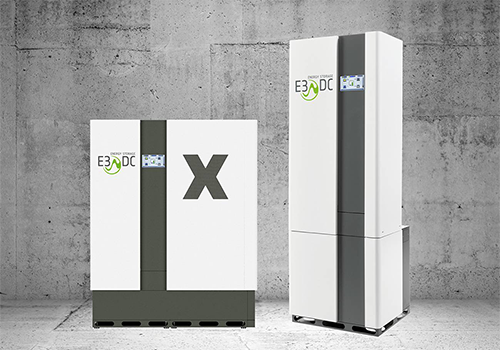
Do you own a home power station from E3DC? Would you like to integrate it into your SmartHome? Well,
you've found what you're looking for.
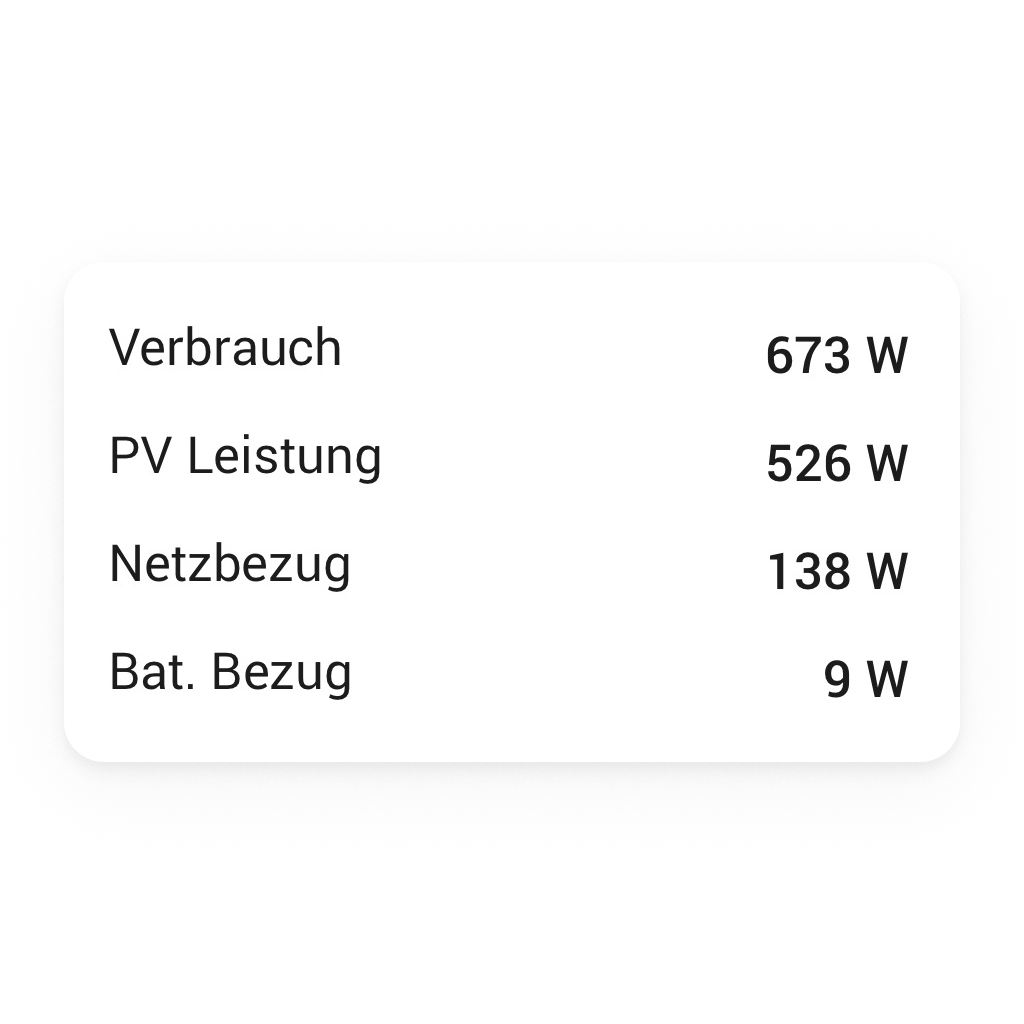
Control your devices based on the current performance data of your home power plant.
Change configuration parameters as you need. You have a dynamic electricity tariff and want to
charge your storage system when the electricity price is low? Set up a flow.
Do you want to charge your electric car as efficiently as possible with solar power? Set up a flow.
And the best thing about it? The communication between the home power station and Homey runs entirely in your local network.
To do this, you need to activate the RSCP interface on your home power station. This is very simple:
1. Go to the main menu
2. Select "Personalize"
3. Seect "Profile"
4. Scroll down and set a RSCP Password
5. Thats it
Klik op een apparaat hierboven om gerelateerde Flow-kaarten te zien.
Als...
Battery monitor
Het vermogen is veranderd
Battery monitor
Het accuniveau is veranderd
Battery monitor
Het voltage is veranderd
Battery monitor
De temperatuur verandert
Grid meter
Het vermogen is veranderd
HPS
Het vermogen is veranderd
HPS
De stroommeter is veranderd
HPS
Het accuniveau is veranderd
HPS
Firmware has been updated
i
Is triggered as soon as a new firmware version has been installed on the home power station
HPS
Maximum charging power has been changed
i
Is triggered as soon as the maximum possible charging power has changed
HPS
Maximum discharging power has been changed
i
Is triggered as soon as the maximum possible discharging power has changed
HPS
Manual battery charging started
i
Is triggered as soon as manual storage loading has been started
HPS
Manual storage charging ended or stopped
i
Triggered as soon as a manual storage loading is completed or canceled
HPS
Island operation (emergency power) started
i
Is triggered as soon as the home power station has switched to stand-alone operation. This is done as part of the emergency power function
HPS
Island operation (emergency power) beendet
i
Is triggered as soon as the home power station has switched back to normal operation. This is done as part of the emergency power function
HPS
The emergency power reserve has been changed
i
Is triggered as soon as the set emergency power reserve has changed
HPS
House consumption has changed
i
Is triggered as soon as house consumption has changed
HPS
Battery power has changed
i
Is triggered as soon as battery power has changed (positive = discharging, negative = charging)
HPS
Grid power has changed
i
Is triggered as soon as grid power has changed (positive = feed-in, negative = import)
Wallbox
Het vermogen is veranderd
Wallbox
De stroommeter is veranderd
En...
HPS
The max. charging power is greater than Charging limitUnit
HPS
The max. discharging power is greater than Discharging limitUnit
HPS
The maximum charging power is currently limited
HPS
The maximum discharging power is currently limited
HPS
The maximum charging power and/or the maximum discharging power is currently limited
HPS
Manual battery charging is active
HPS
The set emergency power reserve is larger than ReserveUnit
HPS
Island mode is active
HPS
Island mode is possible
i
Checks whether island operation is possible. The card only returns 'Yes' if the following conditions are met: The home power station is not in stand-alone mode. The home power station reports that the emergency power function is available and the home power station must report that switching is possible
Wallbox
... sun mode is on
i
Checks the tile sensor. Use for "Sun mode off" or a "sun mode on" notification.
Wallbox
... charging is allowed
i
Checks the tile sensor. Use for "Block charging" or a "charging on" notification.
Wallbox
... sun mode is off
i
Checks the tile sensor. Place before "Sun mode on" so follow-up cards (e.g. notifications) only run when off.
Wallbox
... charging is blocked
i
Checks the tile sensor. Place before "Allow charging" so follow-up cards only run when blocked.
Dan...
HPS
Sets the maximum charge limit of the home power station to Charging limitUnit
i
Sets the maximum charging limit of the home power station and activates the settings. If, for example, the battery can be charged with 7000W according to the home power station, the value is limited to 5000W here and there is more than 5000W of excess PV power, the battery is charged correspondingly more slowly. The values must be within the permissible values of the home power station. If they are not, the card will fail.
Advanced
HPS
Remove the maximum charging limit of the home power station
i
Removes any existing charging limit from the home power station.
Advanced
HPS
Sets the maximum discharge limit of the home power station to Discharging limitUnit
i
Sets the maximum discharge limit of the home power station and activates the settings. If, for example, the battery can be discharged with 7000W according to the home power station, the value is limited to 5000W here and the home consumption is more than 5000W, the battery is still only discharged with a maximum of 5000W. The difference is usually compensated by the grid or the PV surplus. The values must be within the permissible values of the home power station. If they do not, the card will fail.
Advanced
HPS
Remove the maximum discharging limit of the home power station
i
Removes any existing discharging limit from the home power station.
Advanced
HPS
Remove all charging and discharging limits
i
Remove all charging and discharging limits and reset them to the default values
Advanced
HPS
Provide the current charging configuration
i
Reads out the charging configuration currently set on the home power station and makes the values available as tokens in the flow
Advanced
HPS
Create diagnostic report
i
Refreshes the diagnostic report (also under HPS settings → Diagnosis) and exposes it as a token, e.g. for a support notification.
Advanced
HPS
Activate the charge/discharge limits currently set on the home power station
i
Activates the charge and discharge limit configuration stored in the home power station
Advanced
HPS
Deactivate the charge/discharge limits currently set on the home power station
i
Deactivates the charging and discharging limit configuration stored in the home power station. The values are retained. Only the function itself is deactivated
Advanced
HPS
Charge Amount of energy Wh additionally into the battery
i
A manual charging process is started. The specified amount of energy in Wh is charged in addition to the current charge level (up to max. 100%). Attention: With most home power stations, manual storage charging can only be triggered once a day
HPS
Charge the battery to approximately Target charge level%
i
A manual charging process is started. The battery is charged to approximately the specified percentage value. Attention: With most home power stations, manual storage charging can only be triggered once a day
HPS
Stops a manual charging process
i
If a manual charging process is running, it is stopped when this card is executed
HPS
Set the emergency power reserve to ReserveUnit
i
Sets the emergency power reserve of the home power station
HPS
Removes the emergency power reserve
i
Removes the emergency power reserve of the home power station. After executing the card, the entire battery capacity is available for normal energy supply
Wallbox
... allow charging (max. Max current (A) A)
i
Allows wallbox charging (mixed mode). Reads RSCP state first — skips if already allowed.
Wallbox
... block charging
i
Stops or blocks charging. Reads RSCP state first — skips if already blocked.
Wallbox
... sun mode on (max. Max current (A) A)
i
Enables PV surplus mode. Reads RSCP state first — skips if already active.
Wallbox
... sun mode off
i
Disables sun mode (mixed mode). Reads RSCP state first — skips if already off.
Wallbox
... start charging (max. Max current (A) A)
i
Enables wallbox charging in mixed mode with the given max current (Amps). Default 16 A. The vehicle must be plugged in.
Wallbox
... stop charging
i
Stops or pauses charging at the wallbox (RSCP EXTERN_DATA abort). Use "Start charging" to resume.
Wallbox
... sun mode Sun mode enabled (max. Max current (A) A)
i
Enables or disables PV surplus (sun) mode on the wallbox. In sun mode, solar power is preferred.
Wallbox
... set charge current to Current (A) A
i
Changes only the max charging current (6–32 A). The active mode stays unchanged. Use the other wallbox cards to start, stop, or switch mode.
Wallbox
... charging priority: Charging priority
i
Charging priority in sun mode: battery first or wallbox first. Matches the E3/DC portal “Ladepriorisierung” page.
Wallbox
... battery discharge in sun mode: In sun mode
i
Battery discharge via wallbox in sun mode: allowed or prevented. System-wide E3/DC setting.






 E3DC - HPS is niet compatibel met de geselecteerde Homey
 E3DC - HPS wordt op Homey geïnstalleerd.
 Belgium
 Bulgaria
 Croatia
 Cyprus
 Czech Republic
 Estonia
 Finland
 Greece
 Hungary
 Iceland
 Ireland
 Latvia
 Lithuania
 Malta
Malta
 Moldova
 The Netherlands
 Portugal
 Romania
 Slovakia
 Slovenia
 Türkiye
 Ukraine
 United Kingdom


