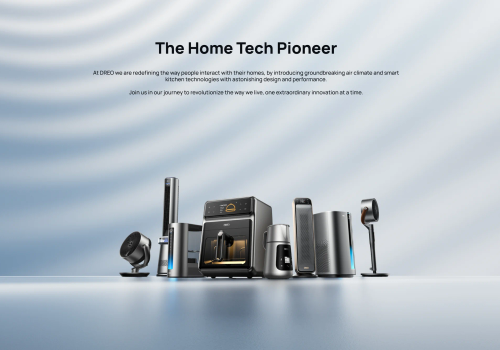
Dreo makes smart home climate control effortless. This app connects your Dreo smart heaters and fans to Homey, giving you full control over temperature, heating modes, fan speed and schedules from one place.
Set the perfect temperature before you arrive home, automate your heating based on presence or time of day, and monitor your room temperature in real time. With Flow support you can build powerful automations — like switching to Eco mode when you leave, or cranking up the heat when the temperature drops below a threshold.
Your Dreo account credentials are only used to obtain an authentication token from the Dreo API. The token is stored locally on your Homey — your password is never saved.
Haz clic en el dispositivo de arriba para mostrar solo las tarjetas Flow relacionadas.
Cuando...
Dreo Smart Ceiling Fan
Encendido
Dreo Smart Ceiling Fan
Apagado
Dreo Smart Dehumidifier
Encendido
Dreo Smart Dehumidifier
Apagado
Dreo Smart Dehumidifier
La humedad ha cambiado
Dreo Smart Dehumidifier
La alarma de agua se ha activado
Dreo Smart Dehumidifier
La alarma de agua se ha desactivado
Dreo Smart Dehumidifier
[[device]] humidity changed
Dreo Smart Dehumidifier
[[device]] tank is full
Dreo Smart Fan
Encendido
Dreo Smart Fan
Apagado
Dreo Smart Heater
Encendido
Dreo Smart Heater
Apagado
Dreo Smart Heater
La temperatura deseada ha cambiado
Dreo Smart Heater
La temperatura ha cambiado
Dreo Smart Heater
El modo del termostato ha cambiado ...
Dreo Smart Heater
[[device]] temperature changed
Y...
Dreo Smart Ceiling Fan
Está encendido
Dreo Smart Dehumidifier
Está encendido
Dreo Smart Dehumidifier
La alarma de agua está activada
Dreo Smart Dehumidifier
[[device]] tank {{is|is not}} full
Dreo Smart Fan
Está encendido
Dreo Smart Heater
Está encendido
Dreo Smart Heater
El modo del termostato está ...
Dreo Smart Heater
[[device]] {{is|is not}} heating
Entonces...
Dreo Smart Ceiling Fan
Encender
Dreo Smart Ceiling Fan
Apagar
Dreo Smart Ceiling Fan
Encender o apagar
Dreo Smart Ceiling Fan
Configurar la temperatura %
i
Ajusta la temperatura de la luz. Cuanto más alto es el valor, más cálido es el color.
Dreo Smart Dehumidifier
Encender
Dreo Smart Dehumidifier
Apagar
Dreo Smart Dehumidifier
Encender o apagar
Dreo Smart Dehumidifier
Set dehumidifier mode to Mode
Dreo Smart Dehumidifier
Set target humidity to Target humidity%
Dreo Smart Dehumidifier
Set dehumidifier fan to Speed
Dreo Smart Fan
Encender
Dreo Smart Fan
Apagar
Dreo Smart Fan
Encender o apagar
Dreo Smart Fan
Set fan mode to Mode
Dreo Smart Fan
Set fan oscillation Oscillation
Dreo Smart Fan
Set oscillation angle to Angle
Dreo Smart Heater
Encender
Dreo Smart Heater
Apagar
Dreo Smart Heater
Encender o apagar
Dreo Smart Heater
Ajustar la temperatura °C
Dreo Smart Heater
Configurar el modo ...
Dreo Smart Heater
Set heat level to Heat level
Dreo Smart Heater
Set oscillation Oscillation
Asistencia
¿Tienes algún problema con esta aplicación?
Contacta con el desarrollador a través de un correo electrónico.
Novedades
Versión 1.3.0 — Added Dreo Smart Ceiling Fan 712S (DR-HCF002S) support: fan power, 12-speed control, mode picker (Normal/Natural/Sleep/Auto), light power, brightness and colour temperature — fan and light controlled independently. Verified Dreo Smart Dehumidifier 512S (DR-HDH002S): tank-full alarm now driven by the device's `wrong` field where `tankfull` is unavailable, so the 512S correctly raises alarm_water. Existing Smart Dehumidifier (DR-HDH001S/005S) behaviour unchanged. Note: anyone who previously paired a 712S through the generic Smart Fan driver must remove and re-pair via the new Smart Ceiling Fan driver. RGB atmosphere light deferred to a future release.