





Warnung! Diese App funktioniert möglicherweise nicht richtig.
Diese App wird getestet und wurde noch nie überprüft. Sie funktioniert möglicherweise nicht wie erwartet. Sei besonders vorsichtig, wenn du diese App installierst.
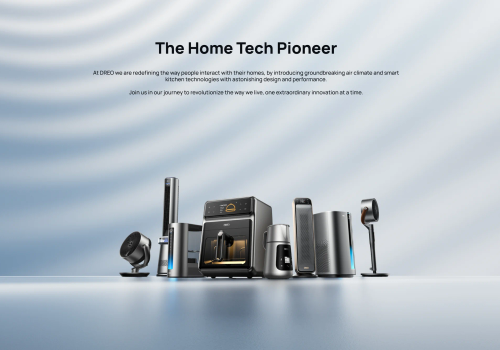
Dreo makes smart home climate control effortless. This app connects your Dreo smart heaters and fans to Homey, giving you full control over temperature, heating modes, fan speed and schedules from one place.
Set the perfect temperature before you arrive home, automate your heating based on presence or time of day, and monitor your room temperature in real time. With Flow support you can build powerful automations — like switching to Eco mode when you leave, or cranking up the heat when the temperature drops below a threshold.
Your Dreo account credentials are only used to obtain an authentication token from the Dreo API. The token is stored locally on your Homey — your password is never saved.
Klicke oben auf ein Gerät, um nur verwandte Flow-Karten anzuzeigen.
Wenn ...
Dreo Smart Ceiling Fan
Angeschaltet
Dreo Smart Ceiling Fan
Ausgeschaltet
Dreo Smart Dehumidifier
Angeschaltet
Dreo Smart Dehumidifier
Ausgeschaltet
Dreo Smart Dehumidifier
Die Luftfeuchtigkeit hat sich geändert
Dreo Smart Dehumidifier
Der Wasser-Alarm ist angegangen
Dreo Smart Dehumidifier
Der Wasser-Alarm ist ausgegangen
Dreo Smart Dehumidifier
[[device]] humidity changed
Dreo Smart Dehumidifier
[[device]] tank is full
Dreo Smart Fan
Angeschaltet
Dreo Smart Fan
Ausgeschaltet
Dreo Smart Heater
Angeschaltet
Dreo Smart Heater
Ausgeschaltet
Dreo Smart Heater
Die Ziel-Temperatur hat sich geändert
Dreo Smart Heater
Die Temperatur hat sich geändert
Dreo Smart Heater
Thermostat-Modus hat sich geändert ...
Dreo Smart Heater
[[device]] temperature changed
Und ...
Dreo Smart Ceiling Fan
Ist an
Dreo Smart Dehumidifier
Ist an
Dreo Smart Dehumidifier
Der Wasser-Alarm ist an
Dreo Smart Dehumidifier
[[device]] tank {{is|is not}} full
Dreo Smart Fan
Ist an
Dreo Smart Heater
Ist an
Dreo Smart Heater
Thermostat-Modus ist ...
Dreo Smart Heater
[[device]] {{is|is not}} heating
Dann ...
Dreo Smart Ceiling Fan
Einschalten
Dreo Smart Ceiling Fan
Ausschalten
Dreo Smart Ceiling Fan
Ein- oder ausschalten
Dreo Smart Ceiling Fan
Eine Temperatur setzen %
i
Stelle die Temperatur der Farbe ein. Ein höherer Wert bedeutet eine wärmere Farbe.
Dreo Smart Dehumidifier
Einschalten
Dreo Smart Dehumidifier
Ausschalten
Dreo Smart Dehumidifier
Ein- oder ausschalten
Dreo Smart Dehumidifier
Set dehumidifier mode to Mode
Dreo Smart Dehumidifier
Set target humidity to Target humidity%
Dreo Smart Dehumidifier
Set dehumidifier fan to Speed
Dreo Smart Fan
Einschalten
Dreo Smart Fan
Ausschalten
Dreo Smart Fan
Ein- oder ausschalten
Dreo Smart Fan
Set fan mode to Mode
Dreo Smart Fan
Set fan oscillation Oscillation
Dreo Smart Fan
Set oscillation angle to Angle
Dreo Smart Heater
Einschalten
Dreo Smart Heater
Ausschalten
Dreo Smart Heater
Ein- oder ausschalten
Dreo Smart Heater
Die Temperatur setzen °C
Dreo Smart Heater
Modus setzen ...
Dreo Smart Heater
Set heat level to Heat level
Dreo Smart Heater
Set oscillation Oscillation
Support
Hast du Probleme mit dieser App?
Den Entwickler kontaktieren durch Senden einer E-Mail.
Was ist neu?
Version 1.3.0 — Added Dreo Smart Ceiling Fan 712S (DR-HCF002S) support: fan power, 12-speed control, mode picker (Normal/Natural/Sleep/Auto), light power, brightness and colour temperature — fan and light controlled independently. Verified Dreo Smart Dehumidifier 512S (DR-HDH002S): tank-full alarm now driven by the device's `wrong` field where `tankfull` is unavailable, so the 512S correctly raises alarm_water. Existing Smart Dehumidifier (DR-HDH001S/005S) behaviour unchanged. Note: anyone who previously paired a 712S through the generic Smart Fan driver must remove and re-pair via the new Smart Ceiling Fan driver. RGB atmosphere light deferred to a future release.