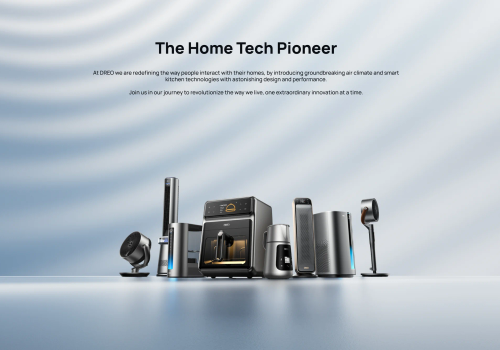
Dreo makes smart home climate control effortless. This app connects your Dreo smart heaters and fans to Homey, giving you full control over temperature, heating modes, fan speed and schedules from one place.
Set the perfect temperature before you arrive home, automate your heating based on presence or time of day, and monitor your room temperature in real time. With Flow support you can build powerful automations — like switching to Eco mode when you leave, or cranking up the heat when the temperature drops below a threshold.
Your Dreo account credentials are only used to obtain an authentication token from the Dreo API. The token is stored locally on your Homey — your password is never saved.
Click on a device above to show related Flow cards only.
When...
Dreo Smart Ceiling Fan
Turned on
Dreo Smart Ceiling Fan
Turned off
Dreo Smart Dehumidifier
Turned on
Dreo Smart Dehumidifier
Turned off
Dreo Smart Dehumidifier
The humidity changed
Dreo Smart Dehumidifier
The water alarm turned on
Dreo Smart Dehumidifier
The water alarm turned off
Dreo Smart Dehumidifier
[[device]] humidity changed
Dreo Smart Dehumidifier
[[device]] tank is full
Dreo Smart Fan
Turned on
Dreo Smart Fan
Turned off
Dreo Smart Heater
Turned on
Dreo Smart Heater
Turned off
Dreo Smart Heater
The target temperature changed
Dreo Smart Heater
The temperature changes
Dreo Smart Heater
Thermostat mode changed ...
Dreo Smart Heater
[[device]] temperature changed
And...
Dreo Smart Ceiling Fan
Is turned on
Dreo Smart Dehumidifier
Is turned on
Dreo Smart Dehumidifier
The water alarm is on
Dreo Smart Dehumidifier
[[device]] tank {{is|is not}} full
Dreo Smart Fan
Is turned on
Dreo Smart Heater
Is turned on
Dreo Smart Heater
Thermostat mode is ...
Dreo Smart Heater
[[device]] {{is|is not}} heating
Then...
Dreo Smart Ceiling Fan
Turn on
Dreo Smart Ceiling Fan
Turn off
Dreo Smart Ceiling Fan
Toggle on or off
Dreo Smart Ceiling Fan
Set a temperature %
i
Adjusts the temperature of the light. A higher value means a warmer color.
Dreo Smart Dehumidifier
Turn on
Dreo Smart Dehumidifier
Turn off
Dreo Smart Dehumidifier
Toggle on or off
Dreo Smart Dehumidifier
Set dehumidifier mode to Mode
Dreo Smart Dehumidifier
Set target humidity to Target humidity%
Dreo Smart Dehumidifier
Set dehumidifier fan to Speed
Dreo Smart Fan
Turn on
Dreo Smart Fan
Turn off
Dreo Smart Fan
Toggle on or off
Dreo Smart Fan
Set fan mode to Mode
Dreo Smart Fan
Set fan oscillation Oscillation
Dreo Smart Fan
Set oscillation angle to Angle
Dreo Smart Heater
Turn on
Dreo Smart Heater
Turn off
Dreo Smart Heater
Toggle on or off
Dreo Smart Heater
Set the temperature °C
Dreo Smart Heater
Set the mode ...
Dreo Smart Heater
Set heat level to Heat level
Dreo Smart Heater
Set oscillation Oscillation
Support
Having an issue with this app?
Contact the developer via email.
What’s new
Version 1.3.0 — Added Dreo Smart Ceiling Fan 712S (DR-HCF002S) support: fan power, 12-speed control, mode picker (Normal/Natural/Sleep/Auto), light power, brightness and colour temperature — fan and light controlled independently. Verified Dreo Smart Dehumidifier 512S (DR-HDH002S): tank-full alarm now driven by the device's `wrong` field where `tankfull` is unavailable, so the 512S correctly raises alarm_water. Existing Smart Dehumidifier (DR-HDH001S/005S) behaviour unchanged. Note: anyone who previously paired a 712S through the generic Smart Fan driver must remove and re-pair via the new Smart Ceiling Fan driver. RGB atmosphere light deferred to a future release.