





Ostrzeżenie! Ta aplikacja może nie działać prawidłowo.
Ta wersja aplikacji jest obecnie testowana i nikt nie wystawił opinii na jej temat. Aplikacja może nie działać zgodnie z oczekiwaniami. Podczas jej instalowania zachowaj szczególną ostrożność.
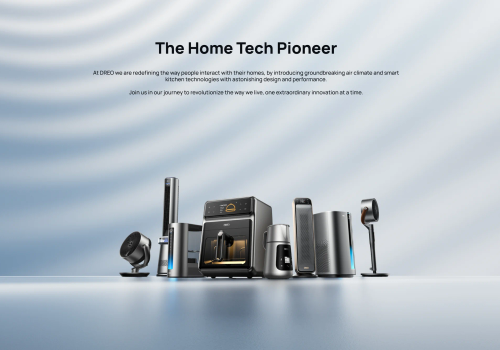
Dreo makes smart home climate control effortless. This app connects your Dreo smart heaters and fans to Homey, giving you full control over temperature, heating modes, fan speed and schedules from one place.
Set the perfect temperature before you arrive home, automate your heating based on presence or time of day, and monitor your room temperature in real time. With Flow support you can build powerful automations — like switching to Eco mode when you leave, or cranking up the heat when the temperature drops below a threshold.
Your Dreo account credentials are only used to obtain an authentication token from the Dreo API. The token is stored locally on your Homey — your password is never saved.
Kliknij na urządzenie powyżej, aby wyświetlić tylko powiązane karty Flow.
Kiedy...
Dreo Smart Ceiling Fan
Włączone
Dreo Smart Ceiling Fan
Wyłączone
Dreo Smart Dehumidifier
Włączone
Dreo Smart Dehumidifier
Wyłączone
Dreo Smart Dehumidifier
Zmiana wilgotności
Dreo Smart Dehumidifier
Alarm zalania wodą włączony
Dreo Smart Dehumidifier
Alarm zalania wodą wyłączony
Dreo Smart Dehumidifier
[[device]] humidity changed
Dreo Smart Dehumidifier
[[device]] tank is full
Dreo Smart Fan
Włączone
Dreo Smart Fan
Wyłączone
Dreo Smart Heater
Włączone
Dreo Smart Heater
Wyłączone
Dreo Smart Heater
Zmiana celu temperatury
Dreo Smart Heater
Zmiana temperatury
Dreo Smart Heater
Zmiana trybu termostatu ...
Dreo Smart Heater
[[device]] temperature changed
Oraz...
Dreo Smart Ceiling Fan
Jest włączone
Dreo Smart Dehumidifier
Jest włączone
Dreo Smart Dehumidifier
Alarm zalania wodą jest włączony
Dreo Smart Dehumidifier
[[device]] tank {{is|is not}} full
Dreo Smart Fan
Jest włączone
Dreo Smart Heater
Jest włączone
Dreo Smart Heater
Tryb termostatu to ...
Dreo Smart Heater
[[device]] {{is|is not}} heating
Wtedy...
Dreo Smart Ceiling Fan
Włącz
Dreo Smart Ceiling Fan
Wyłącz
Dreo Smart Ceiling Fan
Przełącz na wł. lub wył.
Dreo Smart Ceiling Fan
Ustaw temperaturę %
i
Dostosuj temperaturę oświetlenia. Wyższa wartość oznacza cieplejszą barwę.
Dreo Smart Dehumidifier
Włącz
Dreo Smart Dehumidifier
Wyłącz
Dreo Smart Dehumidifier
Przełącz na wł. lub wył.
Dreo Smart Dehumidifier
Set dehumidifier mode to Mode
Dreo Smart Dehumidifier
Set target humidity to Target humidity%
Dreo Smart Dehumidifier
Set dehumidifier fan to Speed
Dreo Smart Fan
Włącz
Dreo Smart Fan
Wyłącz
Dreo Smart Fan
Przełącz na wł. lub wył.
Dreo Smart Fan
Set fan mode to Mode
Dreo Smart Fan
Set fan oscillation Oscillation
Dreo Smart Fan
Set oscillation angle to Angle
Dreo Smart Heater
Włącz
Dreo Smart Heater
Wyłącz
Dreo Smart Heater
Przełącz na wł. lub wył.
Dreo Smart Heater
Ustaw temperaturę °C
Dreo Smart Heater
Ustaw tryb ...
Dreo Smart Heater
Set heat level to Heat level
Dreo Smart Heater
Set oscillation Oscillation
Pomoc
Masz problem z tą aplikacją?
Skontaktuj się z twórcami aplikacji, wysyłając mejla.
Nowości
Wersja 1.3.0 — Added Dreo Smart Ceiling Fan 712S (DR-HCF002S) support: fan power, 12-speed control, mode picker (Normal/Natural/Sleep/Auto), light power, brightness and colour temperature — fan and light controlled independently. Verified Dreo Smart Dehumidifier 512S (DR-HDH002S): tank-full alarm now driven by the device's `wrong` field where `tankfull` is unavailable, so the 512S correctly raises alarm_water. Existing Smart Dehumidifier (DR-HDH001S/005S) behaviour unchanged. Note: anyone who previously paired a 712S through the generic Smart Fan driver must remove and re-pair via the new Smart Ceiling Fan driver. RGB atmosphere light deferred to a future release.