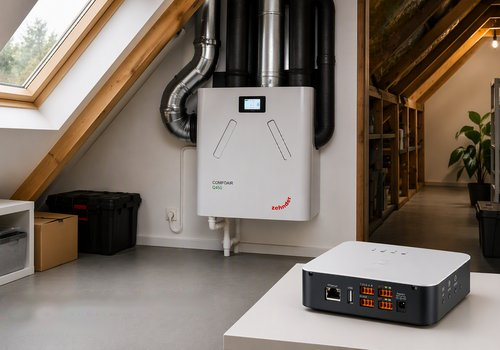
This app connects the Zehnder ComfoConnect Pro gateway to Homey Pro and supports the Zehnder ComfoAir Q350, Q450 and Q600 heat recovery ventilation units. Two independent connections are used: Modbus TCP on port 502 is always active and provides a stable connection for control and sensors, allowing multiple clients to connect simultaneously. In addition, there is the optional ComfoConnect binary protocol on port 56747, which delivers energy measurement and ventilation data (power, kWh, airflow and RPM). This protocol allows only one active session at a time and recovers automatically once the connection is taken over by the ComfoControl app or the Zehnder Cloud.
For installation, the ComfoConnect Pro must be connected to your LAN or WiFi network, with Modbus TCP enabled on the device. A static IP address for the ComfoConnect Pro is recommended. After installing the app, you add a device in Homey and enter the IP address of the ComfoConnect Pro; port 502 and unit ID 1 can be left at their default values. Optionally, energy monitoring can be enabled through the device settings, so that energy usage also becomes visible in Homey Energy.In the settings, the poll interval can be adjusted, with a default of 30 seconds, which automatically increases to 60 seconds whenever an energy session is active in order to prevent TCP conflicts. Enabling energy and ventilation monitoring activates the optional connection through the ComfoConnect protocol, which is required for power, kWh, airflow, RPM and bypass data; this connection recovers automatically after an interruption. The gateway UUID is normally found automatically via UDP discovery during the first connection, and can be entered manually if that fails. There is also an adjustable base delay for reconnecting the energy session, with a default of 15 seconds, which doubles after repeated failures up to a maximum of 5 minutes.
When energy monitoring is active, the device automatically appears in Homey Energy. The cumulative energy counter is always reported, while small fluctuations in power, airflow and RPM are filtered out to prevent unnecessary updates in the interface.
An important limitation is that the ComfoConnect Pro allows only one energy session at a time; using the ComfoControl app or the Zehnder Cloud temporarily interrupts this session, after which recovery happens automatically. Modbus TCP operates independently of this, so control and temperature sensors always remain available. Energy measurement only works if the gateway UUID is known; this is usually discovered automatically, but can be entered manually if there are issues. Power measurement itself is only available through the ComfoConnect protocol, since the ComfoConnect Pro does not have a separate register for this via Modbus.
Read more ›