


Warning! This app might not work properly.
This app version is currently being tested, and has not yet been reviewed. It might not work as expected.
Be extra careful when installing this app.
« Back to the regular version
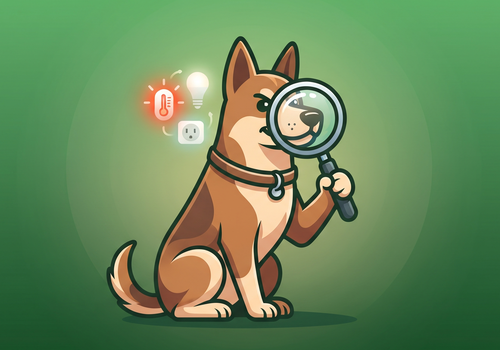
Device Watchdog keeps an eye on all your Homey devices, so you don't have to. It tracks low battery, devices that have stopped sending new data, and devices Homey itself reports as unreachable - all in one place, with sensible defaults so nothing needs to be configured to get started.
Works with any device on your Homey regardless of connection type - Zigbee, Z-Wave, Wi-Fi, Bluetooth, or 433 MHz - no per-brand setup required. Every device is monitored automatically; you can exclude individual devices or entire zones with a click, and fine-tune battery and reporting thresholds per device where needed. A manual reachability test, a running history log, optional Homey Timeline notifications, a virtual status device for your Insights and dashboards, and a dashboard widget showing exactly which devices need attention round out the picture, alongside a full set of Flow cards for building automations around what it finds.
Read more ›
Flow cards
Click on a device above to show related Flow cards only.
When...
Device Watchdog
Device's battery gets low
Device Watchdog
Device stops reporting
Device Watchdog
Device's reachability test fails
Device Watchdog
Device's reachability test succeeds
Device Watchdog
Device becomes unavailable
Device Watchdog
Devices become available again
Device Watchdog
Devices' battery is OK again
Device Watchdog
Devices with low battery are newly found
Device Watchdog
Devices are newly found not reporting
Device Watchdog
Devices are reporting again
Device Watchdog
Devices newly become unavailable
Device Watchdog
Value Value of Device hasn't changed for e.g. 15 ...
Watchdog status
The generic alarm turned on
Watchdog status
The generic alarm turned off
And...
Device Watchdog
Any device has low battery
Device Watchdog
Any device is not reporting
Device Watchdog
Any device is unavailable
Device Watchdog
Device has low battery
Device Watchdog
Device isn't reporting
Device Watchdog
Device is paused
Device Watchdog
Device is unavailable
Device Watchdog
Watchdog is paused
Watchdog status
The generic alarm is on
Then...
Device Watchdog
Pause Watchdog for e.g. 7 ...
Device Watchdog
Pause Watchdog until Until (time of day)
Device Watchdog
Pause Device until Paused until Rescan immediately
Device Watchdog
Pause Device until Paused until Time Rescan immediately
Device Watchdog
Pause Device until resumed Rescan immediately
Device Watchdog
Pause Device until Paused until (YYYY-MM-DD or YYYY-MM-DD HH:mm) Rescan immediately
Device Watchdog
Resume Watchdog
Device Watchdog
Resume Device (clear pause)
Device Watchdog
Run device scan now
Device Watchdog
Test Device's reachability
Support
Having an issue with this app?
Contact the developer via the developer website.
What’s new
Version 1.9.59 — • New Flow action "Pause device until resumed": pauses a device with no end date until a "Resume device" card runs - e.g. pause a Hi-Fi when you leave home and resume it when you come back. In the Devices tab such a pause shows as "paused until resumed"
• Fixed: the text variant of the pause action only understood YYYY-MM-DD, so a date written with slashes (e.g. from a "Format date" card) paused nothing, silently. It now also reads YYYY/MM/DD, YYYY.MM.DD and DD.MM.YYYY, with or without a time. A date it still can't read no longer touches the pause (before, it cleared an existing one) and is noted in the app log. All pause and resume actions from Flows are now written to the app log
View changelog