Manage your Apple HomeKit compatible Meross devices easily and quickly with Homey.
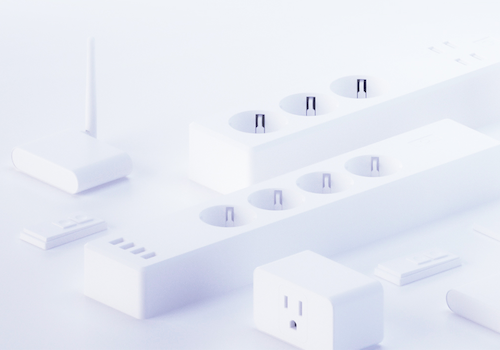
Control your smart plugs and smart power strip and thus the equipment connected to it.
Control your mood lightning anytime, anywhere.
Control your air purifier speed and check the filter status.
Open your garage door based on your location with homey.
Read more ›
Supported devices
Air Purifier (MAP100)
Diffuser/Humidifier
Smart Garage Door Opener
Smart Light
Smart Plug
Smart Plug with Energy Monitor
Smart Power Strip
Smart Roller Shutter
Smart Thermostat
Smart Wall Switch
Flow cards
Click on a device above to show related Flow cards only.
When...
Air Purifier (MAP100)
Turned on
Air Purifier (MAP100)
Turned off
Air Purifier (MAP100)
The fan speed changed
Air Purifier (MAP100)
Locked
Air Purifier (MAP100)
Unlocked
Air Purifier (MAP100)
Speed changed
Diffuser/Humidifier
Turned on
Diffuser/Humidifier
Turned off
Diffuser/Humidifier
The dim level changed
Diffuser/Humidifier
The humidity changed
Diffuser/Humidifier
The temperature changes
Smart Garage Door Opener
Closed
Smart Garage Door Opener
Opened
Smart Light
The dim level changed
Smart Plug with Energy Monitor
Turned on
Smart Plug with Energy Monitor
Turned off
Smart Plug with Energy Monitor
The power changed
Smart Plug with Energy Monitor
The electric current changed
Smart Plug with Energy Monitor
The voltage changed
Smart Plug with Energy Monitor
The power meter changed
Smart Power Strip
Turned on
Smart Power Strip
Turned off
Smart Roller Shutter
The position changed
Smart Roller Shutter
The state changed ...
Smart Thermostat
Turned on
Smart Thermostat
Turned off
Smart Thermostat
The target temperature changed
Smart Thermostat
The temperature changes
Smart Thermostat
Thermostat mode changed ...
Smart Wall Switch
Turned on
Smart Wall Switch
Turned off
And...
Air Purifier (MAP100)
Is turned on
Air Purifier (MAP100)
A lock is locked
Air Purifier (MAP100)
Speed is set to Choose speed!
Diffuser/Humidifier
Is turned on
Smart Garage Door Opener
Is closed
Smart Plug with Energy Monitor
Is turned on
Smart Power Strip
Is turned on
Smart Roller Shutter
The state is ...
Smart Thermostat
Is turned on
Smart Thermostat
Thermostat mode is ...
Smart Wall Switch
Is turned on
Then...
Air Purifier (MAP100)
Turn on
Air Purifier (MAP100)
Turn off
Air Purifier (MAP100)
Toggle on or off
Air Purifier (MAP100)
Set the fan speed to %
Air Purifier (MAP100)
Lock
Air Purifier (MAP100)
Unlock
Air Purifier (MAP100)
Set speed to Choose speed!
Diffuser/Humidifier
Turn on
Diffuser/Humidifier
Turn off
Diffuser/Humidifier
Toggle on or off
Diffuser/Humidifier
Dim to %
Diffuser/Humidifier
Set relative dim-level %
Diffuser/Humidifier
Set the hue °
Diffuser/Humidifier
Set a color ...
Diffuser/Humidifier
Set a random color
Diffuser/Humidifier
Set the saturation %
Smart Garage Door Opener
Close
Smart Garage Door Opener
Open
Smart Garage Door Opener
Toggle open or closed
Smart Light
Toggle on or off
Smart Light
Set relative dim-level %
Smart Light
Set the hue °
Smart Light
Set a color ...
Smart Light
Set a random color
Smart Light
Set the saturation %
Smart Light
Set a temperature %
Smart Plug
Toggle on or off
Smart Plug with Energy Monitor
Turn on
Smart Plug with Energy Monitor
Turn off
Smart Plug with Energy Monitor
Toggle on or off
Smart Power Strip
Turn on
Smart Power Strip
Turn off
Smart Power Strip
Toggle on or off
Smart Roller Shutter
Set the position to %
Smart Roller Shutter
Set state ...
Smart Thermostat
Turn off
Smart Thermostat
Toggle on or off
Smart Thermostat
Set the temperature °C
Smart Thermostat
Set the mode ...
Smart Wall Switch
Turn on
Smart Wall Switch
Turn off
Smart Wall Switch
Toggle on or off
Support
Having an issue with this app?
Contact the developer via email .
What’s new
Version 3.0.1 — Fix old MSS310 unhandled exception
View changelog






 Meross is not compatible with the selected Homey.
 Meross will install on Homey shortly.
 Belgium
 Bulgaria
 Croatia
 Cyprus
 Czech Republic
 Estonia
 Finland
 Greece
 Hungary
 Iceland
 Ireland
 Latvia
 Lithuania
 Malta
Malta
 Moldova
 The Netherlands
 Portugal
 Romania
 Slovakia
 Slovenia
 Türkiye
 Ukraine
 United Kingdom


