

The app supports three independent connection methods: the public Kiosk URL (no account required), the official FusionSolar Northbound API, and direct Modbus TCP communication with the SUN2000 inverter, LUNA2000 battery and DTSU666 smart meter.
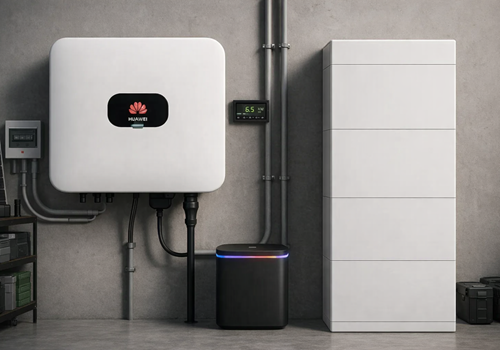
Each device type appears separately in Homey. The SUN2000 inverter reports solar power, PV string voltages and currents, daily and total energy yield. The LUNA2000 battery shows state of charge, charge and discharge power, and supports direct control of the storage working mode. The DTSU666 smart meter tracks grid import and export energy across all three phases and integrates with the Homey Energy Dashboard as a P1 meter. The Kiosk and OpenAPI devices provide plant-level energy data including daily, monthly and yearly totals.
All values are available in Homey Insights and Flows — for example to switch on a heat pump when grid export starts, or to limit loads when battery state of charge drops below a threshold.
Click on a device above to show related Flow cards only.
When...
Battery LUNA 2000 (EMMA Modbus)
The power changed
Battery LUNA 2000 (EMMA Modbus)
The battery level changed
Battery LUNA 2000 (Modbus)
The power changed
Battery LUNA 2000 (Modbus)
The battery level changed
Battery LUNA 2000 (Modbus)
Battery state of charge changed
i
Fires every time the battery's state of charge changes. The SoC token contains the new percentage value.
Battery LUNA 2000 (Modbus)
Battery unit status changed to Status
i
Fires when the LUNA2000 battery unit's operating status changes. Select a specific status to trigger only on that transition.
Battery LUNA 2000 (Modbus)
Battery charging state changed
i
Fires when the battery switches between charging, discharging, and idle. The State token contains the new value.
Battery LUNA 2000 (Modbus)
Battery started charging
i
Fires when the battery transitions from idle or discharging to charging (power above 50 W).
Battery LUNA 2000 (Modbus)
Battery started discharging
i
Fires when the battery transitions from idle or charging to discharging (power above 50 W).
Battery LUNA 2000 (Modbus)
Battery working mode changed
i
Fires when the storage working mode changes — e.g. switched by an external grid balancing service.
Battery LUNA 2000 (Modbus)
Excess PV energy use changed
i
Fires when the excess PV energy setting changes between 'Feed to Grid' and 'Charge Battery'.
Battery LUNA 2000 (Modbus)
Remote dispatch mode changed
i
Fires when the remote charge/discharge control mode changes (e.g. switched by a third-party scheduling service).
Battery LUNA 2000 (OpenAPI)
The power changed
Battery LUNA 2000 (OpenAPI)
The battery level changed
Battery LUNA 2000 (OpenAPI)
Battery state of charge changed
i
Fires every time the battery's state of charge changes. Reads the current value via the FusionSolar OpenAPI.
Battery LUNA 2000 (OpenAPI)
Battery charging state changed
i
Fires when the battery switches between charging, discharging, and idle. The State token contains the new value.
Energy Management System
Turned on
Energy Management System
Turned off
Energy Management System
Solar forecast updated
i
Fires when a fresh Solcast PV forecast has been fetched.
Energy Management System
EMS mode changed
i
Fires when the Energy Management System switches to a different operating mode.
FusionSolar Plant (Kiosk)
The power changed
FusionSolar Plant (Kiosk)
The power meter changed
FusionSolar Plant (Kiosk)
Power output changed
i
Fires when the plant's current power output changes. Use the Power token to react to the new value.
FusionSolar Plant (Kiosk)
Daily energy updated
i
Fires when the plant's daily energy yield is updated. Note: Huawei caches data for ~30 minutes, so updates may be infrequent.
Huawei FusionSolar Manager
EMS wants to set charger current for Paste Charger Device ID from EMS settings
i
Fires when the EMS needs to change an EV charger's current. Paste the Charger Device ID from the EMS settings. Use [amps], [phase1], [phase2], [phase3] tokens in the charger action.
Huawei FusionSolar Manager
EMS wants to start charging for Paste Charger Device ID from EMS settings
i
Fires when the EMS detects the charger is idle (power = 0 W) and wants to start a charging session.
Huawei FusionSolar Manager
EMS wants to start heat pump Paste Heat Pump Device ID from EMS settings
i
Fires when the EMS wants to turn the heat pump on (off-peak hours active or sufficient solar surplus).
Huawei FusionSolar Manager
EMS wants to stop heat pump Paste Heat Pump Device ID from EMS settings
i
Fires when the EMS wants to turn the heat pump off (battery priority or no surplus).
Huawei FusionSolar Manager
EMS wants to start boiler/heater Paste Boiler Device ID from EMS settings
i
Fires when the EMS wants to turn the boiler/heater on (sufficient solar surplus available).
Huawei FusionSolar Manager
EMS wants to stop boiler/heater Paste Boiler Device ID from EMS settings
i
Fires when the EMS wants to turn the boiler/heater off (battery priority or no surplus).
Huawei FusionSolar Manager
EMS wants to start pool pump Paste Pool Device ID from EMS settings
i
Fires when the EMS wants to turn the pool pump on (sufficient solar surplus available).
Huawei FusionSolar Manager
EMS wants to stop pool pump Paste Pool Device ID from EMS settings
i
Fires when the EMS wants to turn the pool pump off (battery priority or no surplus).
Huawei FusionSolar Manager
EMS wants to start dehumidifier Paste Dehumidifier Device ID from EMS settings
i
Fires when the EMS wants to turn the dehumidifier on (sufficient solar surplus available).
Huawei FusionSolar Manager
EMS wants to stop dehumidifier Paste Dehumidifier Device ID from EMS settings
i
Fires when the EMS wants to turn the dehumidifier off (battery priority or no surplus).
Huawei FusionSolar Manager
EMS: battery Paste Battery Device ID from EMS settings is full
i
Fires when the battery SOC first rises above the configured 'Battery Full SOC' threshold. Use to start force-discharging the battery (e.g. into the EV charger).
Huawei FusionSolar Manager
EMS: battery Paste Battery Device ID from EMS settings is low
i
Fires when the battery SOC drops below the configured minimum SOC. Use to stop force-discharging.
Huawei FusionSolar Manager
EMS: battery Battery Device ID from EMS settings — force charge
i
Placeholder trigger created by EMS Setup Flows for 'Force Charge'. Replace with your own trigger (e.g. energy price, time schedule) in Homey.
Huawei FusionSolar Manager
EMS: battery Battery Device ID from EMS settings — force discharge
i
Placeholder trigger created by EMS Setup Flows for 'Force Discharge'. Replace with your own trigger in Homey.
Huawei FusionSolar Manager
EMS: battery Battery Device ID from EMS settings — normal mode
i
Placeholder trigger created by EMS Setup Flows for 'Normal Mode'. Replace with your own trigger in Homey.
Huawei FusionSolar Manager
EMS: battery Battery Device ID from EMS settings — set max charge power
i
Placeholder trigger created by EMS Setup Flows for 'Max Charge Power'. Replace with your own trigger in Homey.
Huawei FusionSolar Manager
EMS: battery Battery Device ID from EMS settings — set max discharge power
i
Placeholder trigger created by EMS Setup Flows for 'Max Discharge Power'. Replace with your own trigger in Homey.
Huawei FusionSolar Manager
EMS: inverter Inverter Device ID from EMS settings — enable export limit
Huawei FusionSolar Manager
EMS: inverter Inverter Device ID from EMS settings — disable export limit
Huawei FusionSolar Manager
EMS: inverter Inverter Device ID from EMS settings — set feed-in limit (W)
Huawei FusionSolar Manager
EMS: inverter Inverter Device ID from EMS settings — set feed-in limit (%)
Huawei FusionSolar Manager
EMS: inverter Inverter Device ID from EMS settings — remove output limit
Huawei FusionSolar Manager
EMS: set car Car ID (from EMS settings) target charge to Target charge (%) filter — leave empty for any %
i
Fires when the EMS target charge for a car changes. Use the Target SOC token to set the charge limit on your vehicle.
Inverter SUN 2000 (EMMA Modbus)
The power changed
Inverter SUN 2000 (EMMA Modbus)
The power meter changed
Inverter SUN 2000 (Modbus)
The power changed
Inverter SUN 2000 (Modbus)
The power meter changed
Inverter SUN 2000 (Modbus)
Power output changed
i
Fires when the inverter's active power output changes. Reads the current value from the SUN2000 via Modbus.
Inverter SUN 2000 (Modbus)
Inverter status changed to Status
i
Fires when the SUN2000 inverter's operating status changes. Select a specific status to trigger only on that transition.
Inverter SUN 2000 (OpenAPI)
The power changed
Inverter SUN 2000 (OpenAPI)
The power meter changed
Inverter SUN 2000 (OpenAPI)
Power output changed
i
Fires when the inverter's active power output changes. Reads the current value via the FusionSolar OpenAPI.
iSitePower-M Battery (OpenAPI)
The power changed
iSitePower-M Battery (OpenAPI)
The battery level changed
iSitePower-M Grid (OpenAPI)
The power changed
iSitePower-M Grid (OpenAPI)
The power meter changed
iSitePower-M Grid (OpenAPI)
The frequency changed
iSitePower-M Home (OpenAPI)
The power changed
iSitePower-M Home (OpenAPI)
The power meter changed
iSitePower-M Solar (OpenAPI)
The power changed
iSitePower-M Solar (OpenAPI)
The power meter changed
Power Meter (EMMA Modbus)
The power changed
Power Meter (EMMA Modbus)
The power meter changed
Power Meter (Modbus)
The power changed
Power Meter (Modbus)
The power meter changed
Power Meter (Modbus)
Grid export started
i
Fires when the meter switches from importing to exporting — i.e. when surplus PV power starts flowing back to the grid.
Power Meter (Modbus)
Grid import started
i
Fires when the meter switches from exporting to importing — i.e. when grid power is being drawn again.
Power Meter (Modbus)
Meter status changed to Status
i
Fires when the grid meter's online/offline status changes. Select a specific status to trigger only on that transition.
Power Meter (OpenAPI)
The power changed
Power Meter (OpenAPI)
The power meter changed
SDongle A (Modbus)
The power changed
Smart Charger (EMMA Modbus)
The power changed
Smart Charger (EMMA Modbus)
The EV charger charging state changed ...
Smart Charger (EMMA Modbus)
The power meter changed
Smart Charger (EMMA Modbus)
The temperature changes
Smart Charger (EMMA Modbus)
EV charging started
i
Fires when the EV charger detects that charging of a vehicle has begun.
Smart Charger (EMMA Modbus)
EV charging stopped
i
Fires when the EV charger detects that charging of a vehicle has ended.
Smart Charger (OCPP)
Started charging
Smart Charger (OCPP)
Stopped charging
Smart Charger (OCPP)
The target power changed
Smart Charger (OCPP)
The target power mode changed to ...
i
"Homey" means Homey controls the device’s target power. Other modes are determined by the device.
Smart Charger (OCPP)
The power changed
Smart Charger (OCPP)
The EV charger charging state changed ...
Smart Charger (OCPP)
The power meter changed
Smart Charger (OCPP)
The electric current changed
Smart Charger (OCPP)
The voltage changed
Smart Charger (OCPP)
The temperature changes
Smart Charger (OCPP)
EV charging started (OCPP)
i
Fires when the OCPP charger reports a StartTransaction.
Smart Charger (OCPP)
EV charging stopped (OCPP)
i
Fires when the OCPP charger reports a StopTransaction.
Smart Charger (OCPP)
EV plugged in — waiting for start (OCPP)
i
Fires when a car plugs in and auto-start charging is disabled. Use this to start charging manually from a flow.
Smart Charger (OCPP)
EV charger state changed (OCPP)
i
Fires whenever the OCPP charger changes state (idle / connected / charging / error).
Smart Charger (OCPP)
EV disconnected (OCPP)
i
Fires when the cable is physically unplugged from the charger (rawStatus=Available).
Smart Charger (OCPP)
Charger went offline (OCPP)
i
Fires when no OCPP message has been received from the charger for 3 minutes.
Smart Charger (OCPP)
Charger came back online (OCPP)
i
Fires when the charger reconnects after having been offline.
Smart Charger (OCPP)
Charging paused (OCPP)
i
Fires when charging is paused via the masked-stop mechanism.
Smart Charger (OCPP)
Charging resumed (OCPP)
i
Fires when power is flowing again after a pause (power-verified).
Smart Charger (OCPP)
Charging limit changed (OCPP)
i
Fires when the charging current limit is changed during an active session.
And...
Battery LUNA 2000 (Modbus)
Battery is charging
i
True when the battery is actively charging (power above 50 W).
Battery LUNA 2000 (Modbus)
Battery is discharging
i
True when the battery is actively discharging (power above 50 W).
Battery LUNA 2000 (Modbus)
Battery SoC is above SoC (%) %
i
True when the battery state of charge is above the given threshold.
Battery LUNA 2000 (Modbus)
Battery SoC is below SoC (%) %
i
True when the battery state of charge is below the given threshold.
Battery LUNA 2000 (Modbus)
Max charge power is above Power (W) W
i
True when the battery max charge power setting (register 47075) is above the given threshold. Synced from the inverter every 5 poll cycles.
Battery LUNA 2000 (Modbus)
Max charge power is below Power (W) W
i
True when the battery max charge power setting (register 47075) is below the given threshold. Use threshold 1 to check whether the limit has already been set to 0 (blocked). Synced from the inverter every 5 poll cycles.
Battery LUNA 2000 (Modbus)
Battery unit status is Status
i
Checks the current operating status of the LUNA2000 battery unit (e.g. Running, Fault, Sleep mode).
Battery LUNA 2000 (Modbus)
Battery working mode is Mode
i
Checks the current storage working mode of the LUNA2000 battery.
Battery LUNA 2000 (Modbus)
Excess PV energy use is Mode
i
Checks how excess PV energy is currently used (feed to grid or charge battery).
Battery LUNA 2000 (Modbus)
Remote dispatch mode is Mode
i
Checks the current remote charge/discharge control mode of the LUNA2000 battery.
Energy Management System
Is turned on
Energy Management System
Expected solar today is more than Energy (kWh) kWh
i
True when the Solcast forecast for the rest of today (until midnight) is above the given number of kWh.
Energy Management System
Expected solar until Cutoff time is below Energy (kWh) kWh
i
True when the Solcast forecast for the PV production remaining from now until the given time today is below the threshold (kWh). Returns 0 once that time has passed. Useful for deadline planning, e.g. "the sun won't cover the car by 18:00, start grid charging".
Energy Management System
Expected solar in the next Hours h is more than Energy (kWh) kWh
i
True when the Solcast forecast for the next N hours is above the given number of kWh.
Energy Management System
EMS mode is Mode
FusionSolar Plant (Kiosk)
Is producing
i
Checks whether the plant is currently generating power.
Inverter SUN 2000 (Modbus)
Solar power is above Power (W) W for Duration (min) min
i
True when solar power has been continuously above the specified wattage for at least the given number of minutes.
Inverter SUN 2000 (Modbus)
Solar power is below Power (W) W for Duration (min) min
i
True when solar power has been continuously below the specified wattage for at least the given number of minutes.
Inverter SUN 2000 (Modbus)
Inverter status is Status
i
Checks the current operating status of the SUN2000 inverter (e.g. On-grid, Shutdown: fault).
Inverter SUN 2000 (Modbus)
Is producing
i
Checks whether the SUN2000 inverter is currently generating power.
Power Meter (Modbus)
Grid is exporting
i
True when the meter reports a negative active power — i.e. surplus energy is being fed into the grid.
Power Meter (Modbus)
Meter status is Status
i
Checks the current online status of the DTSU666 grid meter (Offline or Normal).
Smart Charger (EMMA Modbus)
The EV charger charging state is ...
Smart Charger (OCPP)
Is charging
Smart Charger (OCPP)
The target power mode is ...
i
"Homey" means Homey controls the device’s target power. Other modes are determined by the device.
Smart Charger (OCPP)
The EV charger charging state is ...
Then...
Battery LUNA 2000 (EMMA Modbus)
Set storage working mode to Mode
i
Sets the ESS working mode of the LUNA2000 battery via EMMA Modbus (register 40000).
Battery LUNA 2000 (EMMA Modbus)
Set excess PV energy use to Mode
i
Sets what happens to surplus PV power in TOU mode via EMMA Modbus (register 40001).
Battery LUNA 2000 (EMMA Modbus)
Set max grid charging power to Power (kW) kW
i
Sets the maximum power the LUNA2000 battery may draw from the grid for charging via EMMA Modbus (register 40002). Useful for time-of-use tariff automations.
Battery LUNA 2000 (Modbus)
Set storage working mode to Mode
i
Sets the working mode of the LUNA2000 battery via Modbus (register 47086).
Battery LUNA 2000 (Modbus)
Set excess PV energy use to Mode
i
Sets what happens to surplus PV power in TOU mode via Modbus (register 47299).
Battery LUNA 2000 (Modbus)
Set remote charge/discharge mode to Mode
i
Sets the remote charge/discharge control mode of the LUNA2000 battery via Modbus (register 47589). Overrides the storage working mode.
Battery LUNA 2000 (Modbus)
Set force charge/discharge to Mode
i
Force the LUNA2000 battery to charge, discharge, or stop. The battery returns to its normal working mode after the command completes.
Battery LUNA 2000 (Modbus)
Start charging with Charge Power (W) W until Target SoC (%) %
i
Starts force charging the LUNA2000 at the given power until the target SoC is reached (registers 47247, 47101, 47100).
Battery LUNA 2000 (Modbus)
Start discharging with Discharge Power (W) W until Target SoC (%) %
i
Starts force discharging the LUNA2000 at the given power until the target SoC is reached (registers 47249, 47101, 47100).
Battery LUNA 2000 (Modbus)
Start charging with Charge Power (W) W for Duration (minutes) minutes
i
Starts force charging the LUNA2000 at the given power for the specified duration (registers 47247, 47083, 47100). The battery firmware stops automatically when the timer expires.
Battery LUNA 2000 (Modbus)
Start discharging with Discharge Power (W) W for Duration (minutes) minutes
i
Starts force discharging the LUNA2000 at the given power for the specified duration (registers 47249, 47083, 47100). The battery firmware stops automatically when the timer expires.
Battery LUNA 2000 (Modbus)
Set force charge power to Charge Power (W) W
i
Sets the maximum charge power limit for force charging (register 47247). Does not start force charging — use 'Start force charge' or 'Set force charge/discharge' for that.
Battery LUNA 2000 (Modbus)
Set max charge power to Max Charge Power (W) W
i
Sets the maximum battery charge power (register 47075, UINT32). The value is also visible in device settings and synced back on the next control poll.
Battery LUNA 2000 (Modbus)
Set max discharge power to Max Discharge Power (W) W
i
Sets the maximum battery discharge power (register 47077, UINT32). The value is also visible in device settings and synced back on the next control poll.
Battery LUNA 2000 (Modbus)
Set force charge target to Target SoC (%) %
i
Sets the target state of charge at which force charging stops (register 47101). Does not start force charging.
Battery LUNA 2000 (Modbus)
Set charge from grid to Mode
i
Enables or disables charging the battery from the grid (register 47087).
Battery LUNA 2000 (Modbus)
Set grid charge cutoff SoC to Cutoff SoC (%) %
i
Sets the state of charge at which grid charging stops (register 47088). Range: 20–100 %, default 50 %.
Battery LUNA 2000 (Modbus)
Set grid charge power to Power (W) W
i
Sets the power at which the battery charges from the grid (register 47242). Requires 'Charge from grid' to be enabled.
Battery LUNA 2000 (Modbus)
Set charge cutoff SoC to Cutoff SoC (%) %
i
Sets the maximum SoC the battery charges to during normal operation (register 47081). Valid range: 90–100 %, default 100 %.
Battery LUNA 2000 (Modbus)
Set discharge cutoff SoC to Cutoff SoC (%) %
i
Sets the minimum SoC the battery discharges to (register 47082). Valid range: 12–20 %, default 15 %.
Battery LUNA 2000 (Modbus)
Set backup power reserve SoC to Reserve SoC (%) %
i
Sets the SoC reserved for backup / off-grid operation (register 47102). The battery will not discharge below this level during normal grid-tied operation.
Battery LUNA 2000 (Modbus)
Set max power charge from grid to Power (W) W
i
Sets the hard upper limit for grid-charging power (register 47244, UINT32). Unlike the schedule-based grid charge power (register 47242), this cap applies at all times.
Battery LUNA 2000 (Modbus)
Set force discharge power to Power (W) W
i
Sets the power for forced discharging (register 47249, UINT32). Use before or instead of the combined 'Start force discharge' card when you need independent power control.
Battery LUNA 2000 (Modbus)
Set grid-tied power limit to Power (W) W
i
Sets the power limit at the grid connection point (register 47079, UINT32). Limits total system power flow at the grid-tied point.
Battery LUNA 2000 (Modbus)
Set backup off-grid switch to Mode
i
Enables or disables backup / off-grid mode (register 47604). Requires backup hardware to be installed.
Battery LUNA 2000 (Modbus)
Set capacity control mode to Mode
i
Sets the battery capacity control mode (register 47954). 'SoC peak shaving' uses the configured SoC threshold (register 47955) to limit peak loads.
Battery LUNA 2000 (Modbus)
Set capacity control peak-shaving SoC to Peak-shaving SoC (%) %
i
Sets the SoC threshold for peak shaving (register 47955). Requires capacity control mode to be set to 'SoC peak shaving' (register 47954 = 1).
Energy Management System
Turn on
Energy Management System
Turn off
Energy Management System
Toggle on or off
Energy Management System
Set EMS to State
Energy Management System
Set electricity price to Price / kWh per kWh
i
Sets the current variable electricity price. Only used when the EMS price model is set to Variable. Call this from your dynamic-tariff app (e.g. Tibber, EPEX).
Energy Management System
Set Car target charge to Target charge %
i
Sets the car target charge. If the vehicle has no target-charge capability the value is kept virtually in the EMS. Also fires the matching "Set charge X%" flow so the vehicle is updated.
Inverter SUN 2000 (Modbus)
Set active power control mode to Mode
i
Sets the active power control mode of the SUN2000 inverter via Modbus (register 47415).
Inverter SUN 2000 (Modbus)
State grid export limit
i
Enables (mode: Limited by Power, register 47415=6) or disables (mode: Unlimited, register 47415=0) the grid export limit. Set the watt limit separately using 'Set max feed-in power'.
Inverter SUN 2000 (Modbus)
Set max feed-in power to Power (W) W
i
Sets the maximum grid feed-in power of the SUN2000 inverter via Modbus (register 47416). Set to 0 to block all export.
Inverter SUN 2000 (Modbus)
Limit inverter output to Power (W) W
i
Sets the maximum AC output of the inverter in watts (register 40126). This is a ceiling, not a setpoint — actual production follows the natural PV level when sun is weaker, and is only throttled when sun would otherwise produce more. Set to 0 to fully shut down. Set above rated power × 1.1 to effectively disable the limit. Works WITHOUT a Smart Power Sensor.
Inverter SUN 2000 (Modbus)
Remove inverter output limit (no cap)
i
Resets both output limits to 'no cap': writes rated power × 1.1 to register 40126 and 100 % to register 40125. Use this to fully remove a previously set output limit and let the inverter run at its natural maximum.
Inverter SUN 2000 (Modbus)
Limit inverter output to Percentage (%) %
i
Sets the maximum AC output as a percentage of rated power (register 40125). This is a ceiling, not a setpoint — actual production follows the natural PV level when sun is weaker, and is only throttled when sun would otherwise produce more. Example on a 4 kW inverter: 50 % = 2 kW cap. Set to 0 to fully shut down, 100 to remove the limit. Works WITHOUT a Smart Power Sensor.
Inverter SUN 2000 (Modbus)
Set max feed-in power to Percentage (%) %
i
Sets the maximum grid feed-in power as a percentage of rated power via Modbus (register 47418). Set to 0 to block all export.
Inverter SUN 2000 (Modbus)
Enable zero export (Nulleinspeisung) for [[device]]
i
Activates zero export: sets active power control mode to 'Max feed-in power' (register 47415 = 6) and sets the feed-in limit to 0 W (register 47416 = 0). The inverter will continue producing power for self-consumption but will not export any surplus to the grid.
Inverter SUN 2000 (Modbus)
Disable zero export (Nulleinspeisung) for [[device]]
i
Deactivates zero export: sets active power control mode to 'No limit' (register 47415 = 0). The inverter will export surplus solar power to the grid freely.
Inverter SUN 2000 (Modbus)
Start [[device]]
i
Sends a startup command to the inverter via Modbus (register 40200). Verify that grid conditions are suitable before using.
Inverter SUN 2000 (Modbus)
Shut down [[device]]
i
Sends a shutdown command to the inverter via Modbus (register 40201). The inverter stops feeding power to the grid.
Inverter SUN 2000 (Modbus)
Set MPPT multimodal scanning to Mode
i
Enables or disables MPPT multimodal scanning (register 42054). Useful for installations with partial shading where multiple power peaks may exist.
Inverter SUN 2000 (Modbus)
Set MPPT scanning interval to Interval (min) min
i
Sets the MPPT scanning interval in minutes (register 42055). Shorter intervals improve response to changing conditions but increase inverter activity.
Smart Charger (OCPP)
Start charging
Smart Charger (OCPP)
Stop charging
Smart Charger (OCPP)
Set the target power W
i
This also switches the target power mode to Homey. For EV chargers, charging is automatically started or stopped.
Smart Charger (OCPP)
Set the target power mode to ...
i
To control the target power of this device via Homey, select "Homey". Other modes are determined by the device.
Smart Charger (OCPP)
Set max charging current to Current (A) A (OCPP)
i
Sets the maximum charging current via OCPP SetChargingProfile. Set to 0 to pause charging.
Smart Charger (OCPP)
Start charging (OCPP)
i
Sends a RemoteStartTransaction command to the OCPP charger.
Smart Charger (OCPP)
Start charging at Current (A) A (OCPP)
i
Starts charging at the given current. If the car is already plugged in and blocked, unblocks it at the specified ampere value.
Smart Charger (OCPP)
Stop charging (OCPP)
i
Sends a RemoteStopTransaction command to the OCPP charger.
Smart Charger (OCPP)
Pause charging (OCPP)
i
Pauses charging using a masked RemoteStop. The session snapshot is preserved so Resume stitches it back together.
Smart Charger (OCPP)
Resume charging (OCPP)
i
Resumes a previously paused charging session.
Smart Charger (OCPP)
Release charger (OCPP)
i
Sends ChangeAvailability → Operative to unlock the connector. Use if the charger is stuck Unavailable after a pause.
Smart Charger (OCPP)
Start charging at Current (A) A / Phases (OCPP)
i
Starts charging at the specified current and phase count. Useful for solar surplus charging on mono-phase.
Smart Charger (OCPP)
Set charging limit to Current (A) A / Phases (OCPP)
i
Changes the charging current and phase count during an active session.
Smart Charger (OCPP)
Reboot charger (Reset type) (OCPP)
i
Sends a Reset command to the charger. Soft reboot gracefully stops the session; Hard reboot cuts power immediately.
Smart Charger (OCPP)
Charge now at 16A
Widgets
You can add this app’s widgets to your dashboard or homescreen in the mobile app.
Version 1.2.23 — When Solcast is configured, the EMS device now exposes three solar-forecast values as capabilities (for the device card, flows and Insights): expected solar today and tomorrow (kWh) and the forecast power right now (kW) — the last one is handy for comparing the forecast against actual production. They appear only while Solcast is set up and are removed when it's disabled.