








How Zigbee Mesh Networks Work and How to Build a Strong One in Homey
If you have ever placed a Zigbee smart sensor somewhere in your home and wondered why it responds instantly one day and hesitates the next, the answer often comes down to one thing: The quality of your Zigbee mesh network.
Zigbee works best when its mesh is healthy. It becomes faster, more reliable and more predictable. And the good news is that building a strong Zigbee mesh is not complicated at all. With Homey Pro, Homey Pro mini or Homey Bridge as the heart of your setup, your Zigbee network becomes easier to understand and even easier to grow.
This article helps you look beyond the basics. You will learn how Zigbee really moves through your home, why certain devices strengthen your network, and how you can shape a mesh that feels fast and responsive in everyday life.
What is a Zigbee Mesh Network?
A Zigbee mesh network is a specialized wireless communication system designed for low-power and short-range data exchange. Unlike traditional Wi-Fi where every device connects directly to a central router, Zigbee devices create a web-like structure by connecting to one another. This decentralized approach allows data packets to "hop" from one node to the next until they reach their final destination.
This architecture significantly improves the reliability of a smart home setup because it eliminates single points of failure. If one light bulb or motion sensor in the chain loses power, the network automatically recalculates a new path through other active devices to keep the signal moving. This self-healing capability is the primary reason Zigbee remains a dominant standard for stable automation.
What Are Zigbee Routers and End Devices?
Every device in a Zigbee network fits into a specific role that determines how data moves through your home. Routers are the backbone of the mesh and are almost always mains-powered devices like smart plugs, light switches, or LED strips. Because they have a constant supply of electricity, they can stay awake indefinitely to listen for and pass along data from other devices. By acting as signal repeaters, Routers ensure that a command from your coordinator like Homey Pro can reach a distant room by hopping through intermediate hardware.
In contrast, End Devices are typically battery-powered hardware like motion sensors, door contacts, or wireless buttons. To preserve battery life for months or years, these devices "sleep" most of the time and only wake up to send a specific trigger. End Devices cannot route traffic for others; they only talk to a single "parent" Router or the Coordinator. If you have a house full of sensors but no smart plugs to act as Routers, your mesh will remain weak and prone to dropouts.
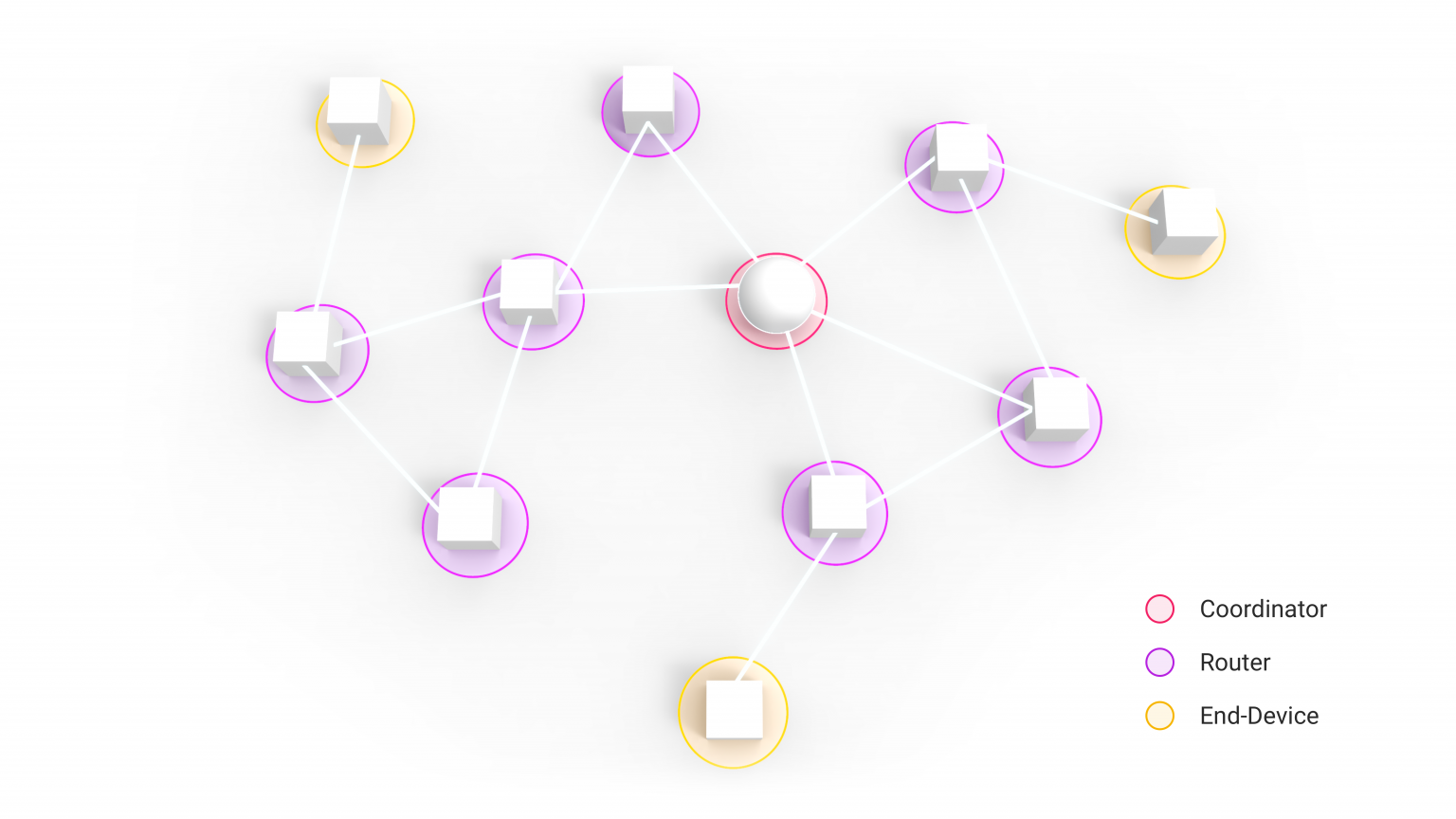
The more routers you have, the more entry points your network gains. You create multiple paths for data to travel, meaning your home adapts naturally even when one route becomes weaker. This self-healing nature is the primary advantage of a mesh system, as the network can automatically reroute information through a different plug or bulb if a specific device is unplugged or fails.
Building a Strong Zigbee Mesh With Homey
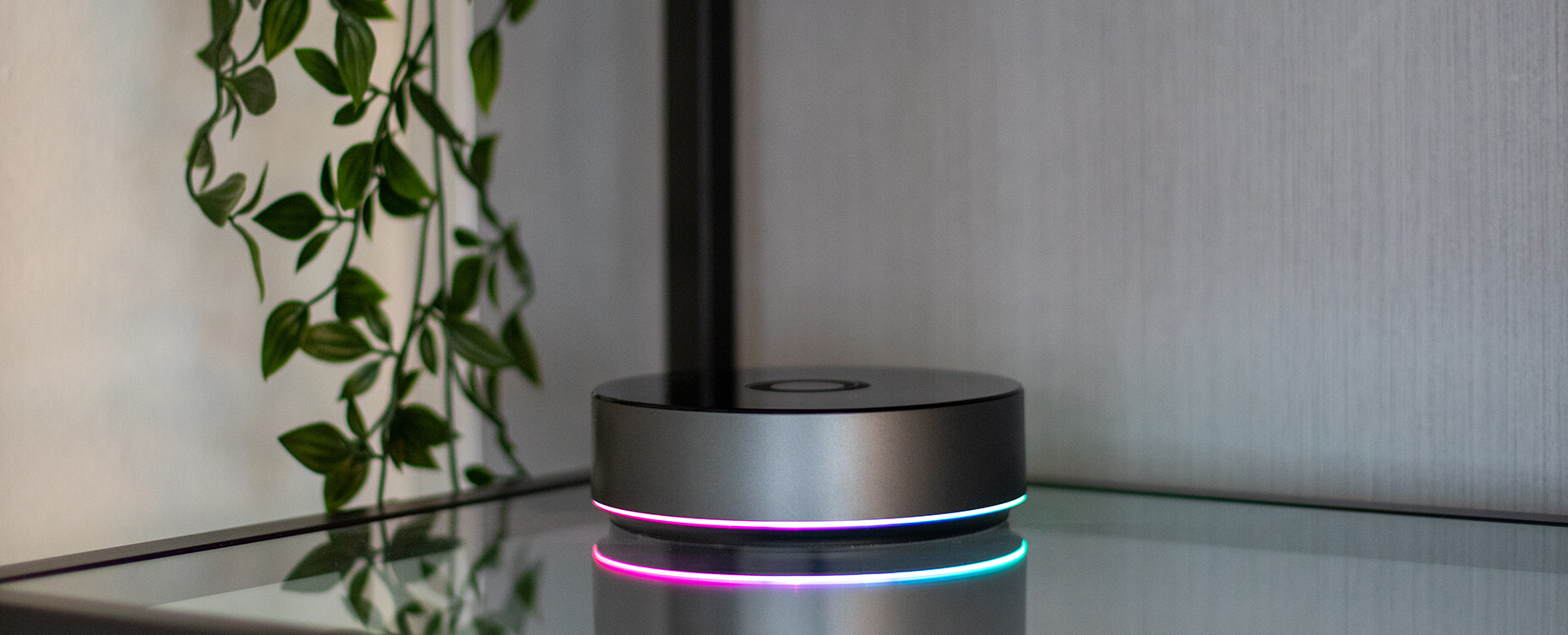
Creating a resilient Zigbee network starts by placing your Homey Pro in a central, open location. Since Homey Pro acts as your Coordinator, its primary job is to establish the initial network and manage security. Keeping it away from metal cabinets or dense walls allows the internal antenna to reach your first set of Routers without interference.
The most effective way to strengthen your mesh is to add mains-powered devices throughout your home. Smart plugs, recessed dimmers, and built-in switch modules are perfect candidates for this role. These devices stay powered on at all times, allowing them to act as signal repeaters that pass data from distant battery-operated sensors back to Homey.
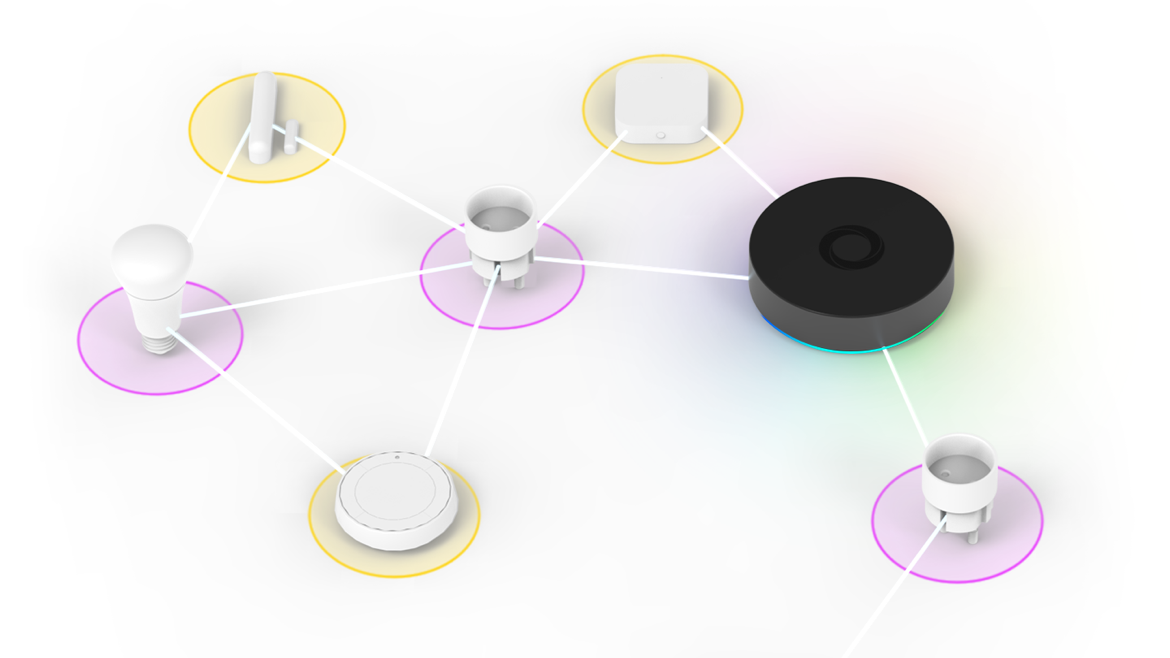
Furthermore, network stability significantly improves when you pair your Routers before adding your End Devices. By setting up your smart plugs and switches first, you give the Zigbee mesh a chance to map out a solid backbone. When you finally add battery-powered motion sensors or door contacts, they can immediately find the nearest Router and establish a reliable path to your Homey.
How Zigbee Adapts to More Devices
Expansion actually makes a Zigbee network more resilient. As you add more routers, your Homey Pro maps out multiple redundant paths for data to travel. This density creates a self-healing web where devices automatically find a new route if a specific plug or bulb is disconnected.
Large-scale networks overcome physical distance by hopping signals from room to room. A sensor in the far corner of your basement can reach a hub on the top floor by bouncing its message through intermediate switches. This ensures that your fiftieth device maintains the same lightning-fast response time as your first.
A growing mesh also manages its own traffic to prevent congestion. Your routers intelligently balance the load from dozens of battery-powered sensors to keep the coordinator from becoming overwhelmed. Strategic growth transforms a simple setup into a robust, property-wide communication system.
Where to Place Zigbee Devices for Best Performance
Every home is different, but a few principles almost always help. Start by placing Homey Pro in an open, elevated area. Tucking your coordinator inside a metal cabinet or behind a television will severely muffle the Zigbee signal. Placing the hub in a central room allows it to reach your first layer of routers with minimal interference.
Furthermore, strategic placement of mains-powered devices is the secret to a high-performance Zigbee mesh. You should aim to have at least one smart plug or wired light switch in every room to act as a reliable anchor point. This ensures that battery-operated sensors never have to travel through multiple thick walls to reach a router.
Distance is not the only factor that impacts your network performance. Network routers, electronic equipment or large mirrors can reflect or block Zigbee signals entirely. If you notice a specific sensor frequently dropping off, try moving a nearby smart plug a few feet away from large appliances to give it a clearer line of sight.
Common Missteps and How to Avoid Them
Most mesh issues come from placement. Zigbee routers hidden behind televisions, inside closed cabinets or behind thick concrete can create bottlenecks. Large metal appliances can absorb signals and weaken routes. If a device is struggling to communicate, look at what stands between it and its nearest router. Often a small change in placement makes a big improvement.
Another common misconception is that you should always place Zigbee devices close to Homey. In reality, placing routers throughout your home is far more important. A single route can become congested if too many devices rely on it. A diverse mesh with multiple pathways is always more resilient.
Conclusion
A strong Zigbee mesh is one of the most valuable foundations you can give your smart home. It makes your sensors react instantly, keeps your automations reliable and helps your devices stay connected without effort. With Homey Pro as the center of your system, understanding and improving your mesh becomes simple and intuitive.
If you want your smart home to feel fast, responsive and future ready, start by placing a few Zigbee routers in smart locations. Homey will do the rest by turning those pieces into a network that feels alive throughout your home.
FAQ
What makes a Zigbee device act as a router?
Any powered Zigbee device such as a bulb or smart plug normally acts as a router and strengthens the mesh.
Do battery powered devices strengthen the mesh?
No. Battery powered Zigbee devices act as end devices and do not relay messages.
How many Zigbee routers do I need?
Most homes benefit from a few routers spread across rooms and floors. More routers create a stronger mesh.
Can I place Zigbee routers behind furniture?
They work best in open or semi open spaces. Thick materials or metal can weaken the signal.
Why does my Zigbee device drop connection sometimes?
It may be using a weak route. Adding a powered Zigbee device nearby often solves the problem.
Do I need special Zigbee repeaters?
No. Regular Zigbee plugs and bulbs act as repeaters automatically.
Can Zigbee cover multiple floors?
Yes. A few well placed routers help your mesh reach upper and lower levels.
Does a large home need more Zigbee devices?
Typically yes. Larger spaces benefit from more routers to maintain stability.
How do I start improving my mesh quickly?
Add one or two Zigbee smart plugs or bulbs in central areas to strengthen your network immediately.


