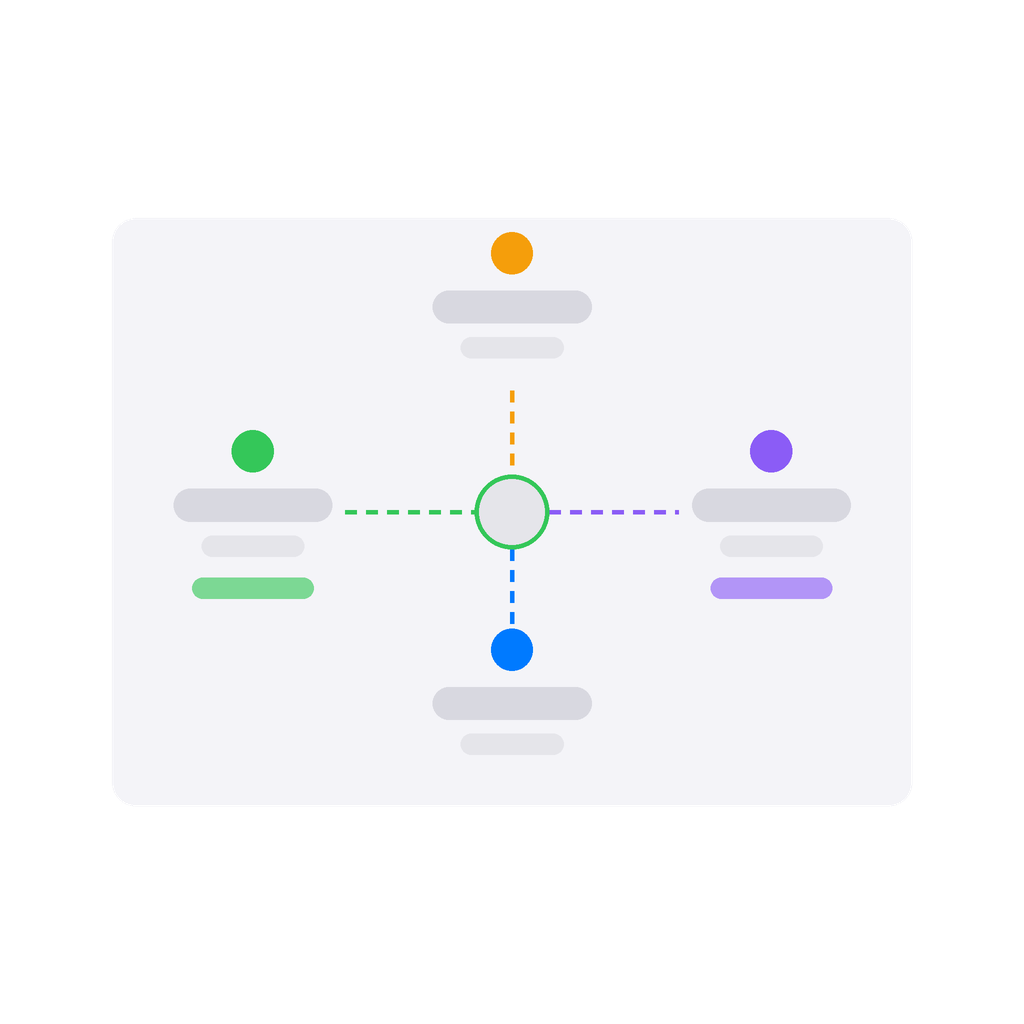
The app reaches your installation in five independent ways: the public Kiosk URL (no account required), the official FusionSolar Northbound API, direct Modbus TCP to the SUN2000 inverter, LUNA2000 battery and DTSU666 smart meter, the EMMA energy management module, and an OCPP 1.6 server running on Homey that EV chargers connect to directly.
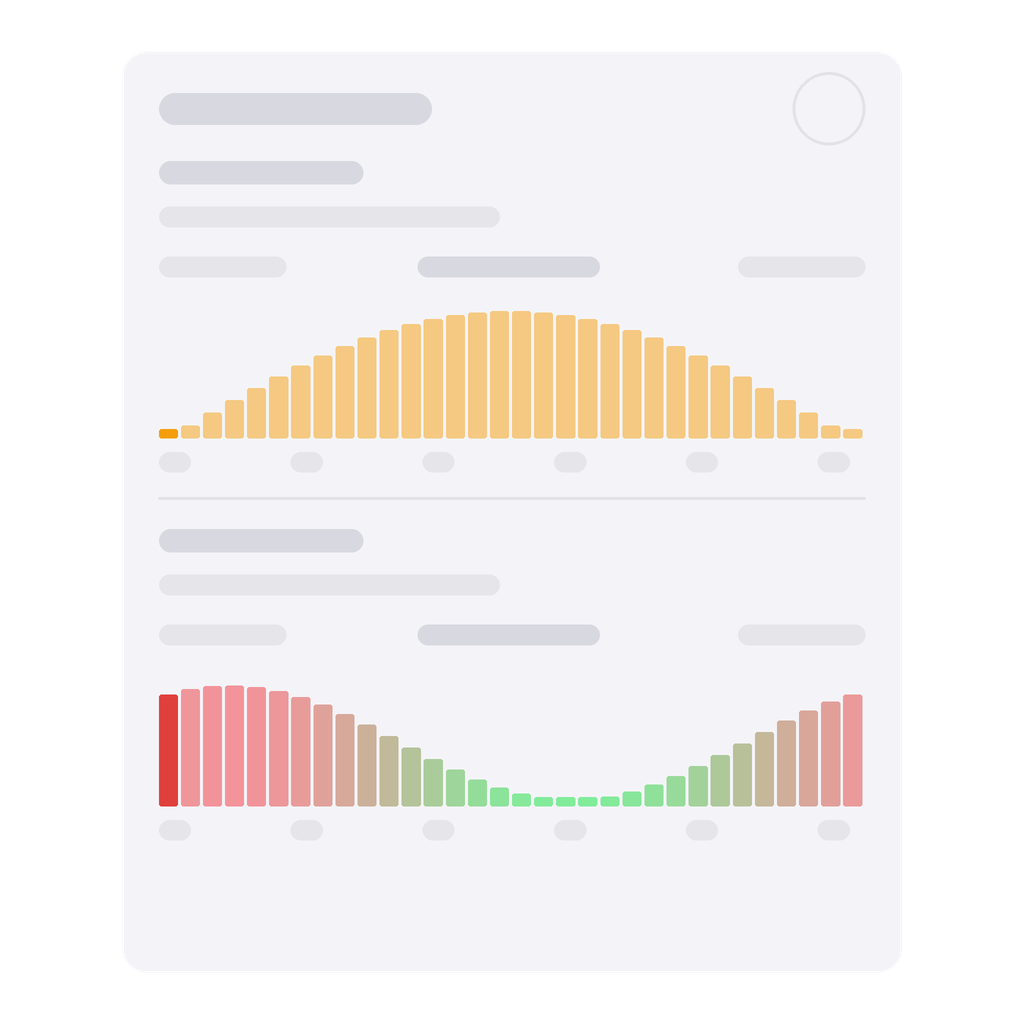
On top of that sits an Energy Management System that decides, every few seconds, what to do with your solar surplus. It steps EV charging up and down the amp ladder, switches heat pump, boiler, pool pump, dehumidifier and air conditioner, and gives the home battery priority through a share ramp you set yourself: the fuller the battery, the more of the sun your devices may take. It can grid-charge the battery and the car during the cheapest hours of a day-ahead price forecast, hold back new starts on a poor solar-forecast day so the battery is full for the evening, and keep total grid import under a ceiling you choose. It never writes to your devices directly — it fires flow cards that you wire to your own equipment, so any charger or heat pump brand works, not only Huawei.
Each device type appears separately in Homey. The SUN2000 inverter reports solar power, PV string voltages and currents, daily and total yield. The LUNA2000 battery shows state of charge, charge and discharge power, and allows direct control of the storage working mode. The DTSU666 and EMMA meters track grid import and export across all three phases and integrate with the Homey Energy Dashboard as P1 meters. Kiosk, OpenAPI and iSitePower-M devices provide plant-level energy data including daily, monthly and yearly totals.
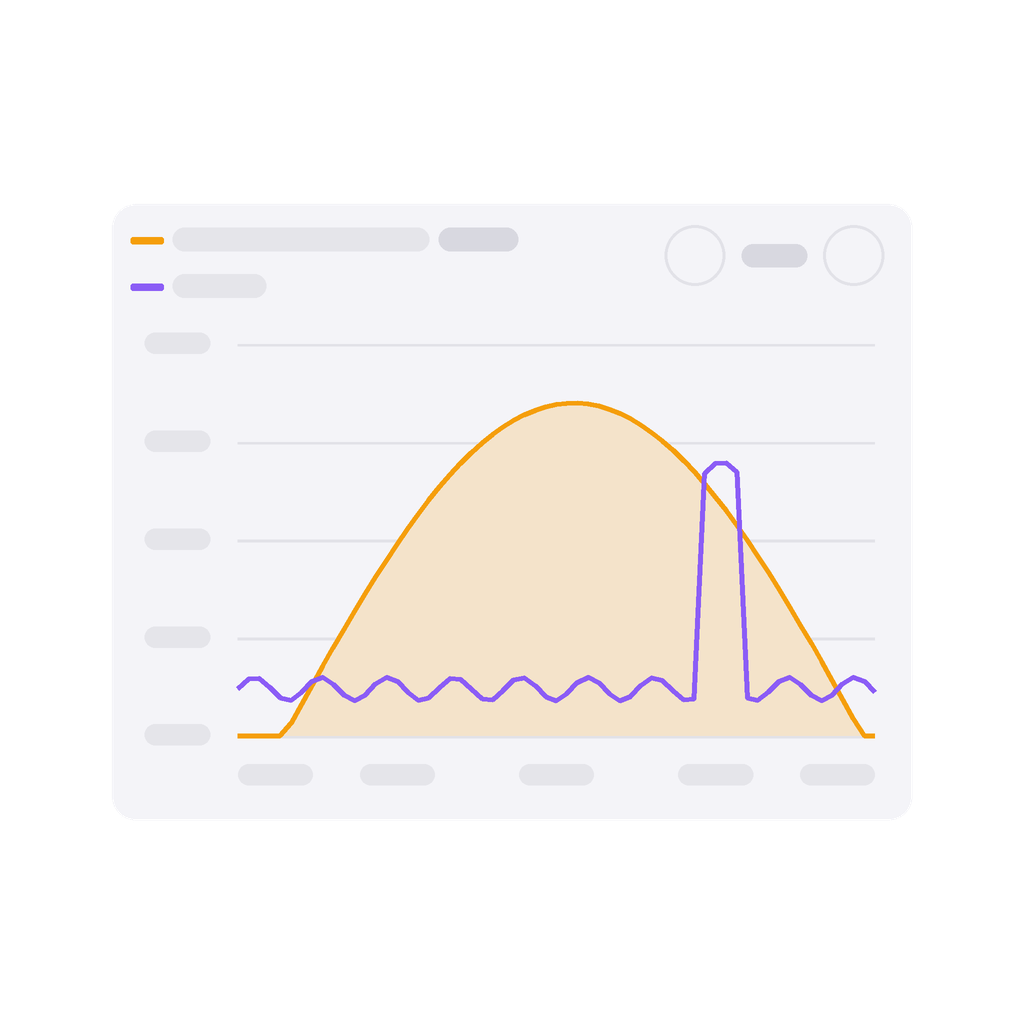
Twelve dashboard widgets show the live solar flow, a grid traffic light, the day's energy balance, battery status, charging sessions, the EMS decision history and a configurable sensor chart.
Every value is available in Homey Insights and Flows.
Klikk på en enhet ovenfor for å kun vise relaterte Flow-kort.
Når …
Battery LUNA 2000 (EMMA Modbus)
Strømmen ble endret
Battery LUNA 2000 (EMMA Modbus)
Batterinivået ble endret
Battery LUNA 2000 (Modbus)
Strømmen ble endret
Battery LUNA 2000 (Modbus)
Batterinivået ble endret
Battery LUNA 2000 (Modbus)
Battery state of charge changed
i
Fires every time the battery's state of charge changes. The SoC token contains the new percentage value.
Battery LUNA 2000 (Modbus)
Backup power SoC changed
i
Fires whenever the backup power reserve (register 47102 on a LUNA2000 via the inverter, 30373 via EMMA) changes — whether you changed it here, in FusionSolar, or on the inverter itself. The token holds the new percentage, which is what you need to keep another setting a fixed margin above it.
Battery LUNA 2000 (Modbus)
Battery unit status changed to Status
i
Fires when the LUNA2000 battery unit's operating status changes. Select a specific status to trigger only on that transition.
Battery LUNA 2000 (Modbus)
Battery charging state changed
i
Fires when the battery switches between charging, discharging, and idle. The State token contains the new value.
Battery LUNA 2000 (Modbus)
Battery started charging
i
Fires when the battery transitions from idle or discharging to charging (power above 50 W).
Battery LUNA 2000 (Modbus)
Battery started discharging
i
Fires when the battery transitions from idle or charging to discharging (power above 50 W).
Battery LUNA 2000 (Modbus)
Battery working mode changed
i
Fires when the storage working mode changes — e.g. switched by an external grid balancing service.
Battery LUNA 2000 (Modbus)
Excess PV energy use in TOU mode changed
i
Fires when the excess PV energy setting changes between 'Feed to Grid' and 'Charge Battery'.
Battery LUNA 2000 (Modbus)
Remote dispatch mode changed
i
Fires when the remote charge/discharge control mode changes (e.g. switched by a third-party scheduling service).
Battery LUNA 2000 (OpenAPI)
Strømmen ble endret
Battery LUNA 2000 (OpenAPI)
Batterinivået ble endret
Battery LUNA 2000 (OpenAPI)
Battery state of charge changed
i
Fires every time the battery's state of charge changes. Reads the current value via the FusionSolar OpenAPI.
Battery LUNA 2000 (OpenAPI)
Battery charging state changed
i
Fires when the battery switches between charging, discharging, and idle. The State token contains the new value.
Energy Management System
Aktivert
Energy Management System
Deaktivert
Energy Management System
Solar forecast updated
i
Fires when a fresh Solcast PV forecast has been fetched.
Energy Management System
EMS mode changed
i
Fires when the Energy Management System switches to a different operating mode.
FusionSolar Plant (Kiosk)
Strømmen ble endret
FusionSolar Plant (Kiosk)
Strømmåleren ble endret
FusionSolar Plant (Kiosk)
Power output changed
i
Fires on every successful kiosk update (every 10 minutes by default) with the plant's current power — also when it has not changed. The Power token holds the value.
FusionSolar Plant (Kiosk)
Daily energy updated
i
Fires on every successful kiosk update with the plant's daily yield. Huawei refreshes that figure only about every 30 minutes, so consecutive values are often the same.
Huawei FusionSolar Manager
EMS wants to set charger current for Paste Charger Device ID from EMS settings
i
Fires when the EMS wants to change an EV charger's current. Paste the Charger Device ID from the EMS settings. Use the [amps], [phase1], [phase2], [phase3] tokens in the charger action: [amps] is the current per phase, [phase2] and [phase3] are 0 when charging on one phase, and 0 A means stop charging.
Huawei FusionSolar Manager
EMS wants to start charging for Paste Charger Device ID from EMS settings
i
Fires when the EMS starts giving current to a charger that is not charging (drawing under 500 W) and a charging session should begin. Fired once more if the car still draws nothing after 90 s.
Huawei FusionSolar Manager
EMS wants to start heat pump Paste Heat Pump Device ID from EMS settings
i
Fires when the EMS wants to turn the heat pump on (enough solar surplus).
Huawei FusionSolar Manager
EMS wants to stop heat pump Paste Heat Pump Device ID from EMS settings
i
Fires when the EMS wants to turn the heat pump off (battery priority or no surplus).
Huawei FusionSolar Manager
EMS wants to start boiler/heater Paste Boiler Device ID from EMS settings
i
Fires when the EMS wants to turn the boiler/heater on (sufficient solar surplus available).
Huawei FusionSolar Manager
EMS wants to stop boiler/heater Paste Boiler Device ID from EMS settings
i
Fires when the EMS wants to turn the boiler/heater off (battery priority or no surplus).
Huawei FusionSolar Manager
EMS wants to start pool pump Paste Pool Device ID from EMS settings
i
Fires when the EMS wants to turn the pool pump on (sufficient solar surplus available).
Huawei FusionSolar Manager
EMS wants to stop pool pump Paste Pool Device ID from EMS settings
i
Fires when the EMS wants to turn the pool pump off (battery priority or no surplus).
Huawei FusionSolar Manager
EMS wants to start dehumidifier Paste Dehumidifier Device ID from EMS settings
i
Fires when the EMS wants to turn the dehumidifier on (sufficient solar surplus available).
Huawei FusionSolar Manager
EMS wants to start air conditioner Paste Air Conditioner Device ID from EMS settings
i
Fires when the EMS wants to turn the air conditioner on (sufficient solar surplus available).
Huawei FusionSolar Manager
EMS wants to stop dehumidifier Paste Dehumidifier Device ID from EMS settings
i
Fires when the EMS wants to turn the dehumidifier off (battery priority or no surplus).
Huawei FusionSolar Manager
EMS wants to stop air conditioner Paste Air Conditioner Device ID from EMS settings
i
Fires when the EMS wants to turn the air conditioner off (surplus gone or battery too low).
Huawei FusionSolar Manager
EMS: battery Paste Battery Device ID from EMS settings is full
i
Fires when the battery SOC first reaches the upper point of "Battery: surplus split" (EMS settings → Home Batteries) — 95 % when no split is set up. It only notifies. Use it, for example, to start force-discharging the battery into the EV charger.
Huawei FusionSolar Manager
EMS: battery Paste Battery Device ID from EMS settings is low
i
Fires when the battery SOC drops below the lower point of "Battery: surplus split" (EMS settings → Home Batteries) — 80 % when no split is set up. It only notifies; switching the devices off is what the lower point itself does. Use it, for example, to stop force-discharging.
Huawei FusionSolar Manager
EMS: battery Battery Device ID from EMS settings — force charge
i
Fires when the EMS decides this battery should grid-charge because electricity is cheap now. Requires price-based charging to be enabled for the battery in the EMS settings.
Huawei FusionSolar Manager
EMS: battery Battery Device ID from EMS settings — force discharge
i
Placeholder trigger created by EMS Setup Flows for 'Force Discharge'. Replace with your own trigger in Homey.
Huawei FusionSolar Manager
EMS: battery Battery Device ID from EMS settings — normal mode
i
Fires when the EMS hands this battery back to its normal behaviour — neither grid-charging nor holding its charge back.
Huawei FusionSolar Manager
EMS: battery Battery Device ID from EMS settings — set max charge power
i
Placeholder trigger created by EMS Setup Flows for 'Max Charge Power'. Replace with your own trigger in Homey.
Huawei FusionSolar Manager
EMS: battery Battery Device ID from EMS settings — set max discharge power
i
Fires when the EMS wants this battery to stop discharging and save its capacity for the most expensive upcoming hours. Wire it to a card that sets the discharge power to 0 W.
Huawei FusionSolar Manager
EMS: inverter Inverter Device ID from EMS settings — enable export limit
i
Fires for every inverter set up in the EMS when the Export Limit Coordinator (EMS settings) starts limiting feed-in: at once and for good with "Never feed in (zero export)", otherwise only while more than 100 W is exported and the battery has reached "Activate at SOC" (default 95 %) or the price is below the set threshold. Link it to "Enable/disable grid export limit" or "Enable zero export (Nulleinspeisung)" of the inverter.
Huawei FusionSolar Manager
EMS: inverter Inverter Device ID from EMS settings — disable export limit
i
Fires for every inverter set up in the EMS when the coordinator lifts the limit: at the earliest 5 minutes after it was set, once the price is no longer below the threshold and either nothing is exported any more or the battery has fallen below "Deactivate at SOC" (default 90 %). Also fires when the coordinator is switched off while a limit is active; never while "Never feed in (zero export)" is on.
Huawei FusionSolar Manager
EMS: inverter Inverter Device ID from EMS settings — set feed-in limit (W)
i
Placeholder trigger created by EMS Setup Flows for 'Set max feed-in power (W)'. The EMS never fires it — replace it with your own trigger (e.g. energy price, time schedule) in Homey.
Huawei FusionSolar Manager
EMS: inverter Inverter Device ID from EMS settings — set feed-in limit (%)
i
Placeholder trigger created by EMS Setup Flows for 'Set max feed-in power (%)'. The EMS never fires it — replace it with your own trigger (e.g. energy price, time schedule) in Homey.
Huawei FusionSolar Manager
EMS: inverter Inverter Device ID from EMS settings — remove output limit
i
Placeholder trigger created by EMS Setup Flows for 'Remove output limit'. The EMS never fires it — replace it with your own trigger (e.g. energy price, time schedule) in Homey.
Huawei FusionSolar Manager
EMS: set car Car ID (from EMS settings) target charge to Target charge (%) filter — leave empty for any %
i
Fires each time a car target is set through "Set car target charge (%)" or the EMS Device widget — also when the value is unchanged. Use the Target SOC token to set the charge limit on your vehicle.
Inverter SUN 2000 (EMMA Modbus)
Strømmen ble endret
Inverter SUN 2000 (EMMA Modbus)
Strømmåleren ble endret
Inverter SUN 2000 (Modbus)
Strømmen ble endret
Inverter SUN 2000 (Modbus)
Strømmåleren ble endret
Inverter SUN 2000 (Modbus)
Frekvensen ble endret
Inverter SUN 2000 (Modbus)
Power output changed
i
Fires when the solar power the device reports changes: the PV input power (register 32064) on a SUN2000 via Modbus, the PV power read from the EMMA (register 30354) on an inverter connected through EMMA.
Inverter SUN 2000 (Modbus)
Inverter status changed to Status
i
Fires when the SUN2000 inverter's operating status changes. Select a specific status to trigger only on that transition.
Inverter SUN 2000 (OpenAPI)
Strømmen ble endret
Inverter SUN 2000 (OpenAPI)
Power output changed
i
Fires on every FusionSolar OpenAPI update with the inverter's AC active power — also when the value has not changed.
iSitePower-M Battery (OpenAPI)
Strømmen ble endret
iSitePower-M Battery (OpenAPI)
Batterinivået ble endret
iSitePower-M Grid (OpenAPI)
Strømmen ble endret
iSitePower-M Grid (OpenAPI)
Strømmåleren ble endret
iSitePower-M Grid (OpenAPI)
Frekvensen ble endret
iSitePower-M Home (OpenAPI)
Strømmen ble endret
iSitePower-M Home (OpenAPI)
Strømmåleren ble endret
iSitePower-M Solar (OpenAPI)
Strømmen ble endret
iSitePower-M Solar (OpenAPI)
Strømmåleren ble endret
Power Meter (EMMA Modbus)
Strømmen ble endret
Power Meter (EMMA Modbus)
Strømmåleren ble endret
Power Meter (Modbus)
Strømmen ble endret
Power Meter (Modbus)
Strømmåleren ble endret
Power Meter (Modbus)
Grid export started
i
Fires when the meter switches from importing to exporting — i.e. when surplus PV power starts flowing back to the grid.
Power Meter (Modbus)
Grid import started
i
Fires when the meter switches from exporting to importing — i.e. when grid power is being drawn again.
Power Meter (Modbus)
Meter status changed to Status
i
Fires when the grid meter's online/offline status changes. Select a specific status to trigger only on that transition.
Power Meter (OpenAPI)
Strømmen ble endret
Power Meter (OpenAPI)
Strømmåleren ble endret
SDongle A (Modbus)
Strømmen ble endret
Smart Charger (EMMA Modbus)
Strømmen ble endret
Smart Charger (EMMA Modbus)
Startet lading
Smart Charger (EMMA Modbus)
Stoppet lading
Smart Charger (EMMA Modbus)
Elbilladerens ladestatus ble endret ...
Smart Charger (EMMA Modbus)
Strømmåleren ble endret
Smart Charger (EMMA Modbus)
Temperaturen endres
Smart Charger (EMMA Modbus)
EV charging started
i
Fires when the app sees voltage appear on the charger's output (above 10 V on any phase). The charger has no register for its charging state, so this is how a session is recognised.
Smart Charger (EMMA Modbus)
EV charging stopped
i
Fires when the voltage on the charger's output disappears (10 V or less on every phase). The charger has no register for its charging state, so this is how the end of a session is recognised.
Smart Charger (OCPP)
Startet lading
Smart Charger (OCPP)
Stoppet lading
Smart Charger (OCPP)
Ønsket effekt ble endret
Smart Charger (OCPP)
Ønsket effekt-modusen ble endret til ...
i
«Homey» betyr at Homey styrer ønsket effekt for enheten. Andre moduser bestemmes av enheten.
Smart Charger (OCPP)
Strømmen ble endret
Smart Charger (OCPP)
Elbilladerens ladestatus ble endret ...
Smart Charger (OCPP)
Strømmåleren ble endret
Smart Charger (OCPP)
Den elektriska strømmen ble endret
Smart Charger (OCPP)
Spenningen ble endret
Smart Charger (OCPP)
Temperaturen endres
Smart Charger (OCPP)
Charger reported a fault (OCPP)
i
Fires when the charger reports a fault of its own. The error code is the charger’s, not the app’s — for example GroundFailure, OverCurrentFailure or HighTemperature.
Smart Charger (OCPP)
EV charging started (OCPP)
i
Fires once power actually flows (above 100 W) after the charger has started a transaction, or right away when a start card releases a car that was waiting. Not fired when the car draws nothing, nor when charging continues after a pause — that is "Charging resumed (OCPP)".
Smart Charger (OCPP)
EV charging stopped (OCPP)
i
Fires when the charger reports the end of a transaction (OCPP StopTransaction). Not fired for a pause, nor for a start in which the car never drew power — there was no "EV charging started" for it either; a paused session that is then stopped or unplugged fires it once, with the totals of the whole session.
Smart Charger (OCPP)
EV plugged in — waiting for start (OCPP)
i
Fires when a car plugs in and auto-start charging is disabled. Use this to start charging manually from a flow.
Smart Charger (OCPP)
EV charger state changed (OCPP)
i
Fires on every status report from the charger (OCPP StatusNotification), mapped to idle / connected / charging / error — the state can be the same as before.
Smart Charger (OCPP)
EV disconnected (OCPP)
i
Fires when the cable is physically unplugged from the charger (rawStatus=Available).
Smart Charger (OCPP)
Charger went offline (OCPP)
i
Fires when no OCPP message has been received from the charger for 3 minutes. Not fired for 5 minutes after a reboot command.
Smart Charger (OCPP)
Charger came back online (OCPP)
i
Fires when the charger reconnects after "Charger went offline (OCPP)" has fired.
Smart Charger (OCPP)
Charging paused (OCPP)
i
Fires when charging is paused via the masked-stop mechanism.
Smart Charger (OCPP)
Charging resumed (OCPP)
i
Fires when power is flowing again after a pause (power-verified).
Smart Charger (OCPP)
Charging limit changed (OCPP)
i
Fires when the charging current limit is changed during an active session.
Og …
Battery LUNA 2000 (Modbus)
Battery is charging
i
True when the battery is actively charging (power above 50 W).
Battery LUNA 2000 (Modbus)
Battery is discharging
i
True when the battery is actively discharging (power above 50 W).
Battery LUNA 2000 (Modbus)
Battery SoC is above SoC (%) %
i
True when the battery state of charge is above the given threshold.
Battery LUNA 2000 (Modbus)
Battery SoC is below SoC (%) %
i
True when the battery state of charge is below the given threshold.
Battery LUNA 2000 (Modbus)
Backup power SoC is above State of charge (%) %
i
True when the backup power reserve (register 47102 on a LUNA2000 via the inverter, 30373 via EMMA) is above the given threshold. Read on every poll, so it follows a change made anywhere.
Battery LUNA 2000 (Modbus)
Backup power SoC is below State of charge (%) %
i
True when the backup power reserve (register 47102 on a LUNA2000 via the inverter, 30373 via EMMA) is below the given threshold. Read on every poll, so it follows a change made anywhere.
Battery LUNA 2000 (Modbus)
Max charge power is above Power (W) W
i
True when the battery max charge power setting (register 47075) is above the given threshold. Synced from the inverter on every poll, and at once after a change made from Homey.
Battery LUNA 2000 (Modbus)
Max charge power is below Power (W) W
i
True when the battery max charge power setting (register 47075) is below the given threshold. Use threshold 1 to check whether the limit has already been set to 0 (blocked). Synced from the inverter on every poll, and at once after a change made from Homey.
Battery LUNA 2000 (Modbus)
Max discharge power is above Power (W) W
i
True when the battery max discharge power setting (register 47077) is above the given threshold. Synced from the inverter on every poll, and at once after a change made from Homey.
Battery LUNA 2000 (Modbus)
Max discharge power is below Power (W) W
i
True when the battery max discharge power setting (register 47077) is below the given threshold. Use threshold 1 to check whether the limit has already been set to 0 (blocked). Synced from the inverter on every poll, and at once after a change made from Homey.
Battery LUNA 2000 (Modbus)
Battery unit status is Status
i
Checks the current operating status of the LUNA2000 battery unit (e.g. Running, Fault, Sleep mode).
Battery LUNA 2000 (Modbus)
Battery working mode is Mode
i
Checks the current storage working mode of the LUNA2000 battery.
Battery LUNA 2000 (Modbus)
Excess PV energy use in TOU mode is Mode
i
Checks how excess PV energy is used in TOU mode (feed to grid or charge battery). In any other working mode the setting does nothing.
Battery LUNA 2000 (Modbus)
Remote dispatch mode is Mode
i
Checks the current remote charge/discharge control mode of the LUNA2000 battery.
Energy Management System
Er slått på
Energy Management System
Expected solar today is more than Energy (kWh) kWh
i
True when the Solcast forecast for the rest of today (until midnight) is above the given number of kWh.
Energy Management System
Expected solar until Cutoff time is below Energy (kWh) kWh
i
True when the Solcast forecast for the PV production remaining from now until the given time today is below the threshold (kWh). Returns 0 once that time has passed. Useful for deadline planning, e.g. "the sun won't cover the car by 18:00, start grid charging".
Energy Management System
Expected solar in the next Hours h is more than Energy (kWh) kWh
i
True when the Solcast forecast for the next N hours is above the given number of kWh.
Energy Management System
EMS mode is Mode
i
Compares the EMS's current mode (shown on the Energy Management device) with the one selected. To react the moment it changes, use the trigger for a changed EMS mode.
Energy Management System
EMS control for Device is active
i
True while the EMS may start and stop the chosen charger or device — the per-device switch in the EMS settings and the EMS Device widget. Fails if the device is no longer set up in the EMS.
FusionSolar Plant (Kiosk)
Is producing
i
Checks whether the plant is currently generating power.
Inverter SUN 2000 (Modbus)
Solar power is above Power (W) W for Duration (min) min
i
True when solar power has been continuously above the specified wattage for at least the given number of minutes. What "solar power" is depends on the device: PV input power on a SUN2000 via Modbus, the EMMA's PV power via EMMA, AC active power on a cloud inverter (which on a hybrid inverter includes battery discharge). The app keeps about 2 hours of readings: a longer duration is never true, and after an app restart the card needs that much history first.
Inverter SUN 2000 (Modbus)
Solar power is below Power (W) W for Duration (min) min
i
True when solar power has been continuously below the specified wattage for at least the given number of minutes. What "solar power" is depends on the device: PV input power on a SUN2000 via Modbus, the EMMA's PV power via EMMA, AC active power on a cloud inverter (which on a hybrid inverter includes battery discharge). The app keeps about 2 hours of readings: a longer duration is never true, and after an app restart the card needs that much history first.
Inverter SUN 2000 (Modbus)
Inverter status is Status
i
Checks the current operating status of the SUN2000 inverter (e.g. On-grid, Shutdown: fault).
Inverter SUN 2000 (Modbus)
Is producing
i
Checks whether the SUN2000 inverter is currently generating power.
Power Meter (Modbus)
Grid is exporting
i
True when the meter reports a negative active power — i.e. surplus energy is being fed into the grid.
Power Meter (Modbus)
Meter status is Status
i
Checks the current online status of the DTSU666 grid meter (Offline or Normal).
Smart Charger (EMMA Modbus)
Lader
Smart Charger (EMMA Modbus)
Elbilladerens ladestatus er ...
Smart Charger (OCPP)
Lader
Smart Charger (OCPP)
Ønsket effekt-modus er ...
i
«Homey» betyr at Homey styrer ønsket effekt for enheten. Andre moduser bestemmes av enheten.
Smart Charger (OCPP)
Elbilladerens ladestatus er ...
Smart Charger (OCPP)
Charger is online
i
True while OCPP messages are arriving from the charger. Worth checking before any charging action — they all fail on an offline charger.
Smart Charger (OCPP)
Charger is charging
i
True while the charger reports the status Charging — what the charger says, not measured power — as opposed to the cable merely being connected.
Smart Charger (OCPP)
Car is plugged in
i
True whenever the cable is connected — while waiting for a start, charging, paused, and after charging has finished (Finishing). False while the charger reports Unavailable or Faulted: it cannot tell then.
Smart Charger (OCPP)
Session status is Status
i
The status shown on the device, for the cases the plainer conditions do not separate — finishing, fully charged, waiting for a start.
Så …
Battery LUNA 2000 (EMMA Modbus)
Set storage working mode to Mode
i
What the battery does on its own (EMMA register 40000). For charging by price or forecast, use the Energy Management device instead.
"Maximise Self-Consumption" — the normal choice: surplus solar charges the battery; when the sun is not enough, it supplies the house.
"Time of Use (TOU)" — follows the charge and discharge windows stored in the system. This app does not write them: set them in the FusionSolar app first, or the battery may discharge on a sunny morning.
"Fully Fed to Grid" — as much solar as possible into the grid; the battery charges only with what exceeds the inverter's maximum output and discharges below it.
"Third-party Scheduling" — only if an outside platform is connected; otherwise nothing controls the battery.
Battery LUNA 2000 (EMMA Modbus)
Set excess PV energy use in TOU mode to Mode
i
Only takes effect in the working mode "Time of Use (TOU)": whether surplus solar goes into the grid or charges the battery (EMMA register 40001). In any other mode the setting does nothing.
Battery LUNA 2000 (EMMA Modbus)
Set max grid charging power to Power (kW) kW
i
Sets the maximum power the LUNA2000 battery may draw from the grid for charging via EMMA Modbus (register 40002), 0–50 kW. Huawei defines it for the working mode "Time of Use (TOU)".
Battery LUNA 2000 (Modbus)
Set storage working mode to Mode
i
What the battery does on its own (register 47086). For charging by price or forecast, use the Energy Management device instead.
"Maximise Self-Consumption" — the normal choice: surplus solar charges the battery; when the sun is not enough, it supplies the house.
"Time of Use (LUNA2000)" — follows the charge and discharge windows stored in the inverter. Set them in the device settings or in the FusionSolar app, or the battery may discharge on a sunny morning.
"Fully Fed to Grid" — as much solar as possible into the grid; the battery charges only with what exceeds the inverter's maximum output and discharges below it.
"Third-party Scheduling" — only if an outside platform is connected; otherwise nothing controls the battery.
"Fixed Charge/Discharge", "Time of Use (LG)" and "Adaptive" — meant for LG batteries or not described by Huawei; do not choose them with a LUNA2000.
Battery LUNA 2000 (Modbus)
Set excess PV energy use in TOU mode to Mode
i
Only takes effect in the working mode "Time of Use (LUNA2000)": whether surplus solar goes into the grid or charges the battery (register 47299). In any other mode the setting does nothing.
Battery LUNA 2000 (Modbus)
Set remote charge/discharge mode to Mode
i
Who may command the battery from outside. "Local Control" means nobody, and that is what you want unless a third-party scheduler really is talking to the inverter. Any other value hands control over and overrides the storage working mode — without such a scheduler the battery then behaves unpredictably. (Modbus register 47589.)
Battery LUNA 2000 (Modbus)
Stop force charge/discharge
i
Stops a forced charge or discharge of the LUNA2000: the stop command (register 47100 = 0), then the discharge power (47249), the duration (47083) and the mode (47246 = 0) are cleared, so the next run starts from known values. The same as "Set force charge/discharge" with "Stop". The card is done once the stop is written; if it cannot be sent, the card fails and the timeline warns that the run may still be going.
Battery LUNA 2000 (Modbus)
Start charging with Charge Power (W) W until Target SoC (%) %
i
Starts force charging the LUNA2000 at the given power until the target SoC is reached (registers 47101, 47247, mode 47246 = 1, start 47100). The card is done only once every value is written; if one step fails nothing starts, the card fails with the reason, and the timeline says it too. The power is capped at the battery's max charge or discharge power (registers 47075/47077); the card is refused while that limit is 0.
Battery LUNA 2000 (Modbus)
Start discharging with Discharge Power (W) W until Target SoC (%) %
i
Starts force discharging the LUNA2000 at the given power until the target SoC is reached (registers 47101, 47249, mode 47246 = 1, start 47100). The card is done only once every value is written; if one step fails nothing starts, the card fails with the reason, and the timeline says it too. The power is capped at the battery's max charge or discharge power (registers 47075/47077); the card is refused while that limit is 0.
Battery LUNA 2000 (Modbus)
Start charging with Charge Power (W) W for Duration (minutes) minutes
i
Starts force charging the LUNA2000 at the given power for the specified duration (registers 47247, 47083, mode 47246 = 0, start 47100). The battery firmware stops automatically when the timer expires — on every battery, since the card sets the mode to "duration" itself. The card is done only once every value is written; if one step fails nothing starts, the card fails with the reason, and the timeline says it too. The power is capped at the battery's max charge or discharge power (registers 47075/47077); the card is refused while that limit is 0.
Battery LUNA 2000 (Modbus)
Start discharging with Discharge Power (W) W for Duration (minutes) minutes
i
Starts force discharging the LUNA2000 at the given power for the specified duration (registers 47249, 47083, mode 47246 = 0, start 47100). The battery firmware stops automatically when the timer expires — on every battery, since the card sets the mode to "duration" itself. The card is done only once every value is written; if one step fails nothing starts, the card fails with the reason, and the timeline says it too. The power is capped at the battery's max charge or discharge power (registers 47075/47077); the card is refused while that limit is 0.
Battery LUNA 2000 (Modbus)
Set max charge power to Max Charge Power (W) W
i
Sets the maximum battery charge power (register 47075, UINT32). The device setting and tile follow at once, and the value is read back on every poll.
Battery LUNA 2000 (Modbus)
Set max discharge power to Max Discharge Power (W) W
i
Sets the maximum battery discharge power (register 47077, UINT32). The device setting and tile follow at once, and the value is read back on every poll.
Battery LUNA 2000 (Modbus)
Set charge from grid to Mode
i
Enables or disables charging the battery from the grid (register 47087).
Battery LUNA 2000 (Modbus)
Set grid charge cutoff SoC to Cutoff SoC (%) %
i
Sets the state of charge at which grid charging stops (register 47088). Range: 20–100 %, default 50 %.
Battery LUNA 2000 (Modbus)
Set grid charge power to Power (W) W
i
Sets the power at which the battery charges from the grid (register 47242). Requires 'Charge from grid' to be enabled.
Battery LUNA 2000 (Modbus)
Set charge cutoff SoC to Cutoff SoC (%) %
i
Sets the maximum SoC the battery charges to during normal operation (register 47081). Valid range: 90–100 %, default 100 %.
Battery LUNA 2000 (Modbus)
Set discharge cutoff SoC to Cutoff SoC (%) %
i
Sets the minimum SoC the battery discharges to (register 47082). Valid range: 12–20 %, default 15 %.
Battery LUNA 2000 (Modbus)
Set backup power reserve SoC to Reserve SoC (%) %
i
Sets the SoC reserved for backup / off-grid operation (register 47102). The battery will not discharge below this level during normal grid-tied operation.
Battery LUNA 2000 (Modbus)
Set max power charge from grid to Power (W) W
i
Sets the ceiling for charging from the grid (register 47244, UINT32) — the upper limit that "Set grid charge power" (register 47242) cannot exceed.
Battery LUNA 2000 (Modbus)
Set grid-tied power limit to Power (W) W
i
Sets register 47079, which Huawei calls "[Energy storage unit] Power limit of the grid-tied point": 0 W up to the inverter's maximum active power (Pmax), default Pmax, supported only by certain models (Solar Inverter Modbus Interface Definitions V3.0; the SPC177 register list does not have it). The table says no more about what it limits. A model without it refuses the write, which shows only in the app log.
Battery LUNA 2000 (Modbus)
Switch to off-grid operation — I know the house is cut off from the grid
i
⚠️ Sends Huawei's command to switch the system from grid-tied to off-grid operation (register 47604 = 0). With backup hardware the house is cut off from the grid and runs on battery and solar alone. Huawei documents no value for the way back in this register, so this app offers none. Needs a Backup Box or SmartGuard. Runs only with the confirmation ticked. Replaces "Set backup off-grid switch", whose "Disabled" sent this same command.
Battery LUNA 2000 (Modbus)
Set capacity control mode to Mode
i
Sets peak shaving (register 47954): off, active power limit, or apparent power limit (several inverters only). The limits per time period come from the FusionSolar app; the charge kept in reserve for it is set with "Set capacity control peak-shaving SoC" (register 47955).
Battery LUNA 2000 (Modbus)
Set capacity control peak-shaving SoC to Peak-shaving SoC (%) %
i
Sets the charge the battery keeps in reserve for peak shaving (register 47955). Takes effect while peak shaving is on (register 47954).
Energy Management System
Slå på
Energy Management System
Slå av
Energy Management System
Veksle mellom på og av
Energy Management System
Set EMS to State
i
Switches the Energy Management on or off — the same as the device's on/off switch. While off it keeps showing readings but starts, stops and adjusts nothing; devices it started stay as they are, and its mode reads Disabled.
Energy Management System
Set EMS control for Device to State
i
Takes one charger or device out of EMS control, or hands it back — the same switch as in the EMS settings and the EMS Device widget, and saved there. While it is out, the EMS neither starts nor stops it. Fails if the device is no longer set up in the EMS.
Energy Management System
Set electricity price to Price / kWh per kWh
i
Sets the current variable electricity price. Only used when the EMS price model is set to Variable. Call this from your dynamic-tariff app (e.g. Tibber, EPEX).
Energy Management System
Set price forecast to Prices (JSON array) for Period
i
Feeds an hourly price array (e.g. the "Prices" token from "Power by the Hour"'s New prices received trigger, or any similar day-ahead price app) into the EMS for price-optimised EV charging (chargers set to "Solar & price-optimised"). Link this once from your price app's forecast trigger — no separate schedule needed.
Energy Management System
Set Car target charge to Target charge %
i
Sets the car target charge. If the vehicle has no target-charge capability the value is kept virtually in the EMS. Also fires the matching "Set charge X%" flow so the vehicle is updated.
Inverter SUN 2000 (Modbus)
Set active power control mode to Mode
i
Sets the active power control mode of the SUN2000 inverter via Modbus (register 47415) — how it limits what it feeds into the grid. If your house connection depends on a feed-in limit, check it after every change.
"Unlimited" — Huawei's default: no limit, the inverter feeds in whatever is left over.
"DI Active Scheduling": follows the signals on the inverter's digital inputs (DI), for example from the grid operator's ripple control receiver.
"Zero Power Grid Connection": regulates so that nothing is fed into the grid at the connection point.
"Limited by Power (kW)" and "Limited by Power (%)": cap the feed-in at the connection point at what "Set max feed-in power" or "Set max feed-in power (%)" set.
These three need a power meter at the grid connection (Smart Power Sensor); without one, only "Set inverter output limit (W)" and "Set inverter output limit (%)" help.
Inverter SUN 2000 (Modbus)
State grid export limit
i
Enables (mode: Limited by Power, register 47415=6) or disables (mode: Unlimited, register 47415=0) the grid export limit. Set the watt limit separately using 'Set max feed-in power'. Needs a power meter at the grid connection (e.g. DTSU666); without one the inverter ignores it — use "Set inverter output limit (W)" instead.
Inverter SUN 2000 (Modbus)
Set max feed-in power to Power (W) W
i
Sets the maximum grid feed-in power of the SUN2000 inverter via Modbus (register 47416). Set to 0 to block all export. Takes effect only in the mode "Limited by Power (kW)" — switch it on with "Enable/disable grid export limit". Needs a power meter at the grid connection (e.g. DTSU666); without one the inverter ignores it — use "Set inverter output limit (W)" instead.
Inverter SUN 2000 (Modbus)
Limit inverter output to Power (W) W
i
Sets the maximum AC output of the inverter in watts (register 40126). This is a ceiling, not a setpoint — actual production follows the natural PV level when sun is weaker, and is only throttled when sun would otherwise produce more. Set to 0 to fully shut down. To lift the limit, use "Remove inverter output limit" (it writes rated power × 1.1). Works WITHOUT a Smart Power Sensor.
Inverter SUN 2000 (Modbus)
Remove inverter output limit (no cap)
i
Resets both output limits to 'no cap': writes rated power × 1.1 to register 40126 and 100 % to register 40125. Use this to fully remove a previously set output limit and let the inverter run at its natural maximum.
Inverter SUN 2000 (Modbus)
Limit inverter output to Percentage (%) %
i
Sets the maximum AC output as a percentage of rated power (register 40125). This is a ceiling, not a setpoint — actual production follows the natural PV level when sun is weaker, and is only throttled when sun would otherwise produce more. Example on a 4 kW inverter: 50 % = 2 kW cap. Set to 0 to fully shut down, 100 to remove the limit. Works WITHOUT a Smart Power Sensor.
Inverter SUN 2000 (Modbus)
Set max feed-in power to Percentage (%) %
i
Sets the maximum grid feed-in power as a percentage of rated power via Modbus (register 47418). Set to 0 to block all export. Also switches the active power control mode to "Limited by Power (%)" (register 47415 = 7), replacing a watt limit. Needs a power meter at the grid connection (e.g. DTSU666); without one the inverter ignores it — use "Set inverter output limit (%)" instead.
Inverter SUN 2000 (Modbus)
Enable zero export (Nulleinspeisung) for [[device]]
i
Activates zero export: sets active power control mode to "Limited by Power (kW)" (register 47415 = 6) and sets the feed-in limit to 0 W (register 47416 = 0). The inverter will continue producing power for self-consumption but will not export any surplus to the grid. The feed-in mode and limit in force before are remembered, so 'Disable zero export' can put them back. Needs a power meter at the grid connection (e.g. DTSU666); without one the inverter ignores it — use "Set inverter output limit (W)" instead.
Inverter SUN 2000 (Modbus)
Disable zero export (Nulleinspeisung) for [[device]]
i
Deactivates zero export: puts back the feed-in mode and limit that were in force before 'Enable zero export' ran (registers 47416 and 47415) — a standing feed-in limit stays a limit. Without a remembered state nothing is written: if zero export is not on, there is nothing to disable; if it was switched on outside this app, the feed-in mode before it is unknown — the card fails, the timeline says so, and the inverter stays at zero export until the feed-in mode is set in its device settings.
Inverter SUN 2000 (Modbus)
Start [[device]]
i
Sends a startup command to the inverter via Modbus (register 40200). Verify that grid conditions are suitable before using.
Inverter SUN 2000 (Modbus)
Shut down [[device]]
i
Sends a shutdown command to the inverter via Modbus (register 40201). The inverter stops feeding power to the grid.
Inverter SUN 2000 (Modbus)
Set MPPT multimodal scanning to Mode
i
Enables or disables MPPT multimodal scanning (register 42054). Useful for installations with partial shading where multiple power peaks may exist.
Inverter SUN 2000 (Modbus)
Set MPPT scanning interval to Interval (min) min
i
Sets the MPPT scanning interval in minutes (register 42055). Shorter intervals improve response to changing conditions but increase inverter activity.
Smart Charger (EMMA Modbus)
Start lading
Smart Charger (EMMA Modbus)
Stopp lading
Smart Charger (OCPP)
Start lading
Smart Charger (OCPP)
Stopp lading
Smart Charger (OCPP)
Innstill ønsket effekt W
i
Dette bytter også ønsket effekt-modus til Homey. For elbilladere startes eller stoppes lading automatisk.
Smart Charger (OCPP)
Sett ønsket effekt-modus til ...
i
For å styre ønsket effekt for denne enheten med Homey, velg «Homey». Andre moduser bestemmes av enheten.
Smart Charger (OCPP)
Set max charging current to Current (A) A (OCPP)
i
Sets the maximum charging current via OCPP SetChargingProfile (6–32 A). 0 A pauses a running session, as "Pause charging (OCPP)" does — which is what an EMS stop sends; a session paused that way resumes at the next current above 0. 1–5 A is refused. Without a running session, the value is used for the next start.
Smart Charger (OCPP)
Start charging (OCPP)
i
Sends a RemoteStartTransaction command to the OCPP charger.
Smart Charger (OCPP)
Start charging at Current (A) A (OCPP)
i
Starts charging at the given current. If the car is already plugged in and blocked, unblocks it at the specified ampere value.
Smart Charger (OCPP)
Stop charging (OCPP)
i
Sends a RemoteStopTransaction command to the OCPP charger.
Smart Charger (OCPP)
Pause charging (OCPP)
i
Pauses charging using a masked RemoteStop. The session snapshot is preserved so Resume stitches it back together.
Smart Charger (OCPP)
Resume charging (OCPP)
i
Resumes a previously paused charging session.
Smart Charger (OCPP)
Release charger (OCPP)
i
Sends ChangeAvailability → Operative to unlock the connector. Use if the charger is stuck Unavailable after a pause.
Smart Charger (OCPP)
Start charging at Current (A) A / Phases (OCPP)
i
Starts charging at the specified current and phase count. Useful for solar surplus charging on mono-phase.
Smart Charger (OCPP)
Set charging limit to Current (A) A / Phases (OCPP)
i
Changes the charging current and phase count during an active session.
Smart Charger (OCPP)
Reboot charger (Reset type) (OCPP)
i
Sends a Reset command to the charger. Soft reboot gracefully stops the session; Hard restarts at once, without ending the session properly first.
Smart Charger (OCPP)
Charge now at 16A
i
Charges at 16 A right away, whatever the default current: resumes a paused session at 16 A, raises a running session to 16 A, or starts a new one (also releasing a car that waits for a start). Fails if the charger is offline or no car is plugged in.
Kontrollprogrammer
Du kan legge kontrollprogrammene for denne appen til dashboard eller startskjermen i mobilappen.
Charger Status
Charging Sessions
EMS History
Solar Power Flow
Battery Status
Daily Yield
Energy Balance
Grid Status
Sensor Chart
EMS Device
EMS Battery Usage
EMS Forecast
Støtte
Har du et problem med denne appen?
Kontakt utvikleren her.
Nyheter
Versjon 1.3.0 — Version 1.3.0 brings together everything since 1.2.261.
Please note: the LUNA2000 card "Set force charge/discharge" and its three value cards are retired. Existing flows keep running; for new flows use "Start charging/discharging for minutes", "… until SoC %" and "Stop force charge/discharge". Battery and feed-in modes are changed in the device settings now, no longer with a scroll wheel on the tile. A SDongle or Kiosk device that is already excluded from Homey Energy: switch the exclusion off and on once, so the app learns it and its warning goes away.
Homey Energy: solar follows what the panels really produce (issue #34), iSitePower no longer invents consumption when data is missing, and Kiosk and SDongle warn before energy is counted twice.
Inverter and battery (Modbus): a feed-in limit can no longer be lifted by accident (issue #35), not by "Disable zero export" either. Forced charging and discharging are rebuilt and wait for every write. New: Time of Use windows, grid charge power limit, peak shaving and off-grid mode. With two devices of one kind, each card acts on the one chosen. All settings are grouped, every tooltip is checked against the manuals, and a change log keeps every change.
Energy management: no longer regulates on frozen readings, steers wallboxes by what they measure, keeps a session's cost split across a restart, and reads this app's devices directly, using less memory and CPU.
OCPP charger: stays controllable after reconnecting, two chargers on two ports no longer cut each other off, 0 A pauses, "Finishing" counts as plugged in, and Instant charge is a one-shot command.
FusionSolar cloud: the poll interval works, the pause after too many requests ends again, and the status cards of cloud meter and cloud battery work.
Widgets: built to Homey's design guidelines, one colour scheme for all (solar amber, house blue, import red, feed-in green, battery violet), fit narrow columns, EMS history with icons, correct self-sufficiency.