Make light part of the way your home lives. Let Philips Hue set the mood, welcome you home, respond to movement and bring everyday routines to life — all from Homey.
Connect supported Hue lights and accessories directly to Homey and bring them together with the rest of your smart home. No Hue Bridge required.
Clicca su un dispositivo qui sopra per visualizzare solo le schede dei Flow correlate.
Quando...
Adore Bathroom Ceiling Spot 3x GU10
Attivato
Adore Bathroom Ceiling Spot 3x GU10
Disattivato
Adore Bathroom Ceiling Spot 3x GU10
L'intensità luminosa è cambiata
Adore Bathroom Ceiling White Ambience
Attivato
Adore Bathroom Ceiling White Ambience
Disattivato
Adore Bathroom Ceiling White Ambience
L'intensità luminosa è cambiata
Adore Bathroom mirror
Attivato
Adore Bathroom mirror
Disattivato
Adore Bathroom mirror
L'intensità luminosa è cambiata
Adore Bathroom mirror light
Attivato
Adore Bathroom mirror light
Disattivato
Adore Bathroom mirror light
L'intensità luminosa è cambiata
Adore Bathroom Recessed Downlight
Attivato
Adore Bathroom Recessed Downlight
Disattivato
Adore Bathroom Recessed Downlight
L'intensità luminosa è cambiata
Akari Downlight
Attivato
Akari Downlight
Disattivato
Akari Downlight
L'intensità luminosa è cambiata
Amarant Linear Outdoor Light
Attivato
Amarant Linear Outdoor Light
Disattivato
Amarant Linear Outdoor Light
L'intensità luminosa è cambiata
Amaze Pendant
Attivato
Amaze Pendant
Disattivato
Amaze Pendant
L'intensità luminosa è cambiata
Appear Outdoor Wall
Attivato
Appear Outdoor Wall
Disattivato
Appear Outdoor Wall
L'intensità luminosa è cambiata
Appear Outdoor Wall - Lower Light
Attivato
Appear Outdoor Wall - Lower Light
Disattivato
Appear Outdoor Wall - Lower Light
L'intensità luminosa è cambiata
Appear Outdoor Wall - Upper Light
Attivato
Appear Outdoor Wall - Upper Light
Disattivato
Appear Outdoor Wall - Upper Light
L'intensità luminosa è cambiata
Argenta 2-light Spotlight
Attivato
Argenta 2-light Spotlight
Disattivato
Argenta 2-light Spotlight
L'intensità luminosa è cambiata
Argenta 3-light Spotlight
Attivato
Argenta 3-light Spotlight
Disattivato
Argenta 3-light Spotlight
L'intensità luminosa è cambiata
Argenta 4-light Spotlight
Attivato
Argenta 4-light Spotlight
Disattivato
Argenta 4-light Spotlight
L'intensità luminosa è cambiata
Argenta Spotlight
Attivato
Argenta Spotlight
Disattivato
Argenta Spotlight
L'intensità luminosa è cambiata
Aurelle Panel Light
Attivato
Aurelle Panel Light
Disattivato
Aurelle Panel Light
L'intensità luminosa è cambiata
Aurelle Panel Rectangular
Attivato
Aurelle Panel Rectangular
Disattivato
Aurelle Panel Rectangular
L'intensità luminosa è cambiata
Aurelle Panel Round
Attivato
Aurelle Panel Round
Disattivato
Aurelle Panel Round
L'intensità luminosa è cambiata
Aurelle Panel Square
Attivato
Aurelle Panel Square
Disattivato
Aurelle Panel Square
L'intensità luminosa è cambiata
Being Ceiling Lamp
Attivato
Being Ceiling Lamp
Disattivato
Being Ceiling Lamp
L'intensità luminosa è cambiata
Being Pendant
Attivato
Being Pendant
Disattivato
Being Pendant
L'intensità luminosa è cambiata
Beyond Ceiling
Attivato
Beyond Ceiling
Disattivato
Beyond Ceiling
L'intensità luminosa è cambiata
Beyond Pendant
Attivato
Beyond Pendant
Disattivato
Beyond Pendant
L'intensità luminosa è cambiata
Beyond Table
Attivato
Beyond Table
Disattivato
Beyond Table
L'intensità luminosa è cambiata
Bloom/Aura Living Colors
Attivato
Bloom/Aura Living Colors
Disattivato
Bloom/Aura Living Colors
L'intensità luminosa è cambiata
Buckram Spotlights
Attivato
Buckram Spotlights
Disattivato
Buckram Spotlights
L'intensità luminosa è cambiata
Bulb 1100 Lumen White
Attivato
Bulb 1100 Lumen White
Disattivato
Bulb 1100 Lumen White
L'intensità luminosa è cambiata
Bulb 1600 Lumen White
Attivato
Bulb 1600 Lumen White
Disattivato
Bulb 1600 Lumen White
L'intensità luminosa è cambiata
Bulb 9W A60 E27 EUR White
Attivato
Bulb 9W A60 E27 EUR White
Disattivato
Bulb 9W A60 E27 EUR White
L'intensità luminosa è cambiata
Bulb A19
Attivato
Bulb A19
Disattivato
Bulb A19
L'intensità luminosa è cambiata
Bulb A60 E27 White
Attivato
Bulb A60 E27 White
Disattivato
Bulb A60 E27 White
L'intensità luminosa è cambiata
Bulb E14 Candle White (BT)
Attivato
Bulb E14 Candle White (BT)
Disattivato
Bulb E14 Candle White (BT)
L'intensità luminosa è cambiata
Bulb E14 Candle White Ambiance
Attivato
Bulb E14 Candle White Ambiance
Disattivato
Bulb E14 Candle White Ambiance
L'intensità luminosa è cambiata
Bulb E14 Candle White Ambiance (BT)
Attivato
Bulb E14 Candle White Ambiance (BT)
Disattivato
Bulb E14 Candle White Ambiance (BT)
L'intensità luminosa è cambiata
Bulb E14 Candle White and Color Ambiance (BT)
Attivato
Bulb E14 Candle White and Color Ambiance (BT)
Disattivato
Bulb E14 Candle White and Color Ambiance (BT)
L'intensità luminosa è cambiata
Bulb E14 Hue White
Attivato
Bulb E14 Hue White
Disattivato
Bulb E14 Hue White
L'intensità luminosa è cambiata
Bulb E14 P45 White
Attivato
Bulb E14 P45 White
Disattivato
Bulb E14 P45 White
L'intensità luminosa è cambiata
Bulb E14 P45 White Ambiance
Attivato
Bulb E14 P45 White Ambiance
Disattivato
Bulb E14 P45 White Ambiance
L'intensità luminosa è cambiata
Bulb E14 P45 White and Color Ambiance
Attivato
Bulb E14 P45 White and Color Ambiance
Disattivato
Bulb E14 P45 White and Color Ambiance
L'intensità luminosa è cambiata
Bulb E27 White Ambiance BT
Attivato
Bulb E27 White Ambiance BT
Disattivato
Bulb E27 White Ambiance BT
L'intensità luminosa è cambiata
Bulb E27 White and Color Ambiance BT
Attivato
Bulb E27 White and Color Ambiance BT
Disattivato
Bulb E27 White and Color Ambiance BT
L'intensità luminosa è cambiata
Bulb White Ambient A19
Attivato
Bulb White Ambient A19
Disattivato
Bulb White Ambient A19
L'intensità luminosa è cambiata
Bulb White Ambient E27
Attivato
Bulb White Ambient E27
Disattivato
Bulb White Ambient E27
L'intensità luminosa è cambiata
Calla Outdoor Short Path Light
Attivato
Calla Outdoor Short Path Light
Disattivato
Calla Outdoor Short Path Light
L'intensità luminosa è cambiata
Calla Outdoor Tall Path Light
Attivato
Calla Outdoor Tall Path Light
Disattivato
Calla Outdoor Tall Path Light
L'intensità luminosa è cambiata
Candle Color
Attivato
Candle Color
Disattivato
Candle Color
L'intensità luminosa è cambiata
Centris Panel
Attivato
Centris Panel
Disattivato
Centris Panel
L'intensità luminosa è cambiata
Centris Spot
Attivato
Centris Spot
Disattivato
Centris Spot
L'intensità luminosa è cambiata
Centura GU10 Recessed Spotlight White and Color Ambiance
Attivato
Centura GU10 Recessed Spotlight White and Color Ambiance
Disattivato
Centura GU10 Recessed Spotlight White and Color Ambiance
L'intensità luminosa è cambiata
Cher Ceiling
Attivato
Cher Ceiling
Disattivato
Cher Ceiling
L'intensità luminosa è cambiata
Cher Pendant
Attivato
Cher Pendant
Disattivato
Cher Pendant
L'intensità luminosa è cambiata
Connected Lamp GU10
Attivato
Connected Lamp GU10
Disattivato
Connected Lamp GU10
L'intensità luminosa è cambiata
Contact sensor
L'allarme di contatto è stato attivato
Contact sensor
L'allarme di contatto è stato disattivato
Contact sensor
Il livello della batteria è cambiato
Datura Ceiling Light Small
Attivato
Datura Ceiling Light Small
Disattivato
Datura Ceiling Light Small
L'intensità luminosa è cambiata
Daylo Outdoor Wall Light
Attivato
Daylo Outdoor Wall Light
Disattivato
Daylo Outdoor Wall Light
L'intensità luminosa è cambiata
Devere Medium Ceiling Light
Attivato
Devere Medium Ceiling Light
Disattivato
Devere Medium Ceiling Light
L'intensità luminosa è cambiata
Dimmer Switch (RWL020 / RWL021)
Il livello della batteria è cambiato
Dimmer Switch (RWL020 / RWL021)
L'allarme della batteria è stato attivato
Dimmer Switch (RWL020 / RWL021)
L'allarme della batteria è stato disattivato
Dimmer Switch (RWL020 / RWL021)
On-button pressed
Dimmer Switch (RWL020 / RWL021)
Off-button pressed
Dimmer Switch (RWL020 / RWL021)
Button Action
Dimmer Switch (RWL022 / v2)
Il livello della batteria è cambiato
Dimmer Switch (RWL022 / v2)
Button Action
Discover Outdoor Floodlight
Attivato
Discover Outdoor Floodlight
Disattivato
Discover Outdoor Floodlight
L'intensità luminosa è cambiata
Econic Hanging Wall light
Attivato
Econic Hanging Wall light
Disattivato
Econic Hanging Wall light
L'intensità luminosa è cambiata
Econic light
Attivato
Econic light
Disattivato
Econic light
L'intensità luminosa è cambiata
Econic Outdoor Pedestal Light
Attivato
Econic Outdoor Pedestal Light
Disattivato
Econic Outdoor Pedestal Light
L'intensità luminosa è cambiata
Econic Wall light
Attivato
Econic Wall light
Disattivato
Econic Wall light
L'intensità luminosa è cambiata
Enrave S White Ambiance
Attivato
Enrave S White Ambiance
Disattivato
Enrave S White Ambiance
L'intensità luminosa è cambiata
Ensis Pendant
Attivato
Ensis Pendant
Disattivato
Ensis Pendant
L'intensità luminosa è cambiata
Ensis Pendant - Lower light
Attivato
Ensis Pendant - Lower light
Disattivato
Ensis Pendant - Lower light
L'intensità luminosa è cambiata
Ensis Pendant - Upper light
Attivato
Ensis Pendant - Upper light
Disattivato
Ensis Pendant - Upper light
L'intensità luminosa è cambiata
Fair Ceiling Lamp
Attivato
Fair Ceiling Lamp
Disattivato
Fair Ceiling Lamp
L'intensità luminosa è cambiata
Fair Pendant
Attivato
Fair Pendant
Disattivato
Fair Pendant
L'intensità luminosa è cambiata
Festavia String Lights
Attivato
Festavia String Lights
Disattivato
Festavia String Lights
L'intensità luminosa è cambiata
Filament Bulb A60
Attivato
Filament Bulb A60
Disattivato
Filament Bulb A60
L'intensità luminosa è cambiata
Filament Bulb Candle E14
Attivato
Filament Bulb Candle E14
Disattivato
Filament Bulb Candle E14
L'intensità luminosa è cambiata
Filament Bulb Candle E14 White Ambiance
Attivato
Filament Bulb Candle E14 White Ambiance
Disattivato
Filament Bulb Candle E14 White Ambiance
L'intensità luminosa è cambiata
Filament Bulb G93
Attivato
Filament Bulb G93
Disattivato
Filament Bulb G93
L'intensità luminosa è cambiata
Filament Bulb ST64
Attivato
Filament Bulb ST64
Disattivato
Filament Bulb ST64
L'intensità luminosa è cambiata
Filament Bulb ST64 White
Attivato
Filament Bulb ST64 White
Disattivato
Filament Bulb ST64 White
L'intensità luminosa è cambiata
Filament Bulb ST64 White Ambiance
Attivato
Filament Bulb ST64 White Ambiance
Disattivato
Filament Bulb ST64 White Ambiance
L'intensità luminosa è cambiata
Filament Bulb ST64 White Ambiance
Attivato
Filament Bulb ST64 White Ambiance
Disattivato
Filament Bulb ST64 White Ambiance
L'intensità luminosa è cambiata
Filament Bulb ST72 E27
Attivato
Filament Bulb ST72 E27
Disattivato
Filament Bulb ST72 E27
L'intensità luminosa è cambiata
Filament Bulb White Ambient A60 E27
Attivato
Filament Bulb White Ambient A60 E27
Disattivato
Filament Bulb White Ambient A60 E27
L'intensità luminosa è cambiata
Filament Bulb White Ambient G125 E27
Attivato
Filament Bulb White Ambient G125 E27
Disattivato
Filament Bulb White Ambient G125 E27
L'intensità luminosa è cambiata
Filament Bulb White Ambient G23 E27
Attivato
Filament Bulb White Ambient G23 E27
Disattivato
Filament Bulb White Ambient G23 E27
L'intensità luminosa è cambiata
Filament Bulb White G125 E27
Attivato
Filament Bulb White G125 E27
Disattivato
Filament Bulb White G125 E27
L'intensità luminosa è cambiata
Flourish Ceiling Light White and Color
Attivato
Flourish Ceiling Light White and Color
Disattivato
Flourish Ceiling Light White and Color
L'intensità luminosa è cambiata
Flourish Pendant Light
Attivato
Flourish Pendant Light
Disattivato
Flourish Pendant Light
L'intensità luminosa è cambiata
Fluorish Ceiling Light
Attivato
Fluorish Ceiling Light
Disattivato
Fluorish Ceiling Light
L'intensità luminosa è cambiata
Flux Lightstrip
Attivato
Flux Lightstrip
Disattivato
Flux Lightstrip
L'intensità luminosa è cambiata
Fugato 4-Spotlight
Attivato
Fugato 4-Spotlight
Disattivato
Fugato 4-Spotlight
L'intensità luminosa è cambiata
Fugato Double Spotlight
Attivato
Fugato Double Spotlight
Disattivato
Fugato Double Spotlight
L'intensità luminosa è cambiata
Fugato Triple Spotlight
Attivato
Fugato Triple Spotlight
Disattivato
Fugato Triple Spotlight
L'intensità luminosa è cambiata
Fuzo Outdoor Pedestal Light
Attivato
Fuzo Outdoor Pedestal Light
Disattivato
Fuzo Outdoor Pedestal Light
L'intensità luminosa è cambiata
Fuzo Outdoor Wall Light - Closed front
Attivato
Fuzo Outdoor Wall Light - Closed front
Disattivato
Fuzo Outdoor Wall Light - Closed front
L'intensità luminosa è cambiata
Fuzo Outdoor Wall Light - Open front
Attivato
Fuzo Outdoor Wall Light - Open front
Disattivato
Fuzo Outdoor Wall Light - Open front
L'intensità luminosa è cambiata
Fuzo Outdoor Wall Light - Tall open front
Attivato
Fuzo Outdoor Wall Light - Tall open front
Disattivato
Fuzo Outdoor Wall Light - Tall open front
L'intensità luminosa è cambiata
G125 E27 White and Color Ambiance
Attivato
G125 E27 White and Color Ambiance
Disattivato
G125 E27 White and Color Ambiance
L'intensità luminosa è cambiata
Garnea Downlight
Attivato
Garnea Downlight
Disattivato
Garnea Downlight
L'intensità luminosa è cambiata
Go
Attivato
Go
Disattivato
Go
L'intensità luminosa è cambiata
Go BT
Attivato
Go BT
Disattivato
Go BT
L'intensità luminosa è cambiata
Go portable table lamp
Attivato
Go portable table lamp
Disattivato
Go portable table lamp
L'intensità luminosa è cambiata
Gradient Signe Floor Lamp
Attivato
Gradient Signe Floor Lamp
Disattivato
Gradient Signe Floor Lamp
L'intensità luminosa è cambiata
GU10 Spot Color
Attivato
GU10 Spot Color
Disattivato
GU10 Spot Color
L'intensità luminosa è cambiata
GU10 White Ambiance BT
Attivato
GU10 White Ambiance BT
Disattivato
GU10 White Ambiance BT
L'intensità luminosa è cambiata
GU10 White Ambiance BT
Attivato
GU10 White Ambiance BT
Disattivato
GU10 White Ambiance BT
L'intensità luminosa è cambiata
GU10 White BT
Attivato
GU10 White BT
Disattivato
GU10 White BT
L'intensità luminosa è cambiata
GU10 White PF
Attivato
GU10 White PF
Disattivato
GU10 White PF
L'intensità luminosa è cambiata
Hue Dymera - Bottom
Attivato
Hue Dymera - Bottom
Disattivato
Hue Dymera - Bottom
L'intensità luminosa è cambiata
Hue Play Wall Washer
Attivato
Hue Play Wall Washer
Disattivato
Hue Play Wall Washer
L'intensità luminosa è cambiata
Hue Slim Recessed Light 170mm
Attivato
Hue Slim Recessed Light 170mm
Disattivato
Hue Slim Recessed Light 170mm
L'intensità luminosa è cambiata
Hue Slim Recessed Light 90mm
Attivato
Hue Slim Recessed Light 90mm
Disattivato
Hue Slim Recessed Light 90mm
L'intensità luminosa è cambiata
Hue Twilight - Front
Attivato
Hue Twilight - Front
Disattivato
Hue Twilight - Front
L'intensità luminosa è cambiata
Hue Twilight - Front
Button Action
Hue Wall Switch Module
Il livello della batteria è cambiato
Hue Wall Switch Module
Rockerswitch toggled
Hue Wall Switch Module
Pushbutton Action
Hue Wall Switch Module - Wired
Button Action
Hue Wired Dimmer Switch
Attivato
Hue Wired Dimmer Switch
Disattivato
Hue Wired Dimmer Switch
L'intensità luminosa è cambiata
Impress Outdoor Pedestal Light
Attivato
Impress Outdoor Pedestal Light
Disattivato
Impress Outdoor Pedestal Light
L'intensità luminosa è cambiata
Impress Outdoor Wall Light
Attivato
Impress Outdoor Wall Light
Disattivato
Impress Outdoor Wall Light
L'intensità luminosa è cambiata
Impress Outdoor Wall Light
Attivato
Impress Outdoor Wall Light
Disattivato
Impress Outdoor Wall Light
L'intensità luminosa è cambiata
Impress Path Light
Attivato
Impress Path Light
Disattivato
Impress Path Light
L'intensità luminosa è cambiata
Infuse Medium Ceiling Light
Attivato
Infuse Medium Ceiling Light
Disattivato
Infuse Medium Ceiling Light
L'intensità luminosa è cambiata
Iris Living Colors
Attivato
Iris Living Colors
Disattivato
Iris Living Colors
L'intensità luminosa è cambiata
Liane Wall Light White and Color Ambiance
Attivato
Liane Wall Light White and Color Ambiance
Disattivato
Liane Wall Light White and Color Ambiance
L'intensità luminosa è cambiata
Lightguide Edison ST23
Attivato
Lightguide Edison ST23
Disattivato
Lightguide Edison ST23
L'intensità luminosa è cambiata
Lightguide Edison ST72
Attivato
Lightguide Edison ST72
Disattivato
Lightguide Edison ST72
L'intensità luminosa è cambiata
Lightguide Ellipse
Attivato
Lightguide Ellipse
Disattivato
Lightguide Ellipse
L'intensità luminosa è cambiata
Lightguide Globe Large G40
Attivato
Lightguide Globe Large G40
Disattivato
Lightguide Globe Large G40
L'intensità luminosa è cambiata
Lightguide Globe Small G30
Attivato
Lightguide Globe Small G30
Disattivato
Lightguide Globe Small G30
L'intensità luminosa è cambiata
Lightguide Triangle
Attivato
Lightguide Triangle
Disattivato
Lightguide Triangle
L'intensità luminosa è cambiata
Lightstrip Outdoor
Attivato
Lightstrip Outdoor
Disattivato
Lightstrip Outdoor
L'intensità luminosa è cambiata
Lightstrip Outdoor 2 meter
Attivato
Lightstrip Outdoor 2 meter
Disattivato
Lightstrip Outdoor 2 meter
L'intensità luminosa è cambiata
Lightstrip Outdoor 5 meter
Attivato
Lightstrip Outdoor 5 meter
Disattivato
Lightstrip Outdoor 5 meter
L'intensità luminosa è cambiata
Lightstrip Plus V4
Attivato
Lightstrip Plus V4
Disattivato
Lightstrip Plus V4
L'intensità luminosa è cambiata
LightStrips
Attivato
LightStrips
Disattivato
LightStrips
L'intensità luminosa è cambiata
LightStrips Plus
Attivato
LightStrips Plus
Disattivato
LightStrips Plus
L'intensità luminosa è cambiata
Lily Outdoor Spot
Attivato
Lily Outdoor Spot
Disattivato
Lily Outdoor Spot
L'intensità luminosa è cambiata
Lily Outdoor XL Spotlight
Attivato
Lily Outdoor XL Spotlight
Disattivato
Lily Outdoor XL Spotlight
L'intensità luminosa è cambiata
Lucca Outdoor Pedestal
Attivato
Lucca Outdoor Pedestal
Disattivato
Lucca Outdoor Pedestal
L'intensità luminosa è cambiata
Lucca Outdoor Post
Attivato
Lucca Outdoor Post
Disattivato
Lucca Outdoor Post
L'intensità luminosa è cambiata
Mickey Mouse Bloom/Aura Living Colors
Attivato
Mickey Mouse Bloom/Aura Living Colors
Disattivato
Mickey Mouse Bloom/Aura Living Colors
L'intensità luminosa è cambiata
Milliskin GU10 Recessed Spotlight White Ambiance
Attivato
Milliskin GU10 Recessed Spotlight White Ambiance
Disattivato
Milliskin GU10 Recessed Spotlight White Ambiance
L'intensità luminosa è cambiata
MR16 White Ambiance
Attivato
MR16 White Ambiance
Disattivato
MR16 White Ambiance
L'intensità luminosa è cambiata
Nyro Outdoor Pedestal
Attivato
Nyro Outdoor Pedestal
Disattivato
Nyro Outdoor Pedestal
L'intensità luminosa è cambiata
Nyro Outdoor Wall Light
Attivato
Nyro Outdoor Wall Light
Disattivato
Nyro Outdoor Wall Light
L'intensità luminosa è cambiata
Occupancy Sensor
L'allarme di movimento è stato attivato
Occupancy Sensor
L'allarme di movimento è stato disattivato
Occupancy Sensor
La temperatura è cambiata
Occupancy Sensor
La luminanza è cambiata
Occupancy Sensor
Il livello della batteria è cambiato
Occupancy Sensor
L'allarme della batteria è stato attivato
Occupancy Sensor
L'allarme della batteria è stato disattivato
OmniGlow Lightstrip
Attivato
OmniGlow Lightstrip
Disattivato
OmniGlow Lightstrip
L'intensità luminosa è cambiata
Outdoor Occupancy Sensor
L'allarme di movimento è stato attivato
Outdoor Occupancy Sensor
L'allarme di movimento è stato disattivato
Outdoor Occupancy Sensor
La temperatura è cambiata
Outdoor Occupancy Sensor
La luminanza è cambiata
Outdoor Occupancy Sensor
Il livello della batteria è cambiato
Outdoor Occupancy Sensor
L'allarme della batteria è stato attivato
Outdoor Occupancy Sensor
L'allarme della batteria è stato disattivato
Phoenix Downlight
Attivato
Phoenix Downlight
Disattivato
Phoenix Downlight
L'intensità luminosa è cambiata
Phoenix Pendant
Attivato
Phoenix Pendant
Disattivato
Phoenix Pendant
L'intensità luminosa è cambiata
Phoenix Table
Attivato
Phoenix Table
Disattivato
Phoenix Table
L'intensità luminosa è cambiata
Phoenix Wall Light
Attivato
Phoenix Wall Light
Disattivato
Phoenix Wall Light
L'intensità luminosa è cambiata
Pillar Single Spotlight White Ambiance
Attivato
Pillar Single Spotlight White Ambiance
Disattivato
Pillar Single Spotlight White Ambiance
L'intensità luminosa è cambiata
Play Lightbar
Attivato
Play Lightbar
Disattivato
Play Lightbar
L'intensità luminosa è cambiata
Resonate Outdoor Wall Light
Attivato
Resonate Outdoor Wall Light
Disattivato
Resonate Outdoor Wall Light
L'intensità luminosa è cambiata
Runner Spotlights
Attivato
Runner Spotlights
Disattivato
Runner Spotlights
L'intensità luminosa è cambiata
Sana Wall Light
Attivato
Sana Wall Light
Disattivato
Sana Wall Light
L'intensità luminosa è cambiata
Signe Floor Light
Attivato
Signe Floor Light
Disattivato
Signe Floor Light
L'intensità luminosa è cambiata
Smart Button (ROM001 / RDM003 / RDM005)
L'allarme della batteria è stato attivato
Smart Button (ROM001 / RDM003 / RDM005)
L'allarme della batteria è stato disattivato
Smart Button (ROM001 / RDM003 / RDM005)
Il livello della batteria è cambiato
Smart Button (ROM001 / RDM003 / RDM005)
Button Action
Smart Plug
Attivato
Smart Plug
Disattivato
Solo Lightstrip
Attivato
Solo Lightstrip
Disattivato
Solo Lightstrip
L'intensità luminosa è cambiata
Spot Ambiance
Attivato
Spot Ambiance
Disattivato
Spot Ambiance
L'intensità luminosa è cambiata
Still Ceiling
Attivato
Still Ceiling
Disattivato
Still Ceiling
L'intensità luminosa è cambiata
Struana Ceiling
Attivato
Struana Ceiling
Disattivato
Struana Ceiling
L'intensità luminosa è cambiata
Surimu Rectangle Panel
Attivato
Surimu Rectangle Panel
Disattivato
Surimu Rectangle Panel
L'intensità luminosa è cambiata
Surimu Square Panel
Attivato
Surimu Square Panel
Disattivato
Surimu Square Panel
L'intensità luminosa è cambiata
Tap Dial Switch
Il livello della batteria è cambiato
Tap Dial Switch
Button Action
Tuar Outdoor Wall Light
Attivato
Tuar Outdoor Wall Light
Disattivato
Tuar Outdoor Wall Light
L'intensità luminosa è cambiata
Turaco Outdoor Wall light
Attivato
Turaco Outdoor Wall light
Disattivato
Turaco Outdoor Wall light
L'intensità luminosa è cambiata
Welcome Outdoor Floodlight
Attivato
Welcome Outdoor Floodlight
Disattivato
Welcome Outdoor Floodlight
L'intensità luminosa è cambiata
Wellner
Attivato
Wellner
Disattivato
Wellner
L'intensità luminosa è cambiata
Wellness
Attivato
Wellness
Disattivato
Wellness
L'intensità luminosa è cambiata
Xamento Ceiling White and Color Ambiance
Attivato
Xamento Ceiling White and Color Ambiance
Disattivato
Xamento Ceiling White and Color Ambiance
L'intensità luminosa è cambiata
Xamento Recessed Spotlight White and Color Ambiance
Attivato
Xamento Recessed Spotlight White and Color Ambiance
Disattivato
Xamento Recessed Spotlight White and Color Ambiance
L'intensità luminosa è cambiata
E...
Adore Bathroom Ceiling Spot 3x GU10
È attivato
Adore Bathroom Ceiling White Ambience
È attivato
Adore Bathroom mirror
È attivato
Adore Bathroom mirror light
È attivato
Adore Bathroom Recessed Downlight
È attivato
Akari Downlight
È attivato
Amarant Linear Outdoor Light
È attivato
Amaze Pendant
È attivato
Appear Outdoor Wall
È attivato
Appear Outdoor Wall - Lower Light
È attivato
Appear Outdoor Wall - Upper Light
È attivato
Argenta 2-light Spotlight
È attivato
Argenta 3-light Spotlight
È attivato
Argenta 4-light Spotlight
È attivato
Argenta Spotlight
È attivato
Aurelle Panel Light
È attivato
Aurelle Panel Rectangular
È attivato
Aurelle Panel Round
È attivato
Aurelle Panel Square
È attivato
Being Ceiling Lamp
È attivato
Being Pendant
È attivato
Beyond Ceiling
È attivato
Beyond Pendant
È attivato
Beyond Table
È attivato
Bloom/Aura Living Colors
È attivato
Buckram Spotlights
È attivato
Bulb 1100 Lumen White
È attivato
Bulb 1600 Lumen White
È attivato
Bulb 9W A60 E27 EUR White
È attivato
Bulb A19
È attivato
Bulb A60 E27 White
È attivato
Bulb E14 Candle White (BT)
È attivato
Bulb E14 Candle White Ambiance
È attivato
Bulb E14 Candle White Ambiance (BT)
È attivato
Bulb E14 Candle White and Color Ambiance (BT)
È attivato
Bulb E14 Hue White
È attivato
Bulb E14 P45 White
È attivato
Bulb E14 P45 White Ambiance
È attivato
Bulb E14 P45 White and Color Ambiance
È attivato
Bulb E27 White Ambiance BT
È attivato
Bulb E27 White and Color Ambiance BT
È attivato
Bulb White Ambient A19
È attivato
Bulb White Ambient E27
È attivato
Calla Outdoor Short Path Light
È attivato
Calla Outdoor Tall Path Light
È attivato
Candle Color
È attivato
Centris Panel
È attivato
Centris Spot
È attivato
Centura GU10 Recessed Spotlight White and Color Ambiance
È attivato
Cher Ceiling
È attivato
Cher Pendant
È attivato
Connected Lamp GU10
È attivato
Contact sensor
L'allarme di contatto è acceso
Datura Ceiling Light Small
È attivato
Daylo Outdoor Wall Light
È attivato
Devere Medium Ceiling Light
È attivato
Dimmer Switch (RWL020 / RWL021)
L'allarme della batteria è acceso
Discover Outdoor Floodlight
È attivato
Econic Hanging Wall light
È attivato
Econic light
È attivato
Econic Outdoor Pedestal Light
È attivato
Econic Wall light
È attivato
Enrave S White Ambiance
È attivato
Ensis Pendant
È attivato
Ensis Pendant - Lower light
È attivato
Ensis Pendant - Upper light
È attivato
Fair Ceiling Lamp
È attivato
Fair Pendant
È attivato
Festavia String Lights
È attivato
Filament Bulb A60
È attivato
Filament Bulb Candle E14
È attivato
Filament Bulb Candle E14 White Ambiance
È attivato
Filament Bulb G93
È attivato
Filament Bulb ST64
È attivato
Filament Bulb ST64 White
È attivato
Filament Bulb ST64 White Ambiance
È attivato
Filament Bulb ST64 White Ambiance
È attivato
Filament Bulb ST72 E27
È attivato
Filament Bulb White Ambient A60 E27
È attivato
Filament Bulb White Ambient G125 E27
È attivato
Filament Bulb White Ambient G23 E27
È attivato
Filament Bulb White G125 E27
È attivato
Flourish Ceiling Light White and Color
È attivato
Flourish Pendant Light
È attivato
Fluorish Ceiling Light
È attivato
Flux Lightstrip
È attivato
Fugato 4-Spotlight
È attivato
Fugato Double Spotlight
È attivato
Fugato Triple Spotlight
È attivato
Fuzo Outdoor Pedestal Light
È attivato
Fuzo Outdoor Wall Light - Closed front
È attivato
Fuzo Outdoor Wall Light - Open front
È attivato
Fuzo Outdoor Wall Light - Tall open front
È attivato
G125 E27 White and Color Ambiance
È attivato
Garnea Downlight
È attivato
Go
È attivato
Go BT
È attivato
Go portable table lamp
È attivato
Gradient Signe Floor Lamp
È attivato
GU10 Spot Color
È attivato
GU10 White Ambiance BT
È attivato
GU10 White Ambiance BT
È attivato
GU10 White BT
È attivato
GU10 White PF
È attivato
Hue Dymera - Bottom
È attivato
Hue Play Wall Washer
È attivato
Hue Slim Recessed Light 170mm
È attivato
Hue Slim Recessed Light 90mm
È attivato
Hue Twilight - Front
È attivato
Hue Wired Dimmer Switch
È attivato
Impress Outdoor Pedestal Light
È attivato
Impress Outdoor Wall Light
È attivato
Impress Outdoor Wall Light
È attivato
Impress Path Light
È attivato
Infuse Medium Ceiling Light
È attivato
Iris Living Colors
È attivato
Liane Wall Light White and Color Ambiance
È attivato
Lightguide Edison ST23
È attivato
Lightguide Edison ST72
È attivato
Lightguide Ellipse
È attivato
Lightguide Globe Large G40
È attivato
Lightguide Globe Small G30
È attivato
Lightguide Triangle
È attivato
Lightstrip Outdoor
È attivato
Lightstrip Outdoor 2 meter
È attivato
Lightstrip Outdoor 5 meter
È attivato
Lightstrip Plus V4
È attivato
LightStrips
È attivato
LightStrips Plus
È attivato
Lily Outdoor Spot
È attivato
Lily Outdoor XL Spotlight
È attivato
Lucca Outdoor Pedestal
È attivato
Lucca Outdoor Post
È attivato
Mickey Mouse Bloom/Aura Living Colors
È attivato
Milliskin GU10 Recessed Spotlight White Ambiance
È attivato
MR16 White Ambiance
È attivato
Nyro Outdoor Pedestal
È attivato
Nyro Outdoor Wall Light
È attivato
Occupancy Sensor
L'allarme di movimento è acceso
Occupancy Sensor
L'allarme della batteria è acceso
Occupancy Sensor
Luminance is above ... lux
Occupancy Sensor
Temperature is above ... degrees
OmniGlow Lightstrip
È attivato
Outdoor Occupancy Sensor
L'allarme di movimento è acceso
Outdoor Occupancy Sensor
L'allarme della batteria è acceso
Outdoor Occupancy Sensor
Luminance is above ... lux
Outdoor Occupancy Sensor
Temperature is above ... degrees
Phoenix Downlight
È attivato
Phoenix Pendant
È attivato
Phoenix Table
È attivato
Phoenix Wall Light
È attivato
Pillar Single Spotlight White Ambiance
È attivato
Play Lightbar
È attivato
Resonate Outdoor Wall Light
È attivato
Runner Spotlights
È attivato
Sana Wall Light
È attivato
Signe Floor Light
È attivato
Smart Button (ROM001 / RDM003 / RDM005)
L'allarme della batteria è acceso
Smart Plug
È attivato
Solo Lightstrip
È attivato
Spot Ambiance
È attivato
Still Ceiling
È attivato
Struana Ceiling
È attivato
Surimu Rectangle Panel
È attivato
Surimu Square Panel
È attivato
Tuar Outdoor Wall Light
È attivato
Turaco Outdoor Wall light
È attivato
Welcome Outdoor Floodlight
È attivato
Wellner
È attivato
Wellness
È attivato
Xamento Ceiling White and Color Ambiance
È attivato
Xamento Recessed Spotlight White and Color Ambiance
È attivato
Poi...
Adore Bathroom Ceiling Spot 3x GU10
Attiva
Adore Bathroom Ceiling Spot 3x GU10
Disattiva
Adore Bathroom Ceiling Spot 3x GU10
Attiva o disattiva
Adore Bathroom Ceiling Spot 3x GU10
Imposta l'intensità luminosa su %
Adore Bathroom Ceiling Spot 3x GU10
Imposta intensità luminosa su relativa %
i
Attenua o aumenta rispetto all'attuale livello di intensità luminosa del dispositivo
Adore Bathroom Ceiling Spot 3x GU10
Imposta una temperatura %
i
Regola la temperatura della luce. Un valore più alto indica un colore più caldo.
Adore Bathroom Ceiling Spot 3x GU10
Adjust color temperature by Change
i
Positive values make the light warmer; negative values make it cooler.
Adore Bathroom Ceiling Spot 3x GU10
Set alert mode to Set an alert mode
Adore Bathroom Ceiling Spot 3x GU10
Set blink type to Long or short blink with Blinks blinks
Adore Bathroom Ceiling Spot 3x GU10
Start dimming Direction at speed Speed
i
Sends the Zigbee 'move' command, so the light dims continuously until it is stopped with 'Stop dimming' or reaches its end stop. Use this with the hold action of a switch and pair it with 'Stop dimming' on the release action.
Adore Bathroom Ceiling Spot 3x GU10
Stop dimming
i
Sends the Zigbee 'stop' command to end a dim started with 'Start dimming', and reads back the brightness the light ended up at.
Adore Bathroom Ceiling White Ambience
Attiva
Adore Bathroom Ceiling White Ambience
Disattiva
Adore Bathroom Ceiling White Ambience
Attiva o disattiva
Adore Bathroom Ceiling White Ambience
Imposta l'intensità luminosa su %
Adore Bathroom Ceiling White Ambience
Imposta intensità luminosa su relativa %
i
Attenua o aumenta rispetto all'attuale livello di intensità luminosa del dispositivo
Adore Bathroom Ceiling White Ambience
Imposta una temperatura %
i
Regola la temperatura della luce. Un valore più alto indica un colore più caldo.
Adore Bathroom Ceiling White Ambience
Adjust color temperature by Change
i
Positive values make the light warmer; negative values make it cooler.
Adore Bathroom Ceiling White Ambience
Set alert mode to Set an alert mode
Adore Bathroom Ceiling White Ambience
Set blink type to Long or short blink with Blinks blinks
Adore Bathroom Ceiling White Ambience
Start dimming Direction at speed Speed
i
Sends the Zigbee 'move' command, so the light dims continuously until it is stopped with 'Stop dimming' or reaches its end stop. Use this with the hold action of a switch and pair it with 'Stop dimming' on the release action.
Adore Bathroom Ceiling White Ambience
Stop dimming
i
Sends the Zigbee 'stop' command to end a dim started with 'Start dimming', and reads back the brightness the light ended up at.
Adore Bathroom mirror
Attiva
Adore Bathroom mirror
Disattiva
Adore Bathroom mirror
Attiva o disattiva
Adore Bathroom mirror
Imposta l'intensità luminosa su %
Adore Bathroom mirror
Imposta intensità luminosa su relativa %
i
Attenua o aumenta rispetto all'attuale livello di intensità luminosa del dispositivo
Adore Bathroom mirror
Imposta una temperatura %
i
Regola la temperatura della luce. Un valore più alto indica un colore più caldo.
Adore Bathroom mirror
Adjust color temperature by Change
i
Positive values make the light warmer; negative values make it cooler.
Adore Bathroom mirror
Set alert mode to Set an alert mode
Adore Bathroom mirror
Set blink type to Long or short blink with Blinks blinks
Adore Bathroom mirror
Start dimming Direction at speed Speed
i
Sends the Zigbee 'move' command, so the light dims continuously until it is stopped with 'Stop dimming' or reaches its end stop. Use this with the hold action of a switch and pair it with 'Stop dimming' on the release action.
Adore Bathroom mirror
Stop dimming
i
Sends the Zigbee 'stop' command to end a dim started with 'Start dimming', and reads back the brightness the light ended up at.
Adore Bathroom mirror light
Attiva
Adore Bathroom mirror light
Disattiva
Adore Bathroom mirror light
Attiva o disattiva
Adore Bathroom mirror light
Imposta l'intensità luminosa su %
Adore Bathroom mirror light
Imposta intensità luminosa su relativa %
i
Attenua o aumenta rispetto all'attuale livello di intensità luminosa del dispositivo
Adore Bathroom mirror light
Imposta una temperatura %
i
Regola la temperatura della luce. Un valore più alto indica un colore più caldo.
Adore Bathroom mirror light
Adjust color temperature by Change
i
Positive values make the light warmer; negative values make it cooler.
Adore Bathroom mirror light
Set alert mode to Set an alert mode
Adore Bathroom mirror light
Set blink type to Long or short blink with Blinks blinks
Adore Bathroom mirror light
Start dimming Direction at speed Speed
i
Sends the Zigbee 'move' command, so the light dims continuously until it is stopped with 'Stop dimming' or reaches its end stop. Use this with the hold action of a switch and pair it with 'Stop dimming' on the release action.
Adore Bathroom mirror light
Stop dimming
i
Sends the Zigbee 'stop' command to end a dim started with 'Start dimming', and reads back the brightness the light ended up at.
Adore Bathroom Recessed Downlight
Attiva
Adore Bathroom Recessed Downlight
Disattiva
Adore Bathroom Recessed Downlight
Attiva o disattiva
Adore Bathroom Recessed Downlight
Imposta l'intensità luminosa su %
Adore Bathroom Recessed Downlight
Imposta intensità luminosa su relativa %
i
Attenua o aumenta rispetto all'attuale livello di intensità luminosa del dispositivo
Adore Bathroom Recessed Downlight
Imposta una temperatura %
i
Regola la temperatura della luce. Un valore più alto indica un colore più caldo.
Adore Bathroom Recessed Downlight
Adjust color temperature by Change
i
Positive values make the light warmer; negative values make it cooler.
Adore Bathroom Recessed Downlight
Set alert mode to Set an alert mode
Adore Bathroom Recessed Downlight
Set blink type to Long or short blink with Blinks blinks
Adore Bathroom Recessed Downlight
Start dimming Direction at speed Speed
i
Sends the Zigbee 'move' command, so the light dims continuously until it is stopped with 'Stop dimming' or reaches its end stop. Use this with the hold action of a switch and pair it with 'Stop dimming' on the release action.
Adore Bathroom Recessed Downlight
Stop dimming
i
Sends the Zigbee 'stop' command to end a dim started with 'Start dimming', and reads back the brightness the light ended up at.
Akari Downlight
Attiva
Akari Downlight
Disattiva
Akari Downlight
Attiva o disattiva
Akari Downlight
Imposta l'intensità luminosa su %
Akari Downlight
Imposta intensità luminosa su relativa %
i
Attenua o aumenta rispetto all'attuale livello di intensità luminosa del dispositivo
Akari Downlight
Imposta la tonalità °
i
Seleziona un colore dalla scala di tonalità, ad esempio rosso (0°/360°), giallo (60°) o blu (180°).
Akari Downlight
Imposta un colore ...
Akari Downlight
Imposta un colore casuale
Akari Downlight
Imposta la saturazione %
Akari Downlight
Imposta una temperatura %
i
Regola la temperatura della luce. Un valore più alto indica un colore più caldo.
Akari Downlight
Adjust color temperature by Change
i
Positive values make the light warmer; negative values make it cooler.
Akari Downlight
Set alert mode to Set an alert mode
Akari Downlight
Set blink type to Long or short blink with Blinks blinks
Akari Downlight
Set effect to Effect
i
Uses the native Signify effect protocol. Only lights that expose native Hue effect support can run these effects.
Akari Downlight
Set gradient to Color 1, Color 2, Color 3
i
For Hue gradient lights that expose Signify cluster 0xFC03, such as Gradient Signe. Unsupported lights fail safely.
Akari Downlight
Set brightness to Brightness and color to Color
Akari Downlight
Start dimming Direction at speed Speed
i
Sends the Zigbee 'move' command, so the light dims continuously until it is stopped with 'Stop dimming' or reaches its end stop. Use this with the hold action of a switch and pair it with 'Stop dimming' on the release action.
Akari Downlight
Stop dimming
i
Sends the Zigbee 'stop' command to end a dim started with 'Start dimming', and reads back the brightness the light ended up at.
Amarant Linear Outdoor Light
Attiva
Amarant Linear Outdoor Light
Disattiva
Amarant Linear Outdoor Light
Attiva o disattiva
Amarant Linear Outdoor Light
Imposta l'intensità luminosa su %
Amarant Linear Outdoor Light
Imposta intensità luminosa su relativa %
i
Attenua o aumenta rispetto all'attuale livello di intensità luminosa del dispositivo
Amarant Linear Outdoor Light
Imposta la tonalità °
i
Seleziona un colore dalla scala di tonalità, ad esempio rosso (0°/360°), giallo (60°) o blu (180°).
Amarant Linear Outdoor Light
Imposta un colore ...
Amarant Linear Outdoor Light
Imposta un colore casuale
Amarant Linear Outdoor Light
Imposta la saturazione %
Amarant Linear Outdoor Light
Imposta una temperatura %
i
Regola la temperatura della luce. Un valore più alto indica un colore più caldo.
Amarant Linear Outdoor Light
Adjust color temperature by Change
i
Positive values make the light warmer; negative values make it cooler.
Amarant Linear Outdoor Light
Set alert mode to Set an alert mode
Amarant Linear Outdoor Light
Set blink type to Long or short blink with Blinks blinks
Amarant Linear Outdoor Light
Set effect to Effect
i
Uses the native Signify effect protocol. Only lights that expose native Hue effect support can run these effects.
Amarant Linear Outdoor Light
Set gradient to Color 1, Color 2, Color 3
i
For Hue gradient lights that expose Signify cluster 0xFC03, such as Gradient Signe. Unsupported lights fail safely.
Amarant Linear Outdoor Light
Set brightness to Brightness and color to Color
Amarant Linear Outdoor Light
Start dimming Direction at speed Speed
i
Sends the Zigbee 'move' command, so the light dims continuously until it is stopped with 'Stop dimming' or reaches its end stop. Use this with the hold action of a switch and pair it with 'Stop dimming' on the release action.
Amarant Linear Outdoor Light
Stop dimming
i
Sends the Zigbee 'stop' command to end a dim started with 'Start dimming', and reads back the brightness the light ended up at.
Amaze Pendant
Attiva
Amaze Pendant
Disattiva
Amaze Pendant
Attiva o disattiva
Amaze Pendant
Imposta l'intensità luminosa su %
Amaze Pendant
Imposta intensità luminosa su relativa %
i
Attenua o aumenta rispetto all'attuale livello di intensità luminosa del dispositivo
Amaze Pendant
Imposta una temperatura %
i
Regola la temperatura della luce. Un valore più alto indica un colore più caldo.
Amaze Pendant
Adjust color temperature by Change
i
Positive values make the light warmer; negative values make it cooler.
Amaze Pendant
Set alert mode to Set an alert mode
Amaze Pendant
Set blink type to Long or short blink with Blinks blinks
Amaze Pendant
Start dimming Direction at speed Speed
i
Sends the Zigbee 'move' command, so the light dims continuously until it is stopped with 'Stop dimming' or reaches its end stop. Use this with the hold action of a switch and pair it with 'Stop dimming' on the release action.
Amaze Pendant
Stop dimming
i
Sends the Zigbee 'stop' command to end a dim started with 'Start dimming', and reads back the brightness the light ended up at.
Appear Outdoor Wall
Attiva
Appear Outdoor Wall
Disattiva
Appear Outdoor Wall
Attiva o disattiva
Appear Outdoor Wall
Imposta l'intensità luminosa su %
Appear Outdoor Wall
Imposta intensità luminosa su relativa %
i
Attenua o aumenta rispetto all'attuale livello di intensità luminosa del dispositivo
Appear Outdoor Wall
Imposta la tonalità °
i
Seleziona un colore dalla scala di tonalità, ad esempio rosso (0°/360°), giallo (60°) o blu (180°).
Appear Outdoor Wall
Imposta un colore ...
Appear Outdoor Wall
Imposta un colore casuale
Appear Outdoor Wall
Imposta la saturazione %
Appear Outdoor Wall
Imposta una temperatura %
i
Regola la temperatura della luce. Un valore più alto indica un colore più caldo.
Appear Outdoor Wall
Adjust color temperature by Change
i
Positive values make the light warmer; negative values make it cooler.
Appear Outdoor Wall
Set alert mode to Set an alert mode
Appear Outdoor Wall
Set blink type to Long or short blink with Blinks blinks
Appear Outdoor Wall
Set effect to Effect
i
Uses the native Signify effect protocol. Only lights that expose native Hue effect support can run these effects.
Appear Outdoor Wall
Set gradient to Color 1, Color 2, Color 3
i
For Hue gradient lights that expose Signify cluster 0xFC03, such as Gradient Signe. Unsupported lights fail safely.
Appear Outdoor Wall
Set brightness to Brightness and color to Color
Appear Outdoor Wall
Start dimming Direction at speed Speed
i
Sends the Zigbee 'move' command, so the light dims continuously until it is stopped with 'Stop dimming' or reaches its end stop. Use this with the hold action of a switch and pair it with 'Stop dimming' on the release action.
Appear Outdoor Wall
Stop dimming
i
Sends the Zigbee 'stop' command to end a dim started with 'Start dimming', and reads back the brightness the light ended up at.
Appear Outdoor Wall - Lower Light
Attiva
Appear Outdoor Wall - Lower Light
Disattiva
Appear Outdoor Wall - Lower Light
Attiva o disattiva
Appear Outdoor Wall - Lower Light
Imposta l'intensità luminosa su %
Appear Outdoor Wall - Lower Light
Imposta intensità luminosa su relativa %
i
Attenua o aumenta rispetto all'attuale livello di intensità luminosa del dispositivo
Appear Outdoor Wall - Lower Light
Imposta la tonalità °
i
Seleziona un colore dalla scala di tonalità, ad esempio rosso (0°/360°), giallo (60°) o blu (180°).
Appear Outdoor Wall - Lower Light
Imposta un colore ...
Appear Outdoor Wall - Lower Light
Imposta un colore casuale
Appear Outdoor Wall - Lower Light
Imposta la saturazione %
Appear Outdoor Wall - Lower Light
Imposta una temperatura %
i
Regola la temperatura della luce. Un valore più alto indica un colore più caldo.
Appear Outdoor Wall - Lower Light
Adjust color temperature by Change
i
Positive values make the light warmer; negative values make it cooler.
Appear Outdoor Wall - Lower Light
Set alert mode to Set an alert mode
Appear Outdoor Wall - Lower Light
Set blink type to Long or short blink with Blinks blinks
Appear Outdoor Wall - Lower Light
Set effect to Effect
i
Uses the native Signify effect protocol. Only lights that expose native Hue effect support can run these effects.
Appear Outdoor Wall - Lower Light
Set gradient to Color 1, Color 2, Color 3
i
For Hue gradient lights that expose Signify cluster 0xFC03, such as Gradient Signe. Unsupported lights fail safely.
Appear Outdoor Wall - Lower Light
Set brightness to Brightness and color to Color
Appear Outdoor Wall - Lower Light
Start dimming Direction at speed Speed
i
Sends the Zigbee 'move' command, so the light dims continuously until it is stopped with 'Stop dimming' or reaches its end stop. Use this with the hold action of a switch and pair it with 'Stop dimming' on the release action.
Appear Outdoor Wall - Lower Light
Stop dimming
i
Sends the Zigbee 'stop' command to end a dim started with 'Start dimming', and reads back the brightness the light ended up at.
Appear Outdoor Wall - Upper Light
Attiva
Appear Outdoor Wall - Upper Light
Disattiva
Appear Outdoor Wall - Upper Light
Attiva o disattiva
Appear Outdoor Wall - Upper Light
Imposta l'intensità luminosa su %
Appear Outdoor Wall - Upper Light
Imposta intensità luminosa su relativa %
i
Attenua o aumenta rispetto all'attuale livello di intensità luminosa del dispositivo
Appear Outdoor Wall - Upper Light
Imposta la tonalità °
i
Seleziona un colore dalla scala di tonalità, ad esempio rosso (0°/360°), giallo (60°) o blu (180°).
Appear Outdoor Wall - Upper Light
Imposta un colore ...
Appear Outdoor Wall - Upper Light
Imposta un colore casuale
Appear Outdoor Wall - Upper Light
Imposta la saturazione %
Appear Outdoor Wall - Upper Light
Imposta una temperatura %
i
Regola la temperatura della luce. Un valore più alto indica un colore più caldo.
Appear Outdoor Wall - Upper Light
Adjust color temperature by Change
i
Positive values make the light warmer; negative values make it cooler.
Appear Outdoor Wall - Upper Light
Set alert mode to Set an alert mode
Appear Outdoor Wall - Upper Light
Set blink type to Long or short blink with Blinks blinks
Appear Outdoor Wall - Upper Light
Set effect to Effect
i
Uses the native Signify effect protocol. Only lights that expose native Hue effect support can run these effects.
Appear Outdoor Wall - Upper Light
Set gradient to Color 1, Color 2, Color 3
i
For Hue gradient lights that expose Signify cluster 0xFC03, such as Gradient Signe. Unsupported lights fail safely.
Appear Outdoor Wall - Upper Light
Set brightness to Brightness and color to Color
Appear Outdoor Wall - Upper Light
Start dimming Direction at speed Speed
i
Sends the Zigbee 'move' command, so the light dims continuously until it is stopped with 'Stop dimming' or reaches its end stop. Use this with the hold action of a switch and pair it with 'Stop dimming' on the release action.
Appear Outdoor Wall - Upper Light
Stop dimming
i
Sends the Zigbee 'stop' command to end a dim started with 'Start dimming', and reads back the brightness the light ended up at.
Argenta 2-light Spotlight
Attiva
Argenta 2-light Spotlight
Disattiva
Argenta 2-light Spotlight
Attiva o disattiva
Argenta 2-light Spotlight
Imposta l'intensità luminosa su %
Argenta 2-light Spotlight
Imposta intensità luminosa su relativa %
i
Attenua o aumenta rispetto all'attuale livello di intensità luminosa del dispositivo
Argenta 2-light Spotlight
Imposta la tonalità °
i
Seleziona un colore dalla scala di tonalità, ad esempio rosso (0°/360°), giallo (60°) o blu (180°).
Argenta 2-light Spotlight
Imposta un colore ...
Argenta 2-light Spotlight
Imposta un colore casuale
Argenta 2-light Spotlight
Imposta la saturazione %
Argenta 2-light Spotlight
Imposta una temperatura %
i
Regola la temperatura della luce. Un valore più alto indica un colore più caldo.
Argenta 2-light Spotlight
Adjust color temperature by Change
i
Positive values make the light warmer; negative values make it cooler.
Argenta 2-light Spotlight
Set alert mode to Set an alert mode
Argenta 2-light Spotlight
Set blink type to Long or short blink with Blinks blinks
Argenta 2-light Spotlight
Set effect to Effect
i
Uses the native Signify effect protocol. Only lights that expose native Hue effect support can run these effects.
Argenta 2-light Spotlight
Set gradient to Color 1, Color 2, Color 3
i
For Hue gradient lights that expose Signify cluster 0xFC03, such as Gradient Signe. Unsupported lights fail safely.
Argenta 2-light Spotlight
Set brightness to Brightness and color to Color
Argenta 2-light Spotlight
Start dimming Direction at speed Speed
i
Sends the Zigbee 'move' command, so the light dims continuously until it is stopped with 'Stop dimming' or reaches its end stop. Use this with the hold action of a switch and pair it with 'Stop dimming' on the release action.
Argenta 2-light Spotlight
Stop dimming
i
Sends the Zigbee 'stop' command to end a dim started with 'Start dimming', and reads back the brightness the light ended up at.
Argenta 3-light Spotlight
Attiva
Argenta 3-light Spotlight
Disattiva
Argenta 3-light Spotlight
Attiva o disattiva
Argenta 3-light Spotlight
Imposta l'intensità luminosa su %
Argenta 3-light Spotlight
Imposta intensità luminosa su relativa %
i
Attenua o aumenta rispetto all'attuale livello di intensità luminosa del dispositivo
Argenta 3-light Spotlight
Imposta la tonalità °
i
Seleziona un colore dalla scala di tonalità, ad esempio rosso (0°/360°), giallo (60°) o blu (180°).
Argenta 3-light Spotlight
Imposta un colore ...
Argenta 3-light Spotlight
Imposta un colore casuale
Argenta 3-light Spotlight
Imposta la saturazione %
Argenta 3-light Spotlight
Imposta una temperatura %
i
Regola la temperatura della luce. Un valore più alto indica un colore più caldo.
Argenta 3-light Spotlight
Adjust color temperature by Change
i
Positive values make the light warmer; negative values make it cooler.
Argenta 3-light Spotlight
Set alert mode to Set an alert mode
Argenta 3-light Spotlight
Set blink type to Long or short blink with Blinks blinks
Argenta 3-light Spotlight
Set effect to Effect
i
Uses the native Signify effect protocol. Only lights that expose native Hue effect support can run these effects.
Argenta 3-light Spotlight
Set gradient to Color 1, Color 2, Color 3
i
For Hue gradient lights that expose Signify cluster 0xFC03, such as Gradient Signe. Unsupported lights fail safely.
Argenta 3-light Spotlight
Set brightness to Brightness and color to Color
Argenta 3-light Spotlight
Start dimming Direction at speed Speed
i
Sends the Zigbee 'move' command, so the light dims continuously until it is stopped with 'Stop dimming' or reaches its end stop. Use this with the hold action of a switch and pair it with 'Stop dimming' on the release action.
Argenta 3-light Spotlight
Stop dimming
i
Sends the Zigbee 'stop' command to end a dim started with 'Start dimming', and reads back the brightness the light ended up at.
Argenta 4-light Spotlight
Attiva
Argenta 4-light Spotlight
Disattiva
Argenta 4-light Spotlight
Attiva o disattiva
Argenta 4-light Spotlight
Imposta l'intensità luminosa su %
Argenta 4-light Spotlight
Imposta intensità luminosa su relativa %
i
Attenua o aumenta rispetto all'attuale livello di intensità luminosa del dispositivo
Argenta 4-light Spotlight
Imposta la tonalità °
i
Seleziona un colore dalla scala di tonalità, ad esempio rosso (0°/360°), giallo (60°) o blu (180°).
Argenta 4-light Spotlight
Imposta un colore ...
Argenta 4-light Spotlight
Imposta un colore casuale
Argenta 4-light Spotlight
Imposta la saturazione %
Argenta 4-light Spotlight
Imposta una temperatura %
i
Regola la temperatura della luce. Un valore più alto indica un colore più caldo.
Argenta 4-light Spotlight
Adjust color temperature by Change
i
Positive values make the light warmer; negative values make it cooler.
Argenta 4-light Spotlight
Set alert mode to Set an alert mode
Argenta 4-light Spotlight
Set blink type to Long or short blink with Blinks blinks
Argenta 4-light Spotlight
Set effect to Effect
i
Uses the native Signify effect protocol. Only lights that expose native Hue effect support can run these effects.
Argenta 4-light Spotlight
Set gradient to Color 1, Color 2, Color 3
i
For Hue gradient lights that expose Signify cluster 0xFC03, such as Gradient Signe. Unsupported lights fail safely.
Argenta 4-light Spotlight
Set brightness to Brightness and color to Color
Argenta 4-light Spotlight
Start dimming Direction at speed Speed
i
Sends the Zigbee 'move' command, so the light dims continuously until it is stopped with 'Stop dimming' or reaches its end stop. Use this with the hold action of a switch and pair it with 'Stop dimming' on the release action.
Argenta 4-light Spotlight
Stop dimming
i
Sends the Zigbee 'stop' command to end a dim started with 'Start dimming', and reads back the brightness the light ended up at.
Argenta Spotlight
Attiva
Argenta Spotlight
Disattiva
Argenta Spotlight
Attiva o disattiva
Argenta Spotlight
Imposta l'intensità luminosa su %
Argenta Spotlight
Imposta intensità luminosa su relativa %
i
Attenua o aumenta rispetto all'attuale livello di intensità luminosa del dispositivo
Argenta Spotlight
Imposta la tonalità °
i
Seleziona un colore dalla scala di tonalità, ad esempio rosso (0°/360°), giallo (60°) o blu (180°).
Argenta Spotlight
Imposta un colore ...
Argenta Spotlight
Imposta un colore casuale
Argenta Spotlight
Imposta la saturazione %
Argenta Spotlight
Imposta una temperatura %
i
Regola la temperatura della luce. Un valore più alto indica un colore più caldo.
Argenta Spotlight
Adjust color temperature by Change
i
Positive values make the light warmer; negative values make it cooler.
Argenta Spotlight
Set alert mode to Set an alert mode
Argenta Spotlight
Set blink type to Long or short blink with Blinks blinks
Argenta Spotlight
Set effect to Effect
i
Uses the native Signify effect protocol. Only lights that expose native Hue effect support can run these effects.
Argenta Spotlight
Set gradient to Color 1, Color 2, Color 3
i
For Hue gradient lights that expose Signify cluster 0xFC03, such as Gradient Signe. Unsupported lights fail safely.
Argenta Spotlight
Set brightness to Brightness and color to Color
Argenta Spotlight
Start dimming Direction at speed Speed
i
Sends the Zigbee 'move' command, so the light dims continuously until it is stopped with 'Stop dimming' or reaches its end stop. Use this with the hold action of a switch and pair it with 'Stop dimming' on the release action.
Argenta Spotlight
Stop dimming
i
Sends the Zigbee 'stop' command to end a dim started with 'Start dimming', and reads back the brightness the light ended up at.
Aurelle Panel Light
Attiva
Aurelle Panel Light
Disattiva
Aurelle Panel Light
Attiva o disattiva
Aurelle Panel Light
Imposta l'intensità luminosa su %
Aurelle Panel Light
Imposta intensità luminosa su relativa %
i
Attenua o aumenta rispetto all'attuale livello di intensità luminosa del dispositivo
Aurelle Panel Light
Imposta una temperatura %
i
Regola la temperatura della luce. Un valore più alto indica un colore più caldo.
Aurelle Panel Light
Adjust color temperature by Change
i
Positive values make the light warmer; negative values make it cooler.
Aurelle Panel Light
Set alert mode to Set an alert mode
Aurelle Panel Light
Set blink type to Long or short blink with Blinks blinks
Aurelle Panel Light
Start dimming Direction at speed Speed
i
Sends the Zigbee 'move' command, so the light dims continuously until it is stopped with 'Stop dimming' or reaches its end stop. Use this with the hold action of a switch and pair it with 'Stop dimming' on the release action.
Aurelle Panel Light
Stop dimming
i
Sends the Zigbee 'stop' command to end a dim started with 'Start dimming', and reads back the brightness the light ended up at.
Aurelle Panel Rectangular
Attiva
Aurelle Panel Rectangular
Disattiva
Aurelle Panel Rectangular
Attiva o disattiva
Aurelle Panel Rectangular
Imposta l'intensità luminosa su %
Aurelle Panel Rectangular
Imposta intensità luminosa su relativa %
i
Attenua o aumenta rispetto all'attuale livello di intensità luminosa del dispositivo
Aurelle Panel Rectangular
Imposta una temperatura %
i
Regola la temperatura della luce. Un valore più alto indica un colore più caldo.
Aurelle Panel Rectangular
Adjust color temperature by Change
i
Positive values make the light warmer; negative values make it cooler.
Aurelle Panel Rectangular
Set alert mode to Set an alert mode
Aurelle Panel Rectangular
Set blink type to Long or short blink with Blinks blinks
Aurelle Panel Rectangular
Start dimming Direction at speed Speed
i
Sends the Zigbee 'move' command, so the light dims continuously until it is stopped with 'Stop dimming' or reaches its end stop. Use this with the hold action of a switch and pair it with 'Stop dimming' on the release action.
Aurelle Panel Rectangular
Stop dimming
i
Sends the Zigbee 'stop' command to end a dim started with 'Start dimming', and reads back the brightness the light ended up at.
Aurelle Panel Round
Attiva
Aurelle Panel Round
Disattiva
Aurelle Panel Round
Attiva o disattiva
Aurelle Panel Round
Imposta l'intensità luminosa su %
Aurelle Panel Round
Imposta intensità luminosa su relativa %
i
Attenua o aumenta rispetto all'attuale livello di intensità luminosa del dispositivo
Aurelle Panel Round
Imposta una temperatura %
i
Regola la temperatura della luce. Un valore più alto indica un colore più caldo.
Aurelle Panel Round
Adjust color temperature by Change
i
Positive values make the light warmer; negative values make it cooler.
Aurelle Panel Round
Set alert mode to Set an alert mode
Aurelle Panel Round
Set blink type to Long or short blink with Blinks blinks
Aurelle Panel Round
Start dimming Direction at speed Speed
i
Sends the Zigbee 'move' command, so the light dims continuously until it is stopped with 'Stop dimming' or reaches its end stop. Use this with the hold action of a switch and pair it with 'Stop dimming' on the release action.
Aurelle Panel Round
Stop dimming
i
Sends the Zigbee 'stop' command to end a dim started with 'Start dimming', and reads back the brightness the light ended up at.
Aurelle Panel Square
Attiva
Aurelle Panel Square
Disattiva
Aurelle Panel Square
Attiva o disattiva
Aurelle Panel Square
Imposta l'intensità luminosa su %
Aurelle Panel Square
Imposta intensità luminosa su relativa %
i
Attenua o aumenta rispetto all'attuale livello di intensità luminosa del dispositivo
Aurelle Panel Square
Imposta una temperatura %
i
Regola la temperatura della luce. Un valore più alto indica un colore più caldo.
Aurelle Panel Square
Adjust color temperature by Change
i
Positive values make the light warmer; negative values make it cooler.
Aurelle Panel Square
Set alert mode to Set an alert mode
Aurelle Panel Square
Set blink type to Long or short blink with Blinks blinks
Aurelle Panel Square
Start dimming Direction at speed Speed
i
Sends the Zigbee 'move' command, so the light dims continuously until it is stopped with 'Stop dimming' or reaches its end stop. Use this with the hold action of a switch and pair it with 'Stop dimming' on the release action.
Aurelle Panel Square
Stop dimming
i
Sends the Zigbee 'stop' command to end a dim started with 'Start dimming', and reads back the brightness the light ended up at.
Being Ceiling Lamp
Attiva
Being Ceiling Lamp
Disattiva
Being Ceiling Lamp
Attiva o disattiva
Being Ceiling Lamp
Imposta l'intensità luminosa su %
Being Ceiling Lamp
Imposta intensità luminosa su relativa %
i
Attenua o aumenta rispetto all'attuale livello di intensità luminosa del dispositivo
Being Ceiling Lamp
Imposta una temperatura %
i
Regola la temperatura della luce. Un valore più alto indica un colore più caldo.
Being Ceiling Lamp
Adjust color temperature by Change
i
Positive values make the light warmer; negative values make it cooler.
Being Ceiling Lamp
Set alert mode to Set an alert mode
Being Ceiling Lamp
Set blink type to Long or short blink with Blinks blinks
Being Ceiling Lamp
Start dimming Direction at speed Speed
i
Sends the Zigbee 'move' command, so the light dims continuously until it is stopped with 'Stop dimming' or reaches its end stop. Use this with the hold action of a switch and pair it with 'Stop dimming' on the release action.
Being Ceiling Lamp
Stop dimming
i
Sends the Zigbee 'stop' command to end a dim started with 'Start dimming', and reads back the brightness the light ended up at.
Being Pendant
Attiva
Being Pendant
Disattiva
Being Pendant
Attiva o disattiva
Being Pendant
Imposta l'intensità luminosa su %
Being Pendant
Imposta intensità luminosa su relativa %
i
Attenua o aumenta rispetto all'attuale livello di intensità luminosa del dispositivo
Being Pendant
Imposta una temperatura %
i
Regola la temperatura della luce. Un valore più alto indica un colore più caldo.
Being Pendant
Adjust color temperature by Change
i
Positive values make the light warmer; negative values make it cooler.
Being Pendant
Set alert mode to Set an alert mode
Being Pendant
Set blink type to Long or short blink with Blinks blinks
Being Pendant
Start dimming Direction at speed Speed
i
Sends the Zigbee 'move' command, so the light dims continuously until it is stopped with 'Stop dimming' or reaches its end stop. Use this with the hold action of a switch and pair it with 'Stop dimming' on the release action.
Being Pendant
Stop dimming
i
Sends the Zigbee 'stop' command to end a dim started with 'Start dimming', and reads back the brightness the light ended up at.
Beyond Ceiling
Attiva
Beyond Ceiling
Disattiva
Beyond Ceiling
Attiva o disattiva
Beyond Ceiling
Imposta l'intensità luminosa su %
Beyond Ceiling
Imposta intensità luminosa su relativa %
i
Attenua o aumenta rispetto all'attuale livello di intensità luminosa del dispositivo
Beyond Ceiling
Imposta la tonalità °
i
Seleziona un colore dalla scala di tonalità, ad esempio rosso (0°/360°), giallo (60°) o blu (180°).
Beyond Ceiling
Imposta un colore ...
Beyond Ceiling
Imposta un colore casuale
Beyond Ceiling
Imposta la saturazione %
Beyond Ceiling
Imposta una temperatura %
i
Regola la temperatura della luce. Un valore più alto indica un colore più caldo.
Beyond Ceiling
Adjust color temperature by Change
i
Positive values make the light warmer; negative values make it cooler.
Beyond Ceiling
Set alert mode to Set an alert mode
Beyond Ceiling
Set blink type to Long or short blink with Blinks blinks
Beyond Ceiling
Set effect to Effect
i
Uses the native Signify effect protocol. Only lights that expose native Hue effect support can run these effects.
Beyond Ceiling
Set gradient to Color 1, Color 2, Color 3
i
For Hue gradient lights that expose Signify cluster 0xFC03, such as Gradient Signe. Unsupported lights fail safely.
Beyond Ceiling
Set brightness to Brightness and color to Color
Beyond Ceiling
Start dimming Direction at speed Speed
i
Sends the Zigbee 'move' command, so the light dims continuously until it is stopped with 'Stop dimming' or reaches its end stop. Use this with the hold action of a switch and pair it with 'Stop dimming' on the release action.
Beyond Ceiling
Stop dimming
i
Sends the Zigbee 'stop' command to end a dim started with 'Start dimming', and reads back the brightness the light ended up at.
Beyond Pendant
Attiva
Beyond Pendant
Disattiva
Beyond Pendant
Attiva o disattiva
Beyond Pendant
Imposta l'intensità luminosa su %
Beyond Pendant
Imposta intensità luminosa su relativa %
i
Attenua o aumenta rispetto all'attuale livello di intensità luminosa del dispositivo
Beyond Pendant
Imposta la tonalità °
i
Seleziona un colore dalla scala di tonalità, ad esempio rosso (0°/360°), giallo (60°) o blu (180°).
Beyond Pendant
Imposta un colore ...
Beyond Pendant
Imposta un colore casuale
Beyond Pendant
Imposta la saturazione %
Beyond Pendant
Imposta una temperatura %
i
Regola la temperatura della luce. Un valore più alto indica un colore più caldo.
Beyond Pendant
Adjust color temperature by Change
i
Positive values make the light warmer; negative values make it cooler.
Beyond Pendant
Set alert mode to Set an alert mode
Beyond Pendant
Set blink type to Long or short blink with Blinks blinks
Beyond Pendant
Set effect to Effect
i
Uses the native Signify effect protocol. Only lights that expose native Hue effect support can run these effects.
Beyond Pendant
Set gradient to Color 1, Color 2, Color 3
i
For Hue gradient lights that expose Signify cluster 0xFC03, such as Gradient Signe. Unsupported lights fail safely.
Beyond Pendant
Set brightness to Brightness and color to Color
Beyond Pendant
Start dimming Direction at speed Speed
i
Sends the Zigbee 'move' command, so the light dims continuously until it is stopped with 'Stop dimming' or reaches its end stop. Use this with the hold action of a switch and pair it with 'Stop dimming' on the release action.
Beyond Pendant
Stop dimming
i
Sends the Zigbee 'stop' command to end a dim started with 'Start dimming', and reads back the brightness the light ended up at.
Beyond Table
Attiva
Beyond Table
Disattiva
Beyond Table
Attiva o disattiva
Beyond Table
Imposta l'intensità luminosa su %
Beyond Table
Imposta intensità luminosa su relativa %
i
Attenua o aumenta rispetto all'attuale livello di intensità luminosa del dispositivo
Beyond Table
Imposta la tonalità °
i
Seleziona un colore dalla scala di tonalità, ad esempio rosso (0°/360°), giallo (60°) o blu (180°).
Beyond Table
Imposta un colore ...
Beyond Table
Imposta un colore casuale
Beyond Table
Imposta la saturazione %
Beyond Table
Imposta una temperatura %
i
Regola la temperatura della luce. Un valore più alto indica un colore più caldo.
Beyond Table
Adjust color temperature by Change
i
Positive values make the light warmer; negative values make it cooler.
Beyond Table
Set alert mode to Set an alert mode
Beyond Table
Set blink type to Long or short blink with Blinks blinks
Beyond Table
Set effect to Effect
i
Uses the native Signify effect protocol. Only lights that expose native Hue effect support can run these effects.
Beyond Table
Set gradient to Color 1, Color 2, Color 3
i
For Hue gradient lights that expose Signify cluster 0xFC03, such as Gradient Signe. Unsupported lights fail safely.
Beyond Table
Set brightness to Brightness and color to Color
Beyond Table
Start dimming Direction at speed Speed
i
Sends the Zigbee 'move' command, so the light dims continuously until it is stopped with 'Stop dimming' or reaches its end stop. Use this with the hold action of a switch and pair it with 'Stop dimming' on the release action.
Beyond Table
Stop dimming
i
Sends the Zigbee 'stop' command to end a dim started with 'Start dimming', and reads back the brightness the light ended up at.
Bloom/Aura Living Colors
Attiva
Bloom/Aura Living Colors
Disattiva
Bloom/Aura Living Colors
Attiva o disattiva
Bloom/Aura Living Colors
Imposta l'intensità luminosa su %
Bloom/Aura Living Colors
Imposta intensità luminosa su relativa %
i
Attenua o aumenta rispetto all'attuale livello di intensità luminosa del dispositivo
Bloom/Aura Living Colors
Imposta la tonalità °
i
Seleziona un colore dalla scala di tonalità, ad esempio rosso (0°/360°), giallo (60°) o blu (180°).
Bloom/Aura Living Colors
Imposta un colore ...
Bloom/Aura Living Colors
Imposta un colore casuale
Bloom/Aura Living Colors
Imposta la saturazione %
Bloom/Aura Living Colors
Set alert mode to Set an alert mode
Bloom/Aura Living Colors
Set blink type to Long or short blink with Blinks blinks
Bloom/Aura Living Colors
Set effect to Effect
i
Uses the native Signify effect protocol. Only lights that expose native Hue effect support can run these effects.
Bloom/Aura Living Colors
Set gradient to Color 1, Color 2, Color 3
i
For Hue gradient lights that expose Signify cluster 0xFC03, such as Gradient Signe. Unsupported lights fail safely.
Bloom/Aura Living Colors
Set brightness to Brightness and color to Color
Bloom/Aura Living Colors
Start dimming Direction at speed Speed
i
Sends the Zigbee 'move' command, so the light dims continuously until it is stopped with 'Stop dimming' or reaches its end stop. Use this with the hold action of a switch and pair it with 'Stop dimming' on the release action.
Bloom/Aura Living Colors
Stop dimming
i
Sends the Zigbee 'stop' command to end a dim started with 'Start dimming', and reads back the brightness the light ended up at.
Buckram Spotlights
Attiva
Buckram Spotlights
Disattiva
Buckram Spotlights
Attiva o disattiva
Buckram Spotlights
Imposta l'intensità luminosa su %
Buckram Spotlights
Imposta intensità luminosa su relativa %
i
Attenua o aumenta rispetto all'attuale livello di intensità luminosa del dispositivo
Buckram Spotlights
Imposta una temperatura %
i
Regola la temperatura della luce. Un valore più alto indica un colore più caldo.
Buckram Spotlights
Adjust color temperature by Change
i
Positive values make the light warmer; negative values make it cooler.
Buckram Spotlights
Set alert mode to Set an alert mode
Buckram Spotlights
Set blink type to Long or short blink with Blinks blinks
Buckram Spotlights
Start dimming Direction at speed Speed
i
Sends the Zigbee 'move' command, so the light dims continuously until it is stopped with 'Stop dimming' or reaches its end stop. Use this with the hold action of a switch and pair it with 'Stop dimming' on the release action.
Buckram Spotlights
Stop dimming
i
Sends the Zigbee 'stop' command to end a dim started with 'Start dimming', and reads back the brightness the light ended up at.
Bulb 1100 Lumen White
Attiva
Bulb 1100 Lumen White
Disattiva
Bulb 1100 Lumen White
Attiva o disattiva
Bulb 1100 Lumen White
Imposta l'intensità luminosa su %
Bulb 1100 Lumen White
Imposta intensità luminosa su relativa %
i
Attenua o aumenta rispetto all'attuale livello di intensità luminosa del dispositivo
Bulb 1100 Lumen White
Set alert mode to Set an alert mode
Bulb 1100 Lumen White
Set blink type to Long or short blink with Blinks blinks
Bulb 1100 Lumen White
Start dimming Direction at speed Speed
i
Sends the Zigbee 'move' command, so the light dims continuously until it is stopped with 'Stop dimming' or reaches its end stop. Use this with the hold action of a switch and pair it with 'Stop dimming' on the release action.
Bulb 1100 Lumen White
Stop dimming
i
Sends the Zigbee 'stop' command to end a dim started with 'Start dimming', and reads back the brightness the light ended up at.
Bulb 1600 Lumen White
Attiva
Bulb 1600 Lumen White
Disattiva
Bulb 1600 Lumen White
Attiva o disattiva
Bulb 1600 Lumen White
Imposta l'intensità luminosa su %
Bulb 1600 Lumen White
Imposta intensità luminosa su relativa %
i
Attenua o aumenta rispetto all'attuale livello di intensità luminosa del dispositivo
Bulb 1600 Lumen White
Set alert mode to Set an alert mode
Bulb 1600 Lumen White
Set blink type to Long or short blink with Blinks blinks
Bulb 1600 Lumen White
Start dimming Direction at speed Speed
i
Sends the Zigbee 'move' command, so the light dims continuously until it is stopped with 'Stop dimming' or reaches its end stop. Use this with the hold action of a switch and pair it with 'Stop dimming' on the release action.
Bulb 1600 Lumen White
Stop dimming
i
Sends the Zigbee 'stop' command to end a dim started with 'Start dimming', and reads back the brightness the light ended up at.
Bulb 9W A60 E27 EUR White
Attiva
Bulb 9W A60 E27 EUR White
Disattiva
Bulb 9W A60 E27 EUR White
Attiva o disattiva
Bulb 9W A60 E27 EUR White
Imposta l'intensità luminosa su %
Bulb 9W A60 E27 EUR White
Imposta intensità luminosa su relativa %
i
Attenua o aumenta rispetto all'attuale livello di intensità luminosa del dispositivo
Bulb 9W A60 E27 EUR White
Set alert mode to Set an alert mode
Bulb 9W A60 E27 EUR White
Set blink type to Long or short blink with Blinks blinks
Bulb 9W A60 E27 EUR White
Start dimming Direction at speed Speed
i
Sends the Zigbee 'move' command, so the light dims continuously until it is stopped with 'Stop dimming' or reaches its end stop. Use this with the hold action of a switch and pair it with 'Stop dimming' on the release action.
Bulb 9W A60 E27 EUR White
Stop dimming
i
Sends the Zigbee 'stop' command to end a dim started with 'Start dimming', and reads back the brightness the light ended up at.
Bulb A19
Attiva
Bulb A19
Disattiva
Bulb A19
Attiva o disattiva
Bulb A19
Imposta l'intensità luminosa su %
Bulb A19
Imposta intensità luminosa su relativa %
i
Attenua o aumenta rispetto all'attuale livello di intensità luminosa del dispositivo
Bulb A19
Imposta la tonalità °
i
Seleziona un colore dalla scala di tonalità, ad esempio rosso (0°/360°), giallo (60°) o blu (180°).
Bulb A19
Imposta un colore ...
Bulb A19
Imposta un colore casuale
Bulb A19
Imposta la saturazione %
Bulb A19
Imposta una temperatura %
i
Regola la temperatura della luce. Un valore più alto indica un colore più caldo.
Bulb A19
Adjust color temperature by Change
i
Positive values make the light warmer; negative values make it cooler.
Bulb A19
Set alert mode to Set an alert mode
Bulb A19
Set blink type to Long or short blink with Blinks blinks
Bulb A19
Set effect to Effect
i
Uses the native Signify effect protocol. Only lights that expose native Hue effect support can run these effects.
Bulb A19
Set gradient to Color 1, Color 2, Color 3
i
For Hue gradient lights that expose Signify cluster 0xFC03, such as Gradient Signe. Unsupported lights fail safely.
Bulb A19
Set brightness to Brightness and color to Color
Bulb A19
Start dimming Direction at speed Speed
i
Sends the Zigbee 'move' command, so the light dims continuously until it is stopped with 'Stop dimming' or reaches its end stop. Use this with the hold action of a switch and pair it with 'Stop dimming' on the release action.
Bulb A19
Stop dimming
i
Sends the Zigbee 'stop' command to end a dim started with 'Start dimming', and reads back the brightness the light ended up at.
Bulb A60 E27 White
Attiva
Bulb A60 E27 White
Disattiva
Bulb A60 E27 White
Attiva o disattiva
Bulb A60 E27 White
Imposta l'intensità luminosa su %
Bulb A60 E27 White
Imposta intensità luminosa su relativa %
i
Attenua o aumenta rispetto all'attuale livello di intensità luminosa del dispositivo
Bulb A60 E27 White
Set alert mode to Set an alert mode
Bulb A60 E27 White
Set blink type to Long or short blink with Blinks blinks
Bulb A60 E27 White
Start dimming Direction at speed Speed
i
Sends the Zigbee 'move' command, so the light dims continuously until it is stopped with 'Stop dimming' or reaches its end stop. Use this with the hold action of a switch and pair it with 'Stop dimming' on the release action.
Bulb A60 E27 White
Stop dimming
i
Sends the Zigbee 'stop' command to end a dim started with 'Start dimming', and reads back the brightness the light ended up at.
Bulb E14 Candle White (BT)
Attiva
Bulb E14 Candle White (BT)
Disattiva
Bulb E14 Candle White (BT)
Attiva o disattiva
Bulb E14 Candle White (BT)
Imposta l'intensità luminosa su %
Bulb E14 Candle White (BT)
Imposta intensità luminosa su relativa %
i
Attenua o aumenta rispetto all'attuale livello di intensità luminosa del dispositivo
Bulb E14 Candle White (BT)
Set alert mode to Set an alert mode
Bulb E14 Candle White (BT)
Set blink type to Long or short blink with Blinks blinks
Bulb E14 Candle White (BT)
Start dimming Direction at speed Speed
i
Sends the Zigbee 'move' command, so the light dims continuously until it is stopped with 'Stop dimming' or reaches its end stop. Use this with the hold action of a switch and pair it with 'Stop dimming' on the release action.
Bulb E14 Candle White (BT)
Stop dimming
i
Sends the Zigbee 'stop' command to end a dim started with 'Start dimming', and reads back the brightness the light ended up at.
Bulb E14 Candle White Ambiance
Attiva
Bulb E14 Candle White Ambiance
Disattiva
Bulb E14 Candle White Ambiance
Attiva o disattiva
Bulb E14 Candle White Ambiance
Imposta l'intensità luminosa su %
Bulb E14 Candle White Ambiance
Imposta intensità luminosa su relativa %
i
Attenua o aumenta rispetto all'attuale livello di intensità luminosa del dispositivo
Bulb E14 Candle White Ambiance
Imposta una temperatura %
i
Regola la temperatura della luce. Un valore più alto indica un colore più caldo.
Bulb E14 Candle White Ambiance
Adjust color temperature by Change
i
Positive values make the light warmer; negative values make it cooler.
Bulb E14 Candle White Ambiance
Set alert mode to Set an alert mode
Bulb E14 Candle White Ambiance
Set blink type to Long or short blink with Blinks blinks
Bulb E14 Candle White Ambiance
Start dimming Direction at speed Speed
i
Sends the Zigbee 'move' command, so the light dims continuously until it is stopped with 'Stop dimming' or reaches its end stop. Use this with the hold action of a switch and pair it with 'Stop dimming' on the release action.
Bulb E14 Candle White Ambiance
Stop dimming
i
Sends the Zigbee 'stop' command to end a dim started with 'Start dimming', and reads back the brightness the light ended up at.
Bulb E14 Candle White Ambiance (BT)
Attiva
Bulb E14 Candle White Ambiance (BT)
Disattiva
Bulb E14 Candle White Ambiance (BT)
Attiva o disattiva
Bulb E14 Candle White Ambiance (BT)
Imposta l'intensità luminosa su %
Bulb E14 Candle White Ambiance (BT)
Imposta intensità luminosa su relativa %
i
Attenua o aumenta rispetto all'attuale livello di intensità luminosa del dispositivo
Bulb E14 Candle White Ambiance (BT)
Imposta una temperatura %
i
Regola la temperatura della luce. Un valore più alto indica un colore più caldo.
Bulb E14 Candle White Ambiance (BT)
Adjust color temperature by Change
i
Positive values make the light warmer; negative values make it cooler.
Bulb E14 Candle White Ambiance (BT)
Set alert mode to Set an alert mode
Bulb E14 Candle White Ambiance (BT)
Set blink type to Long or short blink with Blinks blinks
Bulb E14 Candle White Ambiance (BT)
Start dimming Direction at speed Speed
i
Sends the Zigbee 'move' command, so the light dims continuously until it is stopped with 'Stop dimming' or reaches its end stop. Use this with the hold action of a switch and pair it with 'Stop dimming' on the release action.
Bulb E14 Candle White Ambiance (BT)
Stop dimming
i
Sends the Zigbee 'stop' command to end a dim started with 'Start dimming', and reads back the brightness the light ended up at.
Bulb E14 Candle White and Color Ambiance (BT)
Attiva
Bulb E14 Candle White and Color Ambiance (BT)
Disattiva
Bulb E14 Candle White and Color Ambiance (BT)
Attiva o disattiva
Bulb E14 Candle White and Color Ambiance (BT)
Imposta l'intensità luminosa su %
Bulb E14 Candle White and Color Ambiance (BT)
Imposta intensità luminosa su relativa %
i
Attenua o aumenta rispetto all'attuale livello di intensità luminosa del dispositivo
Bulb E14 Candle White and Color Ambiance (BT)
Imposta la tonalità °
i
Seleziona un colore dalla scala di tonalità, ad esempio rosso (0°/360°), giallo (60°) o blu (180°).
Bulb E14 Candle White and Color Ambiance (BT)
Imposta un colore ...
Bulb E14 Candle White and Color Ambiance (BT)
Imposta un colore casuale
Bulb E14 Candle White and Color Ambiance (BT)
Imposta la saturazione %
Bulb E14 Candle White and Color Ambiance (BT)
Imposta una temperatura %
i
Regola la temperatura della luce. Un valore più alto indica un colore più caldo.
Bulb E14 Candle White and Color Ambiance (BT)
Adjust color temperature by Change
i
Positive values make the light warmer; negative values make it cooler.
Bulb E14 Candle White and Color Ambiance (BT)
Set alert mode to Set an alert mode
Bulb E14 Candle White and Color Ambiance (BT)
Set blink type to Long or short blink with Blinks blinks
Bulb E14 Candle White and Color Ambiance (BT)
Set effect to Effect
i
Uses the native Signify effect protocol. Only lights that expose native Hue effect support can run these effects.
Bulb E14 Candle White and Color Ambiance (BT)
Set gradient to Color 1, Color 2, Color 3
i
For Hue gradient lights that expose Signify cluster 0xFC03, such as Gradient Signe. Unsupported lights fail safely.
Bulb E14 Candle White and Color Ambiance (BT)
Set brightness to Brightness and color to Color
Bulb E14 Candle White and Color Ambiance (BT)
Start dimming Direction at speed Speed
i
Sends the Zigbee 'move' command, so the light dims continuously until it is stopped with 'Stop dimming' or reaches its end stop. Use this with the hold action of a switch and pair it with 'Stop dimming' on the release action.
Bulb E14 Candle White and Color Ambiance (BT)
Stop dimming
i
Sends the Zigbee 'stop' command to end a dim started with 'Start dimming', and reads back the brightness the light ended up at.
Bulb E14 Hue White
Attiva
Bulb E14 Hue White
Disattiva
Bulb E14 Hue White
Attiva o disattiva
Bulb E14 Hue White
Imposta l'intensità luminosa su %
Bulb E14 Hue White
Imposta intensità luminosa su relativa %
i
Attenua o aumenta rispetto all'attuale livello di intensità luminosa del dispositivo
Bulb E14 Hue White
Set alert mode to Set an alert mode
Bulb E14 Hue White
Set blink type to Long or short blink with Blinks blinks
Bulb E14 Hue White
Start dimming Direction at speed Speed
i
Sends the Zigbee 'move' command, so the light dims continuously until it is stopped with 'Stop dimming' or reaches its end stop. Use this with the hold action of a switch and pair it with 'Stop dimming' on the release action.
Bulb E14 Hue White
Stop dimming
i
Sends the Zigbee 'stop' command to end a dim started with 'Start dimming', and reads back the brightness the light ended up at.
Bulb E14 P45 White
Attiva
Bulb E14 P45 White
Disattiva
Bulb E14 P45 White
Attiva o disattiva
Bulb E14 P45 White
Imposta l'intensità luminosa su %
Bulb E14 P45 White
Imposta intensità luminosa su relativa %
i
Attenua o aumenta rispetto all'attuale livello di intensità luminosa del dispositivo
Bulb E14 P45 White
Set alert mode to Set an alert mode
Bulb E14 P45 White
Set blink type to Long or short blink with Blinks blinks
Bulb E14 P45 White
Start dimming Direction at speed Speed
i
Sends the Zigbee 'move' command, so the light dims continuously until it is stopped with 'Stop dimming' or reaches its end stop. Use this with the hold action of a switch and pair it with 'Stop dimming' on the release action.
Bulb E14 P45 White
Stop dimming
i
Sends the Zigbee 'stop' command to end a dim started with 'Start dimming', and reads back the brightness the light ended up at.
Bulb E14 P45 White Ambiance
Attiva
Bulb E14 P45 White Ambiance
Disattiva
Bulb E14 P45 White Ambiance
Attiva o disattiva
Bulb E14 P45 White Ambiance
Imposta l'intensità luminosa su %
Bulb E14 P45 White Ambiance
Imposta intensità luminosa su relativa %
i
Attenua o aumenta rispetto all'attuale livello di intensità luminosa del dispositivo
Bulb E14 P45 White Ambiance
Imposta una temperatura %
i
Regola la temperatura della luce. Un valore più alto indica un colore più caldo.
Bulb E14 P45 White Ambiance
Adjust color temperature by Change
i
Positive values make the light warmer; negative values make it cooler.
Bulb E14 P45 White Ambiance
Set alert mode to Set an alert mode
Bulb E14 P45 White Ambiance
Set blink type to Long or short blink with Blinks blinks
Bulb E14 P45 White Ambiance
Start dimming Direction at speed Speed
i
Sends the Zigbee 'move' command, so the light dims continuously until it is stopped with 'Stop dimming' or reaches its end stop. Use this with the hold action of a switch and pair it with 'Stop dimming' on the release action.
Bulb E14 P45 White Ambiance
Stop dimming
i
Sends the Zigbee 'stop' command to end a dim started with 'Start dimming', and reads back the brightness the light ended up at.
Bulb E14 P45 White and Color Ambiance
Attiva
Bulb E14 P45 White and Color Ambiance
Disattiva
Bulb E14 P45 White and Color Ambiance
Attiva o disattiva
Bulb E14 P45 White and Color Ambiance
Imposta l'intensità luminosa su %
Bulb E14 P45 White and Color Ambiance
Imposta intensità luminosa su relativa %
i
Attenua o aumenta rispetto all'attuale livello di intensità luminosa del dispositivo
Bulb E14 P45 White and Color Ambiance
Imposta la tonalità °
i
Seleziona un colore dalla scala di tonalità, ad esempio rosso (0°/360°), giallo (60°) o blu (180°).
Bulb E14 P45 White and Color Ambiance
Imposta un colore ...
Bulb E14 P45 White and Color Ambiance
Imposta un colore casuale
Bulb E14 P45 White and Color Ambiance
Imposta la saturazione %
Bulb E14 P45 White and Color Ambiance
Imposta una temperatura %
i
Regola la temperatura della luce. Un valore più alto indica un colore più caldo.
Bulb E14 P45 White and Color Ambiance
Adjust color temperature by Change
i
Positive values make the light warmer; negative values make it cooler.
Bulb E14 P45 White and Color Ambiance
Set alert mode to Set an alert mode
Bulb E14 P45 White and Color Ambiance
Set blink type to Long or short blink with Blinks blinks
Bulb E14 P45 White and Color Ambiance
Set effect to Effect
i
Uses the native Signify effect protocol. Only lights that expose native Hue effect support can run these effects.
Bulb E14 P45 White and Color Ambiance
Set gradient to Color 1, Color 2, Color 3
i
For Hue gradient lights that expose Signify cluster 0xFC03, such as Gradient Signe. Unsupported lights fail safely.
Bulb E14 P45 White and Color Ambiance
Set brightness to Brightness and color to Color
Bulb E14 P45 White and Color Ambiance
Start dimming Direction at speed Speed
i
Sends the Zigbee 'move' command, so the light dims continuously until it is stopped with 'Stop dimming' or reaches its end stop. Use this with the hold action of a switch and pair it with 'Stop dimming' on the release action.
Bulb E14 P45 White and Color Ambiance
Stop dimming
i
Sends the Zigbee 'stop' command to end a dim started with 'Start dimming', and reads back the brightness the light ended up at.
Bulb E27 White Ambiance BT
Attiva
Bulb E27 White Ambiance BT
Disattiva
Bulb E27 White Ambiance BT
Attiva o disattiva
Bulb E27 White Ambiance BT
Imposta l'intensità luminosa su %
Bulb E27 White Ambiance BT
Imposta intensità luminosa su relativa %
i
Attenua o aumenta rispetto all'attuale livello di intensità luminosa del dispositivo
Bulb E27 White Ambiance BT
Imposta una temperatura %
i
Regola la temperatura della luce. Un valore più alto indica un colore più caldo.
Bulb E27 White Ambiance BT
Adjust color temperature by Change
i
Positive values make the light warmer; negative values make it cooler.
Bulb E27 White Ambiance BT
Set alert mode to Set an alert mode
Bulb E27 White Ambiance BT
Set blink type to Long or short blink with Blinks blinks
Bulb E27 White Ambiance BT
Start dimming Direction at speed Speed
i
Sends the Zigbee 'move' command, so the light dims continuously until it is stopped with 'Stop dimming' or reaches its end stop. Use this with the hold action of a switch and pair it with 'Stop dimming' on the release action.
Bulb E27 White Ambiance BT
Stop dimming
i
Sends the Zigbee 'stop' command to end a dim started with 'Start dimming', and reads back the brightness the light ended up at.
Bulb E27 White and Color Ambiance BT
Attiva
Bulb E27 White and Color Ambiance BT
Disattiva
Bulb E27 White and Color Ambiance BT
Attiva o disattiva
Bulb E27 White and Color Ambiance BT
Imposta l'intensità luminosa su %
Bulb E27 White and Color Ambiance BT
Imposta intensità luminosa su relativa %
i
Attenua o aumenta rispetto all'attuale livello di intensità luminosa del dispositivo
Bulb E27 White and Color Ambiance BT
Imposta la tonalità °
i
Seleziona un colore dalla scala di tonalità, ad esempio rosso (0°/360°), giallo (60°) o blu (180°).
Bulb E27 White and Color Ambiance BT
Imposta un colore ...
Bulb E27 White and Color Ambiance BT
Imposta un colore casuale
Bulb E27 White and Color Ambiance BT
Imposta la saturazione %
Bulb E27 White and Color Ambiance BT
Imposta una temperatura %
i
Regola la temperatura della luce. Un valore più alto indica un colore più caldo.
Bulb E27 White and Color Ambiance BT
Adjust color temperature by Change
i
Positive values make the light warmer; negative values make it cooler.
Bulb E27 White and Color Ambiance BT
Set alert mode to Set an alert mode
Bulb E27 White and Color Ambiance BT
Set blink type to Long or short blink with Blinks blinks
Bulb E27 White and Color Ambiance BT
Set effect to Effect
i
Uses the native Signify effect protocol. Only lights that expose native Hue effect support can run these effects.
Bulb E27 White and Color Ambiance BT
Set gradient to Color 1, Color 2, Color 3
i
For Hue gradient lights that expose Signify cluster 0xFC03, such as Gradient Signe. Unsupported lights fail safely.
Bulb E27 White and Color Ambiance BT
Set brightness to Brightness and color to Color
Bulb E27 White and Color Ambiance BT
Start dimming Direction at speed Speed
i
Sends the Zigbee 'move' command, so the light dims continuously until it is stopped with 'Stop dimming' or reaches its end stop. Use this with the hold action of a switch and pair it with 'Stop dimming' on the release action.
Bulb E27 White and Color Ambiance BT
Stop dimming
i
Sends the Zigbee 'stop' command to end a dim started with 'Start dimming', and reads back the brightness the light ended up at.
Bulb White Ambient A19
Attiva
Bulb White Ambient A19
Disattiva
Bulb White Ambient A19
Attiva o disattiva
Bulb White Ambient A19
Imposta l'intensità luminosa su %
Bulb White Ambient A19
Imposta intensità luminosa su relativa %
i
Attenua o aumenta rispetto all'attuale livello di intensità luminosa del dispositivo
Bulb White Ambient A19
Imposta una temperatura %
i
Regola la temperatura della luce. Un valore più alto indica un colore più caldo.
Bulb White Ambient A19
Adjust color temperature by Change
i
Positive values make the light warmer; negative values make it cooler.
Bulb White Ambient A19
Set alert mode to Set an alert mode
Bulb White Ambient A19
Set blink type to Long or short blink with Blinks blinks
Bulb White Ambient A19
Start dimming Direction at speed Speed
i
Sends the Zigbee 'move' command, so the light dims continuously until it is stopped with 'Stop dimming' or reaches its end stop. Use this with the hold action of a switch and pair it with 'Stop dimming' on the release action.
Bulb White Ambient A19
Stop dimming
i
Sends the Zigbee 'stop' command to end a dim started with 'Start dimming', and reads back the brightness the light ended up at.
Bulb White Ambient E27
Attiva
Bulb White Ambient E27
Disattiva
Bulb White Ambient E27
Attiva o disattiva
Bulb White Ambient E27
Imposta l'intensità luminosa su %
Bulb White Ambient E27
Imposta intensità luminosa su relativa %
i
Attenua o aumenta rispetto all'attuale livello di intensità luminosa del dispositivo
Bulb White Ambient E27
Imposta una temperatura %
i
Regola la temperatura della luce. Un valore più alto indica un colore più caldo.
Bulb White Ambient E27
Adjust color temperature by Change
i
Positive values make the light warmer; negative values make it cooler.
Bulb White Ambient E27
Set alert mode to Set an alert mode
Bulb White Ambient E27
Set blink type to Long or short blink with Blinks blinks
Bulb White Ambient E27
Start dimming Direction at speed Speed
i
Sends the Zigbee 'move' command, so the light dims continuously until it is stopped with 'Stop dimming' or reaches its end stop. Use this with the hold action of a switch and pair it with 'Stop dimming' on the release action.
Bulb White Ambient E27
Stop dimming
i
Sends the Zigbee 'stop' command to end a dim started with 'Start dimming', and reads back the brightness the light ended up at.
Calla Outdoor Short Path Light
Attiva
Calla Outdoor Short Path Light
Disattiva
Calla Outdoor Short Path Light
Attiva o disattiva
Calla Outdoor Short Path Light
Imposta l'intensità luminosa su %
Calla Outdoor Short Path Light
Imposta intensità luminosa su relativa %
i
Attenua o aumenta rispetto all'attuale livello di intensità luminosa del dispositivo
Calla Outdoor Short Path Light
Imposta la tonalità °
i
Seleziona un colore dalla scala di tonalità, ad esempio rosso (0°/360°), giallo (60°) o blu (180°).
Calla Outdoor Short Path Light
Imposta un colore ...
Calla Outdoor Short Path Light
Imposta un colore casuale
Calla Outdoor Short Path Light
Imposta la saturazione %
Calla Outdoor Short Path Light
Imposta una temperatura %
i
Regola la temperatura della luce. Un valore più alto indica un colore più caldo.
Calla Outdoor Short Path Light
Adjust color temperature by Change
i
Positive values make the light warmer; negative values make it cooler.
Calla Outdoor Short Path Light
Set alert mode to Set an alert mode
Calla Outdoor Short Path Light
Set blink type to Long or short blink with Blinks blinks
Calla Outdoor Short Path Light
Set effect to Effect
i
Uses the native Signify effect protocol. Only lights that expose native Hue effect support can run these effects.
Calla Outdoor Short Path Light
Set gradient to Color 1, Color 2, Color 3
i
For Hue gradient lights that expose Signify cluster 0xFC03, such as Gradient Signe. Unsupported lights fail safely.
Calla Outdoor Short Path Light
Set brightness to Brightness and color to Color
Calla Outdoor Short Path Light
Start dimming Direction at speed Speed
i
Sends the Zigbee 'move' command, so the light dims continuously until it is stopped with 'Stop dimming' or reaches its end stop. Use this with the hold action of a switch and pair it with 'Stop dimming' on the release action.
Calla Outdoor Short Path Light
Stop dimming
i
Sends the Zigbee 'stop' command to end a dim started with 'Start dimming', and reads back the brightness the light ended up at.
Calla Outdoor Tall Path Light
Attiva
Calla Outdoor Tall Path Light
Disattiva
Calla Outdoor Tall Path Light
Attiva o disattiva
Calla Outdoor Tall Path Light
Imposta l'intensità luminosa su %
Calla Outdoor Tall Path Light
Imposta intensità luminosa su relativa %
i
Attenua o aumenta rispetto all'attuale livello di intensità luminosa del dispositivo
Calla Outdoor Tall Path Light
Imposta la tonalità °
i
Seleziona un colore dalla scala di tonalità, ad esempio rosso (0°/360°), giallo (60°) o blu (180°).
Calla Outdoor Tall Path Light
Imposta un colore ...
Calla Outdoor Tall Path Light
Imposta un colore casuale
Calla Outdoor Tall Path Light
Imposta la saturazione %
Calla Outdoor Tall Path Light
Imposta una temperatura %
i
Regola la temperatura della luce. Un valore più alto indica un colore più caldo.
Calla Outdoor Tall Path Light
Adjust color temperature by Change
i
Positive values make the light warmer; negative values make it cooler.
Calla Outdoor Tall Path Light
Set alert mode to Set an alert mode
Calla Outdoor Tall Path Light
Set blink type to Long or short blink with Blinks blinks
Calla Outdoor Tall Path Light
Set effect to Effect
i
Uses the native Signify effect protocol. Only lights that expose native Hue effect support can run these effects.
Calla Outdoor Tall Path Light
Set gradient to Color 1, Color 2, Color 3
i
For Hue gradient lights that expose Signify cluster 0xFC03, such as Gradient Signe. Unsupported lights fail safely.
Calla Outdoor Tall Path Light
Set brightness to Brightness and color to Color
Calla Outdoor Tall Path Light
Start dimming Direction at speed Speed
i
Sends the Zigbee 'move' command, so the light dims continuously until it is stopped with 'Stop dimming' or reaches its end stop. Use this with the hold action of a switch and pair it with 'Stop dimming' on the release action.
Calla Outdoor Tall Path Light
Stop dimming
i
Sends the Zigbee 'stop' command to end a dim started with 'Start dimming', and reads back the brightness the light ended up at.
Candle Color
Attiva
Candle Color
Disattiva
Candle Color
Attiva o disattiva
Candle Color
Imposta l'intensità luminosa su %
Candle Color
Imposta intensità luminosa su relativa %
i
Attenua o aumenta rispetto all'attuale livello di intensità luminosa del dispositivo
Candle Color
Imposta la tonalità °
i
Seleziona un colore dalla scala di tonalità, ad esempio rosso (0°/360°), giallo (60°) o blu (180°).
Candle Color
Imposta un colore ...
Candle Color
Imposta un colore casuale
Candle Color
Imposta la saturazione %
Candle Color
Imposta una temperatura %
i
Regola la temperatura della luce. Un valore più alto indica un colore più caldo.
Candle Color
Adjust color temperature by Change
i
Positive values make the light warmer; negative values make it cooler.
Candle Color
Set alert mode to Set an alert mode
Candle Color
Set blink type to Long or short blink with Blinks blinks
Candle Color
Set effect to Effect
i
Uses the native Signify effect protocol. Only lights that expose native Hue effect support can run these effects.
Candle Color
Set gradient to Color 1, Color 2, Color 3
i
For Hue gradient lights that expose Signify cluster 0xFC03, such as Gradient Signe. Unsupported lights fail safely.
Candle Color
Set brightness to Brightness and color to Color
Candle Color
Start dimming Direction at speed Speed
i
Sends the Zigbee 'move' command, so the light dims continuously until it is stopped with 'Stop dimming' or reaches its end stop. Use this with the hold action of a switch and pair it with 'Stop dimming' on the release action.
Candle Color
Stop dimming
i
Sends the Zigbee 'stop' command to end a dim started with 'Start dimming', and reads back the brightness the light ended up at.
Centris Panel
Attiva
Centris Panel
Disattiva
Centris Panel
Attiva o disattiva
Centris Panel
Imposta l'intensità luminosa su %
Centris Panel
Imposta intensità luminosa su relativa %
i
Attenua o aumenta rispetto all'attuale livello di intensità luminosa del dispositivo
Centris Panel
Imposta la tonalità °
i
Seleziona un colore dalla scala di tonalità, ad esempio rosso (0°/360°), giallo (60°) o blu (180°).
Centris Panel
Imposta un colore ...
Centris Panel
Imposta un colore casuale
Centris Panel
Imposta la saturazione %
Centris Panel
Imposta una temperatura %
i
Regola la temperatura della luce. Un valore più alto indica un colore più caldo.
Centris Panel
Adjust color temperature by Change
i
Positive values make the light warmer; negative values make it cooler.
Centris Panel
Set alert mode to Set an alert mode
Centris Panel
Set blink type to Long or short blink with Blinks blinks
Centris Panel
Set effect to Effect
i
Uses the native Signify effect protocol. Only lights that expose native Hue effect support can run these effects.
Centris Panel
Set gradient to Color 1, Color 2, Color 3
i
For Hue gradient lights that expose Signify cluster 0xFC03, such as Gradient Signe. Unsupported lights fail safely.
Centris Panel
Set brightness to Brightness and color to Color
Centris Panel
Start dimming Direction at speed Speed
i
Sends the Zigbee 'move' command, so the light dims continuously until it is stopped with 'Stop dimming' or reaches its end stop. Use this with the hold action of a switch and pair it with 'Stop dimming' on the release action.
Centris Panel
Stop dimming
i
Sends the Zigbee 'stop' command to end a dim started with 'Start dimming', and reads back the brightness the light ended up at.
Centris Spot
Attiva
Centris Spot
Disattiva
Centris Spot
Attiva o disattiva
Centris Spot
Imposta l'intensità luminosa su %
Centris Spot
Imposta intensità luminosa su relativa %
i
Attenua o aumenta rispetto all'attuale livello di intensità luminosa del dispositivo
Centris Spot
Imposta la tonalità °
i
Seleziona un colore dalla scala di tonalità, ad esempio rosso (0°/360°), giallo (60°) o blu (180°).
Centris Spot
Imposta un colore ...
Centris Spot
Imposta un colore casuale
Centris Spot
Imposta la saturazione %
Centris Spot
Imposta una temperatura %
i
Regola la temperatura della luce. Un valore più alto indica un colore più caldo.
Centris Spot
Adjust color temperature by Change
i
Positive values make the light warmer; negative values make it cooler.
Centris Spot
Set alert mode to Set an alert mode
Centris Spot
Set blink type to Long or short blink with Blinks blinks
Centris Spot
Set effect to Effect
i
Uses the native Signify effect protocol. Only lights that expose native Hue effect support can run these effects.
Centris Spot
Set gradient to Color 1, Color 2, Color 3
i
For Hue gradient lights that expose Signify cluster 0xFC03, such as Gradient Signe. Unsupported lights fail safely.
Centris Spot
Set brightness to Brightness and color to Color
Centris Spot
Start dimming Direction at speed Speed
i
Sends the Zigbee 'move' command, so the light dims continuously until it is stopped with 'Stop dimming' or reaches its end stop. Use this with the hold action of a switch and pair it with 'Stop dimming' on the release action.
Centris Spot
Stop dimming
i
Sends the Zigbee 'stop' command to end a dim started with 'Start dimming', and reads back the brightness the light ended up at.
Centura GU10 Recessed Spotlight White and Color Ambiance
Attiva
Centura GU10 Recessed Spotlight White and Color Ambiance
Disattiva
Centura GU10 Recessed Spotlight White and Color Ambiance
Attiva o disattiva
Centura GU10 Recessed Spotlight White and Color Ambiance
Imposta l'intensità luminosa su %
Centura GU10 Recessed Spotlight White and Color Ambiance
Imposta intensità luminosa su relativa %
i
Attenua o aumenta rispetto all'attuale livello di intensità luminosa del dispositivo
Centura GU10 Recessed Spotlight White and Color Ambiance
Imposta la tonalità °
i
Seleziona un colore dalla scala di tonalità, ad esempio rosso (0°/360°), giallo (60°) o blu (180°).
Centura GU10 Recessed Spotlight White and Color Ambiance
Imposta un colore ...
Centura GU10 Recessed Spotlight White and Color Ambiance
Imposta un colore casuale
Centura GU10 Recessed Spotlight White and Color Ambiance
Imposta la saturazione %
Centura GU10 Recessed Spotlight White and Color Ambiance
Imposta una temperatura %
i
Regola la temperatura della luce. Un valore più alto indica un colore più caldo.
Centura GU10 Recessed Spotlight White and Color Ambiance
Adjust color temperature by Change
i
Positive values make the light warmer; negative values make it cooler.
Centura GU10 Recessed Spotlight White and Color Ambiance
Set alert mode to Set an alert mode
Centura GU10 Recessed Spotlight White and Color Ambiance
Set blink type to Long or short blink with Blinks blinks
Centura GU10 Recessed Spotlight White and Color Ambiance
Set effect to Effect
i
Uses the native Signify effect protocol. Only lights that expose native Hue effect support can run these effects.
Centura GU10 Recessed Spotlight White and Color Ambiance
Set gradient to Color 1, Color 2, Color 3
i
For Hue gradient lights that expose Signify cluster 0xFC03, such as Gradient Signe. Unsupported lights fail safely.
Centura GU10 Recessed Spotlight White and Color Ambiance
Set brightness to Brightness and color to Color
Centura GU10 Recessed Spotlight White and Color Ambiance
Start dimming Direction at speed Speed
i
Sends the Zigbee 'move' command, so the light dims continuously until it is stopped with 'Stop dimming' or reaches its end stop. Use this with the hold action of a switch and pair it with 'Stop dimming' on the release action.
Centura GU10 Recessed Spotlight White and Color Ambiance
Stop dimming
i
Sends the Zigbee 'stop' command to end a dim started with 'Start dimming', and reads back the brightness the light ended up at.
Cher Ceiling
Attiva
Cher Ceiling
Disattiva
Cher Ceiling
Attiva o disattiva
Cher Ceiling
Imposta l'intensità luminosa su %
Cher Ceiling
Imposta intensità luminosa su relativa %
i
Attenua o aumenta rispetto all'attuale livello di intensità luminosa del dispositivo
Cher Ceiling
Imposta una temperatura %
i
Regola la temperatura della luce. Un valore più alto indica un colore più caldo.
Cher Ceiling
Adjust color temperature by Change
i
Positive values make the light warmer; negative values make it cooler.
Cher Ceiling
Set alert mode to Set an alert mode
Cher Ceiling
Set blink type to Long or short blink with Blinks blinks
Cher Ceiling
Start dimming Direction at speed Speed
i
Sends the Zigbee 'move' command, so the light dims continuously until it is stopped with 'Stop dimming' or reaches its end stop. Use this with the hold action of a switch and pair it with 'Stop dimming' on the release action.
Cher Ceiling
Stop dimming
i
Sends the Zigbee 'stop' command to end a dim started with 'Start dimming', and reads back the brightness the light ended up at.
Cher Pendant
Attiva
Cher Pendant
Disattiva
Cher Pendant
Attiva o disattiva
Cher Pendant
Imposta l'intensità luminosa su %
Cher Pendant
Imposta intensità luminosa su relativa %
i
Attenua o aumenta rispetto all'attuale livello di intensità luminosa del dispositivo
Cher Pendant
Imposta una temperatura %
i
Regola la temperatura della luce. Un valore più alto indica un colore più caldo.
Cher Pendant
Adjust color temperature by Change
i
Positive values make the light warmer; negative values make it cooler.
Cher Pendant
Set alert mode to Set an alert mode
Cher Pendant
Set blink type to Long or short blink with Blinks blinks
Cher Pendant
Start dimming Direction at speed Speed
i
Sends the Zigbee 'move' command, so the light dims continuously until it is stopped with 'Stop dimming' or reaches its end stop. Use this with the hold action of a switch and pair it with 'Stop dimming' on the release action.
Cher Pendant
Stop dimming
i
Sends the Zigbee 'stop' command to end a dim started with 'Start dimming', and reads back the brightness the light ended up at.
Connected Lamp GU10
Attiva
Connected Lamp GU10
Disattiva
Connected Lamp GU10
Attiva o disattiva
Connected Lamp GU10
Imposta l'intensità luminosa su %
Connected Lamp GU10
Imposta intensità luminosa su relativa %
i
Attenua o aumenta rispetto all'attuale livello di intensità luminosa del dispositivo
Connected Lamp GU10
Imposta la tonalità °
i
Seleziona un colore dalla scala di tonalità, ad esempio rosso (0°/360°), giallo (60°) o blu (180°).
Connected Lamp GU10
Imposta un colore ...
Connected Lamp GU10
Imposta un colore casuale
Connected Lamp GU10
Imposta la saturazione %
Connected Lamp GU10
Imposta una temperatura %
i
Regola la temperatura della luce. Un valore più alto indica un colore più caldo.
Connected Lamp GU10
Adjust color temperature by Change
i
Positive values make the light warmer; negative values make it cooler.
Connected Lamp GU10
Set alert mode to Set an alert mode
Connected Lamp GU10
Set blink type to Long or short blink with Blinks blinks
Connected Lamp GU10
Set effect to Effect
i
Uses the native Signify effect protocol. Only lights that expose native Hue effect support can run these effects.
Connected Lamp GU10
Set gradient to Color 1, Color 2, Color 3
i
For Hue gradient lights that expose Signify cluster 0xFC03, such as Gradient Signe. Unsupported lights fail safely.
Connected Lamp GU10
Set brightness to Brightness and color to Color
Connected Lamp GU10
Start dimming Direction at speed Speed
i
Sends the Zigbee 'move' command, so the light dims continuously until it is stopped with 'Stop dimming' or reaches its end stop. Use this with the hold action of a switch and pair it with 'Stop dimming' on the release action.
Connected Lamp GU10
Stop dimming
i
Sends the Zigbee 'stop' command to end a dim started with 'Start dimming', and reads back the brightness the light ended up at.
Datura Ceiling Light Small
Attiva
Datura Ceiling Light Small
Disattiva
Datura Ceiling Light Small
Attiva o disattiva
Datura Ceiling Light Small
Imposta l'intensità luminosa su %
Datura Ceiling Light Small
Imposta intensità luminosa su relativa %
i
Attenua o aumenta rispetto all'attuale livello di intensità luminosa del dispositivo
Datura Ceiling Light Small
Imposta la tonalità °
i
Seleziona un colore dalla scala di tonalità, ad esempio rosso (0°/360°), giallo (60°) o blu (180°).
Datura Ceiling Light Small
Imposta un colore ...
Datura Ceiling Light Small
Imposta un colore casuale
Datura Ceiling Light Small
Imposta la saturazione %
Datura Ceiling Light Small
Imposta una temperatura %
i
Regola la temperatura della luce. Un valore più alto indica un colore più caldo.
Datura Ceiling Light Small
Adjust color temperature by Change
i
Positive values make the light warmer; negative values make it cooler.
Datura Ceiling Light Small
Set alert mode to Set an alert mode
Datura Ceiling Light Small
Set blink type to Long or short blink with Blinks blinks
Datura Ceiling Light Small
Set effect to Effect
i
Uses the native Signify effect protocol. Only lights that expose native Hue effect support can run these effects.
Datura Ceiling Light Small
Set gradient to Color 1, Color 2, Color 3
i
For Hue gradient lights that expose Signify cluster 0xFC03, such as Gradient Signe. Unsupported lights fail safely.
Datura Ceiling Light Small
Set brightness to Brightness and color to Color
Datura Ceiling Light Small
Start dimming Direction at speed Speed
i
Sends the Zigbee 'move' command, so the light dims continuously until it is stopped with 'Stop dimming' or reaches its end stop. Use this with the hold action of a switch and pair it with 'Stop dimming' on the release action.
Datura Ceiling Light Small
Stop dimming
i
Sends the Zigbee 'stop' command to end a dim started with 'Start dimming', and reads back the brightness the light ended up at.
Daylo Outdoor Wall Light
Attiva
Daylo Outdoor Wall Light
Disattiva
Daylo Outdoor Wall Light
Attiva o disattiva
Daylo Outdoor Wall Light
Imposta l'intensità luminosa su %
Daylo Outdoor Wall Light
Imposta intensità luminosa su relativa %
i
Attenua o aumenta rispetto all'attuale livello di intensità luminosa del dispositivo
Daylo Outdoor Wall Light
Imposta la tonalità °
i
Seleziona un colore dalla scala di tonalità, ad esempio rosso (0°/360°), giallo (60°) o blu (180°).
Daylo Outdoor Wall Light
Imposta un colore ...
Daylo Outdoor Wall Light
Imposta un colore casuale
Daylo Outdoor Wall Light
Imposta la saturazione %
Daylo Outdoor Wall Light
Imposta una temperatura %
i
Regola la temperatura della luce. Un valore più alto indica un colore più caldo.
Daylo Outdoor Wall Light
Adjust color temperature by Change
i
Positive values make the light warmer; negative values make it cooler.
Daylo Outdoor Wall Light
Set alert mode to Set an alert mode
Daylo Outdoor Wall Light
Set blink type to Long or short blink with Blinks blinks
Daylo Outdoor Wall Light
Set effect to Effect
i
Uses the native Signify effect protocol. Only lights that expose native Hue effect support can run these effects.
Daylo Outdoor Wall Light
Set gradient to Color 1, Color 2, Color 3
i
For Hue gradient lights that expose Signify cluster 0xFC03, such as Gradient Signe. Unsupported lights fail safely.
Daylo Outdoor Wall Light
Set brightness to Brightness and color to Color
Daylo Outdoor Wall Light
Start dimming Direction at speed Speed
i
Sends the Zigbee 'move' command, so the light dims continuously until it is stopped with 'Stop dimming' or reaches its end stop. Use this with the hold action of a switch and pair it with 'Stop dimming' on the release action.
Daylo Outdoor Wall Light
Stop dimming
i
Sends the Zigbee 'stop' command to end a dim started with 'Start dimming', and reads back the brightness the light ended up at.
Devere Medium Ceiling Light
Attiva
Devere Medium Ceiling Light
Disattiva
Devere Medium Ceiling Light
Attiva o disattiva
Devere Medium Ceiling Light
Imposta l'intensità luminosa su %
Devere Medium Ceiling Light
Imposta intensità luminosa su relativa %
i
Attenua o aumenta rispetto all'attuale livello di intensità luminosa del dispositivo
Devere Medium Ceiling Light
Imposta la tonalità °
i
Seleziona un colore dalla scala di tonalità, ad esempio rosso (0°/360°), giallo (60°) o blu (180°).
Devere Medium Ceiling Light
Imposta un colore ...
Devere Medium Ceiling Light
Imposta un colore casuale
Devere Medium Ceiling Light
Imposta la saturazione %
Devere Medium Ceiling Light
Imposta una temperatura %
i
Regola la temperatura della luce. Un valore più alto indica un colore più caldo.
Devere Medium Ceiling Light
Adjust color temperature by Change
i
Positive values make the light warmer; negative values make it cooler.
Devere Medium Ceiling Light
Set alert mode to Set an alert mode
Devere Medium Ceiling Light
Set blink type to Long or short blink with Blinks blinks
Devere Medium Ceiling Light
Set effect to Effect
i
Uses the native Signify effect protocol. Only lights that expose native Hue effect support can run these effects.
Devere Medium Ceiling Light
Set gradient to Color 1, Color 2, Color 3
i
For Hue gradient lights that expose Signify cluster 0xFC03, such as Gradient Signe. Unsupported lights fail safely.
Devere Medium Ceiling Light
Set brightness to Brightness and color to Color
Devere Medium Ceiling Light
Start dimming Direction at speed Speed
i
Sends the Zigbee 'move' command, so the light dims continuously until it is stopped with 'Stop dimming' or reaches its end stop. Use this with the hold action of a switch and pair it with 'Stop dimming' on the release action.
Devere Medium Ceiling Light
Stop dimming
i
Sends the Zigbee 'stop' command to end a dim started with 'Start dimming', and reads back the brightness the light ended up at.
Discover Outdoor Floodlight
Attiva
Discover Outdoor Floodlight
Disattiva
Discover Outdoor Floodlight
Attiva o disattiva
Discover Outdoor Floodlight
Imposta l'intensità luminosa su %
Discover Outdoor Floodlight
Imposta intensità luminosa su relativa %
i
Attenua o aumenta rispetto all'attuale livello di intensità luminosa del dispositivo
Discover Outdoor Floodlight
Imposta la tonalità °
i
Seleziona un colore dalla scala di tonalità, ad esempio rosso (0°/360°), giallo (60°) o blu (180°).
Discover Outdoor Floodlight
Imposta un colore ...
Discover Outdoor Floodlight
Imposta un colore casuale
Discover Outdoor Floodlight
Imposta la saturazione %
Discover Outdoor Floodlight
Imposta una temperatura %
i
Regola la temperatura della luce. Un valore più alto indica un colore più caldo.
Discover Outdoor Floodlight
Adjust color temperature by Change
i
Positive values make the light warmer; negative values make it cooler.
Discover Outdoor Floodlight
Set alert mode to Set an alert mode
Discover Outdoor Floodlight
Set blink type to Long or short blink with Blinks blinks
Discover Outdoor Floodlight
Set effect to Effect
i
Uses the native Signify effect protocol. Only lights that expose native Hue effect support can run these effects.
Discover Outdoor Floodlight
Set gradient to Color 1, Color 2, Color 3
i
For Hue gradient lights that expose Signify cluster 0xFC03, such as Gradient Signe. Unsupported lights fail safely.
Discover Outdoor Floodlight
Set brightness to Brightness and color to Color
Discover Outdoor Floodlight
Start dimming Direction at speed Speed
i
Sends the Zigbee 'move' command, so the light dims continuously until it is stopped with 'Stop dimming' or reaches its end stop. Use this with the hold action of a switch and pair it with 'Stop dimming' on the release action.
Discover Outdoor Floodlight
Stop dimming
i
Sends the Zigbee 'stop' command to end a dim started with 'Start dimming', and reads back the brightness the light ended up at.
Econic Hanging Wall light
Attiva
Econic Hanging Wall light
Disattiva
Econic Hanging Wall light
Attiva o disattiva
Econic Hanging Wall light
Imposta l'intensità luminosa su %
Econic Hanging Wall light
Imposta intensità luminosa su relativa %
i
Attenua o aumenta rispetto all'attuale livello di intensità luminosa del dispositivo
Econic Hanging Wall light
Imposta la tonalità °
i
Seleziona un colore dalla scala di tonalità, ad esempio rosso (0°/360°), giallo (60°) o blu (180°).
Econic Hanging Wall light
Imposta un colore ...
Econic Hanging Wall light
Imposta un colore casuale
Econic Hanging Wall light
Imposta la saturazione %
Econic Hanging Wall light
Imposta una temperatura %
i
Regola la temperatura della luce. Un valore più alto indica un colore più caldo.
Econic Hanging Wall light
Adjust color temperature by Change
i
Positive values make the light warmer; negative values make it cooler.
Econic Hanging Wall light
Set alert mode to Set an alert mode
Econic Hanging Wall light
Set blink type to Long or short blink with Blinks blinks
Econic Hanging Wall light
Set effect to Effect
i
Uses the native Signify effect protocol. Only lights that expose native Hue effect support can run these effects.
Econic Hanging Wall light
Set gradient to Color 1, Color 2, Color 3
i
For Hue gradient lights that expose Signify cluster 0xFC03, such as Gradient Signe. Unsupported lights fail safely.
Econic Hanging Wall light
Set brightness to Brightness and color to Color
Econic Hanging Wall light
Start dimming Direction at speed Speed
i
Sends the Zigbee 'move' command, so the light dims continuously until it is stopped with 'Stop dimming' or reaches its end stop. Use this with the hold action of a switch and pair it with 'Stop dimming' on the release action.
Econic Hanging Wall light
Stop dimming
i
Sends the Zigbee 'stop' command to end a dim started with 'Start dimming', and reads back the brightness the light ended up at.
Econic light
Attiva
Econic light
Disattiva
Econic light
Attiva o disattiva
Econic light
Imposta l'intensità luminosa su %
Econic light
Imposta intensità luminosa su relativa %
i
Attenua o aumenta rispetto all'attuale livello di intensità luminosa del dispositivo
Econic light
Imposta la tonalità °
i
Seleziona un colore dalla scala di tonalità, ad esempio rosso (0°/360°), giallo (60°) o blu (180°).
Econic light
Imposta un colore ...
Econic light
Imposta un colore casuale
Econic light
Imposta la saturazione %
Econic light
Imposta una temperatura %
i
Regola la temperatura della luce. Un valore più alto indica un colore più caldo.
Econic light
Adjust color temperature by Change
i
Positive values make the light warmer; negative values make it cooler.
Econic light
Set alert mode to Set an alert mode
Econic light
Set blink type to Long or short blink with Blinks blinks
Econic light
Set effect to Effect
i
Uses the native Signify effect protocol. Only lights that expose native Hue effect support can run these effects.
Econic light
Set gradient to Color 1, Color 2, Color 3
i
For Hue gradient lights that expose Signify cluster 0xFC03, such as Gradient Signe. Unsupported lights fail safely.
Econic light
Set brightness to Brightness and color to Color
Econic light
Start dimming Direction at speed Speed
i
Sends the Zigbee 'move' command, so the light dims continuously until it is stopped with 'Stop dimming' or reaches its end stop. Use this with the hold action of a switch and pair it with 'Stop dimming' on the release action.
Econic light
Stop dimming
i
Sends the Zigbee 'stop' command to end a dim started with 'Start dimming', and reads back the brightness the light ended up at.
Econic Outdoor Pedestal Light
Attiva
Econic Outdoor Pedestal Light
Disattiva
Econic Outdoor Pedestal Light
Attiva o disattiva
Econic Outdoor Pedestal Light
Imposta l'intensità luminosa su %
Econic Outdoor Pedestal Light
Imposta intensità luminosa su relativa %
i
Attenua o aumenta rispetto all'attuale livello di intensità luminosa del dispositivo
Econic Outdoor Pedestal Light
Imposta la tonalità °
i
Seleziona un colore dalla scala di tonalità, ad esempio rosso (0°/360°), giallo (60°) o blu (180°).
Econic Outdoor Pedestal Light
Imposta un colore ...
Econic Outdoor Pedestal Light
Imposta un colore casuale
Econic Outdoor Pedestal Light
Imposta la saturazione %
Econic Outdoor Pedestal Light
Imposta una temperatura %
i
Regola la temperatura della luce. Un valore più alto indica un colore più caldo.
Econic Outdoor Pedestal Light
Adjust color temperature by Change
i
Positive values make the light warmer; negative values make it cooler.
Econic Outdoor Pedestal Light
Set alert mode to Set an alert mode
Econic Outdoor Pedestal Light
Set blink type to Long or short blink with Blinks blinks
Econic Outdoor Pedestal Light
Set effect to Effect
i
Uses the native Signify effect protocol. Only lights that expose native Hue effect support can run these effects.
Econic Outdoor Pedestal Light
Set gradient to Color 1, Color 2, Color 3
i
For Hue gradient lights that expose Signify cluster 0xFC03, such as Gradient Signe. Unsupported lights fail safely.
Econic Outdoor Pedestal Light
Set brightness to Brightness and color to Color
Econic Outdoor Pedestal Light
Start dimming Direction at speed Speed
i
Sends the Zigbee 'move' command, so the light dims continuously until it is stopped with 'Stop dimming' or reaches its end stop. Use this with the hold action of a switch and pair it with 'Stop dimming' on the release action.
Econic Outdoor Pedestal Light
Stop dimming
i
Sends the Zigbee 'stop' command to end a dim started with 'Start dimming', and reads back the brightness the light ended up at.
Econic Wall light
Attiva
Econic Wall light
Disattiva
Econic Wall light
Attiva o disattiva
Econic Wall light
Imposta l'intensità luminosa su %
Econic Wall light
Imposta intensità luminosa su relativa %
i
Attenua o aumenta rispetto all'attuale livello di intensità luminosa del dispositivo
Econic Wall light
Imposta la tonalità °
i
Seleziona un colore dalla scala di tonalità, ad esempio rosso (0°/360°), giallo (60°) o blu (180°).
Econic Wall light
Imposta un colore ...
Econic Wall light
Imposta un colore casuale
Econic Wall light
Imposta la saturazione %
Econic Wall light
Imposta una temperatura %
i
Regola la temperatura della luce. Un valore più alto indica un colore più caldo.
Econic Wall light
Adjust color temperature by Change
i
Positive values make the light warmer; negative values make it cooler.
Econic Wall light
Set alert mode to Set an alert mode
Econic Wall light
Set blink type to Long or short blink with Blinks blinks
Econic Wall light
Set effect to Effect
i
Uses the native Signify effect protocol. Only lights that expose native Hue effect support can run these effects.
Econic Wall light
Set gradient to Color 1, Color 2, Color 3
i
For Hue gradient lights that expose Signify cluster 0xFC03, such as Gradient Signe. Unsupported lights fail safely.
Econic Wall light
Set brightness to Brightness and color to Color
Econic Wall light
Start dimming Direction at speed Speed
i
Sends the Zigbee 'move' command, so the light dims continuously until it is stopped with 'Stop dimming' or reaches its end stop. Use this with the hold action of a switch and pair it with 'Stop dimming' on the release action.
Econic Wall light
Stop dimming
i
Sends the Zigbee 'stop' command to end a dim started with 'Start dimming', and reads back the brightness the light ended up at.
Enrave S White Ambiance
Attiva
Enrave S White Ambiance
Disattiva
Enrave S White Ambiance
Attiva o disattiva
Enrave S White Ambiance
Imposta l'intensità luminosa su %
Enrave S White Ambiance
Imposta intensità luminosa su relativa %
i
Attenua o aumenta rispetto all'attuale livello di intensità luminosa del dispositivo
Enrave S White Ambiance
Imposta una temperatura %
i
Regola la temperatura della luce. Un valore più alto indica un colore più caldo.
Enrave S White Ambiance
Adjust color temperature by Change
i
Positive values make the light warmer; negative values make it cooler.
Enrave S White Ambiance
Set alert mode to Set an alert mode
Enrave S White Ambiance
Set blink type to Long or short blink with Blinks blinks
Enrave S White Ambiance
Start dimming Direction at speed Speed
i
Sends the Zigbee 'move' command, so the light dims continuously until it is stopped with 'Stop dimming' or reaches its end stop. Use this with the hold action of a switch and pair it with 'Stop dimming' on the release action.
Enrave S White Ambiance
Stop dimming
i
Sends the Zigbee 'stop' command to end a dim started with 'Start dimming', and reads back the brightness the light ended up at.
Ensis Pendant
Attiva
Ensis Pendant
Disattiva
Ensis Pendant
Attiva o disattiva
Ensis Pendant
Imposta l'intensità luminosa su %
Ensis Pendant
Imposta intensità luminosa su relativa %
i
Attenua o aumenta rispetto all'attuale livello di intensità luminosa del dispositivo
Ensis Pendant
Imposta la tonalità °
i
Seleziona un colore dalla scala di tonalità, ad esempio rosso (0°/360°), giallo (60°) o blu (180°).
Ensis Pendant
Imposta un colore ...
Ensis Pendant
Imposta un colore casuale
Ensis Pendant
Imposta la saturazione %
Ensis Pendant
Imposta una temperatura %
i
Regola la temperatura della luce. Un valore più alto indica un colore più caldo.
Ensis Pendant
Adjust color temperature by Change
i
Positive values make the light warmer; negative values make it cooler.
Ensis Pendant
Set alert mode to Set an alert mode
Ensis Pendant
Set blink type to Long or short blink with Blinks blinks
Ensis Pendant
Set effect to Effect
i
Uses the native Signify effect protocol. Only lights that expose native Hue effect support can run these effects.
Ensis Pendant
Set gradient to Color 1, Color 2, Color 3
i
For Hue gradient lights that expose Signify cluster 0xFC03, such as Gradient Signe. Unsupported lights fail safely.
Ensis Pendant
Set brightness to Brightness and color to Color
Ensis Pendant
Start dimming Direction at speed Speed
i
Sends the Zigbee 'move' command, so the light dims continuously until it is stopped with 'Stop dimming' or reaches its end stop. Use this with the hold action of a switch and pair it with 'Stop dimming' on the release action.
Ensis Pendant
Stop dimming
i
Sends the Zigbee 'stop' command to end a dim started with 'Start dimming', and reads back the brightness the light ended up at.
Ensis Pendant - Lower light
Attiva
Ensis Pendant - Lower light
Disattiva
Ensis Pendant - Lower light
Attiva o disattiva
Ensis Pendant - Lower light
Imposta l'intensità luminosa su %
Ensis Pendant - Lower light
Imposta intensità luminosa su relativa %
i
Attenua o aumenta rispetto all'attuale livello di intensità luminosa del dispositivo
Ensis Pendant - Lower light
Imposta la tonalità °
i
Seleziona un colore dalla scala di tonalità, ad esempio rosso (0°/360°), giallo (60°) o blu (180°).
Ensis Pendant - Lower light
Imposta un colore ...
Ensis Pendant - Lower light
Imposta un colore casuale
Ensis Pendant - Lower light
Imposta la saturazione %
Ensis Pendant - Lower light
Imposta una temperatura %
i
Regola la temperatura della luce. Un valore più alto indica un colore più caldo.
Ensis Pendant - Lower light
Adjust color temperature by Change
i
Positive values make the light warmer; negative values make it cooler.
Ensis Pendant - Lower light
Set alert mode to Set an alert mode
Ensis Pendant - Lower light
Set blink type to Long or short blink with Blinks blinks
Ensis Pendant - Lower light
Set effect to Effect
i
Uses the native Signify effect protocol. Only lights that expose native Hue effect support can run these effects.
Ensis Pendant - Lower light
Set gradient to Color 1, Color 2, Color 3
i
For Hue gradient lights that expose Signify cluster 0xFC03, such as Gradient Signe. Unsupported lights fail safely.
Ensis Pendant - Lower light
Set brightness to Brightness and color to Color
Ensis Pendant - Lower light
Start dimming Direction at speed Speed
i
Sends the Zigbee 'move' command, so the light dims continuously until it is stopped with 'Stop dimming' or reaches its end stop. Use this with the hold action of a switch and pair it with 'Stop dimming' on the release action.
Ensis Pendant - Lower light
Stop dimming
i
Sends the Zigbee 'stop' command to end a dim started with 'Start dimming', and reads back the brightness the light ended up at.
Ensis Pendant - Upper light
Attiva
Ensis Pendant - Upper light
Disattiva
Ensis Pendant - Upper light
Attiva o disattiva
Ensis Pendant - Upper light
Imposta l'intensità luminosa su %
Ensis Pendant - Upper light
Imposta intensità luminosa su relativa %
i
Attenua o aumenta rispetto all'attuale livello di intensità luminosa del dispositivo
Ensis Pendant - Upper light
Imposta la tonalità °
i
Seleziona un colore dalla scala di tonalità, ad esempio rosso (0°/360°), giallo (60°) o blu (180°).
Ensis Pendant - Upper light
Imposta un colore ...
Ensis Pendant - Upper light
Imposta un colore casuale
Ensis Pendant - Upper light
Imposta la saturazione %
Ensis Pendant - Upper light
Imposta una temperatura %
i
Regola la temperatura della luce. Un valore più alto indica un colore più caldo.
Ensis Pendant - Upper light
Adjust color temperature by Change
i
Positive values make the light warmer; negative values make it cooler.
Ensis Pendant - Upper light
Set alert mode to Set an alert mode
Ensis Pendant - Upper light
Set blink type to Long or short blink with Blinks blinks
Ensis Pendant - Upper light
Set effect to Effect
i
Uses the native Signify effect protocol. Only lights that expose native Hue effect support can run these effects.
Ensis Pendant - Upper light
Set gradient to Color 1, Color 2, Color 3
i
For Hue gradient lights that expose Signify cluster 0xFC03, such as Gradient Signe. Unsupported lights fail safely.
Ensis Pendant - Upper light
Set brightness to Brightness and color to Color
Ensis Pendant - Upper light
Start dimming Direction at speed Speed
i
Sends the Zigbee 'move' command, so the light dims continuously until it is stopped with 'Stop dimming' or reaches its end stop. Use this with the hold action of a switch and pair it with 'Stop dimming' on the release action.
Ensis Pendant - Upper light
Stop dimming
i
Sends the Zigbee 'stop' command to end a dim started with 'Start dimming', and reads back the brightness the light ended up at.
Fair Ceiling Lamp
Attiva
Fair Ceiling Lamp
Disattiva
Fair Ceiling Lamp
Attiva o disattiva
Fair Ceiling Lamp
Imposta l'intensità luminosa su %
Fair Ceiling Lamp
Imposta intensità luminosa su relativa %
i
Attenua o aumenta rispetto all'attuale livello di intensità luminosa del dispositivo
Fair Ceiling Lamp
Imposta una temperatura %
i
Regola la temperatura della luce. Un valore più alto indica un colore più caldo.
Fair Ceiling Lamp
Adjust color temperature by Change
i
Positive values make the light warmer; negative values make it cooler.
Fair Ceiling Lamp
Set alert mode to Set an alert mode
Fair Ceiling Lamp
Set blink type to Long or short blink with Blinks blinks
Fair Ceiling Lamp
Start dimming Direction at speed Speed
i
Sends the Zigbee 'move' command, so the light dims continuously until it is stopped with 'Stop dimming' or reaches its end stop. Use this with the hold action of a switch and pair it with 'Stop dimming' on the release action.
Fair Ceiling Lamp
Stop dimming
i
Sends the Zigbee 'stop' command to end a dim started with 'Start dimming', and reads back the brightness the light ended up at.
Fair Pendant
Attiva
Fair Pendant
Disattiva
Fair Pendant
Attiva o disattiva
Fair Pendant
Imposta l'intensità luminosa su %
Fair Pendant
Imposta intensità luminosa su relativa %
i
Attenua o aumenta rispetto all'attuale livello di intensità luminosa del dispositivo
Fair Pendant
Imposta una temperatura %
i
Regola la temperatura della luce. Un valore più alto indica un colore più caldo.
Fair Pendant
Adjust color temperature by Change
i
Positive values make the light warmer; negative values make it cooler.
Fair Pendant
Set alert mode to Set an alert mode
Fair Pendant
Set blink type to Long or short blink with Blinks blinks
Fair Pendant
Start dimming Direction at speed Speed
i
Sends the Zigbee 'move' command, so the light dims continuously until it is stopped with 'Stop dimming' or reaches its end stop. Use this with the hold action of a switch and pair it with 'Stop dimming' on the release action.
Fair Pendant
Stop dimming
i
Sends the Zigbee 'stop' command to end a dim started with 'Start dimming', and reads back the brightness the light ended up at.
Festavia String Lights
Attiva
Festavia String Lights
Disattiva
Festavia String Lights
Attiva o disattiva
Festavia String Lights
Imposta l'intensità luminosa su %
Festavia String Lights
Imposta intensità luminosa su relativa %
i
Attenua o aumenta rispetto all'attuale livello di intensità luminosa del dispositivo
Festavia String Lights
Imposta la tonalità °
i
Seleziona un colore dalla scala di tonalità, ad esempio rosso (0°/360°), giallo (60°) o blu (180°).
Festavia String Lights
Imposta un colore ...
Festavia String Lights
Imposta un colore casuale
Festavia String Lights
Imposta la saturazione %
Festavia String Lights
Imposta una temperatura %
i
Regola la temperatura della luce. Un valore più alto indica un colore più caldo.
Festavia String Lights
Adjust color temperature by Change
i
Positive values make the light warmer; negative values make it cooler.
Festavia String Lights
Set alert mode to Set an alert mode
Festavia String Lights
Set blink type to Long or short blink with Blinks blinks
Festavia String Lights
Set effect to Effect
i
Uses the native Signify effect protocol. Only lights that expose native Hue effect support can run these effects.
Festavia String Lights
Set gradient to Color 1, Color 2, Color 3
i
For Hue gradient lights that expose Signify cluster 0xFC03, such as Gradient Signe. Unsupported lights fail safely.
Festavia String Lights
Set brightness to Brightness and color to Color
Festavia String Lights
Start dimming Direction at speed Speed
i
Sends the Zigbee 'move' command, so the light dims continuously until it is stopped with 'Stop dimming' or reaches its end stop. Use this with the hold action of a switch and pair it with 'Stop dimming' on the release action.
Festavia String Lights
Stop dimming
i
Sends the Zigbee 'stop' command to end a dim started with 'Start dimming', and reads back the brightness the light ended up at.
Filament Bulb A60
Attiva
Filament Bulb A60
Disattiva
Filament Bulb A60
Attiva o disattiva
Filament Bulb A60
Imposta l'intensità luminosa su %
Filament Bulb A60
Imposta intensità luminosa su relativa %
i
Attenua o aumenta rispetto all'attuale livello di intensità luminosa del dispositivo
Filament Bulb A60
Set alert mode to Set an alert mode
Filament Bulb A60
Set blink type to Long or short blink with Blinks blinks
Filament Bulb A60
Start dimming Direction at speed Speed
i
Sends the Zigbee 'move' command, so the light dims continuously until it is stopped with 'Stop dimming' or reaches its end stop. Use this with the hold action of a switch and pair it with 'Stop dimming' on the release action.
Filament Bulb A60
Stop dimming
i
Sends the Zigbee 'stop' command to end a dim started with 'Start dimming', and reads back the brightness the light ended up at.
Filament Bulb Candle E14
Attiva
Filament Bulb Candle E14
Disattiva
Filament Bulb Candle E14
Attiva o disattiva
Filament Bulb Candle E14
Imposta l'intensità luminosa su %
Filament Bulb Candle E14
Imposta intensità luminosa su relativa %
i
Attenua o aumenta rispetto all'attuale livello di intensità luminosa del dispositivo
Filament Bulb Candle E14
Set alert mode to Set an alert mode
Filament Bulb Candle E14
Set blink type to Long or short blink with Blinks blinks
Filament Bulb Candle E14
Start dimming Direction at speed Speed
i
Sends the Zigbee 'move' command, so the light dims continuously until it is stopped with 'Stop dimming' or reaches its end stop. Use this with the hold action of a switch and pair it with 'Stop dimming' on the release action.
Filament Bulb Candle E14
Stop dimming
i
Sends the Zigbee 'stop' command to end a dim started with 'Start dimming', and reads back the brightness the light ended up at.
Filament Bulb Candle E14 White Ambiance
Attiva
Filament Bulb Candle E14 White Ambiance
Disattiva
Filament Bulb Candle E14 White Ambiance
Attiva o disattiva
Filament Bulb Candle E14 White Ambiance
Imposta l'intensità luminosa su %
Filament Bulb Candle E14 White Ambiance
Imposta intensità luminosa su relativa %
i
Attenua o aumenta rispetto all'attuale livello di intensità luminosa del dispositivo
Filament Bulb Candle E14 White Ambiance
Imposta una temperatura %
i
Regola la temperatura della luce. Un valore più alto indica un colore più caldo.
Filament Bulb Candle E14 White Ambiance
Adjust color temperature by Change
i
Positive values make the light warmer; negative values make it cooler.
Filament Bulb Candle E14 White Ambiance
Set alert mode to Set an alert mode
Filament Bulb Candle E14 White Ambiance
Set blink type to Long or short blink with Blinks blinks
Filament Bulb Candle E14 White Ambiance
Start dimming Direction at speed Speed
i
Sends the Zigbee 'move' command, so the light dims continuously until it is stopped with 'Stop dimming' or reaches its end stop. Use this with the hold action of a switch and pair it with 'Stop dimming' on the release action.
Filament Bulb Candle E14 White Ambiance
Stop dimming
i
Sends the Zigbee 'stop' command to end a dim started with 'Start dimming', and reads back the brightness the light ended up at.
Filament Bulb G93
Attiva
Filament Bulb G93
Disattiva
Filament Bulb G93
Attiva o disattiva
Filament Bulb G93
Imposta l'intensità luminosa su %
Filament Bulb G93
Imposta intensità luminosa su relativa %
i
Attenua o aumenta rispetto all'attuale livello di intensità luminosa del dispositivo
Filament Bulb G93
Set alert mode to Set an alert mode
Filament Bulb G93
Set blink type to Long or short blink with Blinks blinks
Filament Bulb G93
Start dimming Direction at speed Speed
i
Sends the Zigbee 'move' command, so the light dims continuously until it is stopped with 'Stop dimming' or reaches its end stop. Use this with the hold action of a switch and pair it with 'Stop dimming' on the release action.
Filament Bulb G93
Stop dimming
i
Sends the Zigbee 'stop' command to end a dim started with 'Start dimming', and reads back the brightness the light ended up at.
Filament Bulb ST64
Attiva
Filament Bulb ST64
Disattiva
Filament Bulb ST64
Attiva o disattiva
Filament Bulb ST64
Imposta l'intensità luminosa su %
Filament Bulb ST64
Imposta intensità luminosa su relativa %
i
Attenua o aumenta rispetto all'attuale livello di intensità luminosa del dispositivo
Filament Bulb ST64
Set alert mode to Set an alert mode
Filament Bulb ST64
Set blink type to Long or short blink with Blinks blinks
Filament Bulb ST64
Start dimming Direction at speed Speed
i
Sends the Zigbee 'move' command, so the light dims continuously until it is stopped with 'Stop dimming' or reaches its end stop. Use this with the hold action of a switch and pair it with 'Stop dimming' on the release action.
Filament Bulb ST64
Stop dimming
i
Sends the Zigbee 'stop' command to end a dim started with 'Start dimming', and reads back the brightness the light ended up at.
Filament Bulb ST64 White
Attiva
Filament Bulb ST64 White
Disattiva
Filament Bulb ST64 White
Attiva o disattiva
Filament Bulb ST64 White
Imposta l'intensità luminosa su %
Filament Bulb ST64 White
Imposta intensità luminosa su relativa %
i
Attenua o aumenta rispetto all'attuale livello di intensità luminosa del dispositivo
Filament Bulb ST64 White
Set alert mode to Set an alert mode
Filament Bulb ST64 White
Set blink type to Long or short blink with Blinks blinks
Filament Bulb ST64 White
Start dimming Direction at speed Speed
i
Sends the Zigbee 'move' command, so the light dims continuously until it is stopped with 'Stop dimming' or reaches its end stop. Use this with the hold action of a switch and pair it with 'Stop dimming' on the release action.
Filament Bulb ST64 White
Stop dimming
i
Sends the Zigbee 'stop' command to end a dim started with 'Start dimming', and reads back the brightness the light ended up at.
Filament Bulb ST64 White Ambiance
Attiva
Filament Bulb ST64 White Ambiance
Disattiva
Filament Bulb ST64 White Ambiance
Attiva o disattiva
Filament Bulb ST64 White Ambiance
Imposta l'intensità luminosa su %
Filament Bulb ST64 White Ambiance
Imposta intensità luminosa su relativa %
i
Attenua o aumenta rispetto all'attuale livello di intensità luminosa del dispositivo
Filament Bulb ST64 White Ambiance
Imposta una temperatura %
i
Regola la temperatura della luce. Un valore più alto indica un colore più caldo.
Filament Bulb ST64 White Ambiance
Attiva
Filament Bulb ST64 White Ambiance
Disattiva
Filament Bulb ST64 White Ambiance
Attiva o disattiva
Filament Bulb ST64 White Ambiance
Imposta l'intensità luminosa su %
Filament Bulb ST64 White Ambiance
Imposta intensità luminosa su relativa %
i
Attenua o aumenta rispetto all'attuale livello di intensità luminosa del dispositivo
Filament Bulb ST64 White Ambiance
Imposta una temperatura %
i
Regola la temperatura della luce. Un valore più alto indica un colore più caldo.
Filament Bulb ST64 White Ambiance
Adjust color temperature by Change
i
Positive values make the light warmer; negative values make it cooler.
Filament Bulb ST64 White Ambiance
Adjust color temperature by Change
i
Positive values make the light warmer; negative values make it cooler.
Filament Bulb ST64 White Ambiance
Set alert mode to Set an alert mode
Filament Bulb ST64 White Ambiance
Set alert mode to Set an alert mode
Filament Bulb ST64 White Ambiance
Set blink type to Long or short blink with Blinks blinks
Filament Bulb ST64 White Ambiance
Set blink type to Long or short blink with Blinks blinks
Filament Bulb ST64 White Ambiance
Start dimming Direction at speed Speed
i
Sends the Zigbee 'move' command, so the light dims continuously until it is stopped with 'Stop dimming' or reaches its end stop. Use this with the hold action of a switch and pair it with 'Stop dimming' on the release action.
Filament Bulb ST64 White Ambiance
Start dimming Direction at speed Speed
i
Sends the Zigbee 'move' command, so the light dims continuously until it is stopped with 'Stop dimming' or reaches its end stop. Use this with the hold action of a switch and pair it with 'Stop dimming' on the release action.
Filament Bulb ST64 White Ambiance
Stop dimming
i
Sends the Zigbee 'stop' command to end a dim started with 'Start dimming', and reads back the brightness the light ended up at.
Filament Bulb ST64 White Ambiance
Stop dimming
i
Sends the Zigbee 'stop' command to end a dim started with 'Start dimming', and reads back the brightness the light ended up at.
Filament Bulb ST72 E27
Attiva
Filament Bulb ST72 E27
Disattiva
Filament Bulb ST72 E27
Attiva o disattiva
Filament Bulb ST72 E27
Imposta l'intensità luminosa su %
Filament Bulb ST72 E27
Imposta intensità luminosa su relativa %
i
Attenua o aumenta rispetto all'attuale livello di intensità luminosa del dispositivo
Filament Bulb ST72 E27
Set alert mode to Set an alert mode
Filament Bulb ST72 E27
Set blink type to Long or short blink with Blinks blinks
Filament Bulb ST72 E27
Start dimming Direction at speed Speed
i
Sends the Zigbee 'move' command, so the light dims continuously until it is stopped with 'Stop dimming' or reaches its end stop. Use this with the hold action of a switch and pair it with 'Stop dimming' on the release action.
Filament Bulb ST72 E27
Stop dimming
i
Sends the Zigbee 'stop' command to end a dim started with 'Start dimming', and reads back the brightness the light ended up at.
Filament Bulb White Ambient A60 E27
Attiva
Filament Bulb White Ambient A60 E27
Disattiva
Filament Bulb White Ambient A60 E27
Attiva o disattiva
Filament Bulb White Ambient A60 E27
Imposta l'intensità luminosa su %
Filament Bulb White Ambient A60 E27
Imposta intensità luminosa su relativa %
i
Attenua o aumenta rispetto all'attuale livello di intensità luminosa del dispositivo
Filament Bulb White Ambient A60 E27
Imposta una temperatura %
i
Regola la temperatura della luce. Un valore più alto indica un colore più caldo.
Filament Bulb White Ambient A60 E27
Adjust color temperature by Change
i
Positive values make the light warmer; negative values make it cooler.
Filament Bulb White Ambient A60 E27
Set alert mode to Set an alert mode
Filament Bulb White Ambient A60 E27
Set blink type to Long or short blink with Blinks blinks
Filament Bulb White Ambient A60 E27
Start dimming Direction at speed Speed
i
Sends the Zigbee 'move' command, so the light dims continuously until it is stopped with 'Stop dimming' or reaches its end stop. Use this with the hold action of a switch and pair it with 'Stop dimming' on the release action.
Filament Bulb White Ambient A60 E27
Stop dimming
i
Sends the Zigbee 'stop' command to end a dim started with 'Start dimming', and reads back the brightness the light ended up at.
Filament Bulb White Ambient G125 E27
Attiva
Filament Bulb White Ambient G125 E27
Disattiva
Filament Bulb White Ambient G125 E27
Attiva o disattiva
Filament Bulb White Ambient G125 E27
Imposta l'intensità luminosa su %
Filament Bulb White Ambient G125 E27
Imposta intensità luminosa su relativa %
i
Attenua o aumenta rispetto all'attuale livello di intensità luminosa del dispositivo
Filament Bulb White Ambient G125 E27
Imposta una temperatura %
i
Regola la temperatura della luce. Un valore più alto indica un colore più caldo.
Filament Bulb White Ambient G125 E27
Adjust color temperature by Change
i
Positive values make the light warmer; negative values make it cooler.
Filament Bulb White Ambient G125 E27
Set alert mode to Set an alert mode
Filament Bulb White Ambient G125 E27
Set blink type to Long or short blink with Blinks blinks
Filament Bulb White Ambient G125 E27
Start dimming Direction at speed Speed
i
Sends the Zigbee 'move' command, so the light dims continuously until it is stopped with 'Stop dimming' or reaches its end stop. Use this with the hold action of a switch and pair it with 'Stop dimming' on the release action.
Filament Bulb White Ambient G125 E27
Stop dimming
i
Sends the Zigbee 'stop' command to end a dim started with 'Start dimming', and reads back the brightness the light ended up at.
Filament Bulb White Ambient G23 E27
Attiva
Filament Bulb White Ambient G23 E27
Disattiva
Filament Bulb White Ambient G23 E27
Attiva o disattiva
Filament Bulb White Ambient G23 E27
Imposta l'intensità luminosa su %
Filament Bulb White Ambient G23 E27
Imposta intensità luminosa su relativa %
i
Attenua o aumenta rispetto all'attuale livello di intensità luminosa del dispositivo
Filament Bulb White Ambient G23 E27
Imposta una temperatura %
i
Regola la temperatura della luce. Un valore più alto indica un colore più caldo.
Filament Bulb White Ambient G23 E27
Adjust color temperature by Change
i
Positive values make the light warmer; negative values make it cooler.
Filament Bulb White Ambient G23 E27
Set alert mode to Set an alert mode
Filament Bulb White Ambient G23 E27
Set blink type to Long or short blink with Blinks blinks
Filament Bulb White Ambient G23 E27
Start dimming Direction at speed Speed
i
Sends the Zigbee 'move' command, so the light dims continuously until it is stopped with 'Stop dimming' or reaches its end stop. Use this with the hold action of a switch and pair it with 'Stop dimming' on the release action.
Filament Bulb White Ambient G23 E27
Stop dimming
i
Sends the Zigbee 'stop' command to end a dim started with 'Start dimming', and reads back the brightness the light ended up at.
Filament Bulb White G125 E27
Attiva
Filament Bulb White G125 E27
Disattiva
Filament Bulb White G125 E27
Attiva o disattiva
Filament Bulb White G125 E27
Imposta l'intensità luminosa su %
Filament Bulb White G125 E27
Imposta intensità luminosa su relativa %
i
Attenua o aumenta rispetto all'attuale livello di intensità luminosa del dispositivo
Filament Bulb White G125 E27
Set alert mode to Set an alert mode
Filament Bulb White G125 E27
Set blink type to Long or short blink with Blinks blinks
Filament Bulb White G125 E27
Start dimming Direction at speed Speed
i
Sends the Zigbee 'move' command, so the light dims continuously until it is stopped with 'Stop dimming' or reaches its end stop. Use this with the hold action of a switch and pair it with 'Stop dimming' on the release action.
Filament Bulb White G125 E27
Stop dimming
i
Sends the Zigbee 'stop' command to end a dim started with 'Start dimming', and reads back the brightness the light ended up at.
Flourish Ceiling Light White and Color
Attiva
Flourish Ceiling Light White and Color
Disattiva
Flourish Ceiling Light White and Color
Attiva o disattiva
Flourish Ceiling Light White and Color
Imposta l'intensità luminosa su %
Flourish Ceiling Light White and Color
Imposta intensità luminosa su relativa %
i
Attenua o aumenta rispetto all'attuale livello di intensità luminosa del dispositivo
Flourish Ceiling Light White and Color
Imposta la tonalità °
i
Seleziona un colore dalla scala di tonalità, ad esempio rosso (0°/360°), giallo (60°) o blu (180°).
Flourish Ceiling Light White and Color
Imposta un colore ...
Flourish Ceiling Light White and Color
Imposta un colore casuale
Flourish Ceiling Light White and Color
Imposta la saturazione %
Flourish Ceiling Light White and Color
Imposta una temperatura %
i
Regola la temperatura della luce. Un valore più alto indica un colore più caldo.
Flourish Ceiling Light White and Color
Adjust color temperature by Change
i
Positive values make the light warmer; negative values make it cooler.
Flourish Ceiling Light White and Color
Set alert mode to Set an alert mode
Flourish Ceiling Light White and Color
Set blink type to Long or short blink with Blinks blinks
Flourish Ceiling Light White and Color
Set effect to Effect
i
Uses the native Signify effect protocol. Only lights that expose native Hue effect support can run these effects.
Flourish Ceiling Light White and Color
Set gradient to Color 1, Color 2, Color 3
i
For Hue gradient lights that expose Signify cluster 0xFC03, such as Gradient Signe. Unsupported lights fail safely.
Flourish Ceiling Light White and Color
Set brightness to Brightness and color to Color
Flourish Ceiling Light White and Color
Start dimming Direction at speed Speed
i
Sends the Zigbee 'move' command, so the light dims continuously until it is stopped with 'Stop dimming' or reaches its end stop. Use this with the hold action of a switch and pair it with 'Stop dimming' on the release action.
Flourish Ceiling Light White and Color
Stop dimming
i
Sends the Zigbee 'stop' command to end a dim started with 'Start dimming', and reads back the brightness the light ended up at.
Flourish Pendant Light
Attiva
Flourish Pendant Light
Disattiva
Flourish Pendant Light
Attiva o disattiva
Flourish Pendant Light
Imposta l'intensità luminosa su %
Flourish Pendant Light
Imposta intensità luminosa su relativa %
i
Attenua o aumenta rispetto all'attuale livello di intensità luminosa del dispositivo
Flourish Pendant Light
Imposta la tonalità °
i
Seleziona un colore dalla scala di tonalità, ad esempio rosso (0°/360°), giallo (60°) o blu (180°).
Flourish Pendant Light
Imposta un colore ...
Flourish Pendant Light
Imposta un colore casuale
Flourish Pendant Light
Imposta la saturazione %
Flourish Pendant Light
Imposta una temperatura %
i
Regola la temperatura della luce. Un valore più alto indica un colore più caldo.
Flourish Pendant Light
Adjust color temperature by Change
i
Positive values make the light warmer; negative values make it cooler.
Flourish Pendant Light
Set alert mode to Set an alert mode
Flourish Pendant Light
Set blink type to Long or short blink with Blinks blinks
Flourish Pendant Light
Set effect to Effect
i
Uses the native Signify effect protocol. Only lights that expose native Hue effect support can run these effects.
Flourish Pendant Light
Set gradient to Color 1, Color 2, Color 3
i
For Hue gradient lights that expose Signify cluster 0xFC03, such as Gradient Signe. Unsupported lights fail safely.
Flourish Pendant Light
Set brightness to Brightness and color to Color
Flourish Pendant Light
Start dimming Direction at speed Speed
i
Sends the Zigbee 'move' command, so the light dims continuously until it is stopped with 'Stop dimming' or reaches its end stop. Use this with the hold action of a switch and pair it with 'Stop dimming' on the release action.
Flourish Pendant Light
Stop dimming
i
Sends the Zigbee 'stop' command to end a dim started with 'Start dimming', and reads back the brightness the light ended up at.
Fluorish Ceiling Light
Attiva
Fluorish Ceiling Light
Disattiva
Fluorish Ceiling Light
Attiva o disattiva
Fluorish Ceiling Light
Imposta l'intensità luminosa su %
Fluorish Ceiling Light
Imposta intensità luminosa su relativa %
i
Attenua o aumenta rispetto all'attuale livello di intensità luminosa del dispositivo
Fluorish Ceiling Light
Imposta la tonalità °
i
Seleziona un colore dalla scala di tonalità, ad esempio rosso (0°/360°), giallo (60°) o blu (180°).
Fluorish Ceiling Light
Imposta un colore ...
Fluorish Ceiling Light
Imposta un colore casuale
Fluorish Ceiling Light
Imposta la saturazione %
Fluorish Ceiling Light
Imposta una temperatura %
i
Regola la temperatura della luce. Un valore più alto indica un colore più caldo.
Fluorish Ceiling Light
Adjust color temperature by Change
i
Positive values make the light warmer; negative values make it cooler.
Fluorish Ceiling Light
Set alert mode to Set an alert mode
Fluorish Ceiling Light
Set blink type to Long or short blink with Blinks blinks
Fluorish Ceiling Light
Set effect to Effect
i
Uses the native Signify effect protocol. Only lights that expose native Hue effect support can run these effects.
Fluorish Ceiling Light
Set gradient to Color 1, Color 2, Color 3
i
For Hue gradient lights that expose Signify cluster 0xFC03, such as Gradient Signe. Unsupported lights fail safely.
Fluorish Ceiling Light
Set brightness to Brightness and color to Color
Fluorish Ceiling Light
Start dimming Direction at speed Speed
i
Sends the Zigbee 'move' command, so the light dims continuously until it is stopped with 'Stop dimming' or reaches its end stop. Use this with the hold action of a switch and pair it with 'Stop dimming' on the release action.
Fluorish Ceiling Light
Stop dimming
i
Sends the Zigbee 'stop' command to end a dim started with 'Start dimming', and reads back the brightness the light ended up at.
Flux Lightstrip
Attiva
Flux Lightstrip
Disattiva
Flux Lightstrip
Attiva o disattiva
Flux Lightstrip
Imposta l'intensità luminosa su %
Flux Lightstrip
Imposta intensità luminosa su relativa %
i
Attenua o aumenta rispetto all'attuale livello di intensità luminosa del dispositivo
Flux Lightstrip
Imposta la tonalità °
i
Seleziona un colore dalla scala di tonalità, ad esempio rosso (0°/360°), giallo (60°) o blu (180°).
Flux Lightstrip
Imposta un colore ...
Flux Lightstrip
Imposta un colore casuale
Flux Lightstrip
Imposta la saturazione %
Flux Lightstrip
Imposta una temperatura %
i
Regola la temperatura della luce. Un valore più alto indica un colore più caldo.
Flux Lightstrip
Adjust color temperature by Change
i
Positive values make the light warmer; negative values make it cooler.
Flux Lightstrip
Set alert mode to Set an alert mode
Flux Lightstrip
Set blink type to Long or short blink with Blinks blinks
Flux Lightstrip
Set effect to Effect
i
Uses the native Signify effect protocol. Only lights that expose native Hue effect support can run these effects.
Flux Lightstrip
Set gradient to Color 1, Color 2, Color 3
i
For Hue gradient lights that expose Signify cluster 0xFC03, such as Gradient Signe. Unsupported lights fail safely.
Flux Lightstrip
Set brightness to Brightness and color to Color
Flux Lightstrip
Start dimming Direction at speed Speed
i
Sends the Zigbee 'move' command, so the light dims continuously until it is stopped with 'Stop dimming' or reaches its end stop. Use this with the hold action of a switch and pair it with 'Stop dimming' on the release action.
Flux Lightstrip
Stop dimming
i
Sends the Zigbee 'stop' command to end a dim started with 'Start dimming', and reads back the brightness the light ended up at.
Fugato 4-Spotlight
Attiva
Fugato 4-Spotlight
Disattiva
Fugato 4-Spotlight
Attiva o disattiva
Fugato 4-Spotlight
Imposta l'intensità luminosa su %
Fugato 4-Spotlight
Imposta intensità luminosa su relativa %
i
Attenua o aumenta rispetto all'attuale livello di intensità luminosa del dispositivo
Fugato 4-Spotlight
Imposta la tonalità °
i
Seleziona un colore dalla scala di tonalità, ad esempio rosso (0°/360°), giallo (60°) o blu (180°).
Fugato 4-Spotlight
Imposta un colore ...
Fugato 4-Spotlight
Imposta un colore casuale
Fugato 4-Spotlight
Imposta la saturazione %
Fugato 4-Spotlight
Imposta una temperatura %
i
Regola la temperatura della luce. Un valore più alto indica un colore più caldo.
Fugato 4-Spotlight
Adjust color temperature by Change
i
Positive values make the light warmer; negative values make it cooler.
Fugato 4-Spotlight
Set alert mode to Set an alert mode
Fugato 4-Spotlight
Set blink type to Long or short blink with Blinks blinks
Fugato 4-Spotlight
Set effect to Effect
i
Uses the native Signify effect protocol. Only lights that expose native Hue effect support can run these effects.
Fugato 4-Spotlight
Set gradient to Color 1, Color 2, Color 3
i
For Hue gradient lights that expose Signify cluster 0xFC03, such as Gradient Signe. Unsupported lights fail safely.
Fugato 4-Spotlight
Set brightness to Brightness and color to Color
Fugato 4-Spotlight
Start dimming Direction at speed Speed
i
Sends the Zigbee 'move' command, so the light dims continuously until it is stopped with 'Stop dimming' or reaches its end stop. Use this with the hold action of a switch and pair it with 'Stop dimming' on the release action.
Fugato 4-Spotlight
Stop dimming
i
Sends the Zigbee 'stop' command to end a dim started with 'Start dimming', and reads back the brightness the light ended up at.
Fugato Double Spotlight
Attiva
Fugato Double Spotlight
Disattiva
Fugato Double Spotlight
Attiva o disattiva
Fugato Double Spotlight
Imposta l'intensità luminosa su %
Fugato Double Spotlight
Imposta intensità luminosa su relativa %
i
Attenua o aumenta rispetto all'attuale livello di intensità luminosa del dispositivo
Fugato Double Spotlight
Imposta la tonalità °
i
Seleziona un colore dalla scala di tonalità, ad esempio rosso (0°/360°), giallo (60°) o blu (180°).
Fugato Double Spotlight
Imposta un colore ...
Fugato Double Spotlight
Imposta un colore casuale
Fugato Double Spotlight
Imposta la saturazione %
Fugato Double Spotlight
Imposta una temperatura %
i
Regola la temperatura della luce. Un valore più alto indica un colore più caldo.
Fugato Double Spotlight
Adjust color temperature by Change
i
Positive values make the light warmer; negative values make it cooler.
Fugato Double Spotlight
Set alert mode to Set an alert mode
Fugato Double Spotlight
Set blink type to Long or short blink with Blinks blinks
Fugato Double Spotlight
Set effect to Effect
i
Uses the native Signify effect protocol. Only lights that expose native Hue effect support can run these effects.
Fugato Double Spotlight
Set gradient to Color 1, Color 2, Color 3
i
For Hue gradient lights that expose Signify cluster 0xFC03, such as Gradient Signe. Unsupported lights fail safely.
Fugato Double Spotlight
Set brightness to Brightness and color to Color
Fugato Double Spotlight
Start dimming Direction at speed Speed
i
Sends the Zigbee 'move' command, so the light dims continuously until it is stopped with 'Stop dimming' or reaches its end stop. Use this with the hold action of a switch and pair it with 'Stop dimming' on the release action.
Fugato Double Spotlight
Stop dimming
i
Sends the Zigbee 'stop' command to end a dim started with 'Start dimming', and reads back the brightness the light ended up at.
Fugato Triple Spotlight
Attiva
Fugato Triple Spotlight
Disattiva
Fugato Triple Spotlight
Attiva o disattiva
Fugato Triple Spotlight
Imposta l'intensità luminosa su %
Fugato Triple Spotlight
Imposta intensità luminosa su relativa %
i
Attenua o aumenta rispetto all'attuale livello di intensità luminosa del dispositivo
Fugato Triple Spotlight
Imposta la tonalità °
i
Seleziona un colore dalla scala di tonalità, ad esempio rosso (0°/360°), giallo (60°) o blu (180°).
Fugato Triple Spotlight
Imposta un colore ...
Fugato Triple Spotlight
Imposta un colore casuale
Fugato Triple Spotlight
Imposta la saturazione %
Fugato Triple Spotlight
Imposta una temperatura %
i
Regola la temperatura della luce. Un valore più alto indica un colore più caldo.
Fugato Triple Spotlight
Adjust color temperature by Change
i
Positive values make the light warmer; negative values make it cooler.
Fugato Triple Spotlight
Set alert mode to Set an alert mode
Fugato Triple Spotlight
Set blink type to Long or short blink with Blinks blinks
Fugato Triple Spotlight
Set effect to Effect
i
Uses the native Signify effect protocol. Only lights that expose native Hue effect support can run these effects.
Fugato Triple Spotlight
Set gradient to Color 1, Color 2, Color 3
i
For Hue gradient lights that expose Signify cluster 0xFC03, such as Gradient Signe. Unsupported lights fail safely.
Fugato Triple Spotlight
Set brightness to Brightness and color to Color
Fugato Triple Spotlight
Start dimming Direction at speed Speed
i
Sends the Zigbee 'move' command, so the light dims continuously until it is stopped with 'Stop dimming' or reaches its end stop. Use this with the hold action of a switch and pair it with 'Stop dimming' on the release action.
Fugato Triple Spotlight
Stop dimming
i
Sends the Zigbee 'stop' command to end a dim started with 'Start dimming', and reads back the brightness the light ended up at.
Fuzo Outdoor Pedestal Light
Attiva
Fuzo Outdoor Pedestal Light
Disattiva
Fuzo Outdoor Pedestal Light
Attiva o disattiva
Fuzo Outdoor Pedestal Light
Imposta l'intensità luminosa su %
Fuzo Outdoor Pedestal Light
Imposta intensità luminosa su relativa %
i
Attenua o aumenta rispetto all'attuale livello di intensità luminosa del dispositivo
Fuzo Outdoor Pedestal Light
Set alert mode to Set an alert mode
Fuzo Outdoor Pedestal Light
Set blink type to Long or short blink with Blinks blinks
Fuzo Outdoor Pedestal Light
Start dimming Direction at speed Speed
i
Sends the Zigbee 'move' command, so the light dims continuously until it is stopped with 'Stop dimming' or reaches its end stop. Use this with the hold action of a switch and pair it with 'Stop dimming' on the release action.
Fuzo Outdoor Pedestal Light
Stop dimming
i
Sends the Zigbee 'stop' command to end a dim started with 'Start dimming', and reads back the brightness the light ended up at.
Fuzo Outdoor Wall Light - Closed front
Attiva
Fuzo Outdoor Wall Light - Closed front
Disattiva
Fuzo Outdoor Wall Light - Closed front
Attiva o disattiva
Fuzo Outdoor Wall Light - Closed front
Imposta l'intensità luminosa su %
Fuzo Outdoor Wall Light - Closed front
Imposta intensità luminosa su relativa %
i
Attenua o aumenta rispetto all'attuale livello di intensità luminosa del dispositivo
Fuzo Outdoor Wall Light - Closed front
Set alert mode to Set an alert mode
Fuzo Outdoor Wall Light - Closed front
Set blink type to Long or short blink with Blinks blinks
Fuzo Outdoor Wall Light - Closed front
Start dimming Direction at speed Speed
i
Sends the Zigbee 'move' command, so the light dims continuously until it is stopped with 'Stop dimming' or reaches its end stop. Use this with the hold action of a switch and pair it with 'Stop dimming' on the release action.
Fuzo Outdoor Wall Light - Closed front
Stop dimming
i
Sends the Zigbee 'stop' command to end a dim started with 'Start dimming', and reads back the brightness the light ended up at.
Fuzo Outdoor Wall Light - Open front
Attiva
Fuzo Outdoor Wall Light - Open front
Disattiva
Fuzo Outdoor Wall Light - Open front
Attiva o disattiva
Fuzo Outdoor Wall Light - Open front
Imposta l'intensità luminosa su %
Fuzo Outdoor Wall Light - Open front
Imposta intensità luminosa su relativa %
i
Attenua o aumenta rispetto all'attuale livello di intensità luminosa del dispositivo
Fuzo Outdoor Wall Light - Open front
Set alert mode to Set an alert mode
Fuzo Outdoor Wall Light - Open front
Set blink type to Long or short blink with Blinks blinks
Fuzo Outdoor Wall Light - Open front
Start dimming Direction at speed Speed
i
Sends the Zigbee 'move' command, so the light dims continuously until it is stopped with 'Stop dimming' or reaches its end stop. Use this with the hold action of a switch and pair it with 'Stop dimming' on the release action.
Fuzo Outdoor Wall Light - Open front
Stop dimming
i
Sends the Zigbee 'stop' command to end a dim started with 'Start dimming', and reads back the brightness the light ended up at.
Fuzo Outdoor Wall Light - Tall open front
Attiva
Fuzo Outdoor Wall Light - Tall open front
Disattiva
Fuzo Outdoor Wall Light - Tall open front
Attiva o disattiva
Fuzo Outdoor Wall Light - Tall open front
Imposta l'intensità luminosa su %
Fuzo Outdoor Wall Light - Tall open front
Imposta intensità luminosa su relativa %
i
Attenua o aumenta rispetto all'attuale livello di intensità luminosa del dispositivo
Fuzo Outdoor Wall Light - Tall open front
Set alert mode to Set an alert mode
Fuzo Outdoor Wall Light - Tall open front
Set blink type to Long or short blink with Blinks blinks
Fuzo Outdoor Wall Light - Tall open front
Start dimming Direction at speed Speed
i
Sends the Zigbee 'move' command, so the light dims continuously until it is stopped with 'Stop dimming' or reaches its end stop. Use this with the hold action of a switch and pair it with 'Stop dimming' on the release action.
Fuzo Outdoor Wall Light - Tall open front
Stop dimming
i
Sends the Zigbee 'stop' command to end a dim started with 'Start dimming', and reads back the brightness the light ended up at.
G125 E27 White and Color Ambiance
Attiva
G125 E27 White and Color Ambiance
Disattiva
G125 E27 White and Color Ambiance
Attiva o disattiva
G125 E27 White and Color Ambiance
Imposta l'intensità luminosa su %
G125 E27 White and Color Ambiance
Imposta intensità luminosa su relativa %
i
Attenua o aumenta rispetto all'attuale livello di intensità luminosa del dispositivo
G125 E27 White and Color Ambiance
Imposta la tonalità °
i
Seleziona un colore dalla scala di tonalità, ad esempio rosso (0°/360°), giallo (60°) o blu (180°).
G125 E27 White and Color Ambiance
Imposta un colore ...
G125 E27 White and Color Ambiance
Imposta un colore casuale
G125 E27 White and Color Ambiance
Imposta la saturazione %
G125 E27 White and Color Ambiance
Imposta una temperatura %
i
Regola la temperatura della luce. Un valore più alto indica un colore più caldo.
G125 E27 White and Color Ambiance
Adjust color temperature by Change
i
Positive values make the light warmer; negative values make it cooler.
G125 E27 White and Color Ambiance
Set alert mode to Set an alert mode
G125 E27 White and Color Ambiance
Set blink type to Long or short blink with Blinks blinks
G125 E27 White and Color Ambiance
Set effect to Effect
i
Uses the native Signify effect protocol. Only lights that expose native Hue effect support can run these effects.
G125 E27 White and Color Ambiance
Set gradient to Color 1, Color 2, Color 3
i
For Hue gradient lights that expose Signify cluster 0xFC03, such as Gradient Signe. Unsupported lights fail safely.
G125 E27 White and Color Ambiance
Set brightness to Brightness and color to Color
G125 E27 White and Color Ambiance
Start dimming Direction at speed Speed
i
Sends the Zigbee 'move' command, so the light dims continuously until it is stopped with 'Stop dimming' or reaches its end stop. Use this with the hold action of a switch and pair it with 'Stop dimming' on the release action.
G125 E27 White and Color Ambiance
Stop dimming
i
Sends the Zigbee 'stop' command to end a dim started with 'Start dimming', and reads back the brightness the light ended up at.
Garnea Downlight
Attiva
Garnea Downlight
Disattiva
Garnea Downlight
Attiva o disattiva
Garnea Downlight
Imposta l'intensità luminosa su %
Garnea Downlight
Imposta intensità luminosa su relativa %
i
Attenua o aumenta rispetto all'attuale livello di intensità luminosa del dispositivo
Garnea Downlight
Imposta una temperatura %
i
Regola la temperatura della luce. Un valore più alto indica un colore più caldo.
Garnea Downlight
Adjust color temperature by Change
i
Positive values make the light warmer; negative values make it cooler.
Garnea Downlight
Set alert mode to Set an alert mode
Garnea Downlight
Set blink type to Long or short blink with Blinks blinks
Garnea Downlight
Start dimming Direction at speed Speed
i
Sends the Zigbee 'move' command, so the light dims continuously until it is stopped with 'Stop dimming' or reaches its end stop. Use this with the hold action of a switch and pair it with 'Stop dimming' on the release action.
Garnea Downlight
Stop dimming
i
Sends the Zigbee 'stop' command to end a dim started with 'Start dimming', and reads back the brightness the light ended up at.
Go
Attiva
Go
Disattiva
Go
Attiva o disattiva
Go
Imposta l'intensità luminosa su %
Go
Imposta intensità luminosa su relativa %
i
Attenua o aumenta rispetto all'attuale livello di intensità luminosa del dispositivo
Go
Imposta la tonalità °
i
Seleziona un colore dalla scala di tonalità, ad esempio rosso (0°/360°), giallo (60°) o blu (180°).
Go
Imposta un colore ...
Go
Imposta un colore casuale
Go
Imposta la saturazione %
Go
Imposta una temperatura %
i
Regola la temperatura della luce. Un valore più alto indica un colore più caldo.
Go
Adjust color temperature by Change
i
Positive values make the light warmer; negative values make it cooler.
Go
Set alert mode to Set an alert mode
Go
Set blink type to Long or short blink with Blinks blinks
Go
Set effect to Effect
i
Uses the native Signify effect protocol. Only lights that expose native Hue effect support can run these effects.
Go
Set gradient to Color 1, Color 2, Color 3
i
For Hue gradient lights that expose Signify cluster 0xFC03, such as Gradient Signe. Unsupported lights fail safely.
Go
Set brightness to Brightness and color to Color
Go
Start dimming Direction at speed Speed
i
Sends the Zigbee 'move' command, so the light dims continuously until it is stopped with 'Stop dimming' or reaches its end stop. Use this with the hold action of a switch and pair it with 'Stop dimming' on the release action.
Go
Stop dimming
i
Sends the Zigbee 'stop' command to end a dim started with 'Start dimming', and reads back the brightness the light ended up at.
Go BT
Attiva
Go BT
Disattiva
Go BT
Attiva o disattiva
Go BT
Imposta l'intensità luminosa su %
Go BT
Imposta intensità luminosa su relativa %
i
Attenua o aumenta rispetto all'attuale livello di intensità luminosa del dispositivo
Go BT
Imposta la tonalità °
i
Seleziona un colore dalla scala di tonalità, ad esempio rosso (0°/360°), giallo (60°) o blu (180°).
Go BT
Imposta un colore ...
Go BT
Imposta un colore casuale
Go BT
Imposta la saturazione %
Go BT
Imposta una temperatura %
i
Regola la temperatura della luce. Un valore più alto indica un colore più caldo.
Go BT
Adjust color temperature by Change
i
Positive values make the light warmer; negative values make it cooler.
Go BT
Set alert mode to Set an alert mode
Go BT
Set blink type to Long or short blink with Blinks blinks
Go BT
Set effect to Effect
i
Uses the native Signify effect protocol. Only lights that expose native Hue effect support can run these effects.
Go BT
Set gradient to Color 1, Color 2, Color 3
i
For Hue gradient lights that expose Signify cluster 0xFC03, such as Gradient Signe. Unsupported lights fail safely.
Go BT
Set brightness to Brightness and color to Color
Go BT
Start dimming Direction at speed Speed
i
Sends the Zigbee 'move' command, so the light dims continuously until it is stopped with 'Stop dimming' or reaches its end stop. Use this with the hold action of a switch and pair it with 'Stop dimming' on the release action.
Go BT
Stop dimming
i
Sends the Zigbee 'stop' command to end a dim started with 'Start dimming', and reads back the brightness the light ended up at.
Go portable table lamp
Attiva
Go portable table lamp
Disattiva
Go portable table lamp
Attiva o disattiva
Go portable table lamp
Imposta l'intensità luminosa su %
Go portable table lamp
Imposta intensità luminosa su relativa %
i
Attenua o aumenta rispetto all'attuale livello di intensità luminosa del dispositivo
Go portable table lamp
Imposta la tonalità °
i
Seleziona un colore dalla scala di tonalità, ad esempio rosso (0°/360°), giallo (60°) o blu (180°).
Go portable table lamp
Imposta un colore ...
Go portable table lamp
Imposta un colore casuale
Go portable table lamp
Imposta la saturazione %
Go portable table lamp
Imposta una temperatura %
i
Regola la temperatura della luce. Un valore più alto indica un colore più caldo.
Go portable table lamp
Adjust color temperature by Change
i
Positive values make the light warmer; negative values make it cooler.
Go portable table lamp
Set alert mode to Set an alert mode
Go portable table lamp
Set blink type to Long or short blink with Blinks blinks
Go portable table lamp
Set effect to Effect
i
Uses the native Signify effect protocol. Only lights that expose native Hue effect support can run these effects.
Go portable table lamp
Set gradient to Color 1, Color 2, Color 3
i
For Hue gradient lights that expose Signify cluster 0xFC03, such as Gradient Signe. Unsupported lights fail safely.
Go portable table lamp
Set brightness to Brightness and color to Color
Go portable table lamp
Start dimming Direction at speed Speed
i
Sends the Zigbee 'move' command, so the light dims continuously until it is stopped with 'Stop dimming' or reaches its end stop. Use this with the hold action of a switch and pair it with 'Stop dimming' on the release action.
Go portable table lamp
Stop dimming
i
Sends the Zigbee 'stop' command to end a dim started with 'Start dimming', and reads back the brightness the light ended up at.
Gradient Signe Floor Lamp
Attiva
Gradient Signe Floor Lamp
Disattiva
Gradient Signe Floor Lamp
Attiva o disattiva
Gradient Signe Floor Lamp
Imposta l'intensità luminosa su %
Gradient Signe Floor Lamp
Imposta intensità luminosa su relativa %
i
Attenua o aumenta rispetto all'attuale livello di intensità luminosa del dispositivo
Gradient Signe Floor Lamp
Imposta la tonalità °
i
Seleziona un colore dalla scala di tonalità, ad esempio rosso (0°/360°), giallo (60°) o blu (180°).
Gradient Signe Floor Lamp
Imposta un colore ...
Gradient Signe Floor Lamp
Imposta un colore casuale
Gradient Signe Floor Lamp
Imposta la saturazione %
Gradient Signe Floor Lamp
Imposta una temperatura %
i
Regola la temperatura della luce. Un valore più alto indica un colore più caldo.
Gradient Signe Floor Lamp
Adjust color temperature by Change
i
Positive values make the light warmer; negative values make it cooler.
Gradient Signe Floor Lamp
Set alert mode to Set an alert mode
Gradient Signe Floor Lamp
Set blink type to Long or short blink with Blinks blinks
Gradient Signe Floor Lamp
Set effect to Effect
i
Uses the native Signify effect protocol. Only lights that expose native Hue effect support can run these effects.
Gradient Signe Floor Lamp
Set gradient to Color 1, Color 2, Color 3
i
For Hue gradient lights that expose Signify cluster 0xFC03, such as Gradient Signe. Unsupported lights fail safely.
Gradient Signe Floor Lamp
Set brightness to Brightness and color to Color
Gradient Signe Floor Lamp
Start dimming Direction at speed Speed
i
Sends the Zigbee 'move' command, so the light dims continuously until it is stopped with 'Stop dimming' or reaches its end stop. Use this with the hold action of a switch and pair it with 'Stop dimming' on the release action.
Gradient Signe Floor Lamp
Stop dimming
i
Sends the Zigbee 'stop' command to end a dim started with 'Start dimming', and reads back the brightness the light ended up at.
GU10 Spot Color
Attiva
GU10 Spot Color
Disattiva
GU10 Spot Color
Attiva o disattiva
GU10 Spot Color
Imposta l'intensità luminosa su %
GU10 Spot Color
Imposta intensità luminosa su relativa %
i
Attenua o aumenta rispetto all'attuale livello di intensità luminosa del dispositivo
GU10 Spot Color
Imposta la tonalità °
i
Seleziona un colore dalla scala di tonalità, ad esempio rosso (0°/360°), giallo (60°) o blu (180°).
GU10 Spot Color
Imposta un colore ...
GU10 Spot Color
Imposta un colore casuale
GU10 Spot Color
Imposta la saturazione %
GU10 Spot Color
Imposta una temperatura %
i
Regola la temperatura della luce. Un valore più alto indica un colore più caldo.
GU10 Spot Color
Adjust color temperature by Change
i
Positive values make the light warmer; negative values make it cooler.
GU10 Spot Color
Set alert mode to Set an alert mode
GU10 Spot Color
Set blink type to Long or short blink with Blinks blinks
GU10 Spot Color
Set effect to Effect
i
Uses the native Signify effect protocol. Only lights that expose native Hue effect support can run these effects.
GU10 Spot Color
Set gradient to Color 1, Color 2, Color 3
i
For Hue gradient lights that expose Signify cluster 0xFC03, such as Gradient Signe. Unsupported lights fail safely.
GU10 Spot Color
Set brightness to Brightness and color to Color
GU10 Spot Color
Start dimming Direction at speed Speed
i
Sends the Zigbee 'move' command, so the light dims continuously until it is stopped with 'Stop dimming' or reaches its end stop. Use this with the hold action of a switch and pair it with 'Stop dimming' on the release action.
GU10 Spot Color
Stop dimming
i
Sends the Zigbee 'stop' command to end a dim started with 'Start dimming', and reads back the brightness the light ended up at.
GU10 White Ambiance BT
Attiva
GU10 White Ambiance BT
Disattiva
GU10 White Ambiance BT
Attiva o disattiva
GU10 White Ambiance BT
Imposta l'intensità luminosa su %
GU10 White Ambiance BT
Imposta intensità luminosa su relativa %
i
Attenua o aumenta rispetto all'attuale livello di intensità luminosa del dispositivo
GU10 White Ambiance BT
Imposta una temperatura %
i
Regola la temperatura della luce. Un valore più alto indica un colore più caldo.
GU10 White Ambiance BT
Attiva
GU10 White Ambiance BT
Disattiva
GU10 White Ambiance BT
Attiva o disattiva
GU10 White Ambiance BT
Imposta l'intensità luminosa su %
GU10 White Ambiance BT
Imposta intensità luminosa su relativa %
i
Attenua o aumenta rispetto all'attuale livello di intensità luminosa del dispositivo
GU10 White Ambiance BT
Imposta una temperatura %
i
Regola la temperatura della luce. Un valore più alto indica un colore più caldo.
GU10 White Ambiance BT
Adjust color temperature by Change
i
Positive values make the light warmer; negative values make it cooler.
GU10 White Ambiance BT
Adjust color temperature by Change
i
Positive values make the light warmer; negative values make it cooler.
GU10 White Ambiance BT
Set alert mode to Set an alert mode
GU10 White Ambiance BT
Set alert mode to Set an alert mode
GU10 White Ambiance BT
Set blink type to Long or short blink with Blinks blinks
GU10 White Ambiance BT
Set blink type to Long or short blink with Blinks blinks
GU10 White Ambiance BT
Start dimming Direction at speed Speed
i
Sends the Zigbee 'move' command, so the light dims continuously until it is stopped with 'Stop dimming' or reaches its end stop. Use this with the hold action of a switch and pair it with 'Stop dimming' on the release action.
GU10 White Ambiance BT
Start dimming Direction at speed Speed
i
Sends the Zigbee 'move' command, so the light dims continuously until it is stopped with 'Stop dimming' or reaches its end stop. Use this with the hold action of a switch and pair it with 'Stop dimming' on the release action.
GU10 White Ambiance BT
Stop dimming
i
Sends the Zigbee 'stop' command to end a dim started with 'Start dimming', and reads back the brightness the light ended up at.
GU10 White Ambiance BT
Stop dimming
i
Sends the Zigbee 'stop' command to end a dim started with 'Start dimming', and reads back the brightness the light ended up at.
GU10 White BT
Attiva
GU10 White BT
Disattiva
GU10 White BT
Attiva o disattiva
GU10 White BT
Imposta l'intensità luminosa su %
GU10 White BT
Imposta intensità luminosa su relativa %
i
Attenua o aumenta rispetto all'attuale livello di intensità luminosa del dispositivo
GU10 White BT
Set alert mode to Set an alert mode
GU10 White BT
Set blink type to Long or short blink with Blinks blinks
GU10 White BT
Start dimming Direction at speed Speed
i
Sends the Zigbee 'move' command, so the light dims continuously until it is stopped with 'Stop dimming' or reaches its end stop. Use this with the hold action of a switch and pair it with 'Stop dimming' on the release action.
GU10 White BT
Stop dimming
i
Sends the Zigbee 'stop' command to end a dim started with 'Start dimming', and reads back the brightness the light ended up at.
GU10 White PF
Attiva
GU10 White PF
Disattiva
GU10 White PF
Attiva o disattiva
GU10 White PF
Imposta l'intensità luminosa su %
GU10 White PF
Imposta intensità luminosa su relativa %
i
Attenua o aumenta rispetto all'attuale livello di intensità luminosa del dispositivo
GU10 White PF
Set alert mode to Set an alert mode
GU10 White PF
Set blink type to Long or short blink with Blinks blinks
GU10 White PF
Start dimming Direction at speed Speed
i
Sends the Zigbee 'move' command, so the light dims continuously until it is stopped with 'Stop dimming' or reaches its end stop. Use this with the hold action of a switch and pair it with 'Stop dimming' on the release action.
GU10 White PF
Stop dimming
i
Sends the Zigbee 'stop' command to end a dim started with 'Start dimming', and reads back the brightness the light ended up at.
Hue Dymera - Bottom
Attiva
Hue Dymera - Bottom
Disattiva
Hue Dymera - Bottom
Attiva o disattiva
Hue Dymera - Bottom
Imposta l'intensità luminosa su %
Hue Dymera - Bottom
Imposta intensità luminosa su relativa %
i
Attenua o aumenta rispetto all'attuale livello di intensità luminosa del dispositivo
Hue Dymera - Bottom
Imposta la tonalità °
i
Seleziona un colore dalla scala di tonalità, ad esempio rosso (0°/360°), giallo (60°) o blu (180°).
Hue Dymera - Bottom
Imposta un colore ...
Hue Dymera - Bottom
Imposta un colore casuale
Hue Dymera - Bottom
Imposta la saturazione %
Hue Dymera - Bottom
Imposta una temperatura %
i
Regola la temperatura della luce. Un valore più alto indica un colore più caldo.
Hue Dymera - Bottom
Adjust color temperature by Change
i
Positive values make the light warmer; negative values make it cooler.
Hue Dymera - Bottom
Set alert mode to Set an alert mode
Hue Dymera - Bottom
Set blink type to Long or short blink with Blinks blinks
Hue Dymera - Bottom
Set effect to Effect
i
Uses the native Signify effect protocol. Only lights that expose native Hue effect support can run these effects.
Hue Dymera - Bottom
Set gradient to Color 1, Color 2, Color 3
i
For Hue gradient lights that expose Signify cluster 0xFC03, such as Gradient Signe. Unsupported lights fail safely.
Hue Dymera - Bottom
Set brightness to Brightness and color to Color
Hue Dymera - Bottom
Start dimming Direction at speed Speed
i
Sends the Zigbee 'move' command, so the light dims continuously until it is stopped with 'Stop dimming' or reaches its end stop. Use this with the hold action of a switch and pair it with 'Stop dimming' on the release action.
Hue Dymera - Bottom
Stop dimming
i
Sends the Zigbee 'stop' command to end a dim started with 'Start dimming', and reads back the brightness the light ended up at.
Hue Play Wall Washer
Attiva
Hue Play Wall Washer
Disattiva
Hue Play Wall Washer
Attiva o disattiva
Hue Play Wall Washer
Imposta l'intensità luminosa su %
Hue Play Wall Washer
Imposta intensità luminosa su relativa %
i
Attenua o aumenta rispetto all'attuale livello di intensità luminosa del dispositivo
Hue Play Wall Washer
Imposta la tonalità °
i
Seleziona un colore dalla scala di tonalità, ad esempio rosso (0°/360°), giallo (60°) o blu (180°).
Hue Play Wall Washer
Imposta un colore ...
Hue Play Wall Washer
Imposta un colore casuale
Hue Play Wall Washer
Imposta la saturazione %
Hue Play Wall Washer
Imposta una temperatura %
i
Regola la temperatura della luce. Un valore più alto indica un colore più caldo.
Hue Play Wall Washer
Adjust color temperature by Change
i
Positive values make the light warmer; negative values make it cooler.
Hue Play Wall Washer
Set alert mode to Set an alert mode
Hue Play Wall Washer
Set blink type to Long or short blink with Blinks blinks
Hue Play Wall Washer
Set effect to Effect
i
Uses the native Signify effect protocol. Only lights that expose native Hue effect support can run these effects.
Hue Play Wall Washer
Set gradient to Color 1, Color 2, Color 3
i
For Hue gradient lights that expose Signify cluster 0xFC03, such as Gradient Signe. Unsupported lights fail safely.
Hue Play Wall Washer
Set brightness to Brightness and color to Color
Hue Play Wall Washer
Start dimming Direction at speed Speed
i
Sends the Zigbee 'move' command, so the light dims continuously until it is stopped with 'Stop dimming' or reaches its end stop. Use this with the hold action of a switch and pair it with 'Stop dimming' on the release action.
Hue Play Wall Washer
Stop dimming
i
Sends the Zigbee 'stop' command to end a dim started with 'Start dimming', and reads back the brightness the light ended up at.
Hue Slim Recessed Light 170mm
Attiva
Hue Slim Recessed Light 170mm
Disattiva
Hue Slim Recessed Light 170mm
Attiva o disattiva
Hue Slim Recessed Light 170mm
Imposta l'intensità luminosa su %
Hue Slim Recessed Light 170mm
Imposta intensità luminosa su relativa %
i
Attenua o aumenta rispetto all'attuale livello di intensità luminosa del dispositivo
Hue Slim Recessed Light 170mm
Imposta la tonalità °
i
Seleziona un colore dalla scala di tonalità, ad esempio rosso (0°/360°), giallo (60°) o blu (180°).
Hue Slim Recessed Light 170mm
Imposta un colore ...
Hue Slim Recessed Light 170mm
Imposta un colore casuale
Hue Slim Recessed Light 170mm
Imposta la saturazione %
Hue Slim Recessed Light 170mm
Imposta una temperatura %
i
Regola la temperatura della luce. Un valore più alto indica un colore più caldo.
Hue Slim Recessed Light 170mm
Adjust color temperature by Change
i
Positive values make the light warmer; negative values make it cooler.
Hue Slim Recessed Light 170mm
Set alert mode to Set an alert mode
Hue Slim Recessed Light 170mm
Set blink type to Long or short blink with Blinks blinks
Hue Slim Recessed Light 170mm
Set effect to Effect
i
Uses the native Signify effect protocol. Only lights that expose native Hue effect support can run these effects.
Hue Slim Recessed Light 170mm
Set gradient to Color 1, Color 2, Color 3
i
For Hue gradient lights that expose Signify cluster 0xFC03, such as Gradient Signe. Unsupported lights fail safely.
Hue Slim Recessed Light 170mm
Set brightness to Brightness and color to Color
Hue Slim Recessed Light 170mm
Start dimming Direction at speed Speed
i
Sends the Zigbee 'move' command, so the light dims continuously until it is stopped with 'Stop dimming' or reaches its end stop. Use this with the hold action of a switch and pair it with 'Stop dimming' on the release action.
Hue Slim Recessed Light 170mm
Stop dimming
i
Sends the Zigbee 'stop' command to end a dim started with 'Start dimming', and reads back the brightness the light ended up at.
Hue Slim Recessed Light 90mm
Attiva
Hue Slim Recessed Light 90mm
Disattiva
Hue Slim Recessed Light 90mm
Attiva o disattiva
Hue Slim Recessed Light 90mm
Imposta l'intensità luminosa su %
Hue Slim Recessed Light 90mm
Imposta intensità luminosa su relativa %
i
Attenua o aumenta rispetto all'attuale livello di intensità luminosa del dispositivo
Hue Slim Recessed Light 90mm
Imposta la tonalità °
i
Seleziona un colore dalla scala di tonalità, ad esempio rosso (0°/360°), giallo (60°) o blu (180°).
Hue Slim Recessed Light 90mm
Imposta un colore ...
Hue Slim Recessed Light 90mm
Imposta un colore casuale
Hue Slim Recessed Light 90mm
Imposta la saturazione %
Hue Slim Recessed Light 90mm
Imposta una temperatura %
i
Regola la temperatura della luce. Un valore più alto indica un colore più caldo.
Hue Slim Recessed Light 90mm
Adjust color temperature by Change
i
Positive values make the light warmer; negative values make it cooler.
Hue Slim Recessed Light 90mm
Set alert mode to Set an alert mode
Hue Slim Recessed Light 90mm
Set blink type to Long or short blink with Blinks blinks
Hue Slim Recessed Light 90mm
Set effect to Effect
i
Uses the native Signify effect protocol. Only lights that expose native Hue effect support can run these effects.
Hue Slim Recessed Light 90mm
Set gradient to Color 1, Color 2, Color 3
i
For Hue gradient lights that expose Signify cluster 0xFC03, such as Gradient Signe. Unsupported lights fail safely.
Hue Slim Recessed Light 90mm
Set brightness to Brightness and color to Color
Hue Slim Recessed Light 90mm
Start dimming Direction at speed Speed
i
Sends the Zigbee 'move' command, so the light dims continuously until it is stopped with 'Stop dimming' or reaches its end stop. Use this with the hold action of a switch and pair it with 'Stop dimming' on the release action.
Hue Slim Recessed Light 90mm
Stop dimming
i
Sends the Zigbee 'stop' command to end a dim started with 'Start dimming', and reads back the brightness the light ended up at.
Hue Twilight - Front
Attiva
Hue Twilight - Front
Disattiva
Hue Twilight - Front
Attiva o disattiva
Hue Twilight - Front
Imposta l'intensità luminosa su %
Hue Twilight - Front
Imposta intensità luminosa su relativa %
i
Attenua o aumenta rispetto all'attuale livello di intensità luminosa del dispositivo
Hue Twilight - Front
Imposta la tonalità °
i
Seleziona un colore dalla scala di tonalità, ad esempio rosso (0°/360°), giallo (60°) o blu (180°).
Hue Twilight - Front
Imposta un colore ...
Hue Twilight - Front
Imposta un colore casuale
Hue Twilight - Front
Imposta la saturazione %
Hue Twilight - Front
Imposta una temperatura %
i
Regola la temperatura della luce. Un valore più alto indica un colore più caldo.
Hue Twilight - Front
Adjust color temperature by Change
i
Positive values make the light warmer; negative values make it cooler.
Hue Twilight - Front
Set alert mode to Set an alert mode
Hue Twilight - Front
Set blink type to Long or short blink with Blinks blinks
Hue Twilight - Front
Set effect to Effect
i
Uses the native Signify effect protocol. Only lights that expose native Hue effect support can run these effects.
Hue Twilight - Front
Set gradient to Color 1, Color 2, Color 3
i
For Hue gradient lights that expose Signify cluster 0xFC03, such as Gradient Signe. Unsupported lights fail safely.
Hue Twilight - Front
Set brightness to Brightness and color to Color
Hue Twilight - Front
Start dimming Direction at speed Speed
i
Sends the Zigbee 'move' command, so the light dims continuously until it is stopped with 'Stop dimming' or reaches its end stop. Use this with the hold action of a switch and pair it with 'Stop dimming' on the release action.
Hue Twilight - Front
Stop dimming
i
Sends the Zigbee 'stop' command to end a dim started with 'Start dimming', and reads back the brightness the light ended up at.
Hue Wired Dimmer Switch
Attiva
Hue Wired Dimmer Switch
Disattiva
Hue Wired Dimmer Switch
Attiva o disattiva
Hue Wired Dimmer Switch
Imposta l'intensità luminosa su %
Hue Wired Dimmer Switch
Imposta intensità luminosa su relativa %
i
Attenua o aumenta rispetto all'attuale livello di intensità luminosa del dispositivo
Hue Wired Dimmer Switch
Set alert mode to Set an alert mode
Hue Wired Dimmer Switch
Set blink type to Long or short blink with Blinks blinks
Hue Wired Dimmer Switch
Start dimming Direction at speed Speed
i
Sends the Zigbee 'move' command, so the light dims continuously until it is stopped with 'Stop dimming' or reaches its end stop. Use this with the hold action of a switch and pair it with 'Stop dimming' on the release action.
Hue Wired Dimmer Switch
Stop dimming
i
Sends the Zigbee 'stop' command to end a dim started with 'Start dimming', and reads back the brightness the light ended up at.
Impress Outdoor Pedestal Light
Attiva
Impress Outdoor Pedestal Light
Disattiva
Impress Outdoor Pedestal Light
Attiva o disattiva
Impress Outdoor Pedestal Light
Imposta l'intensità luminosa su %
Impress Outdoor Pedestal Light
Imposta intensità luminosa su relativa %
i
Attenua o aumenta rispetto all'attuale livello di intensità luminosa del dispositivo
Impress Outdoor Pedestal Light
Imposta la tonalità °
i
Seleziona un colore dalla scala di tonalità, ad esempio rosso (0°/360°), giallo (60°) o blu (180°).
Impress Outdoor Pedestal Light
Imposta un colore ...
Impress Outdoor Pedestal Light
Imposta un colore casuale
Impress Outdoor Pedestal Light
Imposta la saturazione %
Impress Outdoor Pedestal Light
Imposta una temperatura %
i
Regola la temperatura della luce. Un valore più alto indica un colore più caldo.
Impress Outdoor Pedestal Light
Adjust color temperature by Change
i
Positive values make the light warmer; negative values make it cooler.
Impress Outdoor Pedestal Light
Set alert mode to Set an alert mode
Impress Outdoor Pedestal Light
Set blink type to Long or short blink with Blinks blinks
Impress Outdoor Pedestal Light
Set effect to Effect
i
Uses the native Signify effect protocol. Only lights that expose native Hue effect support can run these effects.
Impress Outdoor Pedestal Light
Set gradient to Color 1, Color 2, Color 3
i
For Hue gradient lights that expose Signify cluster 0xFC03, such as Gradient Signe. Unsupported lights fail safely.
Impress Outdoor Pedestal Light
Set brightness to Brightness and color to Color
Impress Outdoor Pedestal Light
Start dimming Direction at speed Speed
i
Sends the Zigbee 'move' command, so the light dims continuously until it is stopped with 'Stop dimming' or reaches its end stop. Use this with the hold action of a switch and pair it with 'Stop dimming' on the release action.
Impress Outdoor Pedestal Light
Stop dimming
i
Sends the Zigbee 'stop' command to end a dim started with 'Start dimming', and reads back the brightness the light ended up at.
Impress Outdoor Wall Light
Attiva
Impress Outdoor Wall Light
Disattiva
Impress Outdoor Wall Light
Attiva o disattiva
Impress Outdoor Wall Light
Imposta l'intensità luminosa su %
Impress Outdoor Wall Light
Imposta intensità luminosa su relativa %
i
Attenua o aumenta rispetto all'attuale livello di intensità luminosa del dispositivo
Impress Outdoor Wall Light
Imposta la tonalità °
i
Seleziona un colore dalla scala di tonalità, ad esempio rosso (0°/360°), giallo (60°) o blu (180°).
Impress Outdoor Wall Light
Imposta un colore ...
Impress Outdoor Wall Light
Imposta un colore casuale
Impress Outdoor Wall Light
Imposta la saturazione %
Impress Outdoor Wall Light
Imposta una temperatura %
i
Regola la temperatura della luce. Un valore più alto indica un colore più caldo.
Impress Outdoor Wall Light
Attiva
Impress Outdoor Wall Light
Disattiva
Impress Outdoor Wall Light
Attiva o disattiva
Impress Outdoor Wall Light
Imposta l'intensità luminosa su %
Impress Outdoor Wall Light
Imposta intensità luminosa su relativa %
i
Attenua o aumenta rispetto all'attuale livello di intensità luminosa del dispositivo
Impress Outdoor Wall Light
Imposta la tonalità °
i
Seleziona un colore dalla scala di tonalità, ad esempio rosso (0°/360°), giallo (60°) o blu (180°).
Impress Outdoor Wall Light
Imposta un colore ...
Impress Outdoor Wall Light
Imposta un colore casuale
Impress Outdoor Wall Light
Imposta la saturazione %
Impress Outdoor Wall Light
Imposta una temperatura %
i
Regola la temperatura della luce. Un valore più alto indica un colore più caldo.
Impress Outdoor Wall Light
Adjust color temperature by Change
i
Positive values make the light warmer; negative values make it cooler.
Impress Outdoor Wall Light
Adjust color temperature by Change
i
Positive values make the light warmer; negative values make it cooler.
Impress Outdoor Wall Light
Set alert mode to Set an alert mode
Impress Outdoor Wall Light
Set alert mode to Set an alert mode
Impress Outdoor Wall Light
Set blink type to Long or short blink with Blinks blinks
Impress Outdoor Wall Light
Set blink type to Long or short blink with Blinks blinks
Impress Outdoor Wall Light
Set effect to Effect
i
Uses the native Signify effect protocol. Only lights that expose native Hue effect support can run these effects.
Impress Outdoor Wall Light
Set effect to Effect
i
Uses the native Signify effect protocol. Only lights that expose native Hue effect support can run these effects.
Impress Outdoor Wall Light
Set gradient to Color 1, Color 2, Color 3
i
For Hue gradient lights that expose Signify cluster 0xFC03, such as Gradient Signe. Unsupported lights fail safely.
Impress Outdoor Wall Light
Set gradient to Color 1, Color 2, Color 3
i
For Hue gradient lights that expose Signify cluster 0xFC03, such as Gradient Signe. Unsupported lights fail safely.
Impress Outdoor Wall Light
Set brightness to Brightness and color to Color
Impress Outdoor Wall Light
Set brightness to Brightness and color to Color
Impress Outdoor Wall Light
Start dimming Direction at speed Speed
i
Sends the Zigbee 'move' command, so the light dims continuously until it is stopped with 'Stop dimming' or reaches its end stop. Use this with the hold action of a switch and pair it with 'Stop dimming' on the release action.
Impress Outdoor Wall Light
Start dimming Direction at speed Speed
i
Sends the Zigbee 'move' command, so the light dims continuously until it is stopped with 'Stop dimming' or reaches its end stop. Use this with the hold action of a switch and pair it with 'Stop dimming' on the release action.
Impress Outdoor Wall Light
Stop dimming
i
Sends the Zigbee 'stop' command to end a dim started with 'Start dimming', and reads back the brightness the light ended up at.
Impress Outdoor Wall Light
Stop dimming
i
Sends the Zigbee 'stop' command to end a dim started with 'Start dimming', and reads back the brightness the light ended up at.
Impress Path Light
Attiva
Impress Path Light
Disattiva
Impress Path Light
Attiva o disattiva
Impress Path Light
Imposta l'intensità luminosa su %
Impress Path Light
Imposta intensità luminosa su relativa %
i
Attenua o aumenta rispetto all'attuale livello di intensità luminosa del dispositivo
Impress Path Light
Imposta la tonalità °
i
Seleziona un colore dalla scala di tonalità, ad esempio rosso (0°/360°), giallo (60°) o blu (180°).
Impress Path Light
Imposta un colore ...
Impress Path Light
Imposta un colore casuale
Impress Path Light
Imposta la saturazione %
Impress Path Light
Imposta una temperatura %
i
Regola la temperatura della luce. Un valore più alto indica un colore più caldo.
Impress Path Light
Adjust color temperature by Change
i
Positive values make the light warmer; negative values make it cooler.
Impress Path Light
Set alert mode to Set an alert mode
Impress Path Light
Set blink type to Long or short blink with Blinks blinks
Impress Path Light
Set effect to Effect
i
Uses the native Signify effect protocol. Only lights that expose native Hue effect support can run these effects.
Impress Path Light
Set gradient to Color 1, Color 2, Color 3
i
For Hue gradient lights that expose Signify cluster 0xFC03, such as Gradient Signe. Unsupported lights fail safely.
Impress Path Light
Set brightness to Brightness and color to Color
Impress Path Light
Start dimming Direction at speed Speed
i
Sends the Zigbee 'move' command, so the light dims continuously until it is stopped with 'Stop dimming' or reaches its end stop. Use this with the hold action of a switch and pair it with 'Stop dimming' on the release action.
Impress Path Light
Stop dimming
i
Sends the Zigbee 'stop' command to end a dim started with 'Start dimming', and reads back the brightness the light ended up at.
Infuse Medium Ceiling Light
Attiva
Infuse Medium Ceiling Light
Disattiva
Infuse Medium Ceiling Light
Attiva o disattiva
Infuse Medium Ceiling Light
Imposta l'intensità luminosa su %
Infuse Medium Ceiling Light
Imposta intensità luminosa su relativa %
i
Attenua o aumenta rispetto all'attuale livello di intensità luminosa del dispositivo
Infuse Medium Ceiling Light
Imposta la tonalità °
i
Seleziona un colore dalla scala di tonalità, ad esempio rosso (0°/360°), giallo (60°) o blu (180°).
Infuse Medium Ceiling Light
Imposta un colore ...
Infuse Medium Ceiling Light
Imposta un colore casuale
Infuse Medium Ceiling Light
Imposta la saturazione %
Infuse Medium Ceiling Light
Imposta una temperatura %
i
Regola la temperatura della luce. Un valore più alto indica un colore più caldo.
Infuse Medium Ceiling Light
Adjust color temperature by Change
i
Positive values make the light warmer; negative values make it cooler.
Infuse Medium Ceiling Light
Set alert mode to Set an alert mode
Infuse Medium Ceiling Light
Set blink type to Long or short blink with Blinks blinks
Infuse Medium Ceiling Light
Set effect to Effect
i
Uses the native Signify effect protocol. Only lights that expose native Hue effect support can run these effects.
Infuse Medium Ceiling Light
Set gradient to Color 1, Color 2, Color 3
i
For Hue gradient lights that expose Signify cluster 0xFC03, such as Gradient Signe. Unsupported lights fail safely.
Infuse Medium Ceiling Light
Set brightness to Brightness and color to Color
Infuse Medium Ceiling Light
Start dimming Direction at speed Speed
i
Sends the Zigbee 'move' command, so the light dims continuously until it is stopped with 'Stop dimming' or reaches its end stop. Use this with the hold action of a switch and pair it with 'Stop dimming' on the release action.
Infuse Medium Ceiling Light
Stop dimming
i
Sends the Zigbee 'stop' command to end a dim started with 'Start dimming', and reads back the brightness the light ended up at.
Iris Living Colors
Attiva
Iris Living Colors
Disattiva
Iris Living Colors
Attiva o disattiva
Iris Living Colors
Imposta l'intensità luminosa su %
Iris Living Colors
Imposta intensità luminosa su relativa %
i
Attenua o aumenta rispetto all'attuale livello di intensità luminosa del dispositivo
Iris Living Colors
Imposta la tonalità °
i
Seleziona un colore dalla scala di tonalità, ad esempio rosso (0°/360°), giallo (60°) o blu (180°).
Iris Living Colors
Imposta un colore ...
Iris Living Colors
Imposta un colore casuale
Iris Living Colors
Imposta la saturazione %
Iris Living Colors
Set alert mode to Set an alert mode
Iris Living Colors
Set blink type to Long or short blink with Blinks blinks
Iris Living Colors
Set effect to Effect
i
Uses the native Signify effect protocol. Only lights that expose native Hue effect support can run these effects.
Iris Living Colors
Set gradient to Color 1, Color 2, Color 3
i
For Hue gradient lights that expose Signify cluster 0xFC03, such as Gradient Signe. Unsupported lights fail safely.
Iris Living Colors
Set brightness to Brightness and color to Color
Iris Living Colors
Start dimming Direction at speed Speed
i
Sends the Zigbee 'move' command, so the light dims continuously until it is stopped with 'Stop dimming' or reaches its end stop. Use this with the hold action of a switch and pair it with 'Stop dimming' on the release action.
Iris Living Colors
Stop dimming
i
Sends the Zigbee 'stop' command to end a dim started with 'Start dimming', and reads back the brightness the light ended up at.
Liane Wall Light White and Color Ambiance
Attiva
Liane Wall Light White and Color Ambiance
Disattiva
Liane Wall Light White and Color Ambiance
Attiva o disattiva
Liane Wall Light White and Color Ambiance
Imposta l'intensità luminosa su %
Liane Wall Light White and Color Ambiance
Imposta intensità luminosa su relativa %
i
Attenua o aumenta rispetto all'attuale livello di intensità luminosa del dispositivo
Liane Wall Light White and Color Ambiance
Imposta la tonalità °
i
Seleziona un colore dalla scala di tonalità, ad esempio rosso (0°/360°), giallo (60°) o blu (180°).
Liane Wall Light White and Color Ambiance
Imposta un colore ...
Liane Wall Light White and Color Ambiance
Imposta un colore casuale
Liane Wall Light White and Color Ambiance
Imposta la saturazione %
Liane Wall Light White and Color Ambiance
Imposta una temperatura %
i
Regola la temperatura della luce. Un valore più alto indica un colore più caldo.
Liane Wall Light White and Color Ambiance
Adjust color temperature by Change
i
Positive values make the light warmer; negative values make it cooler.
Liane Wall Light White and Color Ambiance
Set alert mode to Set an alert mode
Liane Wall Light White and Color Ambiance
Set blink type to Long or short blink with Blinks blinks
Liane Wall Light White and Color Ambiance
Set effect to Effect
i
Uses the native Signify effect protocol. Only lights that expose native Hue effect support can run these effects.
Liane Wall Light White and Color Ambiance
Set gradient to Color 1, Color 2, Color 3
i
For Hue gradient lights that expose Signify cluster 0xFC03, such as Gradient Signe. Unsupported lights fail safely.
Liane Wall Light White and Color Ambiance
Set brightness to Brightness and color to Color
Liane Wall Light White and Color Ambiance
Start dimming Direction at speed Speed
i
Sends the Zigbee 'move' command, so the light dims continuously until it is stopped with 'Stop dimming' or reaches its end stop. Use this with the hold action of a switch and pair it with 'Stop dimming' on the release action.
Liane Wall Light White and Color Ambiance
Stop dimming
i
Sends the Zigbee 'stop' command to end a dim started with 'Start dimming', and reads back the brightness the light ended up at.
Lightguide Edison ST23
Attiva
Lightguide Edison ST23
Disattiva
Lightguide Edison ST23
Attiva o disattiva
Lightguide Edison ST23
Imposta l'intensità luminosa su %
Lightguide Edison ST23
Imposta intensità luminosa su relativa %
i
Attenua o aumenta rispetto all'attuale livello di intensità luminosa del dispositivo
Lightguide Edison ST23
Imposta la tonalità °
i
Seleziona un colore dalla scala di tonalità, ad esempio rosso (0°/360°), giallo (60°) o blu (180°).
Lightguide Edison ST23
Imposta un colore ...
Lightguide Edison ST23
Imposta un colore casuale
Lightguide Edison ST23
Imposta la saturazione %
Lightguide Edison ST23
Imposta una temperatura %
i
Regola la temperatura della luce. Un valore più alto indica un colore più caldo.
Lightguide Edison ST23
Adjust color temperature by Change
i
Positive values make the light warmer; negative values make it cooler.
Lightguide Edison ST23
Set alert mode to Set an alert mode
Lightguide Edison ST23
Set blink type to Long or short blink with Blinks blinks
Lightguide Edison ST23
Set effect to Effect
i
Uses the native Signify effect protocol. Only lights that expose native Hue effect support can run these effects.
Lightguide Edison ST23
Set gradient to Color 1, Color 2, Color 3
i
For Hue gradient lights that expose Signify cluster 0xFC03, such as Gradient Signe. Unsupported lights fail safely.
Lightguide Edison ST23
Set brightness to Brightness and color to Color
Lightguide Edison ST23
Start dimming Direction at speed Speed
i
Sends the Zigbee 'move' command, so the light dims continuously until it is stopped with 'Stop dimming' or reaches its end stop. Use this with the hold action of a switch and pair it with 'Stop dimming' on the release action.
Lightguide Edison ST23
Stop dimming
i
Sends the Zigbee 'stop' command to end a dim started with 'Start dimming', and reads back the brightness the light ended up at.
Lightguide Edison ST72
Attiva
Lightguide Edison ST72
Disattiva
Lightguide Edison ST72
Attiva o disattiva
Lightguide Edison ST72
Imposta l'intensità luminosa su %
Lightguide Edison ST72
Imposta intensità luminosa su relativa %
i
Attenua o aumenta rispetto all'attuale livello di intensità luminosa del dispositivo
Lightguide Edison ST72
Imposta la tonalità °
i
Seleziona un colore dalla scala di tonalità, ad esempio rosso (0°/360°), giallo (60°) o blu (180°).
Lightguide Edison ST72
Imposta un colore ...
Lightguide Edison ST72
Imposta un colore casuale
Lightguide Edison ST72
Imposta la saturazione %
Lightguide Edison ST72
Imposta una temperatura %
i
Regola la temperatura della luce. Un valore più alto indica un colore più caldo.
Lightguide Edison ST72
Adjust color temperature by Change
i
Positive values make the light warmer; negative values make it cooler.
Lightguide Edison ST72
Set alert mode to Set an alert mode
Lightguide Edison ST72
Set blink type to Long or short blink with Blinks blinks
Lightguide Edison ST72
Set effect to Effect
i
Uses the native Signify effect protocol. Only lights that expose native Hue effect support can run these effects.
Lightguide Edison ST72
Set gradient to Color 1, Color 2, Color 3
i
For Hue gradient lights that expose Signify cluster 0xFC03, such as Gradient Signe. Unsupported lights fail safely.
Lightguide Edison ST72
Set brightness to Brightness and color to Color
Lightguide Edison ST72
Start dimming Direction at speed Speed
i
Sends the Zigbee 'move' command, so the light dims continuously until it is stopped with 'Stop dimming' or reaches its end stop. Use this with the hold action of a switch and pair it with 'Stop dimming' on the release action.
Lightguide Edison ST72
Stop dimming
i
Sends the Zigbee 'stop' command to end a dim started with 'Start dimming', and reads back the brightness the light ended up at.
Lightguide Ellipse
Attiva
Lightguide Ellipse
Disattiva
Lightguide Ellipse
Attiva o disattiva
Lightguide Ellipse
Imposta l'intensità luminosa su %
Lightguide Ellipse
Imposta intensità luminosa su relativa %
i
Attenua o aumenta rispetto all'attuale livello di intensità luminosa del dispositivo
Lightguide Ellipse
Imposta la tonalità °
i
Seleziona un colore dalla scala di tonalità, ad esempio rosso (0°/360°), giallo (60°) o blu (180°).
Lightguide Ellipse
Imposta un colore ...
Lightguide Ellipse
Imposta un colore casuale
Lightguide Ellipse
Imposta la saturazione %
Lightguide Ellipse
Imposta una temperatura %
i
Regola la temperatura della luce. Un valore più alto indica un colore più caldo.
Lightguide Ellipse
Adjust color temperature by Change
i
Positive values make the light warmer; negative values make it cooler.
Lightguide Ellipse
Set alert mode to Set an alert mode
Lightguide Ellipse
Set blink type to Long or short blink with Blinks blinks
Lightguide Ellipse
Set effect to Effect
i
Uses the native Signify effect protocol. Only lights that expose native Hue effect support can run these effects.
Lightguide Ellipse
Set gradient to Color 1, Color 2, Color 3
i
For Hue gradient lights that expose Signify cluster 0xFC03, such as Gradient Signe. Unsupported lights fail safely.
Lightguide Ellipse
Set brightness to Brightness and color to Color
Lightguide Ellipse
Start dimming Direction at speed Speed
i
Sends the Zigbee 'move' command, so the light dims continuously until it is stopped with 'Stop dimming' or reaches its end stop. Use this with the hold action of a switch and pair it with 'Stop dimming' on the release action.
Lightguide Ellipse
Stop dimming
i
Sends the Zigbee 'stop' command to end a dim started with 'Start dimming', and reads back the brightness the light ended up at.
Lightguide Globe Large G40
Attiva
Lightguide Globe Large G40
Disattiva
Lightguide Globe Large G40
Attiva o disattiva
Lightguide Globe Large G40
Imposta l'intensità luminosa su %
Lightguide Globe Large G40
Imposta intensità luminosa su relativa %
i
Attenua o aumenta rispetto all'attuale livello di intensità luminosa del dispositivo
Lightguide Globe Large G40
Imposta la tonalità °
i
Seleziona un colore dalla scala di tonalità, ad esempio rosso (0°/360°), giallo (60°) o blu (180°).
Lightguide Globe Large G40
Imposta un colore ...
Lightguide Globe Large G40
Imposta un colore casuale
Lightguide Globe Large G40
Imposta la saturazione %
Lightguide Globe Large G40
Imposta una temperatura %
i
Regola la temperatura della luce. Un valore più alto indica un colore più caldo.
Lightguide Globe Large G40
Adjust color temperature by Change
i
Positive values make the light warmer; negative values make it cooler.
Lightguide Globe Large G40
Set alert mode to Set an alert mode
Lightguide Globe Large G40
Set blink type to Long or short blink with Blinks blinks
Lightguide Globe Large G40
Set effect to Effect
i
Uses the native Signify effect protocol. Only lights that expose native Hue effect support can run these effects.
Lightguide Globe Large G40
Set gradient to Color 1, Color 2, Color 3
i
For Hue gradient lights that expose Signify cluster 0xFC03, such as Gradient Signe. Unsupported lights fail safely.
Lightguide Globe Large G40
Set brightness to Brightness and color to Color
Lightguide Globe Large G40
Start dimming Direction at speed Speed
i
Sends the Zigbee 'move' command, so the light dims continuously until it is stopped with 'Stop dimming' or reaches its end stop. Use this with the hold action of a switch and pair it with 'Stop dimming' on the release action.
Lightguide Globe Large G40
Stop dimming
i
Sends the Zigbee 'stop' command to end a dim started with 'Start dimming', and reads back the brightness the light ended up at.
Lightguide Globe Small G30
Attiva
Lightguide Globe Small G30
Disattiva
Lightguide Globe Small G30
Attiva o disattiva
Lightguide Globe Small G30
Imposta l'intensità luminosa su %
Lightguide Globe Small G30
Imposta intensità luminosa su relativa %
i
Attenua o aumenta rispetto all'attuale livello di intensità luminosa del dispositivo
Lightguide Globe Small G30
Imposta la tonalità °
i
Seleziona un colore dalla scala di tonalità, ad esempio rosso (0°/360°), giallo (60°) o blu (180°).
Lightguide Globe Small G30
Imposta un colore ...
Lightguide Globe Small G30
Imposta un colore casuale
Lightguide Globe Small G30
Imposta la saturazione %
Lightguide Globe Small G30
Imposta una temperatura %
i
Regola la temperatura della luce. Un valore più alto indica un colore più caldo.
Lightguide Globe Small G30
Adjust color temperature by Change
i
Positive values make the light warmer; negative values make it cooler.
Lightguide Globe Small G30
Set alert mode to Set an alert mode
Lightguide Globe Small G30
Set blink type to Long or short blink with Blinks blinks
Lightguide Globe Small G30
Set effect to Effect
i
Uses the native Signify effect protocol. Only lights that expose native Hue effect support can run these effects.
Lightguide Globe Small G30
Set gradient to Color 1, Color 2, Color 3
i
For Hue gradient lights that expose Signify cluster 0xFC03, such as Gradient Signe. Unsupported lights fail safely.
Lightguide Globe Small G30
Set brightness to Brightness and color to Color
Lightguide Globe Small G30
Start dimming Direction at speed Speed
i
Sends the Zigbee 'move' command, so the light dims continuously until it is stopped with 'Stop dimming' or reaches its end stop. Use this with the hold action of a switch and pair it with 'Stop dimming' on the release action.
Lightguide Globe Small G30
Stop dimming
i
Sends the Zigbee 'stop' command to end a dim started with 'Start dimming', and reads back the brightness the light ended up at.
Lightguide Triangle
Attiva
Lightguide Triangle
Disattiva
Lightguide Triangle
Attiva o disattiva
Lightguide Triangle
Imposta l'intensità luminosa su %
Lightguide Triangle
Imposta intensità luminosa su relativa %
i
Attenua o aumenta rispetto all'attuale livello di intensità luminosa del dispositivo
Lightguide Triangle
Imposta la tonalità °
i
Seleziona un colore dalla scala di tonalità, ad esempio rosso (0°/360°), giallo (60°) o blu (180°).
Lightguide Triangle
Imposta un colore ...
Lightguide Triangle
Imposta un colore casuale
Lightguide Triangle
Imposta la saturazione %
Lightguide Triangle
Imposta una temperatura %
i
Regola la temperatura della luce. Un valore più alto indica un colore più caldo.
Lightguide Triangle
Adjust color temperature by Change
i
Positive values make the light warmer; negative values make it cooler.
Lightguide Triangle
Set alert mode to Set an alert mode
Lightguide Triangle
Set blink type to Long or short blink with Blinks blinks
Lightguide Triangle
Set effect to Effect
i
Uses the native Signify effect protocol. Only lights that expose native Hue effect support can run these effects.
Lightguide Triangle
Set gradient to Color 1, Color 2, Color 3
i
For Hue gradient lights that expose Signify cluster 0xFC03, such as Gradient Signe. Unsupported lights fail safely.
Lightguide Triangle
Set brightness to Brightness and color to Color
Lightguide Triangle
Start dimming Direction at speed Speed
i
Sends the Zigbee 'move' command, so the light dims continuously until it is stopped with 'Stop dimming' or reaches its end stop. Use this with the hold action of a switch and pair it with 'Stop dimming' on the release action.
Lightguide Triangle
Stop dimming
i
Sends the Zigbee 'stop' command to end a dim started with 'Start dimming', and reads back the brightness the light ended up at.
Lightstrip Outdoor
Attiva
Lightstrip Outdoor
Disattiva
Lightstrip Outdoor
Attiva o disattiva
Lightstrip Outdoor
Imposta l'intensità luminosa su %
Lightstrip Outdoor
Imposta intensità luminosa su relativa %
i
Attenua o aumenta rispetto all'attuale livello di intensità luminosa del dispositivo
Lightstrip Outdoor
Imposta la tonalità °
i
Seleziona un colore dalla scala di tonalità, ad esempio rosso (0°/360°), giallo (60°) o blu (180°).
Lightstrip Outdoor
Imposta un colore ...
Lightstrip Outdoor
Imposta un colore casuale
Lightstrip Outdoor
Imposta la saturazione %
Lightstrip Outdoor
Imposta una temperatura %
i
Regola la temperatura della luce. Un valore più alto indica un colore più caldo.
Lightstrip Outdoor
Adjust color temperature by Change
i
Positive values make the light warmer; negative values make it cooler.
Lightstrip Outdoor
Set alert mode to Set an alert mode
Lightstrip Outdoor
Set blink type to Long or short blink with Blinks blinks
Lightstrip Outdoor
Set effect to Effect
i
Uses the native Signify effect protocol. Only lights that expose native Hue effect support can run these effects.
Lightstrip Outdoor
Set gradient to Color 1, Color 2, Color 3
i
For Hue gradient lights that expose Signify cluster 0xFC03, such as Gradient Signe. Unsupported lights fail safely.
Lightstrip Outdoor
Set brightness to Brightness and color to Color
Lightstrip Outdoor
Start dimming Direction at speed Speed
i
Sends the Zigbee 'move' command, so the light dims continuously until it is stopped with 'Stop dimming' or reaches its end stop. Use this with the hold action of a switch and pair it with 'Stop dimming' on the release action.
Lightstrip Outdoor
Stop dimming
i
Sends the Zigbee 'stop' command to end a dim started with 'Start dimming', and reads back the brightness the light ended up at.
Lightstrip Outdoor 2 meter
Attiva
Lightstrip Outdoor 2 meter
Disattiva
Lightstrip Outdoor 2 meter
Attiva o disattiva
Lightstrip Outdoor 2 meter
Imposta l'intensità luminosa su %
Lightstrip Outdoor 2 meter
Imposta intensità luminosa su relativa %
i
Attenua o aumenta rispetto all'attuale livello di intensità luminosa del dispositivo
Lightstrip Outdoor 2 meter
Imposta la tonalità °
i
Seleziona un colore dalla scala di tonalità, ad esempio rosso (0°/360°), giallo (60°) o blu (180°).
Lightstrip Outdoor 2 meter
Imposta un colore ...
Lightstrip Outdoor 2 meter
Imposta un colore casuale
Lightstrip Outdoor 2 meter
Imposta la saturazione %
Lightstrip Outdoor 2 meter
Imposta una temperatura %
i
Regola la temperatura della luce. Un valore più alto indica un colore più caldo.
Lightstrip Outdoor 2 meter
Adjust color temperature by Change
i
Positive values make the light warmer; negative values make it cooler.
Lightstrip Outdoor 2 meter
Set alert mode to Set an alert mode
Lightstrip Outdoor 2 meter
Set blink type to Long or short blink with Blinks blinks
Lightstrip Outdoor 2 meter
Set effect to Effect
i
Uses the native Signify effect protocol. Only lights that expose native Hue effect support can run these effects.
Lightstrip Outdoor 2 meter
Set gradient to Color 1, Color 2, Color 3
i
For Hue gradient lights that expose Signify cluster 0xFC03, such as Gradient Signe. Unsupported lights fail safely.
Lightstrip Outdoor 2 meter
Set brightness to Brightness and color to Color
Lightstrip Outdoor 2 meter
Start dimming Direction at speed Speed
i
Sends the Zigbee 'move' command, so the light dims continuously until it is stopped with 'Stop dimming' or reaches its end stop. Use this with the hold action of a switch and pair it with 'Stop dimming' on the release action.
Lightstrip Outdoor 2 meter
Stop dimming
i
Sends the Zigbee 'stop' command to end a dim started with 'Start dimming', and reads back the brightness the light ended up at.
Lightstrip Outdoor 5 meter
Attiva
Lightstrip Outdoor 5 meter
Disattiva
Lightstrip Outdoor 5 meter
Attiva o disattiva
Lightstrip Outdoor 5 meter
Imposta l'intensità luminosa su %
Lightstrip Outdoor 5 meter
Imposta intensità luminosa su relativa %
i
Attenua o aumenta rispetto all'attuale livello di intensità luminosa del dispositivo
Lightstrip Outdoor 5 meter
Imposta la tonalità °
i
Seleziona un colore dalla scala di tonalità, ad esempio rosso (0°/360°), giallo (60°) o blu (180°).
Lightstrip Outdoor 5 meter
Imposta un colore ...
Lightstrip Outdoor 5 meter
Imposta un colore casuale
Lightstrip Outdoor 5 meter
Imposta la saturazione %
Lightstrip Outdoor 5 meter
Imposta una temperatura %
i
Regola la temperatura della luce. Un valore più alto indica un colore più caldo.
Lightstrip Outdoor 5 meter
Adjust color temperature by Change
i
Positive values make the light warmer; negative values make it cooler.
Lightstrip Outdoor 5 meter
Set alert mode to Set an alert mode
Lightstrip Outdoor 5 meter
Set blink type to Long or short blink with Blinks blinks
Lightstrip Outdoor 5 meter
Set effect to Effect
i
Uses the native Signify effect protocol. Only lights that expose native Hue effect support can run these effects.
Lightstrip Outdoor 5 meter
Set gradient to Color 1, Color 2, Color 3
i
For Hue gradient lights that expose Signify cluster 0xFC03, such as Gradient Signe. Unsupported lights fail safely.
Lightstrip Outdoor 5 meter
Set brightness to Brightness and color to Color
Lightstrip Outdoor 5 meter
Start dimming Direction at speed Speed
i
Sends the Zigbee 'move' command, so the light dims continuously until it is stopped with 'Stop dimming' or reaches its end stop. Use this with the hold action of a switch and pair it with 'Stop dimming' on the release action.
Lightstrip Outdoor 5 meter
Stop dimming
i
Sends the Zigbee 'stop' command to end a dim started with 'Start dimming', and reads back the brightness the light ended up at.
Lightstrip Plus V4
Attiva
Lightstrip Plus V4
Disattiva
Lightstrip Plus V4
Attiva o disattiva
Lightstrip Plus V4
Imposta l'intensità luminosa su %
Lightstrip Plus V4
Imposta intensità luminosa su relativa %
i
Attenua o aumenta rispetto all'attuale livello di intensità luminosa del dispositivo
Lightstrip Plus V4
Imposta la tonalità °
i
Seleziona un colore dalla scala di tonalità, ad esempio rosso (0°/360°), giallo (60°) o blu (180°).
Lightstrip Plus V4
Imposta un colore ...
Lightstrip Plus V4
Imposta un colore casuale
Lightstrip Plus V4
Imposta la saturazione %
Lightstrip Plus V4
Imposta una temperatura %
i
Regola la temperatura della luce. Un valore più alto indica un colore più caldo.
Lightstrip Plus V4
Adjust color temperature by Change
i
Positive values make the light warmer; negative values make it cooler.
Lightstrip Plus V4
Set alert mode to Set an alert mode
Lightstrip Plus V4
Set blink type to Long or short blink with Blinks blinks
Lightstrip Plus V4
Set effect to Effect
i
Uses the native Signify effect protocol. Only lights that expose native Hue effect support can run these effects.
Lightstrip Plus V4
Set gradient to Color 1, Color 2, Color 3
i
For Hue gradient lights that expose Signify cluster 0xFC03, such as Gradient Signe. Unsupported lights fail safely.
Lightstrip Plus V4
Set brightness to Brightness and color to Color
Lightstrip Plus V4
Start dimming Direction at speed Speed
i
Sends the Zigbee 'move' command, so the light dims continuously until it is stopped with 'Stop dimming' or reaches its end stop. Use this with the hold action of a switch and pair it with 'Stop dimming' on the release action.
Lightstrip Plus V4
Stop dimming
i
Sends the Zigbee 'stop' command to end a dim started with 'Start dimming', and reads back the brightness the light ended up at.
LightStrips
Attiva
LightStrips
Disattiva
LightStrips
Attiva o disattiva
LightStrips
Imposta l'intensità luminosa su %
LightStrips
Imposta intensità luminosa su relativa %
i
Attenua o aumenta rispetto all'attuale livello di intensità luminosa del dispositivo
LightStrips
Imposta la tonalità °
i
Seleziona un colore dalla scala di tonalità, ad esempio rosso (0°/360°), giallo (60°) o blu (180°).
LightStrips
Imposta un colore ...
LightStrips
Imposta un colore casuale
LightStrips
Imposta la saturazione %
LightStrips
Set alert mode to Set an alert mode
LightStrips
Set blink type to Long or short blink with Blinks blinks
LightStrips
Set effect to Effect
i
Uses the native Signify effect protocol. Only lights that expose native Hue effect support can run these effects.
LightStrips
Set gradient to Color 1, Color 2, Color 3
i
For Hue gradient lights that expose Signify cluster 0xFC03, such as Gradient Signe. Unsupported lights fail safely.
LightStrips
Set brightness to Brightness and color to Color
LightStrips
Start dimming Direction at speed Speed
i
Sends the Zigbee 'move' command, so the light dims continuously until it is stopped with 'Stop dimming' or reaches its end stop. Use this with the hold action of a switch and pair it with 'Stop dimming' on the release action.
LightStrips
Stop dimming
i
Sends the Zigbee 'stop' command to end a dim started with 'Start dimming', and reads back the brightness the light ended up at.
LightStrips Plus
Attiva
LightStrips Plus
Disattiva
LightStrips Plus
Attiva o disattiva
LightStrips Plus
Imposta l'intensità luminosa su %
LightStrips Plus
Imposta intensità luminosa su relativa %
i
Attenua o aumenta rispetto all'attuale livello di intensità luminosa del dispositivo
LightStrips Plus
Imposta la tonalità °
i
Seleziona un colore dalla scala di tonalità, ad esempio rosso (0°/360°), giallo (60°) o blu (180°).
LightStrips Plus
Imposta un colore ...
LightStrips Plus
Imposta un colore casuale
LightStrips Plus
Imposta la saturazione %
LightStrips Plus
Imposta una temperatura %
i
Regola la temperatura della luce. Un valore più alto indica un colore più caldo.
LightStrips Plus
Adjust color temperature by Change
i
Positive values make the light warmer; negative values make it cooler.
LightStrips Plus
Set alert mode to Set an alert mode
LightStrips Plus
Set blink type to Long or short blink with Blinks blinks
LightStrips Plus
Set effect to Effect
i
Uses the native Signify effect protocol. Only lights that expose native Hue effect support can run these effects.
LightStrips Plus
Set gradient to Color 1, Color 2, Color 3
i
For Hue gradient lights that expose Signify cluster 0xFC03, such as Gradient Signe. Unsupported lights fail safely.
LightStrips Plus
Set brightness to Brightness and color to Color
LightStrips Plus
Start dimming Direction at speed Speed
i
Sends the Zigbee 'move' command, so the light dims continuously until it is stopped with 'Stop dimming' or reaches its end stop. Use this with the hold action of a switch and pair it with 'Stop dimming' on the release action.
LightStrips Plus
Stop dimming
i
Sends the Zigbee 'stop' command to end a dim started with 'Start dimming', and reads back the brightness the light ended up at.
Lily Outdoor Spot
Attiva
Lily Outdoor Spot
Disattiva
Lily Outdoor Spot
Attiva o disattiva
Lily Outdoor Spot
Imposta l'intensità luminosa su %
Lily Outdoor Spot
Imposta intensità luminosa su relativa %
i
Attenua o aumenta rispetto all'attuale livello di intensità luminosa del dispositivo
Lily Outdoor Spot
Imposta la tonalità °
i
Seleziona un colore dalla scala di tonalità, ad esempio rosso (0°/360°), giallo (60°) o blu (180°).
Lily Outdoor Spot
Imposta un colore ...
Lily Outdoor Spot
Imposta un colore casuale
Lily Outdoor Spot
Imposta la saturazione %
Lily Outdoor Spot
Imposta una temperatura %
i
Regola la temperatura della luce. Un valore più alto indica un colore più caldo.
Lily Outdoor Spot
Adjust color temperature by Change
i
Positive values make the light warmer; negative values make it cooler.
Lily Outdoor Spot
Set alert mode to Set an alert mode
Lily Outdoor Spot
Set blink type to Long or short blink with Blinks blinks
Lily Outdoor Spot
Set effect to Effect
i
Uses the native Signify effect protocol. Only lights that expose native Hue effect support can run these effects.
Lily Outdoor Spot
Set gradient to Color 1, Color 2, Color 3
i
For Hue gradient lights that expose Signify cluster 0xFC03, such as Gradient Signe. Unsupported lights fail safely.
Lily Outdoor Spot
Set brightness to Brightness and color to Color
Lily Outdoor Spot
Start dimming Direction at speed Speed
i
Sends the Zigbee 'move' command, so the light dims continuously until it is stopped with 'Stop dimming' or reaches its end stop. Use this with the hold action of a switch and pair it with 'Stop dimming' on the release action.
Lily Outdoor Spot
Stop dimming
i
Sends the Zigbee 'stop' command to end a dim started with 'Start dimming', and reads back the brightness the light ended up at.
Lily Outdoor XL Spotlight
Attiva
Lily Outdoor XL Spotlight
Disattiva
Lily Outdoor XL Spotlight
Attiva o disattiva
Lily Outdoor XL Spotlight
Imposta l'intensità luminosa su %
Lily Outdoor XL Spotlight
Imposta intensità luminosa su relativa %
i
Attenua o aumenta rispetto all'attuale livello di intensità luminosa del dispositivo
Lily Outdoor XL Spotlight
Imposta la tonalità °
i
Seleziona un colore dalla scala di tonalità, ad esempio rosso (0°/360°), giallo (60°) o blu (180°).
Lily Outdoor XL Spotlight
Imposta un colore ...
Lily Outdoor XL Spotlight
Imposta un colore casuale
Lily Outdoor XL Spotlight
Imposta la saturazione %
Lily Outdoor XL Spotlight
Imposta una temperatura %
i
Regola la temperatura della luce. Un valore più alto indica un colore più caldo.
Lily Outdoor XL Spotlight
Adjust color temperature by Change
i
Positive values make the light warmer; negative values make it cooler.
Lily Outdoor XL Spotlight
Set alert mode to Set an alert mode
Lily Outdoor XL Spotlight
Set blink type to Long or short blink with Blinks blinks
Lily Outdoor XL Spotlight
Set effect to Effect
i
Uses the native Signify effect protocol. Only lights that expose native Hue effect support can run these effects.
Lily Outdoor XL Spotlight
Set gradient to Color 1, Color 2, Color 3
i
For Hue gradient lights that expose Signify cluster 0xFC03, such as Gradient Signe. Unsupported lights fail safely.
Lily Outdoor XL Spotlight
Set brightness to Brightness and color to Color
Lily Outdoor XL Spotlight
Start dimming Direction at speed Speed
i
Sends the Zigbee 'move' command, so the light dims continuously until it is stopped with 'Stop dimming' or reaches its end stop. Use this with the hold action of a switch and pair it with 'Stop dimming' on the release action.
Lily Outdoor XL Spotlight
Stop dimming
i
Sends the Zigbee 'stop' command to end a dim started with 'Start dimming', and reads back the brightness the light ended up at.
Lucca Outdoor Pedestal
Attiva
Lucca Outdoor Pedestal
Disattiva
Lucca Outdoor Pedestal
Attiva o disattiva
Lucca Outdoor Pedestal
Imposta l'intensità luminosa su %
Lucca Outdoor Pedestal
Imposta intensità luminosa su relativa %
i
Attenua o aumenta rispetto all'attuale livello di intensità luminosa del dispositivo
Lucca Outdoor Pedestal
Set alert mode to Set an alert mode
Lucca Outdoor Pedestal
Set blink type to Long or short blink with Blinks blinks
Lucca Outdoor Pedestal
Start dimming Direction at speed Speed
i
Sends the Zigbee 'move' command, so the light dims continuously until it is stopped with 'Stop dimming' or reaches its end stop. Use this with the hold action of a switch and pair it with 'Stop dimming' on the release action.
Lucca Outdoor Pedestal
Stop dimming
i
Sends the Zigbee 'stop' command to end a dim started with 'Start dimming', and reads back the brightness the light ended up at.
Lucca Outdoor Post
Attiva
Lucca Outdoor Post
Disattiva
Lucca Outdoor Post
Attiva o disattiva
Lucca Outdoor Post
Imposta l'intensità luminosa su %
Lucca Outdoor Post
Imposta intensità luminosa su relativa %
i
Attenua o aumenta rispetto all'attuale livello di intensità luminosa del dispositivo
Lucca Outdoor Post
Set alert mode to Set an alert mode
Lucca Outdoor Post
Set blink type to Long or short blink with Blinks blinks
Lucca Outdoor Post
Start dimming Direction at speed Speed
i
Sends the Zigbee 'move' command, so the light dims continuously until it is stopped with 'Stop dimming' or reaches its end stop. Use this with the hold action of a switch and pair it with 'Stop dimming' on the release action.
Lucca Outdoor Post
Stop dimming
i
Sends the Zigbee 'stop' command to end a dim started with 'Start dimming', and reads back the brightness the light ended up at.
Mickey Mouse Bloom/Aura Living Colors
Attiva
Mickey Mouse Bloom/Aura Living Colors
Disattiva
Mickey Mouse Bloom/Aura Living Colors
Attiva o disattiva
Mickey Mouse Bloom/Aura Living Colors
Imposta l'intensità luminosa su %
Mickey Mouse Bloom/Aura Living Colors
Imposta intensità luminosa su relativa %
i
Attenua o aumenta rispetto all'attuale livello di intensità luminosa del dispositivo
Mickey Mouse Bloom/Aura Living Colors
Imposta la tonalità °
i
Seleziona un colore dalla scala di tonalità, ad esempio rosso (0°/360°), giallo (60°) o blu (180°).
Mickey Mouse Bloom/Aura Living Colors
Imposta un colore ...
Mickey Mouse Bloom/Aura Living Colors
Imposta un colore casuale
Mickey Mouse Bloom/Aura Living Colors
Imposta la saturazione %
Mickey Mouse Bloom/Aura Living Colors
Imposta una temperatura %
i
Regola la temperatura della luce. Un valore più alto indica un colore più caldo.
Mickey Mouse Bloom/Aura Living Colors
Adjust color temperature by Change
i
Positive values make the light warmer; negative values make it cooler.
Mickey Mouse Bloom/Aura Living Colors
Set alert mode to Set an alert mode
Mickey Mouse Bloom/Aura Living Colors
Set blink type to Long or short blink with Blinks blinks
Mickey Mouse Bloom/Aura Living Colors
Set effect to Effect
i
Uses the native Signify effect protocol. Only lights that expose native Hue effect support can run these effects.
Mickey Mouse Bloom/Aura Living Colors
Set gradient to Color 1, Color 2, Color 3
i
For Hue gradient lights that expose Signify cluster 0xFC03, such as Gradient Signe. Unsupported lights fail safely.
Mickey Mouse Bloom/Aura Living Colors
Set brightness to Brightness and color to Color
Mickey Mouse Bloom/Aura Living Colors
Start dimming Direction at speed Speed
i
Sends the Zigbee 'move' command, so the light dims continuously until it is stopped with 'Stop dimming' or reaches its end stop. Use this with the hold action of a switch and pair it with 'Stop dimming' on the release action.
Mickey Mouse Bloom/Aura Living Colors
Stop dimming
i
Sends the Zigbee 'stop' command to end a dim started with 'Start dimming', and reads back the brightness the light ended up at.
Milliskin GU10 Recessed Spotlight White Ambiance
Attiva
Milliskin GU10 Recessed Spotlight White Ambiance
Disattiva
Milliskin GU10 Recessed Spotlight White Ambiance
Attiva o disattiva
Milliskin GU10 Recessed Spotlight White Ambiance
Imposta l'intensità luminosa su %
Milliskin GU10 Recessed Spotlight White Ambiance
Imposta intensità luminosa su relativa %
i
Attenua o aumenta rispetto all'attuale livello di intensità luminosa del dispositivo
Milliskin GU10 Recessed Spotlight White Ambiance
Imposta una temperatura %
i
Regola la temperatura della luce. Un valore più alto indica un colore più caldo.
Milliskin GU10 Recessed Spotlight White Ambiance
Adjust color temperature by Change
i
Positive values make the light warmer; negative values make it cooler.
Milliskin GU10 Recessed Spotlight White Ambiance
Set alert mode to Set an alert mode
Milliskin GU10 Recessed Spotlight White Ambiance
Set blink type to Long or short blink with Blinks blinks
Milliskin GU10 Recessed Spotlight White Ambiance
Start dimming Direction at speed Speed
i
Sends the Zigbee 'move' command, so the light dims continuously until it is stopped with 'Stop dimming' or reaches its end stop. Use this with the hold action of a switch and pair it with 'Stop dimming' on the release action.
Milliskin GU10 Recessed Spotlight White Ambiance
Stop dimming
i
Sends the Zigbee 'stop' command to end a dim started with 'Start dimming', and reads back the brightness the light ended up at.
MR16 White Ambiance
Attiva
MR16 White Ambiance
Disattiva
MR16 White Ambiance
Attiva o disattiva
MR16 White Ambiance
Imposta l'intensità luminosa su %
MR16 White Ambiance
Imposta intensità luminosa su relativa %
i
Attenua o aumenta rispetto all'attuale livello di intensità luminosa del dispositivo
MR16 White Ambiance
Imposta una temperatura %
i
Regola la temperatura della luce. Un valore più alto indica un colore più caldo.
MR16 White Ambiance
Adjust color temperature by Change
i
Positive values make the light warmer; negative values make it cooler.
MR16 White Ambiance
Set alert mode to Set an alert mode
MR16 White Ambiance
Set blink type to Long or short blink with Blinks blinks
MR16 White Ambiance
Start dimming Direction at speed Speed
i
Sends the Zigbee 'move' command, so the light dims continuously until it is stopped with 'Stop dimming' or reaches its end stop. Use this with the hold action of a switch and pair it with 'Stop dimming' on the release action.
MR16 White Ambiance
Stop dimming
i
Sends the Zigbee 'stop' command to end a dim started with 'Start dimming', and reads back the brightness the light ended up at.
Nyro Outdoor Pedestal
Attiva
Nyro Outdoor Pedestal
Disattiva
Nyro Outdoor Pedestal
Attiva o disattiva
Nyro Outdoor Pedestal
Imposta l'intensità luminosa su %
Nyro Outdoor Pedestal
Imposta intensità luminosa su relativa %
i
Attenua o aumenta rispetto all'attuale livello di intensità luminosa del dispositivo
Nyro Outdoor Pedestal
Imposta la tonalità °
i
Seleziona un colore dalla scala di tonalità, ad esempio rosso (0°/360°), giallo (60°) o blu (180°).
Nyro Outdoor Pedestal
Imposta un colore ...
Nyro Outdoor Pedestal
Imposta un colore casuale
Nyro Outdoor Pedestal
Imposta la saturazione %
Nyro Outdoor Pedestal
Imposta una temperatura %
i
Regola la temperatura della luce. Un valore più alto indica un colore più caldo.
Nyro Outdoor Pedestal
Adjust color temperature by Change
i
Positive values make the light warmer; negative values make it cooler.
Nyro Outdoor Pedestal
Set alert mode to Set an alert mode
Nyro Outdoor Pedestal
Set blink type to Long or short blink with Blinks blinks
Nyro Outdoor Pedestal
Set effect to Effect
i
Uses the native Signify effect protocol. Only lights that expose native Hue effect support can run these effects.
Nyro Outdoor Pedestal
Set gradient to Color 1, Color 2, Color 3
i
For Hue gradient lights that expose Signify cluster 0xFC03, such as Gradient Signe. Unsupported lights fail safely.
Nyro Outdoor Pedestal
Set brightness to Brightness and color to Color
Nyro Outdoor Pedestal
Start dimming Direction at speed Speed
i
Sends the Zigbee 'move' command, so the light dims continuously until it is stopped with 'Stop dimming' or reaches its end stop. Use this with the hold action of a switch and pair it with 'Stop dimming' on the release action.
Nyro Outdoor Pedestal
Stop dimming
i
Sends the Zigbee 'stop' command to end a dim started with 'Start dimming', and reads back the brightness the light ended up at.
Nyro Outdoor Wall Light
Attiva
Nyro Outdoor Wall Light
Disattiva
Nyro Outdoor Wall Light
Attiva o disattiva
Nyro Outdoor Wall Light
Imposta l'intensità luminosa su %
Nyro Outdoor Wall Light
Imposta intensità luminosa su relativa %
i
Attenua o aumenta rispetto all'attuale livello di intensità luminosa del dispositivo
Nyro Outdoor Wall Light
Imposta la tonalità °
i
Seleziona un colore dalla scala di tonalità, ad esempio rosso (0°/360°), giallo (60°) o blu (180°).
Nyro Outdoor Wall Light
Imposta un colore ...
Nyro Outdoor Wall Light
Imposta un colore casuale
Nyro Outdoor Wall Light
Imposta la saturazione %
Nyro Outdoor Wall Light
Imposta una temperatura %
i
Regola la temperatura della luce. Un valore più alto indica un colore più caldo.
Nyro Outdoor Wall Light
Adjust color temperature by Change
i
Positive values make the light warmer; negative values make it cooler.
Nyro Outdoor Wall Light
Set alert mode to Set an alert mode
Nyro Outdoor Wall Light
Set blink type to Long or short blink with Blinks blinks
Nyro Outdoor Wall Light
Set effect to Effect
i
Uses the native Signify effect protocol. Only lights that expose native Hue effect support can run these effects.
Nyro Outdoor Wall Light
Set gradient to Color 1, Color 2, Color 3
i
For Hue gradient lights that expose Signify cluster 0xFC03, such as Gradient Signe. Unsupported lights fail safely.
Nyro Outdoor Wall Light
Set brightness to Brightness and color to Color
Nyro Outdoor Wall Light
Start dimming Direction at speed Speed
i
Sends the Zigbee 'move' command, so the light dims continuously until it is stopped with 'Stop dimming' or reaches its end stop. Use this with the hold action of a switch and pair it with 'Stop dimming' on the release action.
Nyro Outdoor Wall Light
Stop dimming
i
Sends the Zigbee 'stop' command to end a dim started with 'Start dimming', and reads back the brightness the light ended up at.
Occupancy Sensor
Suppress for 30 seconds
OmniGlow Lightstrip
Attiva
OmniGlow Lightstrip
Disattiva
OmniGlow Lightstrip
Attiva o disattiva
OmniGlow Lightstrip
Imposta l'intensità luminosa su %
OmniGlow Lightstrip
Imposta intensità luminosa su relativa %
i
Attenua o aumenta rispetto all'attuale livello di intensità luminosa del dispositivo
OmniGlow Lightstrip
Imposta la tonalità °
i
Seleziona un colore dalla scala di tonalità, ad esempio rosso (0°/360°), giallo (60°) o blu (180°).
OmniGlow Lightstrip
Imposta un colore ...
OmniGlow Lightstrip
Imposta un colore casuale
OmniGlow Lightstrip
Imposta la saturazione %
OmniGlow Lightstrip
Imposta una temperatura %
i
Regola la temperatura della luce. Un valore più alto indica un colore più caldo.
OmniGlow Lightstrip
Adjust color temperature by Change
i
Positive values make the light warmer; negative values make it cooler.
OmniGlow Lightstrip
Set alert mode to Set an alert mode
OmniGlow Lightstrip
Set blink type to Long or short blink with Blinks blinks
OmniGlow Lightstrip
Set effect to Effect
i
Uses the native Signify effect protocol. Only lights that expose native Hue effect support can run these effects.
OmniGlow Lightstrip
Set gradient to Color 1, Color 2, Color 3
i
For Hue gradient lights that expose Signify cluster 0xFC03, such as Gradient Signe. Unsupported lights fail safely.
OmniGlow Lightstrip
Set brightness to Brightness and color to Color
OmniGlow Lightstrip
Start dimming Direction at speed Speed
i
Sends the Zigbee 'move' command, so the light dims continuously until it is stopped with 'Stop dimming' or reaches its end stop. Use this with the hold action of a switch and pair it with 'Stop dimming' on the release action.
OmniGlow Lightstrip
Stop dimming
i
Sends the Zigbee 'stop' command to end a dim started with 'Start dimming', and reads back the brightness the light ended up at.
Outdoor Occupancy Sensor
Suppress for 30 seconds
Phoenix Downlight
Attiva
Phoenix Downlight
Disattiva
Phoenix Downlight
Attiva o disattiva
Phoenix Downlight
Imposta l'intensità luminosa su %
Phoenix Downlight
Imposta intensità luminosa su relativa %
i
Attenua o aumenta rispetto all'attuale livello di intensità luminosa del dispositivo
Phoenix Downlight
Imposta una temperatura %
i
Regola la temperatura della luce. Un valore più alto indica un colore più caldo.
Phoenix Downlight
Adjust color temperature by Change
i
Positive values make the light warmer; negative values make it cooler.
Phoenix Downlight
Set alert mode to Set an alert mode
Phoenix Downlight
Set blink type to Long or short blink with Blinks blinks
Phoenix Downlight
Start dimming Direction at speed Speed
i
Sends the Zigbee 'move' command, so the light dims continuously until it is stopped with 'Stop dimming' or reaches its end stop. Use this with the hold action of a switch and pair it with 'Stop dimming' on the release action.
Phoenix Downlight
Stop dimming
i
Sends the Zigbee 'stop' command to end a dim started with 'Start dimming', and reads back the brightness the light ended up at.
Phoenix Pendant
Attiva
Phoenix Pendant
Disattiva
Phoenix Pendant
Attiva o disattiva
Phoenix Pendant
Imposta l'intensità luminosa su %
Phoenix Pendant
Imposta intensità luminosa su relativa %
i
Attenua o aumenta rispetto all'attuale livello di intensità luminosa del dispositivo
Phoenix Pendant
Imposta una temperatura %
i
Regola la temperatura della luce. Un valore più alto indica un colore più caldo.
Phoenix Pendant
Adjust color temperature by Change
i
Positive values make the light warmer; negative values make it cooler.
Phoenix Pendant
Set alert mode to Set an alert mode
Phoenix Pendant
Set blink type to Long or short blink with Blinks blinks
Phoenix Pendant
Start dimming Direction at speed Speed
i
Sends the Zigbee 'move' command, so the light dims continuously until it is stopped with 'Stop dimming' or reaches its end stop. Use this with the hold action of a switch and pair it with 'Stop dimming' on the release action.
Phoenix Pendant
Stop dimming
i
Sends the Zigbee 'stop' command to end a dim started with 'Start dimming', and reads back the brightness the light ended up at.
Phoenix Table
Attiva
Phoenix Table
Disattiva
Phoenix Table
Attiva o disattiva
Phoenix Table
Imposta l'intensità luminosa su %
Phoenix Table
Imposta intensità luminosa su relativa %
i
Attenua o aumenta rispetto all'attuale livello di intensità luminosa del dispositivo
Phoenix Table
Imposta una temperatura %
i
Regola la temperatura della luce. Un valore più alto indica un colore più caldo.
Phoenix Table
Adjust color temperature by Change
i
Positive values make the light warmer; negative values make it cooler.
Phoenix Table
Set alert mode to Set an alert mode
Phoenix Table
Set blink type to Long or short blink with Blinks blinks
Phoenix Table
Start dimming Direction at speed Speed
i
Sends the Zigbee 'move' command, so the light dims continuously until it is stopped with 'Stop dimming' or reaches its end stop. Use this with the hold action of a switch and pair it with 'Stop dimming' on the release action.
Phoenix Table
Stop dimming
i
Sends the Zigbee 'stop' command to end a dim started with 'Start dimming', and reads back the brightness the light ended up at.
Phoenix Wall Light
Attiva
Phoenix Wall Light
Disattiva
Phoenix Wall Light
Attiva o disattiva
Phoenix Wall Light
Imposta l'intensità luminosa su %
Phoenix Wall Light
Imposta intensità luminosa su relativa %
i
Attenua o aumenta rispetto all'attuale livello di intensità luminosa del dispositivo
Phoenix Wall Light
Imposta una temperatura %
i
Regola la temperatura della luce. Un valore più alto indica un colore più caldo.
Phoenix Wall Light
Adjust color temperature by Change
i
Positive values make the light warmer; negative values make it cooler.
Phoenix Wall Light
Set alert mode to Set an alert mode
Phoenix Wall Light
Set blink type to Long or short blink with Blinks blinks
Phoenix Wall Light
Start dimming Direction at speed Speed
i
Sends the Zigbee 'move' command, so the light dims continuously until it is stopped with 'Stop dimming' or reaches its end stop. Use this with the hold action of a switch and pair it with 'Stop dimming' on the release action.
Phoenix Wall Light
Stop dimming
i
Sends the Zigbee 'stop' command to end a dim started with 'Start dimming', and reads back the brightness the light ended up at.
Pillar Single Spotlight White Ambiance
Attiva
Pillar Single Spotlight White Ambiance
Disattiva
Pillar Single Spotlight White Ambiance
Attiva o disattiva
Pillar Single Spotlight White Ambiance
Imposta l'intensità luminosa su %
Pillar Single Spotlight White Ambiance
Imposta intensità luminosa su relativa %
i
Attenua o aumenta rispetto all'attuale livello di intensità luminosa del dispositivo
Pillar Single Spotlight White Ambiance
Imposta una temperatura %
i
Regola la temperatura della luce. Un valore più alto indica un colore più caldo.
Pillar Single Spotlight White Ambiance
Adjust color temperature by Change
i
Positive values make the light warmer; negative values make it cooler.
Pillar Single Spotlight White Ambiance
Set alert mode to Set an alert mode
Pillar Single Spotlight White Ambiance
Set blink type to Long or short blink with Blinks blinks
Pillar Single Spotlight White Ambiance
Start dimming Direction at speed Speed
i
Sends the Zigbee 'move' command, so the light dims continuously until it is stopped with 'Stop dimming' or reaches its end stop. Use this with the hold action of a switch and pair it with 'Stop dimming' on the release action.
Pillar Single Spotlight White Ambiance
Stop dimming
i
Sends the Zigbee 'stop' command to end a dim started with 'Start dimming', and reads back the brightness the light ended up at.
Play Lightbar
Attiva
Play Lightbar
Disattiva
Play Lightbar
Attiva o disattiva
Play Lightbar
Imposta l'intensità luminosa su %
Play Lightbar
Imposta intensità luminosa su relativa %
i
Attenua o aumenta rispetto all'attuale livello di intensità luminosa del dispositivo
Play Lightbar
Imposta la tonalità °
i
Seleziona un colore dalla scala di tonalità, ad esempio rosso (0°/360°), giallo (60°) o blu (180°).
Play Lightbar
Imposta un colore ...
Play Lightbar
Imposta un colore casuale
Play Lightbar
Imposta la saturazione %
Play Lightbar
Imposta una temperatura %
i
Regola la temperatura della luce. Un valore più alto indica un colore più caldo.
Play Lightbar
Adjust color temperature by Change
i
Positive values make the light warmer; negative values make it cooler.
Play Lightbar
Set alert mode to Set an alert mode
Play Lightbar
Set blink type to Long or short blink with Blinks blinks
Play Lightbar
Set effect to Effect
i
Uses the native Signify effect protocol. Only lights that expose native Hue effect support can run these effects.
Play Lightbar
Set gradient to Color 1, Color 2, Color 3
i
For Hue gradient lights that expose Signify cluster 0xFC03, such as Gradient Signe. Unsupported lights fail safely.
Play Lightbar
Set brightness to Brightness and color to Color
Play Lightbar
Start dimming Direction at speed Speed
i
Sends the Zigbee 'move' command, so the light dims continuously until it is stopped with 'Stop dimming' or reaches its end stop. Use this with the hold action of a switch and pair it with 'Stop dimming' on the release action.
Play Lightbar
Stop dimming
i
Sends the Zigbee 'stop' command to end a dim started with 'Start dimming', and reads back the brightness the light ended up at.
Resonate Outdoor Wall Light
Attiva
Resonate Outdoor Wall Light
Disattiva
Resonate Outdoor Wall Light
Attiva o disattiva
Resonate Outdoor Wall Light
Imposta l'intensità luminosa su %
Resonate Outdoor Wall Light
Imposta intensità luminosa su relativa %
i
Attenua o aumenta rispetto all'attuale livello di intensità luminosa del dispositivo
Resonate Outdoor Wall Light
Imposta la tonalità °
i
Seleziona un colore dalla scala di tonalità, ad esempio rosso (0°/360°), giallo (60°) o blu (180°).
Resonate Outdoor Wall Light
Imposta un colore ...
Resonate Outdoor Wall Light
Imposta un colore casuale
Resonate Outdoor Wall Light
Imposta la saturazione %
Resonate Outdoor Wall Light
Imposta una temperatura %
i
Regola la temperatura della luce. Un valore più alto indica un colore più caldo.
Resonate Outdoor Wall Light
Adjust color temperature by Change
i
Positive values make the light warmer; negative values make it cooler.
Resonate Outdoor Wall Light
Set alert mode to Set an alert mode
Resonate Outdoor Wall Light
Set blink type to Long or short blink with Blinks blinks
Resonate Outdoor Wall Light
Set effect to Effect
i
Uses the native Signify effect protocol. Only lights that expose native Hue effect support can run these effects.
Resonate Outdoor Wall Light
Set gradient to Color 1, Color 2, Color 3
i
For Hue gradient lights that expose Signify cluster 0xFC03, such as Gradient Signe. Unsupported lights fail safely.
Resonate Outdoor Wall Light
Set brightness to Brightness and color to Color
Resonate Outdoor Wall Light
Start dimming Direction at speed Speed
i
Sends the Zigbee 'move' command, so the light dims continuously until it is stopped with 'Stop dimming' or reaches its end stop. Use this with the hold action of a switch and pair it with 'Stop dimming' on the release action.
Resonate Outdoor Wall Light
Stop dimming
i
Sends the Zigbee 'stop' command to end a dim started with 'Start dimming', and reads back the brightness the light ended up at.
Runner Spotlights
Attiva
Runner Spotlights
Disattiva
Runner Spotlights
Attiva o disattiva
Runner Spotlights
Imposta l'intensità luminosa su %
Runner Spotlights
Imposta intensità luminosa su relativa %
i
Attenua o aumenta rispetto all'attuale livello di intensità luminosa del dispositivo
Runner Spotlights
Imposta una temperatura %
i
Regola la temperatura della luce. Un valore più alto indica un colore più caldo.
Runner Spotlights
Adjust color temperature by Change
i
Positive values make the light warmer; negative values make it cooler.
Runner Spotlights
Set alert mode to Set an alert mode
Runner Spotlights
Set blink type to Long or short blink with Blinks blinks
Runner Spotlights
Start dimming Direction at speed Speed
i
Sends the Zigbee 'move' command, so the light dims continuously until it is stopped with 'Stop dimming' or reaches its end stop. Use this with the hold action of a switch and pair it with 'Stop dimming' on the release action.
Runner Spotlights
Stop dimming
i
Sends the Zigbee 'stop' command to end a dim started with 'Start dimming', and reads back the brightness the light ended up at.
Sana Wall Light
Attiva
Sana Wall Light
Disattiva
Sana Wall Light
Attiva o disattiva
Sana Wall Light
Imposta l'intensità luminosa su %
Sana Wall Light
Imposta intensità luminosa su relativa %
i
Attenua o aumenta rispetto all'attuale livello di intensità luminosa del dispositivo
Sana Wall Light
Imposta la tonalità °
i
Seleziona un colore dalla scala di tonalità, ad esempio rosso (0°/360°), giallo (60°) o blu (180°).
Sana Wall Light
Imposta un colore ...
Sana Wall Light
Imposta un colore casuale
Sana Wall Light
Imposta la saturazione %
Sana Wall Light
Imposta una temperatura %
i
Regola la temperatura della luce. Un valore più alto indica un colore più caldo.
Sana Wall Light
Adjust color temperature by Change
i
Positive values make the light warmer; negative values make it cooler.
Sana Wall Light
Set alert mode to Set an alert mode
Sana Wall Light
Set blink type to Long or short blink with Blinks blinks
Sana Wall Light
Set effect to Effect
i
Uses the native Signify effect protocol. Only lights that expose native Hue effect support can run these effects.
Sana Wall Light
Set gradient to Color 1, Color 2, Color 3
i
For Hue gradient lights that expose Signify cluster 0xFC03, such as Gradient Signe. Unsupported lights fail safely.
Sana Wall Light
Set brightness to Brightness and color to Color
Sana Wall Light
Start dimming Direction at speed Speed
i
Sends the Zigbee 'move' command, so the light dims continuously until it is stopped with 'Stop dimming' or reaches its end stop. Use this with the hold action of a switch and pair it with 'Stop dimming' on the release action.
Sana Wall Light
Stop dimming
i
Sends the Zigbee 'stop' command to end a dim started with 'Start dimming', and reads back the brightness the light ended up at.
Signe Floor Light
Attiva
Signe Floor Light
Disattiva
Signe Floor Light
Attiva o disattiva
Signe Floor Light
Imposta l'intensità luminosa su %
Signe Floor Light
Imposta intensità luminosa su relativa %
i
Attenua o aumenta rispetto all'attuale livello di intensità luminosa del dispositivo
Signe Floor Light
Imposta la tonalità °
i
Seleziona un colore dalla scala di tonalità, ad esempio rosso (0°/360°), giallo (60°) o blu (180°).
Signe Floor Light
Imposta un colore ...
Signe Floor Light
Imposta un colore casuale
Signe Floor Light
Imposta la saturazione %
Signe Floor Light
Imposta una temperatura %
i
Regola la temperatura della luce. Un valore più alto indica un colore più caldo.
Signe Floor Light
Adjust color temperature by Change
i
Positive values make the light warmer; negative values make it cooler.
Signe Floor Light
Set alert mode to Set an alert mode
Signe Floor Light
Set blink type to Long or short blink with Blinks blinks
Signe Floor Light
Set effect to Effect
i
Uses the native Signify effect protocol. Only lights that expose native Hue effect support can run these effects.
Signe Floor Light
Set gradient to Color 1, Color 2, Color 3
i
For Hue gradient lights that expose Signify cluster 0xFC03, such as Gradient Signe. Unsupported lights fail safely.
Signe Floor Light
Set brightness to Brightness and color to Color
Signe Floor Light
Start dimming Direction at speed Speed
i
Sends the Zigbee 'move' command, so the light dims continuously until it is stopped with 'Stop dimming' or reaches its end stop. Use this with the hold action of a switch and pair it with 'Stop dimming' on the release action.
Signe Floor Light
Stop dimming
i
Sends the Zigbee 'stop' command to end a dim started with 'Start dimming', and reads back the brightness the light ended up at.
Smart Plug
Attiva
Smart Plug
Disattiva
Smart Plug
Attiva o disattiva
Solo Lightstrip
Attiva
Solo Lightstrip
Disattiva
Solo Lightstrip
Attiva o disattiva
Solo Lightstrip
Imposta l'intensità luminosa su %
Solo Lightstrip
Imposta intensità luminosa su relativa %
i
Attenua o aumenta rispetto all'attuale livello di intensità luminosa del dispositivo
Solo Lightstrip
Imposta la tonalità °
i
Seleziona un colore dalla scala di tonalità, ad esempio rosso (0°/360°), giallo (60°) o blu (180°).
Solo Lightstrip
Imposta un colore ...
Solo Lightstrip
Imposta un colore casuale
Solo Lightstrip
Imposta la saturazione %
Solo Lightstrip
Imposta una temperatura %
i
Regola la temperatura della luce. Un valore più alto indica un colore più caldo.
Solo Lightstrip
Adjust color temperature by Change
i
Positive values make the light warmer; negative values make it cooler.
Solo Lightstrip
Set alert mode to Set an alert mode
Solo Lightstrip
Set blink type to Long or short blink with Blinks blinks
Solo Lightstrip
Set effect to Effect
i
Uses the native Signify effect protocol. Only lights that expose native Hue effect support can run these effects.
Solo Lightstrip
Set gradient to Color 1, Color 2, Color 3
i
For Hue gradient lights that expose Signify cluster 0xFC03, such as Gradient Signe. Unsupported lights fail safely.
Solo Lightstrip
Set brightness to Brightness and color to Color
Solo Lightstrip
Start dimming Direction at speed Speed
i
Sends the Zigbee 'move' command, so the light dims continuously until it is stopped with 'Stop dimming' or reaches its end stop. Use this with the hold action of a switch and pair it with 'Stop dimming' on the release action.
Solo Lightstrip
Stop dimming
i
Sends the Zigbee 'stop' command to end a dim started with 'Start dimming', and reads back the brightness the light ended up at.
Spot Ambiance
Attiva
Spot Ambiance
Disattiva
Spot Ambiance
Attiva o disattiva
Spot Ambiance
Imposta l'intensità luminosa su %
Spot Ambiance
Imposta intensità luminosa su relativa %
i
Attenua o aumenta rispetto all'attuale livello di intensità luminosa del dispositivo
Spot Ambiance
Imposta una temperatura %
i
Regola la temperatura della luce. Un valore più alto indica un colore più caldo.
Spot Ambiance
Adjust color temperature by Change
i
Positive values make the light warmer; negative values make it cooler.
Spot Ambiance
Set alert mode to Set an alert mode
Spot Ambiance
Set blink type to Long or short blink with Blinks blinks
Spot Ambiance
Start dimming Direction at speed Speed
i
Sends the Zigbee 'move' command, so the light dims continuously until it is stopped with 'Stop dimming' or reaches its end stop. Use this with the hold action of a switch and pair it with 'Stop dimming' on the release action.
Spot Ambiance
Stop dimming
i
Sends the Zigbee 'stop' command to end a dim started with 'Start dimming', and reads back the brightness the light ended up at.
Still Ceiling
Attiva
Still Ceiling
Disattiva
Still Ceiling
Attiva o disattiva
Still Ceiling
Imposta l'intensità luminosa su %
Still Ceiling
Imposta intensità luminosa su relativa %
i
Attenua o aumenta rispetto all'attuale livello di intensità luminosa del dispositivo
Still Ceiling
Imposta una temperatura %
i
Regola la temperatura della luce. Un valore più alto indica un colore più caldo.
Still Ceiling
Adjust color temperature by Change
i
Positive values make the light warmer; negative values make it cooler.
Still Ceiling
Set alert mode to Set an alert mode
Still Ceiling
Set blink type to Long or short blink with Blinks blinks
Still Ceiling
Start dimming Direction at speed Speed
i
Sends the Zigbee 'move' command, so the light dims continuously until it is stopped with 'Stop dimming' or reaches its end stop. Use this with the hold action of a switch and pair it with 'Stop dimming' on the release action.
Still Ceiling
Stop dimming
i
Sends the Zigbee 'stop' command to end a dim started with 'Start dimming', and reads back the brightness the light ended up at.
Struana Ceiling
Attiva
Struana Ceiling
Disattiva
Struana Ceiling
Attiva o disattiva
Struana Ceiling
Imposta l'intensità luminosa su %
Struana Ceiling
Imposta intensità luminosa su relativa %
i
Attenua o aumenta rispetto all'attuale livello di intensità luminosa del dispositivo
Struana Ceiling
Imposta una temperatura %
i
Regola la temperatura della luce. Un valore più alto indica un colore più caldo.
Struana Ceiling
Adjust color temperature by Change
i
Positive values make the light warmer; negative values make it cooler.
Struana Ceiling
Set alert mode to Set an alert mode
Struana Ceiling
Set blink type to Long or short blink with Blinks blinks
Struana Ceiling
Start dimming Direction at speed Speed
i
Sends the Zigbee 'move' command, so the light dims continuously until it is stopped with 'Stop dimming' or reaches its end stop. Use this with the hold action of a switch and pair it with 'Stop dimming' on the release action.
Struana Ceiling
Stop dimming
i
Sends the Zigbee 'stop' command to end a dim started with 'Start dimming', and reads back the brightness the light ended up at.
Surimu Rectangle Panel
Attiva
Surimu Rectangle Panel
Disattiva
Surimu Rectangle Panel
Attiva o disattiva
Surimu Rectangle Panel
Imposta l'intensità luminosa su %
Surimu Rectangle Panel
Imposta intensità luminosa su relativa %
i
Attenua o aumenta rispetto all'attuale livello di intensità luminosa del dispositivo
Surimu Rectangle Panel
Imposta la tonalità °
i
Seleziona un colore dalla scala di tonalità, ad esempio rosso (0°/360°), giallo (60°) o blu (180°).
Surimu Rectangle Panel
Imposta un colore ...
Surimu Rectangle Panel
Imposta un colore casuale
Surimu Rectangle Panel
Imposta la saturazione %
Surimu Rectangle Panel
Imposta una temperatura %
i
Regola la temperatura della luce. Un valore più alto indica un colore più caldo.
Surimu Rectangle Panel
Adjust color temperature by Change
i
Positive values make the light warmer; negative values make it cooler.
Surimu Rectangle Panel
Set alert mode to Set an alert mode
Surimu Rectangle Panel
Set blink type to Long or short blink with Blinks blinks
Surimu Rectangle Panel
Set effect to Effect
i
Uses the native Signify effect protocol. Only lights that expose native Hue effect support can run these effects.
Surimu Rectangle Panel
Set gradient to Color 1, Color 2, Color 3
i
For Hue gradient lights that expose Signify cluster 0xFC03, such as Gradient Signe. Unsupported lights fail safely.
Surimu Rectangle Panel
Set brightness to Brightness and color to Color
Surimu Rectangle Panel
Start dimming Direction at speed Speed
i
Sends the Zigbee 'move' command, so the light dims continuously until it is stopped with 'Stop dimming' or reaches its end stop. Use this with the hold action of a switch and pair it with 'Stop dimming' on the release action.
Surimu Rectangle Panel
Stop dimming
i
Sends the Zigbee 'stop' command to end a dim started with 'Start dimming', and reads back the brightness the light ended up at.
Surimu Square Panel
Attiva
Surimu Square Panel
Disattiva
Surimu Square Panel
Attiva o disattiva
Surimu Square Panel
Imposta l'intensità luminosa su %
Surimu Square Panel
Imposta intensità luminosa su relativa %
i
Attenua o aumenta rispetto all'attuale livello di intensità luminosa del dispositivo
Surimu Square Panel
Imposta la tonalità °
i
Seleziona un colore dalla scala di tonalità, ad esempio rosso (0°/360°), giallo (60°) o blu (180°).
Surimu Square Panel
Imposta un colore ...
Surimu Square Panel
Imposta un colore casuale
Surimu Square Panel
Imposta la saturazione %
Surimu Square Panel
Imposta una temperatura %
i
Regola la temperatura della luce. Un valore più alto indica un colore più caldo.
Surimu Square Panel
Adjust color temperature by Change
i
Positive values make the light warmer; negative values make it cooler.
Surimu Square Panel
Set alert mode to Set an alert mode
Surimu Square Panel
Set blink type to Long or short blink with Blinks blinks
Surimu Square Panel
Set effect to Effect
i
Uses the native Signify effect protocol. Only lights that expose native Hue effect support can run these effects.
Surimu Square Panel
Set gradient to Color 1, Color 2, Color 3
i
For Hue gradient lights that expose Signify cluster 0xFC03, such as Gradient Signe. Unsupported lights fail safely.
Surimu Square Panel
Set brightness to Brightness and color to Color
Surimu Square Panel
Start dimming Direction at speed Speed
i
Sends the Zigbee 'move' command, so the light dims continuously until it is stopped with 'Stop dimming' or reaches its end stop. Use this with the hold action of a switch and pair it with 'Stop dimming' on the release action.
Surimu Square Panel
Stop dimming
i
Sends the Zigbee 'stop' command to end a dim started with 'Start dimming', and reads back the brightness the light ended up at.
Tuar Outdoor Wall Light
Attiva
Tuar Outdoor Wall Light
Disattiva
Tuar Outdoor Wall Light
Attiva o disattiva
Tuar Outdoor Wall Light
Imposta l'intensità luminosa su %
Tuar Outdoor Wall Light
Imposta intensità luminosa su relativa %
i
Attenua o aumenta rispetto all'attuale livello di intensità luminosa del dispositivo
Tuar Outdoor Wall Light
Imposta una temperatura %
i
Regola la temperatura della luce. Un valore più alto indica un colore più caldo.
Tuar Outdoor Wall Light
Adjust color temperature by Change
i
Positive values make the light warmer; negative values make it cooler.
Tuar Outdoor Wall Light
Set alert mode to Set an alert mode
Tuar Outdoor Wall Light
Set blink type to Long or short blink with Blinks blinks
Tuar Outdoor Wall Light
Start dimming Direction at speed Speed
i
Sends the Zigbee 'move' command, so the light dims continuously until it is stopped with 'Stop dimming' or reaches its end stop. Use this with the hold action of a switch and pair it with 'Stop dimming' on the release action.
Tuar Outdoor Wall Light
Stop dimming
i
Sends the Zigbee 'stop' command to end a dim started with 'Start dimming', and reads back the brightness the light ended up at.
Turaco Outdoor Wall light
Attiva
Turaco Outdoor Wall light
Disattiva
Turaco Outdoor Wall light
Attiva o disattiva
Turaco Outdoor Wall light
Imposta l'intensità luminosa su %
Turaco Outdoor Wall light
Imposta intensità luminosa su relativa %
i
Attenua o aumenta rispetto all'attuale livello di intensità luminosa del dispositivo
Turaco Outdoor Wall light
Set alert mode to Set an alert mode
Turaco Outdoor Wall light
Set blink type to Long or short blink with Blinks blinks
Turaco Outdoor Wall light
Start dimming Direction at speed Speed
i
Sends the Zigbee 'move' command, so the light dims continuously until it is stopped with 'Stop dimming' or reaches its end stop. Use this with the hold action of a switch and pair it with 'Stop dimming' on the release action.
Turaco Outdoor Wall light
Stop dimming
i
Sends the Zigbee 'stop' command to end a dim started with 'Start dimming', and reads back the brightness the light ended up at.
Welcome Outdoor Floodlight
Attiva
Welcome Outdoor Floodlight
Disattiva
Welcome Outdoor Floodlight
Attiva o disattiva
Welcome Outdoor Floodlight
Imposta l'intensità luminosa su %
Welcome Outdoor Floodlight
Imposta intensità luminosa su relativa %
i
Attenua o aumenta rispetto all'attuale livello di intensità luminosa del dispositivo
Welcome Outdoor Floodlight
Set alert mode to Set an alert mode
Welcome Outdoor Floodlight
Set blink type to Long or short blink with Blinks blinks
Welcome Outdoor Floodlight
Start dimming Direction at speed Speed
i
Sends the Zigbee 'move' command, so the light dims continuously until it is stopped with 'Stop dimming' or reaches its end stop. Use this with the hold action of a switch and pair it with 'Stop dimming' on the release action.
Welcome Outdoor Floodlight
Stop dimming
i
Sends the Zigbee 'stop' command to end a dim started with 'Start dimming', and reads back the brightness the light ended up at.
Wellner
Attiva
Wellner
Disattiva
Wellner
Attiva o disattiva
Wellner
Imposta l'intensità luminosa su %
Wellner
Imposta intensità luminosa su relativa %
i
Attenua o aumenta rispetto all'attuale livello di intensità luminosa del dispositivo
Wellner
Imposta una temperatura %
i
Regola la temperatura della luce. Un valore più alto indica un colore più caldo.
Wellner
Adjust color temperature by Change
i
Positive values make the light warmer; negative values make it cooler.
Wellner
Set alert mode to Set an alert mode
Wellner
Set blink type to Long or short blink with Blinks blinks
Wellner
Start dimming Direction at speed Speed
i
Sends the Zigbee 'move' command, so the light dims continuously until it is stopped with 'Stop dimming' or reaches its end stop. Use this with the hold action of a switch and pair it with 'Stop dimming' on the release action.
Wellner
Stop dimming
i
Sends the Zigbee 'stop' command to end a dim started with 'Start dimming', and reads back the brightness the light ended up at.
Wellness
Attiva
Wellness
Disattiva
Wellness
Attiva o disattiva
Wellness
Imposta l'intensità luminosa su %
Wellness
Imposta intensità luminosa su relativa %
i
Attenua o aumenta rispetto all'attuale livello di intensità luminosa del dispositivo
Wellness
Imposta una temperatura %
i
Regola la temperatura della luce. Un valore più alto indica un colore più caldo.
Wellness
Adjust color temperature by Change
i
Positive values make the light warmer; negative values make it cooler.
Wellness
Set alert mode to Set an alert mode
Wellness
Set blink type to Long or short blink with Blinks blinks
Wellness
Start dimming Direction at speed Speed
i
Sends the Zigbee 'move' command, so the light dims continuously until it is stopped with 'Stop dimming' or reaches its end stop. Use this with the hold action of a switch and pair it with 'Stop dimming' on the release action.
Wellness
Stop dimming
i
Sends the Zigbee 'stop' command to end a dim started with 'Start dimming', and reads back the brightness the light ended up at.
Xamento Ceiling White and Color Ambiance
Attiva
Xamento Ceiling White and Color Ambiance
Disattiva
Xamento Ceiling White and Color Ambiance
Attiva o disattiva
Xamento Ceiling White and Color Ambiance
Imposta l'intensità luminosa su %
Xamento Ceiling White and Color Ambiance
Imposta intensità luminosa su relativa %
i
Attenua o aumenta rispetto all'attuale livello di intensità luminosa del dispositivo
Xamento Ceiling White and Color Ambiance
Imposta la tonalità °
i
Seleziona un colore dalla scala di tonalità, ad esempio rosso (0°/360°), giallo (60°) o blu (180°).
Xamento Ceiling White and Color Ambiance
Imposta un colore ...
Xamento Ceiling White and Color Ambiance
Imposta un colore casuale
Xamento Ceiling White and Color Ambiance
Imposta la saturazione %
Xamento Ceiling White and Color Ambiance
Imposta una temperatura %
i
Regola la temperatura della luce. Un valore più alto indica un colore più caldo.
Xamento Ceiling White and Color Ambiance
Adjust color temperature by Change
i
Positive values make the light warmer; negative values make it cooler.
Xamento Ceiling White and Color Ambiance
Set alert mode to Set an alert mode
Xamento Ceiling White and Color Ambiance
Set blink type to Long or short blink with Blinks blinks
Xamento Ceiling White and Color Ambiance
Set effect to Effect
i
Uses the native Signify effect protocol. Only lights that expose native Hue effect support can run these effects.
Xamento Ceiling White and Color Ambiance
Set gradient to Color 1, Color 2, Color 3
i
For Hue gradient lights that expose Signify cluster 0xFC03, such as Gradient Signe. Unsupported lights fail safely.
Xamento Ceiling White and Color Ambiance
Set brightness to Brightness and color to Color
Xamento Ceiling White and Color Ambiance
Start dimming Direction at speed Speed
i
Sends the Zigbee 'move' command, so the light dims continuously until it is stopped with 'Stop dimming' or reaches its end stop. Use this with the hold action of a switch and pair it with 'Stop dimming' on the release action.
Xamento Ceiling White and Color Ambiance
Stop dimming
i
Sends the Zigbee 'stop' command to end a dim started with 'Start dimming', and reads back the brightness the light ended up at.
Xamento Recessed Spotlight White and Color Ambiance
Attiva
Xamento Recessed Spotlight White and Color Ambiance
Disattiva
Xamento Recessed Spotlight White and Color Ambiance
Attiva o disattiva
Xamento Recessed Spotlight White and Color Ambiance
Imposta l'intensità luminosa su %
Xamento Recessed Spotlight White and Color Ambiance
Imposta intensità luminosa su relativa %
i
Attenua o aumenta rispetto all'attuale livello di intensità luminosa del dispositivo
Xamento Recessed Spotlight White and Color Ambiance
Imposta la tonalità °
i
Seleziona un colore dalla scala di tonalità, ad esempio rosso (0°/360°), giallo (60°) o blu (180°).
Xamento Recessed Spotlight White and Color Ambiance
Imposta un colore ...
Xamento Recessed Spotlight White and Color Ambiance
Imposta un colore casuale
Xamento Recessed Spotlight White and Color Ambiance
Imposta la saturazione %
Xamento Recessed Spotlight White and Color Ambiance
Imposta una temperatura %
i
Regola la temperatura della luce. Un valore più alto indica un colore più caldo.
Xamento Recessed Spotlight White and Color Ambiance
Adjust color temperature by Change
i
Positive values make the light warmer; negative values make it cooler.
Xamento Recessed Spotlight White and Color Ambiance
Set alert mode to Set an alert mode
Xamento Recessed Spotlight White and Color Ambiance
Set blink type to Long or short blink with Blinks blinks
Xamento Recessed Spotlight White and Color Ambiance
Set effect to Effect
i
Uses the native Signify effect protocol. Only lights that expose native Hue effect support can run these effects.
Xamento Recessed Spotlight White and Color Ambiance
Set gradient to Color 1, Color 2, Color 3
i
For Hue gradient lights that expose Signify cluster 0xFC03, such as Gradient Signe. Unsupported lights fail safely.
Xamento Recessed Spotlight White and Color Ambiance
Set brightness to Brightness and color to Color
Xamento Recessed Spotlight White and Color Ambiance
Start dimming Direction at speed Speed
i
Sends the Zigbee 'move' command, so the light dims continuously until it is stopped with 'Stop dimming' or reaches its end stop. Use this with the hold action of a switch and pair it with 'Stop dimming' on the release action.
Xamento Recessed Spotlight White and Color Ambiance
Stop dimming
i
Sends the Zigbee 'stop' command to end a dim started with 'Start dimming', and reads back the brightness the light ended up at.
Supporto
Hai un problema con questa app?
Contatta lo sviluppatore qui.
Novità
Versione 2.3.2 — Restricts Hue Flow cards to devices from this app, preventing foreign-device references from causing Invalid Driver ID crashes.








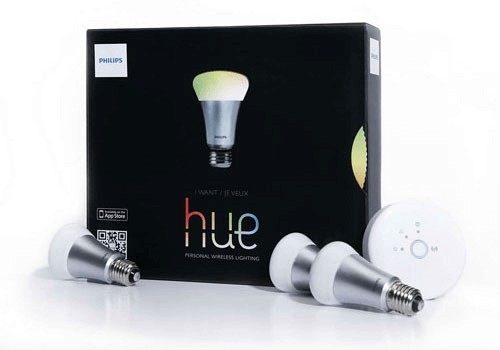
 Philips Hue, without the bridge non è compatibile con l’Homey selezionato.
 Philips Hue, without the bridgeverrà installato a breve su Homey.
 Belgium
 Bulgaria
 Croatia
 Cyprus
 Czech Republic
 Estonia
 Finland
 Greece
 Hungary
 Iceland
 Ireland
 Latvia
 Lithuania
 Malta
Malta
 Moldova
 The Netherlands
 Portugal
 Romania
 Slovakia
 Slovenia
 Türkiye
 Ukraine
 United Kingdom


