Make light part of the way your home lives. Let Philips Hue set the mood, welcome you home, respond to movement and bring everyday routines to life — all from Homey.
Connect supported Hue lights and accessories directly to Homey and bring them together with the rest of your smart home. No Hue Bridge required.
Centura GU10 Recessed Spotlight White and Color Ambiance
켜지면
Centura GU10 Recessed Spotlight White and Color Ambiance
꺼지면
Centura GU10 Recessed Spotlight White and Color Ambiance
밝기가 변경되면
Cher Ceiling
켜지면
Cher Ceiling
꺼지면
Cher Ceiling
밝기가 변경되면
Cher Pendant
켜지면
Cher Pendant
꺼지면
Cher Pendant
밝기가 변경되면
Connected Lamp GU10
켜지면
Connected Lamp GU10
꺼지면
Connected Lamp GU10
밝기가 변경되면
Contact sensor
열림 감지 열리면
Contact sensor
열림 감지 닫히면
Contact sensor
배터리 수준이 변경되면
Datura Ceiling Light Small
켜지면
Datura Ceiling Light Small
꺼지면
Datura Ceiling Light Small
밝기가 변경되면
Daylo Outdoor Wall Light
켜지면
Daylo Outdoor Wall Light
꺼지면
Daylo Outdoor Wall Light
밝기가 변경되면
Devere Medium Ceiling Light
켜지면
Devere Medium Ceiling Light
꺼지면
Devere Medium Ceiling Light
밝기가 변경되면
Dimmer Switch (RWL020 / RWL021)
배터리 수준이 변경되면
Dimmer Switch (RWL020 / RWL021)
배터리 알람이 '예'이면
Dimmer Switch (RWL020 / RWL021)
배터리 알람이 '아니요'이면
Dimmer Switch (RWL020 / RWL021)
On-button pressed
Dimmer Switch (RWL020 / RWL021)
Off-button pressed
Dimmer Switch (RWL020 / RWL021)
Button Action
Dimmer Switch (RWL022 / v2)
배터리 수준이 변경되면
Dimmer Switch (RWL022 / v2)
Button Action
Discover Outdoor Floodlight
켜지면
Discover Outdoor Floodlight
꺼지면
Discover Outdoor Floodlight
밝기가 변경되면
Econic Hanging Wall light
켜지면
Econic Hanging Wall light
꺼지면
Econic Hanging Wall light
밝기가 변경되면
Econic light
켜지면
Econic light
꺼지면
Econic light
밝기가 변경되면
Econic Outdoor Pedestal Light
켜지면
Econic Outdoor Pedestal Light
꺼지면
Econic Outdoor Pedestal Light
밝기가 변경되면
Econic Wall light
켜지면
Econic Wall light
꺼지면
Econic Wall light
밝기가 변경되면
Enrave S White Ambiance
켜지면
Enrave S White Ambiance
꺼지면
Enrave S White Ambiance
밝기가 변경되면
Ensis Pendant
켜지면
Ensis Pendant
꺼지면
Ensis Pendant
밝기가 변경되면
Ensis Pendant - Lower light
켜지면
Ensis Pendant - Lower light
꺼지면
Ensis Pendant - Lower light
밝기가 변경되면
Ensis Pendant - Upper light
켜지면
Ensis Pendant - Upper light
꺼지면
Ensis Pendant - Upper light
밝기가 변경되면
Fair Ceiling Lamp
켜지면
Fair Ceiling Lamp
꺼지면
Fair Ceiling Lamp
밝기가 변경되면
Fair Pendant
켜지면
Fair Pendant
꺼지면
Fair Pendant
밝기가 변경되면
Festavia String Lights
켜지면
Festavia String Lights
꺼지면
Festavia String Lights
밝기가 변경되면
Filament Bulb A60
켜지면
Filament Bulb A60
꺼지면
Filament Bulb A60
밝기가 변경되면
Filament Bulb Candle E14
켜지면
Filament Bulb Candle E14
꺼지면
Filament Bulb Candle E14
밝기가 변경되면
Filament Bulb Candle E14 White Ambiance
켜지면
Filament Bulb Candle E14 White Ambiance
꺼지면
Filament Bulb Candle E14 White Ambiance
밝기가 변경되면
Filament Bulb G93
켜지면
Filament Bulb G93
꺼지면
Filament Bulb G93
밝기가 변경되면
Filament Bulb ST64
켜지면
Filament Bulb ST64
꺼지면
Filament Bulb ST64
밝기가 변경되면
Filament Bulb ST64 White
켜지면
Filament Bulb ST64 White
꺼지면
Filament Bulb ST64 White
밝기가 변경되면
Filament Bulb ST64 White Ambiance
켜지면
Filament Bulb ST64 White Ambiance
꺼지면
Filament Bulb ST64 White Ambiance
밝기가 변경되면
Filament Bulb ST64 White Ambiance
켜지면
Filament Bulb ST64 White Ambiance
꺼지면
Filament Bulb ST64 White Ambiance
밝기가 변경되면
Filament Bulb ST72 E27
켜지면
Filament Bulb ST72 E27
꺼지면
Filament Bulb ST72 E27
밝기가 변경되면
Filament Bulb White Ambient A60 E27
켜지면
Filament Bulb White Ambient A60 E27
꺼지면
Filament Bulb White Ambient A60 E27
밝기가 변경되면
Filament Bulb White Ambient G125 E27
켜지면
Filament Bulb White Ambient G125 E27
꺼지면
Filament Bulb White Ambient G125 E27
밝기가 변경되면
Filament Bulb White Ambient G23 E27
켜지면
Filament Bulb White Ambient G23 E27
꺼지면
Filament Bulb White Ambient G23 E27
밝기가 변경되면
Filament Bulb White G125 E27
켜지면
Filament Bulb White G125 E27
꺼지면
Filament Bulb White G125 E27
밝기가 변경되면
Flourish Ceiling Light White and Color
켜지면
Flourish Ceiling Light White and Color
꺼지면
Flourish Ceiling Light White and Color
밝기가 변경되면
Flourish Pendant Light
켜지면
Flourish Pendant Light
꺼지면
Flourish Pendant Light
밝기가 변경되면
Fluorish Ceiling Light
켜지면
Fluorish Ceiling Light
꺼지면
Fluorish Ceiling Light
밝기가 변경되면
Flux Lightstrip
켜지면
Flux Lightstrip
꺼지면
Flux Lightstrip
밝기가 변경되면
Fugato 4-Spotlight
켜지면
Fugato 4-Spotlight
꺼지면
Fugato 4-Spotlight
밝기가 변경되면
Fugato Double Spotlight
켜지면
Fugato Double Spotlight
꺼지면
Fugato Double Spotlight
밝기가 변경되면
Fugato Triple Spotlight
켜지면
Fugato Triple Spotlight
꺼지면
Fugato Triple Spotlight
밝기가 변경되면
Fuzo Outdoor Pedestal Light
켜지면
Fuzo Outdoor Pedestal Light
꺼지면
Fuzo Outdoor Pedestal Light
밝기가 변경되면
Fuzo Outdoor Wall Light - Closed front
켜지면
Fuzo Outdoor Wall Light - Closed front
꺼지면
Fuzo Outdoor Wall Light - Closed front
밝기가 변경되면
Fuzo Outdoor Wall Light - Open front
켜지면
Fuzo Outdoor Wall Light - Open front
꺼지면
Fuzo Outdoor Wall Light - Open front
밝기가 변경되면
Fuzo Outdoor Wall Light - Tall open front
켜지면
Fuzo Outdoor Wall Light - Tall open front
꺼지면
Fuzo Outdoor Wall Light - Tall open front
밝기가 변경되면
G125 E27 White and Color Ambiance
켜지면
G125 E27 White and Color Ambiance
꺼지면
G125 E27 White and Color Ambiance
밝기가 변경되면
Garnea Downlight
켜지면
Garnea Downlight
꺼지면
Garnea Downlight
밝기가 변경되면
Go
켜지면
Go
꺼지면
Go
밝기가 변경되면
Go BT
켜지면
Go BT
꺼지면
Go BT
밝기가 변경되면
Go portable table lamp
켜지면
Go portable table lamp
꺼지면
Go portable table lamp
밝기가 변경되면
Gradient Signe Floor Lamp
켜지면
Gradient Signe Floor Lamp
꺼지면
Gradient Signe Floor Lamp
밝기가 변경되면
GU10 Spot Color
켜지면
GU10 Spot Color
꺼지면
GU10 Spot Color
밝기가 변경되면
GU10 White Ambiance BT
켜지면
GU10 White Ambiance BT
꺼지면
GU10 White Ambiance BT
밝기가 변경되면
GU10 White Ambiance BT
켜지면
GU10 White Ambiance BT
꺼지면
GU10 White Ambiance BT
밝기가 변경되면
GU10 White BT
켜지면
GU10 White BT
꺼지면
GU10 White BT
밝기가 변경되면
GU10 White PF
켜지면
GU10 White PF
꺼지면
GU10 White PF
밝기가 변경되면
Hue Dymera - Bottom
켜지면
Hue Dymera - Bottom
꺼지면
Hue Dymera - Bottom
밝기가 변경되면
Hue Play Wall Washer
켜지면
Hue Play Wall Washer
꺼지면
Hue Play Wall Washer
밝기가 변경되면
Hue Slim Recessed Light 170mm
켜지면
Hue Slim Recessed Light 170mm
꺼지면
Hue Slim Recessed Light 170mm
밝기가 변경되면
Hue Slim Recessed Light 90mm
켜지면
Hue Slim Recessed Light 90mm
꺼지면
Hue Slim Recessed Light 90mm
밝기가 변경되면
Hue Twilight - Front
켜지면
Hue Twilight - Front
꺼지면
Hue Twilight - Front
밝기가 변경되면
Hue Twilight - Front
Button Action
Hue Wall Switch Module
배터리 수준이 변경되면
Hue Wall Switch Module
Rockerswitch toggled
Hue Wall Switch Module
Pushbutton Action
Hue Wall Switch Module - Wired
Button Action
Hue Wired Dimmer Switch
켜지면
Hue Wired Dimmer Switch
꺼지면
Hue Wired Dimmer Switch
밝기가 변경되면
Impress Outdoor Pedestal Light
켜지면
Impress Outdoor Pedestal Light
꺼지면
Impress Outdoor Pedestal Light
밝기가 변경되면
Impress Outdoor Wall Light
켜지면
Impress Outdoor Wall Light
꺼지면
Impress Outdoor Wall Light
밝기가 변경되면
Impress Outdoor Wall Light
켜지면
Impress Outdoor Wall Light
꺼지면
Impress Outdoor Wall Light
밝기가 변경되면
Impress Path Light
켜지면
Impress Path Light
꺼지면
Impress Path Light
밝기가 변경되면
Infuse Medium Ceiling Light
켜지면
Infuse Medium Ceiling Light
꺼지면
Infuse Medium Ceiling Light
밝기가 변경되면
Iris Living Colors
켜지면
Iris Living Colors
꺼지면
Iris Living Colors
밝기가 변경되면
Liane Wall Light White and Color Ambiance
켜지면
Liane Wall Light White and Color Ambiance
꺼지면
Liane Wall Light White and Color Ambiance
밝기가 변경되면
Lightguide Edison ST23
켜지면
Lightguide Edison ST23
꺼지면
Lightguide Edison ST23
밝기가 변경되면
Lightguide Edison ST72
켜지면
Lightguide Edison ST72
꺼지면
Lightguide Edison ST72
밝기가 변경되면
Lightguide Ellipse
켜지면
Lightguide Ellipse
꺼지면
Lightguide Ellipse
밝기가 변경되면
Lightguide Globe Large G40
켜지면
Lightguide Globe Large G40
꺼지면
Lightguide Globe Large G40
밝기가 변경되면
Lightguide Globe Small G30
켜지면
Lightguide Globe Small G30
꺼지면
Lightguide Globe Small G30
밝기가 변경되면
Lightguide Triangle
켜지면
Lightguide Triangle
꺼지면
Lightguide Triangle
밝기가 변경되면
Lightstrip Outdoor
켜지면
Lightstrip Outdoor
꺼지면
Lightstrip Outdoor
밝기가 변경되면
Lightstrip Outdoor 2 meter
켜지면
Lightstrip Outdoor 2 meter
꺼지면
Lightstrip Outdoor 2 meter
밝기가 변경되면
Lightstrip Outdoor 5 meter
켜지면
Lightstrip Outdoor 5 meter
꺼지면
Lightstrip Outdoor 5 meter
밝기가 변경되면
Lightstrip Plus V4
켜지면
Lightstrip Plus V4
꺼지면
Lightstrip Plus V4
밝기가 변경되면
LightStrips
켜지면
LightStrips
꺼지면
LightStrips
밝기가 변경되면
LightStrips Plus
켜지면
LightStrips Plus
꺼지면
LightStrips Plus
밝기가 변경되면
Lily Outdoor Spot
켜지면
Lily Outdoor Spot
꺼지면
Lily Outdoor Spot
밝기가 변경되면
Lily Outdoor XL Spotlight
켜지면
Lily Outdoor XL Spotlight
꺼지면
Lily Outdoor XL Spotlight
밝기가 변경되면
Lucca Outdoor Pedestal
켜지면
Lucca Outdoor Pedestal
꺼지면
Lucca Outdoor Pedestal
밝기가 변경되면
Lucca Outdoor Post
켜지면
Lucca Outdoor Post
꺼지면
Lucca Outdoor Post
밝기가 변경되면
Mickey Mouse Bloom/Aura Living Colors
켜지면
Mickey Mouse Bloom/Aura Living Colors
꺼지면
Mickey Mouse Bloom/Aura Living Colors
밝기가 변경되면
Milliskin GU10 Recessed Spotlight White Ambiance
켜지면
Milliskin GU10 Recessed Spotlight White Ambiance
꺼지면
Milliskin GU10 Recessed Spotlight White Ambiance
밝기가 변경되면
MR16 White Ambiance
켜지면
MR16 White Ambiance
꺼지면
MR16 White Ambiance
밝기가 변경되면
Nyro Outdoor Pedestal
켜지면
Nyro Outdoor Pedestal
꺼지면
Nyro Outdoor Pedestal
밝기가 변경되면
Nyro Outdoor Wall Light
켜지면
Nyro Outdoor Wall Light
꺼지면
Nyro Outdoor Wall Light
밝기가 변경되면
Occupancy Sensor
움직임이 감지되면
Occupancy Sensor
움직임이 없으면
Occupancy Sensor
온도가 변경되면
Occupancy Sensor
조도가 변경되면
Occupancy Sensor
배터리 수준이 변경되면
Occupancy Sensor
배터리 알람이 '예'이면
Occupancy Sensor
배터리 알람이 '아니요'이면
OmniGlow Lightstrip
켜지면
OmniGlow Lightstrip
꺼지면
OmniGlow Lightstrip
밝기가 변경되면
Outdoor Occupancy Sensor
움직임이 감지되면
Outdoor Occupancy Sensor
움직임이 없으면
Outdoor Occupancy Sensor
온도가 변경되면
Outdoor Occupancy Sensor
조도가 변경되면
Outdoor Occupancy Sensor
배터리 수준이 변경되면
Outdoor Occupancy Sensor
배터리 알람이 '예'이면
Outdoor Occupancy Sensor
배터리 알람이 '아니요'이면
Phoenix Downlight
켜지면
Phoenix Downlight
꺼지면
Phoenix Downlight
밝기가 변경되면
Phoenix Pendant
켜지면
Phoenix Pendant
꺼지면
Phoenix Pendant
밝기가 변경되면
Phoenix Table
켜지면
Phoenix Table
꺼지면
Phoenix Table
밝기가 변경되면
Phoenix Wall Light
켜지면
Phoenix Wall Light
꺼지면
Phoenix Wall Light
밝기가 변경되면
Pillar Single Spotlight White Ambiance
켜지면
Pillar Single Spotlight White Ambiance
꺼지면
Pillar Single Spotlight White Ambiance
밝기가 변경되면
Play Lightbar
켜지면
Play Lightbar
꺼지면
Play Lightbar
밝기가 변경되면
Resonate Outdoor Wall Light
켜지면
Resonate Outdoor Wall Light
꺼지면
Resonate Outdoor Wall Light
밝기가 변경되면
Runner Spotlights
켜지면
Runner Spotlights
꺼지면
Runner Spotlights
밝기가 변경되면
Sana Wall Light
켜지면
Sana Wall Light
꺼지면
Sana Wall Light
밝기가 변경되면
Signe Floor Light
켜지면
Signe Floor Light
꺼지면
Signe Floor Light
밝기가 변경되면
Smart Button (ROM001 / RDM003 / RDM005)
배터리 알람이 '예'이면
Smart Button (ROM001 / RDM003 / RDM005)
배터리 알람이 '아니요'이면
Smart Button (ROM001 / RDM003 / RDM005)
배터리 수준이 변경되면
Smart Button (ROM001 / RDM003 / RDM005)
Button Action
Smart Plug
켜지면
Smart Plug
꺼지면
Solo Lightstrip
켜지면
Solo Lightstrip
꺼지면
Solo Lightstrip
밝기가 변경되면
Spot Ambiance
켜지면
Spot Ambiance
꺼지면
Spot Ambiance
밝기가 변경되면
Still Ceiling
켜지면
Still Ceiling
꺼지면
Still Ceiling
밝기가 변경되면
Struana Ceiling
켜지면
Struana Ceiling
꺼지면
Struana Ceiling
밝기가 변경되면
Surimu Rectangle Panel
켜지면
Surimu Rectangle Panel
꺼지면
Surimu Rectangle Panel
밝기가 변경되면
Surimu Square Panel
켜지면
Surimu Square Panel
꺼지면
Surimu Square Panel
밝기가 변경되면
Tap Dial Switch
배터리 수준이 변경되면
Tap Dial Switch
Button Action
Tuar Outdoor Wall Light
켜지면
Tuar Outdoor Wall Light
꺼지면
Tuar Outdoor Wall Light
밝기가 변경되면
Turaco Outdoor Wall light
켜지면
Turaco Outdoor Wall light
꺼지면
Turaco Outdoor Wall light
밝기가 변경되면
Welcome Outdoor Floodlight
켜지면
Welcome Outdoor Floodlight
꺼지면
Welcome Outdoor Floodlight
밝기가 변경되면
Wellner
켜지면
Wellner
꺼지면
Wellner
밝기가 변경되면
Wellness
켜지면
Wellness
꺼지면
Wellness
밝기가 변경되면
Xamento Ceiling White and Color Ambiance
켜지면
Xamento Ceiling White and Color Ambiance
꺼지면
Xamento Ceiling White and Color Ambiance
밝기가 변경되면
Xamento Recessed Spotlight White and Color Ambiance
켜지면
Xamento Recessed Spotlight White and Color Ambiance
꺼지면
Xamento Recessed Spotlight White and Color Ambiance
밝기가 변경되면
그리고...
Adore Bathroom Ceiling Spot 3x GU10
켜지면
Adore Bathroom Ceiling White Ambience
켜지면
Adore Bathroom mirror
켜지면
Adore Bathroom mirror light
켜지면
Adore Bathroom Recessed Downlight
켜지면
Akari Downlight
켜지면
Amarant Linear Outdoor Light
켜지면
Amaze Pendant
켜지면
Appear Outdoor Wall
켜지면
Appear Outdoor Wall - Lower Light
켜지면
Appear Outdoor Wall - Upper Light
켜지면
Argenta 2-light Spotlight
켜지면
Argenta 3-light Spotlight
켜지면
Argenta 4-light Spotlight
켜지면
Argenta Spotlight
켜지면
Aurelle Panel Light
켜지면
Aurelle Panel Rectangular
켜지면
Aurelle Panel Round
켜지면
Aurelle Panel Square
켜지면
Being Ceiling Lamp
켜지면
Being Pendant
켜지면
Beyond Ceiling
켜지면
Beyond Pendant
켜지면
Beyond Table
켜지면
Bloom/Aura Living Colors
켜지면
Buckram Spotlights
켜지면
Bulb 1100 Lumen White
켜지면
Bulb 1600 Lumen White
켜지면
Bulb 9W A60 E27 EUR White
켜지면
Bulb A19
켜지면
Bulb A60 E27 White
켜지면
Bulb E14 Candle White (BT)
켜지면
Bulb E14 Candle White Ambiance
켜지면
Bulb E14 Candle White Ambiance (BT)
켜지면
Bulb E14 Candle White and Color Ambiance (BT)
켜지면
Bulb E14 Hue White
켜지면
Bulb E14 P45 White
켜지면
Bulb E14 P45 White Ambiance
켜지면
Bulb E14 P45 White and Color Ambiance
켜지면
Bulb E27 White Ambiance BT
켜지면
Bulb E27 White and Color Ambiance BT
켜지면
Bulb White Ambient A19
켜지면
Bulb White Ambient E27
켜지면
Calla Outdoor Short Path Light
켜지면
Calla Outdoor Tall Path Light
켜지면
Candle Color
켜지면
Centris Panel
켜지면
Centris Spot
켜지면
Centura GU10 Recessed Spotlight White and Color Ambiance
켜지면
Cher Ceiling
켜지면
Cher Pendant
켜지면
Connected Lamp GU10
켜지면
Contact sensor
열림 감지 열리면
Datura Ceiling Light Small
켜지면
Daylo Outdoor Wall Light
켜지면
Devere Medium Ceiling Light
켜지면
Dimmer Switch (RWL020 / RWL021)
배터리 알람이 '예'이면
Discover Outdoor Floodlight
켜지면
Econic Hanging Wall light
켜지면
Econic light
켜지면
Econic Outdoor Pedestal Light
켜지면
Econic Wall light
켜지면
Enrave S White Ambiance
켜지면
Ensis Pendant
켜지면
Ensis Pendant - Lower light
켜지면
Ensis Pendant - Upper light
켜지면
Fair Ceiling Lamp
켜지면
Fair Pendant
켜지면
Festavia String Lights
켜지면
Filament Bulb A60
켜지면
Filament Bulb Candle E14
켜지면
Filament Bulb Candle E14 White Ambiance
켜지면
Filament Bulb G93
켜지면
Filament Bulb ST64
켜지면
Filament Bulb ST64 White
켜지면
Filament Bulb ST64 White Ambiance
켜지면
Filament Bulb ST64 White Ambiance
켜지면
Filament Bulb ST72 E27
켜지면
Filament Bulb White Ambient A60 E27
켜지면
Filament Bulb White Ambient G125 E27
켜지면
Filament Bulb White Ambient G23 E27
켜지면
Filament Bulb White G125 E27
켜지면
Flourish Ceiling Light White and Color
켜지면
Flourish Pendant Light
켜지면
Fluorish Ceiling Light
켜지면
Flux Lightstrip
켜지면
Fugato 4-Spotlight
켜지면
Fugato Double Spotlight
켜지면
Fugato Triple Spotlight
켜지면
Fuzo Outdoor Pedestal Light
켜지면
Fuzo Outdoor Wall Light - Closed front
켜지면
Fuzo Outdoor Wall Light - Open front
켜지면
Fuzo Outdoor Wall Light - Tall open front
켜지면
G125 E27 White and Color Ambiance
켜지면
Garnea Downlight
켜지면
Go
켜지면
Go BT
켜지면
Go portable table lamp
켜지면
Gradient Signe Floor Lamp
켜지면
GU10 Spot Color
켜지면
GU10 White Ambiance BT
켜지면
GU10 White Ambiance BT
켜지면
GU10 White BT
켜지면
GU10 White PF
켜지면
Hue Dymera - Bottom
켜지면
Hue Play Wall Washer
켜지면
Hue Slim Recessed Light 170mm
켜지면
Hue Slim Recessed Light 90mm
켜지면
Hue Twilight - Front
켜지면
Hue Wired Dimmer Switch
켜지면
Impress Outdoor Pedestal Light
켜지면
Impress Outdoor Wall Light
켜지면
Impress Outdoor Wall Light
켜지면
Impress Path Light
켜지면
Infuse Medium Ceiling Light
켜지면
Iris Living Colors
켜지면
Liane Wall Light White and Color Ambiance
켜지면
Lightguide Edison ST23
켜지면
Lightguide Edison ST72
켜지면
Lightguide Ellipse
켜지면
Lightguide Globe Large G40
켜지면
Lightguide Globe Small G30
켜지면
Lightguide Triangle
켜지면
Lightstrip Outdoor
켜지면
Lightstrip Outdoor 2 meter
켜지면
Lightstrip Outdoor 5 meter
켜지면
Lightstrip Plus V4
켜지면
LightStrips
켜지면
LightStrips Plus
켜지면
Lily Outdoor Spot
켜지면
Lily Outdoor XL Spotlight
켜지면
Lucca Outdoor Pedestal
켜지면
Lucca Outdoor Post
켜지면
Mickey Mouse Bloom/Aura Living Colors
켜지면
Milliskin GU10 Recessed Spotlight White Ambiance
켜지면
MR16 White Ambiance
켜지면
Nyro Outdoor Pedestal
켜지면
Nyro Outdoor Wall Light
켜지면
Occupancy Sensor
움직임이 감지되면
Occupancy Sensor
배터리 알람이 '예'이면
Occupancy Sensor
Luminance is above ... lux
Occupancy Sensor
Temperature is above ... degrees
OmniGlow Lightstrip
켜지면
Outdoor Occupancy Sensor
움직임이 감지되면
Outdoor Occupancy Sensor
배터리 알람이 '예'이면
Outdoor Occupancy Sensor
Luminance is above ... lux
Outdoor Occupancy Sensor
Temperature is above ... degrees
Phoenix Downlight
켜지면
Phoenix Pendant
켜지면
Phoenix Table
켜지면
Phoenix Wall Light
켜지면
Pillar Single Spotlight White Ambiance
켜지면
Play Lightbar
켜지면
Resonate Outdoor Wall Light
켜지면
Runner Spotlights
켜지면
Sana Wall Light
켜지면
Signe Floor Light
켜지면
Smart Button (ROM001 / RDM003 / RDM005)
배터리 알람이 '예'이면
Smart Plug
켜지면
Solo Lightstrip
켜지면
Spot Ambiance
켜지면
Still Ceiling
켜지면
Struana Ceiling
켜지면
Surimu Rectangle Panel
켜지면
Surimu Square Panel
켜지면
Tuar Outdoor Wall Light
켜지면
Turaco Outdoor Wall light
켜지면
Welcome Outdoor Floodlight
켜지면
Wellner
켜지면
Wellness
켜지면
Xamento Ceiling White and Color Ambiance
켜지면
Xamento Recessed Spotlight White and Color Ambiance
켜지면
그러면...
Adore Bathroom Ceiling Spot 3x GU10
켜기
Adore Bathroom Ceiling Spot 3x GU10
끄기
Adore Bathroom Ceiling Spot 3x GU10
켬/끔 상태 전환하기
Adore Bathroom Ceiling Spot 3x GU10
다음 밝기로 조절 %
Adore Bathroom Ceiling Spot 3x GU10
상대 밝기 설정 %
i
제품의 현재 디밍 수준에 따라 어둡게 또는 밝게 설정돼요.
Adore Bathroom Ceiling Spot 3x GU10
온도 설정 %
i
조명의 온도를 조정해요. 값이 높을수록 따뜻한 색이에요.
Adore Bathroom Ceiling Spot 3x GU10
Adjust color temperature by Change
i
Positive values make the light warmer; negative values make it cooler.
Adore Bathroom Ceiling Spot 3x GU10
Set alert mode to Set an alert mode
Adore Bathroom Ceiling Spot 3x GU10
Set blink type to Long or short blink with Blinks blinks
Adore Bathroom Ceiling Spot 3x GU10
Start dimming Direction at speed Speed
i
Sends the Zigbee 'move' command, so the light dims continuously until it is stopped with 'Stop dimming' or reaches its end stop. Use this with the hold action of a switch and pair it with 'Stop dimming' on the release action.
Adore Bathroom Ceiling Spot 3x GU10
Stop dimming
i
Sends the Zigbee 'stop' command to end a dim started with 'Start dimming', and reads back the brightness the light ended up at.
Adore Bathroom Ceiling White Ambience
켜기
Adore Bathroom Ceiling White Ambience
끄기
Adore Bathroom Ceiling White Ambience
켬/끔 상태 전환하기
Adore Bathroom Ceiling White Ambience
다음 밝기로 조절 %
Adore Bathroom Ceiling White Ambience
상대 밝기 설정 %
i
제품의 현재 디밍 수준에 따라 어둡게 또는 밝게 설정돼요.
Adore Bathroom Ceiling White Ambience
온도 설정 %
i
조명의 온도를 조정해요. 값이 높을수록 따뜻한 색이에요.
Adore Bathroom Ceiling White Ambience
Adjust color temperature by Change
i
Positive values make the light warmer; negative values make it cooler.
Adore Bathroom Ceiling White Ambience
Set alert mode to Set an alert mode
Adore Bathroom Ceiling White Ambience
Set blink type to Long or short blink with Blinks blinks
Adore Bathroom Ceiling White Ambience
Start dimming Direction at speed Speed
i
Sends the Zigbee 'move' command, so the light dims continuously until it is stopped with 'Stop dimming' or reaches its end stop. Use this with the hold action of a switch and pair it with 'Stop dimming' on the release action.
Adore Bathroom Ceiling White Ambience
Stop dimming
i
Sends the Zigbee 'stop' command to end a dim started with 'Start dimming', and reads back the brightness the light ended up at.
Adore Bathroom mirror
켜기
Adore Bathroom mirror
끄기
Adore Bathroom mirror
켬/끔 상태 전환하기
Adore Bathroom mirror
다음 밝기로 조절 %
Adore Bathroom mirror
상대 밝기 설정 %
i
제품의 현재 디밍 수준에 따라 어둡게 또는 밝게 설정돼요.
Adore Bathroom mirror
온도 설정 %
i
조명의 온도를 조정해요. 값이 높을수록 따뜻한 색이에요.
Adore Bathroom mirror
Adjust color temperature by Change
i
Positive values make the light warmer; negative values make it cooler.
Adore Bathroom mirror
Set alert mode to Set an alert mode
Adore Bathroom mirror
Set blink type to Long or short blink with Blinks blinks
Adore Bathroom mirror
Start dimming Direction at speed Speed
i
Sends the Zigbee 'move' command, so the light dims continuously until it is stopped with 'Stop dimming' or reaches its end stop. Use this with the hold action of a switch and pair it with 'Stop dimming' on the release action.
Adore Bathroom mirror
Stop dimming
i
Sends the Zigbee 'stop' command to end a dim started with 'Start dimming', and reads back the brightness the light ended up at.
Adore Bathroom mirror light
켜기
Adore Bathroom mirror light
끄기
Adore Bathroom mirror light
켬/끔 상태 전환하기
Adore Bathroom mirror light
다음 밝기로 조절 %
Adore Bathroom mirror light
상대 밝기 설정 %
i
제품의 현재 디밍 수준에 따라 어둡게 또는 밝게 설정돼요.
Adore Bathroom mirror light
온도 설정 %
i
조명의 온도를 조정해요. 값이 높을수록 따뜻한 색이에요.
Adore Bathroom mirror light
Adjust color temperature by Change
i
Positive values make the light warmer; negative values make it cooler.
Adore Bathroom mirror light
Set alert mode to Set an alert mode
Adore Bathroom mirror light
Set blink type to Long or short blink with Blinks blinks
Adore Bathroom mirror light
Start dimming Direction at speed Speed
i
Sends the Zigbee 'move' command, so the light dims continuously until it is stopped with 'Stop dimming' or reaches its end stop. Use this with the hold action of a switch and pair it with 'Stop dimming' on the release action.
Adore Bathroom mirror light
Stop dimming
i
Sends the Zigbee 'stop' command to end a dim started with 'Start dimming', and reads back the brightness the light ended up at.
Adore Bathroom Recessed Downlight
켜기
Adore Bathroom Recessed Downlight
끄기
Adore Bathroom Recessed Downlight
켬/끔 상태 전환하기
Adore Bathroom Recessed Downlight
다음 밝기로 조절 %
Adore Bathroom Recessed Downlight
상대 밝기 설정 %
i
제품의 현재 디밍 수준에 따라 어둡게 또는 밝게 설정돼요.
Adore Bathroom Recessed Downlight
온도 설정 %
i
조명의 온도를 조정해요. 값이 높을수록 따뜻한 색이에요.
Adore Bathroom Recessed Downlight
Adjust color temperature by Change
i
Positive values make the light warmer; negative values make it cooler.
Adore Bathroom Recessed Downlight
Set alert mode to Set an alert mode
Adore Bathroom Recessed Downlight
Set blink type to Long or short blink with Blinks blinks
Adore Bathroom Recessed Downlight
Start dimming Direction at speed Speed
i
Sends the Zigbee 'move' command, so the light dims continuously until it is stopped with 'Stop dimming' or reaches its end stop. Use this with the hold action of a switch and pair it with 'Stop dimming' on the release action.
Adore Bathroom Recessed Downlight
Stop dimming
i
Sends the Zigbee 'stop' command to end a dim started with 'Start dimming', and reads back the brightness the light ended up at.
Positive values make the light warmer; negative values make it cooler.
Akari Downlight
Set alert mode to Set an alert mode
Akari Downlight
Set blink type to Long or short blink with Blinks blinks
Akari Downlight
Set effect to Effect
i
Uses the native Signify effect protocol. Only lights that expose native Hue effect support can run these effects.
Akari Downlight
Set gradient to Color 1, Color 2, Color 3
i
For Hue gradient lights that expose Signify cluster 0xFC03, such as Gradient Signe. Unsupported lights fail safely.
Akari Downlight
Set brightness to Brightness and color to Color
Akari Downlight
Start dimming Direction at speed Speed
i
Sends the Zigbee 'move' command, so the light dims continuously until it is stopped with 'Stop dimming' or reaches its end stop. Use this with the hold action of a switch and pair it with 'Stop dimming' on the release action.
Akari Downlight
Stop dimming
i
Sends the Zigbee 'stop' command to end a dim started with 'Start dimming', and reads back the brightness the light ended up at.
Positive values make the light warmer; negative values make it cooler.
Amarant Linear Outdoor Light
Set alert mode to Set an alert mode
Amarant Linear Outdoor Light
Set blink type to Long or short blink with Blinks blinks
Amarant Linear Outdoor Light
Set effect to Effect
i
Uses the native Signify effect protocol. Only lights that expose native Hue effect support can run these effects.
Amarant Linear Outdoor Light
Set gradient to Color 1, Color 2, Color 3
i
For Hue gradient lights that expose Signify cluster 0xFC03, such as Gradient Signe. Unsupported lights fail safely.
Amarant Linear Outdoor Light
Set brightness to Brightness and color to Color
Amarant Linear Outdoor Light
Start dimming Direction at speed Speed
i
Sends the Zigbee 'move' command, so the light dims continuously until it is stopped with 'Stop dimming' or reaches its end stop. Use this with the hold action of a switch and pair it with 'Stop dimming' on the release action.
Amarant Linear Outdoor Light
Stop dimming
i
Sends the Zigbee 'stop' command to end a dim started with 'Start dimming', and reads back the brightness the light ended up at.
Amaze Pendant
켜기
Amaze Pendant
끄기
Amaze Pendant
켬/끔 상태 전환하기
Amaze Pendant
다음 밝기로 조절 %
Amaze Pendant
상대 밝기 설정 %
i
제품의 현재 디밍 수준에 따라 어둡게 또는 밝게 설정돼요.
Amaze Pendant
온도 설정 %
i
조명의 온도를 조정해요. 값이 높을수록 따뜻한 색이에요.
Amaze Pendant
Adjust color temperature by Change
i
Positive values make the light warmer; negative values make it cooler.
Amaze Pendant
Set alert mode to Set an alert mode
Amaze Pendant
Set blink type to Long or short blink with Blinks blinks
Amaze Pendant
Start dimming Direction at speed Speed
i
Sends the Zigbee 'move' command, so the light dims continuously until it is stopped with 'Stop dimming' or reaches its end stop. Use this with the hold action of a switch and pair it with 'Stop dimming' on the release action.
Amaze Pendant
Stop dimming
i
Sends the Zigbee 'stop' command to end a dim started with 'Start dimming', and reads back the brightness the light ended up at.
Positive values make the light warmer; negative values make it cooler.
Appear Outdoor Wall
Set alert mode to Set an alert mode
Appear Outdoor Wall
Set blink type to Long or short blink with Blinks blinks
Appear Outdoor Wall
Set effect to Effect
i
Uses the native Signify effect protocol. Only lights that expose native Hue effect support can run these effects.
Appear Outdoor Wall
Set gradient to Color 1, Color 2, Color 3
i
For Hue gradient lights that expose Signify cluster 0xFC03, such as Gradient Signe. Unsupported lights fail safely.
Appear Outdoor Wall
Set brightness to Brightness and color to Color
Appear Outdoor Wall
Start dimming Direction at speed Speed
i
Sends the Zigbee 'move' command, so the light dims continuously until it is stopped with 'Stop dimming' or reaches its end stop. Use this with the hold action of a switch and pair it with 'Stop dimming' on the release action.
Appear Outdoor Wall
Stop dimming
i
Sends the Zigbee 'stop' command to end a dim started with 'Start dimming', and reads back the brightness the light ended up at.
Positive values make the light warmer; negative values make it cooler.
Appear Outdoor Wall - Lower Light
Set alert mode to Set an alert mode
Appear Outdoor Wall - Lower Light
Set blink type to Long or short blink with Blinks blinks
Appear Outdoor Wall - Lower Light
Set effect to Effect
i
Uses the native Signify effect protocol. Only lights that expose native Hue effect support can run these effects.
Appear Outdoor Wall - Lower Light
Set gradient to Color 1, Color 2, Color 3
i
For Hue gradient lights that expose Signify cluster 0xFC03, such as Gradient Signe. Unsupported lights fail safely.
Appear Outdoor Wall - Lower Light
Set brightness to Brightness and color to Color
Appear Outdoor Wall - Lower Light
Start dimming Direction at speed Speed
i
Sends the Zigbee 'move' command, so the light dims continuously until it is stopped with 'Stop dimming' or reaches its end stop. Use this with the hold action of a switch and pair it with 'Stop dimming' on the release action.
Appear Outdoor Wall - Lower Light
Stop dimming
i
Sends the Zigbee 'stop' command to end a dim started with 'Start dimming', and reads back the brightness the light ended up at.
Positive values make the light warmer; negative values make it cooler.
Appear Outdoor Wall - Upper Light
Set alert mode to Set an alert mode
Appear Outdoor Wall - Upper Light
Set blink type to Long or short blink with Blinks blinks
Appear Outdoor Wall - Upper Light
Set effect to Effect
i
Uses the native Signify effect protocol. Only lights that expose native Hue effect support can run these effects.
Appear Outdoor Wall - Upper Light
Set gradient to Color 1, Color 2, Color 3
i
For Hue gradient lights that expose Signify cluster 0xFC03, such as Gradient Signe. Unsupported lights fail safely.
Appear Outdoor Wall - Upper Light
Set brightness to Brightness and color to Color
Appear Outdoor Wall - Upper Light
Start dimming Direction at speed Speed
i
Sends the Zigbee 'move' command, so the light dims continuously until it is stopped with 'Stop dimming' or reaches its end stop. Use this with the hold action of a switch and pair it with 'Stop dimming' on the release action.
Appear Outdoor Wall - Upper Light
Stop dimming
i
Sends the Zigbee 'stop' command to end a dim started with 'Start dimming', and reads back the brightness the light ended up at.
Positive values make the light warmer; negative values make it cooler.
Argenta 2-light Spotlight
Set alert mode to Set an alert mode
Argenta 2-light Spotlight
Set blink type to Long or short blink with Blinks blinks
Argenta 2-light Spotlight
Set effect to Effect
i
Uses the native Signify effect protocol. Only lights that expose native Hue effect support can run these effects.
Argenta 2-light Spotlight
Set gradient to Color 1, Color 2, Color 3
i
For Hue gradient lights that expose Signify cluster 0xFC03, such as Gradient Signe. Unsupported lights fail safely.
Argenta 2-light Spotlight
Set brightness to Brightness and color to Color
Argenta 2-light Spotlight
Start dimming Direction at speed Speed
i
Sends the Zigbee 'move' command, so the light dims continuously until it is stopped with 'Stop dimming' or reaches its end stop. Use this with the hold action of a switch and pair it with 'Stop dimming' on the release action.
Argenta 2-light Spotlight
Stop dimming
i
Sends the Zigbee 'stop' command to end a dim started with 'Start dimming', and reads back the brightness the light ended up at.
Positive values make the light warmer; negative values make it cooler.
Argenta 3-light Spotlight
Set alert mode to Set an alert mode
Argenta 3-light Spotlight
Set blink type to Long or short blink with Blinks blinks
Argenta 3-light Spotlight
Set effect to Effect
i
Uses the native Signify effect protocol. Only lights that expose native Hue effect support can run these effects.
Argenta 3-light Spotlight
Set gradient to Color 1, Color 2, Color 3
i
For Hue gradient lights that expose Signify cluster 0xFC03, such as Gradient Signe. Unsupported lights fail safely.
Argenta 3-light Spotlight
Set brightness to Brightness and color to Color
Argenta 3-light Spotlight
Start dimming Direction at speed Speed
i
Sends the Zigbee 'move' command, so the light dims continuously until it is stopped with 'Stop dimming' or reaches its end stop. Use this with the hold action of a switch and pair it with 'Stop dimming' on the release action.
Argenta 3-light Spotlight
Stop dimming
i
Sends the Zigbee 'stop' command to end a dim started with 'Start dimming', and reads back the brightness the light ended up at.
Positive values make the light warmer; negative values make it cooler.
Argenta 4-light Spotlight
Set alert mode to Set an alert mode
Argenta 4-light Spotlight
Set blink type to Long or short blink with Blinks blinks
Argenta 4-light Spotlight
Set effect to Effect
i
Uses the native Signify effect protocol. Only lights that expose native Hue effect support can run these effects.
Argenta 4-light Spotlight
Set gradient to Color 1, Color 2, Color 3
i
For Hue gradient lights that expose Signify cluster 0xFC03, such as Gradient Signe. Unsupported lights fail safely.
Argenta 4-light Spotlight
Set brightness to Brightness and color to Color
Argenta 4-light Spotlight
Start dimming Direction at speed Speed
i
Sends the Zigbee 'move' command, so the light dims continuously until it is stopped with 'Stop dimming' or reaches its end stop. Use this with the hold action of a switch and pair it with 'Stop dimming' on the release action.
Argenta 4-light Spotlight
Stop dimming
i
Sends the Zigbee 'stop' command to end a dim started with 'Start dimming', and reads back the brightness the light ended up at.
Positive values make the light warmer; negative values make it cooler.
Argenta Spotlight
Set alert mode to Set an alert mode
Argenta Spotlight
Set blink type to Long or short blink with Blinks blinks
Argenta Spotlight
Set effect to Effect
i
Uses the native Signify effect protocol. Only lights that expose native Hue effect support can run these effects.
Argenta Spotlight
Set gradient to Color 1, Color 2, Color 3
i
For Hue gradient lights that expose Signify cluster 0xFC03, such as Gradient Signe. Unsupported lights fail safely.
Argenta Spotlight
Set brightness to Brightness and color to Color
Argenta Spotlight
Start dimming Direction at speed Speed
i
Sends the Zigbee 'move' command, so the light dims continuously until it is stopped with 'Stop dimming' or reaches its end stop. Use this with the hold action of a switch and pair it with 'Stop dimming' on the release action.
Argenta Spotlight
Stop dimming
i
Sends the Zigbee 'stop' command to end a dim started with 'Start dimming', and reads back the brightness the light ended up at.
Aurelle Panel Light
켜기
Aurelle Panel Light
끄기
Aurelle Panel Light
켬/끔 상태 전환하기
Aurelle Panel Light
다음 밝기로 조절 %
Aurelle Panel Light
상대 밝기 설정 %
i
제품의 현재 디밍 수준에 따라 어둡게 또는 밝게 설정돼요.
Aurelle Panel Light
온도 설정 %
i
조명의 온도를 조정해요. 값이 높을수록 따뜻한 색이에요.
Aurelle Panel Light
Adjust color temperature by Change
i
Positive values make the light warmer; negative values make it cooler.
Aurelle Panel Light
Set alert mode to Set an alert mode
Aurelle Panel Light
Set blink type to Long or short blink with Blinks blinks
Aurelle Panel Light
Start dimming Direction at speed Speed
i
Sends the Zigbee 'move' command, so the light dims continuously until it is stopped with 'Stop dimming' or reaches its end stop. Use this with the hold action of a switch and pair it with 'Stop dimming' on the release action.
Aurelle Panel Light
Stop dimming
i
Sends the Zigbee 'stop' command to end a dim started with 'Start dimming', and reads back the brightness the light ended up at.
Aurelle Panel Rectangular
켜기
Aurelle Panel Rectangular
끄기
Aurelle Panel Rectangular
켬/끔 상태 전환하기
Aurelle Panel Rectangular
다음 밝기로 조절 %
Aurelle Panel Rectangular
상대 밝기 설정 %
i
제품의 현재 디밍 수준에 따라 어둡게 또는 밝게 설정돼요.
Aurelle Panel Rectangular
온도 설정 %
i
조명의 온도를 조정해요. 값이 높을수록 따뜻한 색이에요.
Aurelle Panel Rectangular
Adjust color temperature by Change
i
Positive values make the light warmer; negative values make it cooler.
Aurelle Panel Rectangular
Set alert mode to Set an alert mode
Aurelle Panel Rectangular
Set blink type to Long or short blink with Blinks blinks
Aurelle Panel Rectangular
Start dimming Direction at speed Speed
i
Sends the Zigbee 'move' command, so the light dims continuously until it is stopped with 'Stop dimming' or reaches its end stop. Use this with the hold action of a switch and pair it with 'Stop dimming' on the release action.
Aurelle Panel Rectangular
Stop dimming
i
Sends the Zigbee 'stop' command to end a dim started with 'Start dimming', and reads back the brightness the light ended up at.
Aurelle Panel Round
켜기
Aurelle Panel Round
끄기
Aurelle Panel Round
켬/끔 상태 전환하기
Aurelle Panel Round
다음 밝기로 조절 %
Aurelle Panel Round
상대 밝기 설정 %
i
제품의 현재 디밍 수준에 따라 어둡게 또는 밝게 설정돼요.
Aurelle Panel Round
온도 설정 %
i
조명의 온도를 조정해요. 값이 높을수록 따뜻한 색이에요.
Aurelle Panel Round
Adjust color temperature by Change
i
Positive values make the light warmer; negative values make it cooler.
Aurelle Panel Round
Set alert mode to Set an alert mode
Aurelle Panel Round
Set blink type to Long or short blink with Blinks blinks
Aurelle Panel Round
Start dimming Direction at speed Speed
i
Sends the Zigbee 'move' command, so the light dims continuously until it is stopped with 'Stop dimming' or reaches its end stop. Use this with the hold action of a switch and pair it with 'Stop dimming' on the release action.
Aurelle Panel Round
Stop dimming
i
Sends the Zigbee 'stop' command to end a dim started with 'Start dimming', and reads back the brightness the light ended up at.
Aurelle Panel Square
켜기
Aurelle Panel Square
끄기
Aurelle Panel Square
켬/끔 상태 전환하기
Aurelle Panel Square
다음 밝기로 조절 %
Aurelle Panel Square
상대 밝기 설정 %
i
제품의 현재 디밍 수준에 따라 어둡게 또는 밝게 설정돼요.
Aurelle Panel Square
온도 설정 %
i
조명의 온도를 조정해요. 값이 높을수록 따뜻한 색이에요.
Aurelle Panel Square
Adjust color temperature by Change
i
Positive values make the light warmer; negative values make it cooler.
Aurelle Panel Square
Set alert mode to Set an alert mode
Aurelle Panel Square
Set blink type to Long or short blink with Blinks blinks
Aurelle Panel Square
Start dimming Direction at speed Speed
i
Sends the Zigbee 'move' command, so the light dims continuously until it is stopped with 'Stop dimming' or reaches its end stop. Use this with the hold action of a switch and pair it with 'Stop dimming' on the release action.
Aurelle Panel Square
Stop dimming
i
Sends the Zigbee 'stop' command to end a dim started with 'Start dimming', and reads back the brightness the light ended up at.
Being Ceiling Lamp
켜기
Being Ceiling Lamp
끄기
Being Ceiling Lamp
켬/끔 상태 전환하기
Being Ceiling Lamp
다음 밝기로 조절 %
Being Ceiling Lamp
상대 밝기 설정 %
i
제품의 현재 디밍 수준에 따라 어둡게 또는 밝게 설정돼요.
Being Ceiling Lamp
온도 설정 %
i
조명의 온도를 조정해요. 값이 높을수록 따뜻한 색이에요.
Being Ceiling Lamp
Adjust color temperature by Change
i
Positive values make the light warmer; negative values make it cooler.
Being Ceiling Lamp
Set alert mode to Set an alert mode
Being Ceiling Lamp
Set blink type to Long or short blink with Blinks blinks
Being Ceiling Lamp
Start dimming Direction at speed Speed
i
Sends the Zigbee 'move' command, so the light dims continuously until it is stopped with 'Stop dimming' or reaches its end stop. Use this with the hold action of a switch and pair it with 'Stop dimming' on the release action.
Being Ceiling Lamp
Stop dimming
i
Sends the Zigbee 'stop' command to end a dim started with 'Start dimming', and reads back the brightness the light ended up at.
Being Pendant
켜기
Being Pendant
끄기
Being Pendant
켬/끔 상태 전환하기
Being Pendant
다음 밝기로 조절 %
Being Pendant
상대 밝기 설정 %
i
제품의 현재 디밍 수준에 따라 어둡게 또는 밝게 설정돼요.
Being Pendant
온도 설정 %
i
조명의 온도를 조정해요. 값이 높을수록 따뜻한 색이에요.
Being Pendant
Adjust color temperature by Change
i
Positive values make the light warmer; negative values make it cooler.
Being Pendant
Set alert mode to Set an alert mode
Being Pendant
Set blink type to Long or short blink with Blinks blinks
Being Pendant
Start dimming Direction at speed Speed
i
Sends the Zigbee 'move' command, so the light dims continuously until it is stopped with 'Stop dimming' or reaches its end stop. Use this with the hold action of a switch and pair it with 'Stop dimming' on the release action.
Being Pendant
Stop dimming
i
Sends the Zigbee 'stop' command to end a dim started with 'Start dimming', and reads back the brightness the light ended up at.
Positive values make the light warmer; negative values make it cooler.
Beyond Ceiling
Set alert mode to Set an alert mode
Beyond Ceiling
Set blink type to Long or short blink with Blinks blinks
Beyond Ceiling
Set effect to Effect
i
Uses the native Signify effect protocol. Only lights that expose native Hue effect support can run these effects.
Beyond Ceiling
Set gradient to Color 1, Color 2, Color 3
i
For Hue gradient lights that expose Signify cluster 0xFC03, such as Gradient Signe. Unsupported lights fail safely.
Beyond Ceiling
Set brightness to Brightness and color to Color
Beyond Ceiling
Start dimming Direction at speed Speed
i
Sends the Zigbee 'move' command, so the light dims continuously until it is stopped with 'Stop dimming' or reaches its end stop. Use this with the hold action of a switch and pair it with 'Stop dimming' on the release action.
Beyond Ceiling
Stop dimming
i
Sends the Zigbee 'stop' command to end a dim started with 'Start dimming', and reads back the brightness the light ended up at.
Positive values make the light warmer; negative values make it cooler.
Beyond Pendant
Set alert mode to Set an alert mode
Beyond Pendant
Set blink type to Long or short blink with Blinks blinks
Beyond Pendant
Set effect to Effect
i
Uses the native Signify effect protocol. Only lights that expose native Hue effect support can run these effects.
Beyond Pendant
Set gradient to Color 1, Color 2, Color 3
i
For Hue gradient lights that expose Signify cluster 0xFC03, such as Gradient Signe. Unsupported lights fail safely.
Beyond Pendant
Set brightness to Brightness and color to Color
Beyond Pendant
Start dimming Direction at speed Speed
i
Sends the Zigbee 'move' command, so the light dims continuously until it is stopped with 'Stop dimming' or reaches its end stop. Use this with the hold action of a switch and pair it with 'Stop dimming' on the release action.
Beyond Pendant
Stop dimming
i
Sends the Zigbee 'stop' command to end a dim started with 'Start dimming', and reads back the brightness the light ended up at.
Positive values make the light warmer; negative values make it cooler.
Beyond Table
Set alert mode to Set an alert mode
Beyond Table
Set blink type to Long or short blink with Blinks blinks
Beyond Table
Set effect to Effect
i
Uses the native Signify effect protocol. Only lights that expose native Hue effect support can run these effects.
Beyond Table
Set gradient to Color 1, Color 2, Color 3
i
For Hue gradient lights that expose Signify cluster 0xFC03, such as Gradient Signe. Unsupported lights fail safely.
Beyond Table
Set brightness to Brightness and color to Color
Beyond Table
Start dimming Direction at speed Speed
i
Sends the Zigbee 'move' command, so the light dims continuously until it is stopped with 'Stop dimming' or reaches its end stop. Use this with the hold action of a switch and pair it with 'Stop dimming' on the release action.
Beyond Table
Stop dimming
i
Sends the Zigbee 'stop' command to end a dim started with 'Start dimming', and reads back the brightness the light ended up at.
Set blink type to Long or short blink with Blinks blinks
Bloom/Aura Living Colors
Set effect to Effect
i
Uses the native Signify effect protocol. Only lights that expose native Hue effect support can run these effects.
Bloom/Aura Living Colors
Set gradient to Color 1, Color 2, Color 3
i
For Hue gradient lights that expose Signify cluster 0xFC03, such as Gradient Signe. Unsupported lights fail safely.
Bloom/Aura Living Colors
Set brightness to Brightness and color to Color
Bloom/Aura Living Colors
Start dimming Direction at speed Speed
i
Sends the Zigbee 'move' command, so the light dims continuously until it is stopped with 'Stop dimming' or reaches its end stop. Use this with the hold action of a switch and pair it with 'Stop dimming' on the release action.
Bloom/Aura Living Colors
Stop dimming
i
Sends the Zigbee 'stop' command to end a dim started with 'Start dimming', and reads back the brightness the light ended up at.
Buckram Spotlights
켜기
Buckram Spotlights
끄기
Buckram Spotlights
켬/끔 상태 전환하기
Buckram Spotlights
다음 밝기로 조절 %
Buckram Spotlights
상대 밝기 설정 %
i
제품의 현재 디밍 수준에 따라 어둡게 또는 밝게 설정돼요.
Buckram Spotlights
온도 설정 %
i
조명의 온도를 조정해요. 값이 높을수록 따뜻한 색이에요.
Buckram Spotlights
Adjust color temperature by Change
i
Positive values make the light warmer; negative values make it cooler.
Buckram Spotlights
Set alert mode to Set an alert mode
Buckram Spotlights
Set blink type to Long or short blink with Blinks blinks
Buckram Spotlights
Start dimming Direction at speed Speed
i
Sends the Zigbee 'move' command, so the light dims continuously until it is stopped with 'Stop dimming' or reaches its end stop. Use this with the hold action of a switch and pair it with 'Stop dimming' on the release action.
Buckram Spotlights
Stop dimming
i
Sends the Zigbee 'stop' command to end a dim started with 'Start dimming', and reads back the brightness the light ended up at.
Bulb 1100 Lumen White
켜기
Bulb 1100 Lumen White
끄기
Bulb 1100 Lumen White
켬/끔 상태 전환하기
Bulb 1100 Lumen White
다음 밝기로 조절 %
Bulb 1100 Lumen White
상대 밝기 설정 %
i
제품의 현재 디밍 수준에 따라 어둡게 또는 밝게 설정돼요.
Bulb 1100 Lumen White
Set alert mode to Set an alert mode
Bulb 1100 Lumen White
Set blink type to Long or short blink with Blinks blinks
Bulb 1100 Lumen White
Start dimming Direction at speed Speed
i
Sends the Zigbee 'move' command, so the light dims continuously until it is stopped with 'Stop dimming' or reaches its end stop. Use this with the hold action of a switch and pair it with 'Stop dimming' on the release action.
Bulb 1100 Lumen White
Stop dimming
i
Sends the Zigbee 'stop' command to end a dim started with 'Start dimming', and reads back the brightness the light ended up at.
Bulb 1600 Lumen White
켜기
Bulb 1600 Lumen White
끄기
Bulb 1600 Lumen White
켬/끔 상태 전환하기
Bulb 1600 Lumen White
다음 밝기로 조절 %
Bulb 1600 Lumen White
상대 밝기 설정 %
i
제품의 현재 디밍 수준에 따라 어둡게 또는 밝게 설정돼요.
Bulb 1600 Lumen White
Set alert mode to Set an alert mode
Bulb 1600 Lumen White
Set blink type to Long or short blink with Blinks blinks
Bulb 1600 Lumen White
Start dimming Direction at speed Speed
i
Sends the Zigbee 'move' command, so the light dims continuously until it is stopped with 'Stop dimming' or reaches its end stop. Use this with the hold action of a switch and pair it with 'Stop dimming' on the release action.
Bulb 1600 Lumen White
Stop dimming
i
Sends the Zigbee 'stop' command to end a dim started with 'Start dimming', and reads back the brightness the light ended up at.
Bulb 9W A60 E27 EUR White
켜기
Bulb 9W A60 E27 EUR White
끄기
Bulb 9W A60 E27 EUR White
켬/끔 상태 전환하기
Bulb 9W A60 E27 EUR White
다음 밝기로 조절 %
Bulb 9W A60 E27 EUR White
상대 밝기 설정 %
i
제품의 현재 디밍 수준에 따라 어둡게 또는 밝게 설정돼요.
Bulb 9W A60 E27 EUR White
Set alert mode to Set an alert mode
Bulb 9W A60 E27 EUR White
Set blink type to Long or short blink with Blinks blinks
Bulb 9W A60 E27 EUR White
Start dimming Direction at speed Speed
i
Sends the Zigbee 'move' command, so the light dims continuously until it is stopped with 'Stop dimming' or reaches its end stop. Use this with the hold action of a switch and pair it with 'Stop dimming' on the release action.
Bulb 9W A60 E27 EUR White
Stop dimming
i
Sends the Zigbee 'stop' command to end a dim started with 'Start dimming', and reads back the brightness the light ended up at.
Positive values make the light warmer; negative values make it cooler.
Bulb A19
Set alert mode to Set an alert mode
Bulb A19
Set blink type to Long or short blink with Blinks blinks
Bulb A19
Set effect to Effect
i
Uses the native Signify effect protocol. Only lights that expose native Hue effect support can run these effects.
Bulb A19
Set gradient to Color 1, Color 2, Color 3
i
For Hue gradient lights that expose Signify cluster 0xFC03, such as Gradient Signe. Unsupported lights fail safely.
Bulb A19
Set brightness to Brightness and color to Color
Bulb A19
Start dimming Direction at speed Speed
i
Sends the Zigbee 'move' command, so the light dims continuously until it is stopped with 'Stop dimming' or reaches its end stop. Use this with the hold action of a switch and pair it with 'Stop dimming' on the release action.
Bulb A19
Stop dimming
i
Sends the Zigbee 'stop' command to end a dim started with 'Start dimming', and reads back the brightness the light ended up at.
Bulb A60 E27 White
켜기
Bulb A60 E27 White
끄기
Bulb A60 E27 White
켬/끔 상태 전환하기
Bulb A60 E27 White
다음 밝기로 조절 %
Bulb A60 E27 White
상대 밝기 설정 %
i
제품의 현재 디밍 수준에 따라 어둡게 또는 밝게 설정돼요.
Bulb A60 E27 White
Set alert mode to Set an alert mode
Bulb A60 E27 White
Set blink type to Long or short blink with Blinks blinks
Bulb A60 E27 White
Start dimming Direction at speed Speed
i
Sends the Zigbee 'move' command, so the light dims continuously until it is stopped with 'Stop dimming' or reaches its end stop. Use this with the hold action of a switch and pair it with 'Stop dimming' on the release action.
Bulb A60 E27 White
Stop dimming
i
Sends the Zigbee 'stop' command to end a dim started with 'Start dimming', and reads back the brightness the light ended up at.
Bulb E14 Candle White (BT)
켜기
Bulb E14 Candle White (BT)
끄기
Bulb E14 Candle White (BT)
켬/끔 상태 전환하기
Bulb E14 Candle White (BT)
다음 밝기로 조절 %
Bulb E14 Candle White (BT)
상대 밝기 설정 %
i
제품의 현재 디밍 수준에 따라 어둡게 또는 밝게 설정돼요.
Bulb E14 Candle White (BT)
Set alert mode to Set an alert mode
Bulb E14 Candle White (BT)
Set blink type to Long or short blink with Blinks blinks
Bulb E14 Candle White (BT)
Start dimming Direction at speed Speed
i
Sends the Zigbee 'move' command, so the light dims continuously until it is stopped with 'Stop dimming' or reaches its end stop. Use this with the hold action of a switch and pair it with 'Stop dimming' on the release action.
Bulb E14 Candle White (BT)
Stop dimming
i
Sends the Zigbee 'stop' command to end a dim started with 'Start dimming', and reads back the brightness the light ended up at.
Bulb E14 Candle White Ambiance
켜기
Bulb E14 Candle White Ambiance
끄기
Bulb E14 Candle White Ambiance
켬/끔 상태 전환하기
Bulb E14 Candle White Ambiance
다음 밝기로 조절 %
Bulb E14 Candle White Ambiance
상대 밝기 설정 %
i
제품의 현재 디밍 수준에 따라 어둡게 또는 밝게 설정돼요.
Bulb E14 Candle White Ambiance
온도 설정 %
i
조명의 온도를 조정해요. 값이 높을수록 따뜻한 색이에요.
Bulb E14 Candle White Ambiance
Adjust color temperature by Change
i
Positive values make the light warmer; negative values make it cooler.
Bulb E14 Candle White Ambiance
Set alert mode to Set an alert mode
Bulb E14 Candle White Ambiance
Set blink type to Long or short blink with Blinks blinks
Bulb E14 Candle White Ambiance
Start dimming Direction at speed Speed
i
Sends the Zigbee 'move' command, so the light dims continuously until it is stopped with 'Stop dimming' or reaches its end stop. Use this with the hold action of a switch and pair it with 'Stop dimming' on the release action.
Bulb E14 Candle White Ambiance
Stop dimming
i
Sends the Zigbee 'stop' command to end a dim started with 'Start dimming', and reads back the brightness the light ended up at.
Bulb E14 Candle White Ambiance (BT)
켜기
Bulb E14 Candle White Ambiance (BT)
끄기
Bulb E14 Candle White Ambiance (BT)
켬/끔 상태 전환하기
Bulb E14 Candle White Ambiance (BT)
다음 밝기로 조절 %
Bulb E14 Candle White Ambiance (BT)
상대 밝기 설정 %
i
제품의 현재 디밍 수준에 따라 어둡게 또는 밝게 설정돼요.
Bulb E14 Candle White Ambiance (BT)
온도 설정 %
i
조명의 온도를 조정해요. 값이 높을수록 따뜻한 색이에요.
Bulb E14 Candle White Ambiance (BT)
Adjust color temperature by Change
i
Positive values make the light warmer; negative values make it cooler.
Bulb E14 Candle White Ambiance (BT)
Set alert mode to Set an alert mode
Bulb E14 Candle White Ambiance (BT)
Set blink type to Long or short blink with Blinks blinks
Bulb E14 Candle White Ambiance (BT)
Start dimming Direction at speed Speed
i
Sends the Zigbee 'move' command, so the light dims continuously until it is stopped with 'Stop dimming' or reaches its end stop. Use this with the hold action of a switch and pair it with 'Stop dimming' on the release action.
Bulb E14 Candle White Ambiance (BT)
Stop dimming
i
Sends the Zigbee 'stop' command to end a dim started with 'Start dimming', and reads back the brightness the light ended up at.
Positive values make the light warmer; negative values make it cooler.
Bulb E14 Candle White and Color Ambiance (BT)
Set alert mode to Set an alert mode
Bulb E14 Candle White and Color Ambiance (BT)
Set blink type to Long or short blink with Blinks blinks
Bulb E14 Candle White and Color Ambiance (BT)
Set effect to Effect
i
Uses the native Signify effect protocol. Only lights that expose native Hue effect support can run these effects.
Bulb E14 Candle White and Color Ambiance (BT)
Set gradient to Color 1, Color 2, Color 3
i
For Hue gradient lights that expose Signify cluster 0xFC03, such as Gradient Signe. Unsupported lights fail safely.
Bulb E14 Candle White and Color Ambiance (BT)
Set brightness to Brightness and color to Color
Bulb E14 Candle White and Color Ambiance (BT)
Start dimming Direction at speed Speed
i
Sends the Zigbee 'move' command, so the light dims continuously until it is stopped with 'Stop dimming' or reaches its end stop. Use this with the hold action of a switch and pair it with 'Stop dimming' on the release action.
Bulb E14 Candle White and Color Ambiance (BT)
Stop dimming
i
Sends the Zigbee 'stop' command to end a dim started with 'Start dimming', and reads back the brightness the light ended up at.
Bulb E14 Hue White
켜기
Bulb E14 Hue White
끄기
Bulb E14 Hue White
켬/끔 상태 전환하기
Bulb E14 Hue White
다음 밝기로 조절 %
Bulb E14 Hue White
상대 밝기 설정 %
i
제품의 현재 디밍 수준에 따라 어둡게 또는 밝게 설정돼요.
Bulb E14 Hue White
Set alert mode to Set an alert mode
Bulb E14 Hue White
Set blink type to Long or short blink with Blinks blinks
Bulb E14 Hue White
Start dimming Direction at speed Speed
i
Sends the Zigbee 'move' command, so the light dims continuously until it is stopped with 'Stop dimming' or reaches its end stop. Use this with the hold action of a switch and pair it with 'Stop dimming' on the release action.
Bulb E14 Hue White
Stop dimming
i
Sends the Zigbee 'stop' command to end a dim started with 'Start dimming', and reads back the brightness the light ended up at.
Bulb E14 P45 White
켜기
Bulb E14 P45 White
끄기
Bulb E14 P45 White
켬/끔 상태 전환하기
Bulb E14 P45 White
다음 밝기로 조절 %
Bulb E14 P45 White
상대 밝기 설정 %
i
제품의 현재 디밍 수준에 따라 어둡게 또는 밝게 설정돼요.
Bulb E14 P45 White
Set alert mode to Set an alert mode
Bulb E14 P45 White
Set blink type to Long or short blink with Blinks blinks
Bulb E14 P45 White
Start dimming Direction at speed Speed
i
Sends the Zigbee 'move' command, so the light dims continuously until it is stopped with 'Stop dimming' or reaches its end stop. Use this with the hold action of a switch and pair it with 'Stop dimming' on the release action.
Bulb E14 P45 White
Stop dimming
i
Sends the Zigbee 'stop' command to end a dim started with 'Start dimming', and reads back the brightness the light ended up at.
Bulb E14 P45 White Ambiance
켜기
Bulb E14 P45 White Ambiance
끄기
Bulb E14 P45 White Ambiance
켬/끔 상태 전환하기
Bulb E14 P45 White Ambiance
다음 밝기로 조절 %
Bulb E14 P45 White Ambiance
상대 밝기 설정 %
i
제품의 현재 디밍 수준에 따라 어둡게 또는 밝게 설정돼요.
Bulb E14 P45 White Ambiance
온도 설정 %
i
조명의 온도를 조정해요. 값이 높을수록 따뜻한 색이에요.
Bulb E14 P45 White Ambiance
Adjust color temperature by Change
i
Positive values make the light warmer; negative values make it cooler.
Bulb E14 P45 White Ambiance
Set alert mode to Set an alert mode
Bulb E14 P45 White Ambiance
Set blink type to Long or short blink with Blinks blinks
Bulb E14 P45 White Ambiance
Start dimming Direction at speed Speed
i
Sends the Zigbee 'move' command, so the light dims continuously until it is stopped with 'Stop dimming' or reaches its end stop. Use this with the hold action of a switch and pair it with 'Stop dimming' on the release action.
Bulb E14 P45 White Ambiance
Stop dimming
i
Sends the Zigbee 'stop' command to end a dim started with 'Start dimming', and reads back the brightness the light ended up at.
Positive values make the light warmer; negative values make it cooler.
Bulb E14 P45 White and Color Ambiance
Set alert mode to Set an alert mode
Bulb E14 P45 White and Color Ambiance
Set blink type to Long or short blink with Blinks blinks
Bulb E14 P45 White and Color Ambiance
Set effect to Effect
i
Uses the native Signify effect protocol. Only lights that expose native Hue effect support can run these effects.
Bulb E14 P45 White and Color Ambiance
Set gradient to Color 1, Color 2, Color 3
i
For Hue gradient lights that expose Signify cluster 0xFC03, such as Gradient Signe. Unsupported lights fail safely.
Bulb E14 P45 White and Color Ambiance
Set brightness to Brightness and color to Color
Bulb E14 P45 White and Color Ambiance
Start dimming Direction at speed Speed
i
Sends the Zigbee 'move' command, so the light dims continuously until it is stopped with 'Stop dimming' or reaches its end stop. Use this with the hold action of a switch and pair it with 'Stop dimming' on the release action.
Bulb E14 P45 White and Color Ambiance
Stop dimming
i
Sends the Zigbee 'stop' command to end a dim started with 'Start dimming', and reads back the brightness the light ended up at.
Bulb E27 White Ambiance BT
켜기
Bulb E27 White Ambiance BT
끄기
Bulb E27 White Ambiance BT
켬/끔 상태 전환하기
Bulb E27 White Ambiance BT
다음 밝기로 조절 %
Bulb E27 White Ambiance BT
상대 밝기 설정 %
i
제품의 현재 디밍 수준에 따라 어둡게 또는 밝게 설정돼요.
Bulb E27 White Ambiance BT
온도 설정 %
i
조명의 온도를 조정해요. 값이 높을수록 따뜻한 색이에요.
Bulb E27 White Ambiance BT
Adjust color temperature by Change
i
Positive values make the light warmer; negative values make it cooler.
Bulb E27 White Ambiance BT
Set alert mode to Set an alert mode
Bulb E27 White Ambiance BT
Set blink type to Long or short blink with Blinks blinks
Bulb E27 White Ambiance BT
Start dimming Direction at speed Speed
i
Sends the Zigbee 'move' command, so the light dims continuously until it is stopped with 'Stop dimming' or reaches its end stop. Use this with the hold action of a switch and pair it with 'Stop dimming' on the release action.
Bulb E27 White Ambiance BT
Stop dimming
i
Sends the Zigbee 'stop' command to end a dim started with 'Start dimming', and reads back the brightness the light ended up at.
Positive values make the light warmer; negative values make it cooler.
Bulb E27 White and Color Ambiance BT
Set alert mode to Set an alert mode
Bulb E27 White and Color Ambiance BT
Set blink type to Long or short blink with Blinks blinks
Bulb E27 White and Color Ambiance BT
Set effect to Effect
i
Uses the native Signify effect protocol. Only lights that expose native Hue effect support can run these effects.
Bulb E27 White and Color Ambiance BT
Set gradient to Color 1, Color 2, Color 3
i
For Hue gradient lights that expose Signify cluster 0xFC03, such as Gradient Signe. Unsupported lights fail safely.
Bulb E27 White and Color Ambiance BT
Set brightness to Brightness and color to Color
Bulb E27 White and Color Ambiance BT
Start dimming Direction at speed Speed
i
Sends the Zigbee 'move' command, so the light dims continuously until it is stopped with 'Stop dimming' or reaches its end stop. Use this with the hold action of a switch and pair it with 'Stop dimming' on the release action.
Bulb E27 White and Color Ambiance BT
Stop dimming
i
Sends the Zigbee 'stop' command to end a dim started with 'Start dimming', and reads back the brightness the light ended up at.
Bulb White Ambient A19
켜기
Bulb White Ambient A19
끄기
Bulb White Ambient A19
켬/끔 상태 전환하기
Bulb White Ambient A19
다음 밝기로 조절 %
Bulb White Ambient A19
상대 밝기 설정 %
i
제품의 현재 디밍 수준에 따라 어둡게 또는 밝게 설정돼요.
Bulb White Ambient A19
온도 설정 %
i
조명의 온도를 조정해요. 값이 높을수록 따뜻한 색이에요.
Bulb White Ambient A19
Adjust color temperature by Change
i
Positive values make the light warmer; negative values make it cooler.
Bulb White Ambient A19
Set alert mode to Set an alert mode
Bulb White Ambient A19
Set blink type to Long or short blink with Blinks blinks
Bulb White Ambient A19
Start dimming Direction at speed Speed
i
Sends the Zigbee 'move' command, so the light dims continuously until it is stopped with 'Stop dimming' or reaches its end stop. Use this with the hold action of a switch and pair it with 'Stop dimming' on the release action.
Bulb White Ambient A19
Stop dimming
i
Sends the Zigbee 'stop' command to end a dim started with 'Start dimming', and reads back the brightness the light ended up at.
Bulb White Ambient E27
켜기
Bulb White Ambient E27
끄기
Bulb White Ambient E27
켬/끔 상태 전환하기
Bulb White Ambient E27
다음 밝기로 조절 %
Bulb White Ambient E27
상대 밝기 설정 %
i
제품의 현재 디밍 수준에 따라 어둡게 또는 밝게 설정돼요.
Bulb White Ambient E27
온도 설정 %
i
조명의 온도를 조정해요. 값이 높을수록 따뜻한 색이에요.
Bulb White Ambient E27
Adjust color temperature by Change
i
Positive values make the light warmer; negative values make it cooler.
Bulb White Ambient E27
Set alert mode to Set an alert mode
Bulb White Ambient E27
Set blink type to Long or short blink with Blinks blinks
Bulb White Ambient E27
Start dimming Direction at speed Speed
i
Sends the Zigbee 'move' command, so the light dims continuously until it is stopped with 'Stop dimming' or reaches its end stop. Use this with the hold action of a switch and pair it with 'Stop dimming' on the release action.
Bulb White Ambient E27
Stop dimming
i
Sends the Zigbee 'stop' command to end a dim started with 'Start dimming', and reads back the brightness the light ended up at.
Positive values make the light warmer; negative values make it cooler.
Calla Outdoor Short Path Light
Set alert mode to Set an alert mode
Calla Outdoor Short Path Light
Set blink type to Long or short blink with Blinks blinks
Calla Outdoor Short Path Light
Set effect to Effect
i
Uses the native Signify effect protocol. Only lights that expose native Hue effect support can run these effects.
Calla Outdoor Short Path Light
Set gradient to Color 1, Color 2, Color 3
i
For Hue gradient lights that expose Signify cluster 0xFC03, such as Gradient Signe. Unsupported lights fail safely.
Calla Outdoor Short Path Light
Set brightness to Brightness and color to Color
Calla Outdoor Short Path Light
Start dimming Direction at speed Speed
i
Sends the Zigbee 'move' command, so the light dims continuously until it is stopped with 'Stop dimming' or reaches its end stop. Use this with the hold action of a switch and pair it with 'Stop dimming' on the release action.
Calla Outdoor Short Path Light
Stop dimming
i
Sends the Zigbee 'stop' command to end a dim started with 'Start dimming', and reads back the brightness the light ended up at.
Positive values make the light warmer; negative values make it cooler.
Calla Outdoor Tall Path Light
Set alert mode to Set an alert mode
Calla Outdoor Tall Path Light
Set blink type to Long or short blink with Blinks blinks
Calla Outdoor Tall Path Light
Set effect to Effect
i
Uses the native Signify effect protocol. Only lights that expose native Hue effect support can run these effects.
Calla Outdoor Tall Path Light
Set gradient to Color 1, Color 2, Color 3
i
For Hue gradient lights that expose Signify cluster 0xFC03, such as Gradient Signe. Unsupported lights fail safely.
Calla Outdoor Tall Path Light
Set brightness to Brightness and color to Color
Calla Outdoor Tall Path Light
Start dimming Direction at speed Speed
i
Sends the Zigbee 'move' command, so the light dims continuously until it is stopped with 'Stop dimming' or reaches its end stop. Use this with the hold action of a switch and pair it with 'Stop dimming' on the release action.
Calla Outdoor Tall Path Light
Stop dimming
i
Sends the Zigbee 'stop' command to end a dim started with 'Start dimming', and reads back the brightness the light ended up at.
Positive values make the light warmer; negative values make it cooler.
Candle Color
Set alert mode to Set an alert mode
Candle Color
Set blink type to Long or short blink with Blinks blinks
Candle Color
Set effect to Effect
i
Uses the native Signify effect protocol. Only lights that expose native Hue effect support can run these effects.
Candle Color
Set gradient to Color 1, Color 2, Color 3
i
For Hue gradient lights that expose Signify cluster 0xFC03, such as Gradient Signe. Unsupported lights fail safely.
Candle Color
Set brightness to Brightness and color to Color
Candle Color
Start dimming Direction at speed Speed
i
Sends the Zigbee 'move' command, so the light dims continuously until it is stopped with 'Stop dimming' or reaches its end stop. Use this with the hold action of a switch and pair it with 'Stop dimming' on the release action.
Candle Color
Stop dimming
i
Sends the Zigbee 'stop' command to end a dim started with 'Start dimming', and reads back the brightness the light ended up at.
Positive values make the light warmer; negative values make it cooler.
Centris Panel
Set alert mode to Set an alert mode
Centris Panel
Set blink type to Long or short blink with Blinks blinks
Centris Panel
Set effect to Effect
i
Uses the native Signify effect protocol. Only lights that expose native Hue effect support can run these effects.
Centris Panel
Set gradient to Color 1, Color 2, Color 3
i
For Hue gradient lights that expose Signify cluster 0xFC03, such as Gradient Signe. Unsupported lights fail safely.
Centris Panel
Set brightness to Brightness and color to Color
Centris Panel
Start dimming Direction at speed Speed
i
Sends the Zigbee 'move' command, so the light dims continuously until it is stopped with 'Stop dimming' or reaches its end stop. Use this with the hold action of a switch and pair it with 'Stop dimming' on the release action.
Centris Panel
Stop dimming
i
Sends the Zigbee 'stop' command to end a dim started with 'Start dimming', and reads back the brightness the light ended up at.
Positive values make the light warmer; negative values make it cooler.
Centris Spot
Set alert mode to Set an alert mode
Centris Spot
Set blink type to Long or short blink with Blinks blinks
Centris Spot
Set effect to Effect
i
Uses the native Signify effect protocol. Only lights that expose native Hue effect support can run these effects.
Centris Spot
Set gradient to Color 1, Color 2, Color 3
i
For Hue gradient lights that expose Signify cluster 0xFC03, such as Gradient Signe. Unsupported lights fail safely.
Centris Spot
Set brightness to Brightness and color to Color
Centris Spot
Start dimming Direction at speed Speed
i
Sends the Zigbee 'move' command, so the light dims continuously until it is stopped with 'Stop dimming' or reaches its end stop. Use this with the hold action of a switch and pair it with 'Stop dimming' on the release action.
Centris Spot
Stop dimming
i
Sends the Zigbee 'stop' command to end a dim started with 'Start dimming', and reads back the brightness the light ended up at.
Centura GU10 Recessed Spotlight White and Color Ambiance
켜기
Centura GU10 Recessed Spotlight White and Color Ambiance
끄기
Centura GU10 Recessed Spotlight White and Color Ambiance
켬/끔 상태 전환하기
Centura GU10 Recessed Spotlight White and Color Ambiance
다음 밝기로 조절 %
Centura GU10 Recessed Spotlight White and Color Ambiance
상대 밝기 설정 %
i
제품의 현재 디밍 수준에 따라 어둡게 또는 밝게 설정돼요.
Centura GU10 Recessed Spotlight White and Color Ambiance
Centura GU10 Recessed Spotlight White and Color Ambiance
색상 설정 ...
Centura GU10 Recessed Spotlight White and Color Ambiance
무작위 색상 설정
Centura GU10 Recessed Spotlight White and Color Ambiance
채도 설정 %
Centura GU10 Recessed Spotlight White and Color Ambiance
온도 설정 %
i
조명의 온도를 조정해요. 값이 높을수록 따뜻한 색이에요.
Centura GU10 Recessed Spotlight White and Color Ambiance
Adjust color temperature by Change
i
Positive values make the light warmer; negative values make it cooler.
Centura GU10 Recessed Spotlight White and Color Ambiance
Set alert mode to Set an alert mode
Centura GU10 Recessed Spotlight White and Color Ambiance
Set blink type to Long or short blink with Blinks blinks
Centura GU10 Recessed Spotlight White and Color Ambiance
Set effect to Effect
i
Uses the native Signify effect protocol. Only lights that expose native Hue effect support can run these effects.
Centura GU10 Recessed Spotlight White and Color Ambiance
Set gradient to Color 1, Color 2, Color 3
i
For Hue gradient lights that expose Signify cluster 0xFC03, such as Gradient Signe. Unsupported lights fail safely.
Centura GU10 Recessed Spotlight White and Color Ambiance
Set brightness to Brightness and color to Color
Centura GU10 Recessed Spotlight White and Color Ambiance
Start dimming Direction at speed Speed
i
Sends the Zigbee 'move' command, so the light dims continuously until it is stopped with 'Stop dimming' or reaches its end stop. Use this with the hold action of a switch and pair it with 'Stop dimming' on the release action.
Centura GU10 Recessed Spotlight White and Color Ambiance
Stop dimming
i
Sends the Zigbee 'stop' command to end a dim started with 'Start dimming', and reads back the brightness the light ended up at.
Cher Ceiling
켜기
Cher Ceiling
끄기
Cher Ceiling
켬/끔 상태 전환하기
Cher Ceiling
다음 밝기로 조절 %
Cher Ceiling
상대 밝기 설정 %
i
제품의 현재 디밍 수준에 따라 어둡게 또는 밝게 설정돼요.
Cher Ceiling
온도 설정 %
i
조명의 온도를 조정해요. 값이 높을수록 따뜻한 색이에요.
Cher Ceiling
Adjust color temperature by Change
i
Positive values make the light warmer; negative values make it cooler.
Cher Ceiling
Set alert mode to Set an alert mode
Cher Ceiling
Set blink type to Long or short blink with Blinks blinks
Cher Ceiling
Start dimming Direction at speed Speed
i
Sends the Zigbee 'move' command, so the light dims continuously until it is stopped with 'Stop dimming' or reaches its end stop. Use this with the hold action of a switch and pair it with 'Stop dimming' on the release action.
Cher Ceiling
Stop dimming
i
Sends the Zigbee 'stop' command to end a dim started with 'Start dimming', and reads back the brightness the light ended up at.
Cher Pendant
켜기
Cher Pendant
끄기
Cher Pendant
켬/끔 상태 전환하기
Cher Pendant
다음 밝기로 조절 %
Cher Pendant
상대 밝기 설정 %
i
제품의 현재 디밍 수준에 따라 어둡게 또는 밝게 설정돼요.
Cher Pendant
온도 설정 %
i
조명의 온도를 조정해요. 값이 높을수록 따뜻한 색이에요.
Cher Pendant
Adjust color temperature by Change
i
Positive values make the light warmer; negative values make it cooler.
Cher Pendant
Set alert mode to Set an alert mode
Cher Pendant
Set blink type to Long or short blink with Blinks blinks
Cher Pendant
Start dimming Direction at speed Speed
i
Sends the Zigbee 'move' command, so the light dims continuously until it is stopped with 'Stop dimming' or reaches its end stop. Use this with the hold action of a switch and pair it with 'Stop dimming' on the release action.
Cher Pendant
Stop dimming
i
Sends the Zigbee 'stop' command to end a dim started with 'Start dimming', and reads back the brightness the light ended up at.
Positive values make the light warmer; negative values make it cooler.
Connected Lamp GU10
Set alert mode to Set an alert mode
Connected Lamp GU10
Set blink type to Long or short blink with Blinks blinks
Connected Lamp GU10
Set effect to Effect
i
Uses the native Signify effect protocol. Only lights that expose native Hue effect support can run these effects.
Connected Lamp GU10
Set gradient to Color 1, Color 2, Color 3
i
For Hue gradient lights that expose Signify cluster 0xFC03, such as Gradient Signe. Unsupported lights fail safely.
Connected Lamp GU10
Set brightness to Brightness and color to Color
Connected Lamp GU10
Start dimming Direction at speed Speed
i
Sends the Zigbee 'move' command, so the light dims continuously until it is stopped with 'Stop dimming' or reaches its end stop. Use this with the hold action of a switch and pair it with 'Stop dimming' on the release action.
Connected Lamp GU10
Stop dimming
i
Sends the Zigbee 'stop' command to end a dim started with 'Start dimming', and reads back the brightness the light ended up at.
Positive values make the light warmer; negative values make it cooler.
Datura Ceiling Light Small
Set alert mode to Set an alert mode
Datura Ceiling Light Small
Set blink type to Long or short blink with Blinks blinks
Datura Ceiling Light Small
Set effect to Effect
i
Uses the native Signify effect protocol. Only lights that expose native Hue effect support can run these effects.
Datura Ceiling Light Small
Set gradient to Color 1, Color 2, Color 3
i
For Hue gradient lights that expose Signify cluster 0xFC03, such as Gradient Signe. Unsupported lights fail safely.
Datura Ceiling Light Small
Set brightness to Brightness and color to Color
Datura Ceiling Light Small
Start dimming Direction at speed Speed
i
Sends the Zigbee 'move' command, so the light dims continuously until it is stopped with 'Stop dimming' or reaches its end stop. Use this with the hold action of a switch and pair it with 'Stop dimming' on the release action.
Datura Ceiling Light Small
Stop dimming
i
Sends the Zigbee 'stop' command to end a dim started with 'Start dimming', and reads back the brightness the light ended up at.
Positive values make the light warmer; negative values make it cooler.
Daylo Outdoor Wall Light
Set alert mode to Set an alert mode
Daylo Outdoor Wall Light
Set blink type to Long or short blink with Blinks blinks
Daylo Outdoor Wall Light
Set effect to Effect
i
Uses the native Signify effect protocol. Only lights that expose native Hue effect support can run these effects.
Daylo Outdoor Wall Light
Set gradient to Color 1, Color 2, Color 3
i
For Hue gradient lights that expose Signify cluster 0xFC03, such as Gradient Signe. Unsupported lights fail safely.
Daylo Outdoor Wall Light
Set brightness to Brightness and color to Color
Daylo Outdoor Wall Light
Start dimming Direction at speed Speed
i
Sends the Zigbee 'move' command, so the light dims continuously until it is stopped with 'Stop dimming' or reaches its end stop. Use this with the hold action of a switch and pair it with 'Stop dimming' on the release action.
Daylo Outdoor Wall Light
Stop dimming
i
Sends the Zigbee 'stop' command to end a dim started with 'Start dimming', and reads back the brightness the light ended up at.
Positive values make the light warmer; negative values make it cooler.
Devere Medium Ceiling Light
Set alert mode to Set an alert mode
Devere Medium Ceiling Light
Set blink type to Long or short blink with Blinks blinks
Devere Medium Ceiling Light
Set effect to Effect
i
Uses the native Signify effect protocol. Only lights that expose native Hue effect support can run these effects.
Devere Medium Ceiling Light
Set gradient to Color 1, Color 2, Color 3
i
For Hue gradient lights that expose Signify cluster 0xFC03, such as Gradient Signe. Unsupported lights fail safely.
Devere Medium Ceiling Light
Set brightness to Brightness and color to Color
Devere Medium Ceiling Light
Start dimming Direction at speed Speed
i
Sends the Zigbee 'move' command, so the light dims continuously until it is stopped with 'Stop dimming' or reaches its end stop. Use this with the hold action of a switch and pair it with 'Stop dimming' on the release action.
Devere Medium Ceiling Light
Stop dimming
i
Sends the Zigbee 'stop' command to end a dim started with 'Start dimming', and reads back the brightness the light ended up at.
Positive values make the light warmer; negative values make it cooler.
Discover Outdoor Floodlight
Set alert mode to Set an alert mode
Discover Outdoor Floodlight
Set blink type to Long or short blink with Blinks blinks
Discover Outdoor Floodlight
Set effect to Effect
i
Uses the native Signify effect protocol. Only lights that expose native Hue effect support can run these effects.
Discover Outdoor Floodlight
Set gradient to Color 1, Color 2, Color 3
i
For Hue gradient lights that expose Signify cluster 0xFC03, such as Gradient Signe. Unsupported lights fail safely.
Discover Outdoor Floodlight
Set brightness to Brightness and color to Color
Discover Outdoor Floodlight
Start dimming Direction at speed Speed
i
Sends the Zigbee 'move' command, so the light dims continuously until it is stopped with 'Stop dimming' or reaches its end stop. Use this with the hold action of a switch and pair it with 'Stop dimming' on the release action.
Discover Outdoor Floodlight
Stop dimming
i
Sends the Zigbee 'stop' command to end a dim started with 'Start dimming', and reads back the brightness the light ended up at.
Positive values make the light warmer; negative values make it cooler.
Econic Hanging Wall light
Set alert mode to Set an alert mode
Econic Hanging Wall light
Set blink type to Long or short blink with Blinks blinks
Econic Hanging Wall light
Set effect to Effect
i
Uses the native Signify effect protocol. Only lights that expose native Hue effect support can run these effects.
Econic Hanging Wall light
Set gradient to Color 1, Color 2, Color 3
i
For Hue gradient lights that expose Signify cluster 0xFC03, such as Gradient Signe. Unsupported lights fail safely.
Econic Hanging Wall light
Set brightness to Brightness and color to Color
Econic Hanging Wall light
Start dimming Direction at speed Speed
i
Sends the Zigbee 'move' command, so the light dims continuously until it is stopped with 'Stop dimming' or reaches its end stop. Use this with the hold action of a switch and pair it with 'Stop dimming' on the release action.
Econic Hanging Wall light
Stop dimming
i
Sends the Zigbee 'stop' command to end a dim started with 'Start dimming', and reads back the brightness the light ended up at.
Positive values make the light warmer; negative values make it cooler.
Econic light
Set alert mode to Set an alert mode
Econic light
Set blink type to Long or short blink with Blinks blinks
Econic light
Set effect to Effect
i
Uses the native Signify effect protocol. Only lights that expose native Hue effect support can run these effects.
Econic light
Set gradient to Color 1, Color 2, Color 3
i
For Hue gradient lights that expose Signify cluster 0xFC03, such as Gradient Signe. Unsupported lights fail safely.
Econic light
Set brightness to Brightness and color to Color
Econic light
Start dimming Direction at speed Speed
i
Sends the Zigbee 'move' command, so the light dims continuously until it is stopped with 'Stop dimming' or reaches its end stop. Use this with the hold action of a switch and pair it with 'Stop dimming' on the release action.
Econic light
Stop dimming
i
Sends the Zigbee 'stop' command to end a dim started with 'Start dimming', and reads back the brightness the light ended up at.
Positive values make the light warmer; negative values make it cooler.
Econic Outdoor Pedestal Light
Set alert mode to Set an alert mode
Econic Outdoor Pedestal Light
Set blink type to Long or short blink with Blinks blinks
Econic Outdoor Pedestal Light
Set effect to Effect
i
Uses the native Signify effect protocol. Only lights that expose native Hue effect support can run these effects.
Econic Outdoor Pedestal Light
Set gradient to Color 1, Color 2, Color 3
i
For Hue gradient lights that expose Signify cluster 0xFC03, such as Gradient Signe. Unsupported lights fail safely.
Econic Outdoor Pedestal Light
Set brightness to Brightness and color to Color
Econic Outdoor Pedestal Light
Start dimming Direction at speed Speed
i
Sends the Zigbee 'move' command, so the light dims continuously until it is stopped with 'Stop dimming' or reaches its end stop. Use this with the hold action of a switch and pair it with 'Stop dimming' on the release action.
Econic Outdoor Pedestal Light
Stop dimming
i
Sends the Zigbee 'stop' command to end a dim started with 'Start dimming', and reads back the brightness the light ended up at.
Positive values make the light warmer; negative values make it cooler.
Econic Wall light
Set alert mode to Set an alert mode
Econic Wall light
Set blink type to Long or short blink with Blinks blinks
Econic Wall light
Set effect to Effect
i
Uses the native Signify effect protocol. Only lights that expose native Hue effect support can run these effects.
Econic Wall light
Set gradient to Color 1, Color 2, Color 3
i
For Hue gradient lights that expose Signify cluster 0xFC03, such as Gradient Signe. Unsupported lights fail safely.
Econic Wall light
Set brightness to Brightness and color to Color
Econic Wall light
Start dimming Direction at speed Speed
i
Sends the Zigbee 'move' command, so the light dims continuously until it is stopped with 'Stop dimming' or reaches its end stop. Use this with the hold action of a switch and pair it with 'Stop dimming' on the release action.
Econic Wall light
Stop dimming
i
Sends the Zigbee 'stop' command to end a dim started with 'Start dimming', and reads back the brightness the light ended up at.
Enrave S White Ambiance
켜기
Enrave S White Ambiance
끄기
Enrave S White Ambiance
켬/끔 상태 전환하기
Enrave S White Ambiance
다음 밝기로 조절 %
Enrave S White Ambiance
상대 밝기 설정 %
i
제품의 현재 디밍 수준에 따라 어둡게 또는 밝게 설정돼요.
Enrave S White Ambiance
온도 설정 %
i
조명의 온도를 조정해요. 값이 높을수록 따뜻한 색이에요.
Enrave S White Ambiance
Adjust color temperature by Change
i
Positive values make the light warmer; negative values make it cooler.
Enrave S White Ambiance
Set alert mode to Set an alert mode
Enrave S White Ambiance
Set blink type to Long or short blink with Blinks blinks
Enrave S White Ambiance
Start dimming Direction at speed Speed
i
Sends the Zigbee 'move' command, so the light dims continuously until it is stopped with 'Stop dimming' or reaches its end stop. Use this with the hold action of a switch and pair it with 'Stop dimming' on the release action.
Enrave S White Ambiance
Stop dimming
i
Sends the Zigbee 'stop' command to end a dim started with 'Start dimming', and reads back the brightness the light ended up at.
Positive values make the light warmer; negative values make it cooler.
Ensis Pendant
Set alert mode to Set an alert mode
Ensis Pendant
Set blink type to Long or short blink with Blinks blinks
Ensis Pendant
Set effect to Effect
i
Uses the native Signify effect protocol. Only lights that expose native Hue effect support can run these effects.
Ensis Pendant
Set gradient to Color 1, Color 2, Color 3
i
For Hue gradient lights that expose Signify cluster 0xFC03, such as Gradient Signe. Unsupported lights fail safely.
Ensis Pendant
Set brightness to Brightness and color to Color
Ensis Pendant
Start dimming Direction at speed Speed
i
Sends the Zigbee 'move' command, so the light dims continuously until it is stopped with 'Stop dimming' or reaches its end stop. Use this with the hold action of a switch and pair it with 'Stop dimming' on the release action.
Ensis Pendant
Stop dimming
i
Sends the Zigbee 'stop' command to end a dim started with 'Start dimming', and reads back the brightness the light ended up at.
Positive values make the light warmer; negative values make it cooler.
Ensis Pendant - Lower light
Set alert mode to Set an alert mode
Ensis Pendant - Lower light
Set blink type to Long or short blink with Blinks blinks
Ensis Pendant - Lower light
Set effect to Effect
i
Uses the native Signify effect protocol. Only lights that expose native Hue effect support can run these effects.
Ensis Pendant - Lower light
Set gradient to Color 1, Color 2, Color 3
i
For Hue gradient lights that expose Signify cluster 0xFC03, such as Gradient Signe. Unsupported lights fail safely.
Ensis Pendant - Lower light
Set brightness to Brightness and color to Color
Ensis Pendant - Lower light
Start dimming Direction at speed Speed
i
Sends the Zigbee 'move' command, so the light dims continuously until it is stopped with 'Stop dimming' or reaches its end stop. Use this with the hold action of a switch and pair it with 'Stop dimming' on the release action.
Ensis Pendant - Lower light
Stop dimming
i
Sends the Zigbee 'stop' command to end a dim started with 'Start dimming', and reads back the brightness the light ended up at.
Positive values make the light warmer; negative values make it cooler.
Ensis Pendant - Upper light
Set alert mode to Set an alert mode
Ensis Pendant - Upper light
Set blink type to Long or short blink with Blinks blinks
Ensis Pendant - Upper light
Set effect to Effect
i
Uses the native Signify effect protocol. Only lights that expose native Hue effect support can run these effects.
Ensis Pendant - Upper light
Set gradient to Color 1, Color 2, Color 3
i
For Hue gradient lights that expose Signify cluster 0xFC03, such as Gradient Signe. Unsupported lights fail safely.
Ensis Pendant - Upper light
Set brightness to Brightness and color to Color
Ensis Pendant - Upper light
Start dimming Direction at speed Speed
i
Sends the Zigbee 'move' command, so the light dims continuously until it is stopped with 'Stop dimming' or reaches its end stop. Use this with the hold action of a switch and pair it with 'Stop dimming' on the release action.
Ensis Pendant - Upper light
Stop dimming
i
Sends the Zigbee 'stop' command to end a dim started with 'Start dimming', and reads back the brightness the light ended up at.
Fair Ceiling Lamp
켜기
Fair Ceiling Lamp
끄기
Fair Ceiling Lamp
켬/끔 상태 전환하기
Fair Ceiling Lamp
다음 밝기로 조절 %
Fair Ceiling Lamp
상대 밝기 설정 %
i
제품의 현재 디밍 수준에 따라 어둡게 또는 밝게 설정돼요.
Fair Ceiling Lamp
온도 설정 %
i
조명의 온도를 조정해요. 값이 높을수록 따뜻한 색이에요.
Fair Ceiling Lamp
Adjust color temperature by Change
i
Positive values make the light warmer; negative values make it cooler.
Fair Ceiling Lamp
Set alert mode to Set an alert mode
Fair Ceiling Lamp
Set blink type to Long or short blink with Blinks blinks
Fair Ceiling Lamp
Start dimming Direction at speed Speed
i
Sends the Zigbee 'move' command, so the light dims continuously until it is stopped with 'Stop dimming' or reaches its end stop. Use this with the hold action of a switch and pair it with 'Stop dimming' on the release action.
Fair Ceiling Lamp
Stop dimming
i
Sends the Zigbee 'stop' command to end a dim started with 'Start dimming', and reads back the brightness the light ended up at.
Fair Pendant
켜기
Fair Pendant
끄기
Fair Pendant
켬/끔 상태 전환하기
Fair Pendant
다음 밝기로 조절 %
Fair Pendant
상대 밝기 설정 %
i
제품의 현재 디밍 수준에 따라 어둡게 또는 밝게 설정돼요.
Fair Pendant
온도 설정 %
i
조명의 온도를 조정해요. 값이 높을수록 따뜻한 색이에요.
Fair Pendant
Adjust color temperature by Change
i
Positive values make the light warmer; negative values make it cooler.
Fair Pendant
Set alert mode to Set an alert mode
Fair Pendant
Set blink type to Long or short blink with Blinks blinks
Fair Pendant
Start dimming Direction at speed Speed
i
Sends the Zigbee 'move' command, so the light dims continuously until it is stopped with 'Stop dimming' or reaches its end stop. Use this with the hold action of a switch and pair it with 'Stop dimming' on the release action.
Fair Pendant
Stop dimming
i
Sends the Zigbee 'stop' command to end a dim started with 'Start dimming', and reads back the brightness the light ended up at.
Positive values make the light warmer; negative values make it cooler.
Festavia String Lights
Set alert mode to Set an alert mode
Festavia String Lights
Set blink type to Long or short blink with Blinks blinks
Festavia String Lights
Set effect to Effect
i
Uses the native Signify effect protocol. Only lights that expose native Hue effect support can run these effects.
Festavia String Lights
Set gradient to Color 1, Color 2, Color 3
i
For Hue gradient lights that expose Signify cluster 0xFC03, such as Gradient Signe. Unsupported lights fail safely.
Festavia String Lights
Set brightness to Brightness and color to Color
Festavia String Lights
Start dimming Direction at speed Speed
i
Sends the Zigbee 'move' command, so the light dims continuously until it is stopped with 'Stop dimming' or reaches its end stop. Use this with the hold action of a switch and pair it with 'Stop dimming' on the release action.
Festavia String Lights
Stop dimming
i
Sends the Zigbee 'stop' command to end a dim started with 'Start dimming', and reads back the brightness the light ended up at.
Filament Bulb A60
켜기
Filament Bulb A60
끄기
Filament Bulb A60
켬/끔 상태 전환하기
Filament Bulb A60
다음 밝기로 조절 %
Filament Bulb A60
상대 밝기 설정 %
i
제품의 현재 디밍 수준에 따라 어둡게 또는 밝게 설정돼요.
Filament Bulb A60
Set alert mode to Set an alert mode
Filament Bulb A60
Set blink type to Long or short blink with Blinks blinks
Filament Bulb A60
Start dimming Direction at speed Speed
i
Sends the Zigbee 'move' command, so the light dims continuously until it is stopped with 'Stop dimming' or reaches its end stop. Use this with the hold action of a switch and pair it with 'Stop dimming' on the release action.
Filament Bulb A60
Stop dimming
i
Sends the Zigbee 'stop' command to end a dim started with 'Start dimming', and reads back the brightness the light ended up at.
Filament Bulb Candle E14
켜기
Filament Bulb Candle E14
끄기
Filament Bulb Candle E14
켬/끔 상태 전환하기
Filament Bulb Candle E14
다음 밝기로 조절 %
Filament Bulb Candle E14
상대 밝기 설정 %
i
제품의 현재 디밍 수준에 따라 어둡게 또는 밝게 설정돼요.
Filament Bulb Candle E14
Set alert mode to Set an alert mode
Filament Bulb Candle E14
Set blink type to Long or short blink with Blinks blinks
Filament Bulb Candle E14
Start dimming Direction at speed Speed
i
Sends the Zigbee 'move' command, so the light dims continuously until it is stopped with 'Stop dimming' or reaches its end stop. Use this with the hold action of a switch and pair it with 'Stop dimming' on the release action.
Filament Bulb Candle E14
Stop dimming
i
Sends the Zigbee 'stop' command to end a dim started with 'Start dimming', and reads back the brightness the light ended up at.
Filament Bulb Candle E14 White Ambiance
켜기
Filament Bulb Candle E14 White Ambiance
끄기
Filament Bulb Candle E14 White Ambiance
켬/끔 상태 전환하기
Filament Bulb Candle E14 White Ambiance
다음 밝기로 조절 %
Filament Bulb Candle E14 White Ambiance
상대 밝기 설정 %
i
제품의 현재 디밍 수준에 따라 어둡게 또는 밝게 설정돼요.
Filament Bulb Candle E14 White Ambiance
온도 설정 %
i
조명의 온도를 조정해요. 값이 높을수록 따뜻한 색이에요.
Filament Bulb Candle E14 White Ambiance
Adjust color temperature by Change
i
Positive values make the light warmer; negative values make it cooler.
Filament Bulb Candle E14 White Ambiance
Set alert mode to Set an alert mode
Filament Bulb Candle E14 White Ambiance
Set blink type to Long or short blink with Blinks blinks
Filament Bulb Candle E14 White Ambiance
Start dimming Direction at speed Speed
i
Sends the Zigbee 'move' command, so the light dims continuously until it is stopped with 'Stop dimming' or reaches its end stop. Use this with the hold action of a switch and pair it with 'Stop dimming' on the release action.
Filament Bulb Candle E14 White Ambiance
Stop dimming
i
Sends the Zigbee 'stop' command to end a dim started with 'Start dimming', and reads back the brightness the light ended up at.
Filament Bulb G93
켜기
Filament Bulb G93
끄기
Filament Bulb G93
켬/끔 상태 전환하기
Filament Bulb G93
다음 밝기로 조절 %
Filament Bulb G93
상대 밝기 설정 %
i
제품의 현재 디밍 수준에 따라 어둡게 또는 밝게 설정돼요.
Filament Bulb G93
Set alert mode to Set an alert mode
Filament Bulb G93
Set blink type to Long or short blink with Blinks blinks
Filament Bulb G93
Start dimming Direction at speed Speed
i
Sends the Zigbee 'move' command, so the light dims continuously until it is stopped with 'Stop dimming' or reaches its end stop. Use this with the hold action of a switch and pair it with 'Stop dimming' on the release action.
Filament Bulb G93
Stop dimming
i
Sends the Zigbee 'stop' command to end a dim started with 'Start dimming', and reads back the brightness the light ended up at.
Filament Bulb ST64
켜기
Filament Bulb ST64
끄기
Filament Bulb ST64
켬/끔 상태 전환하기
Filament Bulb ST64
다음 밝기로 조절 %
Filament Bulb ST64
상대 밝기 설정 %
i
제품의 현재 디밍 수준에 따라 어둡게 또는 밝게 설정돼요.
Filament Bulb ST64
Set alert mode to Set an alert mode
Filament Bulb ST64
Set blink type to Long or short blink with Blinks blinks
Filament Bulb ST64
Start dimming Direction at speed Speed
i
Sends the Zigbee 'move' command, so the light dims continuously until it is stopped with 'Stop dimming' or reaches its end stop. Use this with the hold action of a switch and pair it with 'Stop dimming' on the release action.
Filament Bulb ST64
Stop dimming
i
Sends the Zigbee 'stop' command to end a dim started with 'Start dimming', and reads back the brightness the light ended up at.
Filament Bulb ST64 White
켜기
Filament Bulb ST64 White
끄기
Filament Bulb ST64 White
켬/끔 상태 전환하기
Filament Bulb ST64 White
다음 밝기로 조절 %
Filament Bulb ST64 White
상대 밝기 설정 %
i
제품의 현재 디밍 수준에 따라 어둡게 또는 밝게 설정돼요.
Filament Bulb ST64 White
Set alert mode to Set an alert mode
Filament Bulb ST64 White
Set blink type to Long or short blink with Blinks blinks
Filament Bulb ST64 White
Start dimming Direction at speed Speed
i
Sends the Zigbee 'move' command, so the light dims continuously until it is stopped with 'Stop dimming' or reaches its end stop. Use this with the hold action of a switch and pair it with 'Stop dimming' on the release action.
Filament Bulb ST64 White
Stop dimming
i
Sends the Zigbee 'stop' command to end a dim started with 'Start dimming', and reads back the brightness the light ended up at.
Filament Bulb ST64 White Ambiance
켜기
Filament Bulb ST64 White Ambiance
끄기
Filament Bulb ST64 White Ambiance
켬/끔 상태 전환하기
Filament Bulb ST64 White Ambiance
다음 밝기로 조절 %
Filament Bulb ST64 White Ambiance
상대 밝기 설정 %
i
제품의 현재 디밍 수준에 따라 어둡게 또는 밝게 설정돼요.
Filament Bulb ST64 White Ambiance
온도 설정 %
i
조명의 온도를 조정해요. 값이 높을수록 따뜻한 색이에요.
Filament Bulb ST64 White Ambiance
켜기
Filament Bulb ST64 White Ambiance
끄기
Filament Bulb ST64 White Ambiance
켬/끔 상태 전환하기
Filament Bulb ST64 White Ambiance
다음 밝기로 조절 %
Filament Bulb ST64 White Ambiance
상대 밝기 설정 %
i
제품의 현재 디밍 수준에 따라 어둡게 또는 밝게 설정돼요.
Filament Bulb ST64 White Ambiance
온도 설정 %
i
조명의 온도를 조정해요. 값이 높을수록 따뜻한 색이에요.
Filament Bulb ST64 White Ambiance
Adjust color temperature by Change
i
Positive values make the light warmer; negative values make it cooler.
Filament Bulb ST64 White Ambiance
Adjust color temperature by Change
i
Positive values make the light warmer; negative values make it cooler.
Filament Bulb ST64 White Ambiance
Set alert mode to Set an alert mode
Filament Bulb ST64 White Ambiance
Set alert mode to Set an alert mode
Filament Bulb ST64 White Ambiance
Set blink type to Long or short blink with Blinks blinks
Filament Bulb ST64 White Ambiance
Set blink type to Long or short blink with Blinks blinks
Filament Bulb ST64 White Ambiance
Start dimming Direction at speed Speed
i
Sends the Zigbee 'move' command, so the light dims continuously until it is stopped with 'Stop dimming' or reaches its end stop. Use this with the hold action of a switch and pair it with 'Stop dimming' on the release action.
Filament Bulb ST64 White Ambiance
Start dimming Direction at speed Speed
i
Sends the Zigbee 'move' command, so the light dims continuously until it is stopped with 'Stop dimming' or reaches its end stop. Use this with the hold action of a switch and pair it with 'Stop dimming' on the release action.
Filament Bulb ST64 White Ambiance
Stop dimming
i
Sends the Zigbee 'stop' command to end a dim started with 'Start dimming', and reads back the brightness the light ended up at.
Filament Bulb ST64 White Ambiance
Stop dimming
i
Sends the Zigbee 'stop' command to end a dim started with 'Start dimming', and reads back the brightness the light ended up at.
Filament Bulb ST72 E27
켜기
Filament Bulb ST72 E27
끄기
Filament Bulb ST72 E27
켬/끔 상태 전환하기
Filament Bulb ST72 E27
다음 밝기로 조절 %
Filament Bulb ST72 E27
상대 밝기 설정 %
i
제품의 현재 디밍 수준에 따라 어둡게 또는 밝게 설정돼요.
Filament Bulb ST72 E27
Set alert mode to Set an alert mode
Filament Bulb ST72 E27
Set blink type to Long or short blink with Blinks blinks
Filament Bulb ST72 E27
Start dimming Direction at speed Speed
i
Sends the Zigbee 'move' command, so the light dims continuously until it is stopped with 'Stop dimming' or reaches its end stop. Use this with the hold action of a switch and pair it with 'Stop dimming' on the release action.
Filament Bulb ST72 E27
Stop dimming
i
Sends the Zigbee 'stop' command to end a dim started with 'Start dimming', and reads back the brightness the light ended up at.
Filament Bulb White Ambient A60 E27
켜기
Filament Bulb White Ambient A60 E27
끄기
Filament Bulb White Ambient A60 E27
켬/끔 상태 전환하기
Filament Bulb White Ambient A60 E27
다음 밝기로 조절 %
Filament Bulb White Ambient A60 E27
상대 밝기 설정 %
i
제품의 현재 디밍 수준에 따라 어둡게 또는 밝게 설정돼요.
Filament Bulb White Ambient A60 E27
온도 설정 %
i
조명의 온도를 조정해요. 값이 높을수록 따뜻한 색이에요.
Filament Bulb White Ambient A60 E27
Adjust color temperature by Change
i
Positive values make the light warmer; negative values make it cooler.
Filament Bulb White Ambient A60 E27
Set alert mode to Set an alert mode
Filament Bulb White Ambient A60 E27
Set blink type to Long or short blink with Blinks blinks
Filament Bulb White Ambient A60 E27
Start dimming Direction at speed Speed
i
Sends the Zigbee 'move' command, so the light dims continuously until it is stopped with 'Stop dimming' or reaches its end stop. Use this with the hold action of a switch and pair it with 'Stop dimming' on the release action.
Filament Bulb White Ambient A60 E27
Stop dimming
i
Sends the Zigbee 'stop' command to end a dim started with 'Start dimming', and reads back the brightness the light ended up at.
Filament Bulb White Ambient G125 E27
켜기
Filament Bulb White Ambient G125 E27
끄기
Filament Bulb White Ambient G125 E27
켬/끔 상태 전환하기
Filament Bulb White Ambient G125 E27
다음 밝기로 조절 %
Filament Bulb White Ambient G125 E27
상대 밝기 설정 %
i
제품의 현재 디밍 수준에 따라 어둡게 또는 밝게 설정돼요.
Filament Bulb White Ambient G125 E27
온도 설정 %
i
조명의 온도를 조정해요. 값이 높을수록 따뜻한 색이에요.
Filament Bulb White Ambient G125 E27
Adjust color temperature by Change
i
Positive values make the light warmer; negative values make it cooler.
Filament Bulb White Ambient G125 E27
Set alert mode to Set an alert mode
Filament Bulb White Ambient G125 E27
Set blink type to Long or short blink with Blinks blinks
Filament Bulb White Ambient G125 E27
Start dimming Direction at speed Speed
i
Sends the Zigbee 'move' command, so the light dims continuously until it is stopped with 'Stop dimming' or reaches its end stop. Use this with the hold action of a switch and pair it with 'Stop dimming' on the release action.
Filament Bulb White Ambient G125 E27
Stop dimming
i
Sends the Zigbee 'stop' command to end a dim started with 'Start dimming', and reads back the brightness the light ended up at.
Filament Bulb White Ambient G23 E27
켜기
Filament Bulb White Ambient G23 E27
끄기
Filament Bulb White Ambient G23 E27
켬/끔 상태 전환하기
Filament Bulb White Ambient G23 E27
다음 밝기로 조절 %
Filament Bulb White Ambient G23 E27
상대 밝기 설정 %
i
제품의 현재 디밍 수준에 따라 어둡게 또는 밝게 설정돼요.
Filament Bulb White Ambient G23 E27
온도 설정 %
i
조명의 온도를 조정해요. 값이 높을수록 따뜻한 색이에요.
Filament Bulb White Ambient G23 E27
Adjust color temperature by Change
i
Positive values make the light warmer; negative values make it cooler.
Filament Bulb White Ambient G23 E27
Set alert mode to Set an alert mode
Filament Bulb White Ambient G23 E27
Set blink type to Long or short blink with Blinks blinks
Filament Bulb White Ambient G23 E27
Start dimming Direction at speed Speed
i
Sends the Zigbee 'move' command, so the light dims continuously until it is stopped with 'Stop dimming' or reaches its end stop. Use this with the hold action of a switch and pair it with 'Stop dimming' on the release action.
Filament Bulb White Ambient G23 E27
Stop dimming
i
Sends the Zigbee 'stop' command to end a dim started with 'Start dimming', and reads back the brightness the light ended up at.
Filament Bulb White G125 E27
켜기
Filament Bulb White G125 E27
끄기
Filament Bulb White G125 E27
켬/끔 상태 전환하기
Filament Bulb White G125 E27
다음 밝기로 조절 %
Filament Bulb White G125 E27
상대 밝기 설정 %
i
제품의 현재 디밍 수준에 따라 어둡게 또는 밝게 설정돼요.
Filament Bulb White G125 E27
Set alert mode to Set an alert mode
Filament Bulb White G125 E27
Set blink type to Long or short blink with Blinks blinks
Filament Bulb White G125 E27
Start dimming Direction at speed Speed
i
Sends the Zigbee 'move' command, so the light dims continuously until it is stopped with 'Stop dimming' or reaches its end stop. Use this with the hold action of a switch and pair it with 'Stop dimming' on the release action.
Filament Bulb White G125 E27
Stop dimming
i
Sends the Zigbee 'stop' command to end a dim started with 'Start dimming', and reads back the brightness the light ended up at.
Positive values make the light warmer; negative values make it cooler.
Flourish Ceiling Light White and Color
Set alert mode to Set an alert mode
Flourish Ceiling Light White and Color
Set blink type to Long or short blink with Blinks blinks
Flourish Ceiling Light White and Color
Set effect to Effect
i
Uses the native Signify effect protocol. Only lights that expose native Hue effect support can run these effects.
Flourish Ceiling Light White and Color
Set gradient to Color 1, Color 2, Color 3
i
For Hue gradient lights that expose Signify cluster 0xFC03, such as Gradient Signe. Unsupported lights fail safely.
Flourish Ceiling Light White and Color
Set brightness to Brightness and color to Color
Flourish Ceiling Light White and Color
Start dimming Direction at speed Speed
i
Sends the Zigbee 'move' command, so the light dims continuously until it is stopped with 'Stop dimming' or reaches its end stop. Use this with the hold action of a switch and pair it with 'Stop dimming' on the release action.
Flourish Ceiling Light White and Color
Stop dimming
i
Sends the Zigbee 'stop' command to end a dim started with 'Start dimming', and reads back the brightness the light ended up at.
Positive values make the light warmer; negative values make it cooler.
Flourish Pendant Light
Set alert mode to Set an alert mode
Flourish Pendant Light
Set blink type to Long or short blink with Blinks blinks
Flourish Pendant Light
Set effect to Effect
i
Uses the native Signify effect protocol. Only lights that expose native Hue effect support can run these effects.
Flourish Pendant Light
Set gradient to Color 1, Color 2, Color 3
i
For Hue gradient lights that expose Signify cluster 0xFC03, such as Gradient Signe. Unsupported lights fail safely.
Flourish Pendant Light
Set brightness to Brightness and color to Color
Flourish Pendant Light
Start dimming Direction at speed Speed
i
Sends the Zigbee 'move' command, so the light dims continuously until it is stopped with 'Stop dimming' or reaches its end stop. Use this with the hold action of a switch and pair it with 'Stop dimming' on the release action.
Flourish Pendant Light
Stop dimming
i
Sends the Zigbee 'stop' command to end a dim started with 'Start dimming', and reads back the brightness the light ended up at.
Positive values make the light warmer; negative values make it cooler.
Fluorish Ceiling Light
Set alert mode to Set an alert mode
Fluorish Ceiling Light
Set blink type to Long or short blink with Blinks blinks
Fluorish Ceiling Light
Set effect to Effect
i
Uses the native Signify effect protocol. Only lights that expose native Hue effect support can run these effects.
Fluorish Ceiling Light
Set gradient to Color 1, Color 2, Color 3
i
For Hue gradient lights that expose Signify cluster 0xFC03, such as Gradient Signe. Unsupported lights fail safely.
Fluorish Ceiling Light
Set brightness to Brightness and color to Color
Fluorish Ceiling Light
Start dimming Direction at speed Speed
i
Sends the Zigbee 'move' command, so the light dims continuously until it is stopped with 'Stop dimming' or reaches its end stop. Use this with the hold action of a switch and pair it with 'Stop dimming' on the release action.
Fluorish Ceiling Light
Stop dimming
i
Sends the Zigbee 'stop' command to end a dim started with 'Start dimming', and reads back the brightness the light ended up at.
Positive values make the light warmer; negative values make it cooler.
Flux Lightstrip
Set alert mode to Set an alert mode
Flux Lightstrip
Set blink type to Long or short blink with Blinks blinks
Flux Lightstrip
Set effect to Effect
i
Uses the native Signify effect protocol. Only lights that expose native Hue effect support can run these effects.
Flux Lightstrip
Set gradient to Color 1, Color 2, Color 3
i
For Hue gradient lights that expose Signify cluster 0xFC03, such as Gradient Signe. Unsupported lights fail safely.
Flux Lightstrip
Set brightness to Brightness and color to Color
Flux Lightstrip
Start dimming Direction at speed Speed
i
Sends the Zigbee 'move' command, so the light dims continuously until it is stopped with 'Stop dimming' or reaches its end stop. Use this with the hold action of a switch and pair it with 'Stop dimming' on the release action.
Flux Lightstrip
Stop dimming
i
Sends the Zigbee 'stop' command to end a dim started with 'Start dimming', and reads back the brightness the light ended up at.
Positive values make the light warmer; negative values make it cooler.
Fugato 4-Spotlight
Set alert mode to Set an alert mode
Fugato 4-Spotlight
Set blink type to Long or short blink with Blinks blinks
Fugato 4-Spotlight
Set effect to Effect
i
Uses the native Signify effect protocol. Only lights that expose native Hue effect support can run these effects.
Fugato 4-Spotlight
Set gradient to Color 1, Color 2, Color 3
i
For Hue gradient lights that expose Signify cluster 0xFC03, such as Gradient Signe. Unsupported lights fail safely.
Fugato 4-Spotlight
Set brightness to Brightness and color to Color
Fugato 4-Spotlight
Start dimming Direction at speed Speed
i
Sends the Zigbee 'move' command, so the light dims continuously until it is stopped with 'Stop dimming' or reaches its end stop. Use this with the hold action of a switch and pair it with 'Stop dimming' on the release action.
Fugato 4-Spotlight
Stop dimming
i
Sends the Zigbee 'stop' command to end a dim started with 'Start dimming', and reads back the brightness the light ended up at.
Positive values make the light warmer; negative values make it cooler.
Fugato Double Spotlight
Set alert mode to Set an alert mode
Fugato Double Spotlight
Set blink type to Long or short blink with Blinks blinks
Fugato Double Spotlight
Set effect to Effect
i
Uses the native Signify effect protocol. Only lights that expose native Hue effect support can run these effects.
Fugato Double Spotlight
Set gradient to Color 1, Color 2, Color 3
i
For Hue gradient lights that expose Signify cluster 0xFC03, such as Gradient Signe. Unsupported lights fail safely.
Fugato Double Spotlight
Set brightness to Brightness and color to Color
Fugato Double Spotlight
Start dimming Direction at speed Speed
i
Sends the Zigbee 'move' command, so the light dims continuously until it is stopped with 'Stop dimming' or reaches its end stop. Use this with the hold action of a switch and pair it with 'Stop dimming' on the release action.
Fugato Double Spotlight
Stop dimming
i
Sends the Zigbee 'stop' command to end a dim started with 'Start dimming', and reads back the brightness the light ended up at.
Positive values make the light warmer; negative values make it cooler.
Fugato Triple Spotlight
Set alert mode to Set an alert mode
Fugato Triple Spotlight
Set blink type to Long or short blink with Blinks blinks
Fugato Triple Spotlight
Set effect to Effect
i
Uses the native Signify effect protocol. Only lights that expose native Hue effect support can run these effects.
Fugato Triple Spotlight
Set gradient to Color 1, Color 2, Color 3
i
For Hue gradient lights that expose Signify cluster 0xFC03, such as Gradient Signe. Unsupported lights fail safely.
Fugato Triple Spotlight
Set brightness to Brightness and color to Color
Fugato Triple Spotlight
Start dimming Direction at speed Speed
i
Sends the Zigbee 'move' command, so the light dims continuously until it is stopped with 'Stop dimming' or reaches its end stop. Use this with the hold action of a switch and pair it with 'Stop dimming' on the release action.
Fugato Triple Spotlight
Stop dimming
i
Sends the Zigbee 'stop' command to end a dim started with 'Start dimming', and reads back the brightness the light ended up at.
Fuzo Outdoor Pedestal Light
켜기
Fuzo Outdoor Pedestal Light
끄기
Fuzo Outdoor Pedestal Light
켬/끔 상태 전환하기
Fuzo Outdoor Pedestal Light
다음 밝기로 조절 %
Fuzo Outdoor Pedestal Light
상대 밝기 설정 %
i
제품의 현재 디밍 수준에 따라 어둡게 또는 밝게 설정돼요.
Fuzo Outdoor Pedestal Light
Set alert mode to Set an alert mode
Fuzo Outdoor Pedestal Light
Set blink type to Long or short blink with Blinks blinks
Fuzo Outdoor Pedestal Light
Start dimming Direction at speed Speed
i
Sends the Zigbee 'move' command, so the light dims continuously until it is stopped with 'Stop dimming' or reaches its end stop. Use this with the hold action of a switch and pair it with 'Stop dimming' on the release action.
Fuzo Outdoor Pedestal Light
Stop dimming
i
Sends the Zigbee 'stop' command to end a dim started with 'Start dimming', and reads back the brightness the light ended up at.
Fuzo Outdoor Wall Light - Closed front
켜기
Fuzo Outdoor Wall Light - Closed front
끄기
Fuzo Outdoor Wall Light - Closed front
켬/끔 상태 전환하기
Fuzo Outdoor Wall Light - Closed front
다음 밝기로 조절 %
Fuzo Outdoor Wall Light - Closed front
상대 밝기 설정 %
i
제품의 현재 디밍 수준에 따라 어둡게 또는 밝게 설정돼요.
Fuzo Outdoor Wall Light - Closed front
Set alert mode to Set an alert mode
Fuzo Outdoor Wall Light - Closed front
Set blink type to Long or short blink with Blinks blinks
Fuzo Outdoor Wall Light - Closed front
Start dimming Direction at speed Speed
i
Sends the Zigbee 'move' command, so the light dims continuously until it is stopped with 'Stop dimming' or reaches its end stop. Use this with the hold action of a switch and pair it with 'Stop dimming' on the release action.
Fuzo Outdoor Wall Light - Closed front
Stop dimming
i
Sends the Zigbee 'stop' command to end a dim started with 'Start dimming', and reads back the brightness the light ended up at.
Fuzo Outdoor Wall Light - Open front
켜기
Fuzo Outdoor Wall Light - Open front
끄기
Fuzo Outdoor Wall Light - Open front
켬/끔 상태 전환하기
Fuzo Outdoor Wall Light - Open front
다음 밝기로 조절 %
Fuzo Outdoor Wall Light - Open front
상대 밝기 설정 %
i
제품의 현재 디밍 수준에 따라 어둡게 또는 밝게 설정돼요.
Fuzo Outdoor Wall Light - Open front
Set alert mode to Set an alert mode
Fuzo Outdoor Wall Light - Open front
Set blink type to Long or short blink with Blinks blinks
Fuzo Outdoor Wall Light - Open front
Start dimming Direction at speed Speed
i
Sends the Zigbee 'move' command, so the light dims continuously until it is stopped with 'Stop dimming' or reaches its end stop. Use this with the hold action of a switch and pair it with 'Stop dimming' on the release action.
Fuzo Outdoor Wall Light - Open front
Stop dimming
i
Sends the Zigbee 'stop' command to end a dim started with 'Start dimming', and reads back the brightness the light ended up at.
Fuzo Outdoor Wall Light - Tall open front
켜기
Fuzo Outdoor Wall Light - Tall open front
끄기
Fuzo Outdoor Wall Light - Tall open front
켬/끔 상태 전환하기
Fuzo Outdoor Wall Light - Tall open front
다음 밝기로 조절 %
Fuzo Outdoor Wall Light - Tall open front
상대 밝기 설정 %
i
제품의 현재 디밍 수준에 따라 어둡게 또는 밝게 설정돼요.
Fuzo Outdoor Wall Light - Tall open front
Set alert mode to Set an alert mode
Fuzo Outdoor Wall Light - Tall open front
Set blink type to Long or short blink with Blinks blinks
Fuzo Outdoor Wall Light - Tall open front
Start dimming Direction at speed Speed
i
Sends the Zigbee 'move' command, so the light dims continuously until it is stopped with 'Stop dimming' or reaches its end stop. Use this with the hold action of a switch and pair it with 'Stop dimming' on the release action.
Fuzo Outdoor Wall Light - Tall open front
Stop dimming
i
Sends the Zigbee 'stop' command to end a dim started with 'Start dimming', and reads back the brightness the light ended up at.
Positive values make the light warmer; negative values make it cooler.
G125 E27 White and Color Ambiance
Set alert mode to Set an alert mode
G125 E27 White and Color Ambiance
Set blink type to Long or short blink with Blinks blinks
G125 E27 White and Color Ambiance
Set effect to Effect
i
Uses the native Signify effect protocol. Only lights that expose native Hue effect support can run these effects.
G125 E27 White and Color Ambiance
Set gradient to Color 1, Color 2, Color 3
i
For Hue gradient lights that expose Signify cluster 0xFC03, such as Gradient Signe. Unsupported lights fail safely.
G125 E27 White and Color Ambiance
Set brightness to Brightness and color to Color
G125 E27 White and Color Ambiance
Start dimming Direction at speed Speed
i
Sends the Zigbee 'move' command, so the light dims continuously until it is stopped with 'Stop dimming' or reaches its end stop. Use this with the hold action of a switch and pair it with 'Stop dimming' on the release action.
G125 E27 White and Color Ambiance
Stop dimming
i
Sends the Zigbee 'stop' command to end a dim started with 'Start dimming', and reads back the brightness the light ended up at.
Garnea Downlight
켜기
Garnea Downlight
끄기
Garnea Downlight
켬/끔 상태 전환하기
Garnea Downlight
다음 밝기로 조절 %
Garnea Downlight
상대 밝기 설정 %
i
제품의 현재 디밍 수준에 따라 어둡게 또는 밝게 설정돼요.
Garnea Downlight
온도 설정 %
i
조명의 온도를 조정해요. 값이 높을수록 따뜻한 색이에요.
Garnea Downlight
Adjust color temperature by Change
i
Positive values make the light warmer; negative values make it cooler.
Garnea Downlight
Set alert mode to Set an alert mode
Garnea Downlight
Set blink type to Long or short blink with Blinks blinks
Garnea Downlight
Start dimming Direction at speed Speed
i
Sends the Zigbee 'move' command, so the light dims continuously until it is stopped with 'Stop dimming' or reaches its end stop. Use this with the hold action of a switch and pair it with 'Stop dimming' on the release action.
Garnea Downlight
Stop dimming
i
Sends the Zigbee 'stop' command to end a dim started with 'Start dimming', and reads back the brightness the light ended up at.
Positive values make the light warmer; negative values make it cooler.
Go
Set alert mode to Set an alert mode
Go
Set blink type to Long or short blink with Blinks blinks
Go
Set effect to Effect
i
Uses the native Signify effect protocol. Only lights that expose native Hue effect support can run these effects.
Go
Set gradient to Color 1, Color 2, Color 3
i
For Hue gradient lights that expose Signify cluster 0xFC03, such as Gradient Signe. Unsupported lights fail safely.
Go
Set brightness to Brightness and color to Color
Go
Start dimming Direction at speed Speed
i
Sends the Zigbee 'move' command, so the light dims continuously until it is stopped with 'Stop dimming' or reaches its end stop. Use this with the hold action of a switch and pair it with 'Stop dimming' on the release action.
Go
Stop dimming
i
Sends the Zigbee 'stop' command to end a dim started with 'Start dimming', and reads back the brightness the light ended up at.
Positive values make the light warmer; negative values make it cooler.
Go BT
Set alert mode to Set an alert mode
Go BT
Set blink type to Long or short blink with Blinks blinks
Go BT
Set effect to Effect
i
Uses the native Signify effect protocol. Only lights that expose native Hue effect support can run these effects.
Go BT
Set gradient to Color 1, Color 2, Color 3
i
For Hue gradient lights that expose Signify cluster 0xFC03, such as Gradient Signe. Unsupported lights fail safely.
Go BT
Set brightness to Brightness and color to Color
Go BT
Start dimming Direction at speed Speed
i
Sends the Zigbee 'move' command, so the light dims continuously until it is stopped with 'Stop dimming' or reaches its end stop. Use this with the hold action of a switch and pair it with 'Stop dimming' on the release action.
Go BT
Stop dimming
i
Sends the Zigbee 'stop' command to end a dim started with 'Start dimming', and reads back the brightness the light ended up at.
Positive values make the light warmer; negative values make it cooler.
Go portable table lamp
Set alert mode to Set an alert mode
Go portable table lamp
Set blink type to Long or short blink with Blinks blinks
Go portable table lamp
Set effect to Effect
i
Uses the native Signify effect protocol. Only lights that expose native Hue effect support can run these effects.
Go portable table lamp
Set gradient to Color 1, Color 2, Color 3
i
For Hue gradient lights that expose Signify cluster 0xFC03, such as Gradient Signe. Unsupported lights fail safely.
Go portable table lamp
Set brightness to Brightness and color to Color
Go portable table lamp
Start dimming Direction at speed Speed
i
Sends the Zigbee 'move' command, so the light dims continuously until it is stopped with 'Stop dimming' or reaches its end stop. Use this with the hold action of a switch and pair it with 'Stop dimming' on the release action.
Go portable table lamp
Stop dimming
i
Sends the Zigbee 'stop' command to end a dim started with 'Start dimming', and reads back the brightness the light ended up at.
Positive values make the light warmer; negative values make it cooler.
Gradient Signe Floor Lamp
Set alert mode to Set an alert mode
Gradient Signe Floor Lamp
Set blink type to Long or short blink with Blinks blinks
Gradient Signe Floor Lamp
Set effect to Effect
i
Uses the native Signify effect protocol. Only lights that expose native Hue effect support can run these effects.
Gradient Signe Floor Lamp
Set gradient to Color 1, Color 2, Color 3
i
For Hue gradient lights that expose Signify cluster 0xFC03, such as Gradient Signe. Unsupported lights fail safely.
Gradient Signe Floor Lamp
Set brightness to Brightness and color to Color
Gradient Signe Floor Lamp
Start dimming Direction at speed Speed
i
Sends the Zigbee 'move' command, so the light dims continuously until it is stopped with 'Stop dimming' or reaches its end stop. Use this with the hold action of a switch and pair it with 'Stop dimming' on the release action.
Gradient Signe Floor Lamp
Stop dimming
i
Sends the Zigbee 'stop' command to end a dim started with 'Start dimming', and reads back the brightness the light ended up at.
Positive values make the light warmer; negative values make it cooler.
GU10 Spot Color
Set alert mode to Set an alert mode
GU10 Spot Color
Set blink type to Long or short blink with Blinks blinks
GU10 Spot Color
Set effect to Effect
i
Uses the native Signify effect protocol. Only lights that expose native Hue effect support can run these effects.
GU10 Spot Color
Set gradient to Color 1, Color 2, Color 3
i
For Hue gradient lights that expose Signify cluster 0xFC03, such as Gradient Signe. Unsupported lights fail safely.
GU10 Spot Color
Set brightness to Brightness and color to Color
GU10 Spot Color
Start dimming Direction at speed Speed
i
Sends the Zigbee 'move' command, so the light dims continuously until it is stopped with 'Stop dimming' or reaches its end stop. Use this with the hold action of a switch and pair it with 'Stop dimming' on the release action.
GU10 Spot Color
Stop dimming
i
Sends the Zigbee 'stop' command to end a dim started with 'Start dimming', and reads back the brightness the light ended up at.
GU10 White Ambiance BT
켜기
GU10 White Ambiance BT
끄기
GU10 White Ambiance BT
켬/끔 상태 전환하기
GU10 White Ambiance BT
다음 밝기로 조절 %
GU10 White Ambiance BT
상대 밝기 설정 %
i
제품의 현재 디밍 수준에 따라 어둡게 또는 밝게 설정돼요.
GU10 White Ambiance BT
온도 설정 %
i
조명의 온도를 조정해요. 값이 높을수록 따뜻한 색이에요.
GU10 White Ambiance BT
켜기
GU10 White Ambiance BT
끄기
GU10 White Ambiance BT
켬/끔 상태 전환하기
GU10 White Ambiance BT
다음 밝기로 조절 %
GU10 White Ambiance BT
상대 밝기 설정 %
i
제품의 현재 디밍 수준에 따라 어둡게 또는 밝게 설정돼요.
GU10 White Ambiance BT
온도 설정 %
i
조명의 온도를 조정해요. 값이 높을수록 따뜻한 색이에요.
GU10 White Ambiance BT
Adjust color temperature by Change
i
Positive values make the light warmer; negative values make it cooler.
GU10 White Ambiance BT
Adjust color temperature by Change
i
Positive values make the light warmer; negative values make it cooler.
GU10 White Ambiance BT
Set alert mode to Set an alert mode
GU10 White Ambiance BT
Set alert mode to Set an alert mode
GU10 White Ambiance BT
Set blink type to Long or short blink with Blinks blinks
GU10 White Ambiance BT
Set blink type to Long or short blink with Blinks blinks
GU10 White Ambiance BT
Start dimming Direction at speed Speed
i
Sends the Zigbee 'move' command, so the light dims continuously until it is stopped with 'Stop dimming' or reaches its end stop. Use this with the hold action of a switch and pair it with 'Stop dimming' on the release action.
GU10 White Ambiance BT
Start dimming Direction at speed Speed
i
Sends the Zigbee 'move' command, so the light dims continuously until it is stopped with 'Stop dimming' or reaches its end stop. Use this with the hold action of a switch and pair it with 'Stop dimming' on the release action.
GU10 White Ambiance BT
Stop dimming
i
Sends the Zigbee 'stop' command to end a dim started with 'Start dimming', and reads back the brightness the light ended up at.
GU10 White Ambiance BT
Stop dimming
i
Sends the Zigbee 'stop' command to end a dim started with 'Start dimming', and reads back the brightness the light ended up at.
GU10 White BT
켜기
GU10 White BT
끄기
GU10 White BT
켬/끔 상태 전환하기
GU10 White BT
다음 밝기로 조절 %
GU10 White BT
상대 밝기 설정 %
i
제품의 현재 디밍 수준에 따라 어둡게 또는 밝게 설정돼요.
GU10 White BT
Set alert mode to Set an alert mode
GU10 White BT
Set blink type to Long or short blink with Blinks blinks
GU10 White BT
Start dimming Direction at speed Speed
i
Sends the Zigbee 'move' command, so the light dims continuously until it is stopped with 'Stop dimming' or reaches its end stop. Use this with the hold action of a switch and pair it with 'Stop dimming' on the release action.
GU10 White BT
Stop dimming
i
Sends the Zigbee 'stop' command to end a dim started with 'Start dimming', and reads back the brightness the light ended up at.
GU10 White PF
켜기
GU10 White PF
끄기
GU10 White PF
켬/끔 상태 전환하기
GU10 White PF
다음 밝기로 조절 %
GU10 White PF
상대 밝기 설정 %
i
제품의 현재 디밍 수준에 따라 어둡게 또는 밝게 설정돼요.
GU10 White PF
Set alert mode to Set an alert mode
GU10 White PF
Set blink type to Long or short blink with Blinks blinks
GU10 White PF
Start dimming Direction at speed Speed
i
Sends the Zigbee 'move' command, so the light dims continuously until it is stopped with 'Stop dimming' or reaches its end stop. Use this with the hold action of a switch and pair it with 'Stop dimming' on the release action.
GU10 White PF
Stop dimming
i
Sends the Zigbee 'stop' command to end a dim started with 'Start dimming', and reads back the brightness the light ended up at.
Positive values make the light warmer; negative values make it cooler.
Hue Dymera - Bottom
Set alert mode to Set an alert mode
Hue Dymera - Bottom
Set blink type to Long or short blink with Blinks blinks
Hue Dymera - Bottom
Set effect to Effect
i
Uses the native Signify effect protocol. Only lights that expose native Hue effect support can run these effects.
Hue Dymera - Bottom
Set gradient to Color 1, Color 2, Color 3
i
For Hue gradient lights that expose Signify cluster 0xFC03, such as Gradient Signe. Unsupported lights fail safely.
Hue Dymera - Bottom
Set brightness to Brightness and color to Color
Hue Dymera - Bottom
Start dimming Direction at speed Speed
i
Sends the Zigbee 'move' command, so the light dims continuously until it is stopped with 'Stop dimming' or reaches its end stop. Use this with the hold action of a switch and pair it with 'Stop dimming' on the release action.
Hue Dymera - Bottom
Stop dimming
i
Sends the Zigbee 'stop' command to end a dim started with 'Start dimming', and reads back the brightness the light ended up at.
Positive values make the light warmer; negative values make it cooler.
Hue Play Wall Washer
Set alert mode to Set an alert mode
Hue Play Wall Washer
Set blink type to Long or short blink with Blinks blinks
Hue Play Wall Washer
Set effect to Effect
i
Uses the native Signify effect protocol. Only lights that expose native Hue effect support can run these effects.
Hue Play Wall Washer
Set gradient to Color 1, Color 2, Color 3
i
For Hue gradient lights that expose Signify cluster 0xFC03, such as Gradient Signe. Unsupported lights fail safely.
Hue Play Wall Washer
Set brightness to Brightness and color to Color
Hue Play Wall Washer
Start dimming Direction at speed Speed
i
Sends the Zigbee 'move' command, so the light dims continuously until it is stopped with 'Stop dimming' or reaches its end stop. Use this with the hold action of a switch and pair it with 'Stop dimming' on the release action.
Hue Play Wall Washer
Stop dimming
i
Sends the Zigbee 'stop' command to end a dim started with 'Start dimming', and reads back the brightness the light ended up at.
Positive values make the light warmer; negative values make it cooler.
Hue Slim Recessed Light 170mm
Set alert mode to Set an alert mode
Hue Slim Recessed Light 170mm
Set blink type to Long or short blink with Blinks blinks
Hue Slim Recessed Light 170mm
Set effect to Effect
i
Uses the native Signify effect protocol. Only lights that expose native Hue effect support can run these effects.
Hue Slim Recessed Light 170mm
Set gradient to Color 1, Color 2, Color 3
i
For Hue gradient lights that expose Signify cluster 0xFC03, such as Gradient Signe. Unsupported lights fail safely.
Hue Slim Recessed Light 170mm
Set brightness to Brightness and color to Color
Hue Slim Recessed Light 170mm
Start dimming Direction at speed Speed
i
Sends the Zigbee 'move' command, so the light dims continuously until it is stopped with 'Stop dimming' or reaches its end stop. Use this with the hold action of a switch and pair it with 'Stop dimming' on the release action.
Hue Slim Recessed Light 170mm
Stop dimming
i
Sends the Zigbee 'stop' command to end a dim started with 'Start dimming', and reads back the brightness the light ended up at.
Positive values make the light warmer; negative values make it cooler.
Hue Slim Recessed Light 90mm
Set alert mode to Set an alert mode
Hue Slim Recessed Light 90mm
Set blink type to Long or short blink with Blinks blinks
Hue Slim Recessed Light 90mm
Set effect to Effect
i
Uses the native Signify effect protocol. Only lights that expose native Hue effect support can run these effects.
Hue Slim Recessed Light 90mm
Set gradient to Color 1, Color 2, Color 3
i
For Hue gradient lights that expose Signify cluster 0xFC03, such as Gradient Signe. Unsupported lights fail safely.
Hue Slim Recessed Light 90mm
Set brightness to Brightness and color to Color
Hue Slim Recessed Light 90mm
Start dimming Direction at speed Speed
i
Sends the Zigbee 'move' command, so the light dims continuously until it is stopped with 'Stop dimming' or reaches its end stop. Use this with the hold action of a switch and pair it with 'Stop dimming' on the release action.
Hue Slim Recessed Light 90mm
Stop dimming
i
Sends the Zigbee 'stop' command to end a dim started with 'Start dimming', and reads back the brightness the light ended up at.
Positive values make the light warmer; negative values make it cooler.
Hue Twilight - Front
Set alert mode to Set an alert mode
Hue Twilight - Front
Set blink type to Long or short blink with Blinks blinks
Hue Twilight - Front
Set effect to Effect
i
Uses the native Signify effect protocol. Only lights that expose native Hue effect support can run these effects.
Hue Twilight - Front
Set gradient to Color 1, Color 2, Color 3
i
For Hue gradient lights that expose Signify cluster 0xFC03, such as Gradient Signe. Unsupported lights fail safely.
Hue Twilight - Front
Set brightness to Brightness and color to Color
Hue Twilight - Front
Start dimming Direction at speed Speed
i
Sends the Zigbee 'move' command, so the light dims continuously until it is stopped with 'Stop dimming' or reaches its end stop. Use this with the hold action of a switch and pair it with 'Stop dimming' on the release action.
Hue Twilight - Front
Stop dimming
i
Sends the Zigbee 'stop' command to end a dim started with 'Start dimming', and reads back the brightness the light ended up at.
Hue Wired Dimmer Switch
켜기
Hue Wired Dimmer Switch
끄기
Hue Wired Dimmer Switch
켬/끔 상태 전환하기
Hue Wired Dimmer Switch
다음 밝기로 조절 %
Hue Wired Dimmer Switch
상대 밝기 설정 %
i
제품의 현재 디밍 수준에 따라 어둡게 또는 밝게 설정돼요.
Hue Wired Dimmer Switch
Set alert mode to Set an alert mode
Hue Wired Dimmer Switch
Set blink type to Long or short blink with Blinks blinks
Hue Wired Dimmer Switch
Start dimming Direction at speed Speed
i
Sends the Zigbee 'move' command, so the light dims continuously until it is stopped with 'Stop dimming' or reaches its end stop. Use this with the hold action of a switch and pair it with 'Stop dimming' on the release action.
Hue Wired Dimmer Switch
Stop dimming
i
Sends the Zigbee 'stop' command to end a dim started with 'Start dimming', and reads back the brightness the light ended up at.
Positive values make the light warmer; negative values make it cooler.
Impress Outdoor Pedestal Light
Set alert mode to Set an alert mode
Impress Outdoor Pedestal Light
Set blink type to Long or short blink with Blinks blinks
Impress Outdoor Pedestal Light
Set effect to Effect
i
Uses the native Signify effect protocol. Only lights that expose native Hue effect support can run these effects.
Impress Outdoor Pedestal Light
Set gradient to Color 1, Color 2, Color 3
i
For Hue gradient lights that expose Signify cluster 0xFC03, such as Gradient Signe. Unsupported lights fail safely.
Impress Outdoor Pedestal Light
Set brightness to Brightness and color to Color
Impress Outdoor Pedestal Light
Start dimming Direction at speed Speed
i
Sends the Zigbee 'move' command, so the light dims continuously until it is stopped with 'Stop dimming' or reaches its end stop. Use this with the hold action of a switch and pair it with 'Stop dimming' on the release action.
Impress Outdoor Pedestal Light
Stop dimming
i
Sends the Zigbee 'stop' command to end a dim started with 'Start dimming', and reads back the brightness the light ended up at.
Positive values make the light warmer; negative values make it cooler.
Impress Outdoor Wall Light
Adjust color temperature by Change
i
Positive values make the light warmer; negative values make it cooler.
Impress Outdoor Wall Light
Set alert mode to Set an alert mode
Impress Outdoor Wall Light
Set alert mode to Set an alert mode
Impress Outdoor Wall Light
Set blink type to Long or short blink with Blinks blinks
Impress Outdoor Wall Light
Set blink type to Long or short blink with Blinks blinks
Impress Outdoor Wall Light
Set effect to Effect
i
Uses the native Signify effect protocol. Only lights that expose native Hue effect support can run these effects.
Impress Outdoor Wall Light
Set effect to Effect
i
Uses the native Signify effect protocol. Only lights that expose native Hue effect support can run these effects.
Impress Outdoor Wall Light
Set gradient to Color 1, Color 2, Color 3
i
For Hue gradient lights that expose Signify cluster 0xFC03, such as Gradient Signe. Unsupported lights fail safely.
Impress Outdoor Wall Light
Set gradient to Color 1, Color 2, Color 3
i
For Hue gradient lights that expose Signify cluster 0xFC03, such as Gradient Signe. Unsupported lights fail safely.
Impress Outdoor Wall Light
Set brightness to Brightness and color to Color
Impress Outdoor Wall Light
Set brightness to Brightness and color to Color
Impress Outdoor Wall Light
Start dimming Direction at speed Speed
i
Sends the Zigbee 'move' command, so the light dims continuously until it is stopped with 'Stop dimming' or reaches its end stop. Use this with the hold action of a switch and pair it with 'Stop dimming' on the release action.
Impress Outdoor Wall Light
Start dimming Direction at speed Speed
i
Sends the Zigbee 'move' command, so the light dims continuously until it is stopped with 'Stop dimming' or reaches its end stop. Use this with the hold action of a switch and pair it with 'Stop dimming' on the release action.
Impress Outdoor Wall Light
Stop dimming
i
Sends the Zigbee 'stop' command to end a dim started with 'Start dimming', and reads back the brightness the light ended up at.
Impress Outdoor Wall Light
Stop dimming
i
Sends the Zigbee 'stop' command to end a dim started with 'Start dimming', and reads back the brightness the light ended up at.
Positive values make the light warmer; negative values make it cooler.
Impress Path Light
Set alert mode to Set an alert mode
Impress Path Light
Set blink type to Long or short blink with Blinks blinks
Impress Path Light
Set effect to Effect
i
Uses the native Signify effect protocol. Only lights that expose native Hue effect support can run these effects.
Impress Path Light
Set gradient to Color 1, Color 2, Color 3
i
For Hue gradient lights that expose Signify cluster 0xFC03, such as Gradient Signe. Unsupported lights fail safely.
Impress Path Light
Set brightness to Brightness and color to Color
Impress Path Light
Start dimming Direction at speed Speed
i
Sends the Zigbee 'move' command, so the light dims continuously until it is stopped with 'Stop dimming' or reaches its end stop. Use this with the hold action of a switch and pair it with 'Stop dimming' on the release action.
Impress Path Light
Stop dimming
i
Sends the Zigbee 'stop' command to end a dim started with 'Start dimming', and reads back the brightness the light ended up at.
Positive values make the light warmer; negative values make it cooler.
Infuse Medium Ceiling Light
Set alert mode to Set an alert mode
Infuse Medium Ceiling Light
Set blink type to Long or short blink with Blinks blinks
Infuse Medium Ceiling Light
Set effect to Effect
i
Uses the native Signify effect protocol. Only lights that expose native Hue effect support can run these effects.
Infuse Medium Ceiling Light
Set gradient to Color 1, Color 2, Color 3
i
For Hue gradient lights that expose Signify cluster 0xFC03, such as Gradient Signe. Unsupported lights fail safely.
Infuse Medium Ceiling Light
Set brightness to Brightness and color to Color
Infuse Medium Ceiling Light
Start dimming Direction at speed Speed
i
Sends the Zigbee 'move' command, so the light dims continuously until it is stopped with 'Stop dimming' or reaches its end stop. Use this with the hold action of a switch and pair it with 'Stop dimming' on the release action.
Infuse Medium Ceiling Light
Stop dimming
i
Sends the Zigbee 'stop' command to end a dim started with 'Start dimming', and reads back the brightness the light ended up at.
Set blink type to Long or short blink with Blinks blinks
Iris Living Colors
Set effect to Effect
i
Uses the native Signify effect protocol. Only lights that expose native Hue effect support can run these effects.
Iris Living Colors
Set gradient to Color 1, Color 2, Color 3
i
For Hue gradient lights that expose Signify cluster 0xFC03, such as Gradient Signe. Unsupported lights fail safely.
Iris Living Colors
Set brightness to Brightness and color to Color
Iris Living Colors
Start dimming Direction at speed Speed
i
Sends the Zigbee 'move' command, so the light dims continuously until it is stopped with 'Stop dimming' or reaches its end stop. Use this with the hold action of a switch and pair it with 'Stop dimming' on the release action.
Iris Living Colors
Stop dimming
i
Sends the Zigbee 'stop' command to end a dim started with 'Start dimming', and reads back the brightness the light ended up at.
Positive values make the light warmer; negative values make it cooler.
Liane Wall Light White and Color Ambiance
Set alert mode to Set an alert mode
Liane Wall Light White and Color Ambiance
Set blink type to Long or short blink with Blinks blinks
Liane Wall Light White and Color Ambiance
Set effect to Effect
i
Uses the native Signify effect protocol. Only lights that expose native Hue effect support can run these effects.
Liane Wall Light White and Color Ambiance
Set gradient to Color 1, Color 2, Color 3
i
For Hue gradient lights that expose Signify cluster 0xFC03, such as Gradient Signe. Unsupported lights fail safely.
Liane Wall Light White and Color Ambiance
Set brightness to Brightness and color to Color
Liane Wall Light White and Color Ambiance
Start dimming Direction at speed Speed
i
Sends the Zigbee 'move' command, so the light dims continuously until it is stopped with 'Stop dimming' or reaches its end stop. Use this with the hold action of a switch and pair it with 'Stop dimming' on the release action.
Liane Wall Light White and Color Ambiance
Stop dimming
i
Sends the Zigbee 'stop' command to end a dim started with 'Start dimming', and reads back the brightness the light ended up at.
Positive values make the light warmer; negative values make it cooler.
Lightguide Edison ST23
Set alert mode to Set an alert mode
Lightguide Edison ST23
Set blink type to Long or short blink with Blinks blinks
Lightguide Edison ST23
Set effect to Effect
i
Uses the native Signify effect protocol. Only lights that expose native Hue effect support can run these effects.
Lightguide Edison ST23
Set gradient to Color 1, Color 2, Color 3
i
For Hue gradient lights that expose Signify cluster 0xFC03, such as Gradient Signe. Unsupported lights fail safely.
Lightguide Edison ST23
Set brightness to Brightness and color to Color
Lightguide Edison ST23
Start dimming Direction at speed Speed
i
Sends the Zigbee 'move' command, so the light dims continuously until it is stopped with 'Stop dimming' or reaches its end stop. Use this with the hold action of a switch and pair it with 'Stop dimming' on the release action.
Lightguide Edison ST23
Stop dimming
i
Sends the Zigbee 'stop' command to end a dim started with 'Start dimming', and reads back the brightness the light ended up at.
Positive values make the light warmer; negative values make it cooler.
Lightguide Edison ST72
Set alert mode to Set an alert mode
Lightguide Edison ST72
Set blink type to Long or short blink with Blinks blinks
Lightguide Edison ST72
Set effect to Effect
i
Uses the native Signify effect protocol. Only lights that expose native Hue effect support can run these effects.
Lightguide Edison ST72
Set gradient to Color 1, Color 2, Color 3
i
For Hue gradient lights that expose Signify cluster 0xFC03, such as Gradient Signe. Unsupported lights fail safely.
Lightguide Edison ST72
Set brightness to Brightness and color to Color
Lightguide Edison ST72
Start dimming Direction at speed Speed
i
Sends the Zigbee 'move' command, so the light dims continuously until it is stopped with 'Stop dimming' or reaches its end stop. Use this with the hold action of a switch and pair it with 'Stop dimming' on the release action.
Lightguide Edison ST72
Stop dimming
i
Sends the Zigbee 'stop' command to end a dim started with 'Start dimming', and reads back the brightness the light ended up at.
Positive values make the light warmer; negative values make it cooler.
Lightguide Ellipse
Set alert mode to Set an alert mode
Lightguide Ellipse
Set blink type to Long or short blink with Blinks blinks
Lightguide Ellipse
Set effect to Effect
i
Uses the native Signify effect protocol. Only lights that expose native Hue effect support can run these effects.
Lightguide Ellipse
Set gradient to Color 1, Color 2, Color 3
i
For Hue gradient lights that expose Signify cluster 0xFC03, such as Gradient Signe. Unsupported lights fail safely.
Lightguide Ellipse
Set brightness to Brightness and color to Color
Lightguide Ellipse
Start dimming Direction at speed Speed
i
Sends the Zigbee 'move' command, so the light dims continuously until it is stopped with 'Stop dimming' or reaches its end stop. Use this with the hold action of a switch and pair it with 'Stop dimming' on the release action.
Lightguide Ellipse
Stop dimming
i
Sends the Zigbee 'stop' command to end a dim started with 'Start dimming', and reads back the brightness the light ended up at.
Positive values make the light warmer; negative values make it cooler.
Lightguide Globe Large G40
Set alert mode to Set an alert mode
Lightguide Globe Large G40
Set blink type to Long or short blink with Blinks blinks
Lightguide Globe Large G40
Set effect to Effect
i
Uses the native Signify effect protocol. Only lights that expose native Hue effect support can run these effects.
Lightguide Globe Large G40
Set gradient to Color 1, Color 2, Color 3
i
For Hue gradient lights that expose Signify cluster 0xFC03, such as Gradient Signe. Unsupported lights fail safely.
Lightguide Globe Large G40
Set brightness to Brightness and color to Color
Lightguide Globe Large G40
Start dimming Direction at speed Speed
i
Sends the Zigbee 'move' command, so the light dims continuously until it is stopped with 'Stop dimming' or reaches its end stop. Use this with the hold action of a switch and pair it with 'Stop dimming' on the release action.
Lightguide Globe Large G40
Stop dimming
i
Sends the Zigbee 'stop' command to end a dim started with 'Start dimming', and reads back the brightness the light ended up at.
Positive values make the light warmer; negative values make it cooler.
Lightguide Globe Small G30
Set alert mode to Set an alert mode
Lightguide Globe Small G30
Set blink type to Long or short blink with Blinks blinks
Lightguide Globe Small G30
Set effect to Effect
i
Uses the native Signify effect protocol. Only lights that expose native Hue effect support can run these effects.
Lightguide Globe Small G30
Set gradient to Color 1, Color 2, Color 3
i
For Hue gradient lights that expose Signify cluster 0xFC03, such as Gradient Signe. Unsupported lights fail safely.
Lightguide Globe Small G30
Set brightness to Brightness and color to Color
Lightguide Globe Small G30
Start dimming Direction at speed Speed
i
Sends the Zigbee 'move' command, so the light dims continuously until it is stopped with 'Stop dimming' or reaches its end stop. Use this with the hold action of a switch and pair it with 'Stop dimming' on the release action.
Lightguide Globe Small G30
Stop dimming
i
Sends the Zigbee 'stop' command to end a dim started with 'Start dimming', and reads back the brightness the light ended up at.
Positive values make the light warmer; negative values make it cooler.
Lightguide Triangle
Set alert mode to Set an alert mode
Lightguide Triangle
Set blink type to Long or short blink with Blinks blinks
Lightguide Triangle
Set effect to Effect
i
Uses the native Signify effect protocol. Only lights that expose native Hue effect support can run these effects.
Lightguide Triangle
Set gradient to Color 1, Color 2, Color 3
i
For Hue gradient lights that expose Signify cluster 0xFC03, such as Gradient Signe. Unsupported lights fail safely.
Lightguide Triangle
Set brightness to Brightness and color to Color
Lightguide Triangle
Start dimming Direction at speed Speed
i
Sends the Zigbee 'move' command, so the light dims continuously until it is stopped with 'Stop dimming' or reaches its end stop. Use this with the hold action of a switch and pair it with 'Stop dimming' on the release action.
Lightguide Triangle
Stop dimming
i
Sends the Zigbee 'stop' command to end a dim started with 'Start dimming', and reads back the brightness the light ended up at.
Positive values make the light warmer; negative values make it cooler.
Lightstrip Outdoor
Set alert mode to Set an alert mode
Lightstrip Outdoor
Set blink type to Long or short blink with Blinks blinks
Lightstrip Outdoor
Set effect to Effect
i
Uses the native Signify effect protocol. Only lights that expose native Hue effect support can run these effects.
Lightstrip Outdoor
Set gradient to Color 1, Color 2, Color 3
i
For Hue gradient lights that expose Signify cluster 0xFC03, such as Gradient Signe. Unsupported lights fail safely.
Lightstrip Outdoor
Set brightness to Brightness and color to Color
Lightstrip Outdoor
Start dimming Direction at speed Speed
i
Sends the Zigbee 'move' command, so the light dims continuously until it is stopped with 'Stop dimming' or reaches its end stop. Use this with the hold action of a switch and pair it with 'Stop dimming' on the release action.
Lightstrip Outdoor
Stop dimming
i
Sends the Zigbee 'stop' command to end a dim started with 'Start dimming', and reads back the brightness the light ended up at.
Positive values make the light warmer; negative values make it cooler.
Lightstrip Outdoor 2 meter
Set alert mode to Set an alert mode
Lightstrip Outdoor 2 meter
Set blink type to Long or short blink with Blinks blinks
Lightstrip Outdoor 2 meter
Set effect to Effect
i
Uses the native Signify effect protocol. Only lights that expose native Hue effect support can run these effects.
Lightstrip Outdoor 2 meter
Set gradient to Color 1, Color 2, Color 3
i
For Hue gradient lights that expose Signify cluster 0xFC03, such as Gradient Signe. Unsupported lights fail safely.
Lightstrip Outdoor 2 meter
Set brightness to Brightness and color to Color
Lightstrip Outdoor 2 meter
Start dimming Direction at speed Speed
i
Sends the Zigbee 'move' command, so the light dims continuously until it is stopped with 'Stop dimming' or reaches its end stop. Use this with the hold action of a switch and pair it with 'Stop dimming' on the release action.
Lightstrip Outdoor 2 meter
Stop dimming
i
Sends the Zigbee 'stop' command to end a dim started with 'Start dimming', and reads back the brightness the light ended up at.
Positive values make the light warmer; negative values make it cooler.
Lightstrip Outdoor 5 meter
Set alert mode to Set an alert mode
Lightstrip Outdoor 5 meter
Set blink type to Long or short blink with Blinks blinks
Lightstrip Outdoor 5 meter
Set effect to Effect
i
Uses the native Signify effect protocol. Only lights that expose native Hue effect support can run these effects.
Lightstrip Outdoor 5 meter
Set gradient to Color 1, Color 2, Color 3
i
For Hue gradient lights that expose Signify cluster 0xFC03, such as Gradient Signe. Unsupported lights fail safely.
Lightstrip Outdoor 5 meter
Set brightness to Brightness and color to Color
Lightstrip Outdoor 5 meter
Start dimming Direction at speed Speed
i
Sends the Zigbee 'move' command, so the light dims continuously until it is stopped with 'Stop dimming' or reaches its end stop. Use this with the hold action of a switch and pair it with 'Stop dimming' on the release action.
Lightstrip Outdoor 5 meter
Stop dimming
i
Sends the Zigbee 'stop' command to end a dim started with 'Start dimming', and reads back the brightness the light ended up at.
Positive values make the light warmer; negative values make it cooler.
Lightstrip Plus V4
Set alert mode to Set an alert mode
Lightstrip Plus V4
Set blink type to Long or short blink with Blinks blinks
Lightstrip Plus V4
Set effect to Effect
i
Uses the native Signify effect protocol. Only lights that expose native Hue effect support can run these effects.
Lightstrip Plus V4
Set gradient to Color 1, Color 2, Color 3
i
For Hue gradient lights that expose Signify cluster 0xFC03, such as Gradient Signe. Unsupported lights fail safely.
Lightstrip Plus V4
Set brightness to Brightness and color to Color
Lightstrip Plus V4
Start dimming Direction at speed Speed
i
Sends the Zigbee 'move' command, so the light dims continuously until it is stopped with 'Stop dimming' or reaches its end stop. Use this with the hold action of a switch and pair it with 'Stop dimming' on the release action.
Lightstrip Plus V4
Stop dimming
i
Sends the Zigbee 'stop' command to end a dim started with 'Start dimming', and reads back the brightness the light ended up at.
Set blink type to Long or short blink with Blinks blinks
LightStrips
Set effect to Effect
i
Uses the native Signify effect protocol. Only lights that expose native Hue effect support can run these effects.
LightStrips
Set gradient to Color 1, Color 2, Color 3
i
For Hue gradient lights that expose Signify cluster 0xFC03, such as Gradient Signe. Unsupported lights fail safely.
LightStrips
Set brightness to Brightness and color to Color
LightStrips
Start dimming Direction at speed Speed
i
Sends the Zigbee 'move' command, so the light dims continuously until it is stopped with 'Stop dimming' or reaches its end stop. Use this with the hold action of a switch and pair it with 'Stop dimming' on the release action.
LightStrips
Stop dimming
i
Sends the Zigbee 'stop' command to end a dim started with 'Start dimming', and reads back the brightness the light ended up at.
Positive values make the light warmer; negative values make it cooler.
LightStrips Plus
Set alert mode to Set an alert mode
LightStrips Plus
Set blink type to Long or short blink with Blinks blinks
LightStrips Plus
Set effect to Effect
i
Uses the native Signify effect protocol. Only lights that expose native Hue effect support can run these effects.
LightStrips Plus
Set gradient to Color 1, Color 2, Color 3
i
For Hue gradient lights that expose Signify cluster 0xFC03, such as Gradient Signe. Unsupported lights fail safely.
LightStrips Plus
Set brightness to Brightness and color to Color
LightStrips Plus
Start dimming Direction at speed Speed
i
Sends the Zigbee 'move' command, so the light dims continuously until it is stopped with 'Stop dimming' or reaches its end stop. Use this with the hold action of a switch and pair it with 'Stop dimming' on the release action.
LightStrips Plus
Stop dimming
i
Sends the Zigbee 'stop' command to end a dim started with 'Start dimming', and reads back the brightness the light ended up at.
Positive values make the light warmer; negative values make it cooler.
Lily Outdoor Spot
Set alert mode to Set an alert mode
Lily Outdoor Spot
Set blink type to Long or short blink with Blinks blinks
Lily Outdoor Spot
Set effect to Effect
i
Uses the native Signify effect protocol. Only lights that expose native Hue effect support can run these effects.
Lily Outdoor Spot
Set gradient to Color 1, Color 2, Color 3
i
For Hue gradient lights that expose Signify cluster 0xFC03, such as Gradient Signe. Unsupported lights fail safely.
Lily Outdoor Spot
Set brightness to Brightness and color to Color
Lily Outdoor Spot
Start dimming Direction at speed Speed
i
Sends the Zigbee 'move' command, so the light dims continuously until it is stopped with 'Stop dimming' or reaches its end stop. Use this with the hold action of a switch and pair it with 'Stop dimming' on the release action.
Lily Outdoor Spot
Stop dimming
i
Sends the Zigbee 'stop' command to end a dim started with 'Start dimming', and reads back the brightness the light ended up at.
Positive values make the light warmer; negative values make it cooler.
Lily Outdoor XL Spotlight
Set alert mode to Set an alert mode
Lily Outdoor XL Spotlight
Set blink type to Long or short blink with Blinks blinks
Lily Outdoor XL Spotlight
Set effect to Effect
i
Uses the native Signify effect protocol. Only lights that expose native Hue effect support can run these effects.
Lily Outdoor XL Spotlight
Set gradient to Color 1, Color 2, Color 3
i
For Hue gradient lights that expose Signify cluster 0xFC03, such as Gradient Signe. Unsupported lights fail safely.
Lily Outdoor XL Spotlight
Set brightness to Brightness and color to Color
Lily Outdoor XL Spotlight
Start dimming Direction at speed Speed
i
Sends the Zigbee 'move' command, so the light dims continuously until it is stopped with 'Stop dimming' or reaches its end stop. Use this with the hold action of a switch and pair it with 'Stop dimming' on the release action.
Lily Outdoor XL Spotlight
Stop dimming
i
Sends the Zigbee 'stop' command to end a dim started with 'Start dimming', and reads back the brightness the light ended up at.
Lucca Outdoor Pedestal
켜기
Lucca Outdoor Pedestal
끄기
Lucca Outdoor Pedestal
켬/끔 상태 전환하기
Lucca Outdoor Pedestal
다음 밝기로 조절 %
Lucca Outdoor Pedestal
상대 밝기 설정 %
i
제품의 현재 디밍 수준에 따라 어둡게 또는 밝게 설정돼요.
Lucca Outdoor Pedestal
Set alert mode to Set an alert mode
Lucca Outdoor Pedestal
Set blink type to Long or short blink with Blinks blinks
Lucca Outdoor Pedestal
Start dimming Direction at speed Speed
i
Sends the Zigbee 'move' command, so the light dims continuously until it is stopped with 'Stop dimming' or reaches its end stop. Use this with the hold action of a switch and pair it with 'Stop dimming' on the release action.
Lucca Outdoor Pedestal
Stop dimming
i
Sends the Zigbee 'stop' command to end a dim started with 'Start dimming', and reads back the brightness the light ended up at.
Lucca Outdoor Post
켜기
Lucca Outdoor Post
끄기
Lucca Outdoor Post
켬/끔 상태 전환하기
Lucca Outdoor Post
다음 밝기로 조절 %
Lucca Outdoor Post
상대 밝기 설정 %
i
제품의 현재 디밍 수준에 따라 어둡게 또는 밝게 설정돼요.
Lucca Outdoor Post
Set alert mode to Set an alert mode
Lucca Outdoor Post
Set blink type to Long or short blink with Blinks blinks
Lucca Outdoor Post
Start dimming Direction at speed Speed
i
Sends the Zigbee 'move' command, so the light dims continuously until it is stopped with 'Stop dimming' or reaches its end stop. Use this with the hold action of a switch and pair it with 'Stop dimming' on the release action.
Lucca Outdoor Post
Stop dimming
i
Sends the Zigbee 'stop' command to end a dim started with 'Start dimming', and reads back the brightness the light ended up at.
Positive values make the light warmer; negative values make it cooler.
Mickey Mouse Bloom/Aura Living Colors
Set alert mode to Set an alert mode
Mickey Mouse Bloom/Aura Living Colors
Set blink type to Long or short blink with Blinks blinks
Mickey Mouse Bloom/Aura Living Colors
Set effect to Effect
i
Uses the native Signify effect protocol. Only lights that expose native Hue effect support can run these effects.
Mickey Mouse Bloom/Aura Living Colors
Set gradient to Color 1, Color 2, Color 3
i
For Hue gradient lights that expose Signify cluster 0xFC03, such as Gradient Signe. Unsupported lights fail safely.
Mickey Mouse Bloom/Aura Living Colors
Set brightness to Brightness and color to Color
Mickey Mouse Bloom/Aura Living Colors
Start dimming Direction at speed Speed
i
Sends the Zigbee 'move' command, so the light dims continuously until it is stopped with 'Stop dimming' or reaches its end stop. Use this with the hold action of a switch and pair it with 'Stop dimming' on the release action.
Mickey Mouse Bloom/Aura Living Colors
Stop dimming
i
Sends the Zigbee 'stop' command to end a dim started with 'Start dimming', and reads back the brightness the light ended up at.
Milliskin GU10 Recessed Spotlight White Ambiance
켜기
Milliskin GU10 Recessed Spotlight White Ambiance
끄기
Milliskin GU10 Recessed Spotlight White Ambiance
켬/끔 상태 전환하기
Milliskin GU10 Recessed Spotlight White Ambiance
다음 밝기로 조절 %
Milliskin GU10 Recessed Spotlight White Ambiance
상대 밝기 설정 %
i
제품의 현재 디밍 수준에 따라 어둡게 또는 밝게 설정돼요.
Milliskin GU10 Recessed Spotlight White Ambiance
온도 설정 %
i
조명의 온도를 조정해요. 값이 높을수록 따뜻한 색이에요.
Milliskin GU10 Recessed Spotlight White Ambiance
Adjust color temperature by Change
i
Positive values make the light warmer; negative values make it cooler.
Milliskin GU10 Recessed Spotlight White Ambiance
Set alert mode to Set an alert mode
Milliskin GU10 Recessed Spotlight White Ambiance
Set blink type to Long or short blink with Blinks blinks
Milliskin GU10 Recessed Spotlight White Ambiance
Start dimming Direction at speed Speed
i
Sends the Zigbee 'move' command, so the light dims continuously until it is stopped with 'Stop dimming' or reaches its end stop. Use this with the hold action of a switch and pair it with 'Stop dimming' on the release action.
Milliskin GU10 Recessed Spotlight White Ambiance
Stop dimming
i
Sends the Zigbee 'stop' command to end a dim started with 'Start dimming', and reads back the brightness the light ended up at.
MR16 White Ambiance
켜기
MR16 White Ambiance
끄기
MR16 White Ambiance
켬/끔 상태 전환하기
MR16 White Ambiance
다음 밝기로 조절 %
MR16 White Ambiance
상대 밝기 설정 %
i
제품의 현재 디밍 수준에 따라 어둡게 또는 밝게 설정돼요.
MR16 White Ambiance
온도 설정 %
i
조명의 온도를 조정해요. 값이 높을수록 따뜻한 색이에요.
MR16 White Ambiance
Adjust color temperature by Change
i
Positive values make the light warmer; negative values make it cooler.
MR16 White Ambiance
Set alert mode to Set an alert mode
MR16 White Ambiance
Set blink type to Long or short blink with Blinks blinks
MR16 White Ambiance
Start dimming Direction at speed Speed
i
Sends the Zigbee 'move' command, so the light dims continuously until it is stopped with 'Stop dimming' or reaches its end stop. Use this with the hold action of a switch and pair it with 'Stop dimming' on the release action.
MR16 White Ambiance
Stop dimming
i
Sends the Zigbee 'stop' command to end a dim started with 'Start dimming', and reads back the brightness the light ended up at.
Positive values make the light warmer; negative values make it cooler.
Nyro Outdoor Pedestal
Set alert mode to Set an alert mode
Nyro Outdoor Pedestal
Set blink type to Long or short blink with Blinks blinks
Nyro Outdoor Pedestal
Set effect to Effect
i
Uses the native Signify effect protocol. Only lights that expose native Hue effect support can run these effects.
Nyro Outdoor Pedestal
Set gradient to Color 1, Color 2, Color 3
i
For Hue gradient lights that expose Signify cluster 0xFC03, such as Gradient Signe. Unsupported lights fail safely.
Nyro Outdoor Pedestal
Set brightness to Brightness and color to Color
Nyro Outdoor Pedestal
Start dimming Direction at speed Speed
i
Sends the Zigbee 'move' command, so the light dims continuously until it is stopped with 'Stop dimming' or reaches its end stop. Use this with the hold action of a switch and pair it with 'Stop dimming' on the release action.
Nyro Outdoor Pedestal
Stop dimming
i
Sends the Zigbee 'stop' command to end a dim started with 'Start dimming', and reads back the brightness the light ended up at.
Positive values make the light warmer; negative values make it cooler.
Nyro Outdoor Wall Light
Set alert mode to Set an alert mode
Nyro Outdoor Wall Light
Set blink type to Long or short blink with Blinks blinks
Nyro Outdoor Wall Light
Set effect to Effect
i
Uses the native Signify effect protocol. Only lights that expose native Hue effect support can run these effects.
Nyro Outdoor Wall Light
Set gradient to Color 1, Color 2, Color 3
i
For Hue gradient lights that expose Signify cluster 0xFC03, such as Gradient Signe. Unsupported lights fail safely.
Nyro Outdoor Wall Light
Set brightness to Brightness and color to Color
Nyro Outdoor Wall Light
Start dimming Direction at speed Speed
i
Sends the Zigbee 'move' command, so the light dims continuously until it is stopped with 'Stop dimming' or reaches its end stop. Use this with the hold action of a switch and pair it with 'Stop dimming' on the release action.
Nyro Outdoor Wall Light
Stop dimming
i
Sends the Zigbee 'stop' command to end a dim started with 'Start dimming', and reads back the brightness the light ended up at.
Positive values make the light warmer; negative values make it cooler.
OmniGlow Lightstrip
Set alert mode to Set an alert mode
OmniGlow Lightstrip
Set blink type to Long or short blink with Blinks blinks
OmniGlow Lightstrip
Set effect to Effect
i
Uses the native Signify effect protocol. Only lights that expose native Hue effect support can run these effects.
OmniGlow Lightstrip
Set gradient to Color 1, Color 2, Color 3
i
For Hue gradient lights that expose Signify cluster 0xFC03, such as Gradient Signe. Unsupported lights fail safely.
OmniGlow Lightstrip
Set brightness to Brightness and color to Color
OmniGlow Lightstrip
Start dimming Direction at speed Speed
i
Sends the Zigbee 'move' command, so the light dims continuously until it is stopped with 'Stop dimming' or reaches its end stop. Use this with the hold action of a switch and pair it with 'Stop dimming' on the release action.
OmniGlow Lightstrip
Stop dimming
i
Sends the Zigbee 'stop' command to end a dim started with 'Start dimming', and reads back the brightness the light ended up at.
Outdoor Occupancy Sensor
Suppress for 30 seconds
Phoenix Downlight
켜기
Phoenix Downlight
끄기
Phoenix Downlight
켬/끔 상태 전환하기
Phoenix Downlight
다음 밝기로 조절 %
Phoenix Downlight
상대 밝기 설정 %
i
제품의 현재 디밍 수준에 따라 어둡게 또는 밝게 설정돼요.
Phoenix Downlight
온도 설정 %
i
조명의 온도를 조정해요. 값이 높을수록 따뜻한 색이에요.
Phoenix Downlight
Adjust color temperature by Change
i
Positive values make the light warmer; negative values make it cooler.
Phoenix Downlight
Set alert mode to Set an alert mode
Phoenix Downlight
Set blink type to Long or short blink with Blinks blinks
Phoenix Downlight
Start dimming Direction at speed Speed
i
Sends the Zigbee 'move' command, so the light dims continuously until it is stopped with 'Stop dimming' or reaches its end stop. Use this with the hold action of a switch and pair it with 'Stop dimming' on the release action.
Phoenix Downlight
Stop dimming
i
Sends the Zigbee 'stop' command to end a dim started with 'Start dimming', and reads back the brightness the light ended up at.
Phoenix Pendant
켜기
Phoenix Pendant
끄기
Phoenix Pendant
켬/끔 상태 전환하기
Phoenix Pendant
다음 밝기로 조절 %
Phoenix Pendant
상대 밝기 설정 %
i
제품의 현재 디밍 수준에 따라 어둡게 또는 밝게 설정돼요.
Phoenix Pendant
온도 설정 %
i
조명의 온도를 조정해요. 값이 높을수록 따뜻한 색이에요.
Phoenix Pendant
Adjust color temperature by Change
i
Positive values make the light warmer; negative values make it cooler.
Phoenix Pendant
Set alert mode to Set an alert mode
Phoenix Pendant
Set blink type to Long or short blink with Blinks blinks
Phoenix Pendant
Start dimming Direction at speed Speed
i
Sends the Zigbee 'move' command, so the light dims continuously until it is stopped with 'Stop dimming' or reaches its end stop. Use this with the hold action of a switch and pair it with 'Stop dimming' on the release action.
Phoenix Pendant
Stop dimming
i
Sends the Zigbee 'stop' command to end a dim started with 'Start dimming', and reads back the brightness the light ended up at.
Phoenix Table
켜기
Phoenix Table
끄기
Phoenix Table
켬/끔 상태 전환하기
Phoenix Table
다음 밝기로 조절 %
Phoenix Table
상대 밝기 설정 %
i
제품의 현재 디밍 수준에 따라 어둡게 또는 밝게 설정돼요.
Phoenix Table
온도 설정 %
i
조명의 온도를 조정해요. 값이 높을수록 따뜻한 색이에요.
Phoenix Table
Adjust color temperature by Change
i
Positive values make the light warmer; negative values make it cooler.
Phoenix Table
Set alert mode to Set an alert mode
Phoenix Table
Set blink type to Long or short blink with Blinks blinks
Phoenix Table
Start dimming Direction at speed Speed
i
Sends the Zigbee 'move' command, so the light dims continuously until it is stopped with 'Stop dimming' or reaches its end stop. Use this with the hold action of a switch and pair it with 'Stop dimming' on the release action.
Phoenix Table
Stop dimming
i
Sends the Zigbee 'stop' command to end a dim started with 'Start dimming', and reads back the brightness the light ended up at.
Phoenix Wall Light
켜기
Phoenix Wall Light
끄기
Phoenix Wall Light
켬/끔 상태 전환하기
Phoenix Wall Light
다음 밝기로 조절 %
Phoenix Wall Light
상대 밝기 설정 %
i
제품의 현재 디밍 수준에 따라 어둡게 또는 밝게 설정돼요.
Phoenix Wall Light
온도 설정 %
i
조명의 온도를 조정해요. 값이 높을수록 따뜻한 색이에요.
Phoenix Wall Light
Adjust color temperature by Change
i
Positive values make the light warmer; negative values make it cooler.
Phoenix Wall Light
Set alert mode to Set an alert mode
Phoenix Wall Light
Set blink type to Long or short blink with Blinks blinks
Phoenix Wall Light
Start dimming Direction at speed Speed
i
Sends the Zigbee 'move' command, so the light dims continuously until it is stopped with 'Stop dimming' or reaches its end stop. Use this with the hold action of a switch and pair it with 'Stop dimming' on the release action.
Phoenix Wall Light
Stop dimming
i
Sends the Zigbee 'stop' command to end a dim started with 'Start dimming', and reads back the brightness the light ended up at.
Pillar Single Spotlight White Ambiance
켜기
Pillar Single Spotlight White Ambiance
끄기
Pillar Single Spotlight White Ambiance
켬/끔 상태 전환하기
Pillar Single Spotlight White Ambiance
다음 밝기로 조절 %
Pillar Single Spotlight White Ambiance
상대 밝기 설정 %
i
제품의 현재 디밍 수준에 따라 어둡게 또는 밝게 설정돼요.
Pillar Single Spotlight White Ambiance
온도 설정 %
i
조명의 온도를 조정해요. 값이 높을수록 따뜻한 색이에요.
Pillar Single Spotlight White Ambiance
Adjust color temperature by Change
i
Positive values make the light warmer; negative values make it cooler.
Pillar Single Spotlight White Ambiance
Set alert mode to Set an alert mode
Pillar Single Spotlight White Ambiance
Set blink type to Long or short blink with Blinks blinks
Pillar Single Spotlight White Ambiance
Start dimming Direction at speed Speed
i
Sends the Zigbee 'move' command, so the light dims continuously until it is stopped with 'Stop dimming' or reaches its end stop. Use this with the hold action of a switch and pair it with 'Stop dimming' on the release action.
Pillar Single Spotlight White Ambiance
Stop dimming
i
Sends the Zigbee 'stop' command to end a dim started with 'Start dimming', and reads back the brightness the light ended up at.
Positive values make the light warmer; negative values make it cooler.
Play Lightbar
Set alert mode to Set an alert mode
Play Lightbar
Set blink type to Long or short blink with Blinks blinks
Play Lightbar
Set effect to Effect
i
Uses the native Signify effect protocol. Only lights that expose native Hue effect support can run these effects.
Play Lightbar
Set gradient to Color 1, Color 2, Color 3
i
For Hue gradient lights that expose Signify cluster 0xFC03, such as Gradient Signe. Unsupported lights fail safely.
Play Lightbar
Set brightness to Brightness and color to Color
Play Lightbar
Start dimming Direction at speed Speed
i
Sends the Zigbee 'move' command, so the light dims continuously until it is stopped with 'Stop dimming' or reaches its end stop. Use this with the hold action of a switch and pair it with 'Stop dimming' on the release action.
Play Lightbar
Stop dimming
i
Sends the Zigbee 'stop' command to end a dim started with 'Start dimming', and reads back the brightness the light ended up at.
Positive values make the light warmer; negative values make it cooler.
Resonate Outdoor Wall Light
Set alert mode to Set an alert mode
Resonate Outdoor Wall Light
Set blink type to Long or short blink with Blinks blinks
Resonate Outdoor Wall Light
Set effect to Effect
i
Uses the native Signify effect protocol. Only lights that expose native Hue effect support can run these effects.
Resonate Outdoor Wall Light
Set gradient to Color 1, Color 2, Color 3
i
For Hue gradient lights that expose Signify cluster 0xFC03, such as Gradient Signe. Unsupported lights fail safely.
Resonate Outdoor Wall Light
Set brightness to Brightness and color to Color
Resonate Outdoor Wall Light
Start dimming Direction at speed Speed
i
Sends the Zigbee 'move' command, so the light dims continuously until it is stopped with 'Stop dimming' or reaches its end stop. Use this with the hold action of a switch and pair it with 'Stop dimming' on the release action.
Resonate Outdoor Wall Light
Stop dimming
i
Sends the Zigbee 'stop' command to end a dim started with 'Start dimming', and reads back the brightness the light ended up at.
Runner Spotlights
켜기
Runner Spotlights
끄기
Runner Spotlights
켬/끔 상태 전환하기
Runner Spotlights
다음 밝기로 조절 %
Runner Spotlights
상대 밝기 설정 %
i
제품의 현재 디밍 수준에 따라 어둡게 또는 밝게 설정돼요.
Runner Spotlights
온도 설정 %
i
조명의 온도를 조정해요. 값이 높을수록 따뜻한 색이에요.
Runner Spotlights
Adjust color temperature by Change
i
Positive values make the light warmer; negative values make it cooler.
Runner Spotlights
Set alert mode to Set an alert mode
Runner Spotlights
Set blink type to Long or short blink with Blinks blinks
Runner Spotlights
Start dimming Direction at speed Speed
i
Sends the Zigbee 'move' command, so the light dims continuously until it is stopped with 'Stop dimming' or reaches its end stop. Use this with the hold action of a switch and pair it with 'Stop dimming' on the release action.
Runner Spotlights
Stop dimming
i
Sends the Zigbee 'stop' command to end a dim started with 'Start dimming', and reads back the brightness the light ended up at.
Positive values make the light warmer; negative values make it cooler.
Sana Wall Light
Set alert mode to Set an alert mode
Sana Wall Light
Set blink type to Long or short blink with Blinks blinks
Sana Wall Light
Set effect to Effect
i
Uses the native Signify effect protocol. Only lights that expose native Hue effect support can run these effects.
Sana Wall Light
Set gradient to Color 1, Color 2, Color 3
i
For Hue gradient lights that expose Signify cluster 0xFC03, such as Gradient Signe. Unsupported lights fail safely.
Sana Wall Light
Set brightness to Brightness and color to Color
Sana Wall Light
Start dimming Direction at speed Speed
i
Sends the Zigbee 'move' command, so the light dims continuously until it is stopped with 'Stop dimming' or reaches its end stop. Use this with the hold action of a switch and pair it with 'Stop dimming' on the release action.
Sana Wall Light
Stop dimming
i
Sends the Zigbee 'stop' command to end a dim started with 'Start dimming', and reads back the brightness the light ended up at.
Positive values make the light warmer; negative values make it cooler.
Signe Floor Light
Set alert mode to Set an alert mode
Signe Floor Light
Set blink type to Long or short blink with Blinks blinks
Signe Floor Light
Set effect to Effect
i
Uses the native Signify effect protocol. Only lights that expose native Hue effect support can run these effects.
Signe Floor Light
Set gradient to Color 1, Color 2, Color 3
i
For Hue gradient lights that expose Signify cluster 0xFC03, such as Gradient Signe. Unsupported lights fail safely.
Signe Floor Light
Set brightness to Brightness and color to Color
Signe Floor Light
Start dimming Direction at speed Speed
i
Sends the Zigbee 'move' command, so the light dims continuously until it is stopped with 'Stop dimming' or reaches its end stop. Use this with the hold action of a switch and pair it with 'Stop dimming' on the release action.
Signe Floor Light
Stop dimming
i
Sends the Zigbee 'stop' command to end a dim started with 'Start dimming', and reads back the brightness the light ended up at.
Positive values make the light warmer; negative values make it cooler.
Solo Lightstrip
Set alert mode to Set an alert mode
Solo Lightstrip
Set blink type to Long or short blink with Blinks blinks
Solo Lightstrip
Set effect to Effect
i
Uses the native Signify effect protocol. Only lights that expose native Hue effect support can run these effects.
Solo Lightstrip
Set gradient to Color 1, Color 2, Color 3
i
For Hue gradient lights that expose Signify cluster 0xFC03, such as Gradient Signe. Unsupported lights fail safely.
Solo Lightstrip
Set brightness to Brightness and color to Color
Solo Lightstrip
Start dimming Direction at speed Speed
i
Sends the Zigbee 'move' command, so the light dims continuously until it is stopped with 'Stop dimming' or reaches its end stop. Use this with the hold action of a switch and pair it with 'Stop dimming' on the release action.
Solo Lightstrip
Stop dimming
i
Sends the Zigbee 'stop' command to end a dim started with 'Start dimming', and reads back the brightness the light ended up at.
Spot Ambiance
켜기
Spot Ambiance
끄기
Spot Ambiance
켬/끔 상태 전환하기
Spot Ambiance
다음 밝기로 조절 %
Spot Ambiance
상대 밝기 설정 %
i
제품의 현재 디밍 수준에 따라 어둡게 또는 밝게 설정돼요.
Spot Ambiance
온도 설정 %
i
조명의 온도를 조정해요. 값이 높을수록 따뜻한 색이에요.
Spot Ambiance
Adjust color temperature by Change
i
Positive values make the light warmer; negative values make it cooler.
Spot Ambiance
Set alert mode to Set an alert mode
Spot Ambiance
Set blink type to Long or short blink with Blinks blinks
Spot Ambiance
Start dimming Direction at speed Speed
i
Sends the Zigbee 'move' command, so the light dims continuously until it is stopped with 'Stop dimming' or reaches its end stop. Use this with the hold action of a switch and pair it with 'Stop dimming' on the release action.
Spot Ambiance
Stop dimming
i
Sends the Zigbee 'stop' command to end a dim started with 'Start dimming', and reads back the brightness the light ended up at.
Still Ceiling
켜기
Still Ceiling
끄기
Still Ceiling
켬/끔 상태 전환하기
Still Ceiling
다음 밝기로 조절 %
Still Ceiling
상대 밝기 설정 %
i
제품의 현재 디밍 수준에 따라 어둡게 또는 밝게 설정돼요.
Still Ceiling
온도 설정 %
i
조명의 온도를 조정해요. 값이 높을수록 따뜻한 색이에요.
Still Ceiling
Adjust color temperature by Change
i
Positive values make the light warmer; negative values make it cooler.
Still Ceiling
Set alert mode to Set an alert mode
Still Ceiling
Set blink type to Long or short blink with Blinks blinks
Still Ceiling
Start dimming Direction at speed Speed
i
Sends the Zigbee 'move' command, so the light dims continuously until it is stopped with 'Stop dimming' or reaches its end stop. Use this with the hold action of a switch and pair it with 'Stop dimming' on the release action.
Still Ceiling
Stop dimming
i
Sends the Zigbee 'stop' command to end a dim started with 'Start dimming', and reads back the brightness the light ended up at.
Struana Ceiling
켜기
Struana Ceiling
끄기
Struana Ceiling
켬/끔 상태 전환하기
Struana Ceiling
다음 밝기로 조절 %
Struana Ceiling
상대 밝기 설정 %
i
제품의 현재 디밍 수준에 따라 어둡게 또는 밝게 설정돼요.
Struana Ceiling
온도 설정 %
i
조명의 온도를 조정해요. 값이 높을수록 따뜻한 색이에요.
Struana Ceiling
Adjust color temperature by Change
i
Positive values make the light warmer; negative values make it cooler.
Struana Ceiling
Set alert mode to Set an alert mode
Struana Ceiling
Set blink type to Long or short blink with Blinks blinks
Struana Ceiling
Start dimming Direction at speed Speed
i
Sends the Zigbee 'move' command, so the light dims continuously until it is stopped with 'Stop dimming' or reaches its end stop. Use this with the hold action of a switch and pair it with 'Stop dimming' on the release action.
Struana Ceiling
Stop dimming
i
Sends the Zigbee 'stop' command to end a dim started with 'Start dimming', and reads back the brightness the light ended up at.
Positive values make the light warmer; negative values make it cooler.
Surimu Rectangle Panel
Set alert mode to Set an alert mode
Surimu Rectangle Panel
Set blink type to Long or short blink with Blinks blinks
Surimu Rectangle Panel
Set effect to Effect
i
Uses the native Signify effect protocol. Only lights that expose native Hue effect support can run these effects.
Surimu Rectangle Panel
Set gradient to Color 1, Color 2, Color 3
i
For Hue gradient lights that expose Signify cluster 0xFC03, such as Gradient Signe. Unsupported lights fail safely.
Surimu Rectangle Panel
Set brightness to Brightness and color to Color
Surimu Rectangle Panel
Start dimming Direction at speed Speed
i
Sends the Zigbee 'move' command, so the light dims continuously until it is stopped with 'Stop dimming' or reaches its end stop. Use this with the hold action of a switch and pair it with 'Stop dimming' on the release action.
Surimu Rectangle Panel
Stop dimming
i
Sends the Zigbee 'stop' command to end a dim started with 'Start dimming', and reads back the brightness the light ended up at.
Positive values make the light warmer; negative values make it cooler.
Surimu Square Panel
Set alert mode to Set an alert mode
Surimu Square Panel
Set blink type to Long or short blink with Blinks blinks
Surimu Square Panel
Set effect to Effect
i
Uses the native Signify effect protocol. Only lights that expose native Hue effect support can run these effects.
Surimu Square Panel
Set gradient to Color 1, Color 2, Color 3
i
For Hue gradient lights that expose Signify cluster 0xFC03, such as Gradient Signe. Unsupported lights fail safely.
Surimu Square Panel
Set brightness to Brightness and color to Color
Surimu Square Panel
Start dimming Direction at speed Speed
i
Sends the Zigbee 'move' command, so the light dims continuously until it is stopped with 'Stop dimming' or reaches its end stop. Use this with the hold action of a switch and pair it with 'Stop dimming' on the release action.
Surimu Square Panel
Stop dimming
i
Sends the Zigbee 'stop' command to end a dim started with 'Start dimming', and reads back the brightness the light ended up at.
Tuar Outdoor Wall Light
켜기
Tuar Outdoor Wall Light
끄기
Tuar Outdoor Wall Light
켬/끔 상태 전환하기
Tuar Outdoor Wall Light
다음 밝기로 조절 %
Tuar Outdoor Wall Light
상대 밝기 설정 %
i
제품의 현재 디밍 수준에 따라 어둡게 또는 밝게 설정돼요.
Tuar Outdoor Wall Light
온도 설정 %
i
조명의 온도를 조정해요. 값이 높을수록 따뜻한 색이에요.
Tuar Outdoor Wall Light
Adjust color temperature by Change
i
Positive values make the light warmer; negative values make it cooler.
Tuar Outdoor Wall Light
Set alert mode to Set an alert mode
Tuar Outdoor Wall Light
Set blink type to Long or short blink with Blinks blinks
Tuar Outdoor Wall Light
Start dimming Direction at speed Speed
i
Sends the Zigbee 'move' command, so the light dims continuously until it is stopped with 'Stop dimming' or reaches its end stop. Use this with the hold action of a switch and pair it with 'Stop dimming' on the release action.
Tuar Outdoor Wall Light
Stop dimming
i
Sends the Zigbee 'stop' command to end a dim started with 'Start dimming', and reads back the brightness the light ended up at.
Turaco Outdoor Wall light
켜기
Turaco Outdoor Wall light
끄기
Turaco Outdoor Wall light
켬/끔 상태 전환하기
Turaco Outdoor Wall light
다음 밝기로 조절 %
Turaco Outdoor Wall light
상대 밝기 설정 %
i
제품의 현재 디밍 수준에 따라 어둡게 또는 밝게 설정돼요.
Turaco Outdoor Wall light
Set alert mode to Set an alert mode
Turaco Outdoor Wall light
Set blink type to Long or short blink with Blinks blinks
Turaco Outdoor Wall light
Start dimming Direction at speed Speed
i
Sends the Zigbee 'move' command, so the light dims continuously until it is stopped with 'Stop dimming' or reaches its end stop. Use this with the hold action of a switch and pair it with 'Stop dimming' on the release action.
Turaco Outdoor Wall light
Stop dimming
i
Sends the Zigbee 'stop' command to end a dim started with 'Start dimming', and reads back the brightness the light ended up at.
Welcome Outdoor Floodlight
켜기
Welcome Outdoor Floodlight
끄기
Welcome Outdoor Floodlight
켬/끔 상태 전환하기
Welcome Outdoor Floodlight
다음 밝기로 조절 %
Welcome Outdoor Floodlight
상대 밝기 설정 %
i
제품의 현재 디밍 수준에 따라 어둡게 또는 밝게 설정돼요.
Welcome Outdoor Floodlight
Set alert mode to Set an alert mode
Welcome Outdoor Floodlight
Set blink type to Long or short blink with Blinks blinks
Welcome Outdoor Floodlight
Start dimming Direction at speed Speed
i
Sends the Zigbee 'move' command, so the light dims continuously until it is stopped with 'Stop dimming' or reaches its end stop. Use this with the hold action of a switch and pair it with 'Stop dimming' on the release action.
Welcome Outdoor Floodlight
Stop dimming
i
Sends the Zigbee 'stop' command to end a dim started with 'Start dimming', and reads back the brightness the light ended up at.
Wellner
켜기
Wellner
끄기
Wellner
켬/끔 상태 전환하기
Wellner
다음 밝기로 조절 %
Wellner
상대 밝기 설정 %
i
제품의 현재 디밍 수준에 따라 어둡게 또는 밝게 설정돼요.
Wellner
온도 설정 %
i
조명의 온도를 조정해요. 값이 높을수록 따뜻한 색이에요.
Wellner
Adjust color temperature by Change
i
Positive values make the light warmer; negative values make it cooler.
Wellner
Set alert mode to Set an alert mode
Wellner
Set blink type to Long or short blink with Blinks blinks
Wellner
Start dimming Direction at speed Speed
i
Sends the Zigbee 'move' command, so the light dims continuously until it is stopped with 'Stop dimming' or reaches its end stop. Use this with the hold action of a switch and pair it with 'Stop dimming' on the release action.
Wellner
Stop dimming
i
Sends the Zigbee 'stop' command to end a dim started with 'Start dimming', and reads back the brightness the light ended up at.
Wellness
켜기
Wellness
끄기
Wellness
켬/끔 상태 전환하기
Wellness
다음 밝기로 조절 %
Wellness
상대 밝기 설정 %
i
제품의 현재 디밍 수준에 따라 어둡게 또는 밝게 설정돼요.
Wellness
온도 설정 %
i
조명의 온도를 조정해요. 값이 높을수록 따뜻한 색이에요.
Wellness
Adjust color temperature by Change
i
Positive values make the light warmer; negative values make it cooler.
Wellness
Set alert mode to Set an alert mode
Wellness
Set blink type to Long or short blink with Blinks blinks
Wellness
Start dimming Direction at speed Speed
i
Sends the Zigbee 'move' command, so the light dims continuously until it is stopped with 'Stop dimming' or reaches its end stop. Use this with the hold action of a switch and pair it with 'Stop dimming' on the release action.
Wellness
Stop dimming
i
Sends the Zigbee 'stop' command to end a dim started with 'Start dimming', and reads back the brightness the light ended up at.
Positive values make the light warmer; negative values make it cooler.
Xamento Ceiling White and Color Ambiance
Set alert mode to Set an alert mode
Xamento Ceiling White and Color Ambiance
Set blink type to Long or short blink with Blinks blinks
Xamento Ceiling White and Color Ambiance
Set effect to Effect
i
Uses the native Signify effect protocol. Only lights that expose native Hue effect support can run these effects.
Xamento Ceiling White and Color Ambiance
Set gradient to Color 1, Color 2, Color 3
i
For Hue gradient lights that expose Signify cluster 0xFC03, such as Gradient Signe. Unsupported lights fail safely.
Xamento Ceiling White and Color Ambiance
Set brightness to Brightness and color to Color
Xamento Ceiling White and Color Ambiance
Start dimming Direction at speed Speed
i
Sends the Zigbee 'move' command, so the light dims continuously until it is stopped with 'Stop dimming' or reaches its end stop. Use this with the hold action of a switch and pair it with 'Stop dimming' on the release action.
Xamento Ceiling White and Color Ambiance
Stop dimming
i
Sends the Zigbee 'stop' command to end a dim started with 'Start dimming', and reads back the brightness the light ended up at.
Xamento Recessed Spotlight White and Color Ambiance
켜기
Xamento Recessed Spotlight White and Color Ambiance
끄기
Xamento Recessed Spotlight White and Color Ambiance
켬/끔 상태 전환하기
Xamento Recessed Spotlight White and Color Ambiance
다음 밝기로 조절 %
Xamento Recessed Spotlight White and Color Ambiance
상대 밝기 설정 %
i
제품의 현재 디밍 수준에 따라 어둡게 또는 밝게 설정돼요.
Xamento Recessed Spotlight White and Color Ambiance
Xamento Recessed Spotlight White and Color Ambiance
색상 설정 ...
Xamento Recessed Spotlight White and Color Ambiance
무작위 색상 설정
Xamento Recessed Spotlight White and Color Ambiance
채도 설정 %
Xamento Recessed Spotlight White and Color Ambiance
온도 설정 %
i
조명의 온도를 조정해요. 값이 높을수록 따뜻한 색이에요.
Xamento Recessed Spotlight White and Color Ambiance
Adjust color temperature by Change
i
Positive values make the light warmer; negative values make it cooler.
Xamento Recessed Spotlight White and Color Ambiance
Set alert mode to Set an alert mode
Xamento Recessed Spotlight White and Color Ambiance
Set blink type to Long or short blink with Blinks blinks
Xamento Recessed Spotlight White and Color Ambiance
Set effect to Effect
i
Uses the native Signify effect protocol. Only lights that expose native Hue effect support can run these effects.
Xamento Recessed Spotlight White and Color Ambiance
Set gradient to Color 1, Color 2, Color 3
i
For Hue gradient lights that expose Signify cluster 0xFC03, such as Gradient Signe. Unsupported lights fail safely.
Xamento Recessed Spotlight White and Color Ambiance
Set brightness to Brightness and color to Color
Xamento Recessed Spotlight White and Color Ambiance
Start dimming Direction at speed Speed
i
Sends the Zigbee 'move' command, so the light dims continuously until it is stopped with 'Stop dimming' or reaches its end stop. Use this with the hold action of a switch and pair it with 'Stop dimming' on the release action.
Xamento Recessed Spotlight White and Color Ambiance
Stop dimming
i
Sends the Zigbee 'stop' command to end a dim started with 'Start dimming', and reads back the brightness the light ended up at.








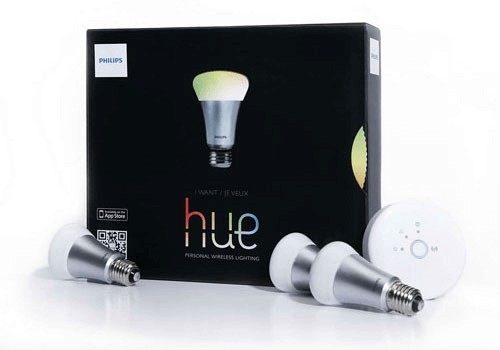
 선택하신 Homey에 Philips Hue, without the bridge이(가) 호환되지 않습니다.
 Philips Hue, without the bridge이(가) 곧 Homey에 설치됩니다.
 Belgium
 Bulgaria
 Croatia
 Cyprus
 Czech Republic
 Estonia
 Finland
 Greece
 Hungary
 Iceland
 Ireland
 Latvia
 Lithuania
 Malta
Malta
 Moldova
 The Netherlands
 Portugal
 Romania
 Slovakia
 Slovenia
 Türkiye
 Ukraine
 United Kingdom


