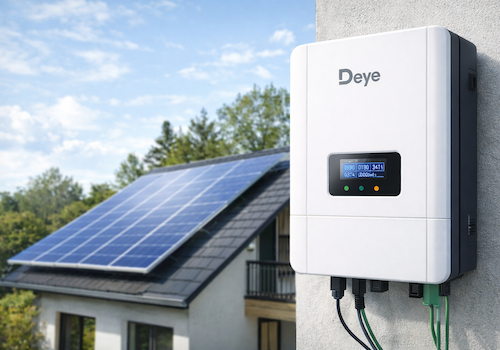
Monitor your Deye solar inverter directly on your local network — no cloud account, no internet dependency.
This app communicates with the Solarman Wi-Fi data logger stick using the SolarmanV5 protocol over TCP port 8899, polling your inverter every 60 seconds.
SUPPORTED MODELS
- Deye Microinverter 2 MPPT (SUN600G3 / SUN800G3 / SUN1000G3)
- Deye Microinverter 4 MPPT (SUN2000G3)
- Deye String Inverter 3-phase, 2 MPPT
- Deye Hybrid Inverter with battery, 2 MPPT
- Deye Hybrid Inverter 3-phase SG04LP3 (SUN-8K / SUN-10K / SUN-12K-SG04LP3-EU)
REQUIREMENTS
- Homey Pro (firmware 13.0 or later)
- Solarman Wi-Fi data logger stick connected to your local network
- TCP port 8899 accessible from Homey (no firewall blocking)
AVAILABLE DATA
Depending on inverter model:
- Real-time AC output power (W)
- PV string voltage and current per channel (PV1–PV4)
- Grid voltage, current and frequency
- Inverter temperature
- Daily and total production (kWh)
- Battery power, voltage, current and state of charge (hybrid models)
- Grid import / export energy (hybrid models)
- Load power consumption (hybrid models)
- Fault / Alarm state
HOMEY ENERGY
Fully integrated with Homey Energy. Your inverter appears as a solar panel device and contributes to your energy dashboard automatically.
PAIRING
1. Open Homey and add a new device
2. Leave the IP field empty to auto-discover loggers on your network, or enter the IP manually
3. The logger serial number is detected automatically (or enter it manually from the sticker)
4. Select your inverter model from the list
5. Capabilities are configured automatically based on your model
NOTES
- Local communication only — no Deye cloud or SolarmanCloud required.
- Auto-discovery uses UDP broadcast on port 48899 (Solarman discovery protocol).
- Night-time detection pauses polling between sunset and sunrise to avoid false unavailability alerts.
- Inverter definitions based on the home_assistant_solarman open-source project.
Clicca su un dispositivo qui sopra per visualizzare solo le schede dei Flow correlate.
Quando...
Inverter Deye
La batteria ha iniziato a caricarsi
i
Triggered when the battery transitions from discharging or standby to charging.
Inverter Deye
La batteria ha iniziato a scaricarsi
i
Triggered when the battery transitions from charging or standby to discharging.
Inverter Deye
Daily data updated
i
Triggered on every successful poll. Use tokens to read today's accumulated energy values. Sell and buy tokens are only available on hybrid inverters with a CT clamp.
Inverter Deye
Dati inverter aggiornati
i
Triggered on every successful poll (every 60 s by default). Use tokens to read current values. Note: grid_power token is only populated for string inverters — on hybrid models, grid power is tracked by the Grid Meter device.
Inverter Deye
Guasto/allarme rilevato
i
Triggered when the inverter transitions from OK into a fault/alarm state (fires once per new fault, not on every poll while it persists).
Inverter Deye
Immissione in rete iniziata
i
Triggered when the inverter starts exporting power to the grid (grid meter device).
Inverter Deye
Importazione dalla rete iniziata
i
Triggered when the inverter starts drawing power from the grid (grid meter device).
Inverter Deye
Connessione alla rete persa
i
Triggered when the inverter reports a grid outage (hybrid models only).
Inverter Deye
Connessione alla rete ripristinata
i
Triggered when the inverter reports grid power has returned (hybrid models only).
Inverter Deye
Il logger è andato offline
i
Triggered when the logger is unreachable for the configured number of minutes. Use this instead of (or alongside) the timeline notification.
Inverter Deye
Il logger è tornato online
i
Triggered when the logger responds again after an offline period.
Inverter Deye
Produzione solare avviata
i
Triggered when the inverter starts producing power (e.g. at sunrise).
Inverter Deye
Produzione solare fermata
i
Triggered when the inverter stops producing power (e.g. at sunset or on a fault).
Inverter SOFAR
La batteria ha iniziato a caricarsi
i
Triggered when the battery transitions from discharging or standby to charging.
Inverter SOFAR
La batteria ha iniziato a scaricarsi
i
Triggered when the battery transitions from charging or standby to discharging.
Inverter SOFAR
Daily data updated
i
Triggered on every successful poll. Use tokens to read today's accumulated energy values. Sell and buy tokens are only available on hybrid inverters with a CT clamp.
Inverter SOFAR
Dati inverter aggiornati
i
Triggered on every successful poll (every 60 s by default). Use tokens to read current values. Note: grid_power token is only populated for string inverters — on hybrid models, grid power is tracked by the Grid Meter device.
Inverter SOFAR
Guasto/allarme rilevato
i
Triggered when the inverter transitions from OK into a fault/alarm state (fires once per new fault, not on every poll while it persists).
Inverter SOFAR
Immissione in rete iniziata
i
Triggered when the inverter starts exporting power to the grid (grid meter device).
Inverter SOFAR
Importazione dalla rete iniziata
i
Triggered when the inverter starts drawing power from the grid (grid meter device).
Inverter SOFAR
Connessione alla rete persa
i
Triggered when the inverter reports a grid outage (hybrid models only).
Inverter SOFAR
Connessione alla rete ripristinata
i
Triggered when the inverter reports grid power has returned (hybrid models only).
Inverter SOFAR
Il logger è andato offline
i
Triggered when the logger is unreachable for the configured number of minutes. Use this instead of (or alongside) the timeline notification.
Inverter SOFAR
Il logger è tornato online
i
Triggered when the logger responds again after an offline period.
Inverter SOFAR
Produzione solare avviata
i
Triggered when the inverter starts producing power (e.g. at sunrise).
Inverter SOFAR
Produzione solare fermata
i
Triggered when the inverter stops producing power (e.g. at sunset or on a fault).
E...
Inverter Deye
SOC batteria è sopra ...%
i
Disponibile solo su inverter ibridi con un dispositivo batteria abbinato.
Inverter Deye
Fault is Fault
i
Checks whether a specific fault/alarm is currently active. Multiple faults can be active at once — this matches if the chosen one is among them. The suggestion list is filtered to what's possible on the selected device's model (e.g. battery faults are hidden for string/micro inverters).
Inverter Deye
Guasto/allarme è attivo
Inverter Deye
La batteria è in carica
i
Disponibile solo su inverter ibridi con un dispositivo batteria abbinato.
Inverter Deye
L'inverter sta immettendo in rete
i
Disponibile solo su inverter ibridi con pinza CT e importazione/esportazione rete abilitata durante il pairing.
Inverter Deye
La produzione solare è attiva
Inverter SOFAR
SOC batteria è sopra ...%
i
Disponibile solo su inverter ibridi con un dispositivo batteria abbinato.
Inverter SOFAR
Fault is Fault
i
Checks whether a specific fault/alarm is currently active. Multiple faults can be active at once — this matches if the chosen one is among them. The suggestion list is filtered to what's possible on the selected device's model (e.g. battery faults are hidden for string/micro inverters).
Inverter SOFAR
Guasto/allarme è attivo
Inverter SOFAR
La batteria è in carica
i
Disponibile solo su inverter ibridi con un dispositivo batteria abbinato.
Inverter SOFAR
L'inverter sta immettendo in rete
i
Disponibile solo su inverter ibridi con pinza CT e importazione/esportazione rete abilitata durante il pairing.
Inverter SOFAR
La produzione solare è attiva
Widget
Puoi aggiungere i widget di questa app alla dashboard oppure alla schermata iniziale nell’app mobile.
Riepilogo Energetico
Supporto
Hai un problema con questa app?
Contatta lo sviluppatore qui.
Novità
Versione 1.4.16 — Fixed: negative values (battery and grid power, battery current) were 1 unit too small, e.g. 10 W on SOFAR. Fixed: changing the logger IP, model or polling interval (device settings or Repair) only took effect after an app restart, and only on that device — it now applies immediately to the inverter, battery and meter of the same logger. Pairing and Repair no longer collide with the app's own polling on the logger. Deye string inverters: load and grid power (advanced sensors) were 10x too small, and grid power now reads positive when importing, like the hybrid models (per Deye Modbus V118). Deye single-phase hybrid: load power can now be negative instead of jumping to ~65,000 W. "Restore capabilities" on string inverters no longer adds the optional load/grid/energy sensors, which need a CT meter (without one they read 0 or repeat production). New maintenance action on string inverters, "Remove unused values", removes those values, PV3/PV4 inputs that are not wired and a radiator temperature the inverter does not report (-100 °C). Fixed: device Flow triggers (solar production started/stopped, battery charging/discharging, grid export/import, fault, logger offline/online, data updated) never fired. Fixed: unwired PV3/PV4 voltage/current came back on every app restart. "Solar production stopped" and the daily summary now also fire when the inverter goes offline at dusk before production dropped below 5 W, and no longer flip between stopped/started when power hovers around a few watts at dusk (started again only above 25 W). String/micro inverters: a logger that loses power within an hour of sunset or sunrise is treated as night, so there is no daily "Connection failed" warning at dusk; retry attempts no longer fill the diagnostic log. New device setting "Debug logging" (Advanced): when asked for a diagnostic report, turn it on for the device with the problem — it logs every poll and request for that device's logger only, and switches itself off after 60 minutes.