



Avertissement ! Cette appli peut ne pas fonctionner correctement.
Cette appli est en cours de test, et n’a jamais été revue. Il se peut qu’elle ne fonctionne pas comme attendu. Prenez des précautions supplémentaires en installant cette appli.
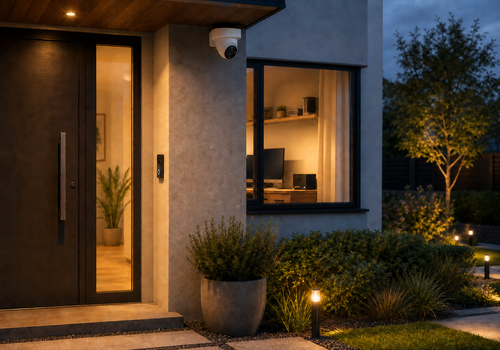
View compatible cameras, video doorbells and network video recorders directly in Homey Pro over your local network. Watch Live video, view snapshots from up to sixteen channels and use the dashboard widget to zoom, pan and refresh the image. Automatic stream selection prefers a Homey-friendly H.264 substream; advanced settings also offer manual stream selection and an RTSP-only mode for door stations without working ISAPI.
Create Flows for doorbell presses, motion, tampering, video loss, line crossing, intrusion, region entrance, region exiting and connection events, or control compatible PTZ cameras. Event snapshots, live status indicators, adjustable motion hold time and a privacy-safe diagnostic report help you build reliable local automations. Enable Notify Surveillance Center for the desired events in the device configuration. Available functions depend on the model, firmware and account permissions.
Cliquez sur un appareil ci-dessus pour afficher uniquement les cartes Flow associées.
Quand...
Hikvision camera, doorbell or NVR
L'alarme mouvement s'est activée
Hikvision camera, doorbell or NVR
L'alarme mouvement s'est désactivée
Hikvision camera, doorbell or NVR
L'alarme sabotage s'est activée
Hikvision camera, doorbell or NVR
L'alarme sabotage s'est désactivée
Hikvision camera, doorbell or NVR
Local alarm started
Hikvision camera, doorbell or NVR
Local alarm stopped
Hikvision camera, doorbell or NVR
The doorbell was pressed
Hikvision camera, doorbell or NVR
Intrusion detected
Hikvision camera, doorbell or NVR
Intrusion ended
Hikvision camera, doorbell or NVR
Line crossing detected
Hikvision camera, doorbell or NVR
Line crossing ended
Hikvision camera, doorbell or NVR
Connected
Hikvision camera, doorbell or NVR
Disconnected
Hikvision camera, doorbell or NVR
A connection error occurred
Hikvision camera, doorbell or NVR
Region entrance detected
Hikvision camera, doorbell or NVR
Region entrance ended
Hikvision camera, doorbell or NVR
Region exiting detected
Hikvision camera, doorbell or NVR
Region exiting ended
Hikvision camera, doorbell or NVR
Camera tampering started
Hikvision camera, doorbell or NVR
Camera tampering stopped
Hikvision camera, doorbell or NVR
Video signal was lost
Hikvision camera, doorbell or NVR
Video signal was restored
Hikvision camera, doorbell or NVR
Video motion started
Hikvision camera, doorbell or NVR
Video motion stopped
Et...
Hikvision camera, doorbell or NVR
L'alarme mouvement est en marche
Hikvision camera, doorbell or NVR
L'alarme sabotage est en marche
Hikvision camera, doorbell or NVR
Intrusion is active
Hikvision camera, doorbell or NVR
Line crossing is active
Hikvision camera, doorbell or NVR
Local alarm is active
Hikvision camera, doorbell or NVR
Region entrance is active
Hikvision camera, doorbell or NVR
Region exiting is active
Hikvision camera, doorbell or NVR
Video signal is lost
Hikvision camera, doorbell or NVR
Is connected
Alors...
Hikvision camera, doorbell or NVR
Move camera Channel number for Duration in seconds seconds: pan Pan, tilt Tilt, zoom Zoom
i
Relative values range from -100 to 100.
Hikvision camera, doorbell or NVR
Stop PTZ for camera Channel number
i
Stops an ongoing pan, tilt or zoom movement on the selected channel.
Hikvision camera, doorbell or NVR
Take a snapshot from camera Channel number
i
Returns the current JPEG image as a Snapshot tag in Advanced Flow.
Advanced
Widgets
Vous pouvez ajouter les widgets de cette application à votre tableau de bord ou à votre écran d’accueil dans l’application mobile.
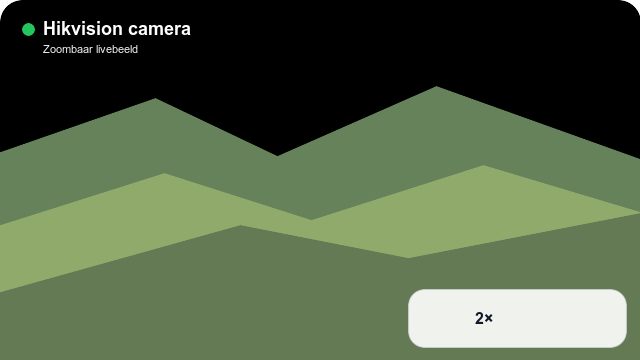
Hikvision camera zoom
Assistance
Vous avez un problème avec cette appli ?
Contacter le développeur ici.
Nouveautés
Version 2026.8.13 — Prefer the H.264 substream for more reliable Live video, add manual main/substream selection and add a persistent RTSP-only mode for door stations with broken ISAPI.