





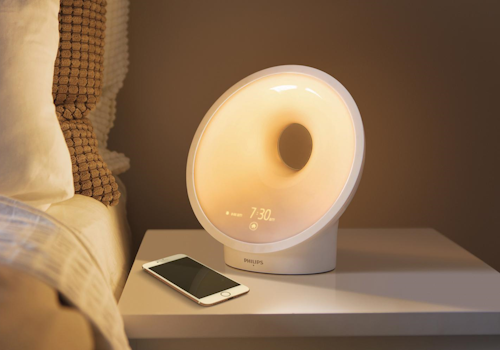
Philips Sleepmapper

Monitor and improve your sleeping.

Lire plus ›

Appareils pris en charge

Cartes Flow

Cliquez sur un appareil ci-dessus pour afficher uniquement les cartes Flow associées.

Quand...

Wakeup light
Intensité lumineuse modifiée
Wakeup light
L'humidité a changé
Wakeup light
La luminance a changé
Wakeup light
Le bruit a changé
Wakeup light
La température a changé
Wakeup light
Activé
Wakeup light
Désactivé
Wakeup light
Alarm Alarm goes off
i
When an alarm starts the wake-up sequence on the device
Wakeup light
Alarm Alarm ends
i
When the wake-up sequence of an alarm finishes
Wakeup light
The sunset mode is deactivated
i
When the sunset mode is deactivated
Wakeup light
The sunset mode is activated
i
When the sunset mode is activated
Wakeup light
The nightlight is turned off
i
When the nightlight has been turned off
Wakeup light
The nightlight is turned on
i
When the nightlight has been turned on
Wakeup light
The sunrise preview is deactivated
i
When the sunrise preview has been turned off
Wakeup light
The sunrise preview is activated
i
When the sunrise preview has been turned on
Wakeup light
Relax breathe is stopped
i
When the relax breathe program has stopped
Wakeup light
Relax breathe is started
i
When the relax breathe program has started
Wakeup light
Sleep tracking is turned off
i
When sleep tracking has been turned off
Wakeup light
Sleep tracking is turned on
i
When sleep tracking has been turned on
Wakeup light
The audio source changed to Source
i
When the audio source switches (FM Radio / AUX)

Et...

Wakeup light
Est activé
Wakeup light
Mode is on
i
Checks whether one of the device's modes is currently on
Wakeup light
The audio source is Source
i
Checks which audio source is currently selected
Wakeup light
Any alarm is enabled
i
True when at least one alarm is enabled on the device
Wakeup light
Alarm Alarm is enabled
i
Checks whether the selected alarm is currently enabled on the device

Alors...

Wakeup light
Mettre l'intensité lumineuse sur %
Wakeup light
Définir l'intensité lumineuse sur relative %
i
Diminuez ou augmentez la luminosité par rapport au niveau actuel de l'appareil.
Wakeup light
Activer
Wakeup light
Désactiver
Wakeup light
Alterner activé ou désactivé
Wakeup light
Stop the running wake-up
i
Dismisses a sounding alarm by turning off the light and the sound
Wakeup light
Set alarm Alarm to State
i
Enables or disables the selected alarm on the device
Wakeup light
Turns the sunset mode on or off: Start
i
Toggles the sunset mode of the wake-up light
Wakeup light
Turns the nightlight on or off: On
i
Toggles the nightlight
Wakeup light
Turns the sunrise preview on or off: On
i
Toggles the sunrise preview of the wake-up light
Wakeup light
Turns the relax breathe program on or off: On
i
Toggles the relax breathe program of the wake-up light
Wakeup light
Turns sleep tracking on or off: On
i
Turns sleep tracking on or off
Wakeup light
Set the audio source to Source
i
Switches the audio source of the wake-up light

Assistance

Le développeur de cette appli ne propose pas d’assistance directe.

Nouveautés

Version 2.0.12 — Added fitting icons for the night light, sunset, sunrise preview, relax breathe, sleep tracking, active alarm and audio source controls.

Afficher le journal des modifications

Philips Sleepmapper

Philips Sleepmapper n’est pas compatible avec le Homey sélectionné.

Philips Sleepmapper va s’installer sur Homey dans un instant.
Installer