





Avertissement ! Cette appli peut ne pas fonctionner correctement.
Cette appli est en cours de test, et n’a jamais été revue. Il se peut qu’elle ne fonctionne pas comme attendu. Prenez des précautions supplémentaires en installant cette appli.
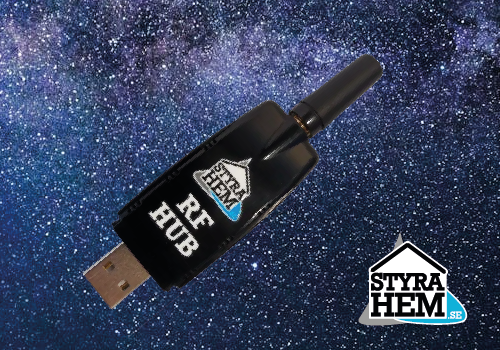
StyraHem RFHub - Homey App
============================
Author: Håkan Åkerberg (hakan@tarra.se)
Support: info@rfhub.se
DESCRIPTION
-----------
The StyraHem RFHub is a Homey app that allows you to connect your 433MHz RF devices
to your home network. This versatile gateway enables easy integration and control of
various RF devices through your Homey smart home hub.
IMPORTANT: This app requires the physical StyraHem RFHub hardware device to function.
The RFHub product acts as a bridge between your 433MHz RF devices and your network,
enabling communication with Homey. Without the RFHub hardware, this app will not be
able to control or monitor any RF devices.
For more information about the RFHub product and to purchase the hardware, visit:
https://rfhub.se
FEATURES
--------
- Connect 433MHz RF devices to your home network
- Support for multiple device types: Remote controls, Sensors, and RFHub Cloud devices
- Temperature and humidity monitoring from RF sensors
- Remote control capabilities with on/off and dimming functions
- Flow card support for automation
- Works on both local and cloud platforms
SUPPORTED DEVICES
-----------------
1. RFHub Cloud
- Gateway device for RF communication
- Connection status monitoring
2. Remote Controls
- On/off control
- Dimming capabilities
- Compatible with various RF remote controls
3. Sensors
- Temperature measurement
- Humidity measurement
- Automatic value change triggers for flows
INSTALLATION
------------
1. Install the app from the Homey App Store
2. Add your RFHub Cloud device first through the device pairing process
3. Configure your RFHub connection settings
4. Add individual RF devices (remotes, sensors) through device discovery
DEVICE PAIRING
--------------
RFHub Cloud:
- Follow the configuration wizard to set up your RFHub gateway
- Ensure your RFHub is connected to your network
Remote Controls & Sensors:
- Use the device discovery feature
- Select devices from the available list
- Follow the pairing instructions for each device type
FLOW CARDS
----------
Available triggers:
- Sensor value changed
- Temperature changed
- Humidity changed
These triggers can be used to create automated flows based on sensor readings
and device state changes.
TECHNICAL REQUIREMENTS
----------------------
- Homey firmware version 12.2.0 or higher
- StyraHem RFHub hardware device, minumum firmware version 1.1.0
- 433MHz RF devices compatible with RFHub
- Network connection for RFHub device
SUPPORT & DONATIONS
-------------------
For technical support, contact: info@styrahem.se
To support development, donations can be made via PayPal to: hakan@tarra.se
COMPATIBILITY
-------------
- Platforms: Local and Cloud
- Homey SDK: Version 3
- Minimum Homey version: 12.2.0
Cliquez sur un appareil ci-dessus pour afficher uniquement les cartes Flow associées.
Quand...
Remote
Button Button was activated
i
Triggered when a button is activated (turned on)
Remote
Button Button was deactivated
i
Triggered when a button is deactivated (turned off)
Roller Blinds
L'état a été modifié ...
Sensor
La température a changé
Sensor
L'humidité a changé
Et...
Roller Blinds
L'état est ...
Alors...
Remote
Appuyer sur le bouton
Roller Blinds
Définir l'état ...
Assistance
Vous avez un problème avec cette appli ?
Contacter le développeur en envoyant un e-mail.
Nouveautés
Version 1.1.7 — The hub can now hand the app an updated key while connected, so a key that has been replaced no longer requires re-pairing. The pairing screen also points to qtrl.me for your Hub-ID and Secret.