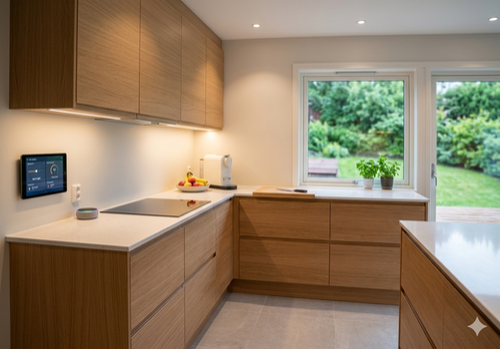
With the HDL SmartBus support for Homey, you can control your HDL relays and dimmers directly or from flows, making sure your existing smart home installation gets the logic it deserves. The app supports the most common HDL device types, including relays, dimmers, multisensors, dry contacts, floor heating controllers, curtains, DLP panels and universal switches. Your HDL IP-module needs to be on the same network as your Homey.
Haz clic en el dispositivo de arriba para mostrar solo las tarjetas Flow relacionadas.
Cuando...
Curtains
La posición ha cambiado
Curtains
El estado ha cambiado ...
Dimmer
La intensidad de la luz ha cambiado
Dimmer
Encendido
Dimmer
Apagado
DLP Heater
La temperatura ha cambiado
DLP Heater
Encendido
DLP Heater
Apagado
DLP Heater
Thermostat mode changed to ...
i
Confirmed transitions only. First read after restart is silent. Polling may delay detection. Mode tokens: 1 Normal, 2 Day, 3 Night, 4 Away, 5 Timer. Timer transitions are included.
DLP Panel
La temperatura ha cambiado
Dry Contact
La temperatura ha cambiado
Dry Contact
Dry contact 1 double click
Dry Contact
Dry contact 1 deactivated
Dry Contact
Dry contact 1 single click
Dry Contact
Dry contact 1 triple click
Dry Contact
Dry contact 1 activated
Dry Contact
Dry contact 2 double click
Dry Contact
Dry contact 2 deactivated
Dry Contact
Dry contact 2 single click
Dry Contact
Dry contact 2 triple click
Dry Contact
Dry contact 2 activated
Dry Contact
Dry contact 3 double click
Dry Contact
Dry contact 3 deactivated
Dry Contact
Dry contact 3 single click
Dry Contact
Dry contact 3 triple click
Dry Contact
Dry contact 3 activated
Dry Contact
Dry contact 4 double click
Dry Contact
Dry contact 4 deactivated
Dry Contact
Dry contact 4 single click
Dry Contact
Dry contact 4 triple click
Dry Contact
Dry contact 4 activated
Dry Contact
Dry contact 5 double click
Dry Contact
Dry contact 5 deactivated
Dry Contact
Dry contact 5 single click
Dry Contact
Dry contact 5 triple click
Dry Contact
Dry contact 5 activated
Dry Contact
Dry contact 6 double click
Dry Contact
Dry contact 6 deactivated
Dry Contact
Dry contact 6 single click
Dry Contact
Dry contact 6 triple click
Dry Contact
Dry contact 6 activated
Dry Contact
Dry contact 7 double click
Dry Contact
Dry contact 7 deactivated
Dry Contact
Dry contact 7 single click
Dry Contact
Dry contact 7 triple click
Dry Contact
Dry contact 7 activated
Dry Contact
Dry contact 8 double click
Dry Contact
Dry contact 8 deactivated
Dry Contact
Dry contact 8 single click
Dry Contact
Dry contact 8 triple click
Dry Contact
Dry contact 8 activated
Dry Contact
Dry contact double click
Dry Contact
Dry contact single click
Dry Contact
Dry contact triple click
Floorheater
La temperatura deseada ha cambiado
Floorheater
La temperatura ha cambiado
Floorheater
Encendido
Floorheater
Apagado
multisensor
La alarma de movimiento se ha activado
multisensor
La alarma de movimiento se ha desactivado
multisensor
La temperatura ha cambiado
multisensor
La luminancia ha cambiado
multisensor
La humedad ha cambiado
multisensor
Dry contact 1 deactivated
multisensor
Dry contact 1 activated
multisensor
Dry contact 2 deactivated
multisensor
Dry contact 2 activated
multisensor
Dry contact 3 deactivated
multisensor
Dry contact 3 activated
multisensor
Dry contact 4 deactivated
multisensor
Dry contact 4 activated
multisensor
Relay 1 turned off
multisensor
Relay 1 turned on
multisensor
Relay 2 turned off
multisensor
Relay 2 turned on
Relay
Encendido
Relay
Apagado
Temperature Sensor
La temperatura ha cambiado
Universal Switch
Encendido
Universal Switch
Apagado
Y...
Curtains
El estado es ...
Dimmer
Está encendido
DLP Heater
Está encendido
Floorheater
Está encendido
multisensor
La alarma de movimiento está activada
Relay
Está encendido
Universal Switch
Está encendido
Entonces...
Curtains
Configurar la posición como %
i
Cambia la posición a abierto (100 %), cerrado (0 %) o un valor intermedio.
Curtains
Configurar estado ...
Dimmer
Ajustar la intensidad de la luz a %
Dimmer
Ajustar la intensidad de la luz como relativa %
i
Atenúa o ilumina con respecto al nivel de atenuación actual del dispositivo.
Dimmer
Encender
Dimmer
Apagar
Dimmer
Encender o apagar
DLP Heater
Encender
DLP Heater
Apagar
DLP Heater
Encender o apagar
DLP Heater
Press panel button ...
DLP Heater
Read DLP status again
i
Reads status only. Does not change power, mode or temperature.
DLP Heater
Set active setpoint to ... °C
DLP Heater
Set thermostat mode to ...
DLP Heater
Set ... setpoint to ... °C
i
Keeps the actual active mode. Reads, writes once and verifies the presets.
DLP Panel
Press DLP button Button
i
Measured on DLP103. Test compatibility with other panels. Sends once; acknowledgement does not verify the programmed function.
Floorheater
Ajustar la temperatura °C
Floorheater
Encender
Floorheater
Apagar
Floorheater
Encender o apagar
Relay
Encender
Relay
Apagar
Relay
Encender o apagar
Universal Switch
Encender
Universal Switch
Apagar
Universal Switch
Encender o apagar
Asistencia
¿Tienes algún problema con esta aplicación?
Contacta con el desarrollador aquí.
Novedades
Versión 1.7.0 — Added DLP Heater for supported DLP panels running floor heating: room temperature, active setpoint, mode and power are shown in Homey, and can be changed from Homey or Flows, including Flow cards to set the mode and setpoint, press a configured panel button, and a trigger when the thermostat mode changes. DLP panel buttons can also be pressed directly from Flows. The 12in1 multisensor relay outputs can now be controlled from Homey. Floor heating zones now show approximated power usage in Homey Energy.








 HDL SmartBus no es compatible con el Homey seleccionado.
 HDL SmartBus se instalará en Homey en breve.
 Belgium
 Bulgaria
 Croatia
 Cyprus
 Czech Republic
 Estonia
 Finland
 Greece
 Hungary
 Iceland
 Ireland
 Latvia
 Lithuania
 Malta
 Moldova
 The Netherlands
 Portugal
 Romania
 Slovakia
 Slovenia
 Türkiye
 Ukraine
 United Kingdom


