Warning! This app might not work properly.
This app version is currently being tested, and has not yet been reviewed. It might not work as expected.
« Back to the regular version
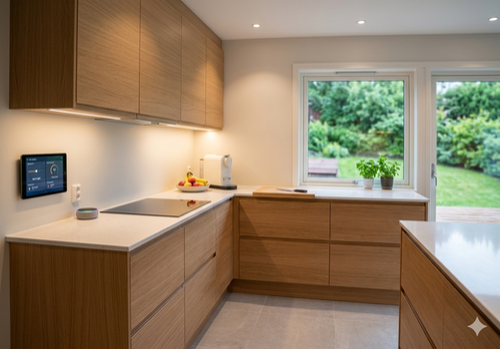
With the HDL SmartBus support for Homey, you can control your HDL relays and dimmers directly or from flows, making sure your existing smart home installation gets the logic it deserves. The app supports the most common HDL device types, including relays, dimmers, multisensors, dry contacts, floor heating controllers, curtains, DLP panels and universal switches. Your HDL IP-module needs to be on the same network as your Homey.
Read more ›
Supported devices
Curtains
Dimmer
DLP Heater
DLP Panel
Dry Contact
Floorheater
multisensor
Relay
Temperature Sensor
Universal Switch
Flow cards
Click on a device above to show related Flow cards only.
When...
Curtains
The position changed
Curtains
The state changed ...
Dimmer
The dim level changed
DLP Heater
The temperature changes
DLP Heater
Thermostat mode changed to ...
DLP Panel
The temperature changes
Dry Contact
The temperature changes
Dry Contact
Dry contact 1 double click
Dry Contact
Dry contact 1 deactivated
Dry Contact
Dry contact 1 single click
Dry Contact
Dry contact 1 triple click
Dry Contact
Dry contact 1 activated
Dry Contact
Dry contact 2 double click
Dry Contact
Dry contact 2 deactivated
Dry Contact
Dry contact 2 single click
Dry Contact
Dry contact 2 triple click
Dry Contact
Dry contact 2 activated
Dry Contact
Dry contact 3 double click
Dry Contact
Dry contact 3 deactivated
Dry Contact
Dry contact 3 single click
Dry Contact
Dry contact 3 triple click
Dry Contact
Dry contact 3 activated
Dry Contact
Dry contact 4 double click
Dry Contact
Dry contact 4 deactivated
Dry Contact
Dry contact 4 single click
Dry Contact
Dry contact 4 triple click
Dry Contact
Dry contact 4 activated
Dry Contact
Dry contact 5 double click
Dry Contact
Dry contact 5 deactivated
Dry Contact
Dry contact 5 single click
Dry Contact
Dry contact 5 triple click
Dry Contact
Dry contact 5 activated
Dry Contact
Dry contact 6 double click
Dry Contact
Dry contact 6 deactivated
Dry Contact
Dry contact 6 single click
Dry Contact
Dry contact 6 triple click
Dry Contact
Dry contact 6 activated
Dry Contact
Dry contact 7 double click
Dry Contact
Dry contact 7 deactivated
Dry Contact
Dry contact 7 single click
Dry Contact
Dry contact 7 triple click
Dry Contact
Dry contact 7 activated
Dry Contact
Dry contact 8 double click
Dry Contact
Dry contact 8 deactivated
Dry Contact
Dry contact 8 single click
Dry Contact
Dry contact 8 triple click
Dry Contact
Dry contact 8 activated
Dry Contact
Dry contact double click
Dry Contact
Dry contact single click
Dry Contact
Dry contact triple click
Floorheater
The target temperature changed
Floorheater
The temperature changes
multisensor
The motion alarm turned on
multisensor
The motion alarm turned off
multisensor
The temperature changes
multisensor
The luminance changed
multisensor
The humidity changed
multisensor
Dry contact 1 deactivated
multisensor
Dry contact 1 activated
multisensor
Dry contact 2 deactivated
multisensor
Dry contact 2 activated
multisensor
Dry contact 3 deactivated
multisensor
Dry contact 3 activated
multisensor
Dry contact 4 deactivated
multisensor
Dry contact 4 activated
multisensor
Relay 1 turned off
multisensor
Relay 1 turned on
multisensor
Relay 2 turned off
multisensor
Relay 2 turned on
Temperature Sensor
The temperature changes
Universal Switch
Turned on
Universal Switch
Turned off
And...
Curtains
The state is ...
multisensor
The motion alarm is on
Universal Switch
Is turned on
Then...
Curtains
Set the position to %
Dimmer
Set relative dim-level %
DLP Heater
Toggle on or off
DLP Heater
Press panel button ...
DLP Heater
Read DLP status again
DLP Heater
Set active setpoint to ... °C
DLP Heater
Set thermostat mode to ...
DLP Heater
Set ... setpoint to ... °C
DLP Panel
Press DLP button Button
Floorheater
Set the temperature °C
Floorheater
Toggle on or off
Universal Switch
Turn off
Universal Switch
Toggle on or off
What’s new
Version 1.7.0 — Added DLP Heater for supported DLP panels running floor heating: room temperature, active setpoint, mode and power are shown in Homey, and can be changed from Homey or Flows, including Flow cards to set the mode and setpoint, press a configured panel button, and a trigger when the thermostat mode changes. DLP panel buttons can also be pressed directly from Flows. The 12in1 multisensor relay outputs can now be controlled from Homey. Floor heating zones now show approximated power usage in Homey Energy.
View changelog








 HDL SmartBus is not compatible with the selected Homey.
 HDL SmartBus will install on Homey shortly.
 Belgium
 Bulgaria
 Croatia
 Cyprus
 Czech Republic
 Estonia
 Finland
 Greece
 Hungary
 Iceland
 Ireland
 Latvia
 Lithuania
 Malta
 Moldova
 The Netherlands
 Portugal
 Romania
 Slovakia
 Slovenia
 Türkiye
 Ukraine
 United Kingdom


