





How to Connect KNX to Homey: Gateways, Topologies and Best Practices
If you already have KNX, the step from a reliable wired backbone to a full smart home platform is surprisingly small. You do not rebuild the KNX installation. You bridge it.
The bridge is a KNX IP interface or router. It sits on the KNX TP bus on one side and on your Ethernet network on the other. Homey Pro connects to it over IP and speaks KNXnet/IP to read and write group addresses. From that point, Homey sees your KNX lights, blinds, thermostats and sensors as normal devices. It does not care that they live on a twisted pair bus. It simply sends and receives KNX telegrams through the gateway.
Understanding Your KNX Topology First
Before connecting Homey, you need a clear picture of your KNX installation. That means knowing which lines and areas exist, where the power supplies and line couplers are located and whether there is already a KNX IP interface in the cabinet.
Most residential installations use a single main line, sometimes with one or two additional lines for extensions. Larger homes may have multiple areas with an IP backbone. You do not have to change any of that for Homey. You just need an IP endpoint that can reach the relevant group addresses.
Choosing Between a KNX IP Interface and a KNX IP Router
For connecting Homey, both KNX/IP interfaces and KNX/IP routers work. The difference is subtle but important:
- An IP interface provides KNXnet/IP tunnelling connections. It acts like a virtual programming connector: devices like ETS or Homey open a tunnel and exchange telegrams with the bus.
- An IP router can do tunnelling but also routing, forwarding KNX traffic between TP lines and an IP multicast backbone. It’s used when IP replaces TP as a backbone between areas.
For a typical house where KNX TP is the only field medium, an IP interface is enough. If you already have a KNX IP router in place for a larger installation, Homey can simply use its tunnelling endpoint. Vendors such as Weinzierl, MDT, ABB, Jung and others offer certified IP interfaces and routers. Some resellers even bundle a recommended interface specifically “for Homey”.
Installing the KNX IP Gateway
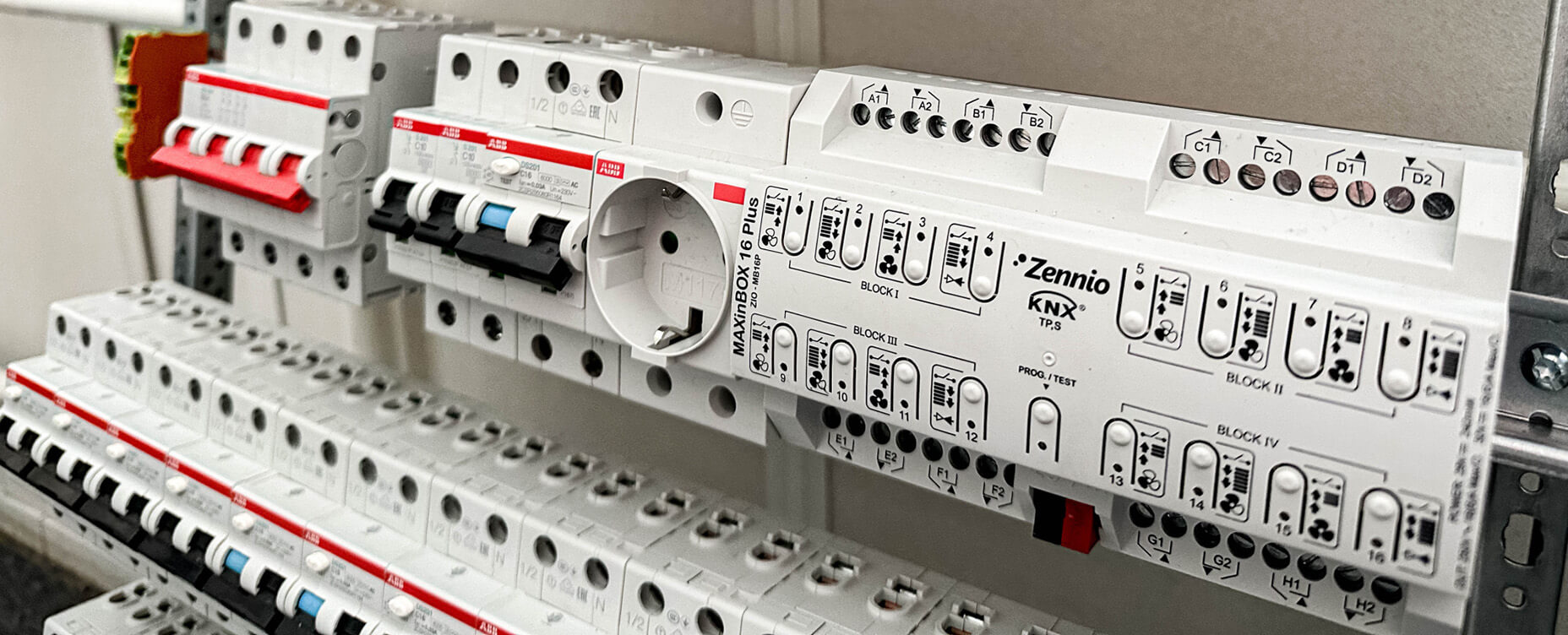
The physical installation follows standard KNX practice. You mount the IP interface or router on the DIN rail, connect it to the KNX TP bus using the red and black terminals, and connect it to your Ethernet network with a patch cable to a nearby switch or router.
Most devices receive an IP address via DHCP by default. If you prefer predictable addressing, you can assign a static IP instead. From the KNX side, the gateway simply becomes another participant on the bus. It reads bus traffic and injects telegrams when clients ask it to.
Connecting Homey Pro to KNX
On the Homey side, the process is far more approachable than working in ETS. You install the KNX app for Homey, then add a KNX gateway device and enter the IP address of your KNX IP interface. If the interface supports multiple tunnels, you select the tunnelling parameters and Homey occupies one of the available connections. A quick connection test confirms that Homey can reach the interface and exchange telegrams.
Mapping KNX Group Addresses to Homey Devices
Homey does not automatically know which group addresses mean what. You give it that knowledge through mapping.
The most structured approach is to export a list of group addresses and their functions from ETS and use that documentation to build your Homey devices. You create devices for lights, shutters, thermostats and other functions, then assign each one the correct group addresses and datapoint types.
An alternative is to let Homey learn by observation. You keep Homey listening on the KNX IP connection while you operate lights and functions from your existing KNX switches or touch panels. When Homey sees a telegram, you tell it what that group address represents and bind it to a device.
Either way, the result is the same. A Homey device that knows which KNX groups to monitor for state updates and which groups to write to when you want to control the function. Once mapped, that device behaves exactly like any other Homey device in the app and in Flows.
Best Practices for a Stable KNX and Homey Setup
A few habits make life easier:
- Keep KNX logic for basic safety – let local KNX buttons always be able to switch lights and blinds, even if Homey is offline.
- Use Homey for cross-protocol and automation logic – scenes, integrations, remote access, voice.
- Document group addresses properly – a clean ETS project and export saves a lot of guesswork later.
- Monitor tunnelling limits – some interfaces support only a few simultaneous tunnels. If you also use ETS and another visualisation, ensure there are enough channels.
The point is not to move everything into Homey, but to let Homey orchestrate and visualise what KNX already does, plus the rest of your smart devices.
Two Worlds, One Smart Home
Connecting KNX to Homey via a KNX IP gateway does not turn KNX into Wi-Fi. It joins two distinct worlds. KNX continues to be the deterministic, wired fieldbus running your building. Homey becomes the integration and experience layer on top of it.
The interface between them, KNXnet/IP, is well-specified and widely supported. Done right, you keep KNX's reliability and gain modern smart home features without losing control of either side.
FAQ
Do I need a specific KNX IP interface for Homey?
No fixed brand is required but it must support KNXnet/IP tunnelling correctly. Some interfaces are recommended and pre-tested for Homey support. You should check the support documentation for the most reliable options.
Can Homey connect directly to KNX TP without IP?
No. Homey communicates over IP so a KNX IP interface or router is required. This bridge is necessary to translate the bus telegrams into data the hub can process.
What is the difference between tunnelling and routing for Homey?
Homey uses tunnelling which is a point-to-point connection to send and receive telegrams. Routing is mainly for line communication between KNX devices using multicast. Tunnelling provides a dedicated path for external integration.
How many KNX devices can I expose to Homey?
Practically as many as your KNX bus and Homey configuration support. The limiting factor is usually usability or hardware resources rather than protocol limits. Large installations remains snappy if the network backbone is robust.
Do I need to reprogram my KNX installation to work with Homey?
No as long as you know the group addresses and datapoint types. Homey just binds to existing groups already defined in your ETS project. This makes integration non-intrusive for the existing system.
Can Homey see KNX sensor values as well as control outputs?
Yes. As long as sensors send their values on group addresses Homey can subscribe and treat them as device capabilities. This allows for complex automations based on temperature or light levels.
Can multiple systems use the same KNX IP interface?
Yes if the interface supports multiple tunnels. Many gateways allow several concurrent connections like ETS and Homey or a visualisation server simultaneously. Check your hardware specifications for the tunnel limit.
What happens to KNX if Homey is powered off?
Nothing dramatic happens. KNX continues operating as programmed in the local devices. You merely lose the additional logic and external visualisation that Homey provided.
Glossary
KNX/IP Interface
This device connects the KNX twisted pair bus to an Ethernet network. It provides tunnelling endpoints so software like ETS or Homey can talk to the bus. It essentially acts as a virtual programming interface for your entire system.
KNX IP Router
A KNX IP router is a more advanced device that bridges telegrams between different lines. It uses routing mode to handle traffic across a backbone in larger installations. This is often the preferred choice for professional projects with high data loads.
KNXnet/IP Tunnelling
Tunnelling is a point-to-point communication mode used by external clients. Platforms like Homey open a dedicated tunnel to the interface to exchange telegrams. This makes the remote system feel like it is connected locally to the physical bus.
KNXnet/IP Routing
This multicast mode allows all routers on a backbone to share telegrams simultaneously. It is primarily used for line or area coupling over an Ethernet network. It ensures that different segments of a large building stay synchronized.
Group Address Mapping
Mapping is the process of linking your physical KNX addresses to logical functions in Homey. You tell the hub which group address controls a specific light or blind. This step is where the automation logic truly begins to take shape.
Bus Monitor
A bus monitor is a diagnostic tool that listens to all telegrams on the network. It helps you identify missing group addresses by showing exactly what happens when you press a physical button. It is an essential feature for troubleshooting complex integration issues.
Datapoint Type Mapping
Datapoint mapping ensures that Homey interprets raw KNX data correctly. You must specify whether a value represents a simple switch, a dimming percentage, or a temperature reading. Without correct mapping, your sensors might display incorrect data.


