








Solar forecast and export pricing now in Homey Energy
Homey Energy now forecasts your solar production and tracks what exporting power to the grid earns or costs you. Use the forecast in Flows, and set your export rate so Homey includes it in your energy calculations.
Solar forecast
The solar forecast shows what your panels are expected to generate today and tomorrow. It appears as a dashed line in the solar chart, alongside your actual production. It’s based on your local weather, panel setup, and past output, and improves as Homey collects more data.
Use the forecast in Flows
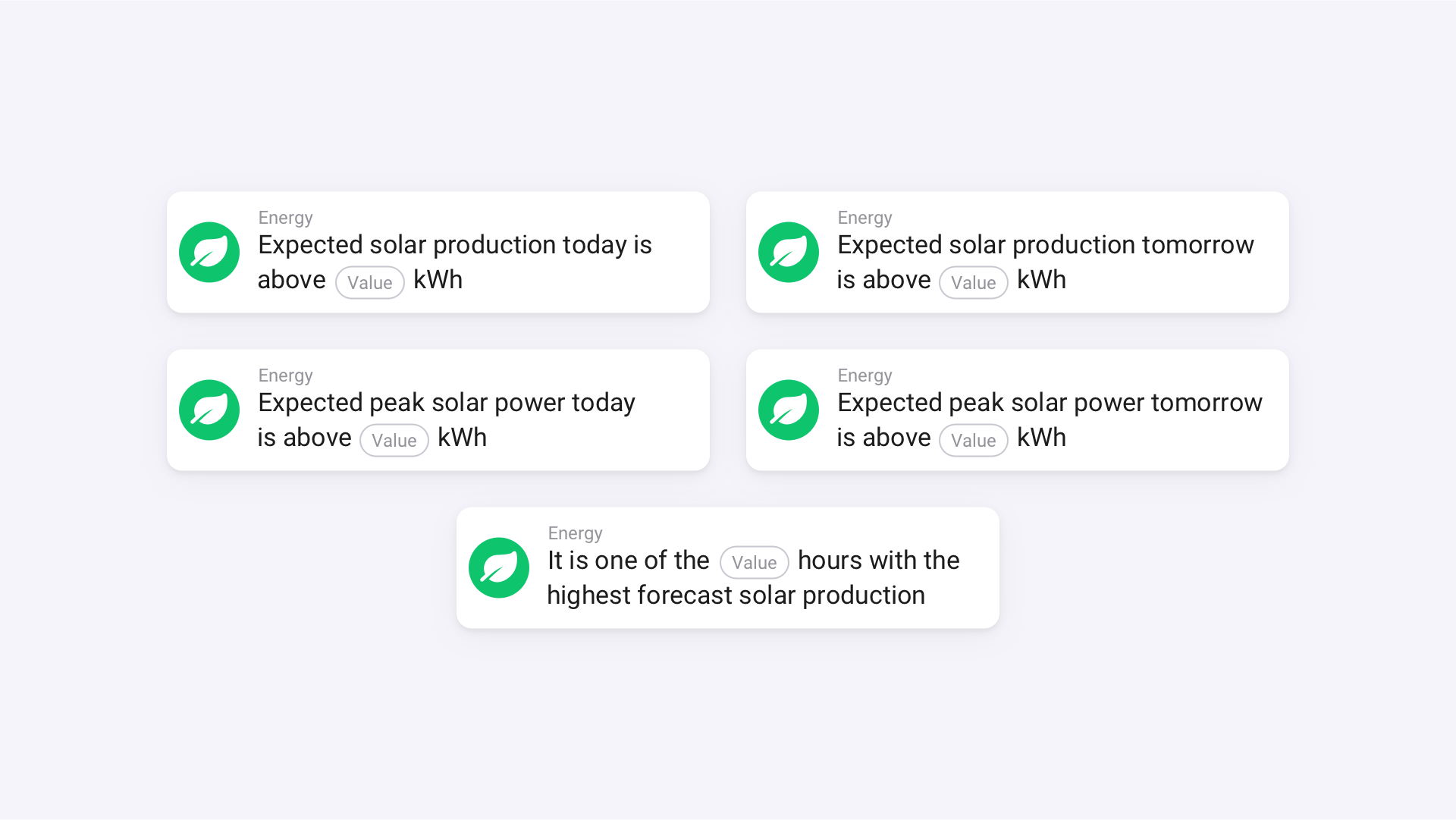
For both today and tomorrow, you can use Flow cards for expected production in kWh, peak power in W, and the hours when output is expected to be highest.
That means you can start the dishwasher, charge your e-bike, or turn on the air conditioning during the sunniest hours of the day, so you use more of your own solar power.
Configure your panel setup
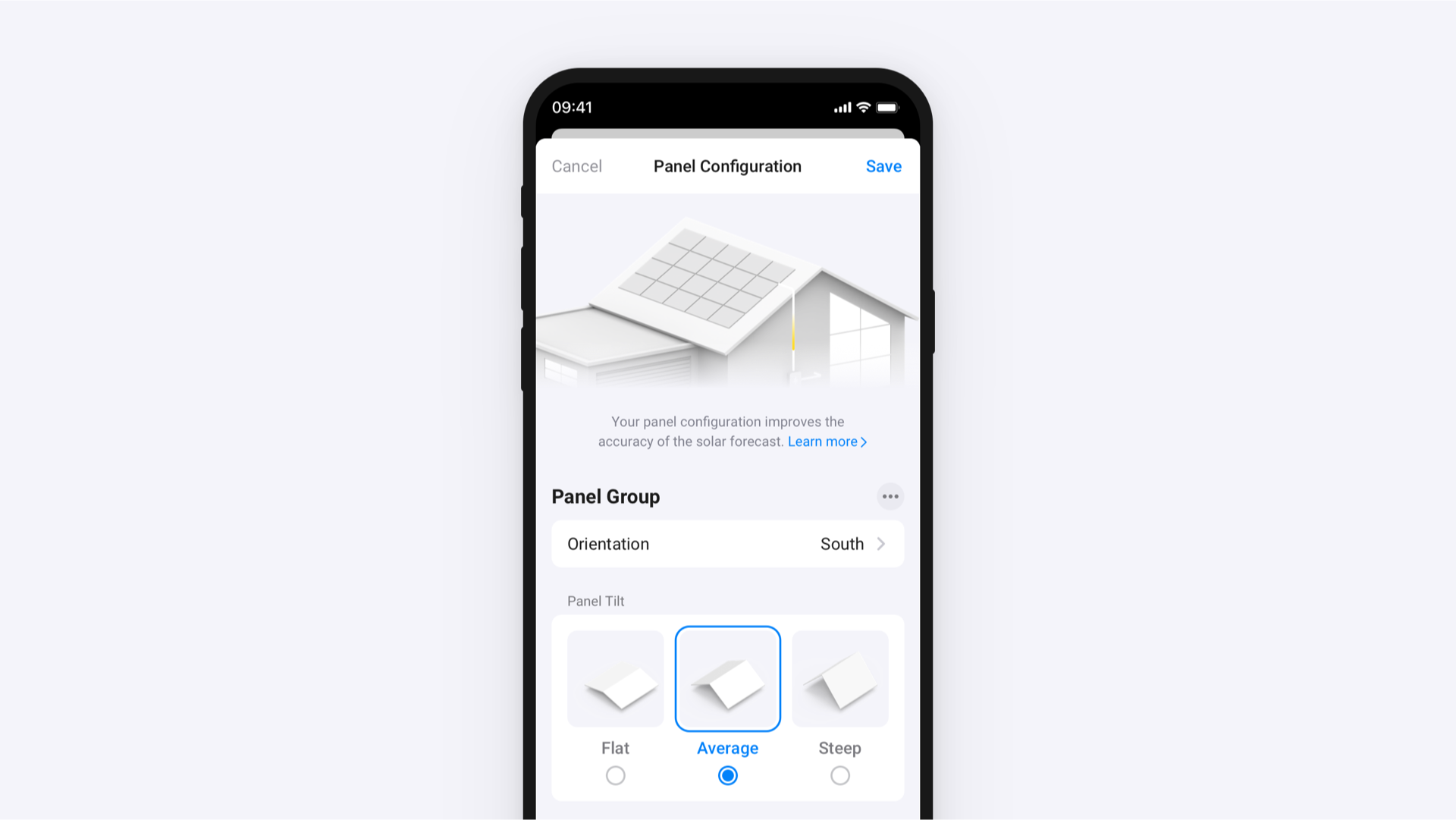
The more Homey knows about your setup, the closer the forecast gets to your actual production. By default, Homey assumes your panels face south at a standard tilt.
If your panels face a different direction, you can adjust your panel orientation, tilt, and total peak power. If they face multiple directions, you can add multiple groups.
Export pricing
Homey can now calculate what sending power back to the grid earns or costs you. Set your export rate once, and Homey factors it into your energy calculations automatically.
Fixed price
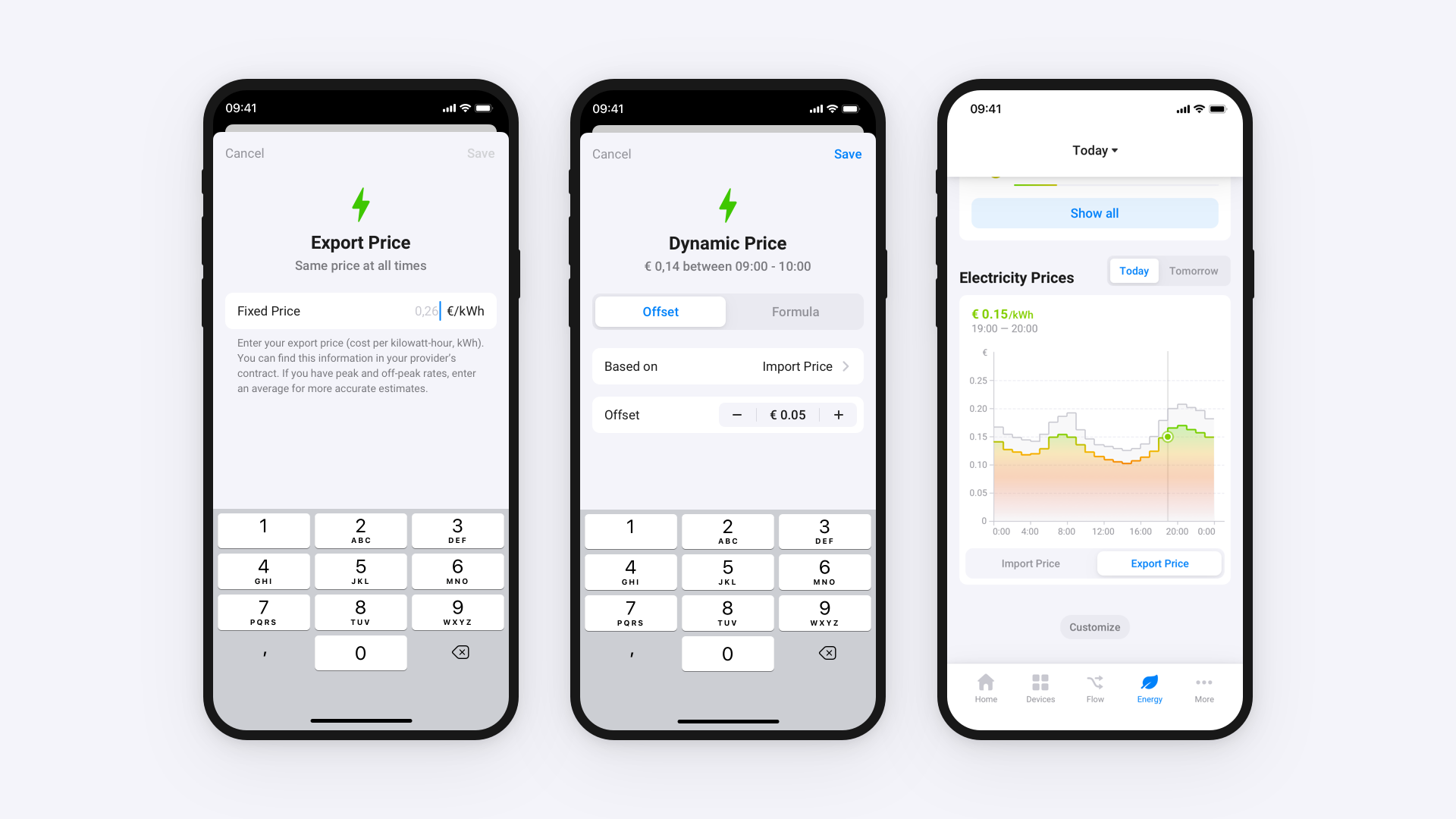
Choose Fixed Price when your provider pays the same rate at all times. Enter your export price per kWh from your energy provider’s contract. If your contract has peak and off-peak rates, enter an average for more accurate calculations.
Dynamic price
If your export rate changes throughout the day, choose Dynamic Price. With dynamic pricing, Homey updates your export price automatically as market rates change. Base it on your import price, then adjust it using a fixed offset or a custom formula.
Get started
Both features are available on Homey Pro (2023 — 2026), Homey Pro mini, and Homey Self-Hosted Server. On Homey Cloud, Homey Premium is required.
Make sure you’re on Homey Pro or Homey Self-Hosted Server v13.4.0 or later, and the Homey Mobile App v10.1.0 or later. For the solar forecast, you’ll need a solar panel device in Homey.


