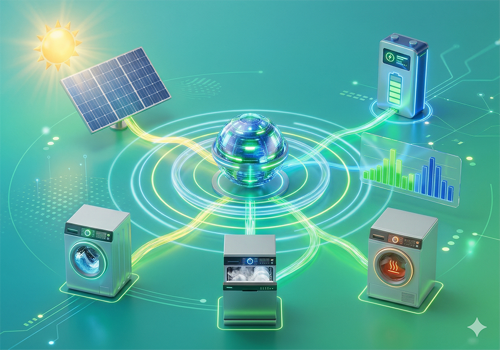
Power Profiler learns how much energy your appliances use and schedules them to run at the cheapest time using day-ahead energy prices. With optional solar panel integration, it calculates effective prices that account for your self-generated energy and prevents appliances from competing for the same cheap solar slots.
How it works:
1. Pair a Power Profiler device with any smart plug that reports power usage.
2. The app automatically detects duty cycles and builds a power consumption profile.
3. Use a flow card to schedule the cheapest start time — either within a number of hours or before a specific deadline time.
4. A flow trigger fires when the optimal start time arrives, so you can automate turning on the plug.
Solar integration (optional):
1. Configure your Solcast API key and rooftop resource ID in app settings.
2. Add a PV Profiler device and select your solar inverter (and optionally your smart meter).
3. The app fetches solar forecasts, learns a correction factor, and computes effective energy prices.
4. Enable "Use PV forecast" on any scheduler device to schedule appliances during peak solar hours.
Virtual Energy Provider (optional):
Add a VEP device to get a real-time dashboard showing effective price, grid price, feed-in tariff, PV surplus, base load, and the number of scheduled appliances. The VEP also provides flow triggers for surplus availability, effective price thresholds, and negative spot prices.
Home Battery (early access):
Add a Home Battery device to schedule charging at the cheapest hours and discharging when prices are highest. Works with any battery that has a Homey driver reporting power. Enable via app settings (battery_enabled = true).
Features:
- Automatic cycle detection with smart cooldown to prevent splitting cycles
- Power profiles built from multiple cycles with per-minute averages
- Day-ahead energy prices from EasyEnergy, EnergyZero, Frank Energie, ANWB Energie, and Mijndomein Energie
- Cost-optimal scheduling that considers the full power profile shape
- Solar forecast via Solcast with per-slot correction factor (learns your installation's actual output)
- Capacity-aware scheduling: multiple appliances are scheduled sequentially so they don't compete for the same solar surplus
- Smart meter integration for accurate base load profiling
- Per-hour feed-in tariffs automatically derived from your energy provider's return rates
- Savings tracking: see per-schedule and cumulative savings on the device dashboard
- Flow triggers for scheduling, cycle completion, price changes, forecast updates, surplus availability, effective price thresholds, negative spot prices, and status changes
- Flow conditions for PV production level, forecast thresholds, surplus level, and effective price
- Tracks total energy consumption and estimated costs per appliance
- Survives Homey restarts
Documentation: https://ndygen.github.io/power-profiler/
Requires a smart plug that reports power measurement (measure_power capability).
Solar features require a Solcast account (free Hobbyist plan supported).
Read more ›